






Skip to content
Detected Malware Intune Report | Endpoint Manager
Detected Malware Intune Report | Endpoint Manager
Detected Malware Intune Report | Endpoint Manager 1
Detected Malware Intune Report | Endpoint Manager 16
Detected Malware Intune Report | Endpoint Manager 2
Detected Malware Intune Report | Endpoint Manager 17
Detected Malware Intune Report | Endpoint Manager 3
Detected Malware Intune Report | Endpoint Manager 18
Detected Malware Intune Report | Endpoint Manager 4
Detected Malware Intune Report | Endpoint Manager 19
Detected Malware Intune Report | Endpoint Manager 5
Detected Malware Intune Report | Endpoint Manager 20
Detected Malware Intune Report | Endpoint Manager 6
Detected Malware Intune Report | Endpoint Manager 21
Detected Malware Intune Report | Endpoint Manager 7
Detected Malware Intune Report | Endpoint Manager 22
Detected Malware Intune Report | Endpoint Manager 8
Detected Malware Intune Report | Endpoint Manager 23
Detected Malware Intune Report | Endpoint Manager 9
Detected Malware Intune Report | Endpoint Manager 24
Detected Malware Intune Report | Endpoint Manager 10
Detected Malware Intune Report | Endpoint Manager 25

Let’s check the Detected Malware Intune Report in the Endpoint Manager portal. The Detected malware report provides the malware state of your organization’s devices. This report shows the number of devices with detected malware, as well as malware details.

The data found in this report is timely, calls out the device name and severity and other malware-related details. This report shows a pie chart for the count of devices in each malware state. The report is available from the primary Microsoft Defender Antivirus workload. This report also provides filtering, searching, paging, and sorting.

Detected Malware Report – Intune Portal

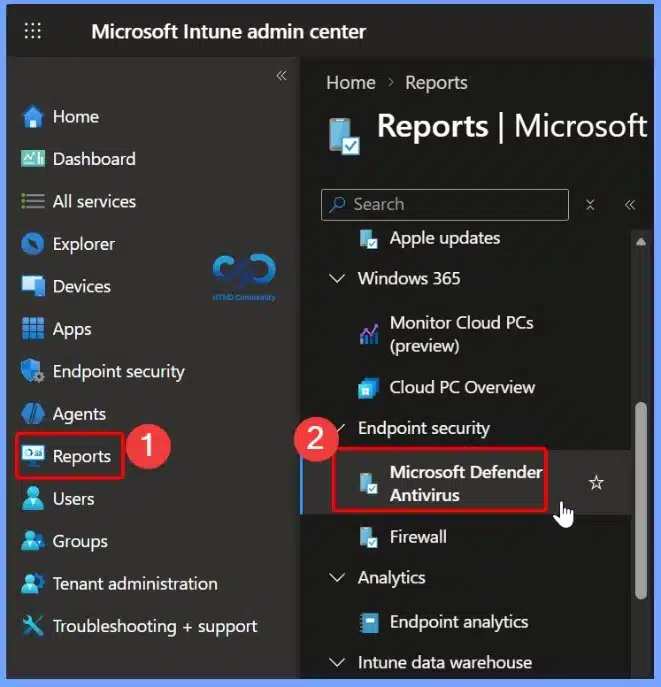
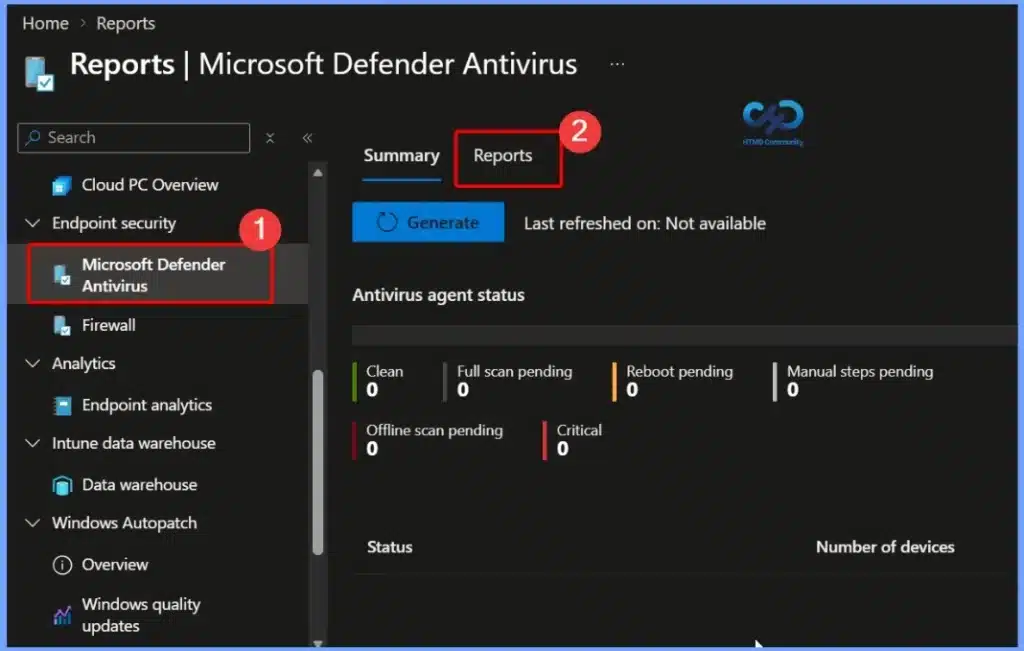
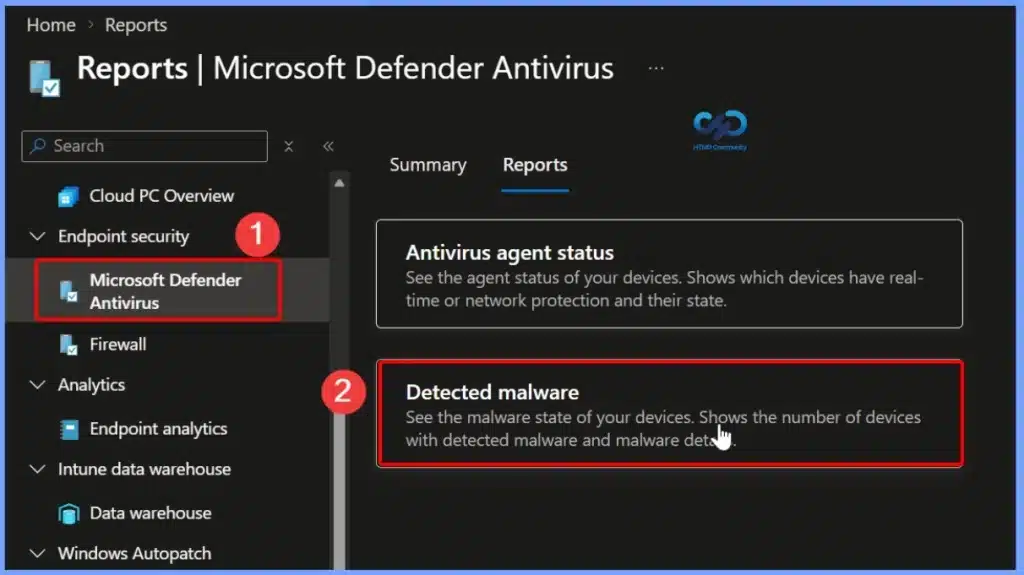
You can view the Detected malware report using the following steps:

Detected Malware Intune Report | Endpoint Manager
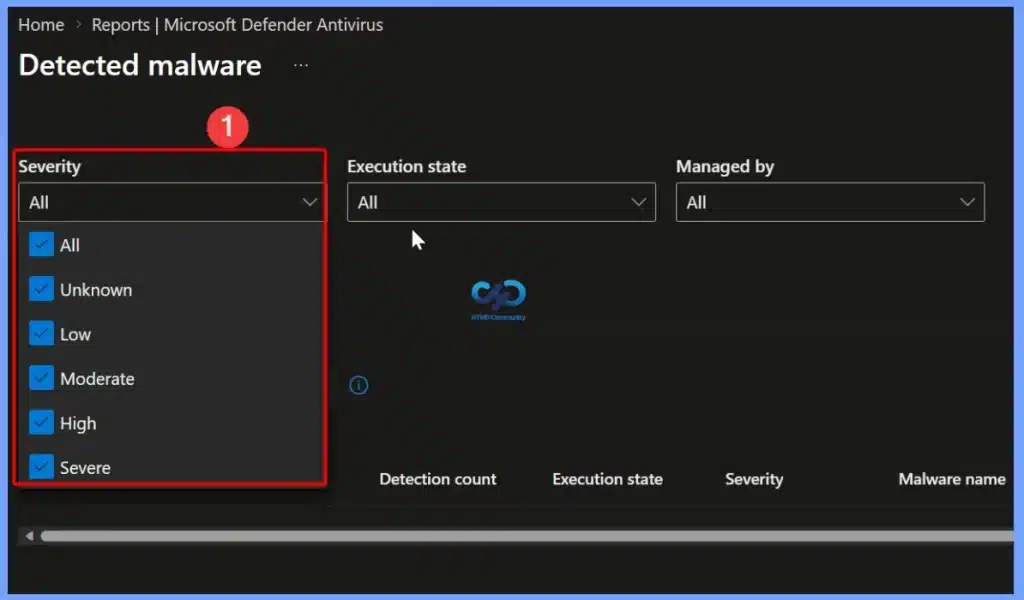
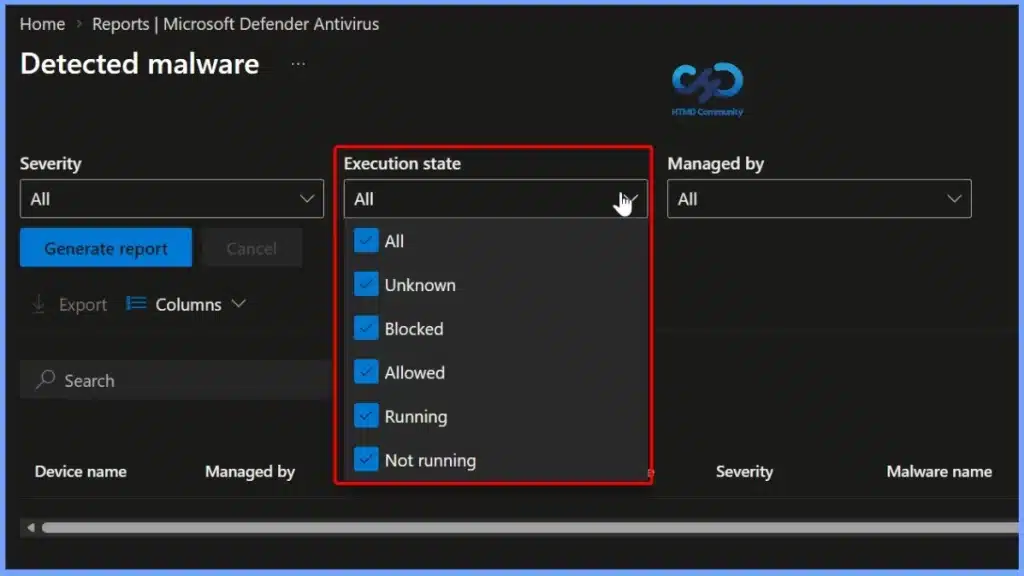
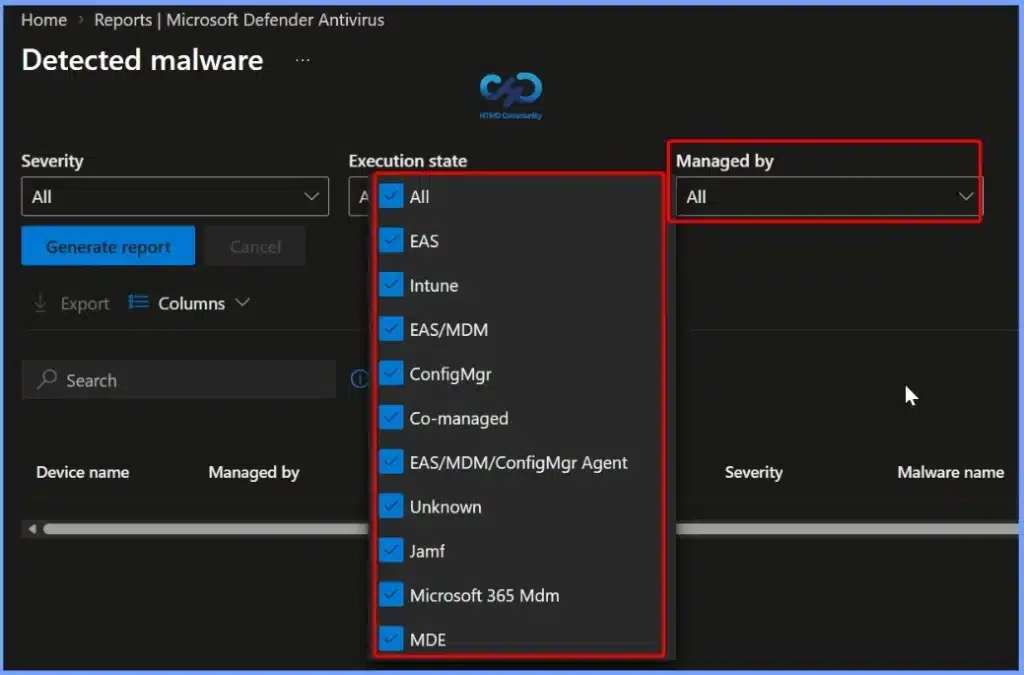
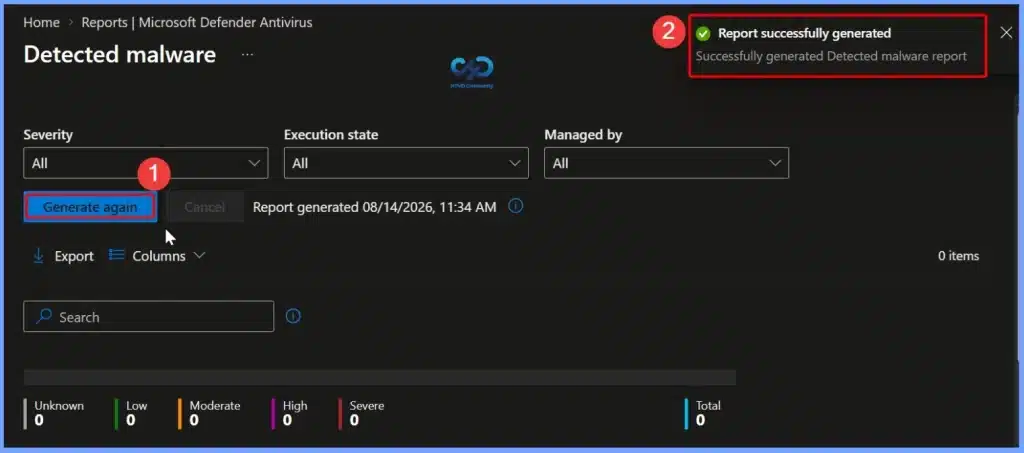
  • You can select the filters for severity and execution state to generate your report. This will show the list of devices and users with the count of detections found, the execution state, detection time, and malware state/category. Click Generate report (or Generate again) to retrieve current data.
Detected Malware Intune Report | Endpoint Manager
  • A notification will be appear automatically in the top right-hand corner with message Generating Detected malware report.
Detected Malware Intune Report | Endpoint Manager
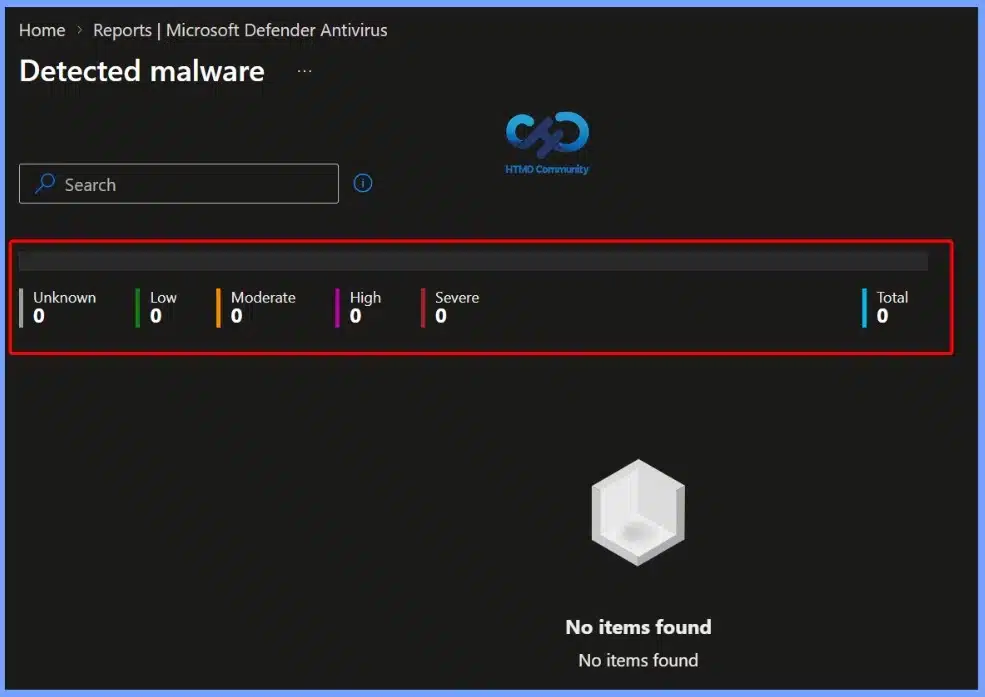
  • This report shows the number of devices with detected malware, as well as malware details.
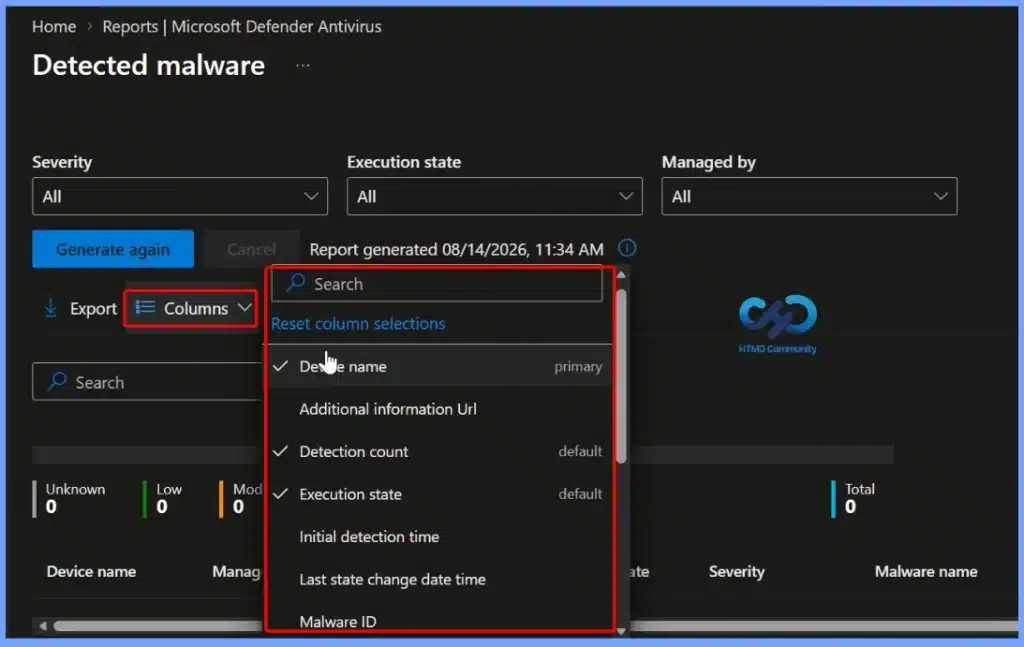
  • Use the Columns property to add or remove columns from the generated report. Click on the Columns, A flyout displays, here you can Check or Uncheck the columns that you want to include. Select Apply to update.
Detected Malware Intune Report | Endpoint Manager
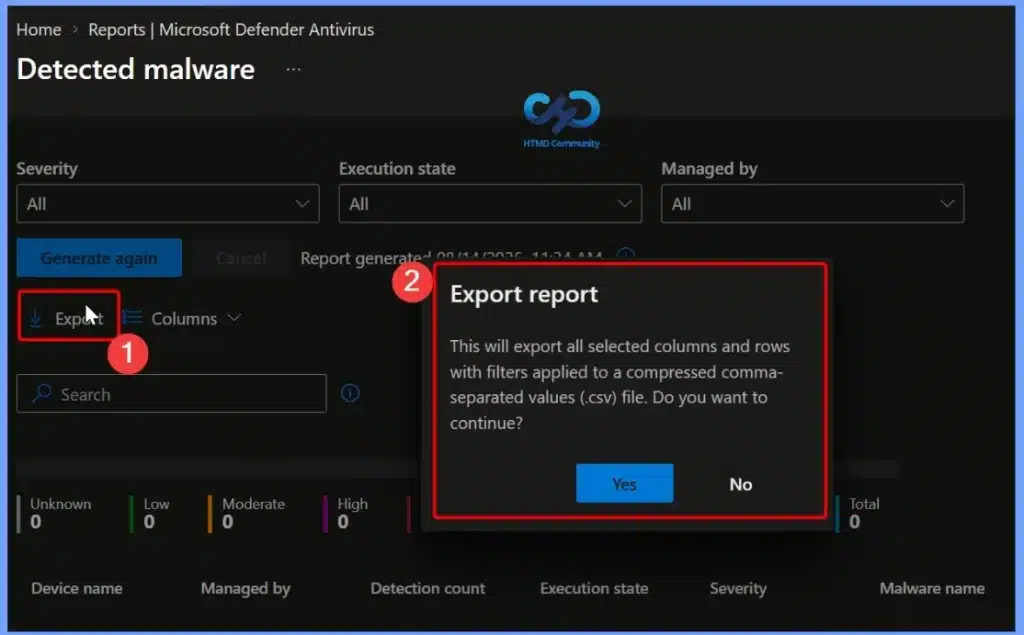
  • You can quickly export reporting data generated. Click on the Export. The popup will appear with the following message when exporting generated Detected malware report, Click Yes. This will export data to a comma-separated values (.csv) file.

Note – A notification will appear automatically in the top right-hand corner with the message Export is in progress. The report will be automatically downloaded in a .zip file format to your browsers and a notification message will appear Export completed. Extract the downloaded file to view the report.

Detected Malware Intune Report | Endpoint Manager

Resources

Discussion

Join the discussion

Your email address will not be published. Required fields are marked *

Related guides

Intune

HTMD Conference 2026

HTMD Conference 2026 – Don’t miss the opportunity to be part of HTMD Conference at Bengaluru @ Microsoft Prestige Ferns Galaxy on 5th December 2026. Current Status (Waiting List): Because the HTMD Conference is an exclusive, invite-only event, filling out the registration form places you on the official waiting list. HTMD Conference is an exclusive, […]

AC Anoop C Nair 1 min read
Intune

Personal Intune Mock Interview

Anoop is offering Intune mock interview service. This allows you (Intune Admin) have quick mock interview to prepare you for next Intune Interview for your next dream job. Checkout – https://htmd.in/1:1-with-Anoop! Personal Intune Mock Interview 1:1 Mock Interview – Let’s have a quick mock interview to prepare you for next Intune Interview. The real interview […]

AC Anoop C Nair 1 min read
Intune

Get Expert Advice on Boosting Intune Career and Resume Review

Get Expert Advice on Intune Career and Resume Review. AGI is around the corner, but it can’t replace personal connections! I’m offering 1-1 call. Book your slot with Anoop now – https://htmd.in/1:1-with-Anoop How to Boost Intune Career Quick Boost – Get expert advice on the go with me on our quick boost service. I will […]

AC Anoop C Nair 1 min read
Intune Training

Become Expert in Intune – Join Intune Training

🙏Humbled to see the great feedback about Intune Expert Training helped and my efforts made a real difference!! All the best Mohammed for your career and further upskilling – “very special thanks to Anoop Nair your in-depth Intune course was a game-changer for my preparation!” New Exciting Feature Addition to training program: 😍My students will […]

AC Anoop C Nair 2 min read