











235th HTMD Newsletter 2nd to 6th March 2026
Welcome to the 235th HTMD Newsletter, 2nd to 6th March 2026! This is the list of posts and videos the HTMD Community published this week, and news from the IT industry. You can get all the information and details from Windows 11, Cloud PC, Intune, Android, iOS, and Mac.
Previous Weeks Newsletter
- 232nd HTMD Newsletter – HTMD Newsletter 9th to 13th February 2026
- 233rd HTMD Newsletter – HTMD Newsletter 16th to 20th February 2026
- 234th HTMD Newsletter – HTMD Newsletter 23rd to 27th February 2026
Monday 2nd March 2026
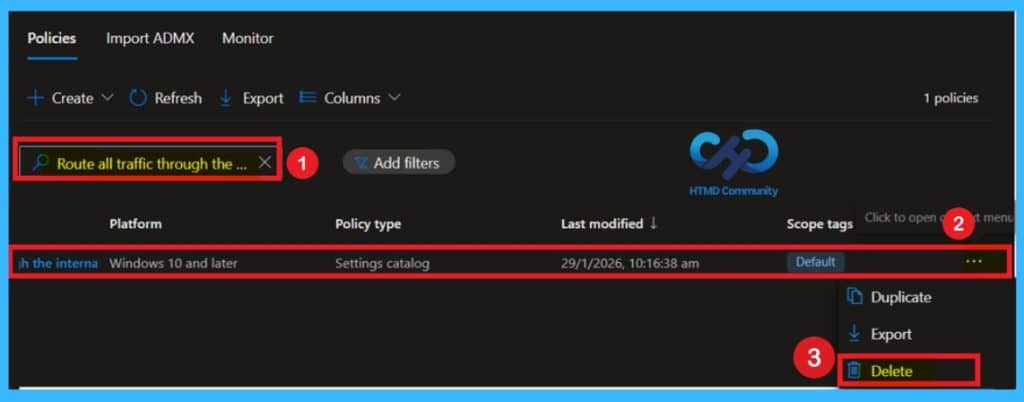
🎆 How to Control Internet Traffic Routing for Remote Clients using Intune Policy –
https://www.anoopcnair.com/internet-traffic-routing-for-clients-intune/
🎉 New Intune Policy to Control Internet Traffic Routing for Remote Clients
🎉 Secure Remote Work with DirectAccess Tunnel Traffic Control
🎉 Apply Company Security Policies Even Outside the Office
🎉 Reduce Risks from Public & Home Networks
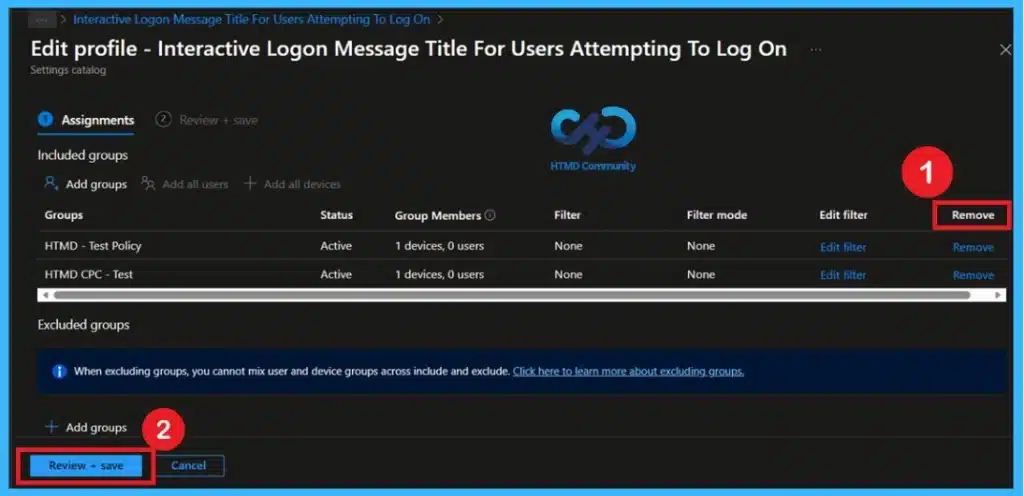
🎆 Configure Windows Interactive Logon Message Title using Intune Policy
https://www.anoopcnair.com/windows-interactive-logon-message-title-intune/
🎉 New Intune Policy to Configure Windows Logon Message Title
🎉 Acts as an Official Legal & Security Notice
🎉 Supports Audits by Demonstrating Security Enforcement
🎉 Strengthens Compliance with CIS & Security Benchmarks
🎉 Improves User Awareness with Clear, Authoritative Messaging
🎆Managing Suspicious File Blocking in Microsoft Defender using Intune
https://www.anoopcnair.com/suspicious-file-block-ms-defender-using-intune/
🔔This Policy Controls How Strictly Microsoft Defender Blocks Suspicious Files
🔔Higher Levels Give Stronger Security But May Block Safe Files by Mistake
🔔Lower Levels Provide Balanced Protection and Better Performance
🔔Zero Tolerance Blocks all Unknown Programs For Maximum Security
🔔Device and User Check-in Status

Tuesday 3rd March 2026
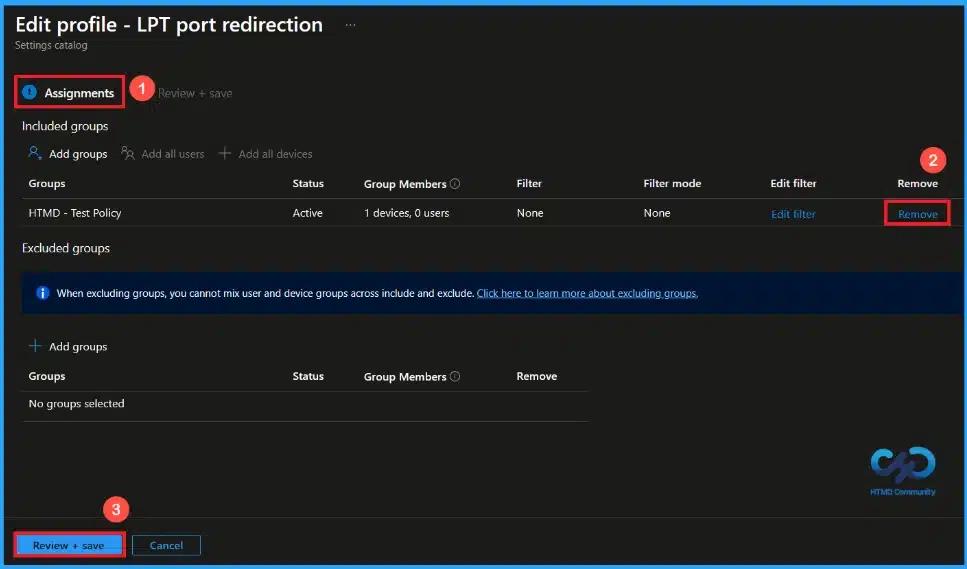
🎆Controlling LPT Port Redirection in Remote Desktop using Intune
https://www.anoopcnair.com/lpt-port-remote-desktop-using-intune/
🔔The Policy Controls LPT Port Redirection in Remote Desktop
🔔By default, Remote Desktop Allows LPT Port Redirection.
🔔Enabling the Policy Blocks Redirection to Local LPT Ports.
🔔If the Policy is Disabled or Not Configured, LPT Port Redirection is Allowed
🔔Device and User Check-in Status
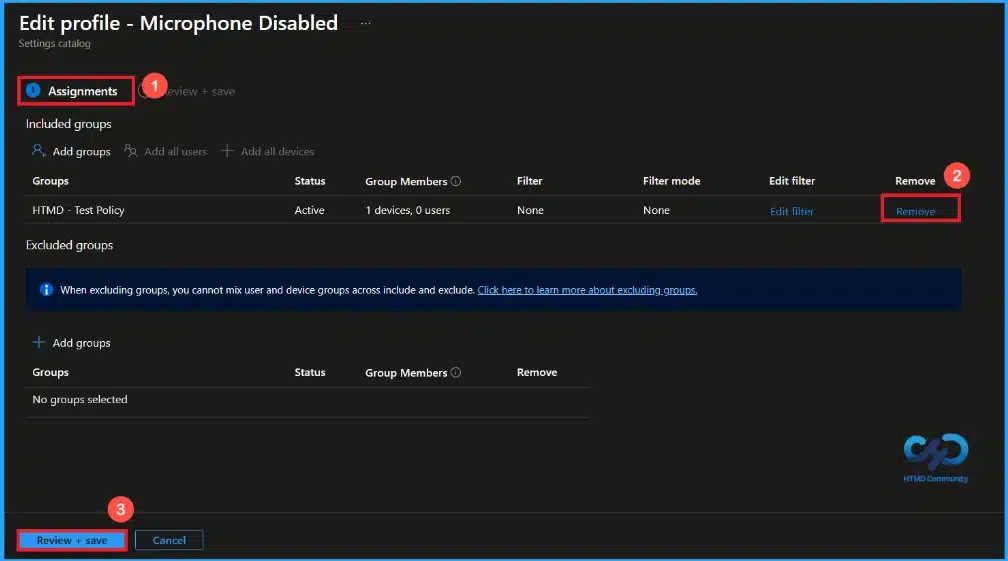
🎆Managing Microphone Access on HoloLens 2 using Intune
https://www.anoopcnair.com/microphone-access-on-hololens-2-using-intune/
🔔This policy Controls the Microphone on Microsoft HoloLens 2
🔔If Enabled, the Microphone is Turned off
🔔When Turned off, Apps and System Features Cannot Record Audio
🔔If Disabled or Not Set, the Microphone Stays On and Can be Used
🔔Device and User Check-in Status
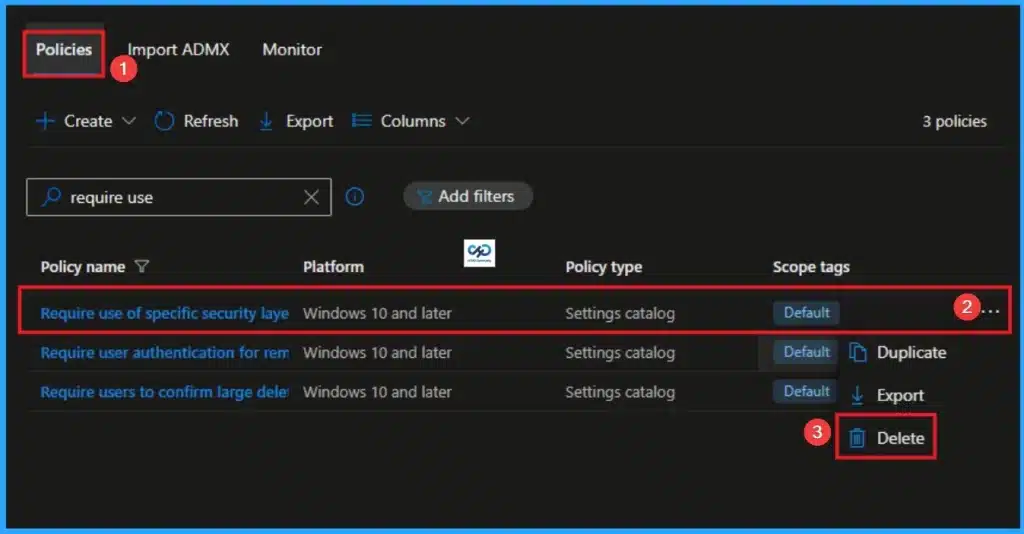
🎉Require use of Specific Security Layer for Remote Connections using Intune – https://www.anoopcnair.com/security-layer-for-remote-connections-intune/
🔊Specific Security Layer for Remote Connections
🔊Reducing Exposure to Potential Attacks
🔊Standardize Secure Remote Access Across All Managed Devices
🔊More Secure Remote Connections without Needing to Manually Configure Settings
Wenesday 4th March 2026
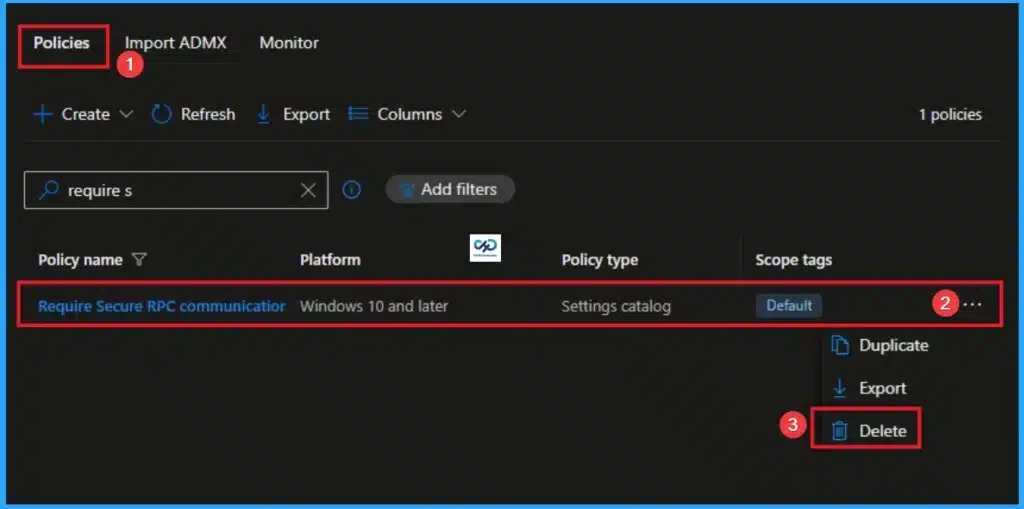
🎉Require Secure RPC Communication for Remote Connections using Intune – https://www.anoopcnair.com/rpc-communication-for-remote-connections-intune/
🔊RPC communication for Remote Connections
🔊Reducing Exposure to Potential Attacks
🔊strengthening endpoint security in managed environment
🔊Protect Against Unauthorized Access
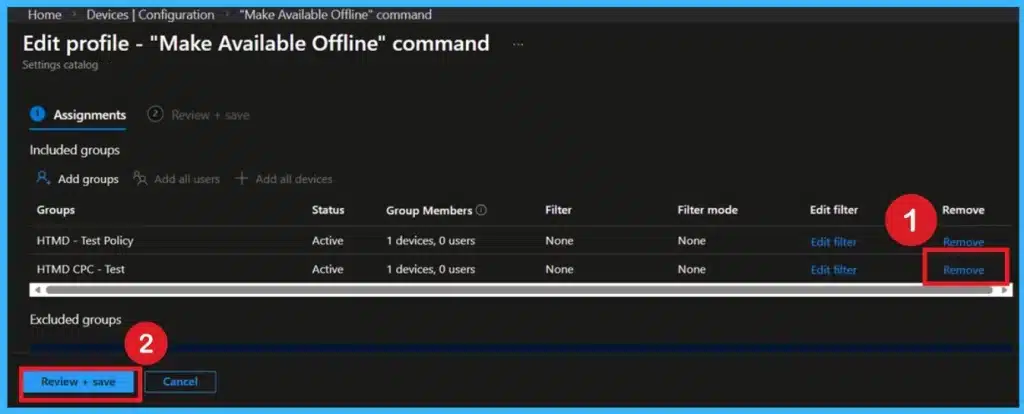
🎉How to Configure Prevent Users from Making Network Files Available Offline using Microsoft Intune
https://www.anoopcnair.com/making-network-files-available-offline-intune/
🔊Prevents Users From Manually Making Network Files Available Offline
🔊Helps Protect Sensitive Corporate Data
🔊Automatic Caching of Designated Shares Still Works
🔊“Make Available Offline” is Called Always Available Offline in Newer Systems
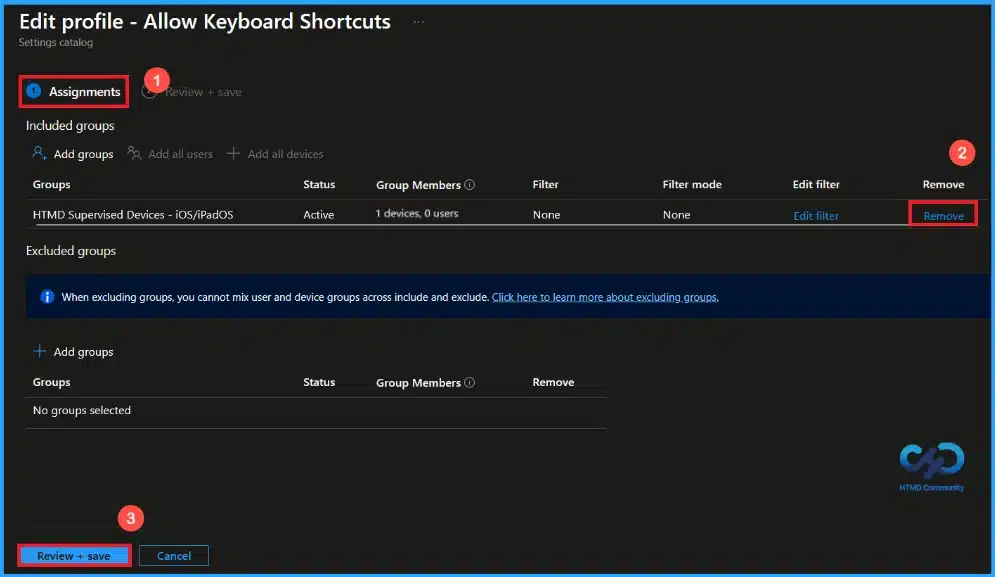
🎆How to Control iOS Keyboard Shortcut Settings using Intune
https://www.anoopcnair.com/ios-keyboard-shortcut-settings-using-intune/
🔔This Policy Saves Time by Expanding Short Text into Full Phrases
🔔Reduces Repeated Typing Across Apps
🔔Disabling the Policy Turns Off Keyboard Shortcuts
🔔Requires a Supervised iOS Device
🔔Device and User Check-in Status
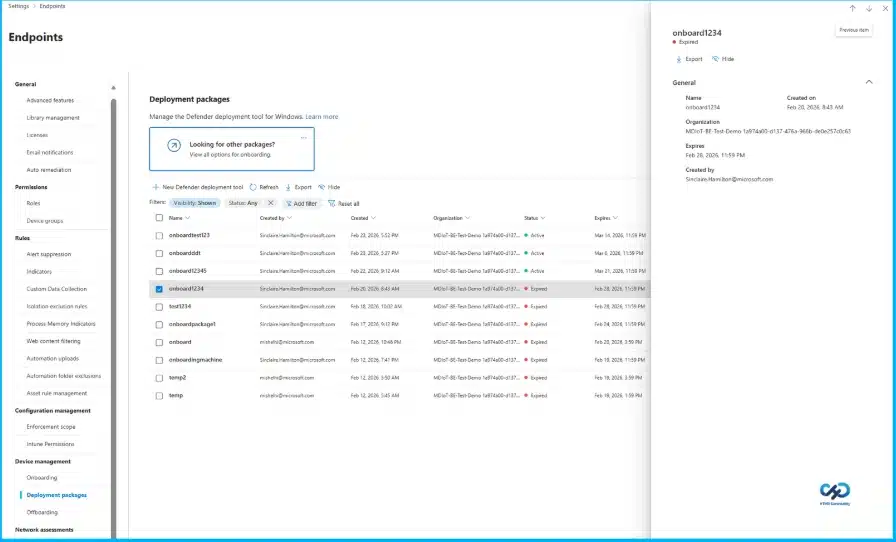
🎆MDE Introduces a More Predictable Transparent Secure and Enterprise Ready Onboarding Experience for Windows Devices
https://www.anoopcnair.com/mde-onboarding-experience-for-windows-devices/
🔔Devices Need to be Registered to Protect Against Ransomware and Other Threats
🔔The Onboarding Process is Now Easier and Uniform Across all Systems.
🔔Administrators Can Track Onboarding Progress in Real Time
🔔New Features Enable Secure Management, Including Package Naming and Expiration Settings
Thursday 5th March 2026
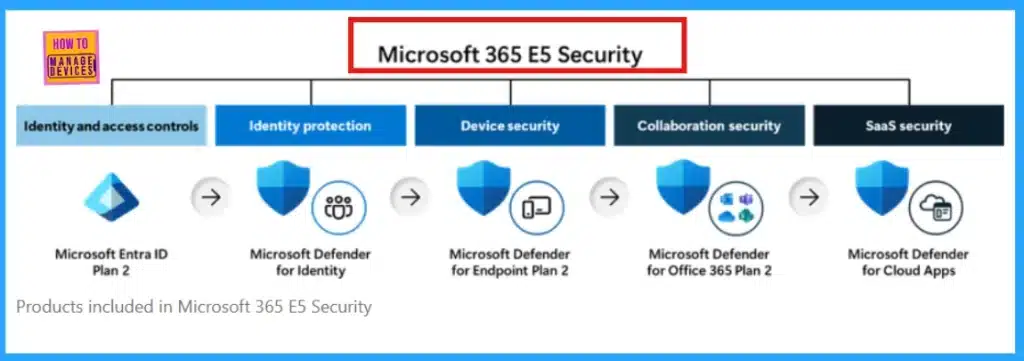
🎉 How Microsoft M365-E7 2026 Delivers an AI-First Premium Experience with Integrated Copilot Governance and Entra Identity
https://www.anoopcnair.com/how-microsoft-m365-e7-2026-delivers-an-ai-first/
🔊Microsoft 365 E7 May be a Premium Plan Above M365-E5
🔊Advanced Microsoft Defender Protection Features Could be Included
🔊AI Tools Like Microsoft 365 Copilot Aim to Boost Productivity
🔊Microsoft Purview Governance And Compliance May be Integrated
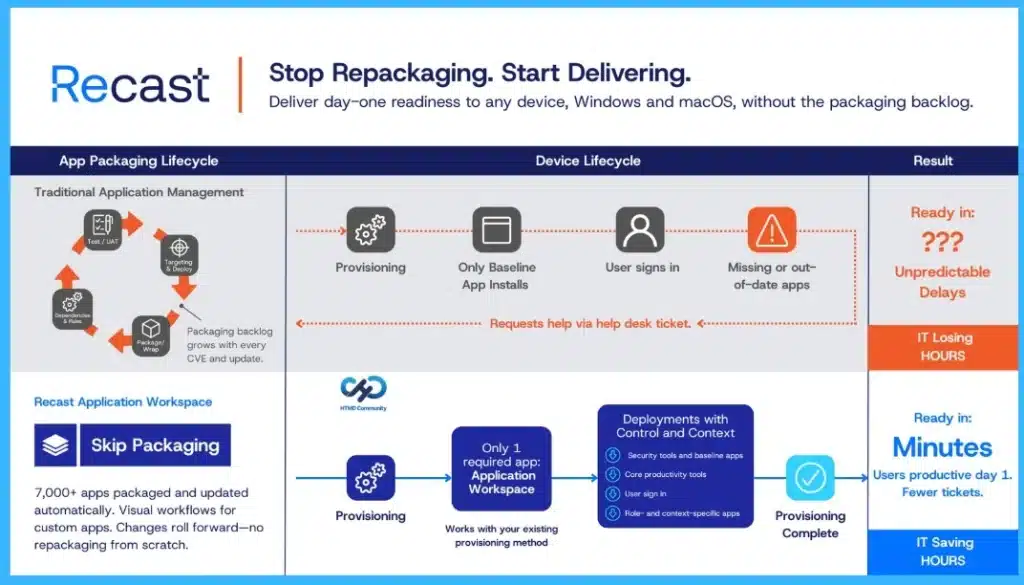
🎉Why App Delivery is Slowing Down In Microsoft Intune During or After Migration
https://www.anoopcnair.com/why-app-delivery-is-slowing-down-in-intune/
🔊Device Enrollment Success Does Not Equal Rollout Readiness
🔊Delayed App Installs Disrupt Intune Migration
🔊Autopilot Prioritizes Stability Over Complex Dependency Handling
🔊Repackaging and Dual-Library Management Increase Operational Load
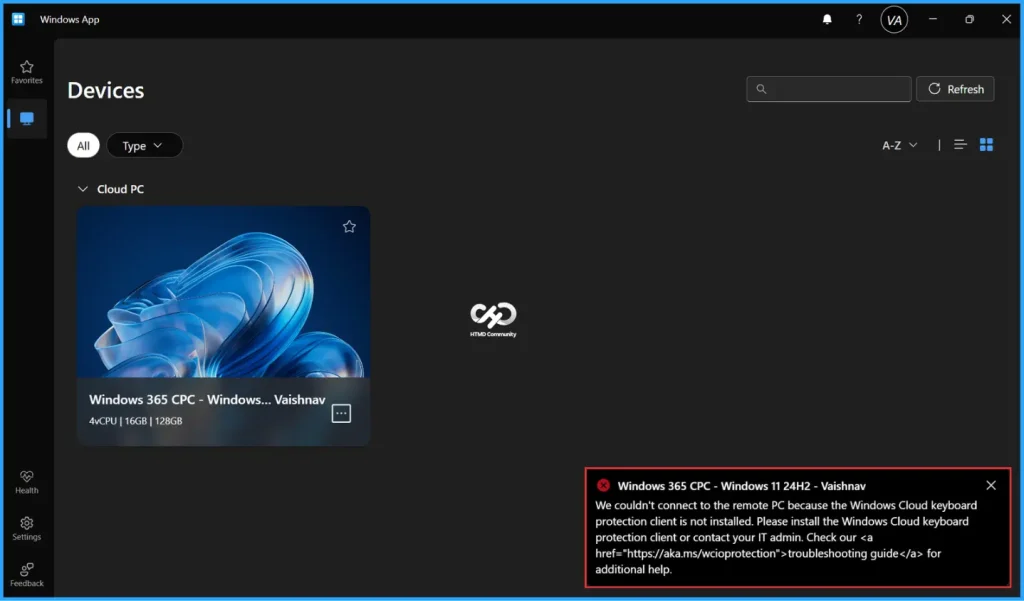
📌 Easy Method to Deploy Windows Cloud Input Protection Driver Setup using Intune
link
https://www.anoopcnair.com/windows-cloud-input-protection-driver-intune/
💡Key Takeaways
💡Download the Windows Cloud Input Protect Driver Setup App for Windows
💡Create Windows Cloud Input Protect Driver Setup Line of Business App
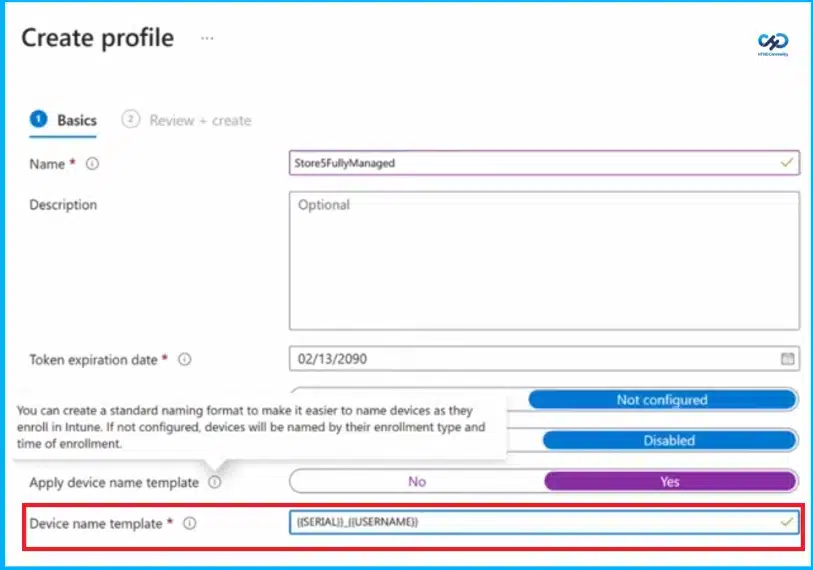
💡Monitor the Deployment of Windows Cloud Input Protection Driver Setup App
💡End User Experience – Before Deployment
💡End User Experience – After Deployment
link – 235th HTMD Newsletter 2nd to 6th March 2026 Fig . 14
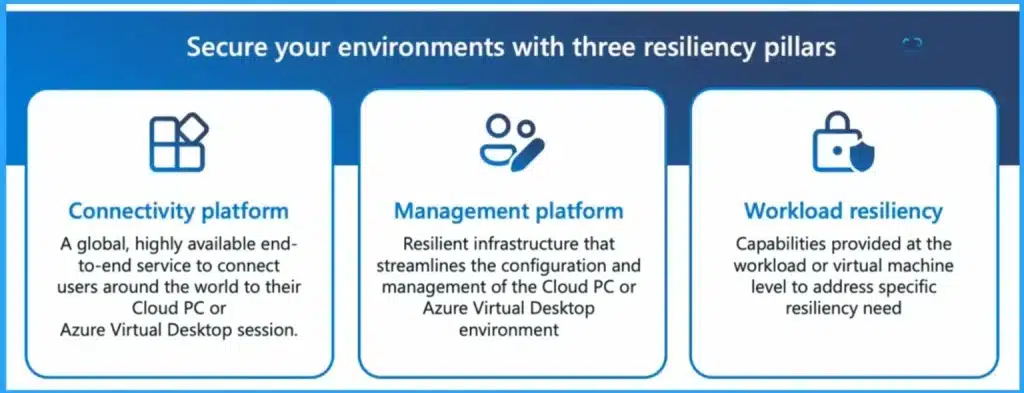
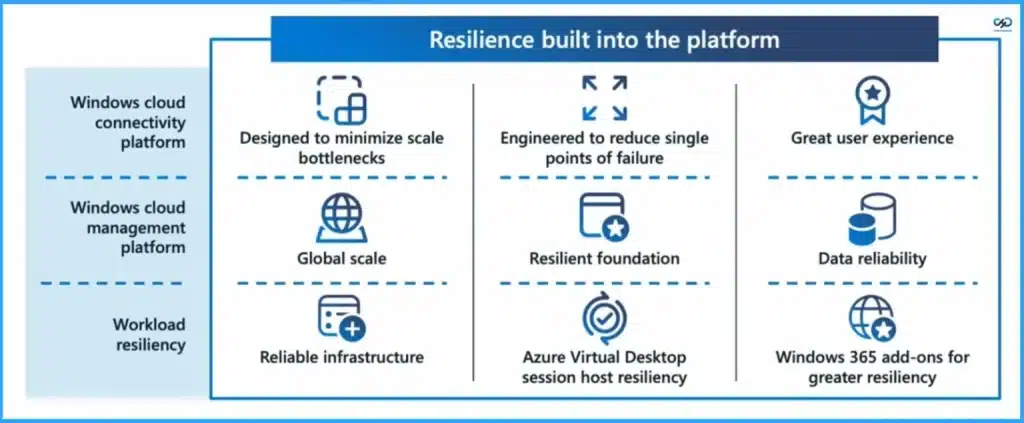
📌3 Key Areas of Resiliency in Windows 365 and AVD Connectivity Management and Workload – https://www.anoopcnair.com/3-areas-of-resiliency-in-windows-365-and-avd/
🔊Resiliency as a Core Priority in the Windows Cloud
🔊Secure Your Environment with 3 Core Resiliency Pillars
🔊Connectivity Platform – Global, Highly Available End-to-End User Connectivity
🔊Management Platform – Resilient Infrastructure for Simplified Configuration and Administration
🔊Workload Resiliency – Virtual Machine-Level Capabilities to Address Specific Availability Needs
Friday 6th March 2026
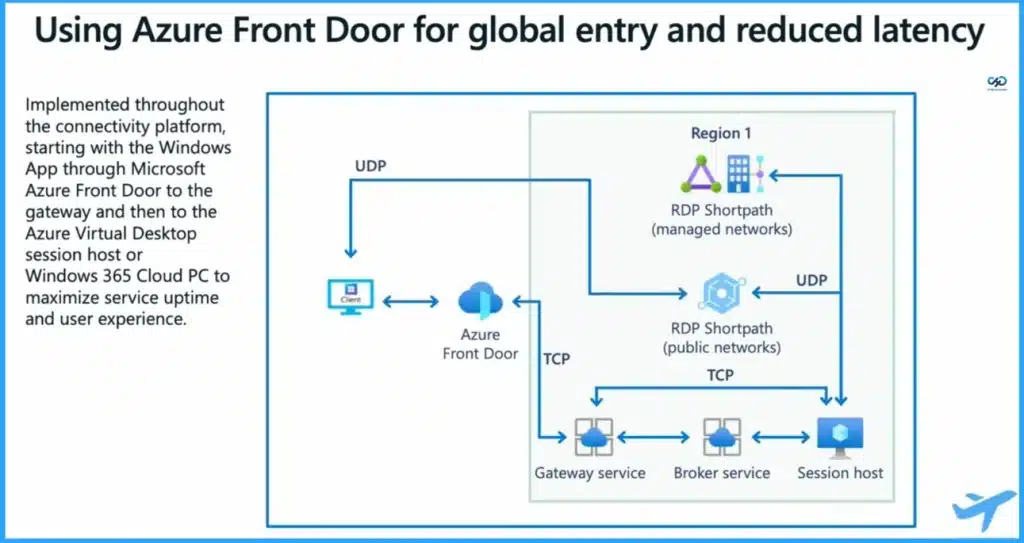
Ensuring Fast and Reliable Windows Device to Cloud PC Connections using Azure Front Door – https://www.anoopcnair.com/windows-device-to-cloud-pc-azure-front-door/
Secure Android Management for Healthcare Emergency and Warehouse Teams with Microsoft Intune
https://www.anoopcnair.com/secure-android-management-for-healthcare/
Built-In Resilience and Reliable Architecture Highlights for Windows 365 and Azure Virtual Desktop – https://www.anoopcnair.com/built-in-resilience-reliable-for-windows-365/
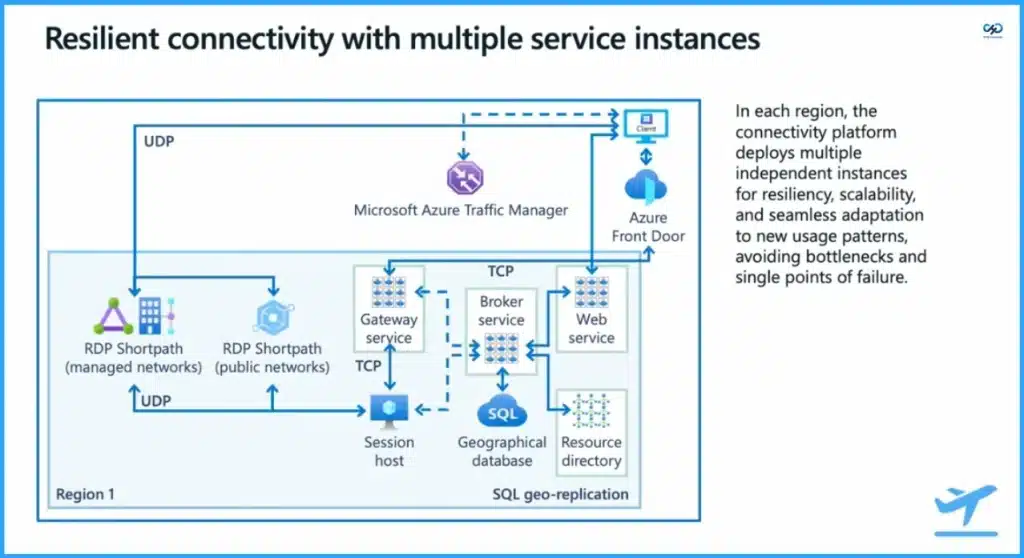
📌Resilient Connectivity Architecture with Multiple Service Instances in Azure – https://www.anoopcnair.com/architecture-multiple-service-instances-azure/
Connect with the HTMD Community
Join the Telegram group to get the latest step-by-step guides and news updates. Join our Meetup Page to participate in User group meetings. Also, join the WhatsApp Community to get the latest news on Microsoft Technologies. We are there on Reddit as well.
HTMD Community Social Media Platform Links
| Social Media Platform | Link |
|---|---|
| LinkedIn: HTMD Community | https://www.linkedin.com/company/how-to-manage-devices/ |
| Telegram: SCCM Intune Technical Discussions | https://t.me/joinchat/Q9lE6G1_BO_bGq97 |
| Telegram: JOB SCCM Intune Group | https://t.me/joinchat/SIKr3OugR2FQ-Ej9 |
| WhatsApp: HTMD Community | https://chat.whatsapp.com/CeMXHSD61HtDBJwe78IZwV |
| Telegram: AVD/Windows 365 User Group | https://t.me/Inwvdcommunity |
| https://www.facebook.com/HTMDCommunity | |
| https://www.instagram.com/htmd_community/ | |
| https://twitter.com/htmdcommunity | |
| Facebook Group: SCCM | https://www.facebook.com/groups/ConfigMgr2012/ |
| Facebook Group: Intune | https://www.facebook.com/groups/1738789256382744 |

Anoop C Nair is Workplace Technology solution architect with 25+ years (as of 2026) of experience in global enterprise organizations such as JP Morgan, Capgemini, etc. Microsoft Certified Trainer (MCT). Microsoft MVP from 2015 onwards for consecutive 11+ years! He also conducts Intune and modern workplace tech training for enterprise organizations. He is Blogger, Speaker, and Founder of HTMD Community and HTMD Conference. His main focus is on Device Management technologies like Intune, Windows, Cloud PC. He writes about technologies like Intune, SCCM, Windows, Cloud PC, Windows, Entra, Microsoft Security.

Discussion