











234th HTMD Newsletter 23rd to 27th February 2026
Welcome to the 234th HTMD Newsletter, 23th to 27th February 2026! This is the list of posts and videos the HTMD Community published this week, and news from the IT industry. You can get all the information and details from Windows 11, Cloud PC, Intune, Android, iOS, and Mac.
Previous Weeks Newsletter
- 231st HTMD Newsletter – HTMD Newsletter 2nd to 6th February 2026
- 232nd HTMD Newsletter – HTMD Newsletter 9th to 13th February 2026
- 233rd HTMD Newsletter – HTMD Newsletter 16th to 20th February 2026
Monday 23rd February 2026
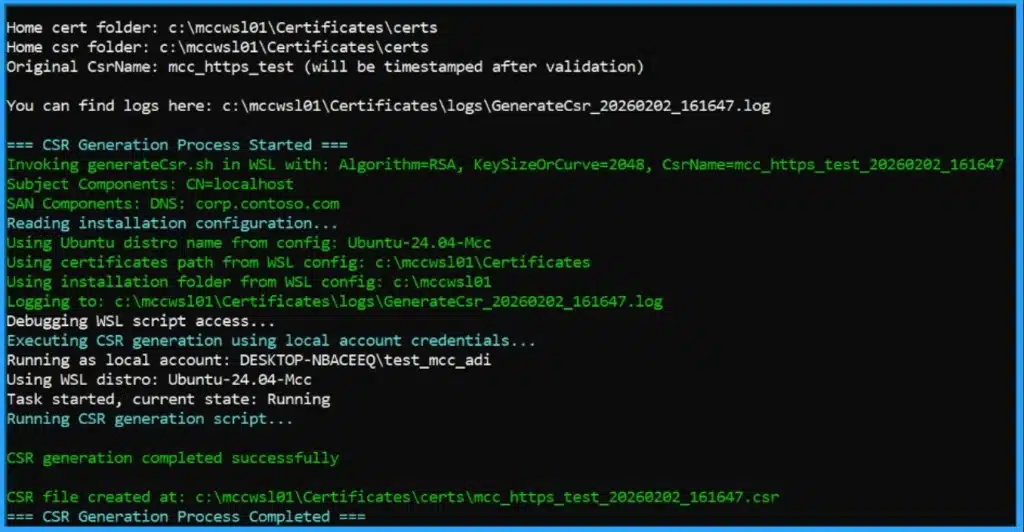
👉Intune Win32 Apps Require HTTPS on Microsoft Connected Cache for Secure Delivery and Certificate Readiness by 16 June 2026
https://www.anoopcnair.com/intune-win32-apps-require-https-onconnected/
🔊 Intune HTTPS on Microsoft Connected Cache
🔊 Win32 Apps Require HTTPS on Microsoft Connected Cache for Secure Delivery
🔊 Scopes of HTTPS on Microsoft Connected Cache
🔊 HTTPS Support Configuration’s Known Issue
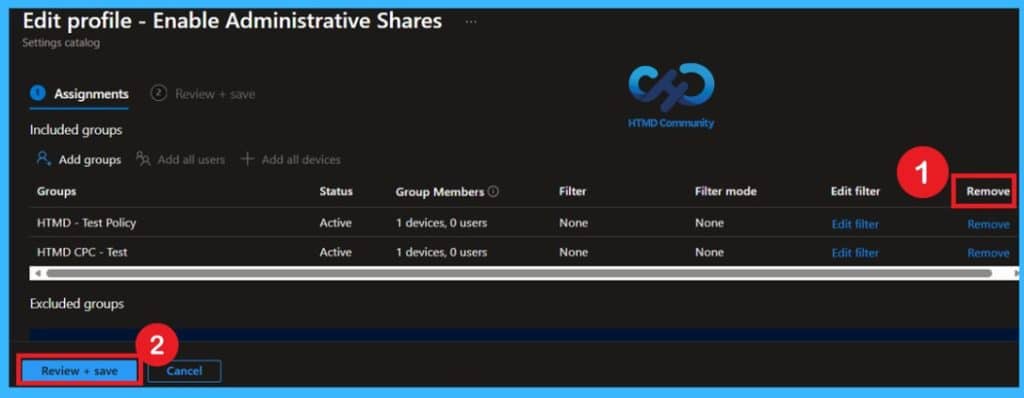
👉Manage Administrative Shares on Windows Workstations using Intune ADMX_MSS Legacy Policy – https://www.anoopcnair.com/administrative-shares-on-windows-intune/
▶️What is MSS AutoShareWks Policy
▶️Why Administrative Shares Matter in Enterprise Environments
▶️Security Considerations
▶️Enforcing AutoShareWks Using Intune
▶️Implementation Focus
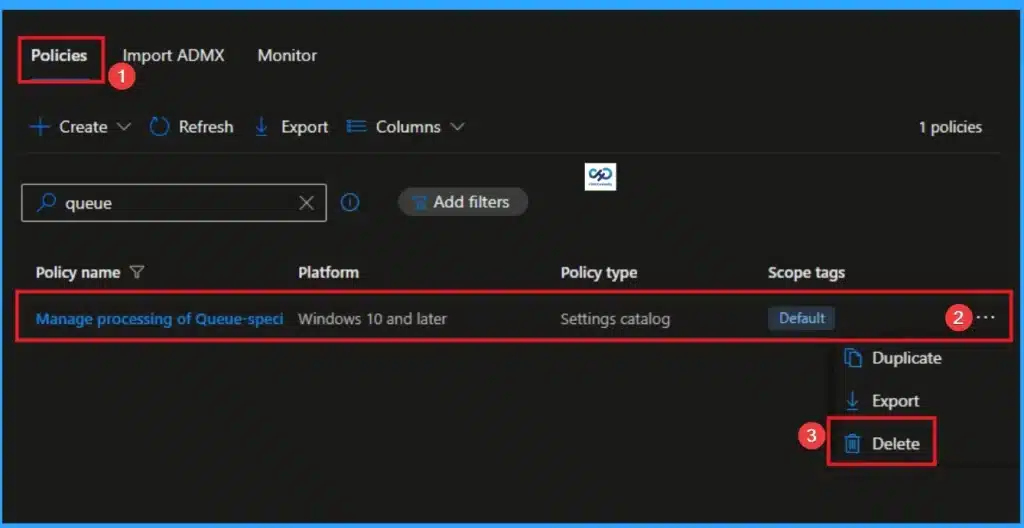
👉Manage Extra Files Downloaded when Connecting to a Shared Printer using Intune Policy
https://www.anoopcnair.com/extra-files-downloaded-when-connecting-intune/
🔊 Allows Fine‑tuned Restrictions at the Queue Level
🔊 Reduces Attack Surface by Limiting Unmanaged Print Paths
🔊 Useful in Enterprise and Education Environments
🔊 Ensures Compliance with Organizational Security Standards
Tuesday 24th February 2026
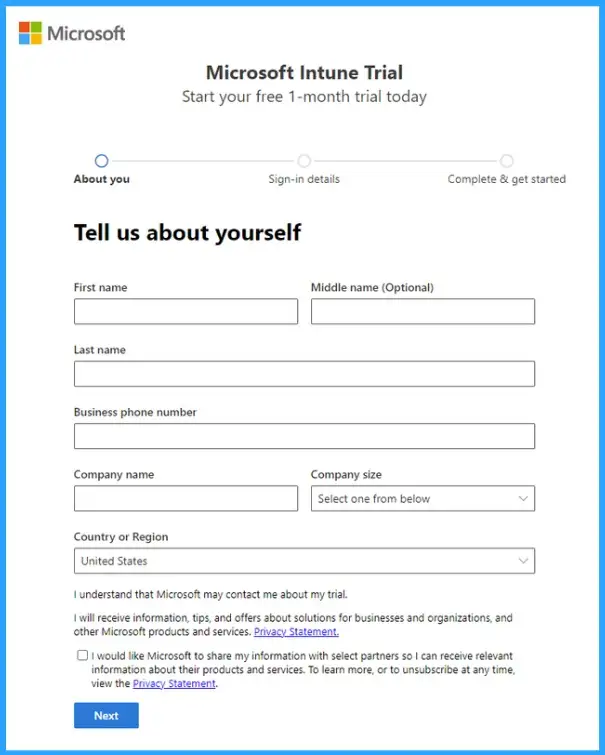
👉How to Create a Separate Intune Account Without Partner Channel Hassles
https://www.anoopcnair.com/create-a-separate-intune-account-without-partne/
🔊 Create a Separate Intune Account
🔊 Keeping the Test Tenant Separate
🔊 Ensuring a Clean Sandbox Environment
🔊 Provides a Free 30‑day Intune Trial
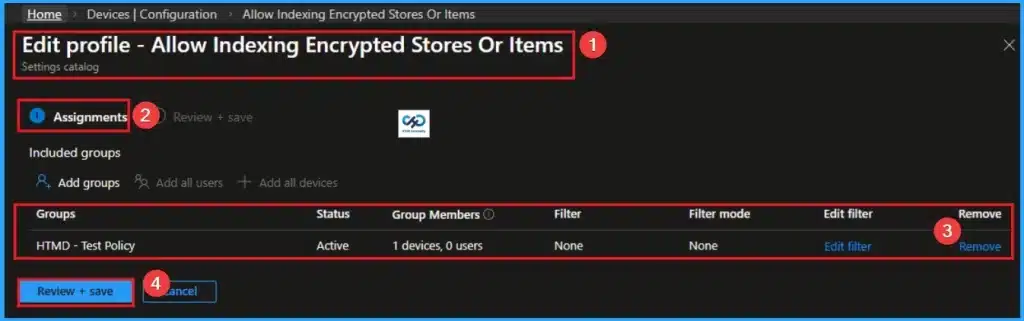
How to Safely Index Encrypted Stores or Items on Windows Devices using Intune
https://www.anoopcnair.com/index-encrypted-stores-or-items-using-intune/
🔊 Index Encrypted Stores or Items
🔊 Access Encrypted Files Seamlessly
🔊 Meet Data Protection Standards
🔊 Balancing Usability with Compliance Requirements
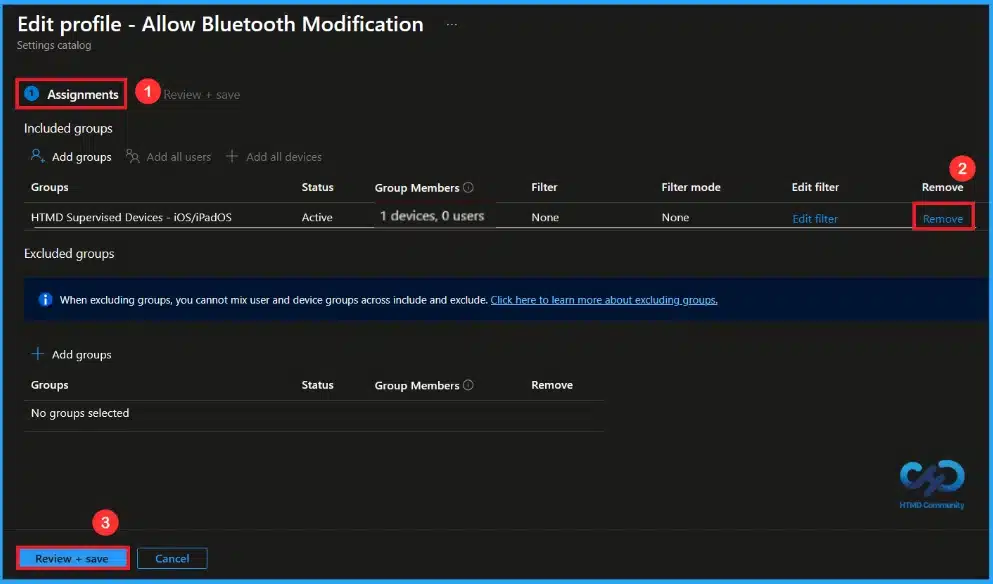
🎆Controlling Bluetooth Access on Supervised iPhones and iPads using Intune
https://www.anoopcnair.com/bluetooth-supervised-iphones-ipads-using-intune/
🔔This Policy Manages Bluetooth Settings on iOS Devices.
🔔It Applies Only to Supervised Devices.
🔔When Enabled, Users Cannot Change Bluetooth Settings
🔔When Disabled, Users Can Modify Bluetooth Settings Freely
🔔Device and User Check-in Status
Wednesday 25th February 2026
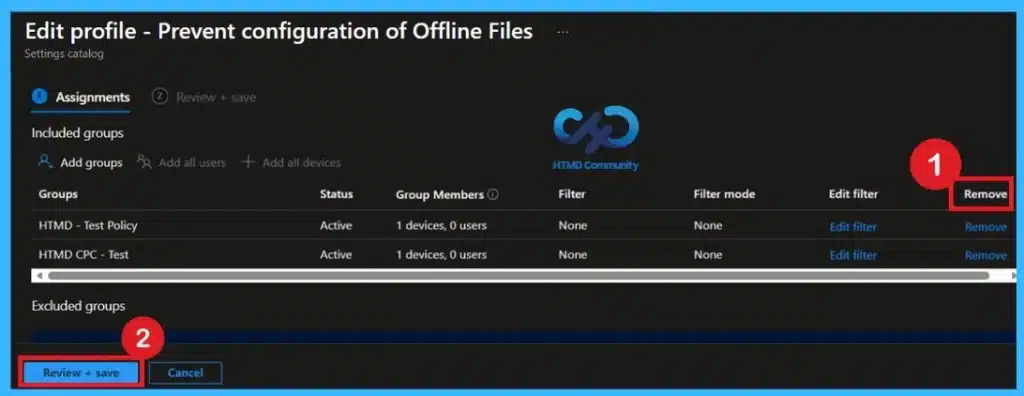
📌Reducing Data Exposure Risks by Restricting Offline Files Settings using Intune Policy
https://www.anoopcnair.com/data-risks-by-restricting-offline-files-intune/
💡Restrict Offline Files settings to prevent user misconfiguration
💡Create and configure Intune Policy for Offline Files control
💡Reduces Synchronization Errors and File Conflicts
💡Reduces Data Exposure Risks by Preventing Local Unprotected Storage
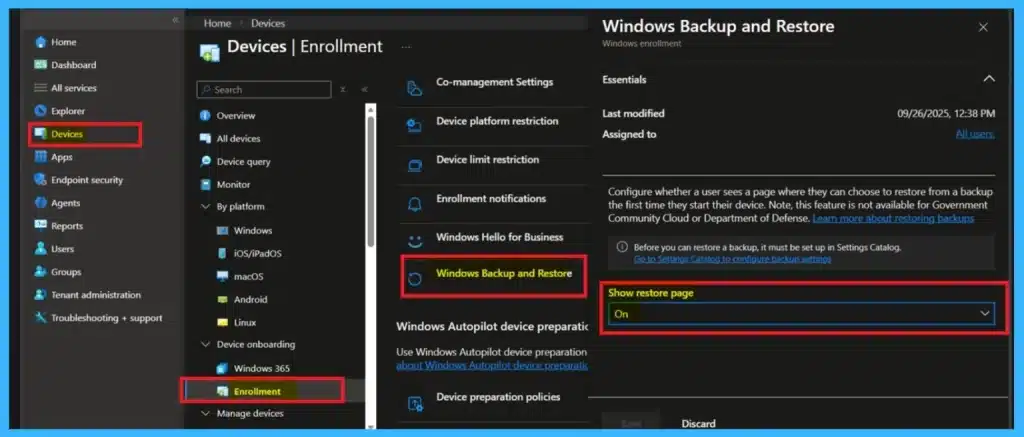
🎆Faster Work Environment Recovery with Windows First Sign-In Restore for Entra and Hybrid Devices
https://www.anoopcnair.com/recovery-with-windows-first-sign-in-restore/
🔔Available in Windows Backup for Organizations
🔔Restore Now Works at First Sign-in, Not Only During OOBE
🔔Supports Hybrid And Cloud PCs Like Windows 365 Cloud PC
🔔Managed Using Microsoft Intune Or Group Policy
🔔Gives Users a Second Chance to Restore
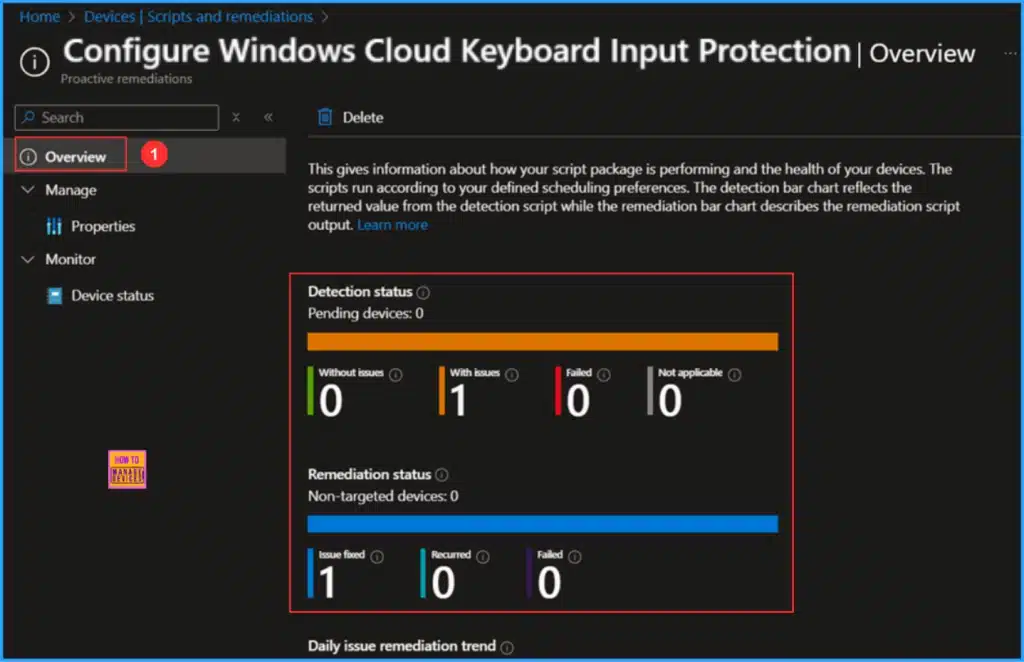
📌 How to Configure Windows Cloud Keyboard Input Protection on Entra Joined Devices
https://www.anoopcnair.com/windows-cloud-keyboard-input-protection-entra/
💡Key Takeaways
💡Create Scripts in Intune to Configure Windows Cloud Keyboard Input Protection
💡Write PowerShell Detection and Remediation Scripts to Configure Windows Cloud Keyboard Input Protection
💡Monitor the Configure Windows Cloud Keyboard Input Protection Script Deployment
💡End Result
💡Important Notes
Thursday 26th February 2026
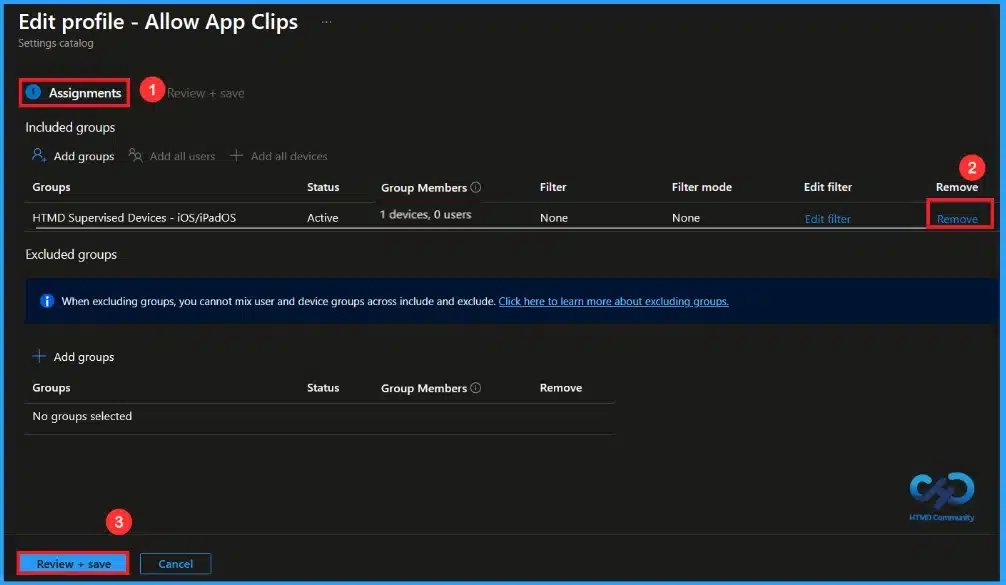
🎆Managing App Clips on Supervised iOS Devices using Microsoft Intune
https://www.anoopcnair.com/app-clips-ios-devices-using-microsoft-intune/
🔔Control App Clips on Supervised iOS Devices
🔔Enabling App Clips Allows Quick Access to Features Without Installing Full Apps
🔔Disabling App Clips Improves Security and Reduces Distractions.
🔔Device and User Check-in Status
🎉Intune Dual Management: How to Manage Data on Contractors Already Managed Devices using Intune and Edge for Business – https://www.anoopcnair.com/intune-dual-management-data-on-contractors-edge/
🔊Protection for Agency-Managed Windows PCs
🔊Browser-Level Protection through the Edge Work Profile
🔊Tenant-Scoped Controls within Edge for Business
🔊Helps Organizations to Protect Work Contractors
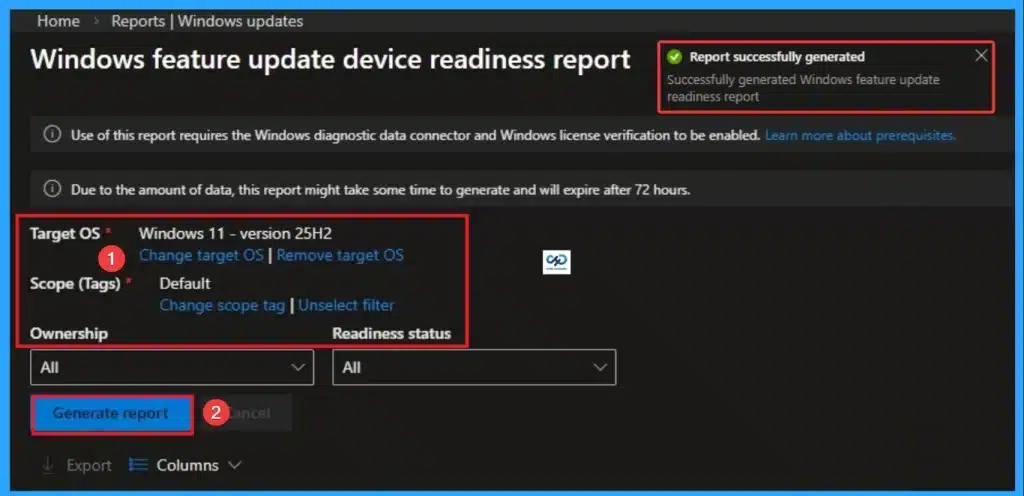
Windows 11 25H2 Device Readiness Report in Intune for Clear Status Hardware Insights and Smarter Upgrade Planning for IT Admins – https://www.anoopcnair.com/windows-11-25h2-device-readiness-report-intune/
🔊Windows 11 25H2 Device Readiness Report in Intune
🔊Providing Visibility into Hardware and Compatibility Issues
🔊Empowers Admins with Confidence and Clarity
🔊Supports Phased Deployment Strategies for Smoother Transitions
Friday 27th February 2026
📌🎆How to Troubleshoot Sign-in Error Code 500121 in Microsoft Intune
https://www.anoopcnair.com/sign-in-error-code-500121-in-microsoft-intune/
🎉Error 500121 Occurs During MFA Authentication Step
🎉Occurs During Strong Authentication Step
🎉Admins Should Monitor Repeated Failures for Risk Signals
🎉Error Visible in Sign-in logs Under Users Section
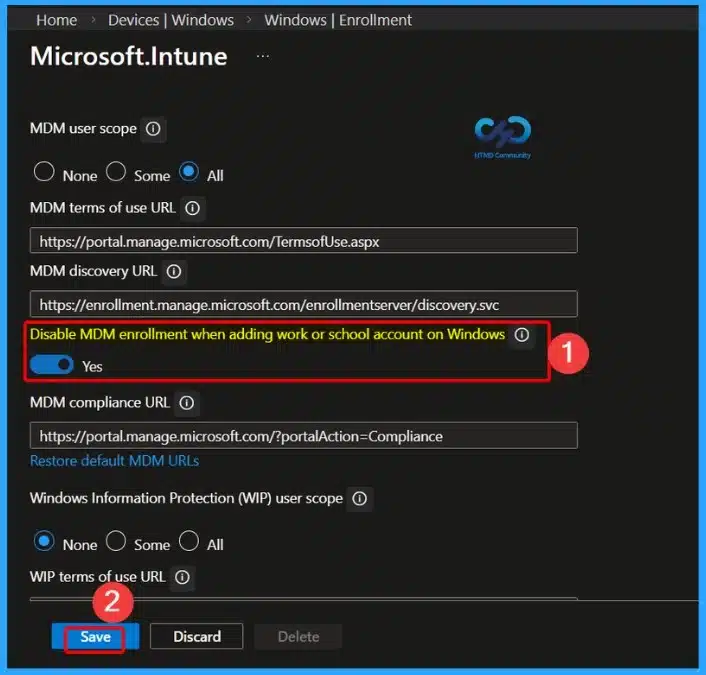
🎆New Setting in Intune to Stop Automatic MDM Enrollment when Users Add a Work or School Account on Windows Devices – https://www.anoopcnair.com/intune-to-stop-automatic-mdm-enrollment-when/
🎉New Setting to Control Automatic MDM Enrollment
🎉Prevent Unintended Enrollment of Personal Devices
🎉Affected Sign-In Scenarios in Microsoft Apps
🎉Configuration Options: Intune Admin Center
🎉The Problem: Unwanted Enrollment in BYOD Scenarios
🎉Impact of Previous Restrictions
📌How to Fix Intune Policies Causing Reboot During Windows OOBE
https://www.anoopcnair.com/how-to-fix-intune-reboot-during-windows-oobe/
💡Windows Autopilot Setup Interrupted by Forced Restart
💡Issue Linked to Security Settings Applied too Early in OOBE
💡Certain Features Require Restart Before Fully Enabling
💡Assigning These Policies to Device Groups Triggers Reboot Mid-Setup
💡Admins Can Adjust Timing of Policy Deployment to Ensure Smooth OOBE Flow
Connect with the HTMD Community
Join the Telegram group to get the latest step-by-step guides and news updates. Join our Meetup Page to participate in User group meetings. Also, join the WhatsApp Community to get the latest news on Microsoft Technologies. We are there on Reddit as well.
HTMD Community Social Media Platform Links
| Social Media Platform | Link |
|---|---|
| LinkedIn: HTMD Community | https://www.linkedin.com/company/how-to-manage-devices/ |
| Telegram: SCCM Intune Technical Discussions | https://t.me/joinchat/Q9lE6G1_BO_bGq97 |
| Telegram: JOB SCCM Intune Group | https://t.me/joinchat/SIKr3OugR2FQ-Ej9 |
| WhatsApp: HTMD Community | https://chat.whatsapp.com/CeMXHSD61HtDBJwe78IZwV |
| Telegram: AVD/Windows 365 User Group | https://t.me/Inwvdcommunity |
| https://www.facebook.com/HTMDCommunity | |
| https://www.instagram.com/htmd_community/ | |
| https://twitter.com/htmdcommunity | |
| Facebook Group: SCCM | https://www.facebook.com/groups/ConfigMgr2012/ |
| Facebook Group: Intune | https://www.facebook.com/groups/1738789256382744 |

Anoop C Nair is Workplace Technology solution architect with 25+ years (as of 2026) of experience in global enterprise organizations such as JP Morgan, Capgemini, etc. Microsoft Certified Trainer (MCT). Microsoft MVP from 2015 onwards for consecutive 11+ years! He also conducts Intune and modern workplace tech training for enterprise organizations. He is Blogger, Speaker, and Founder of HTMD Community and HTMD Conference. His main focus is on Device Management technologies like Intune, Windows, Cloud PC. He writes about technologies like Intune, SCCM, Windows, Cloud PC, Windows, Entra, Microsoft Security.

Discussion