











232nd HTMD Newsletter 9th to 13th February 2026
Welcome to the 232nd HTMD Newsletter, 9th to 13th February 2026! This is the list of posts and videos the HTMD Community published this week, and news from the IT industry. You can get all the information and details from Windows 11, Cloud PC, Intune, Android, iOS, and Mac.
Previous Weeks Newsletter
- 229th HTMD Newsletter – HTMD Newsletter 19th to 23rd December 2026
- 230th HTMD Newsletter – HTMD Newsletter 26th to 30th January 2026
- 231st HTMD Newsletter – HTMD Newsletter 2nd to 6th February 2026
Monday 9th February 2026
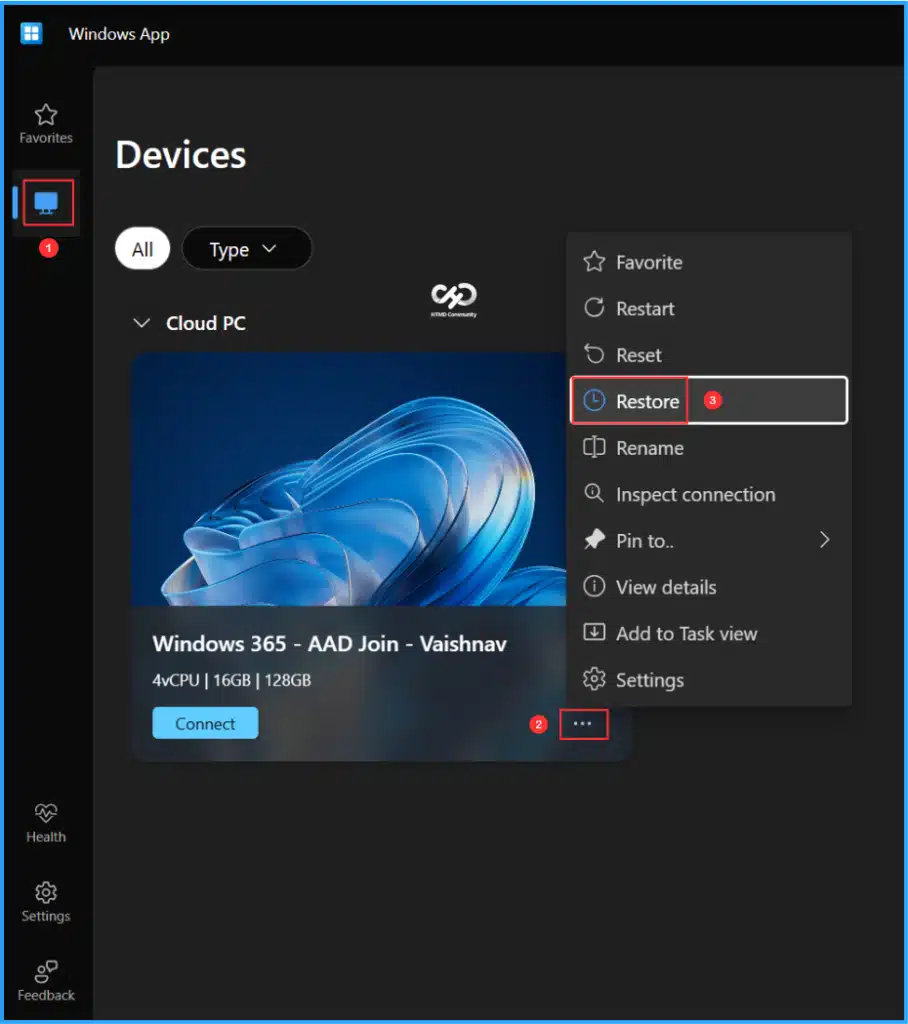
📌 How to Configure New Windows App Settings for Windows 365 using Intune
https://www.anoopcnair.com/new-windows-app-settings-for-windows-365-intune/
💡Key Takeaways
💡Windows App Settings User self-service actions
💡Configure a New Windows App Settings for Windows 365 in Intune
💡Important Notes
💡End User Experience of Reset Option
💡End User Experience of Restore Option
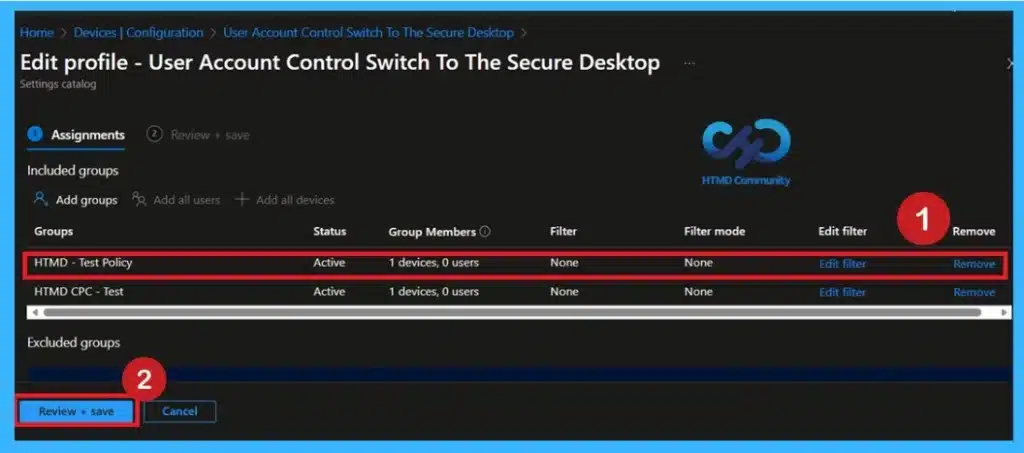
👉Improving Organizational Security Posture with Secure Desktop UAC using Intune Policy
https://www.anoopcnair.com/security-posture-secure-desktop-uac-intune/
🔊 Prevent Unauthorized Privilege Escalation in Windows Devices
🔊 Elevation Prompts Shown in a Protected Secure Desktop
🔊 Reduces Risk of Malware and Accidental Misconfiguration
🔊 Enhances Organizational Security and Compliance Posture
🔊 Ensures Consistent Policy Enforcement Across Enterprise Devices
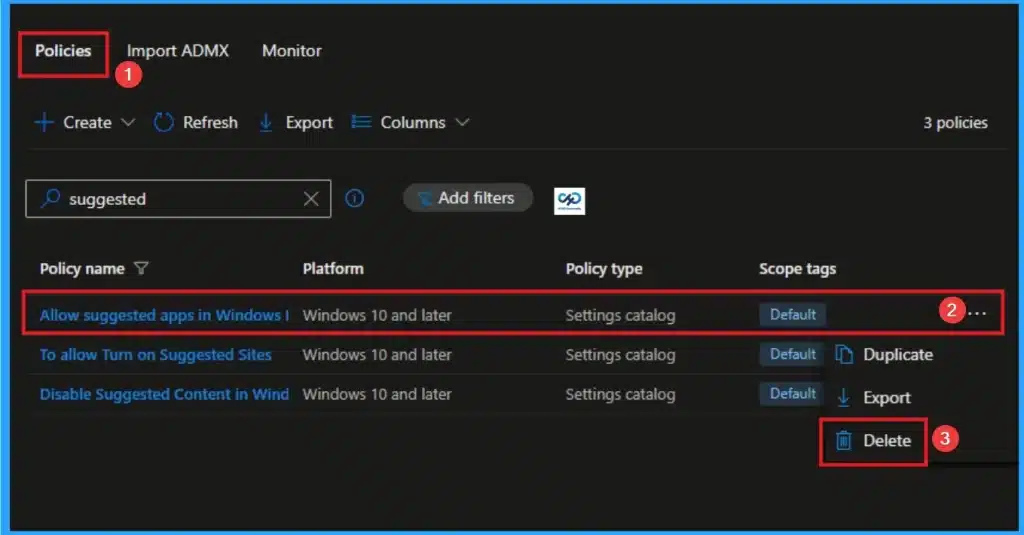
👉Enable Suggested Apps in Windows Ink Workspace using Intune
https://www.anoopcnair.com/suggested-apps-in-windows-ink-workspace-intune/
🔊 Protect Servers from Resource Exhaustion Policy
🔊 Helps Ensuring Consistent Deployment Across Devices in the Organization
🔊 Improving Productivity by Surfacing Relevant Tools Directly in the Workspace
🔊 Streamlining Workflows and Enhancing Adoption of Organizational Tools
Tuesday 10th February 2026
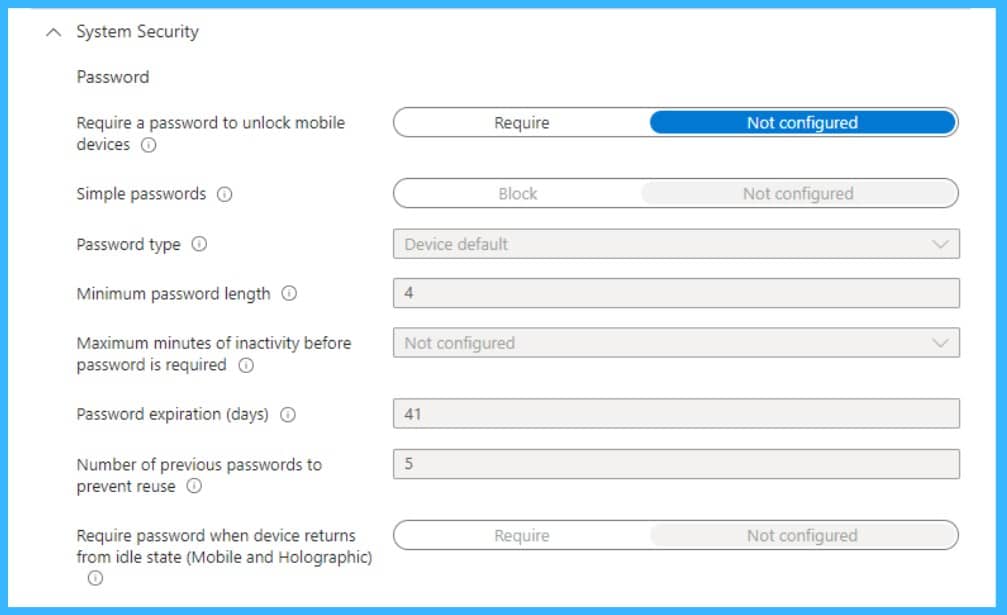
👉How to Fix Password Complexity Error 2016281112 on Windows Devices Managed by Intune
https://www.anoopcnair.com/password-complexity-error-2016281112/
🔊Error Relates to Local Device Password & Windows Hello PIN
🔊Common in Windows Hello for Business
🔊Evaluates local Device Password and Windows Hello PIN settings, not cloud passwords
🔊Devices with Microsoft Accounts May Face Compliance Issues
🔊Admins can Resolve without Weakening Device Security
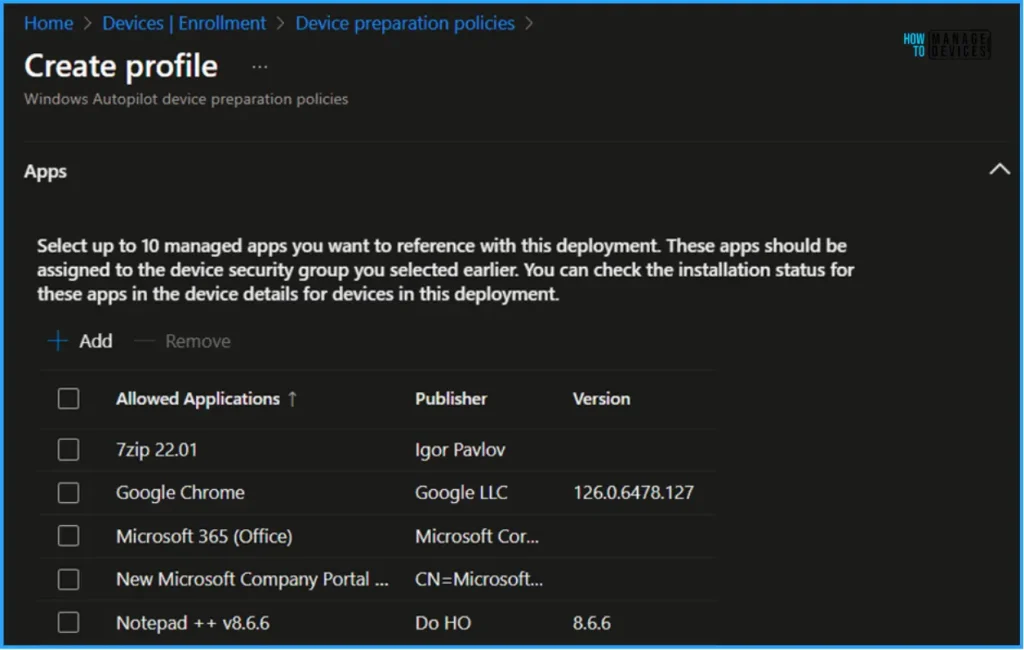
👉Microsoft now Allows Up to 25 Apps in Intune Autopilot Deployment Profile Policy Including Windows 365
https://www.anoopcnair.com/25-apps-in-intune-autopilot-deployment-profile/
🔊 Microsoft now allows up to 25 apps during Autopilot device preparation
🔊 Faster setup – users don’t wait long for apps after login
🔊 Cloud PC users can start work immediately without extra setup
🔊 Supports user-driven, automatic, and cloud-based deployments
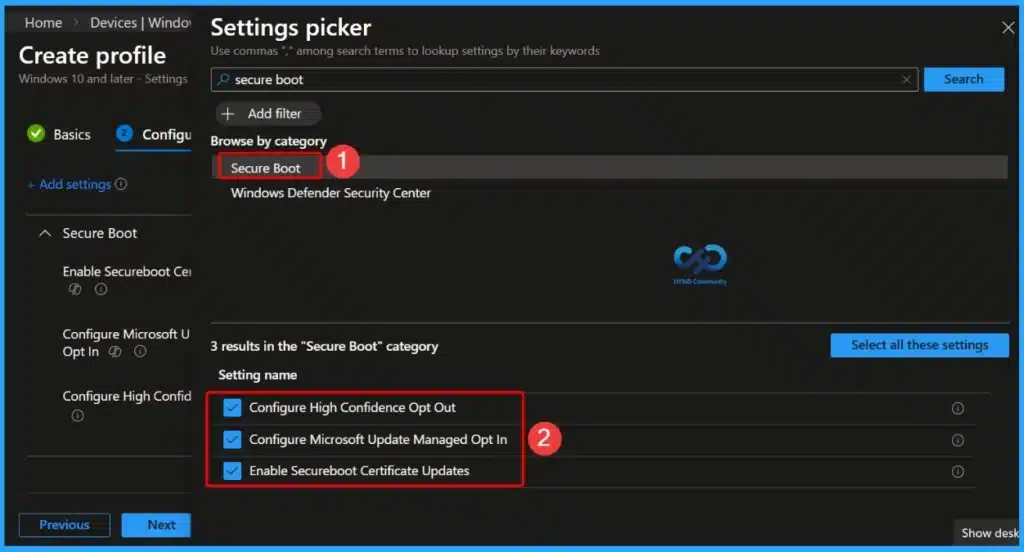
👉Missing Intune Autopatch Secure Boot Certificate Status Report in Intune Console
https://www.anoopcnair.com/autopatch-secure-boot-certificate-status-intune/
🔊 Missing Intune Autopatch Secure Boot Certificate Status Report
🔊 Purpose of Autopatch Secure Boot Certificate Status Report
🔊 Reall Reasons of Missing Autopatch Secure Boot Certificate
🔊 How this Issue Affect Admins
Wednesday 11th February 2026
📌Windows 11 KB5077181 KB5075941 February 2026 Patch and 6 Zero Day Vulnerabilities and 58 Flaws – https://www.anoopcnair.com/windows-11-kb5077181-kb5075941-february-2026/
💡6 Zero-Day Vulnerabilities and 58 Flaws
💡New Improvements and Features with February Patch
💡Issues Fixed with Windows 11 February Patch
💡February Patches Direct Download Link

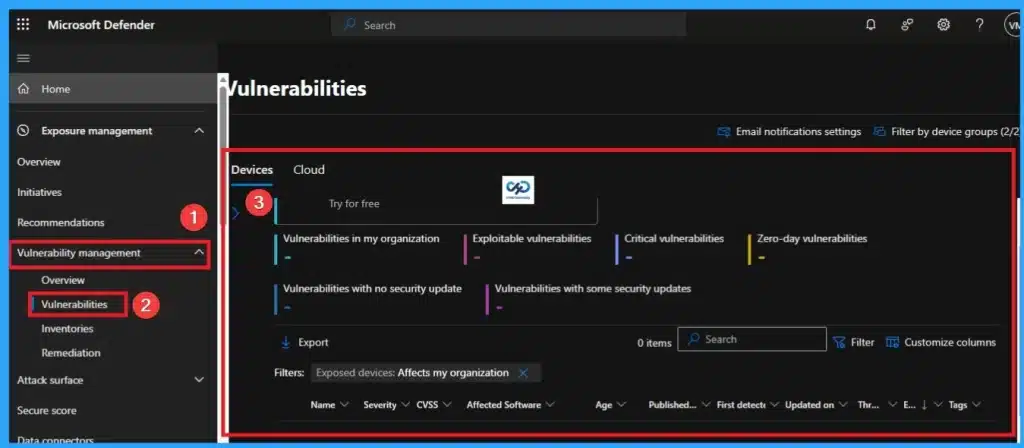
👉Explore New Device Report Filters in Microsoft Defender Vulnerability Management for Prioritize Remediation
https://www.anoopcnair.com/new-device-report-filters-in-microsoft-defender/
🔊 Device Report Filters in Microsoft Defender Vulnerability Management
🔊 Helps to Maintain Device Health and Security Posture
🔊 Empowering Admins with Smarter Filtering Options
🔊 Streamline Remediation Workflows and Reporting
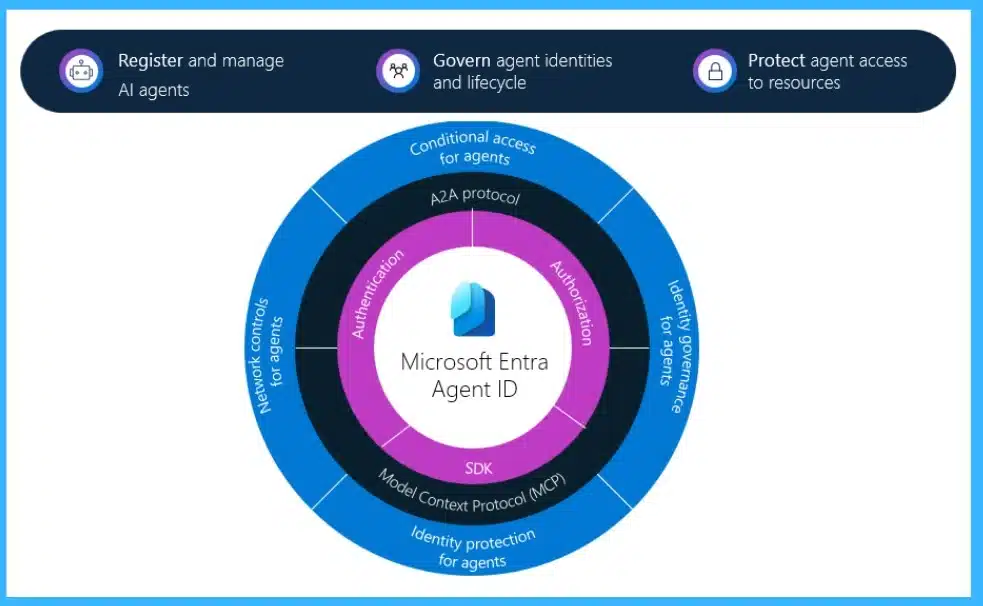
👉How Entra Agent IDs and UEBA Updates Improve Threat Detection in Microsoft Defender
https://www.anoopcnair.com/how-entra-agent-ids-and-ueba-updates-improve/
🔊Integration of Entra Agent IDs into Microsoft Defender for Stronger Identity-Based Security
🔊Enhanced UEBA for Anomaly Detection and Threat Response
🔊Focus on Protecting Agent Identities and Improving Detection Accuracy
🔊Organizations get Better Visibility, Control, and Security for AI Agents
🔊Conditional Access, Identity Governance, and Network Controls Now Apply to Agents
Thursday 12th February 2026
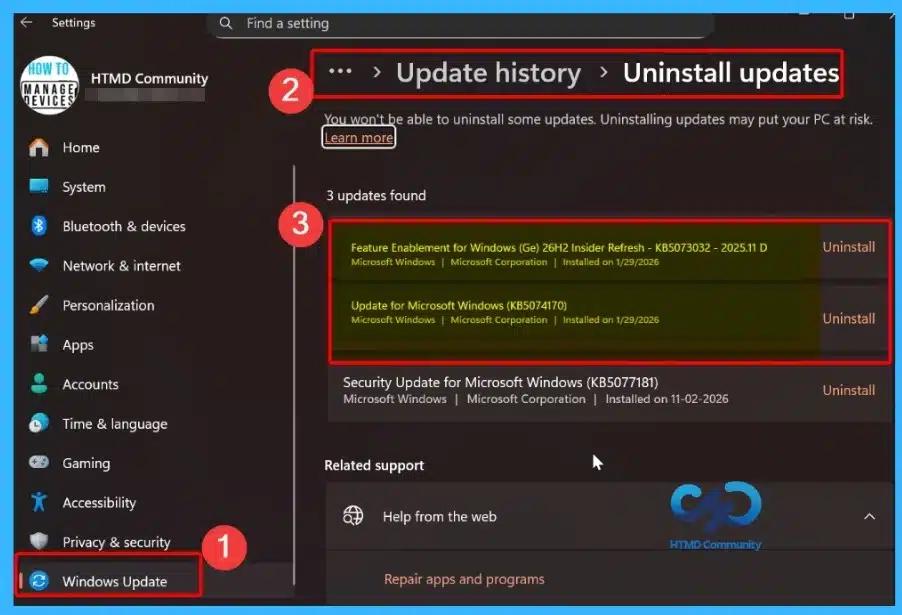
👉 Windows 11 26H1 vs 26H2 Explained Platform Update for New PCs and Feature Update for Everyone
https://www.anoopcnair.com/windows-11-26h1-vs-26h2-explained-platform-upda/
🔊Windows 11 26H1 – Platform Update, exclusive to new silicon
🔊Existing PCs Cannot Upgrade to 26H1
🔊Microsoft plans to Integrate the 26H1 and 26H2 releases into a single future version of Windows
🔊Microsoft Plans to Merge 26H1 + 26H2 into a Unified Future Release
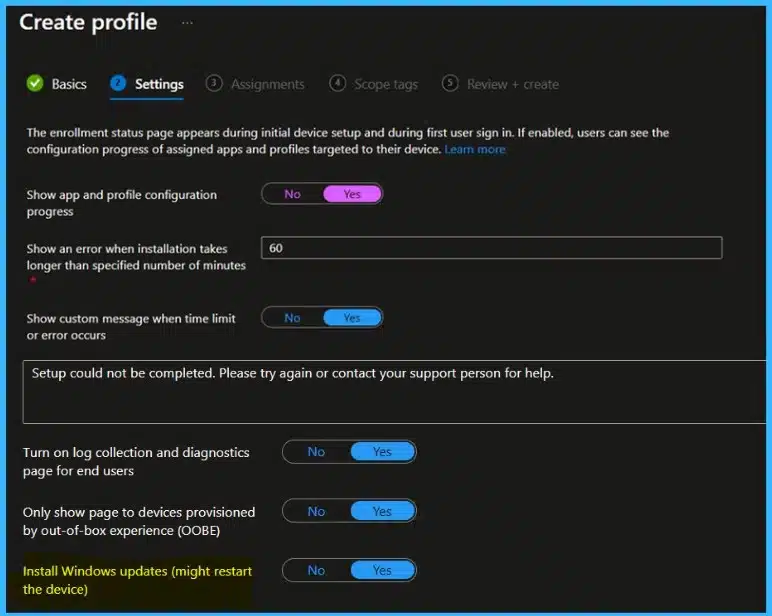
👉 How to Install Windows Security Updates During OOBE using ESP with Intune and Autopilot
https://www.anoopcnair.com/security-updates-during-oobe-using-esp-intune/
🔊Improves Device Security Updates During OOBE
🔊Windows can Now Apply Monthly Quality Updates During Autopilot Setup
🔊New Intune ESP Setting Controls Update Behavior
🔊Existing ESP Profiles Must be Updated Manually
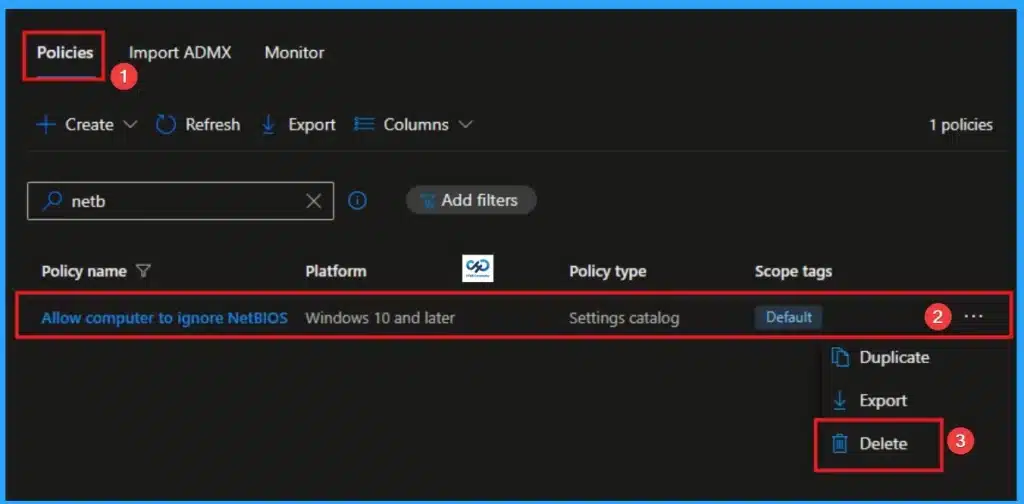
👉Enable Computer to Ignore NetBIOS Name Release Requests Except from WINS Servers using Intune
https://www.anoopcnair.com/ignore-netbios-name-release-requests-intune/
🔊 Enable Computer to Ignore NetBIOS Name Release Requests Except
🔊 Helps to Maintaining Consistency in Enterprise Environments
🔊 Strengthening Name Resolution Security
🔊 Prevent Malicious or Accidental Name Release Requests
Friday 13th February 2026
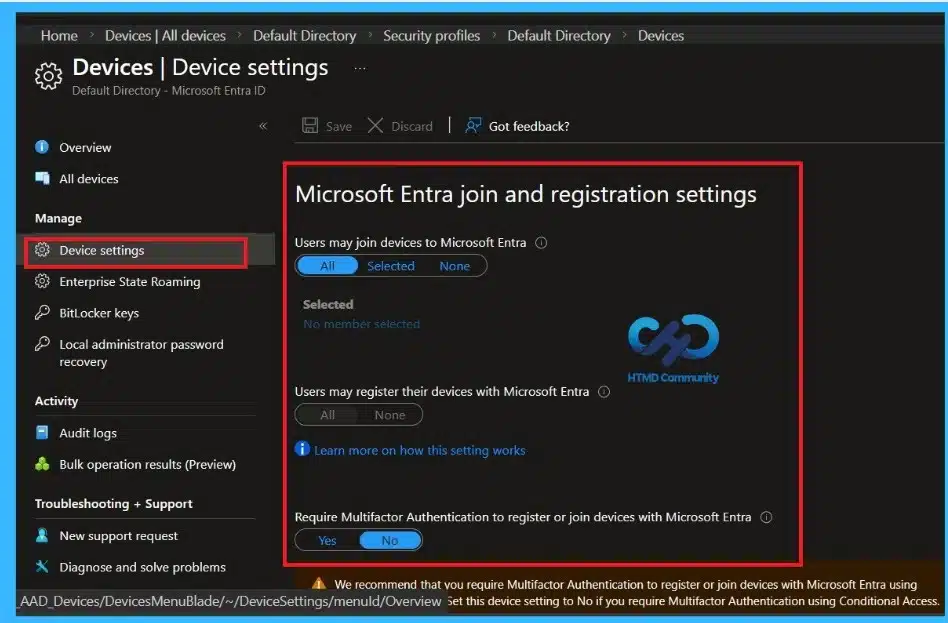
👉Microsoft Entra Global Secure Access Adds BYOD Support Using Entra Registered Devices
https://www.anoopcnair.com/entra-global-secure-access-byod-support-entra/
🔊 Enables secure Access for Personal Devices without Full Enrollment
🔊 Uses Entra Registered Devices linked to user Entra ID
🔊 Balances Strong Security with Employee Privacy
🔊 Works Across Windows, Android, and macOS BYOD Scenarios
🔊 Ideal for Hybrid and Remote Work Environments
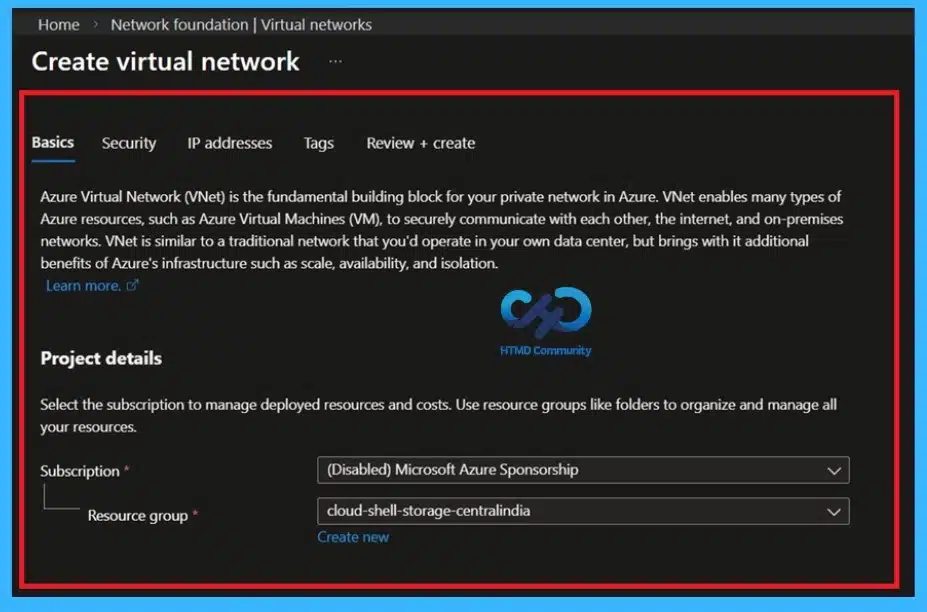
👉 Microsoft Azure Removes Default Internet Access for New Virtual Networks
https://www.anoopcnair.com/microsoft-azure-removes-default-internet-acces/
🔊 Starting March 31, 2026, New VNets Will Not Have Automatic Internet Access
🔊 Existing VNets Remain Unaffected
🔊 Microsoft Hosted Network Deployments Already Include Managed Outbound Connectivity
🔊 Impacts Windows 365 And Other Workloads Relying on Default Outbound Connectivity
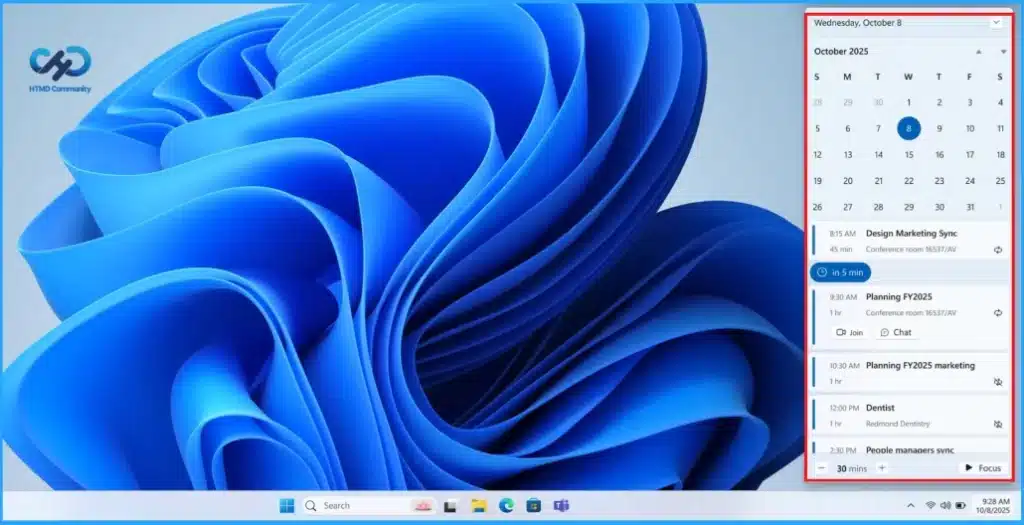
🎆Top 5 Windows 11 2026 Enhancements With Run Box Dark Mode and Copilot Upgrades
https://www.anoopcnair.com/windows-11-2026-run-box-copilot-upgrades/
🔔Windows 11 has a Copilot Search on the Taskbar for Faster Results.
🔔File Explorer Gets a Dark Properties Tab and Simpler Right-Click Menus.
🔔Run and Other Dialogs Have a Cleaner, Modern Look.
🔔Widgets are Easier to Arrange with AI Suggestions.
🔔Copilot AI can Help with Tasks and Work Across Ap
Connect with the HTMD Community
Join the Telegram group to get the latest step-by-step guides and news updates. Join our Meetup Page to participate in User group meetings. Also, join the WhatsApp Community to get the latest news on Microsoft Technologies. We are there on Reddit as well.
HTMD Community Social Media Platform Links
| Social Media Platform | Link |
|---|---|
| LinkedIn: HTMD Community | https://www.linkedin.com/company/how-to-manage-devices/ |
| Telegram: SCCM Intune Technical Discussions | https://t.me/joinchat/Q9lE6G1_BO_bGq97 |
| Telegram: JOB SCCM Intune Group | https://t.me/joinchat/SIKr3OugR2FQ-Ej9 |
| WhatsApp: HTMD Community | https://chat.whatsapp.com/CeMXHSD61HtDBJwe78IZwV |
| Telegram: AVD/Windows 365 User Group | https://t.me/Inwvdcommunity |
| https://www.facebook.com/HTMDCommunity | |
| https://www.instagram.com/htmd_community/ | |
| https://twitter.com/htmdcommunity | |
| Facebook Group: SCCM | https://www.facebook.com/groups/ConfigMgr2012/ |
| Facebook Group: Intune | https://www.facebook.com/groups/1738789256382744 |

Anoop C Nair is Workplace Technology solution architect with 25+ years (as of 2026) of experience in global enterprise organizations such as JP Morgan, Capgemini, etc. Microsoft Certified Trainer (MCT). Microsoft MVP from 2015 onwards for consecutive 11+ years! He also conducts Intune and modern workplace tech training for enterprise organizations. He is Blogger, Speaker, and Founder of HTMD Community and HTMD Conference. His main focus is on Device Management technologies like Intune, Windows, Cloud PC. He writes about technologies like Intune, SCCM, Windows, Cloud PC, Windows, Entra, Microsoft Security.

Discussion