











HTMD Newsletter 152 29th July to Aug 2nd 2024
Welcome to the HTMD Newsletter 152 Summary from 29 July to 2 August 2024! This is the list of posts and videos the HTMD Community published this week and news from the IT industry. You can get all the information and details from Windows 11, Cloud PC, SCCM, Intune, Azure Virtual Desktop (AVD), Android, iOS, and Mac.
Table of Contents
➡️ We are on WhatsApp. To get the latest step-by-step guides and news updates, Join our Channel, HTMD WhatsApp.
Did you miss updates from last week? Check out the link below.
- 149th HTMD Newsletter– HTMD Newsletter 149 8th to 12th July.
- 150th HTMD Newsletter– HTMD Newsletter 150 15th to 19th July.
- 151st HTMD Newsletter–HTMD Newsletter 151 22nd to 26th July.
29th July 2024
🎈Overview of Color Filter Settings in Windows 11
https://www.anoopcnair.com/overview-of-color-filter-settings-in-windows-11/
📌Color Filter Settings in Windows 11
📌Advantages of Color Filter Settings
📌Beneficial for Users with Color Blindness
📌Different Color Filters in Windows 11
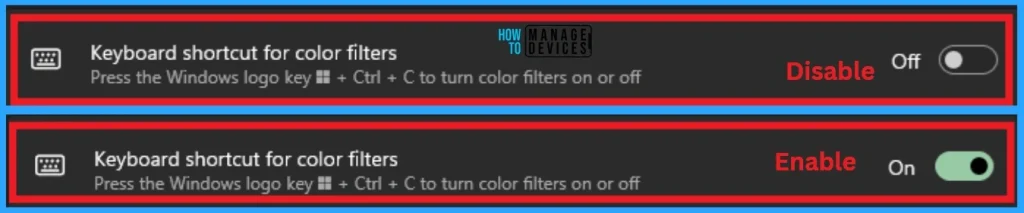
📌Keyboard Shortcut for Color Filter
💻Disable or Enable Taskbar Context Menus in Windows 11
https://www.anoopcnair.com/disable-or-enable-taskbar-context-menus-in-windows-11/
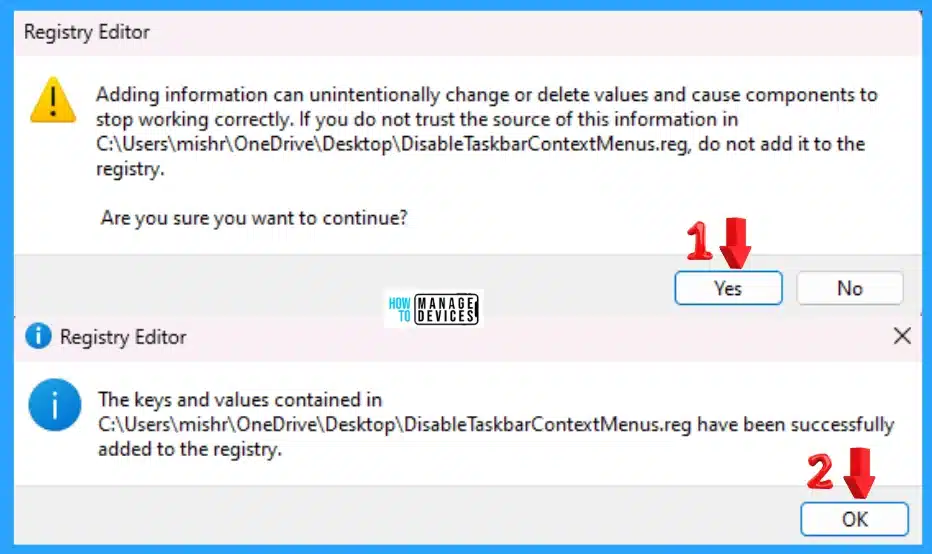
📍How to Disable or Enable Taskbar Context Menus
📍Different Methods to Change Taskbar Context Menu Settings in Windows 11
📍Microsoft Intune SaaS Solution
📍Remove Access to the Context Menu for the Taskbar
30th July 2024
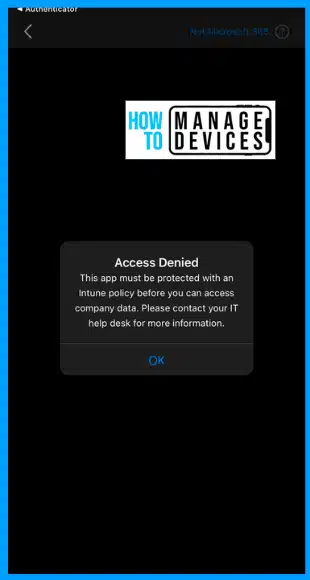
✔Enforce Users to use Intune Approved Apps with App Protection Policies using Conditional Access Policies
https://www.anoopcnair.com/use-approved-apps-with-app-protection-policies/
🎊List of Approved Client Apps
🎊Create a Conditional Access Policy to Use Approved Apps
🎊User Experience
🎊Approved Client App
🎊App Protection Policy
➡How to Use Intune Assignment Filters Comparison Property gt ge lt le with OS Version
https://www.anoopcnair.com/intune-assignment-filters-comparison-property/
📍Use Intune Assignment Filters
📍Filters Comparison Property gt ge lt le with OS Version
📍Operatingsystemversion Filter Property
📍Understand the Comparison Operator

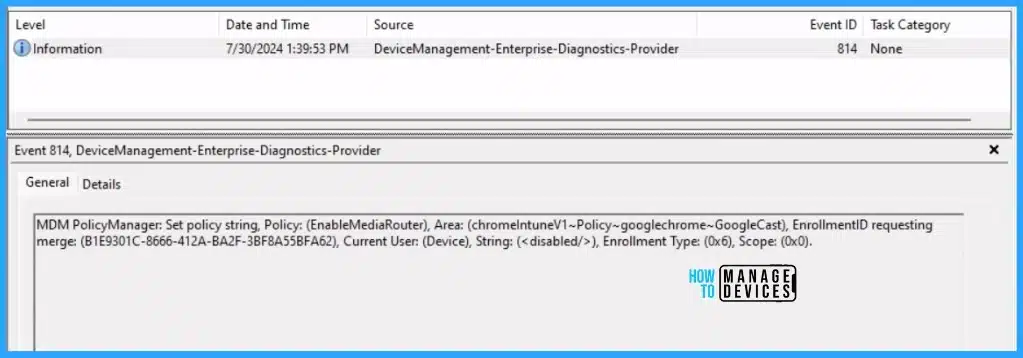
🎆Enable Disable Google Cast in Google Chrome with Intune Settings Catalog Policy
https://www.anoopcnair.com/how-to-disable-google-cast-in-google-chrome-with-intune-configuration-policy/
💡Know More About Google Cast
💡Disable Google Cast in Google Chrome using Intune Policy
💡Monitor Configuration Profile Deployment in Microsoft Intune
💡Event Log to Verify Intune Policy Deployment Status
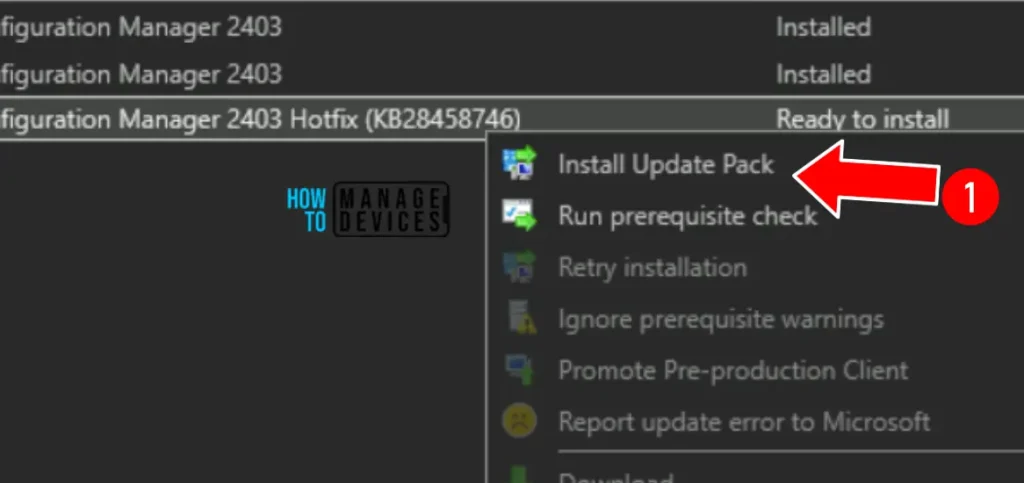
👨🔧Fix Software Update Deployment Issues with SCCM Clients with KB28458746
https://www.anoopcnair.com/fix-software-update-deployment-issues-with-sccm-clients-with-kb28458746/
🛠Software Update Deployment Issues with SCCM Clients with KB28458746
🛠Issue in SCCM Version 2403
🛠Hotfix to Software Update Deployment Issue with SCCM
🛠Update Information for Microsoft SCCM
🛠Steps for Installation Information the Hotfix
31st July 2024
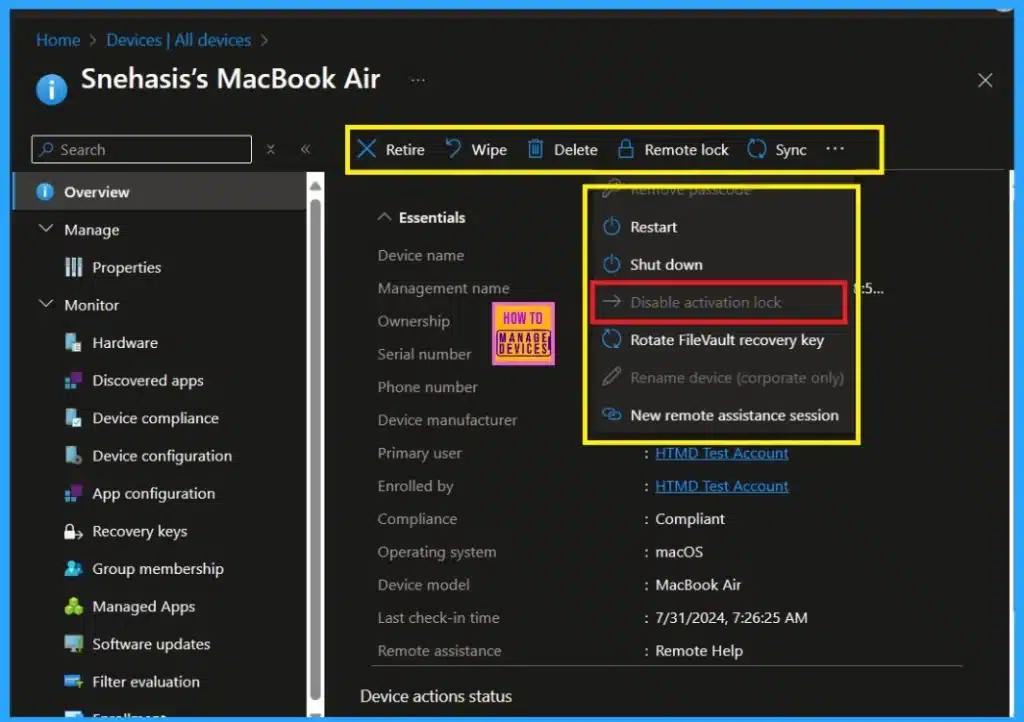
✔Managing Activation Lock on Apple Devices with Intune
https://www.anoopcnair.com/activation-lock-on-apple-devices-with-intune/
➡Importance of Activation Lock in ASM and ABM
➡Activation Lock Bypass Code
➡Activation Lock Allowed While Supervised
➡How Activation Lock Helps Users Locate Their Stolen Device
➡Find My Options
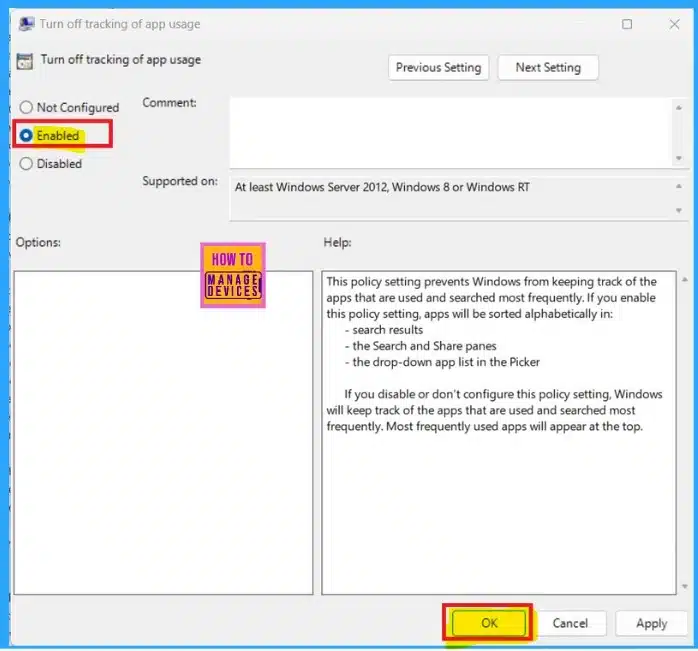
💻How to Use App Launch Tracking in Windows 11
https://www.anoopcnair.com/how-to-use-app-launch-tracking-in-windows-11/
🌟Use App Launch Tracking in Windows 11
🌟Offering Preferred Apps in the Start Menu
🌟Let Windows Improve Start and Search Results by Tracking App Launches
🌟Create a Script to Turn Off Tracking App Launches with Intune
🌟Customizes your Start Menu based on the Apps you Use the Most
🌟Different Methods
➡How to Enable Optimize Video Option in Microsoft Teams Screen Sharing Feature
https://www.anoopcnair.com/enable-optimize-video-option-in-microsoft-teams/
☑Enable Optimize Video Option in Microsoft Teams
☑Advantages of Optimize Video in Microsoft Teams Screensharing
☑Automatic Video Detection in Teams
☑Available for Teams Public Preview or Microsoft 365 Targeted Release
☑Manually Optimize Video Playback when ScreenSharing

👇New Windows Autopilot Device Preparation Experience using Intune
https://youtu.be/vVbjdSScYwE
✅The details of the Configuration Settings of Windows Autopilot V2 Device Preparation Policy are also discussed in this video.
✅This video guide walks you through configuring the Windows Autopilot Next Generation Device Preparation Policy with Intune.
✅End-user experience is also shown in the demo session of the video.

1st Aug 2024
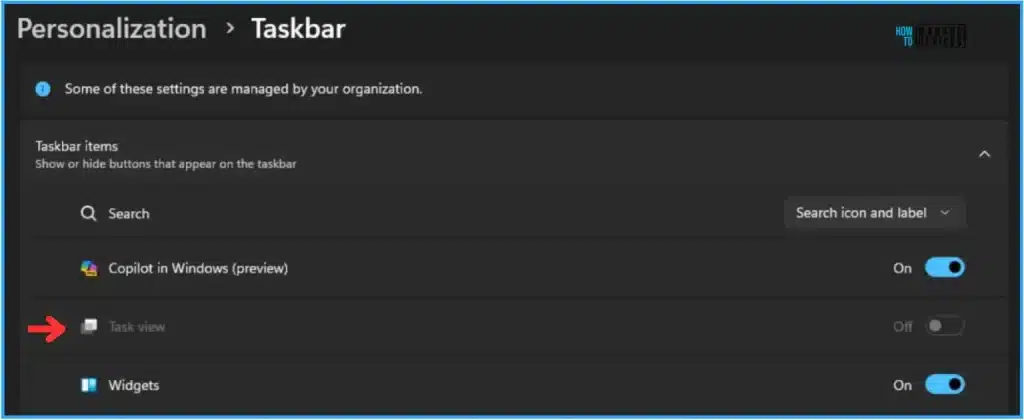
💻Easy Way to Hide Task View Button with Intune
https://www.anoopcnair.com/easy-way-to-hide-task-view-button-with-intune/
🌟Hide Task View Button with Intune
🌟Importance of Hiding Task View Button
🌟Create Configuration to Hide Task View Button with Intune
🌟Monitor Hide Task View Button Configuration in Intune
🌟End User Experience of Hide Task View Button Configuration
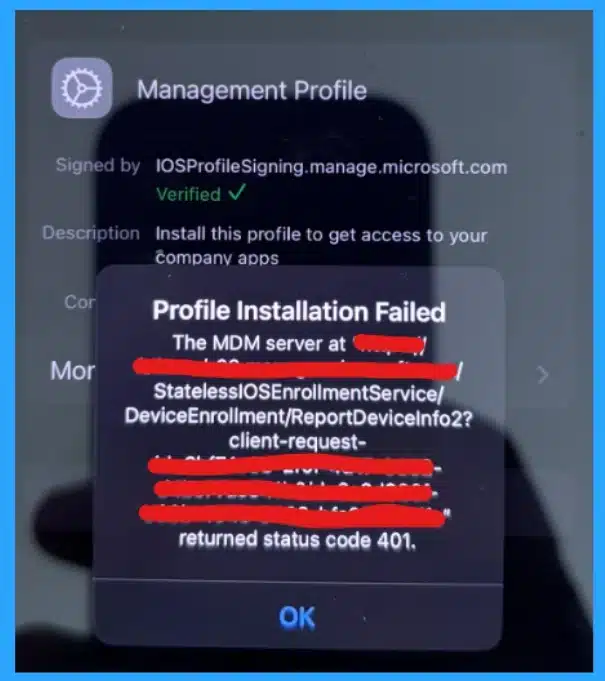
💻Fix MDM Profile Installation Failed in the Intune
https://www.anoopcnair.com/fix-mdm-profile-installation-failed-401-error/
🌟An Issue in the MDM Profile Installation Failed in the Intune
🌟Users Have Faced Errors with Management Profile
🌟MDM Server Returned a Status Code of 401
🌟Know More about the Solution to Fix the Issue
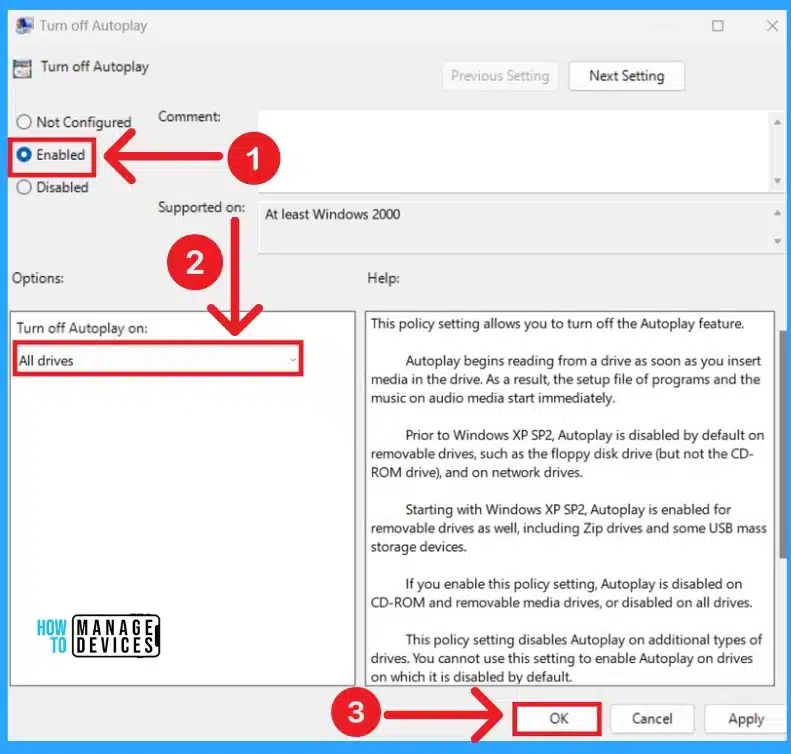
✔Easy Methods for Enable Disable AutoPlay in Windows 11
https://www.anoopcnair.com/easy-methods-for-enable-disable-autoplay-in-windows-11/
➡Enable Disable AutoPlay in Windows 11
➡Advantages of AutoPlay in Windows 11
➡Different Methods for Enable Disable AutoPlay
➡GPO to Enable or Disable AutoPlay for All Drives in Windows 11
➡Enable Disable AutoPlay in Windows 11 using Intune
2nd Aug 2024
🥇Leaders in DaaS Market in 2024: Windows 365 Cloud PC and AVD as per IDC MarketScape Study – https://www.anoopcnair.com/leaders-in-daas-market-in-2024-windows-365-avd/
🥇AWS and Google are behind Microsoft as per study?
🥇Microsoft, Broadcom, and Citrix are the three leading vendors
🥇Broadcom’s Omnissa is suprising entry for leaders there?

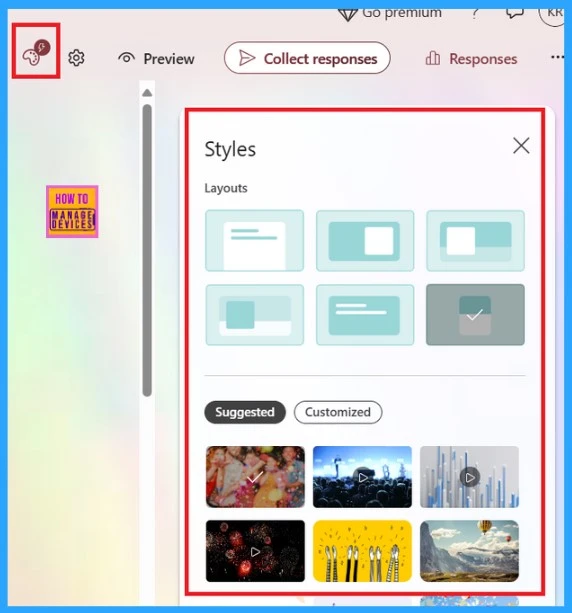
🎊Microsoft Forms 2024 New Template Customization and Distribution Options-
https://www.anoopcnair.com/microsoft-forms-2024-new-template-customization/
📍Microsoft Forms is a Web-based Application of Microsoft 365
📍Introducing New Features to the Microsoft Forms
📍Exciting Update Gives a Fresh Look to the Page, Design, and Results Pages.
📍Know More about MS Forms
📍Introducing New Templates for Forms
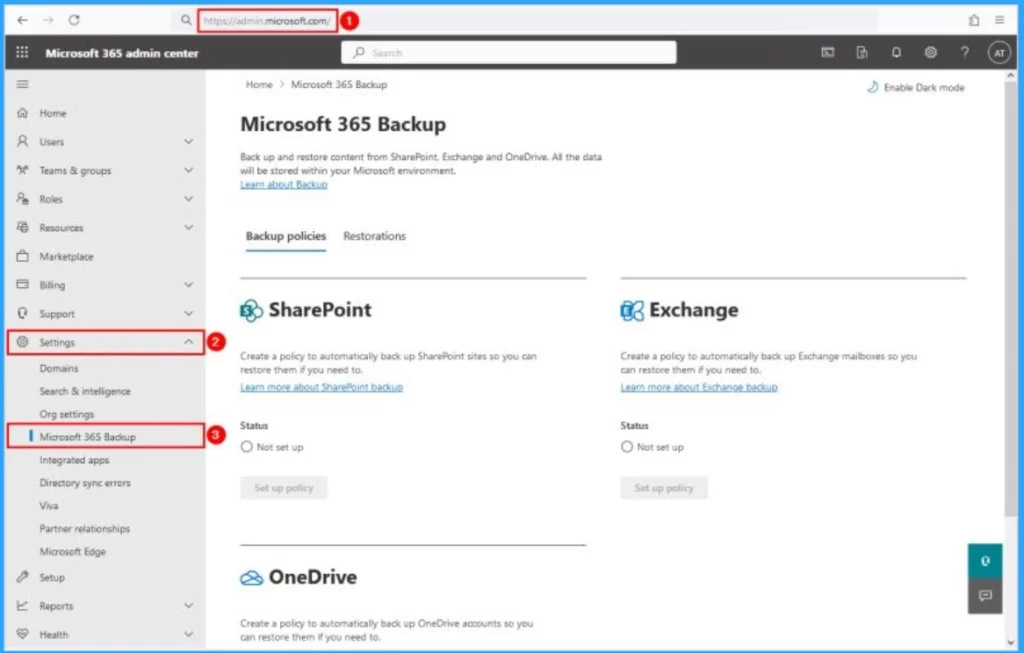
🔔Microsoft Offering Ultra High Speed Backup and Recovery for OneDrive SharePoint and Exchange Data – https://www.anoopcnair.com/microsoft-offering-ultra-high-speed-backup/
👉Microsoft 365 Backup and Microsoft 365 Backup Storage Generally Available
👉Ultra High Speed Backup and Recovery for OneDrive SharePoint and Exchange Data
👉20 Times Faster than Traditional Backup Methods
👉Enhance Users Self-Service Recovery Capabilities
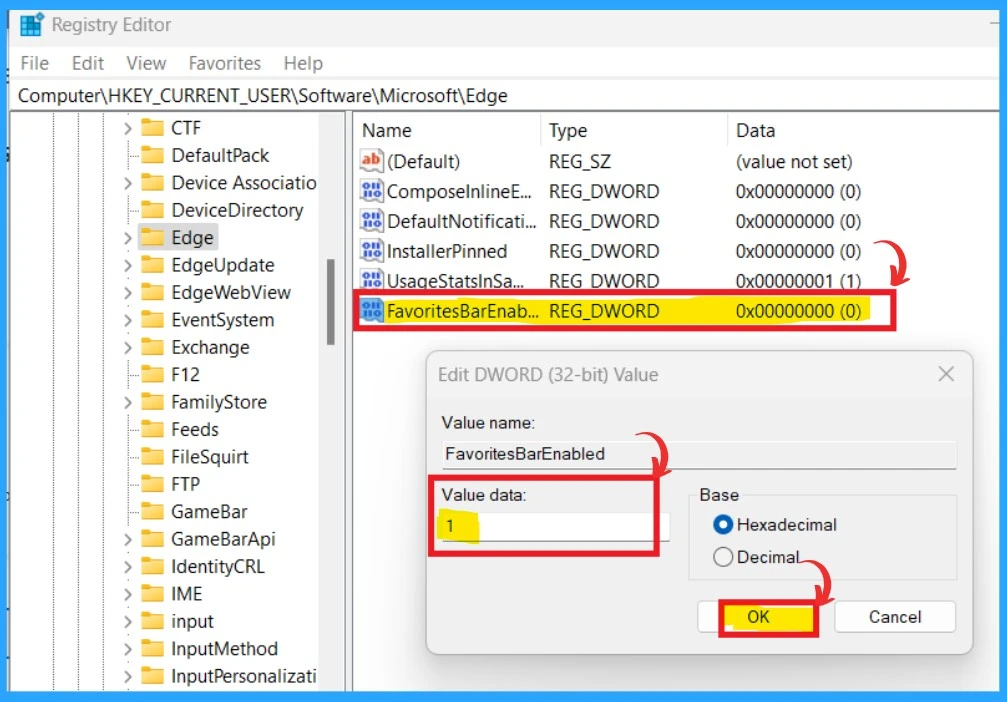
✔Add Remove Web Pages from Favorites Bar in Microsoft Edge Browser and Set Visibility Registry Method
– https://www.anoopcnair.com/add-remove-web-pages-from-favorites-bar-in-microsoft-edge-browser-and-set-visibility-registry-method/
➡Favorites Bar in Microsoft Edge is a Useful Tool with Many Benefits
➡The Favorites Bar Offers Quick Access to your Favourite Websites,
➡Know More about Favourite Bar in MS Edge
➡How to Add a Website to the Favourite Bar on the Edge
➡Set Favourite Bar Visibility Options by Using the Favorites Bar Menu

Anoop C Nair is Workplace Technology solution architect with 25+ years (as of 2026) of experience in global enterprise organizations such as JP Morgan, Capgemini, etc. Microsoft Certified Trainer (MCT). Microsoft MVP from 2015 onwards for consecutive 11+ years! He also conducts Intune and modern workplace tech training for enterprise organizations. He is Blogger, Speaker, and Founder of HTMD Community and HTMD Conference. His main focus is on Device Management technologies like Intune, Windows, Cloud PC. He writes about technologies like Intune, SCCM, Windows, Cloud PC, Windows, Entra, Microsoft Security.

Discussion