











HTMD Newsletter 149 8th to 12th July 2024
Welcome to the HTMD Newsletter 149 Summary from 8th to 12th July 2024! This is the list of posts and videos the HTMD Community published this week and news from the IT industry. You can get all the information and details from Windows 11, Cloud PC, SCCM, Intune, Azure Virtual Desktop (AVD), Android, iOS, and Mac.
➡️ We are on WhatsApp. To get the latest step-by-step guides and news updates, Join our Channel, HTMD WhatsApp.
Did you miss updates from last week? Check out the link below.
- 146th HTMD Newsletter – HTMD Newsletter 146 17th to 21st June.
- 147th HTMD Newsletter – HTMD Newsletter 147 24th to 28th June.
- 148th HTMD Newsletter – HTMD Newsletter 148 1ST to 5th July.
8th July 2024 – HTMD Newsletter 149
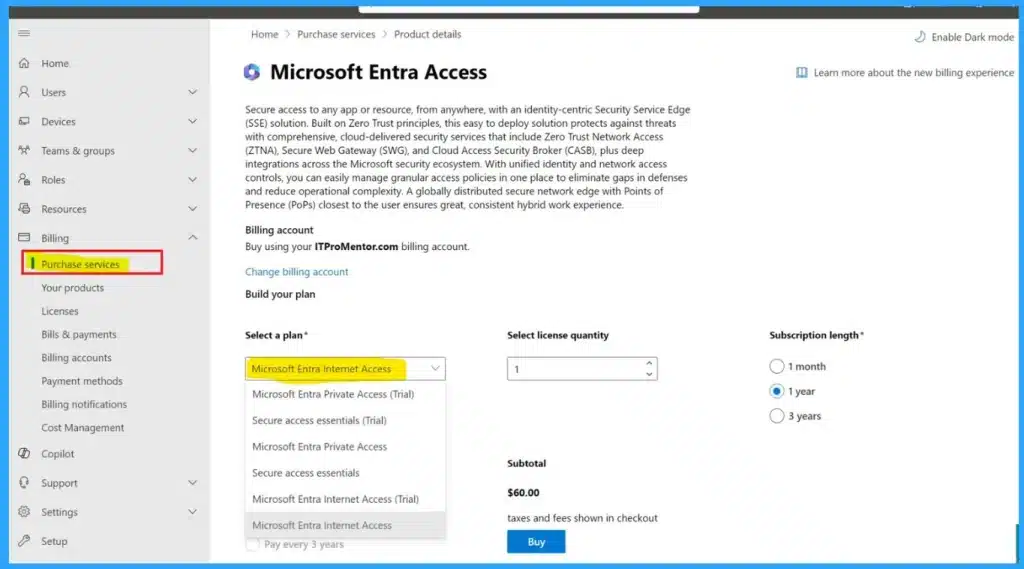
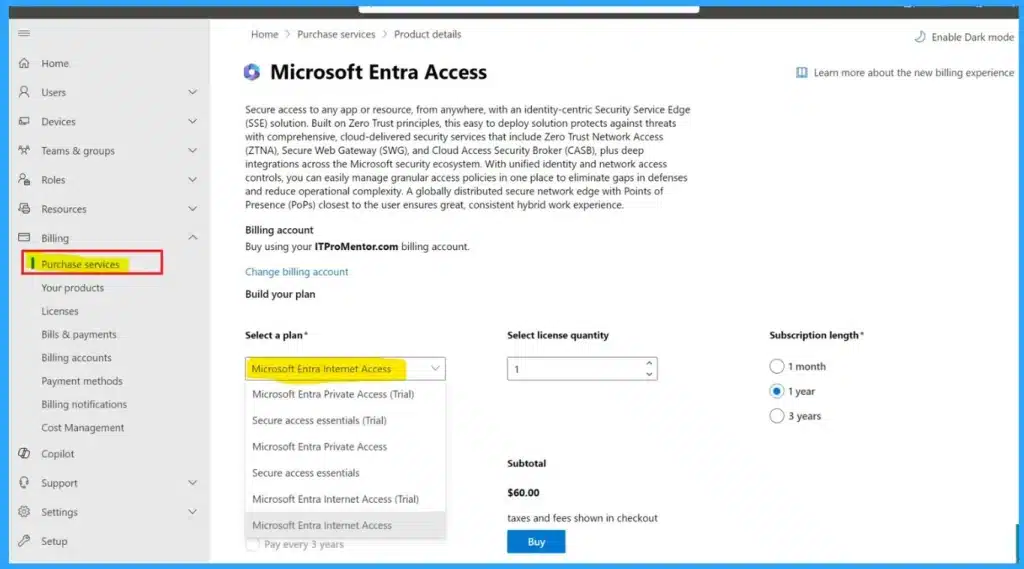
🔔Pricing Details of Microsoft Entra Internet Access and Private Access
https://www.anoopcnair.com/microsoft-entra-internet-access-and-private/
🌟Pricing of Microsoft Entra Internet Access and Private Access
🌟Enhanced Security Features of Entra Internet Access and Private Access
🌟Private Access (VPN Killer): Replacing Traditional VPN Solutions
🌟Secure Access Essentials and the Entra Suite
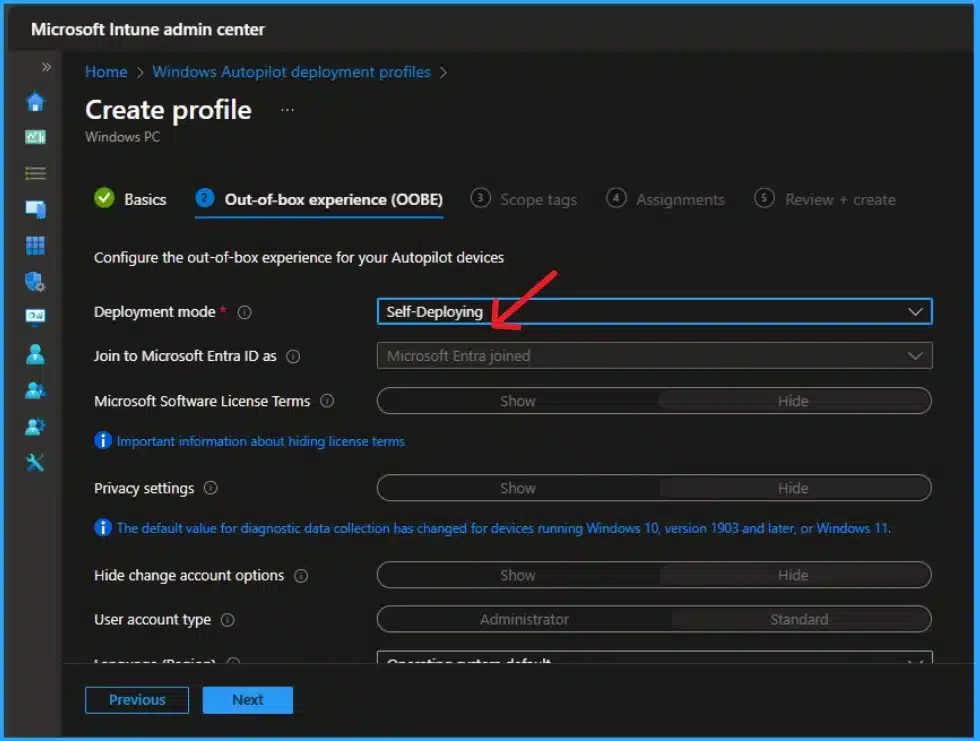
🎆Issue with Self-Deploying Autopilot Deployment Profiles on Intune
https://howtomanagedevices.com/intune/15498/issue-self-deploying-autopilot-deployment-profiles-intune/
📍Issue with Self-Deploying Autopilot Deployment Profiles on Intune
📍Self-deployment Mode for Autopilot Deployment Profiles.
📍Microsoft Intune Service Release 2406
🎆Get Information Last Password Change for an Entra ID User using Microsoft Graph API
https://www.anoopcnair.com/last-password-change-for-an-entra-id-user/
👉Last Password Change Information for an Entra ID User
👉Microsoft Graph API
👉Retrieve Last Password Change for an Entra ID User using Graph API
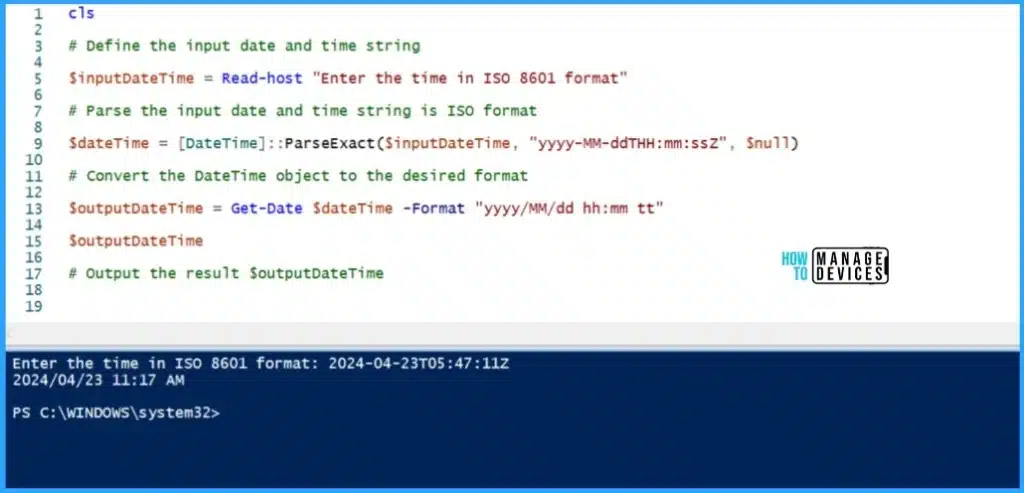
👉PowerShell Script to Convert an ISO 8601 Timestamp
🎆New MS Entra PowerShell Module
https://www.anoopcnair.com/new-ms-entra-powershell-module/
🔥New Microsoft Entra PowerShell Module
🔥Microsoft Graph PowerShell SDK
🔥Do We Need to Migrate to Microsoft Entra PowerShell?
🔥Pre-requisites of Microsoft Entra PowerShell
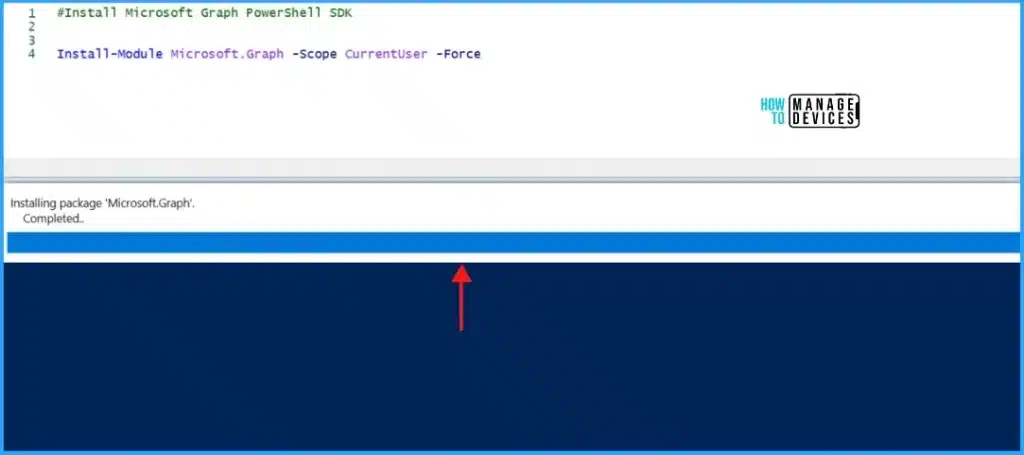
🔥How to Install Microsoft Entra PowerShell?
🔔Multiple Methods to Open Disk Management in Windows 11
https://www.anoopcnair.com/methods-to-open-disk-management-in-windows-11/
🌟Disk Management in Windows 11
🌟Built in Tools for Windows PC
🌟Advantages of Disk Management
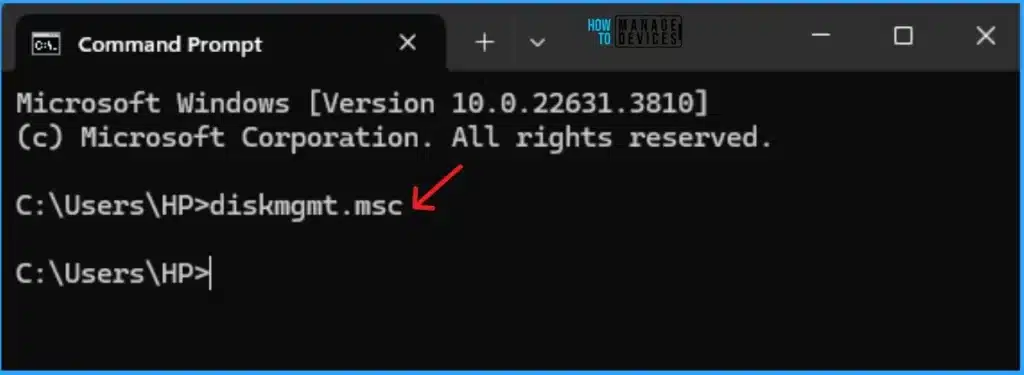
🌟Different Methods for Open
9th July 2024 – HTMD Newsletter 149
⚠SCCM Failed to Run Task Sequence because it is not active yet
https://www.anoopcnair.com/sccm-failed-to-run-task-sequence-because-it-is-not-active-yet/
🛎Skipping task sequence
🛎No assigned task sequence found?
🛎Possible solutions to fix

⏩Allow or Block Push Notifications for Sites in Microsoft Edge
https://www.anoopcnair.com/push-notifications-for-sites-in-microsoft-edge/
⏳Push Notifications are a Powerful Feature in the MS Edge
⏳Allow Websites to Send Alerts and Updates Directly to Users
⏳Keeping Users Informed About Important Updates, Messages, or Alerts from Their Favorite Websites
⏳Push Notifications Permission
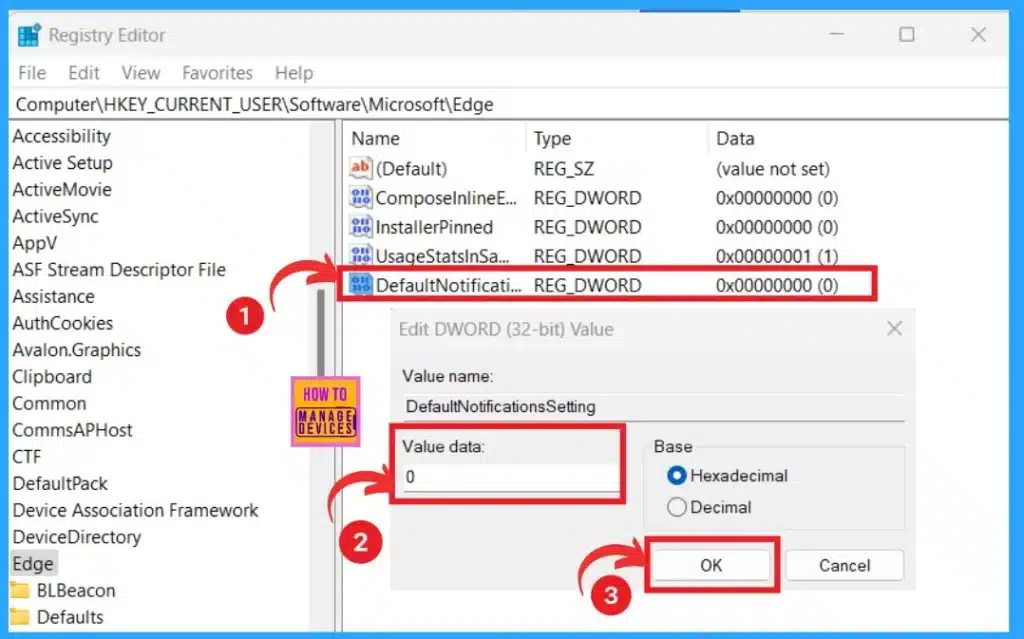
⏳Methods for Allow or Block Push Notifications for Sites
🔔How to Report Security Issues to Microsoft
https://www.anoopcnair.com/how-to-report-security-issues-to-microsoft/
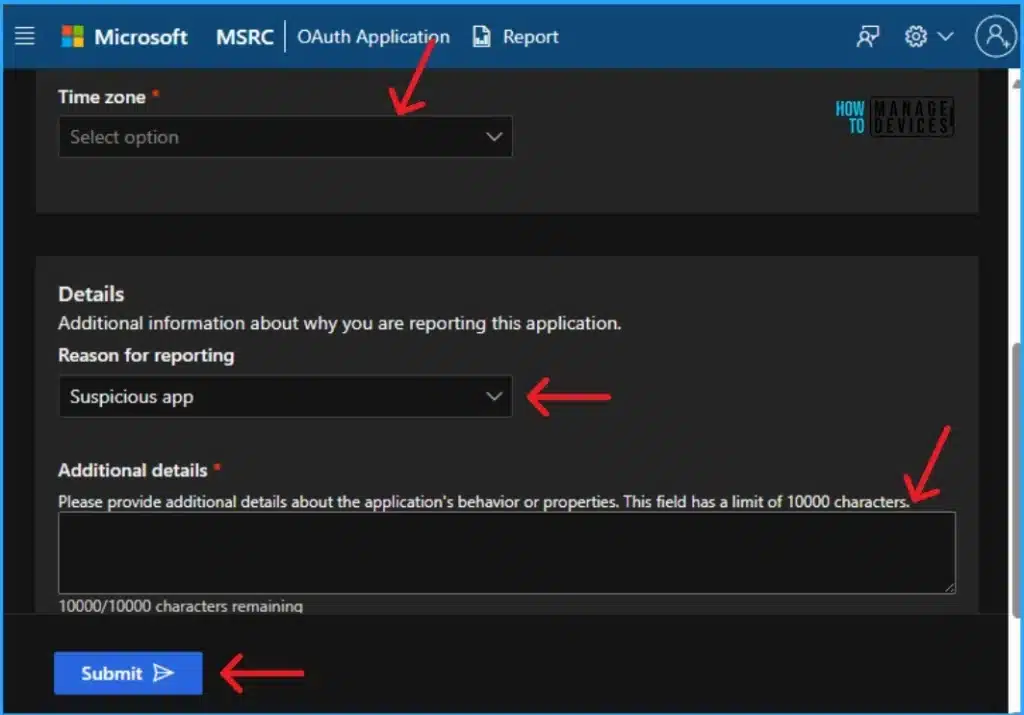
🌟Report Security Issues to Microsoft
🌟OAuth Application Report in MSRC Portal
🌟Further Steps Taken by Microsoft on a Threat Report
🎆 July 2024 Windows 11 KB5040442 KB5040431 Patches and 2 Zero-Day Vulnerabilities
https://www.anoopcnair.com/july-2024-windows-11-kb5040442-kb5040431-patche/
🔔New Improvements and Features with July Patches
🔔Issues Fixed with Windows 11 July Patches
🔔July Patches Direct Download Link

🎆 July 2024 Windows 10 KB5040427 Patches and 2 Zero-Day Vulnerabilities 142 Flaws
https://www.anoopcnair.com/july-2024-windows-10-kb5040427-patches/
🔔New Improvements and Features with July Patches
🔔Issues Fixed with Windows 10 July Patches
🔔July Patches Direct Download Link

10th July 2024 – HTMD Newsletter 149
⏳Unable to Join Teams Meetings Using Links from Outlook Because of ASR Rules
https://www.anoopcnair.com/join-teams-meetings-using-links-from-outlook/
↗Unable to Join Teams Meetings Using Links from Outlook
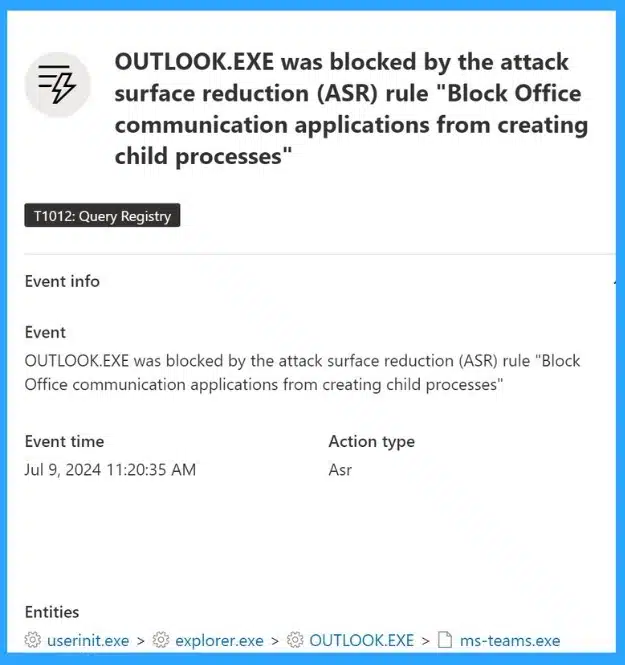
↗Understanding the ASR Rules Restricting Teams Meetings Links
↗Recent Challenges Faced by Organizations
↗Know More about the Issue
↗How to Fix the Issue
🎆Turn On or Off Typing Insights in Windows 11
https://www.anoopcnair.com/turn-on-or-off-typing-insights-in-windows-11/
🔔Typing Insights in Windows 11
🔔Typing Insights for Touch or On-screen Keyboard
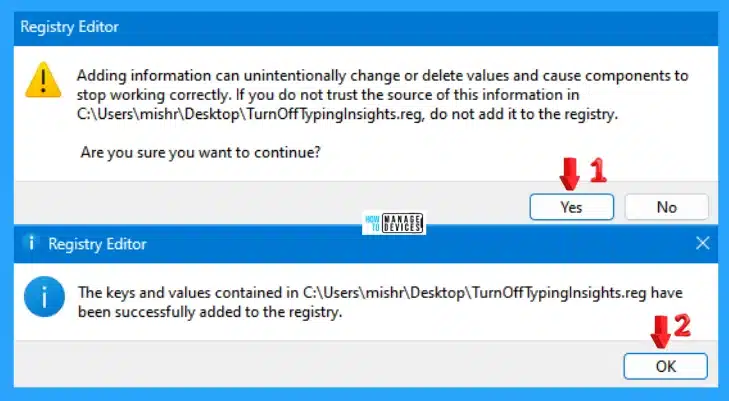
🔔Turn On or Off Typing Insights in Windows 11
⏩Enable Show Desktop Button on Windows 11 Taskbar
https://www.anoopcnair.com/enable-show-desktop-button-on-windows-11-taskbar/
⏳Show Desktop Button on Windows 11 Taskbar
⏳Different Methods for Enable Show Desktop Button on Windows 11 Taskbar
⏳Advantages of Show Desktop Button on Windows 11 Taskbar
⏳Best Taskbar Behavior Feature in Windows 11
⏳Reasons for Disappearing Show Desktop Button on Windows 11 Taskbar

11th July 2024 – HTMD Newsletter 149
🎆Microsoft Announce Deprecation of MSDT and MSDT Troubleshooters
https://www.anoopcnair.com/microsoft-announce-deprecation-of-msdt/
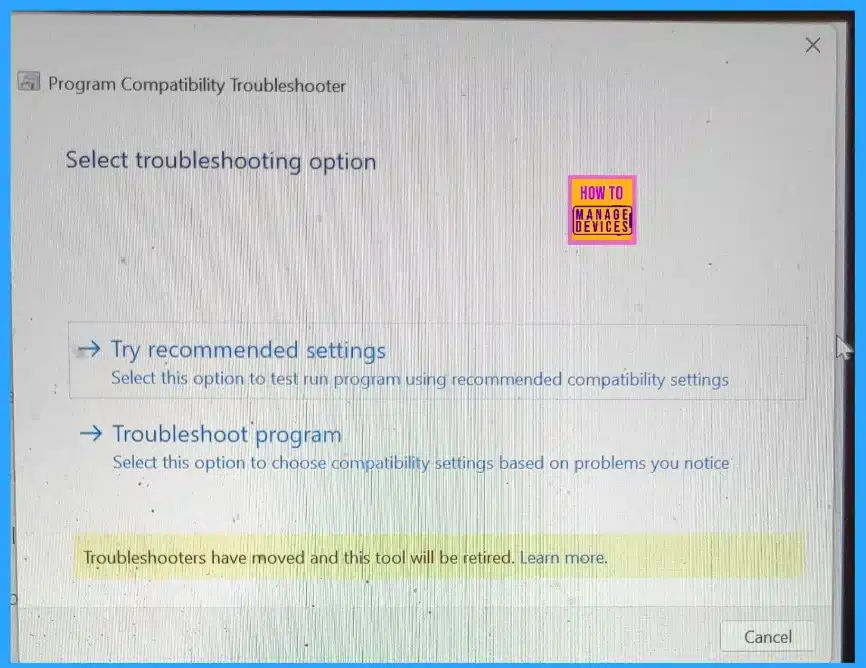
🔔Deprecation of MSDT and MSDT Troubleshooters
🔔Microsoft Retiring Old Built-in Troubleshooters
🔔Old Built-in Troubleshooters for Common Windows Problems
🔔What Does Retaining the Legacy Inbox Troubleshooters Mean?
🔔Know about Deprecation Timeline
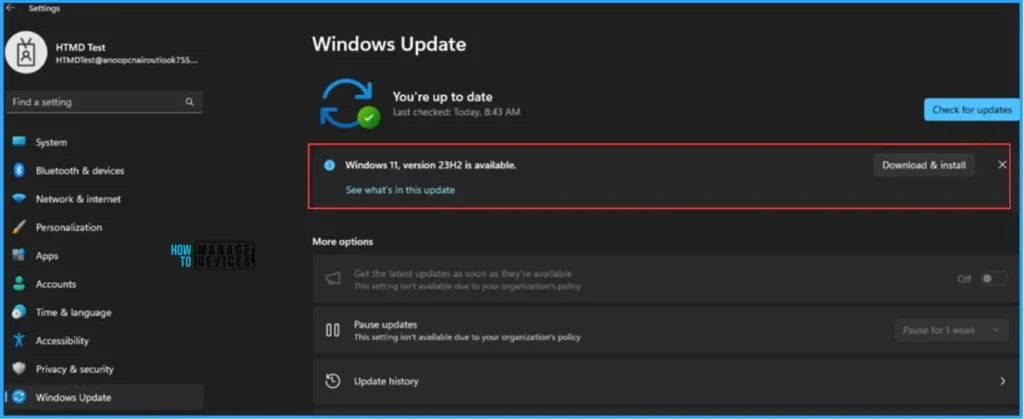
☑Easy Guide to Set Feature Updates for Windows 11 as Optional with Intune
https://www.anoopcnair.com/intune-set-feature-updates-for-windows-11/
💡Why Set New Feature Updates for Windows 11 as Optional Updates
💡Create New Feature Updates for Windows 11 Profile with Intune
💡Monitor the Feature Updates for Windows 11 Report
💡End User Experience – Feature Updates for Windows 11 as Optional
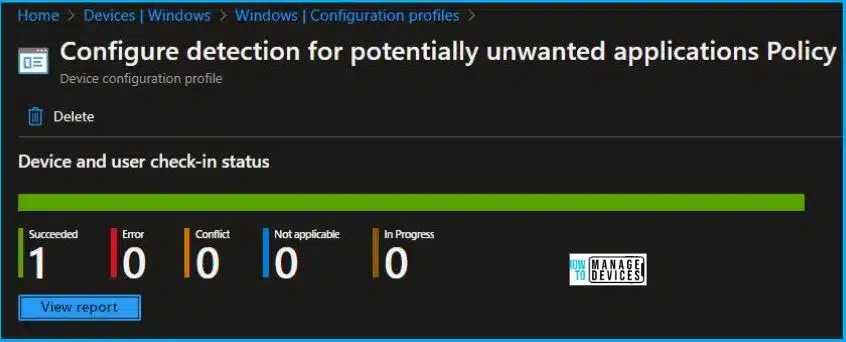
⏩Importance of Potentially Unwanted App Protection in Microsoft Edge
https://www.anoopcnair.com/potentially-unwanted-app-protection-edge/
⏳Understand Potentially Unwanted App (PUA)
⏳Importance of Blocking Potentially Unwanted App
⏳Blocking PUA to Keep Your System Running Smoothly
⏳Different Methods to Enable Potentially Unwanted App Protection
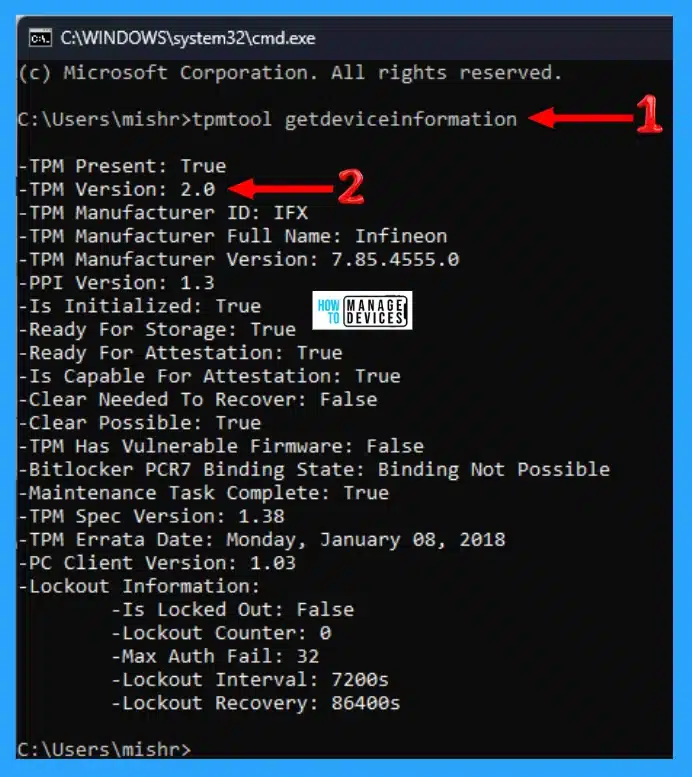
🎉4 Ways to Check TPM Version in Windows 11
https://www.anoopcnair.com/ways-to-check-tpm-version-in-windows-11/
🎊Check TPM Version using Windows Settings
🎊Check TPM Version using TPM Management Console
🎊Check TPM Version using Device Manager
🎊Check TPM Version using Command Prompt
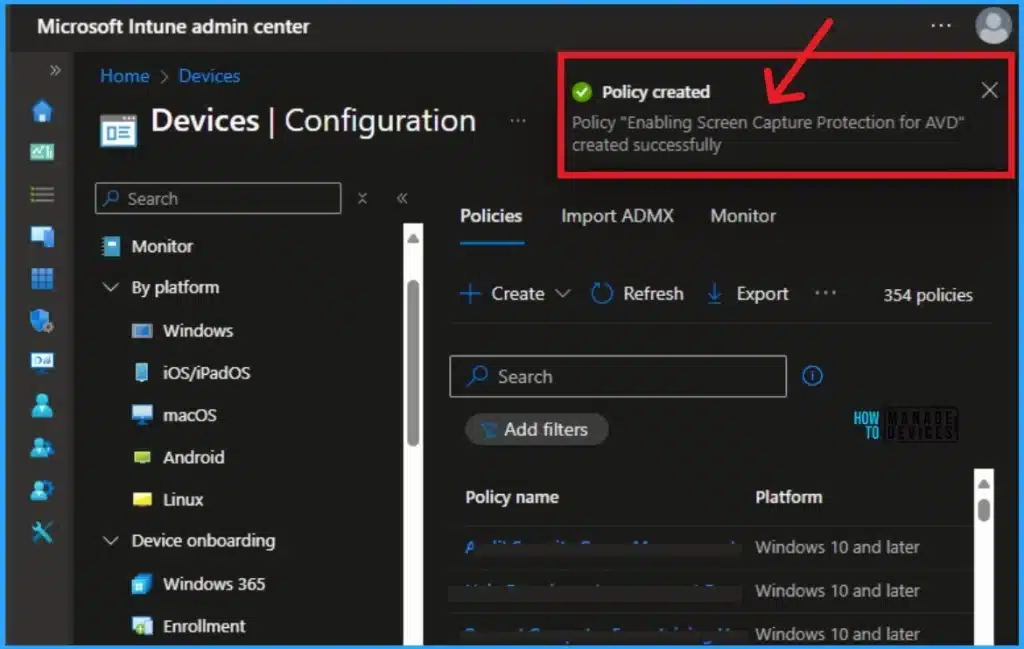
🔔Turn On Screen Capture Protection in AVD using Intune
https://www.anoopcnair.com/turn-on-screen-capture-protection-in-avd-intune/
🌟Enable Screen Capture Protection in AVD using Intune
🌟Screen Capture Protection in AVD using Intune
🌟End Users Experience in Screen Capture Protection Policy Enable
12th July 2024 – HTMD Newsletter 149
🎆Entra Suite Pricing
https://www.anoopcnair.com/entra-suite-pricing/
🔥Microsoft Entra Suite Pricing Details Announced
🔥Microsoft Entra Suite Now Generally Available
🔥Entra Suite: Complete Zero Trust Access Solution
🔥Microsoft Entra ID P1 Pricing Details
🔥Understand Enta Suite
🔥Pricing Details of Entra Suite
🎆Microsoft Intune 2407 New Features Early July Update
https://www.anoopcnair.com/microsoft-intune-2407-new-features-july-update/
🔔Microsoft Intune Service Release Update
🔔New Actions for Policies, Profiles, and Apps
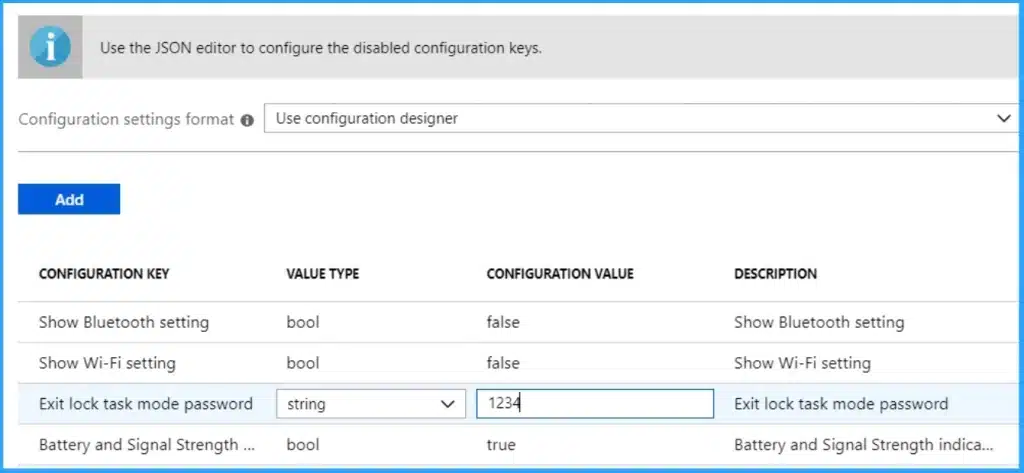
🔔MAC Address Available from Managed Home Screen App

Anoop C Nair is Workplace Technology solution architect with 25+ years (as of 2026) of experience in global enterprise organizations such as JP Morgan, Capgemini, etc. Microsoft Certified Trainer (MCT). Microsoft MVP from 2015 onwards for consecutive 11+ years! He also conducts Intune and modern workplace tech training for enterprise organizations. He is Blogger, Speaker, and Founder of HTMD Community and HTMD Conference. His main focus is on Device Management technologies like Intune, Windows, Cloud PC. He writes about technologies like Intune, SCCM, Windows, Cloud PC, Windows, Entra, Microsoft Security.

Discussion