











HTMD Newsletter 148 1st to 5th July 2024
Welcome to the HTMD Newsletter 148 Summary from 1st to 5th July 2024! This is the list of posts and videos the HTMD Community published this week and news from the IT industry. You can get all the information and details from Windows 11, Cloud PC, SCCM, Intune, Azure Virtual Desktop (AVD), Android, iOS, and Mac.
➡️ We are on WhatsApp. To get the latest step-by-step guides and news updates, Join our Channel, HTMD WhatsApp.
Did you miss updates from last week? Check out the link below.
- 145th HTMD Newsletter – HTMD Newsletter 145 10th to 14th June.
- 146th HTMD Newsletter – HTMD Newsletter 146 17th to 21st June.
- 147th HTMD Newsletter – HTMD Newsletter 147 24th to 28th June.
1st July 2024 – HTMD Newsletter 148
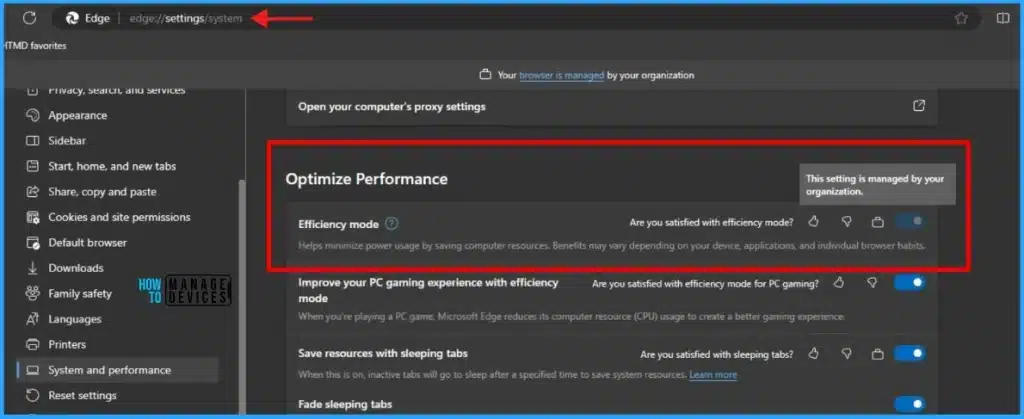
🎉Guide to Enable Efficiency Mode in Microsoft Edge using Intune
https://www.anoopcnair.com/enable-efficiency-mode-in-microsoft-edge-intune/
↘Learn More About Efficiency Mode in Microsoft Edge
↘Enable Efficiency Mode in Microsoft Edge using Intune
↘Monitor Configuration Profile Deployment in Microsoft Intune
↘Event Log to Verify Intune Policy Deployment Status
↘End-user Experience
🎆 Storage Sense Cleanup of Temporary Files for Free Up Disk Space in Windows 11
https://www.anoopcnair.com/storage-sense-cleanup-free-up-space-windows-11/
📍Storage Sense is an automated storage management tool
📍Storage Sense is help to delete temporary files and Free Up Disk Space
📍What is Storage Sense in Windows 11
📍Storage Sense Cleanup Recommendations
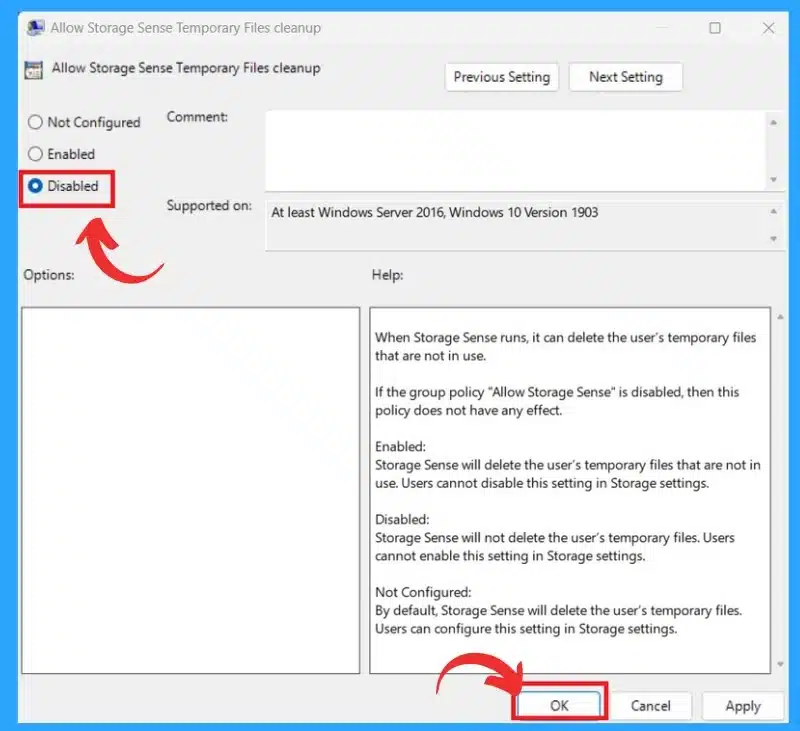
📍Enable or Disable Storage Sense Cleanup of Temporary Files using Group Policy
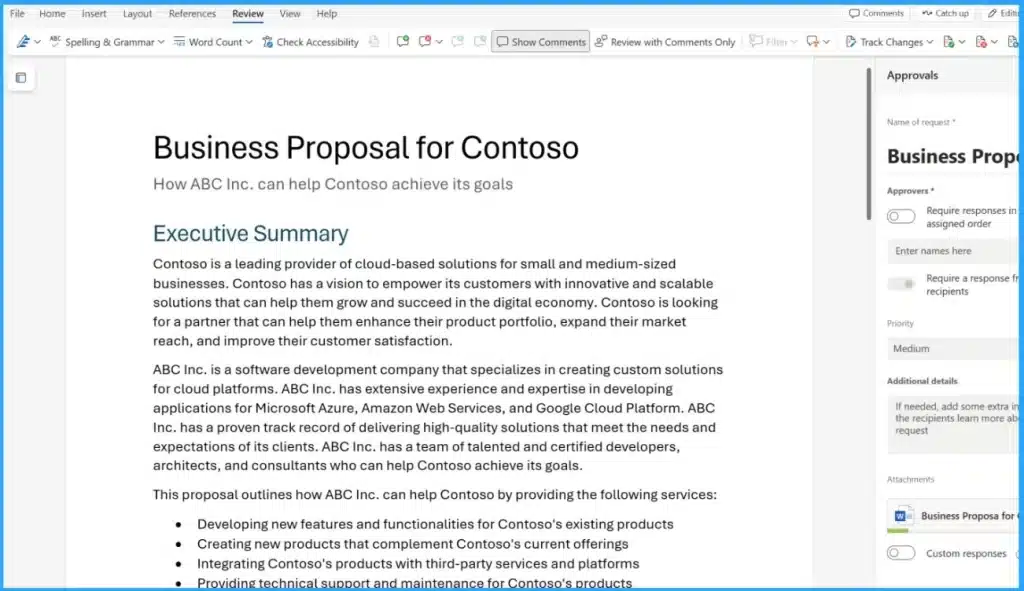
🎆New Approval Request Feature for MS Word
https://howtomanagedevices.com/microsoft-365/15230/new-approval-request-feature-for-ms-word/
🔥Approval Add-in MS Word
🔥Approval Add-in Available for Microsoft 365 Subscribers
🔥Advantages of Approval Add-Ins in MS Word
🔥Working of Approval Add-Ins
2nd July 2024 – HTMD Newsletter 148
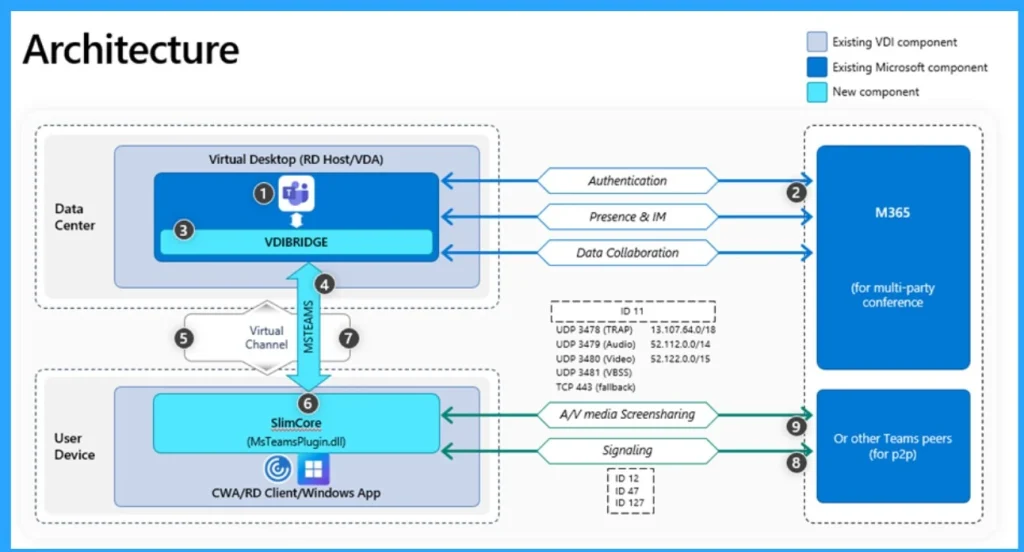
🎆Introducing Microsoft Teams in VDI
https://www.anoopcnair.com/introducing-microsoft-teams-in-vdi/
🎉Microsoft Previewing a New Optimization for Teams in VDI
🎉Gallery View 3×3 and 7×7 Layouts
🎉Custom Meeting Backgrounds
🎉Include Computer Sound While Sharing Screen
🎉Hardware Acceleration on Endpoint
🎆New Corporate Device Identifiers for Windows in Intune
https://www.anoopcnair.com/corporate-device-identifiers-for-windows-intune/
📍New Corporate Device Identifiers for Windows in Intune
📍Supported Corporate Identifiers Type
📍Different Steps in Corporate Device Identifiers for Windows in Intune
📍Supported by Device Platform

3rd July 2024 – HTMD Newsletter 148
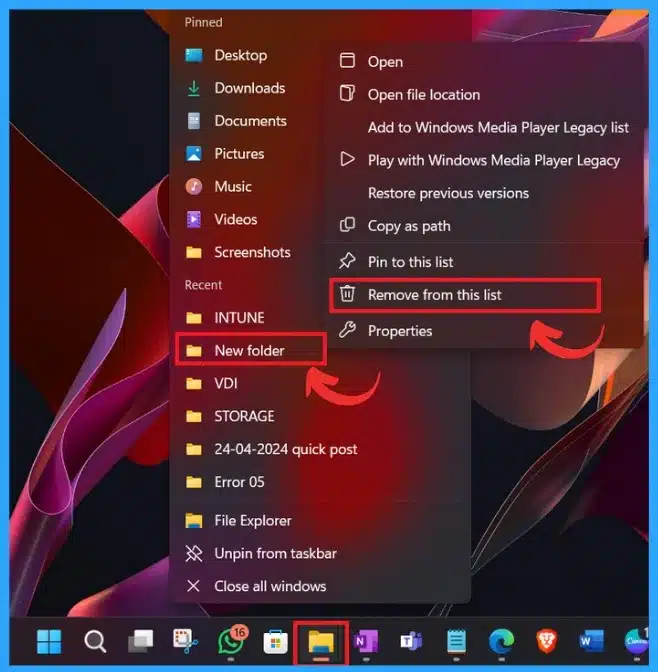
🎆How to Clear the File Explorer History in Windows 11
https://www.anoopcnair.com/clear-the-file-explorer-history-in-windows-11/
🎉Clear the File Explorer History
🎉Include Account-based Insights, Recent, Favourite, and Recommended Files
🎉Easily Access and Manage Files and Folders
🎉Different Methods for Clear History of File Explorer
🎆How to Backup Restore Wi-Fi Network Profiles in Windows 11
https://www.anoopcnair.com/backup-restore-wi-fi-network-profiles-in-windows-11/
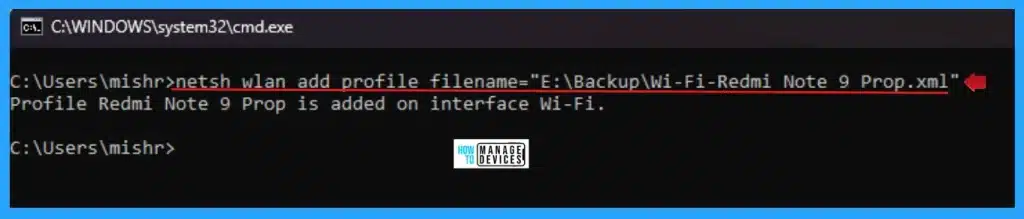
📍Backup Restore Wi-Fi Network Profiles in Windows 11
📍Export WiFi Network Profiles with Built-in Netsh Command
📍WiFi Network Profiles in Windows 11
📍Backup WiFi Network Profiles with Built-in Netsh Command
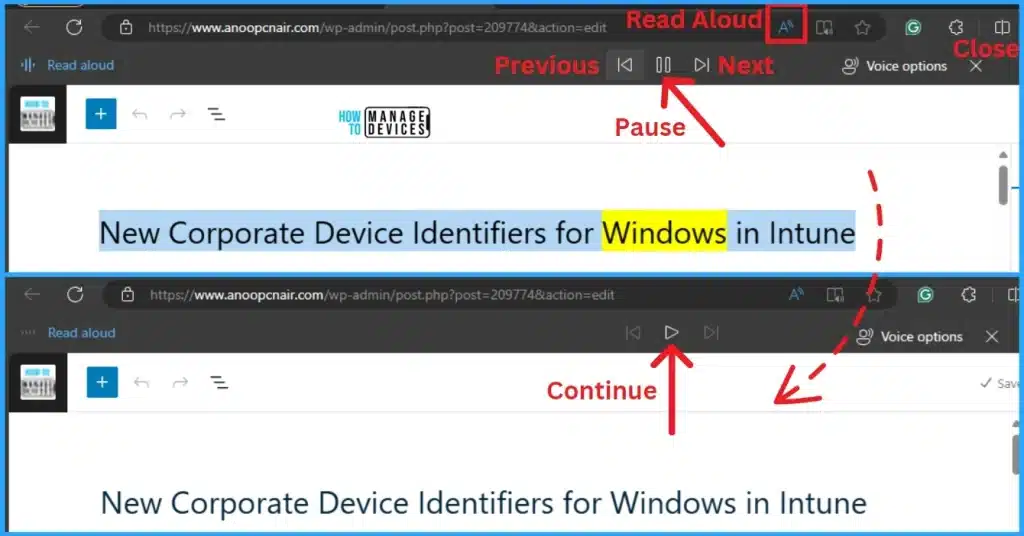
🎆Method to Start Close Read Aloud in Microsoft Edge
https://www.anoopcnair.com/start-close-read-aloud-in-microsoft-edge/
🔥Read Aloud Feature in Microsoft Edge
🔥Different Methods for Start and Close Read Aloud in Microsoft Edge
🔥Advantages of Read Aloud in Microsoft Edge
🔥AI-powered Tool in Microsoft Edge
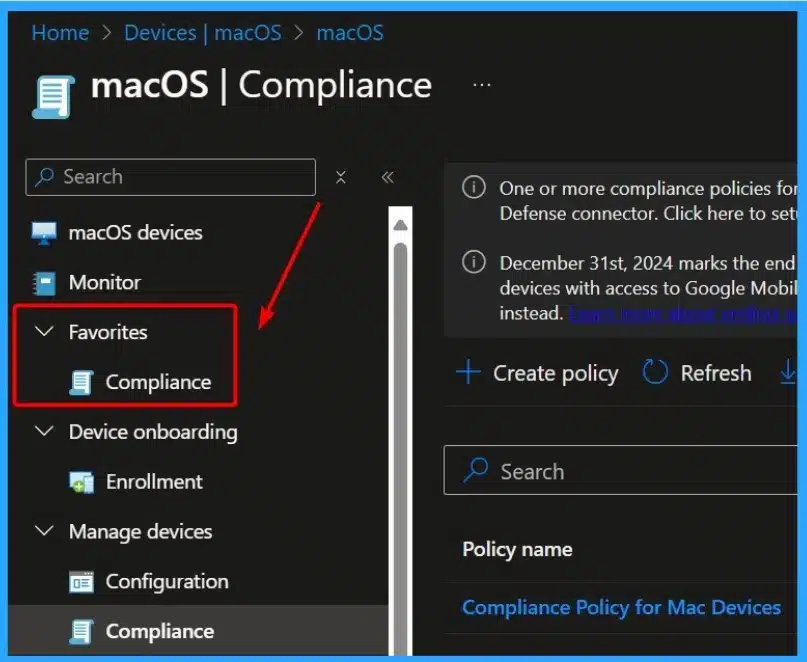
🎆How to Use the New Favorites Menu Option in MS Intune
https://www.anoopcnair.com/new-favorites-menu-option-in-ms-intune/
☑New Favorites Menu in MSIntune
☑How the Favorites Menu Enhances User Experience?
☑Enabling Quick Access to Frequently Used Sections
4th July 2024 – HTMD Newsletter 148
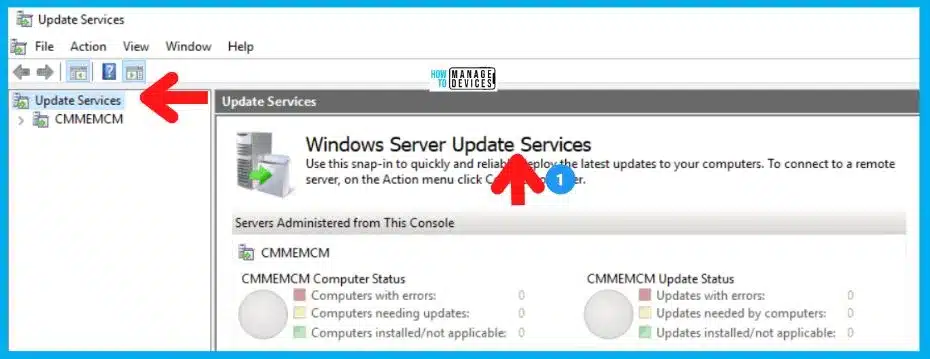
🎆Microsoft Announces Deprecation of WSUS Driver Synchronization
https://www.anoopcnair.com/deprecation-of-wsus-driver-synchronization/
🔔Deprecation of WSUS Driver Synchronization
🔔Microsoft Suggestions
🔔Preparing for WSUS Driver Synchronization Deprecation
🔔Why Microsoft Suggesting the Depreciation
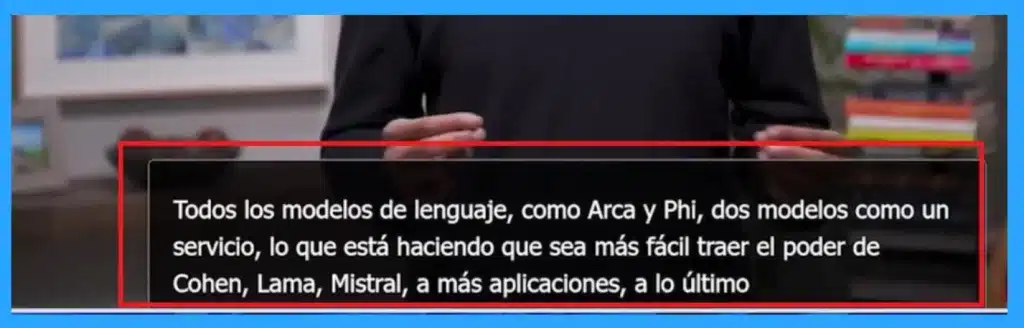
⏩Translate Real-Time Video with Microsoft Edge for Business
https://www.anoopcnair.com/translate-real-time-video-with-microsoft-edge/
⏳Real-time Translations are Available for the Digital Workplace
⏳Announced in Build 2024 Conference
⏳Supported Websites
⏳How to Use Real-Time Video Translation with Microsoft Edge
⏳Available Language for Translation
⏳End-User Experience
5th July 2024 – HTMD Newsletter 148
✅Let’s find out How to Set App Defaults using Intune. Also, learn how to Export the Default XML File & Encode it in Base64 format using the following video tutorial. https://www.youtube.com/watch?v=riGmu7zCRuc
➡How to Set Outlook (new) as the Default Mail Client with Microsoft Intune
➡Policy CSP – ApplicationDefaults & OMA-URI
➡Create a Configuration Profile to Set Outlook (new) as the Default Mail Client.
➡Export the Default XML File & Encode it in Base64 format.

🎆Easy Guide to Enable Edge Built-in PDF Reader for WebView2 with Intune https://www.anoopcnair.com/enable-edge-built-in-pdf-reader-webview2-intune/
➡Key Features of Edge Built-in PDF Reader for WebView2
➡Create Configuration to Enable Edge Built-in PDF Reader for WebView2
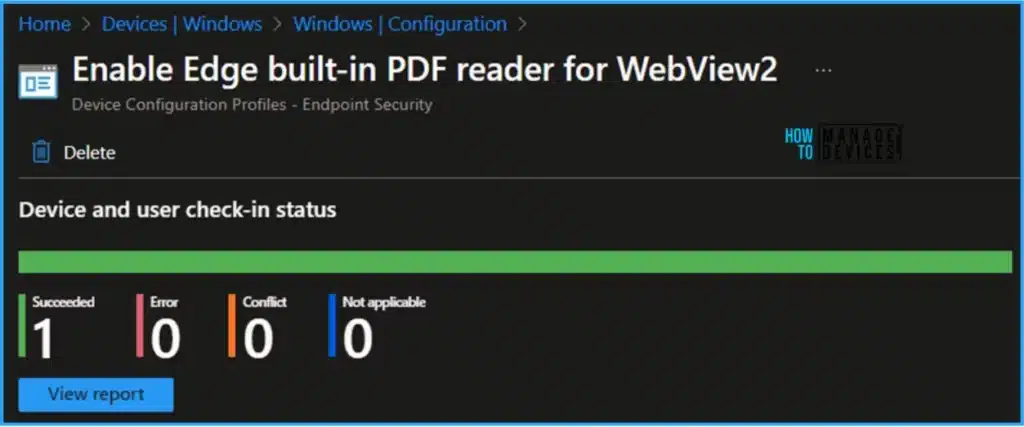
➡Monitor the Enable Edge Built-in PDF Reader for WebView2 in Intune
➡End User Experience
🎆Microsoft Shared GPU Powered Windows 365 Cloud PC with NVIDIA RTX vWS Details- https://www.anoopcnair.com/microsoft-gpu-powered-windows-365-cloud-pc-with-nvidia-rtx-vws/
📍GPU-Powered Windows 365 Cloud PC with NVIDIA RTX vWS
📍NVIDIA RTX Technology Details
📍Features of Windows 365 Cloud PC with NVIDIA RTX vWS
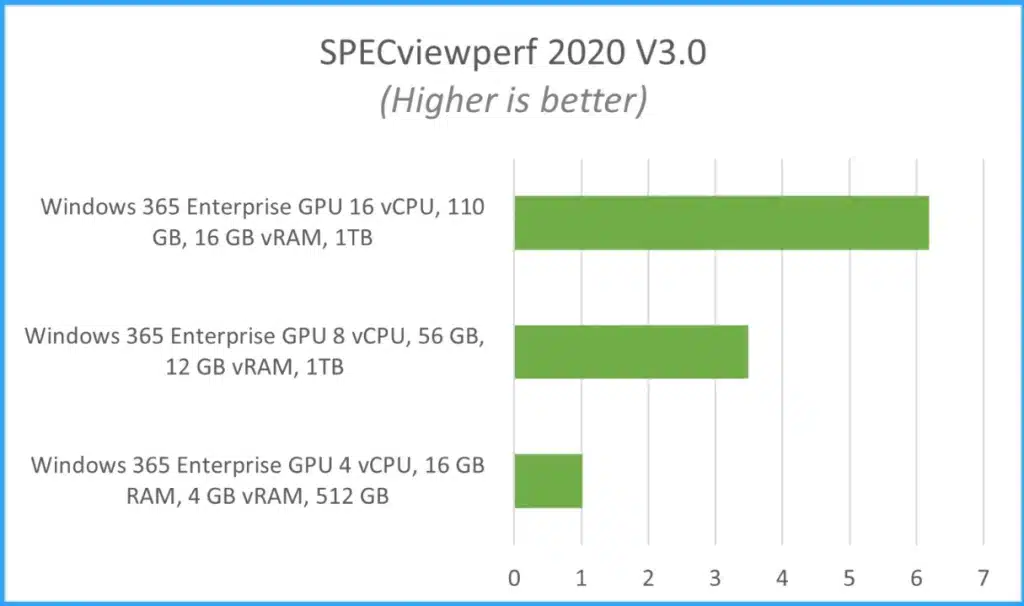
📍Performance of GPU-Enabled Configurations
Enable Disable Underline Access Keys in Windows 11
– https://www.anoopcnair.com/enable-underline-access-keys-in-windows-11/
🔖How to Enable Disable Underline Access Keys?
🔖Enable Disable Underline Access Keys using Control Panel
🔖Enable Disable Underline Access Keys using Registry


Anoop C Nair is Workplace Technology solution architect with 25+ years (as of 2026) of experience in global enterprise organizations such as JP Morgan, Capgemini, etc. Microsoft Certified Trainer (MCT). Microsoft MVP from 2015 onwards for consecutive 11+ years! He also conducts Intune and modern workplace tech training for enterprise organizations. He is Blogger, Speaker, and Founder of HTMD Community and HTMD Conference. His main focus is on Device Management technologies like Intune, Windows, Cloud PC. He writes about technologies like Intune, SCCM, Windows, Cloud PC, Windows, Entra, Microsoft Security.

Discussion