











HTMD Newsletter 151 22nd to 26th July 2024
Welcome to the HTMD Newsletter 151 Summary from 22nd to 26th July 2024! This is the list of posts and videos the HTMD Community published this week, as well as news from the IT industry. You can get all the information and details from Windows 11, Cloud PC, SCCM, Intune, Azure Virtual Desktop (AVD), Android, iOS, and Mac.
➡️ We are on WhatsApp. To get the latest step-by-step guides and news updates, Join our Channel, HTMD WhatsApp.
Did you miss updates from last week? Check out the link below.
- 148th HTMD Newsletter – HTMD Newsletter 148 1ST to 5th July.
- 149th HTMD Newsletter– HTMD Newsletter 149 8th to 12th July.
- 150th HTMD Newsletter– HTMD Newsletter 150 15th to 19th July.
22nd July 2024 – HTMD Newsletter 151
🎆Turn Off Turn On Notifications in Microsoft Teams Channel Posts
https://www.anoopcnair.com/manage-notifications-in-microsoft-teams-channel/
🎉Manage Notifications in Microsoft Teams Channel Posts
🎉You Can Turn On Off Notifications for Posts on a Microsoft Teams Channel
🎉Know about MS Teams Channel
🎉Importance of Notifications in Teams
🎉How to Control Alerts for Specific Posts in Channels
🎉Purposes of Channel Post Notifications in Microsoft Teams

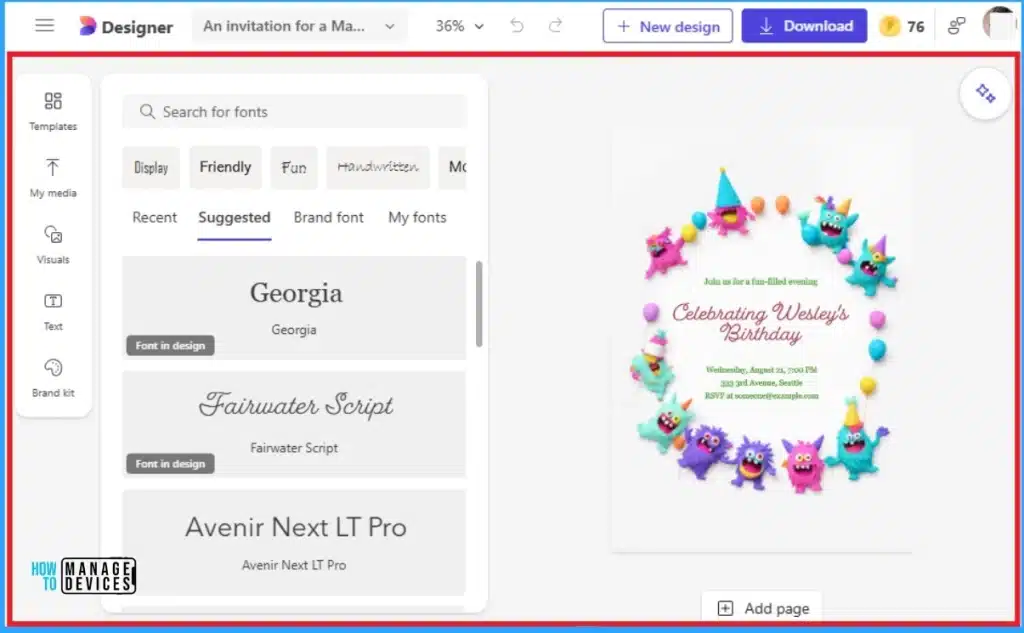
▶Introducing Microsoft Designer to Create Personalized Invitations
https://www.anoopcnair.com/microsoft-designer-to-create-personalized/
💡Create Personalized Invitations with Microsoft Designer
💡Advantages of Invitation Feature in Microsoft Designer
💡Less Traditional Events Available on Invitation Feature
💡Traditional Events Available on Invitation Feature
💡Limitations of Invitation Feature
🎆macOS’s New Notification Permission for Shell Scripts
https://www.anoopcnair.com/macos-new-notification-permission-for-shell-scripts/
📌New Permission Prompt to Improve macOS Notification Experience
📌Improve macOS Notification Experience for Users who Using Shell Scripts
📌Know about Shell Scripts
📌macOS Permission Request Alert
📌Upcoming Update for Intune Agent on macOS

23rd July 2024 – HTMD Newsletter 151
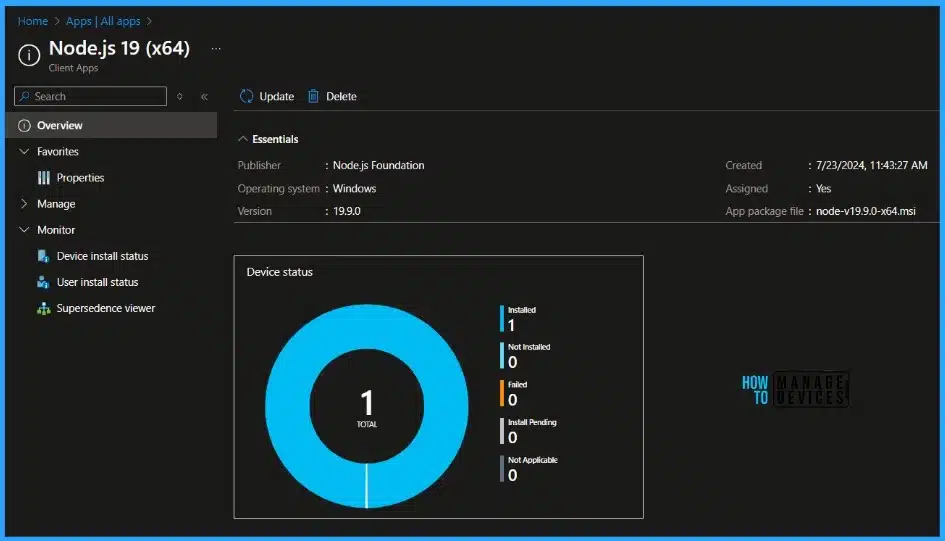
🎆Step-by-Step Guide Install Node.js with Intune Enterprise App Catalog App
https://www.anoopcnair.com/intune-install-nodejs-enterprise-catalog-app/
✔What is Node.js? Learn More About Node.js
✔Install Node.js with Intune Enterprise App Catalog App
✔Monitor Enterprise Application Catalog in Intune
✔End-User Experience
🔔Important Things Must Do While Purchasing New Windows Laptop
https://www.anoopcnair.com/important-things-while-purchasing-new-windows-laptop/
🌟Important Things Must Do While Purchasing New Windows Laptop
🌟Advantages of a Laptop
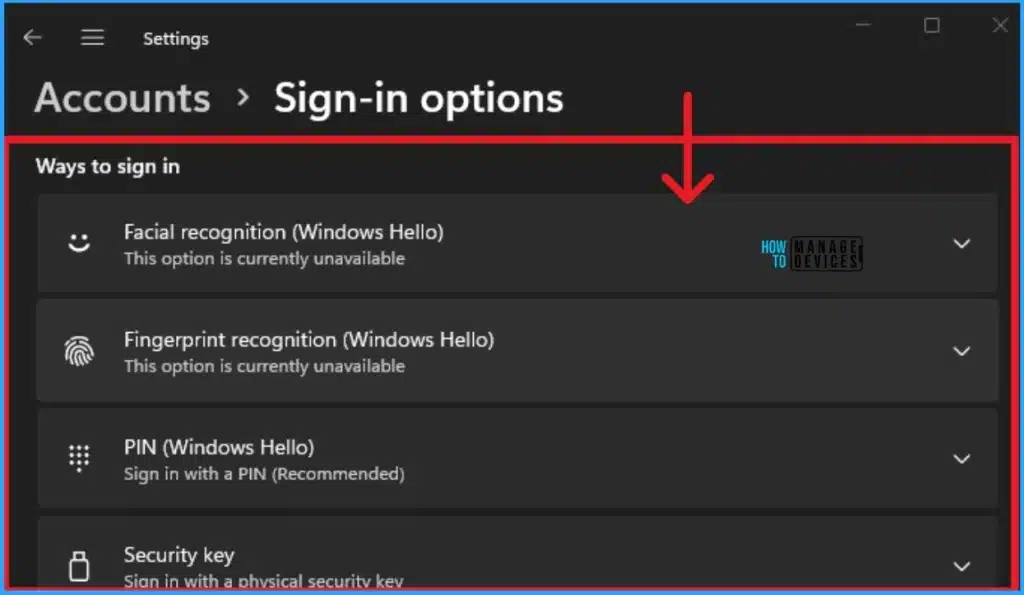
🌟Things Must Do After Purchasing New Windows Laptop
🌟Create a System Restore Point and Setup Windows Hello
🌟Uninstall Pre-Installed Bloatware
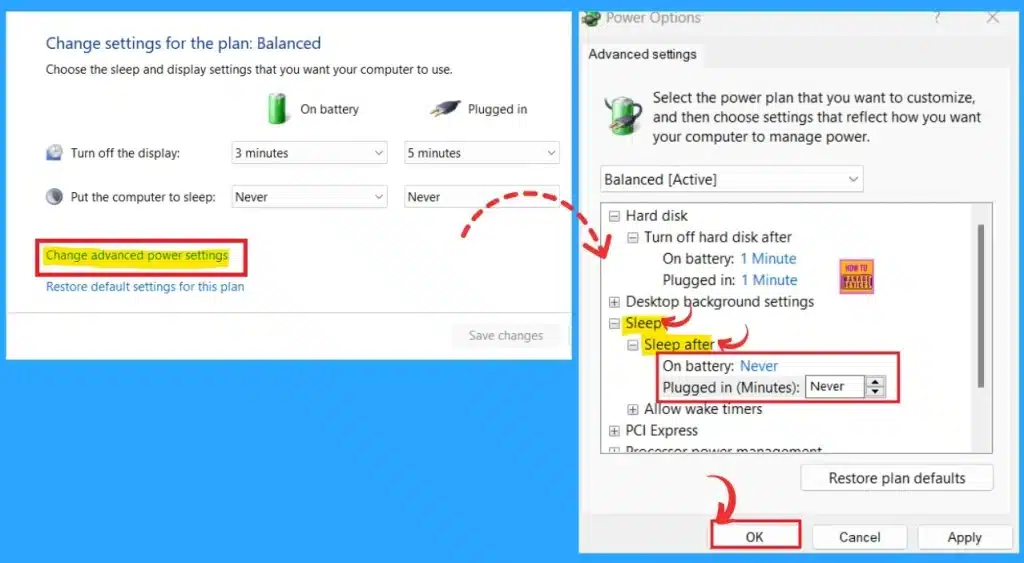
▶How to Change the Automatic Sleep Settings in Windows 11
https://www.anoopcnair.com/automatic-sleep-settings-in-windows-11/
💡Sleep Mode is One of the Best Features for Saving Energy
💡Customize the Duration of Sleep Mode
💡Manually Set the Time for Sleep Timeout
💡Change Sleep Timeout Through Settings
💡know More Methods for Change Sleep Timeout Windows 11
⏳Free Microsoft Copilot for Security Training in Audit Mode | 5 Modules
https://www.anoopcnair.com/free-microsoft-copilot-for-security-training-in-audit-mode-5-modules/
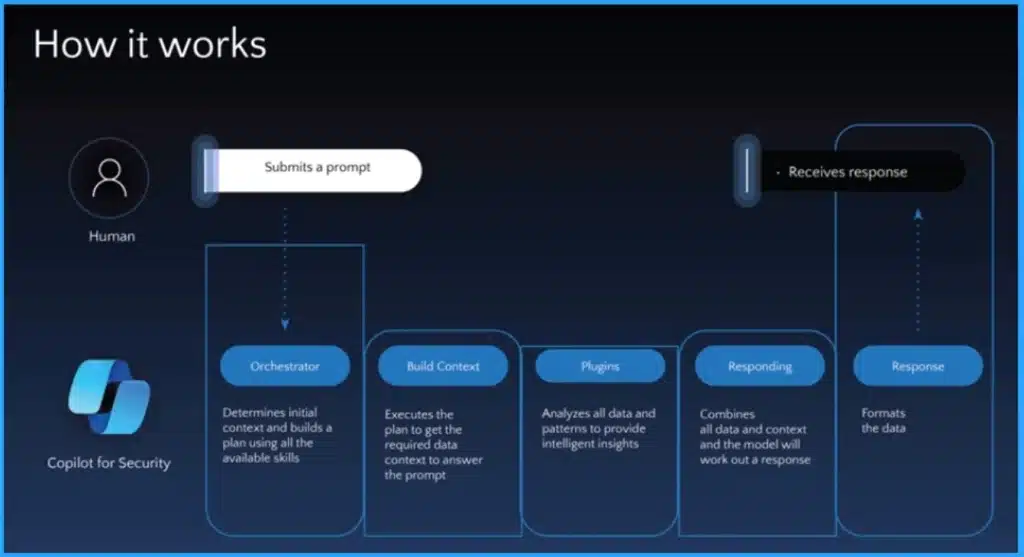
↗Free Microsoft Copilot for Security Training in Audit Mode
↗5 Modules of Microsoft Copilot for Security
↗Join for Free in Microsoft Copilot for Security
↗Aims of Microsoft Copilot for Security
↗Integration and Provisioning of Microsoft Copilot for Security
↗Navigating Copilot for Security Across Different Microsoft Security Products
24th July 2024 – HTMD Newsletter 151
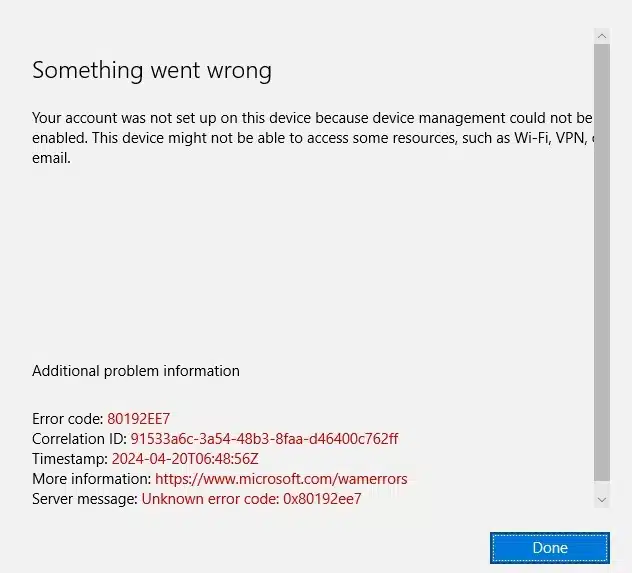
✔Fix Intune Error Code 80192EE7 the Device Management Enablement Issue on Intune
https://www.anoopcnair.com/fix-intune-error-code-80192ee7-the-device/
✔Intune Error Code 80192EE7
✔Device Management Enablement Issue on Intune
✔Users Affect these Error Codes in Different Tenants
✔Error Preventing your Account Setup
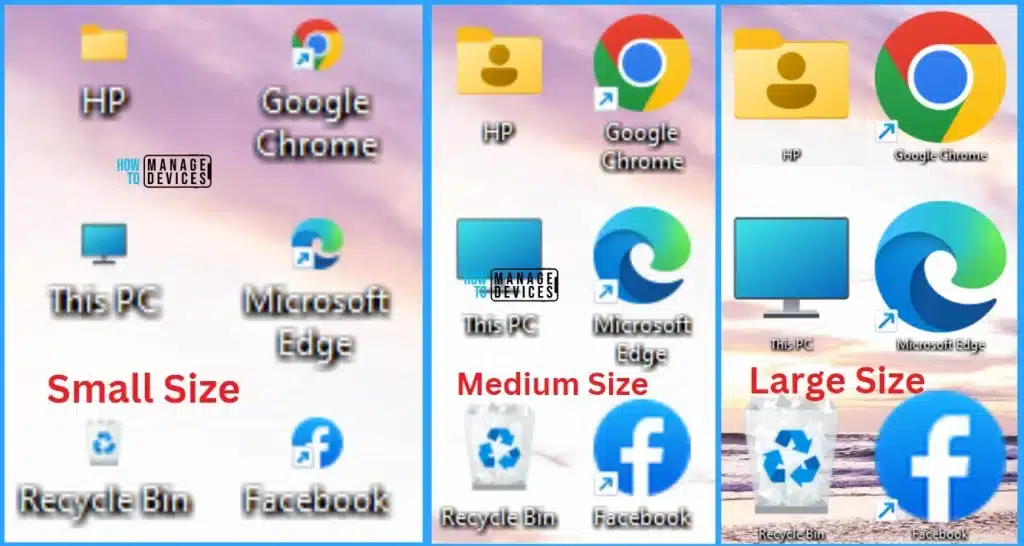
🎆How to Change Size of Desktop Icon in Windows 11
https://www.anoopcnair.com/change-size-of-desktop-icon-in-windows-11/
☑Change Size of Desktop Icon in Windows 11
☑Advantages of Desktop Icon in Windows
☑Change the Size of Desktop Icons using Scroll Wheel
☑Change the Size of Desktop Icons using Context Menu
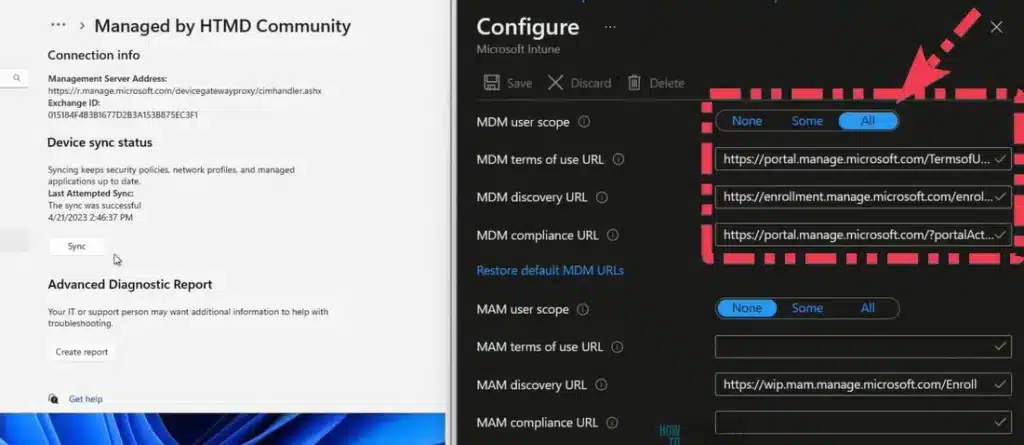
🔔Fix MDM User License Error Code 0X80180018
https://www.anoopcnair.com/fix-mdm-user-license-error-code-0x80180018/
🌟MDM User License Error Code 0X80180018
🌟Primary Reason for MDM User License Error
🌟Steps for Fixing MDM User License Error
🌟MENROLL_E_USER_LICENSE 0X80180018
25th July 2024 – HTMD Newsletter 151
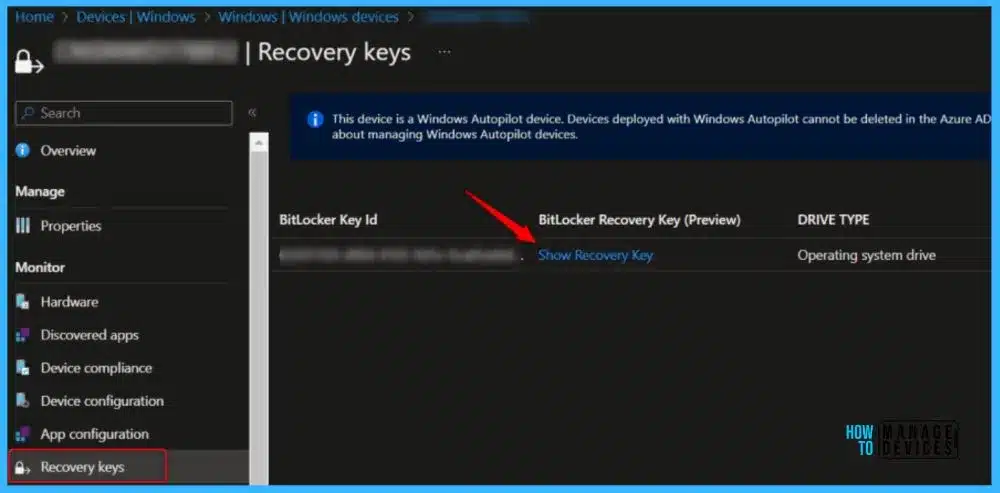
🎈BitLocker Recovery Boot Issue After July 2024 Security Update
https://www.anoopcnair.com/bitlocker-recovery-boot-issue-after-july-2024/
📌BitLocker Recovery Boot Issue Overview
📌Microsoft Acknowledges BitLocker Recovery Issue as a Known Issue
📌Understanding BitLocker Recovery
📌Affected Platforms
📌Solution for this Known Issue
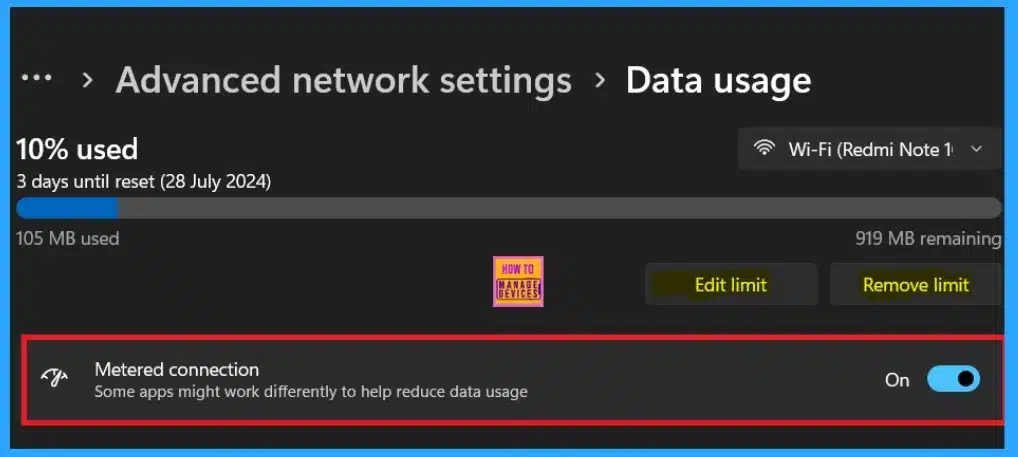
➡Managing Data Limits for Network Connections in Windows 11
https://www.anoopcnair.com/data-limits-for-network-connections-in-windows/
☑Limiting Data Usage for Better Network Performance
☑Importance of Data Limits
☑Set Data Limit for Wi-Fi Network Connection in Settings
☑know more about Types of Data Limit
☑Advanced Network Settings and Data Usage
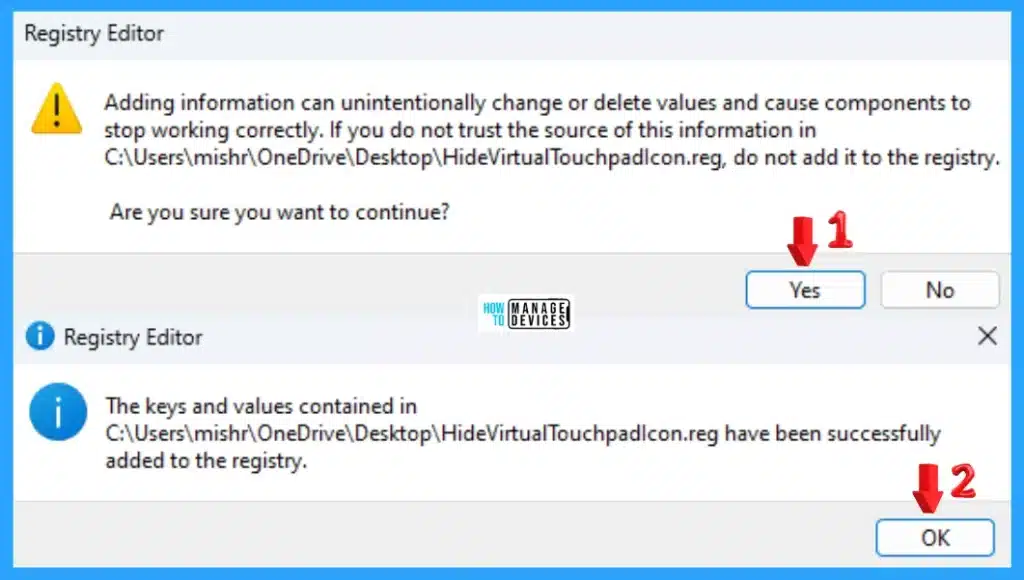
⏳How to Show Hide Virtual Touchpad Icon on Taskbar in Windows 11
https://www.anoopcnair.com/how-to-show-hide-virtual-touchpad-icon-on-taskbar-in-windows-11/
↗Show or Hide Virtual Touchpad Icon on Taskbar in Windows 11
↗Primarily Designed to Replace the Mouse
↗Show or Hide Virtual Touchpad Icon on Taskbar using Windows Settings
↗Show Hide Virtual Touchpad Icon on Taskbar using Registry File
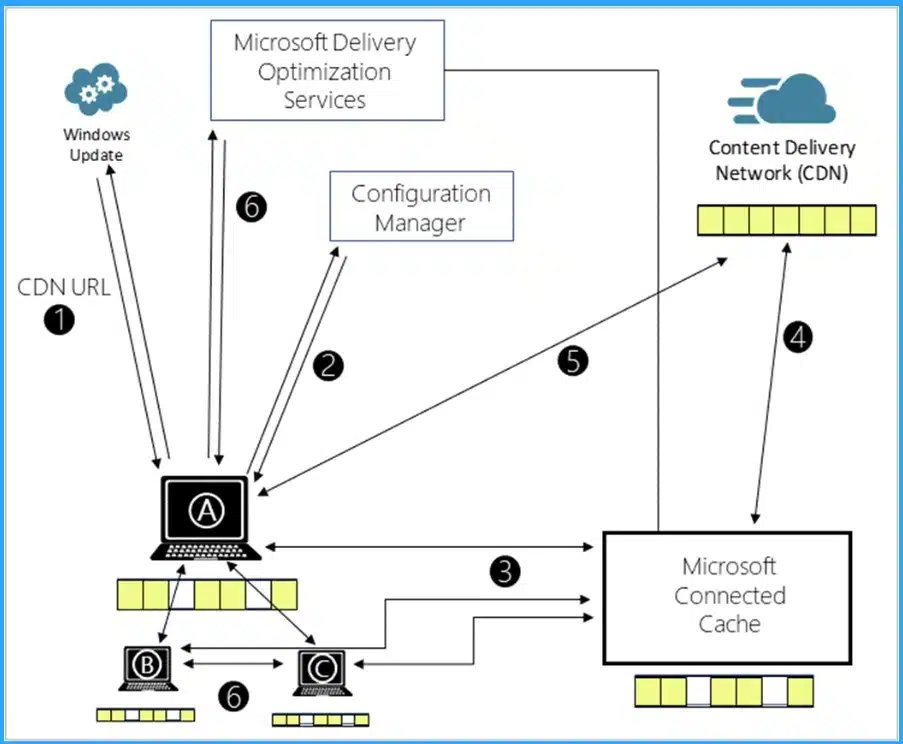
Microsoft Connected Cache Issue for Enterprise Customers Fixed
https://www.anoopcnair.com/microsoft-connected-cache-issue-for-enterprise-customers-fixed/
🎈Microsoft Connected Cache Issue Fixed
🎈Microsoft Connected Cache Issue for Enterprise Customers
🎈Configure Microsoft Connected Cache Endpoint in DOCacheHost
26th July 2024 – HTMD Newsletter 151
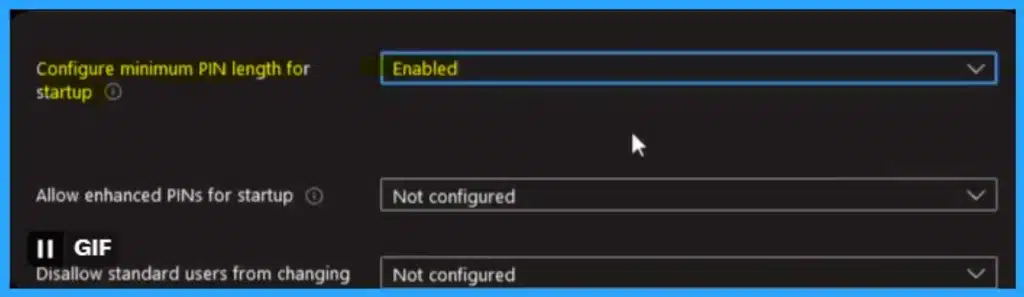
🎈Issue on Minimum PIN Length for Startup in Disk Encryption Policies in Intune
https://www.anoopcnair.com/startup-in-disk-encryption-policies-in-intune/
✔ Configuring the Minimum PIN Length for Startup in Disk Encryption Policies
✔ Users Facing Issues on Configuration Settings in Device Encryption
✔ Bitlocker Offers Strong Security Features
✔ Crucial Security Feature of BitLocker is the Need for a PIN at Startup
✔ What are Disk Encryption Policies
✔ Basic Solutions to Fix the Issue
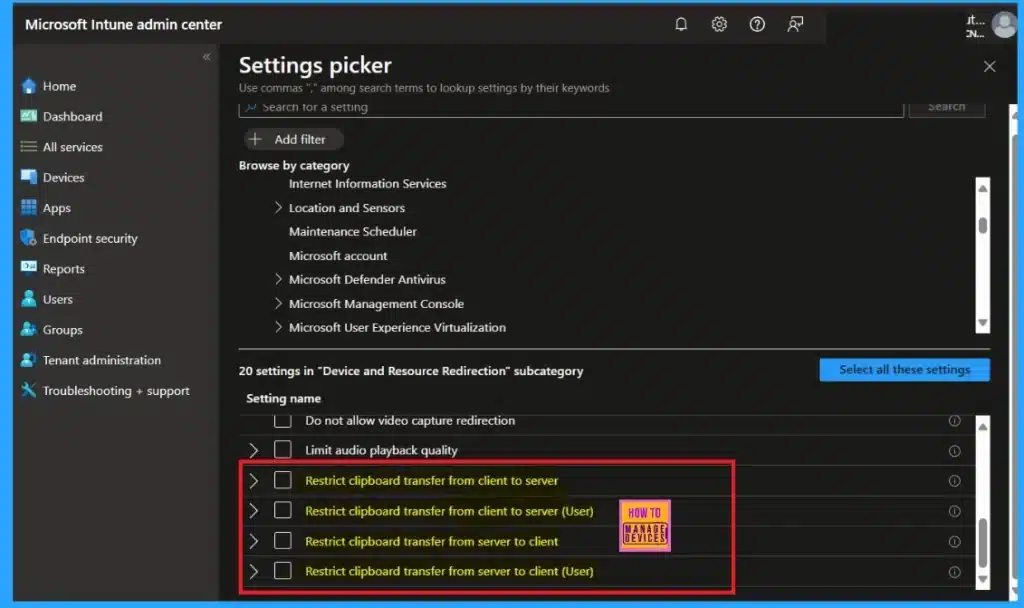
🔔Intune New Clipboard Transfer Direction Settings Now Available in Windows Settings Catalog
https://www.anoopcnair.com/intune-new-clipboard-transfer-direction/
🌟Clipboard Transfer Direction Settings are Now Available
🌟Settings are Now Available in the Windows Settings Catalog
🌟Device and Resource Redirection
🌟New Clipboard Transfer Direction Settings
🌟Restrict clipboard transfer from client to server
🌟Restrict clipboard transfer from server to client

Anoop C Nair is Workplace Technology solution architect with 25+ years (as of 2026) of experience in global enterprise organizations such as JP Morgan, Capgemini, etc. Microsoft Certified Trainer (MCT). Microsoft MVP from 2015 onwards for consecutive 11+ years! He also conducts Intune and modern workplace tech training for enterprise organizations. He is Blogger, Speaker, and Founder of HTMD Community and HTMD Conference. His main focus is on Device Management technologies like Intune, Windows, Cloud PC. He writes about technologies like Intune, SCCM, Windows, Cloud PC, Windows, Entra, Microsoft Security.

Discussion