











215th HTMD Newsletter 13th to 17th October 2025
Welcome to the 215th HTMD Newsletter,13th to 17th October 2025! This is the list of posts and videos the HTMD Community published this week, and news from the IT industry. You can get all the information and details from Windows 11, Cloud PC, SCCM, Intune, Azure Virtual Desktop (AVD), Android, iOS, and Mac.
Previous Weeks Newsletter
- 212th HTMD Newsletter – HTMD Newsletter 22nd to 26th September 2025
- 213rd HTMD Newsletter – HMD Newsletter 29th September to 3rd October 2025
- 214th HTMD Newsletter – HTMD Newsletter 6th to 10th October 2025
Monday 13th October 2025
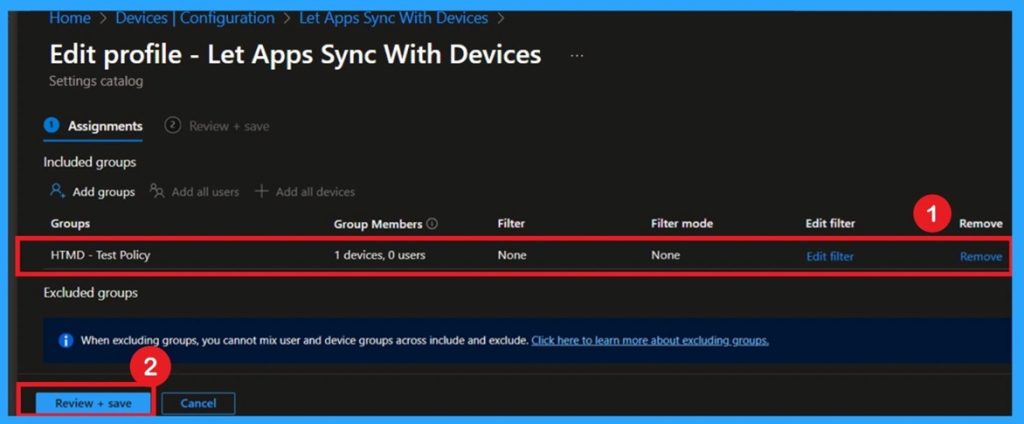
👉Force to Deny Apps Sync with Devices Policy for Windows using Intune
–https://www.anoopcnair.com/deny-apps-sync-with-devices-for-windows-Intune/
✍Apply Sync Restrictions via Intune Settings Catalog
✍Enhance Device Communication Security Across the Organization
✍Benefits of Managing App Sync Permissions with Devices
✍Steps to Deploy Force Allow or Deny Sync Policy in Intune
✍Fallback to User Control When Policy is Not Configured
✍Empowers Admins to Balance Security and Flexibility
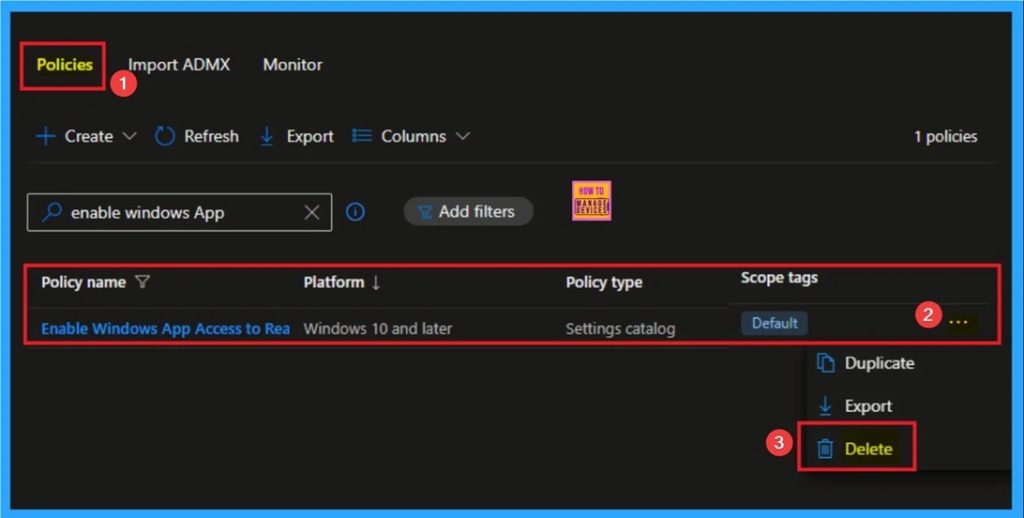
🎯Restrict Windows App Access to Read or Send Messages for Data Protection using Intune
–https://www.anoopcnair.com/app-access-to-read-or-send-messages-usingintune/
🔥Windows Apps Access to Read or Send Messages Policy
🔥Real Word Example of Windows Apps Access to Read or Send Messages Policy
🔥Helps to Enforce Security and Privacy
🔥How this Policy Helps Admins
🔥Prevents Unauthorized Personal Apps Access
🔥Client-Side Behavior
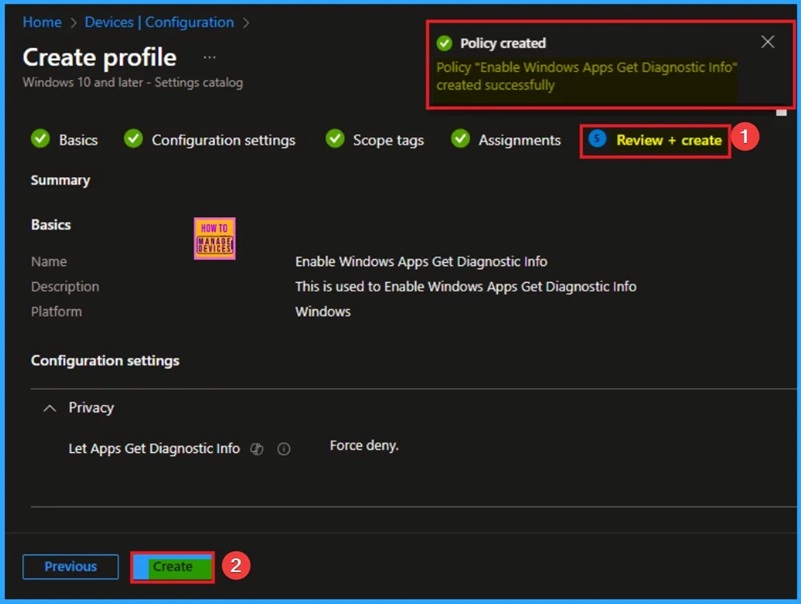
🎯Enable Windows Apps Get Diagnostic Info to Maintaining Security and Integrity using Intune
–https://www.anoopcnair.com/windows-apps-get-diagnostic-info-using-intune/
🔥Windows Get Diagnostic Info Policy
🔥Real Word Example of Windows Get Diagnostic Info Policy
🔥Helps to Maintaining Security and Integrity
🔥How this Policy Helps Admins
🔥Offering Granular Control
🔥Client Side Behavior
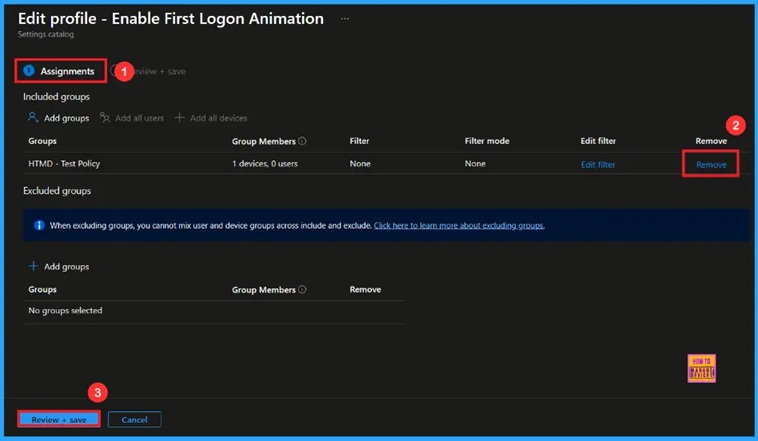
🎆Enable or Disable the First Sign in Animation Policy on Windows 11 to Skip Setup Prompts using Intune
–https://www.anoopcnair.com/enable-first-sign-animation-window-using-intune/
🔔Enable or Disable the First Sign in Animation Policy
🔔Faster Sign-in for Users
🔔Reduces Distractions from Animations
🔔Provides a More Professional Login Experience
🔔Device and User Check-in Status
Tuesday 14th October 2025
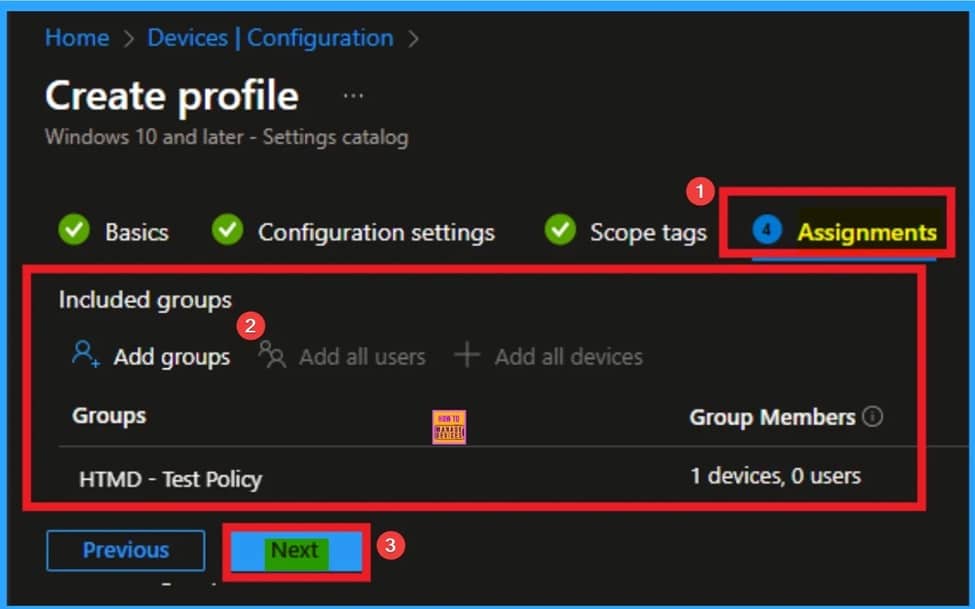
🎯Block URL Exceptions for Kiosk Browser to Enforce Least Privilege for Web Access using Intune
–https://www.anoopcnair.com/block-url-exceptions-for-kiosk-browser-intune/
🔥Block URL Exceptions for Kiosk Browser
🔥Real Word Example of Block URL Exceptions for Kiosk Browser Policy
🔥Helps to Enforce Least Privilege for Web Access
🔥How this Policy Helps Admins
🔥Easier Remote Troubleshooting and Auditing
🔥Client-Side Behavior
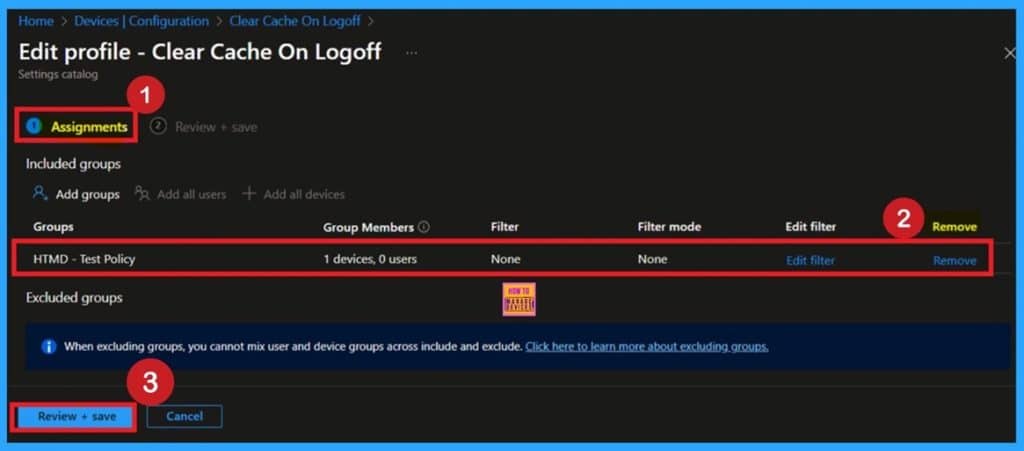
🎯Improve Data Security with FSLogix Cache Clearing using Intune Policy
–https://www.anoopcnair.com/with-fslogix-cache-clearing-using-intune/
🔥FSLogix Cache Management Overview
🔥Real-World Example of FSLogix “Clear Cache on Logoff” Setting
🔥Helps to Enhance Data Protection and System Hygiene
🔥How This Intune Policy Empowers Admins
🔥Offering Granular Control Over Local Cache Behavior
🔥Client-Side Impact
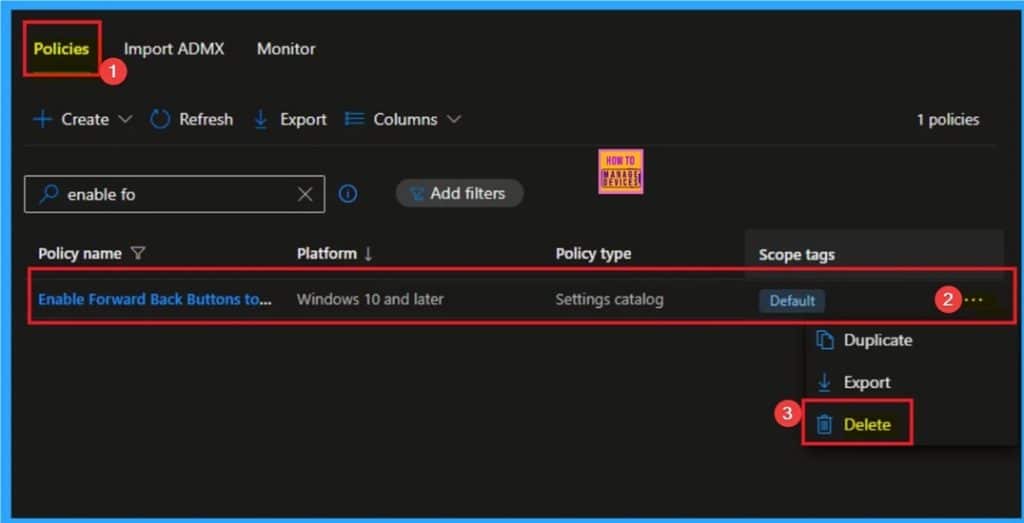
🎯Enable Forward Back Buttons to Navigate Browsing History for Kiosk Users using Intune
–https://www.anoopcnair.com/forward-back-buttons-to-navigate-using-Intune/
🔥Forward Back Buttons for Kiosk Browser
🔥Real Word Example of Forward Back Buttons for Kiosk Browser Policy
🔥Helps to Navigate Browsing History
🔥How this Policy Helps Admins
🔥Improve Privacy and Security
🔥Client Side Behavior
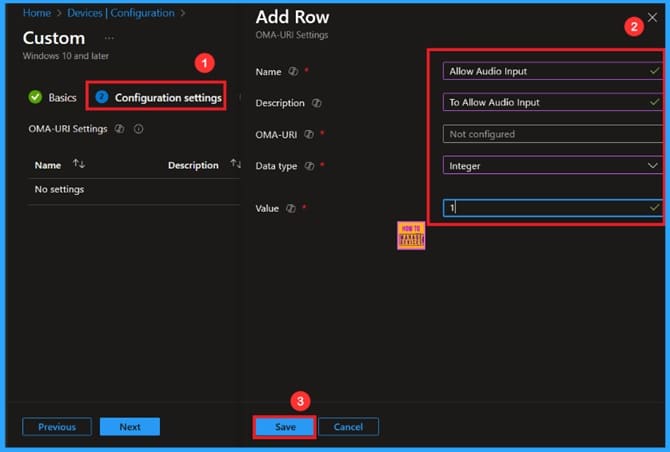
🎆Mandatory Audio for Windows Sandbox Enforce Microphone Access on Every PC using Intune
–https://www.anoopcnair.com/mandatory-audio-for-windows-sandbox-Intune/
🔔Mandatory Audio for Windows Sandbox
🔔Ensures Better App Functionality in Windows Sandbox
🔔Helps Developers and IT Teams Check Audio Features Securely
🔔Maintains System Protection While Allowing Controlled Audio Access
🔔Device and User Check-in Status
Wednesday 15th October 2025
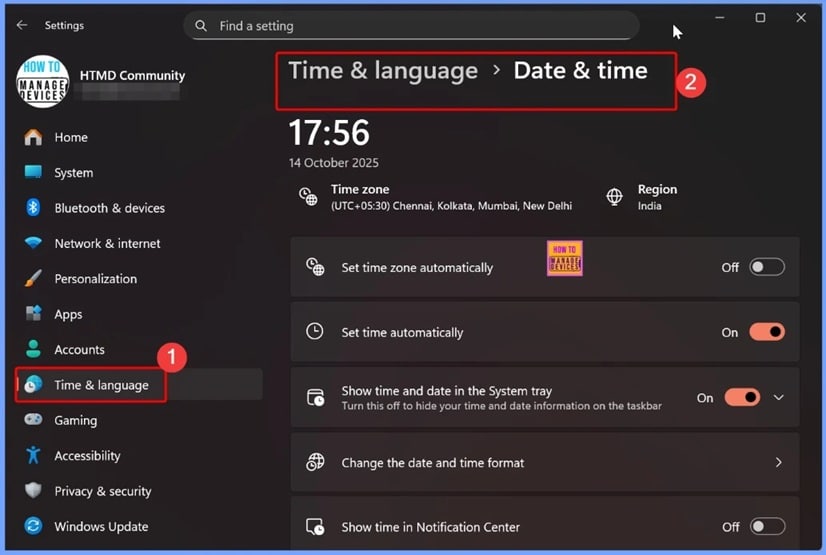
📌Windows 11 KB5066835 KB5066793 October 2025 Patch and 5 Zero Day Vulnerabilities and 118 Flaws
–https://www.anoopcnair.com/windows-11-kb5066835-kb5066793-october-2025/
💡5 Zero-Day Vulnerabilities and 118 Flaws
💡New Improvements and Features with October Patch
💡Issues Fixed with Windows 11 October Patch
💡October Patches Direct Download Link
🎆 Last Patch for Windows 10 with KB5066791 and 5 Zero Day Vulnerabilities and 118 Flaws
–https://www.anoopcnair.com/windows-10-kb5066791-october-2025-patch-and/
🔔5 Zero-Day Vulnerabilities
🔔Last Patch for Windows 10 with KB5066791
🔔New Improvements and Features with October Patches
🔔Issues Fixed with Windows 10 October Patches
🔔October Patches Direct Download Link
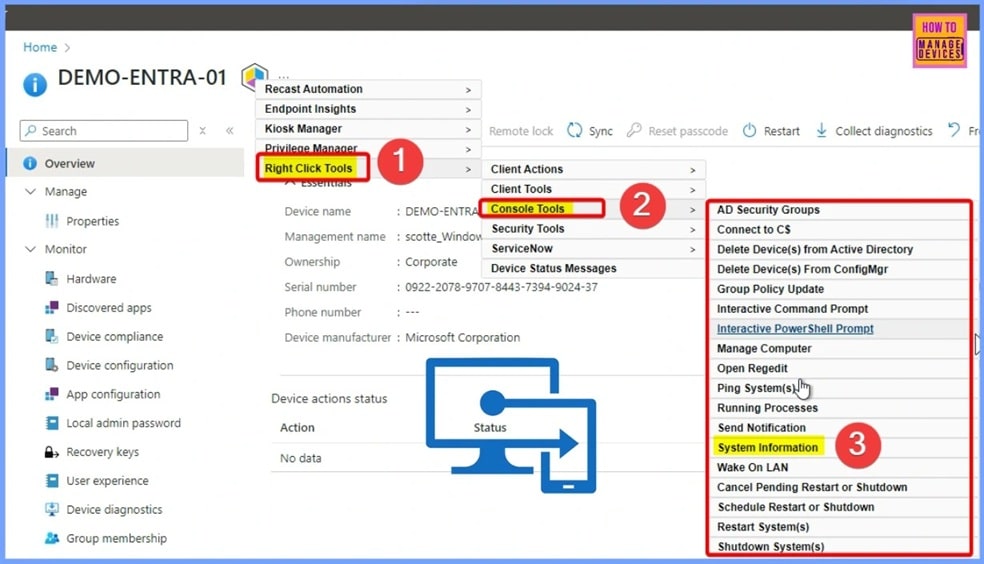
🎆Easy Automated Patching Actionable Insights and Just-in-Time Access in Intune with Right Click Tools
–https://www.anoopcnair.com/automated-patching-Intune-right-click-tools/
➡️Right Click Tools – Key Features and Intune Integration
➡️What’s New in the Latest Right Click Tools
➡️Just-in-Time Admin Access for Safer and Controlled Privilege Management
➡️Instant Fixes from Interactive Reports
➡️Automated and Scalable Third-Party App Patching
➡️Take Your Intune Management to the Next Level with Right Click Tool
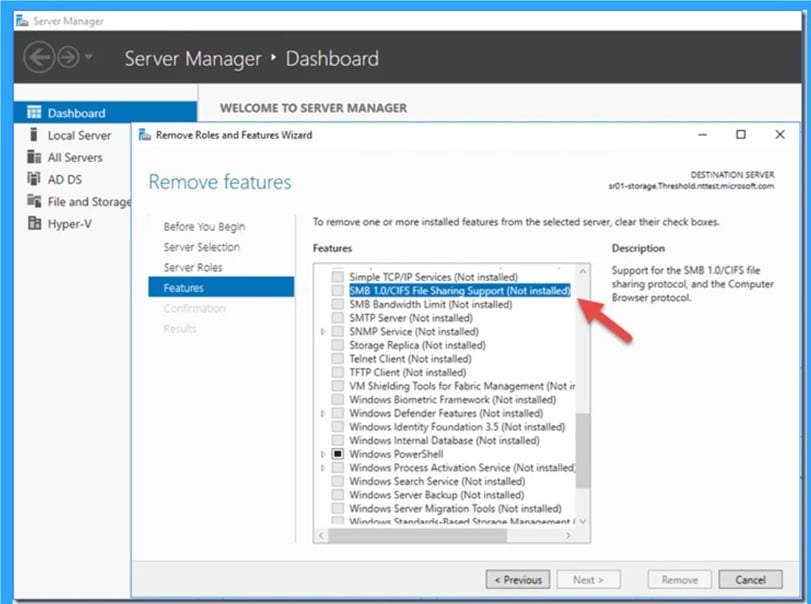
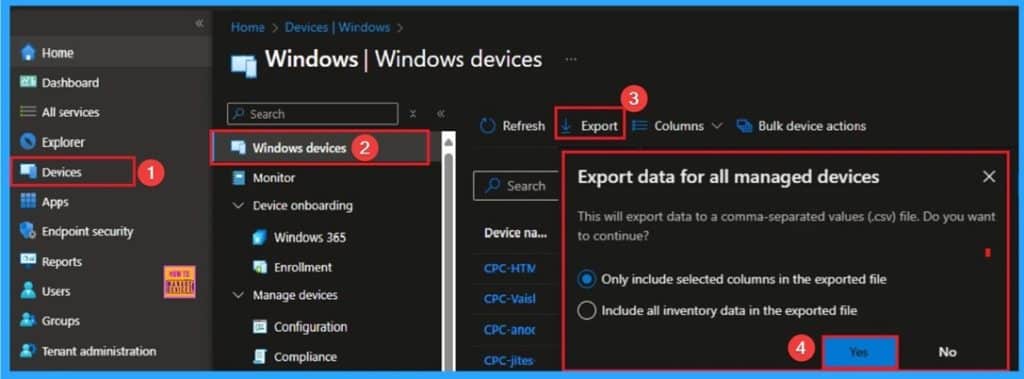
📌Unsupported Windows 10 Devices in Intune may Experience Limited or Unreliable Functionality
–https://www.anoopcnair.com/unsupported-windows-10-devices-in-intune-may/
✅Officially Declared Windows 10 End of Support
✅End Free Support for Windows 10 Home and Pro Editions
✅Extended Security Updates for Windows 10
✅ESU Offers Critical and Important Security Patches for up to 3 Years
✅Free ESU is available for 1 year
✅Intune Still Allows Windows 10 Device Enrollment
Thursday 16th October 2025
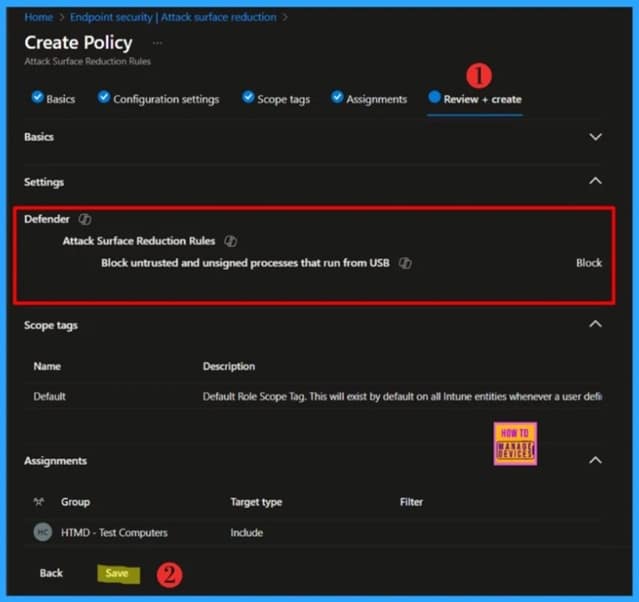
🎆Block Untrusted and Unsigned Processes that Run from USB using Attack Surface Reduction Rules in Intune
–https://www.anoopcnair.com/block-untrusted-and-unsigned-processes-Intune/
➡What’s Attack Surface Reduction Rules
➡USB Device Hardening with ASR Controls
➡Learn More About ASR Control Settings
➡Attack Surface Reduction Rules Dependencies
➡How to Create an Attack Surface Reduction Rule
➡Monitor the Attack Surface Reduction Rule Deployment
➡Review the Intune Deployment in Windows Event Viewer
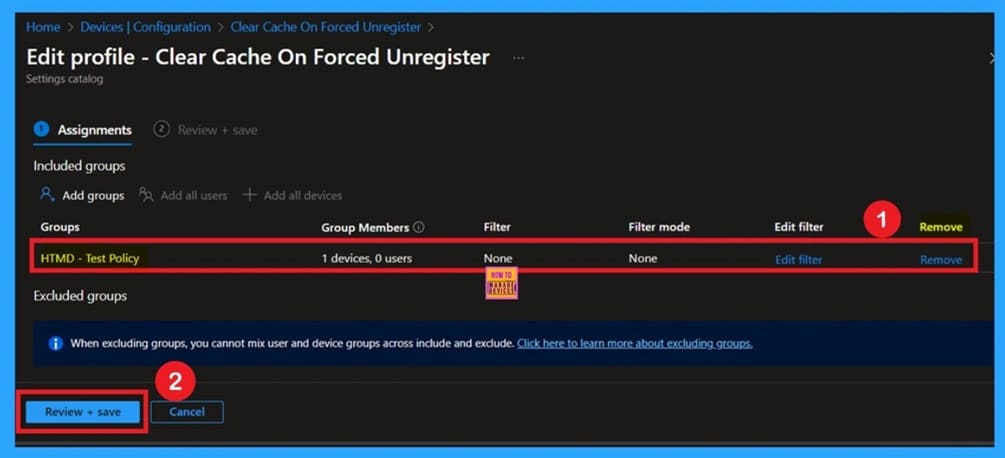
🧹How to Configure FSLogix Forced Unregister Cache Settings using Intune Policy
–https://www.anoopcnair.com/fslogix-forced-unregister-cache-settings-intune/
🔔Ensures Local Cache Is Cleared During Forced Unregister
🔔Prevents Conflicts and Reduces Unnecessary Storage Usage
🔔Helps IT Admins Maintain Clean Profiles Across Devices
🔔Protects Against Data Residue When CCD Sync Is Incomplete
🔔Requires Careful Planning to Avoid Unsaved Data Loss
🔔Client Side Verifications
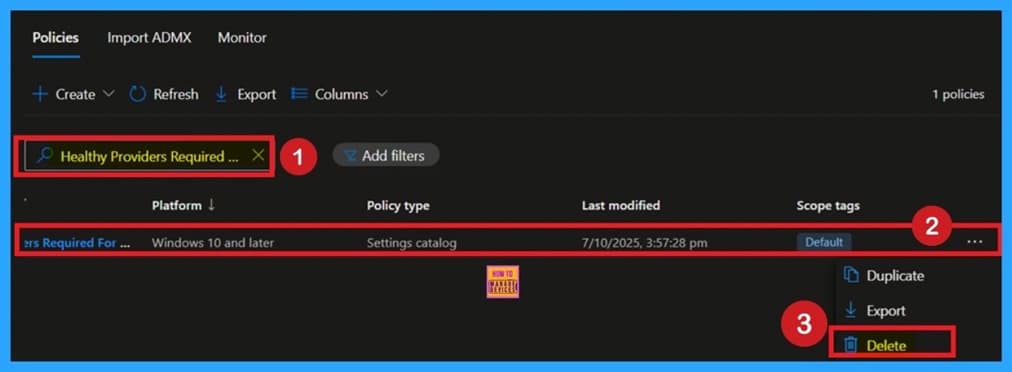
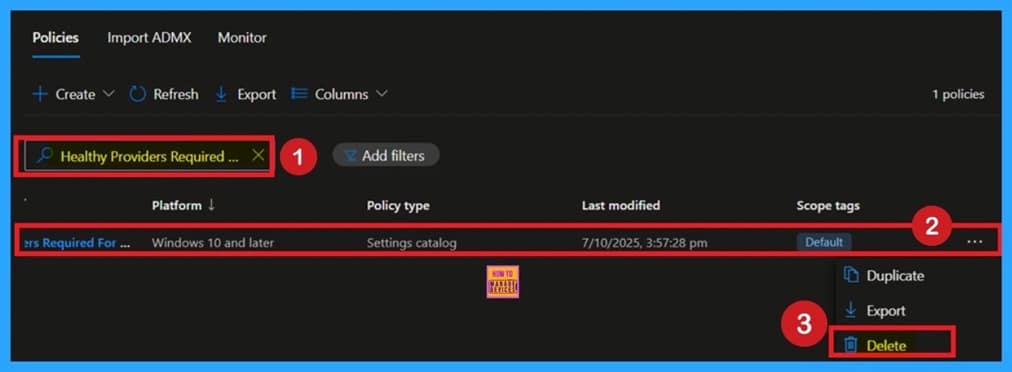
🎆Ensure Safe User Sign-ins through Healthy Providers Required for Register using Intune policy
–https://www.anoopcnair.com/healthy-providers-required-for-register-intune/
🔔Healthy Providers Required For Register Policy
🔔Ensures Stable Sign-in Experience by Validating CCD Locations
🔔Protects Against Profile Corruption During Login
🔔Supports Smooth User Sessions with FSLogix Cloud Cache
🔔Client Side Verification
📌How to Fix End of Support Warning of Windows 365 Provisioning Policy in Intune
–https://www.anoopcnair.com/end-of-support-warning-of-windows-365-in-intune/
✅ Windows 365 PC OS Image Gallery End of Support Images
✅ Identify Windows 365 Provisioning Policy’s End of Support Warning Image Status in Intune
✅ Fix Provisioning Policy’s End of Support Warning
✅ Update the Gallery Image to Windows 11 Enterprise + Microsoft 365 Apps 25H2
✅ End Result
Friday 17th October 2025
🎯Instant Reset or Permanent Lock to Fine-Tuning the Home Button on Kiosk Browser with Intune
–https://www.anoopcnair.com/the-home-button-on-kiosk-browser-with-Intune/
🔥Enable Home Button on Kiosk Browser
🔥Real Word Example of Home Button on Kiosk Browser Policy
🔥Helps to Get Start Over or Exit Session
🔥How this Policy Helps Admins
🔥Improve Privacy and Security
🔥Client Side Behavior
🎆Block Executable Files with Prevalence Age or Trusted List Criteria using Intune ASR Rules
–https://www.anoopcnair.com/block-executable-files-intune-asr-rules/
📌How to Create Attack Surface Reduction
📌Enter Policy Details in the Basics Tab
📌How to Block this Policy Settings
📌Scope Tags for the Policy
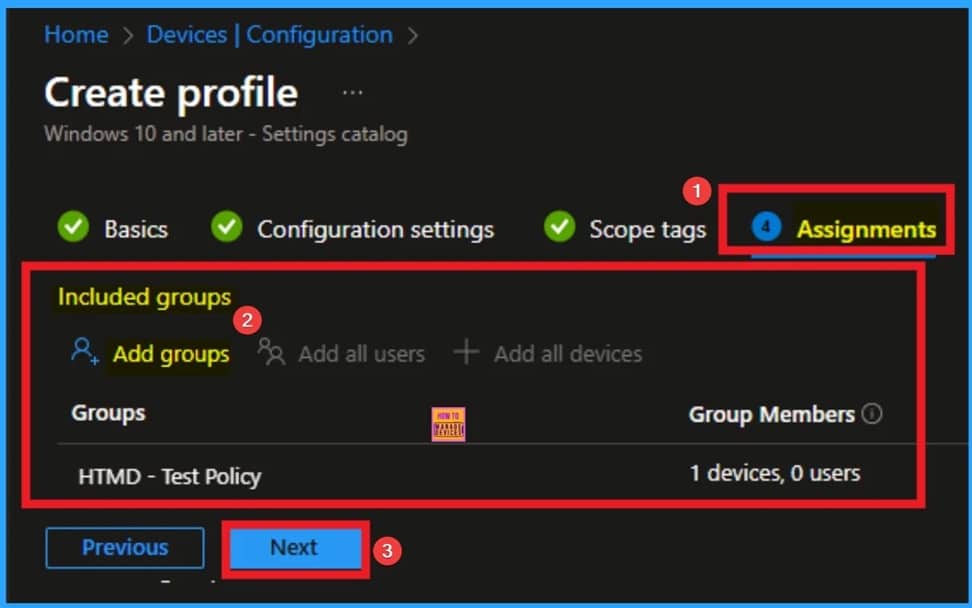
📌Assigning the Policy to Groups
📌Review + Create in Intune
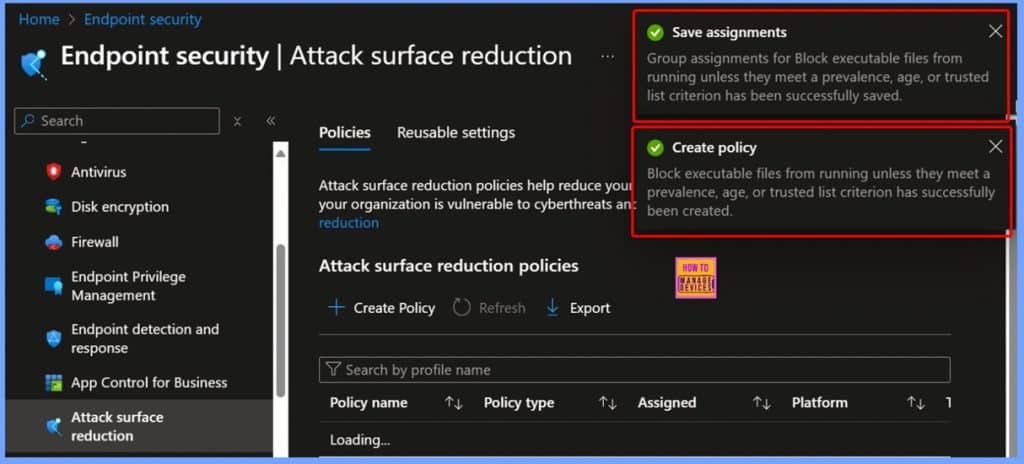
📌Confirmation Notifications after Policy Creation
📌Device and User Check-in Status
📌Event Viewer
🎆How Secure Channel Encryption Protects Domain Members from Attacks
–https://www.anoopcnair.com/secure-channel-encryption-protects-domain/
🔊Basics Tab Settings – Domain Member Secure Channel Policy
🔊Configuring the Policy via Local Policies Security Options
🔊Default Settings of the Policy
🔊Understanding Policy Values – Domain Member Secure Channel Encryption
🔊How Scope Tag Controlling Policy Deployment
🔊Assignments in Intune Help Target Policies to Devices
🔊Review + Create Helps to Finalise Policy Deployment in Intune
🔊Policy Creation Notification
🔊Device Check in Status – Policy Deployment Overview
🔊MDM Policy Manager – Domain Member Secure Channel Policy Details
🔊Windows CSP Details
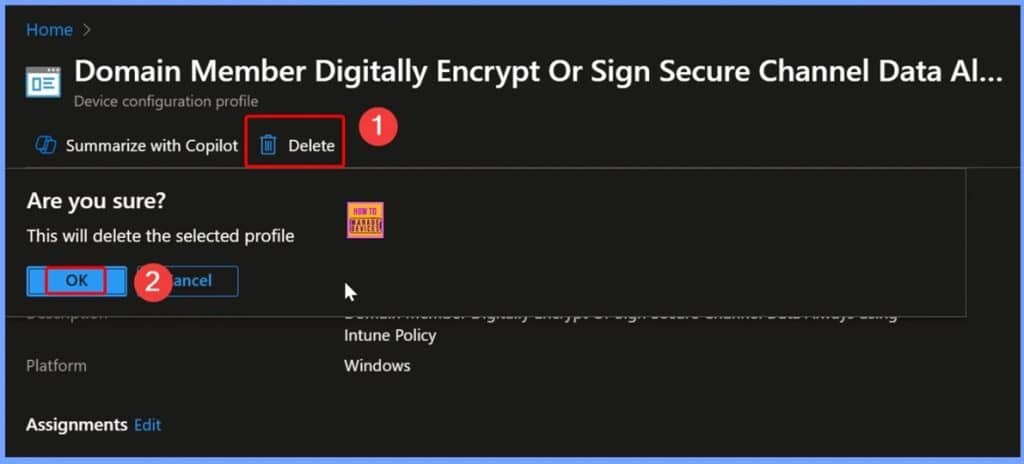
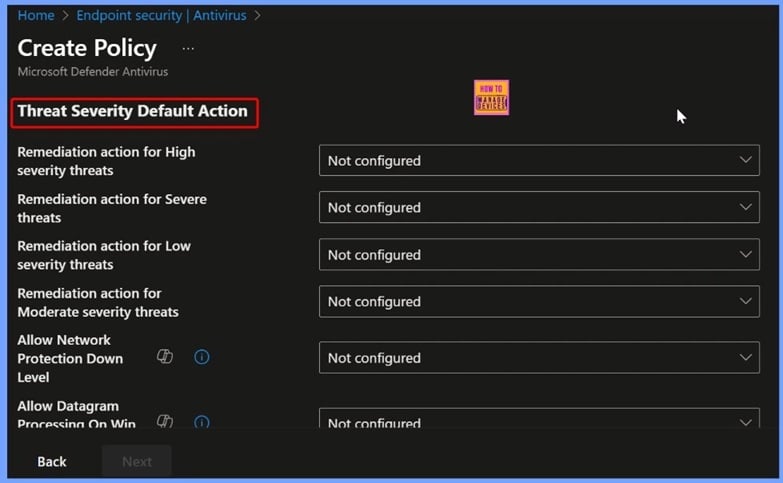
🎆How to Fix Missing Threat Severity Settings in Intune Antivirus Policy
–https://www.anoopcnair.com/fix-missing-threat-severity-in-intune-antivirus/
➡️Why Threat Severity Settings Might Disappear in Intune
➡️Steps to Restore Missing Threat Severity Settings
➡️Endpoint Security and Antivirus
➡️Threat Severity Default Action
Connect with the HTMD Community
Join the Telegram group to get the latest step-by-step guides and news updates. Join our Meetup Page to participate in User group meetings. Also, join the WhatsApp Community to get the latest news on Microsoft Technologies. We are there on Reddit as well.
HTMD Community Social Media Platform Links
| Social Media Platform | Link |
| LinkedIn: HTMD Community | https://www.linkedin.com/company/how-to-manage-devices/ |
| Telegram: SCCM Intune Technical Discussions | https://t.me/joinchat/Q9lE6G1_BO_bGq97 |
| Telegram: JOB SCCM Intune Group | https://t.me/joinchat/SIKr3OugR2FQ-Ej9 |
| WhatsApp: HTMD Community | https://chat.whatsapp.com/CeMXHSD61HtDBJwe78IZwV |
| Telegram: AVD/Windows 365 User Group | https://t.me/Inwvdcommunity |
| https://www.facebook.com/HTMDCommunity | |
| https://www.instagram.com/htmd_community/ | |
| https://twitter.com/htmdcommunity | |
| Facebook Group: SCCM | https://www.facebook.com/groups/ConfigMgr2012/ |
| Facebook Group: Intune | https://www.facebook.com/groups/1738789256382744 |

Anoop C Nair is Workplace Technology solution architect with 25+ years (as of 2026) of experience in global enterprise organizations such as JP Morgan, Capgemini, etc. Microsoft Certified Trainer (MCT). Microsoft MVP from 2015 onwards for consecutive 11+ years! He also conducts Intune and modern workplace tech training for enterprise organizations. He is Blogger, Speaker, and Founder of HTMD Community and HTMD Conference. His main focus is on Device Management technologies like Intune, Windows, Cloud PC. He writes about technologies like Intune, SCCM, Windows, Cloud PC, Windows, Entra, Microsoft Security.

Discussion