











213rd HTMD Newsletter 29th September to 3rd October 2025
Welcome to the 213th HTMD Newsletter, 29th September to 3rd October 2025! This is the list of posts and videos the HTMD Community published this week, and news from the IT industry. You can get all the information and details from Windows 11, Cloud PC, SCCM, Intune, Azure Virtual Desktop (AVD), Android, iOS, and Mac.
Previous Weeks Newsletter
- 210th HTMD Newsletter – HTMD Newsletter 8th to 12th September 2025
- 211th HTMD Newsletter – HTMD Newsletter 15th to 19th September 2025
- 212th HTMD Newsletter – HTMD Newsletter 15th to 19th September 2025
Monday 29th September 2025
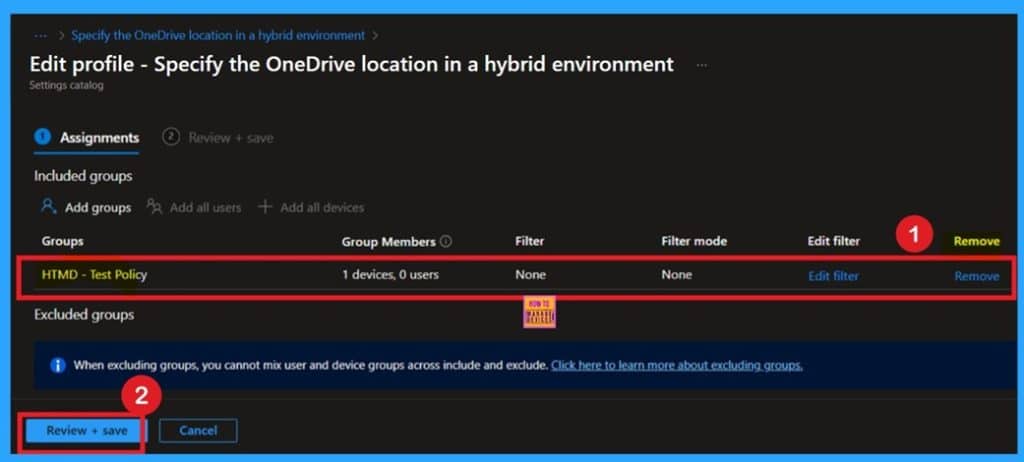
🎯How to Specify the OneDrive Location in a Hybrid Environment using Intune
–https://www.anoopcnair.com/OneDrive-location-in-hybrid-environment-Intune/
🔥How to Configure OneDrive Sync App
🔥Why Sync Location Matters for Hybrid Identity Setups
🔥Avoiding Confusion Between SharePoint Online and SharePoint Server 2019
🔥What Does this OneDrive Policy Allow You to Configure?
🔥Ensuring Consistent File Access Across Cloud
🔥Client-Side Behavior and Sync Experience Optimization
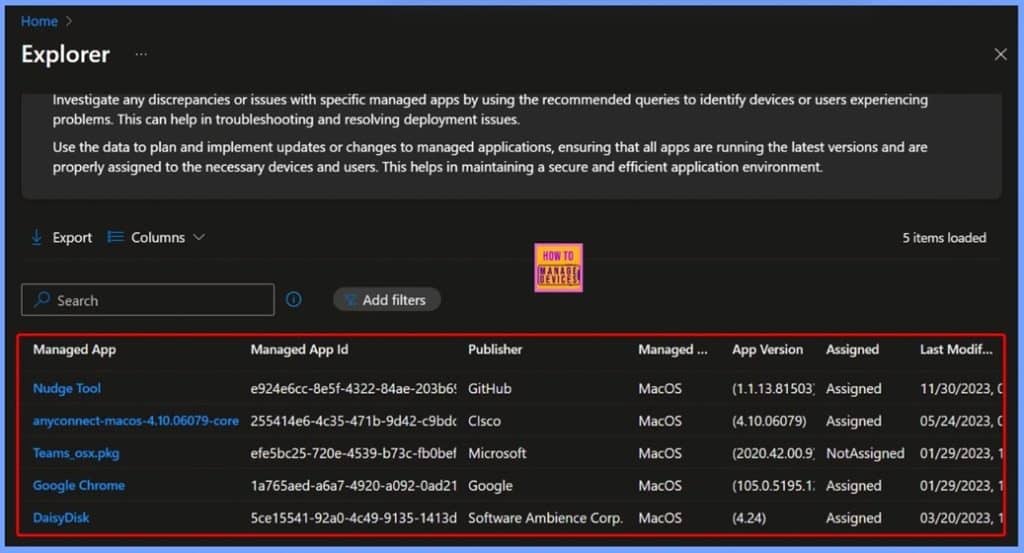
🎆How to Access MacOS LOB Applications ID Publisher and Modification Date Details in Intune Copilot Explorer
–https://www.anoopcnair.com/macOS-lob-applications-id-publisher-Intune/
🎊Access macOS LOB Applications Details in Intune Copilot Explorer
🎊What Are macOS LOB Applications?
🎊Using Intune Copilot Explorer to Retrieve App Details
🎊Key Details You Can Access
🎊Benefits for IT Admins
👉Enable Super Drag Drop in Microsoft Edge to Control User Navigation and Search using Intune
–https://www.anoopcnair.com/super-drag-drop-in-microsoft-edge-using-intune/
✍Drag Link or Text and Drop on Edge Window
✍Control User Navigation and Search
✍What are the Benefits of Super Drag Drop Policy?
✍Steps to Configure Super Drag Drop Policy
✍What Happens When The Policy Enabled
✍Device and User Check-in Status
✍Client Side Verification through Event Viewer
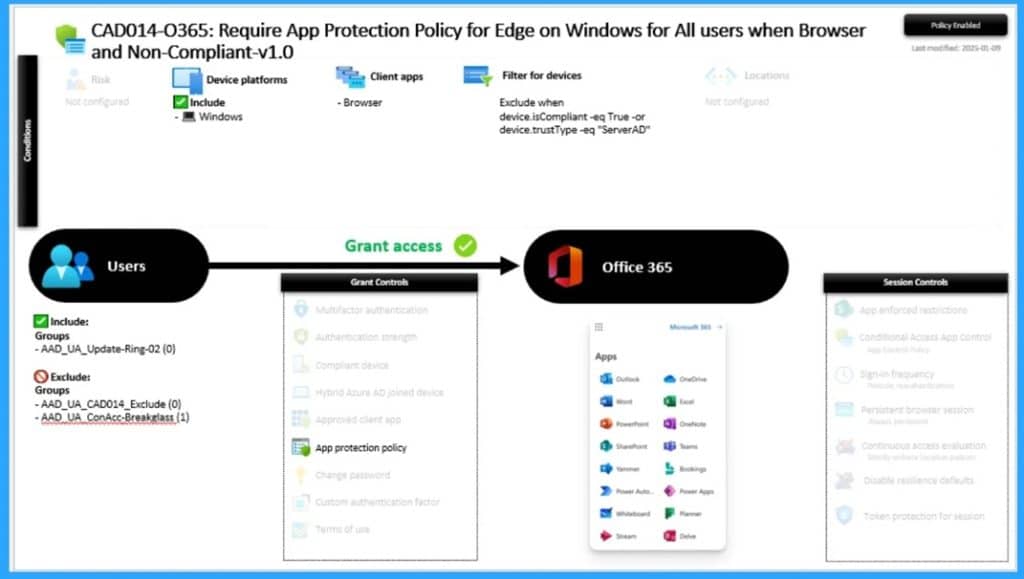
🎆How to Fix Conditional Access Misconfiguration Causing Edge Authentication Loop in Intune
–https://www.anoopcnair.com/causing-edge-authentication-loop-in-intune/
🎉Conditional Access Misconfiguration
🎉Edge Authentication Loop
🎉Reasons of Edge Authentication Loop
🎉After Effects of this Issue
🎉Different Fixes of Issue
Tuesday 30th September 2025
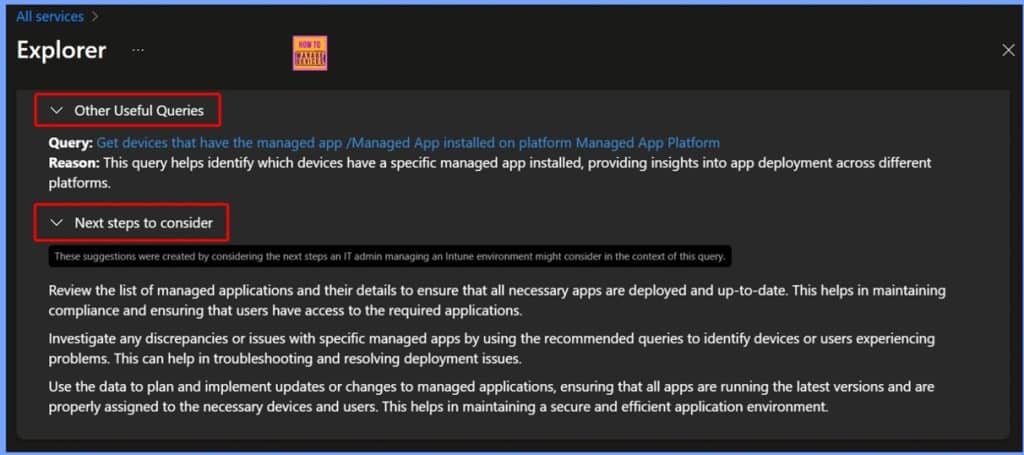
🎆Get macOS Office Suite Managed App Details App ID and Last Modified Date using Intune Copilot Explorer
–https://www.anoopcnair.com/macos-office-suite-managed-app-details-intune/
➡️Overview of macOS Office Suite
➡️Introduction to Intune Copilot Explorer
➡️Querying macOS Office Suite Apps
➡️Benefits for IT Administration
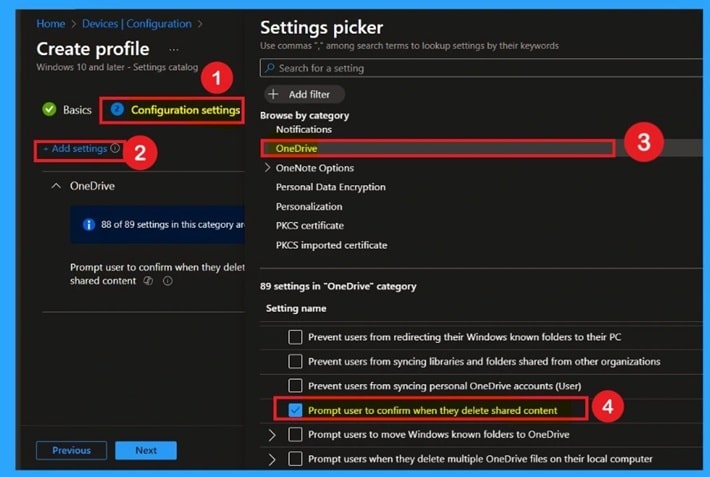
🎯How to Prompt User to Confirm When they Delete Shared Content on OneDrive via Intune
–https://www.anoopcnair.com/delete-shared-content-on-OneDrive-Intune/
🔥How to Enable Delete Confirmation for Shared Files
🔥Why This Policy Matters for Team Collaboration and Data Protection
🔥Preventing Accidental Deletions That Impact Shared Workspaces
🔥What Does This OneDrive Policy Allow You to Configure?
🔥Ensuring Accountability and Cloud File Integrity
🔥Client-Side Behavior
📌Simple way to Enable Boot To Cloud PC Enhanced Mode using Intune
–https://www.anoopcnair.com/boot-to-cloud-pc-enhanced-mode-using-intune/
💡Boot to Cloud PC Enhanced Mode Supported Windows Platforms
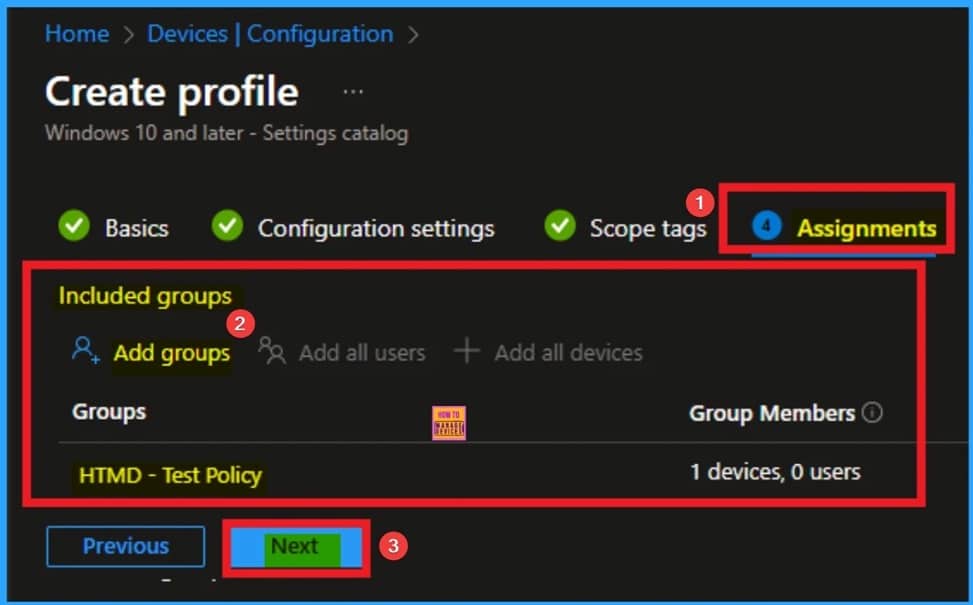
💡Create a Configuration Policy to Enable Boot to Cloud PC Enhanced Mode in Intune
💡Monitor the Enable Boot to Cloud PC Enhanced Mode Policy Deployment
💡Intune Event Log Analysis
💡End User Experience
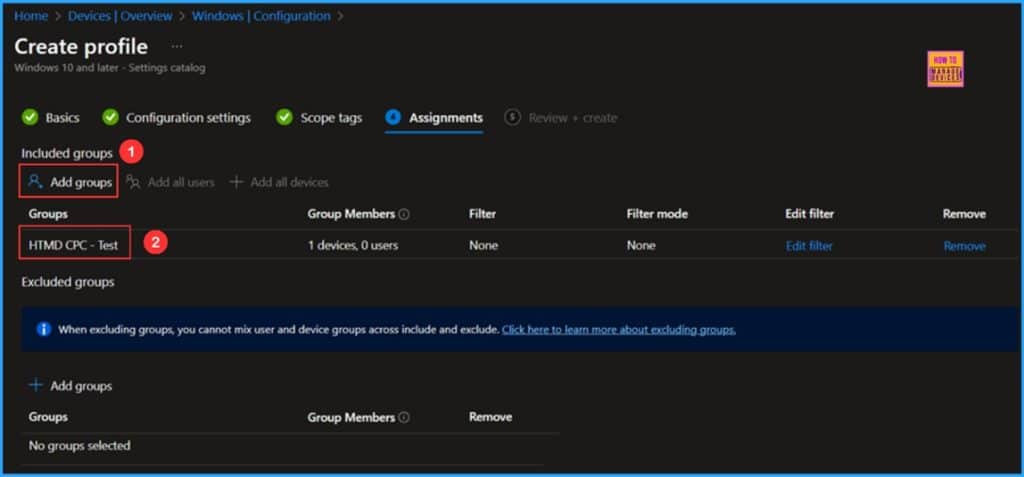
🎆Step-by-Step Guide to Export Intune Platform PowerShell Scripts via Graph API
–https://www.anoopcnair.com/export-Intune-platform-PowerShell-scripts-graph/
🎉What’s Platform Scripts
🎉Install Microsoft Graph PowerShell Modules
🎉Permissions Required to Run the Script
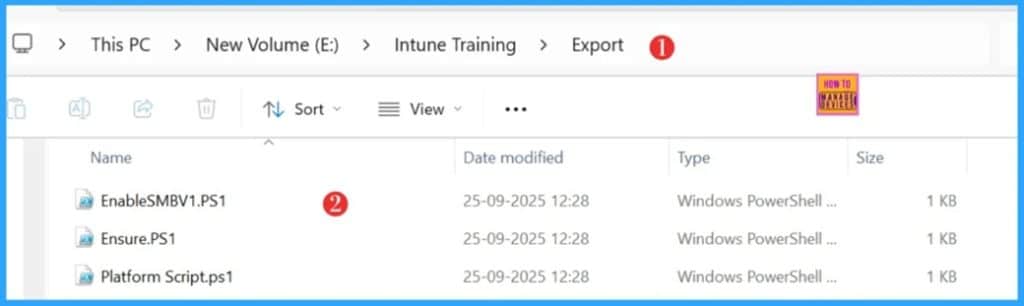
🎉Export the Intune Platform PowerShell Scripts via Graph API
🎉Download the Script from GitHub
Wednesday 1st October 2025
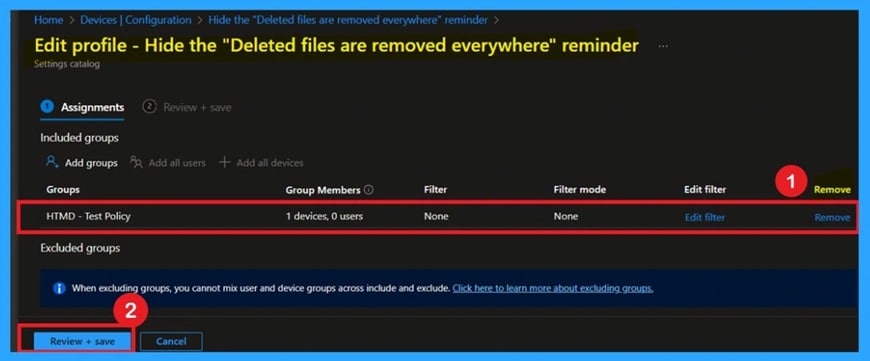
🎯Benefits of OneDrive Hide Deleted Files Reminder using Intune Policy
–https://www.anoopcnair.com/OneDrive-hide-deleted-files-reminder-Intune/
🔥Control OneDrive Deletion Prompts
🔥Reduce User Interruptions by Hiding Sync Deletion Warnings
🔥Why This Policy Matters for Streamlined File Management
🔥Prevent Accidental Cloud File Deletion with Smart Configuration
🔥What Does This OneDrive Policy Allow You to Configure?
🔥Enhance User Experience for Power Users Familiar with Sync Behavior
🔥Client-Side Impact
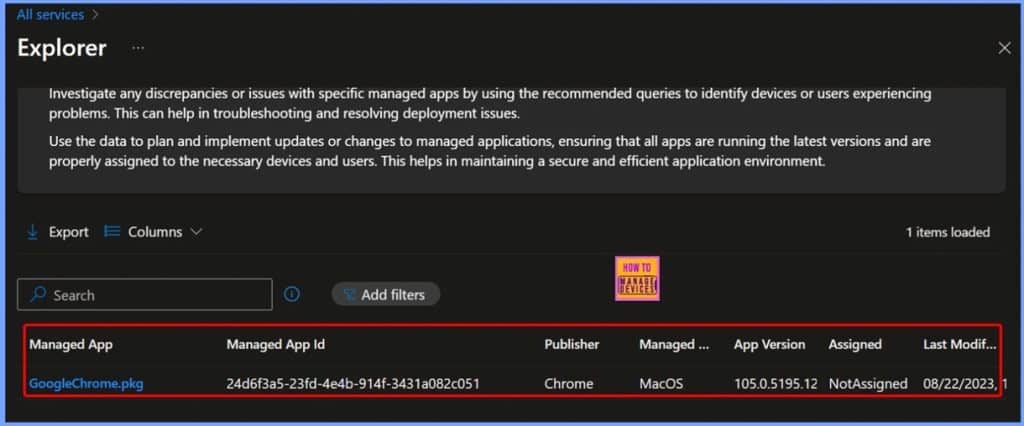
🎆Get macOS PKG App Details with ID Publisher and Last Modified Date using Intune Copilot Explorer
–https://www.anoopcnair.com/get-macOS-pkg-app-details-with-id-Intune/
🎊macOS Application Formats – DMG vs PKG
🎊Why PKG App Details Matter for IT Admins
🎊Intune Copilot Explorer – Retrieving PKG App Information
🎊Get macOS PKG App Details
🎊End Result – macOS PKG App Details in Intune
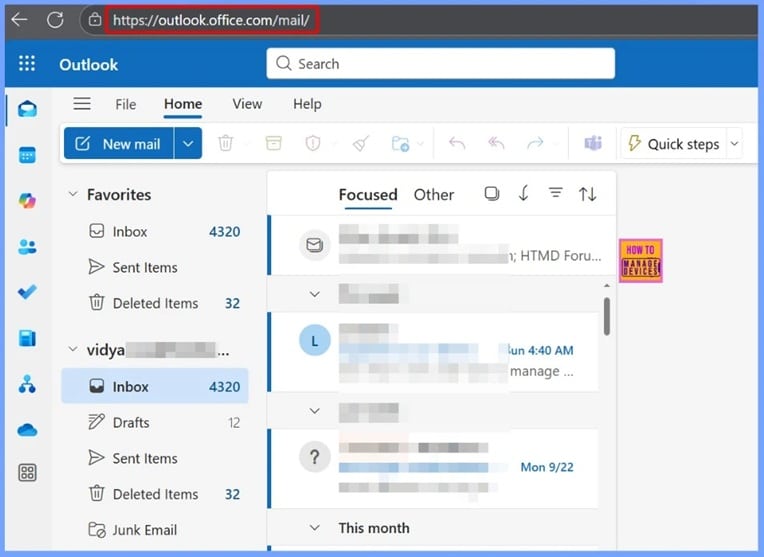
🎆How to Fix Classic Outlook Error when Microsoft Exchange Logon Fails
–https://www.anoopcnair.com/classic-outlook-error-when-exchange-logon-fails/
🔊Classic Outlook Error – Cannot Start Microsoft Outlook
🔊Classic Outlook Error Overview
🔊Why this Classic Outlook Error Happens
🔊Current Status of the Issue
🔊Different Workarounds for Users
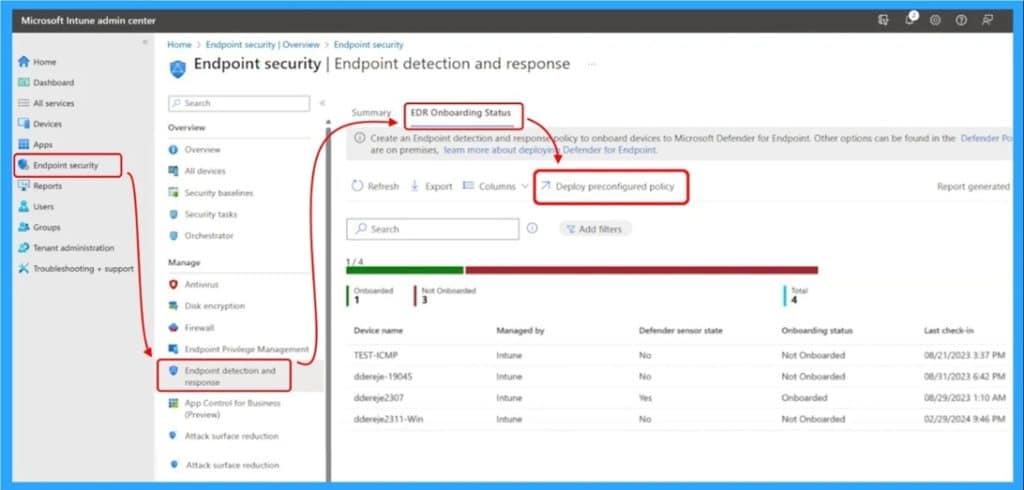
🎆Troubleshoot and Fix Devices not Visible in Defender for Business after Intune Onboarding
–https://www.anoopcnair.com/devices-not-visible-in-defender-for-intune/
🎉Devices not Visible in Defender for Business
🎉Issue Occurred due to Compliance Policy Misalignment
🎉Reasons of Devices not Visible
🎉After Effects of this Issue
🎉Different Fixes of Issue
Thursday 2nd October 2025
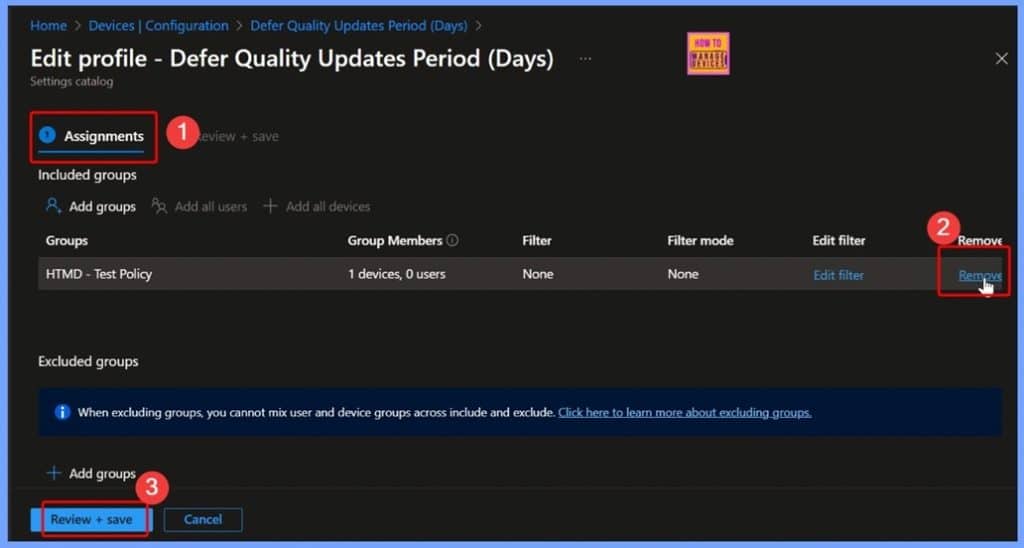
🎆How to Control Quality Update Installations with up to 30 Day Deferral using Intune Policy
–https://www.anoopcnair.com/control-quality-update-installations-intune/
🎉Configure Defer Quality Updates Period (Days) Policy Using Intune
🎉Add and Customize Settings for Your Intune Policy
🎉Select Defer Quality Updates Period (Days) in Windows Update for Business Settings
🎉Understanding Scope Tags in Intune Defer Quality Updates Period Days Policy
🎉How to Manage Assignments in Intune
🎉Finalize Policies with Review + Create in Intune
🎉Successful Creation Notification for Quality Update Deferral Policy
🎉Device and User Check-In Status for Defer Quality Updates Period (Days)
🎉MDM Policy Manager: Defer Quality Updates Period (Days) Policy Details
🎉Windows CSP Details DeferQualityUpdatesPeriodInDaysPolicy
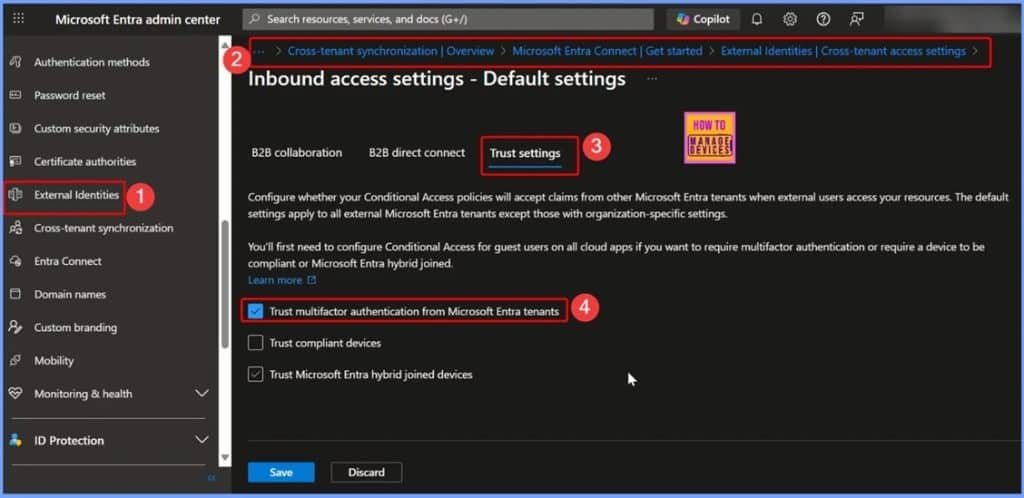
🎆How to Fix OMEv2 Encrypted Email Access Issues in Classic Outlook for Windows across Tenants
–https://www.anoopcnair.com/omev2-encrypted-email-access-issues-outlook/
🔊Introduction to OMEv2 Encrypted Email
🔊Issue in Classic Outlook for Windows
🔊How to Impact on Organisations
🔊Workarounds for OMEv2 Encrypted Email Access Issues
🔊How to Enable Cross-Tenant Access to Fix OMEv2 Email Issues
🔊Understanding What the Cross-Tenant Access Workaround Does and Does Not Do
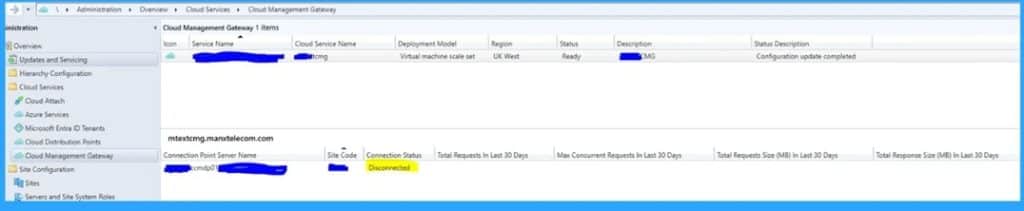
🎆Fix Connection Point Server Status Changed to Disconnected in SCCM Admin Console
–https://www.anoopcnair.com/connection-point-server-status-changed-in-sccm/
🎉Connection Point Server Status Changed to Disconnected
🎉Issue Occurred in SCCM Admin Console
🎉Reasons of Server Status Changed to Disconnected
🎉After Effects of this Issue
🎉Different Fixes of Issue
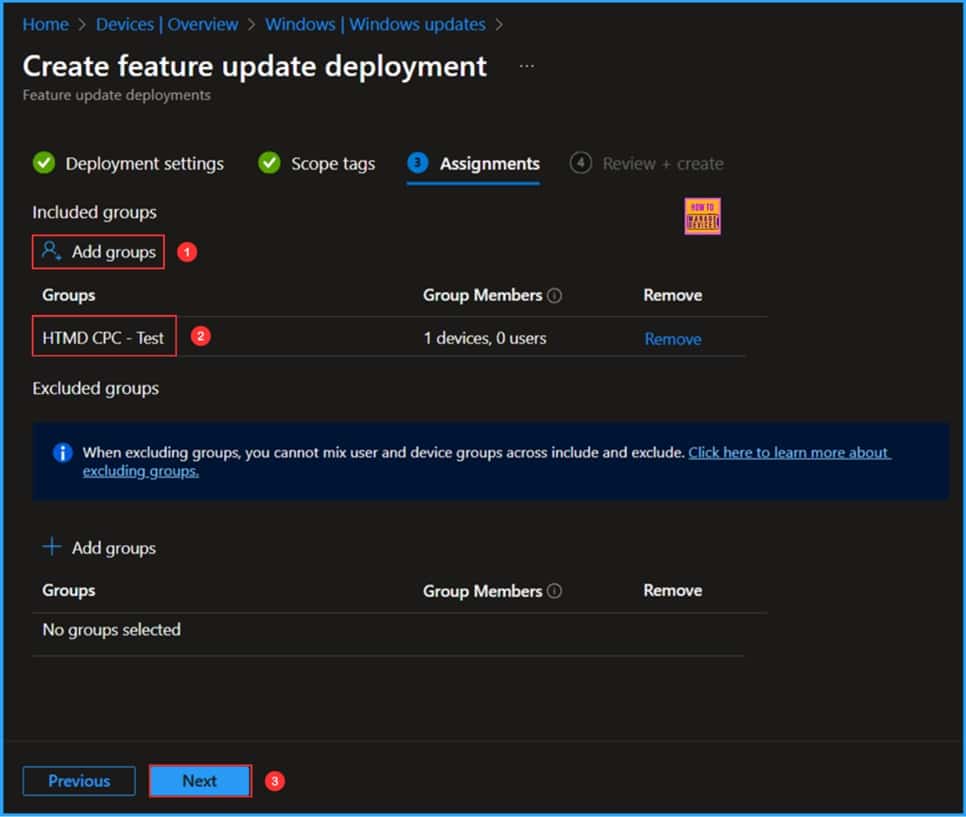
📌How to Create a Windows 11 25H2 Feature Update Policy using Intune
–https://www.anoopcnair.com/windows-11-25h2-feature-update-policy-intune/
✅Key Highlights of Windows 11 25H2 Upgrade
✅Create Windows 11 25H2 Upgrade Feature Update Policy in Intune
✅Monitor the Windows 11 25H2 Upgrade Deployment Status
✅End User Experience
Friday 3rd October 2025
🎆How Idle Time Controls Kiosk Browser Session Restart using Intune Policy
–https://www.anoopcnair.com/idle-time-controls-kiosk-browser-restart-intune/
▶️Configuring Basics for Restart On Idle Time Kiosk Browser Policy in Intune
▶️Configuring Restart On Idle Time in Kiosk Browser Settings
▶️Default Setting for Restart On Idle Time Policy
▶️Setting a Custom Idle Time for Kiosk Browser Restart
▶️Assigning Scope Tags for Restart On Idle Time Policy
▶️Assigning the Restart On Idle Time Policy
▶️Reviewing and Creating the Restart On Idle Time Policy
▶️Restart On Idle Time Policy Created Successfully
▶️Device and User Check-In Status for Restart on Idle Time Policy
▶️MDM Policy Manager Log for Restart on Idle Time
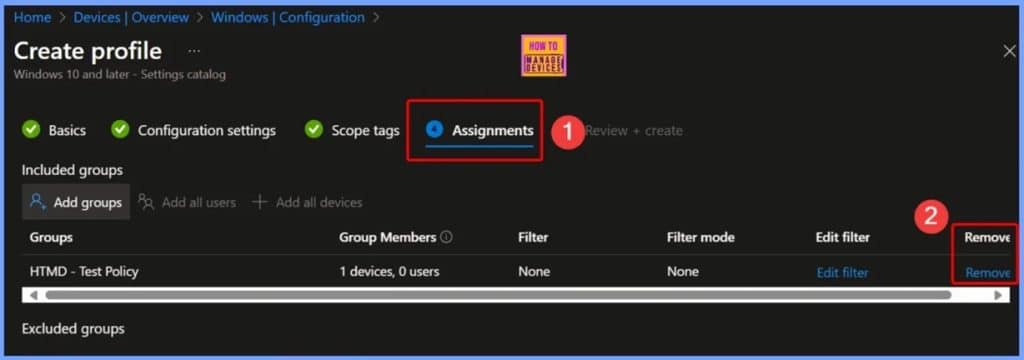
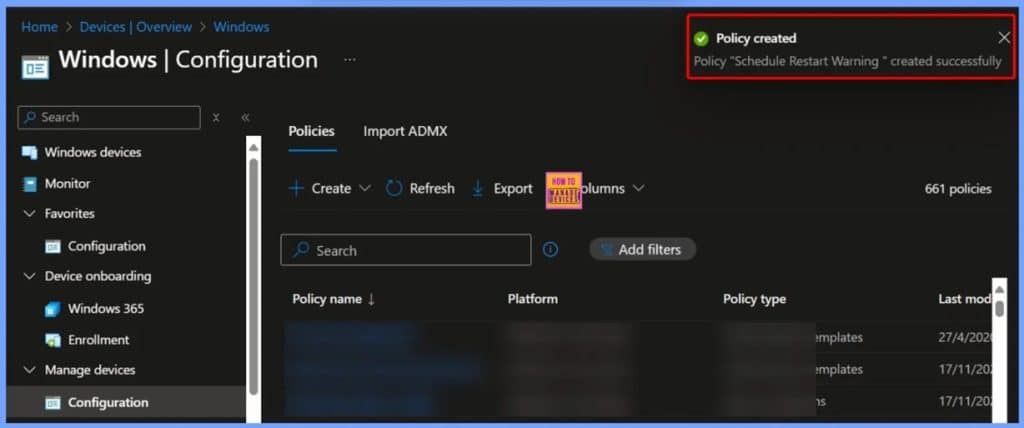
🎆How to Configure Auto-Restart Warning Reminder Policy in Windows using Intune
–https://www.anoopcnair.com/auto-restart-warning-reminder-policy-in-intune/
➡️Basic Details of Scheduled Restart Warning Policy
➡️Configuration Settings of Scheduled Restart Warning Policy
➡️Select Schedule Restart Warning in Intune Settings Picker
➡️Availability and Default Settings of Auto-Restart Warning Reminder Policy
➡️Configuring Auto-Restart Warning Reminder for 2 Hours
➡️Schedule Restart Warning Policy Creation Notification
➡️Succeeded Results of Schedule Restart Warning Policy
➡️Schedule Restart Warning – Client Side Verification
➡️Windows CSP Details – ScheduleRestartWarning
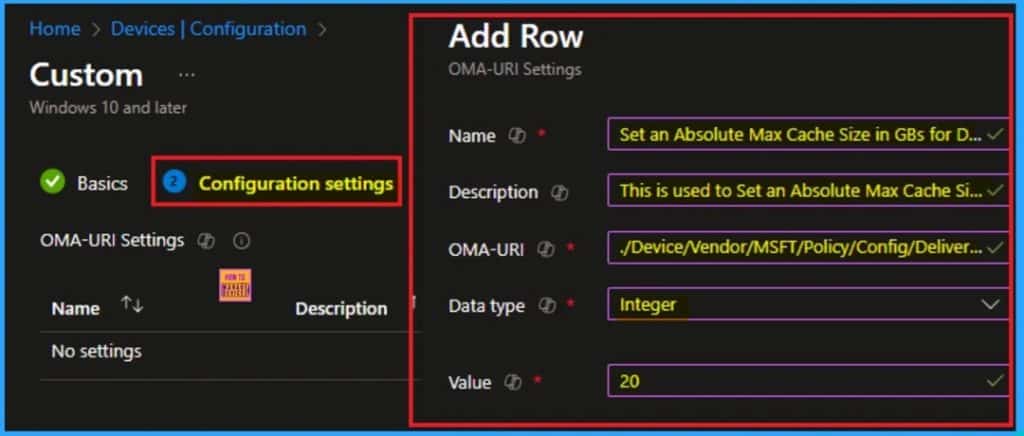
👉How to Set an Absolute Max Cache Size in GBs for Delivery Optimization using Intune
–https://www.anoopcnair.com/absolute-max-cache-size-in-gbs-using-intune/
✍ Set an Absolute Max Cache Size in GBs for Delivery Optimization
✍Helps Control Disk Usage and Optimize Bandwidth
✍Control Resource Usage on a Large Scale
✍What are the Benefits of Super Drag Drop Policy?
✍Steps to Configure Absolute Max Cache Size Policy
✍What Happens When The Policy Enabled
✍Device and User Check-in Status
✍Client-Side Verification through Event Viewer
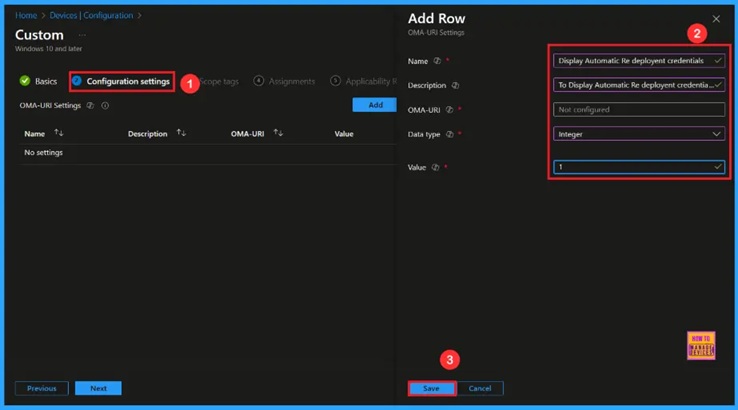
🎆Enable Autopilot Reset Credential Provider Visibility Policy in Windows to Manage Device Refresh using Intune
–https://www.anoopcnair.com/reset-credential-provider-windows-using-intune/
🔔Enable Autopilot Reset Credential Provider Visibility Policy
🔔Allows Faster Recovery During Technical Issues
🔔Provides Flexibility in Managing Shared or Personal Devices.
🔔Saves Time by Allowing Trusted Users to Start a Reset Quickly
🔔Device and User Check-in Status
Connect with the HTMD Community
Join the Telegram group to get the latest step-by-step guides and news updates. Join our Meetup Page to participate in User group meetings. Also, join the WhatsApp Community to get the latest news on Microsoft Technologies. We are there on Reddit as well.
HTMD Community Social Media Platform Links
| Social Media Platform | Link |
| LinkedIn: HTMD Community | https://www.linkedin.com/company/how-to-manage-devices/ |
| Telegram: SCCM Intune Technical Discussions | https://t.me/joinchat/Q9lE6G1_BO_bGq97 |
| Telegram: JOB SCCM Intune Group | https://t.me/joinchat/SIKr3OugR2FQ-Ej9 |
| WhatsApp: HTMD Community | https://chat.whatsapp.com/CeMXHSD61HtDBJwe78IZwV |
| Telegram: AVD/Windows 365 User Group | https://t.me/Inwvdcommunity |
| https://www.facebook.com/HTMDCommunity | |
| https://www.instagram.com/htmd_community/ | |
| https://twitter.com/htmdcommunity | |
| Facebook Group: SCCM | https://www.facebook.com/groups/ConfigMgr2012/ |
| Facebook Group: Intune | https://www.facebook.com/groups/1738789256382744 |

Anoop C Nair is Workplace Technology solution architect with 25+ years (as of 2026) of experience in global enterprise organizations such as JP Morgan, Capgemini, etc. Microsoft Certified Trainer (MCT). Microsoft MVP from 2015 onwards for consecutive 11+ years! He also conducts Intune and modern workplace tech training for enterprise organizations. He is Blogger, Speaker, and Founder of HTMD Community and HTMD Conference. His main focus is on Device Management technologies like Intune, Windows, Cloud PC. He writes about technologies like Intune, SCCM, Windows, Cloud PC, Windows, Entra, Microsoft Security.

Discussion