












202nd HTMD Newsletter 14th to 18th July 2025
Welcome to the 202nd HTMD Newsletter, 14th to 18th July 2025! This is the list of posts and videos the HTMD Community published this week, and news from the IT industry. You can get all the information and details from Windows 11, Cloud PC, SCCM, Intune, Azure Virtual Desktop (AVD), Android, iOS, and Mac.
Previous Weeks Newsletters
- 199th HTMD Newsletter – HTMD Newsletter 23rd to 27th June 2025
- 200th HTMD Newsletter – HTMD Newsletter 30th June to 4th July 2025
- 201st HTMD Newsletter – HTMD Newsletter7th to 11th July 2025

Monday 14th July 2025
🎆How to use Winged to Fix Intune App Installation Error 0x80070005
–https://www.anoopcnair.com/fix-intune-app-installation-error-0x80070005/
🔥Intune App Installation Error
🔥Understanding Intune Error 0x80070005
🔥The Challenge with App Deployment using Intune
🔥Fixing the Issue Using Winged
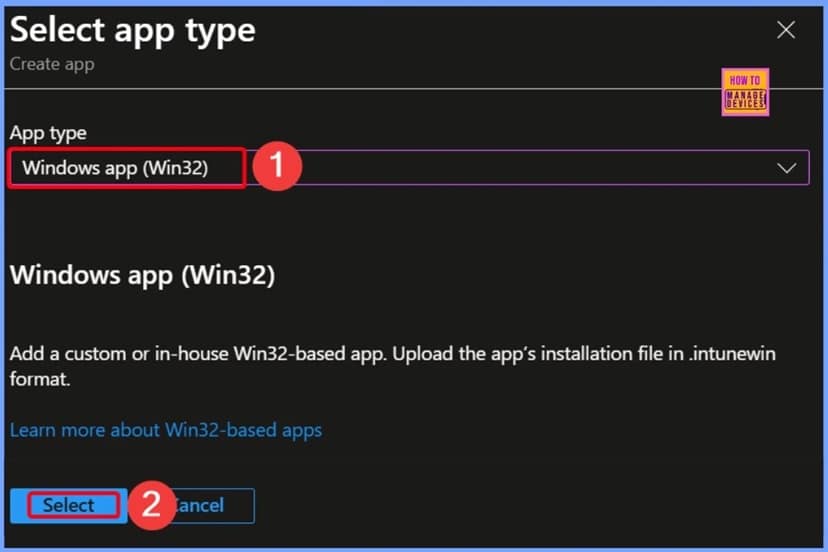
🎊What are Intune Application Agents Running on Windows Devices?
–https://www.anoopcnair.com/intune-application-agents-running-on-windows/
💡What Do these Agents Do?
💡Why are they Important for Cloud Management?
💡Key Intune Agents you will see in the Apps List
💡Why are these Agents Important for Intune?
💡Don’t Uninstall these Apps from Intune Managed Windows Devices
💡What are Intune Application Agents Running on Windows Devices?
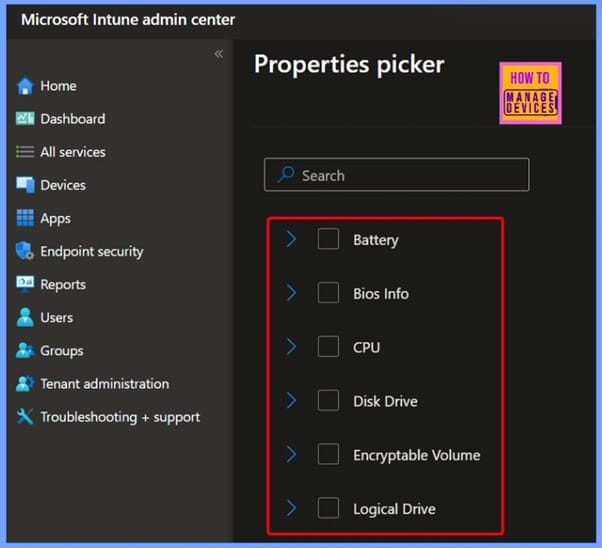
📌How to Fix Intune Android App Installation Error 0xC7D1507C
–https://www.anoopcnair.com/intune-android-installation-error-0xc7d1507c/
➡Android App Installation Error
➡Error 0xC7D1507C
➡Causes of Issue
➡Error Details
➡Workaround
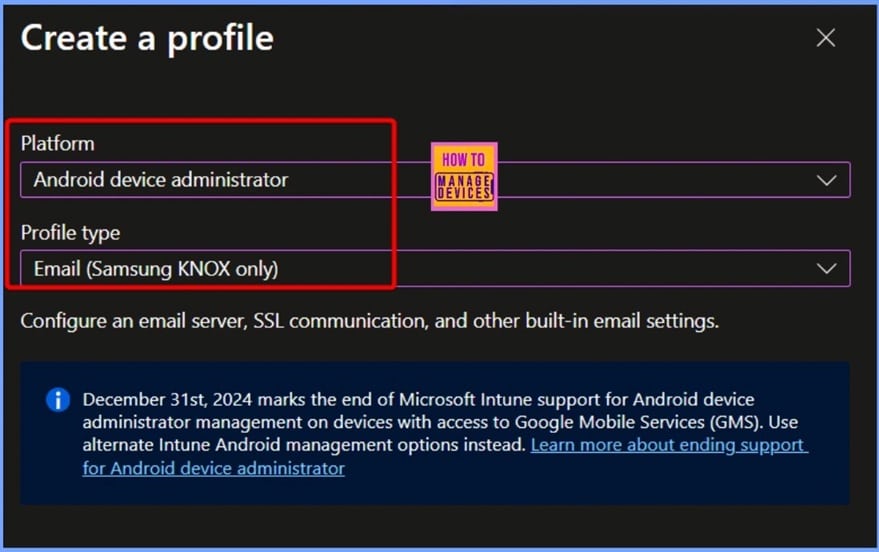
📌Troubleshooting Intune iOS and iPadOS App Installation Error 0x87D13B73
–https://www.anoopcnair.com/intune-ios-app-installation-error-0x87d13b73/
➡Error 0x87D13B73
➡iOS and iPadOS App Installation Error
➡Reasons of the Issue
➡Troubleshooting Steps
Tuesday 15th July 2025
📌How to Make Intune Patch Reports more Useful and Efficient using Eido
–https://www.anoopcnair.com/intune-patch-reports-more-useful-and-efficient/
▶️What is Eido? How Does Eido help with Patch Monitoring?
▶️How Does Eido Manage Intune Policies?
▶️How to Make Intune Patch Reports More Useful and Efficient
▶️Different Types of Windows Update Reports in Intune
▶️Simple and Actionable Patch Reports from Eido
▶️Eido Reports Come with Different Colour-coded Status
▶️One Dashboard for All Tenants Powered by EIDO
▶️How to Make Intune Patch Reports More Useful and Efficient? – HTMD Video
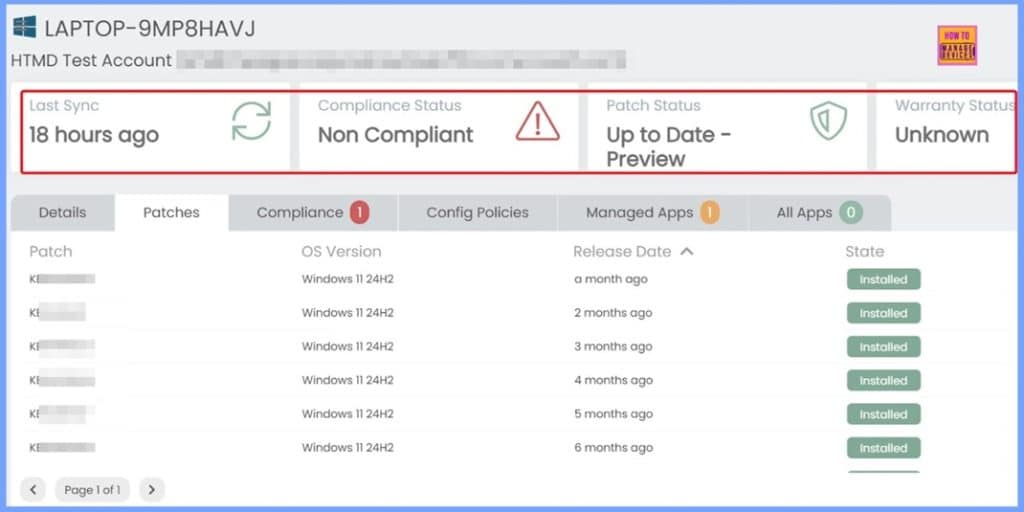
📌How to Fix Error 0x87D13B9D on Intune iOS App Latest Version Updating
–https://www.anoopcnair.com/error-0x87d13b9d-on-intune-ios-app-latest/
➡iOS App Latest Version Updating Issue
➡Troubleshoot and Fix Issue
➡Fix Error 0x87D13B9D on Intune
➡Best Practices to Avoid the Error
➡Recommended Actions
➡After Effects of the Issue
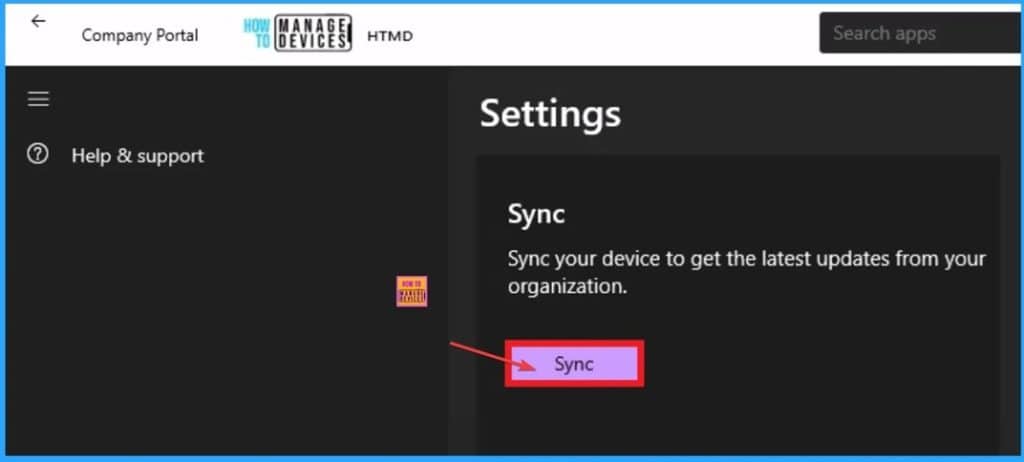
📌Disable Windows Snipping Tool Capture and Recording Policy using MS Intune
–https://www.anoopcnair.com/snipping-tool-capture-and-recording-MS-Intune/
➡Windows Snipping Tool Capture and Recording
➡Screen Capture
➡Prevent Screenshots and Screen Recording
➡Advantages of Screen Capture Policy
➡Windows Configuration Service Providers Details
➡Device and User Check-in Status
➡Client Side Verification
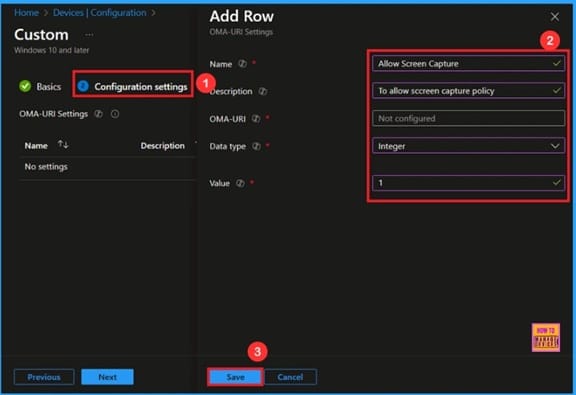
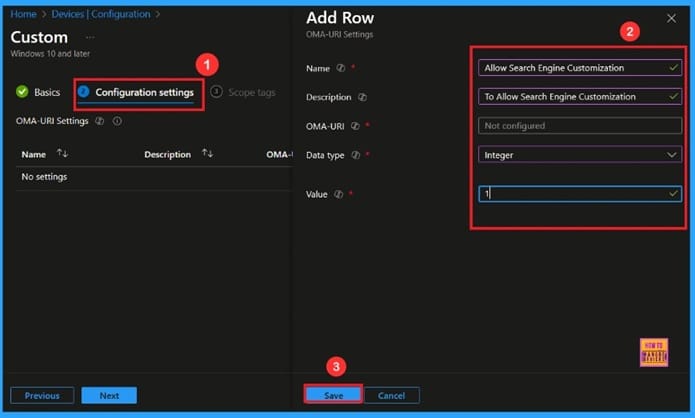
🎆Allow or Block Search Engine Customization using Intune Policy
–https://www.anoopcnair.com/allow-or-block-search-engine-customization/
🔔Allow or Block Search Engine Customization Policy
🔔Helps Improve User Experience
🔔Supports Specific Content Providers
🔔Helps Enforce Safe Browsing
🔔Device and User Check-in Status
Wednesday 16th July 2025
🎊How to Fix Intune Android App Installation Error 0xC7D14FBB
–https://www.anoopcnair.com/intuneandroid-app-installation-error-0xc7d14fbb/
💡App Installation Error 0xC7D14FBB
💡Canceled Installation after Rebooted during the APK Installation Process
💡Fix Intune Android App Installation Error
💡KNOX Scenario
💡Workaround of Error 0xC7D14FBB
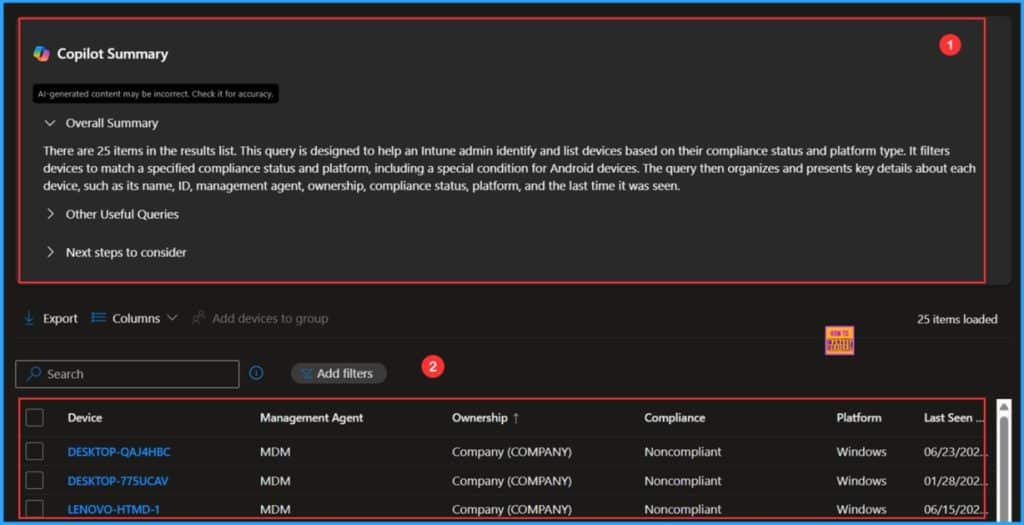
📌 How Microsoft Security Copilot Improves Intune Admin Center Efficiency
–https://www.anoopcnair.com/microsoft-security-copilot-is-microsoft-intune/
💡Microsoft Security Copilot is now Generally Available in Intune & Entra
💡Transforming IT Workflows with Security Copilot in Intune
💡Prerequisites of Security Copilot Features in Intune Admin Center
💡Explore Copilot Features from your Intune Admin Center
💡Check the Copilot Functionality in Intune
💡Copilot Summary & Output
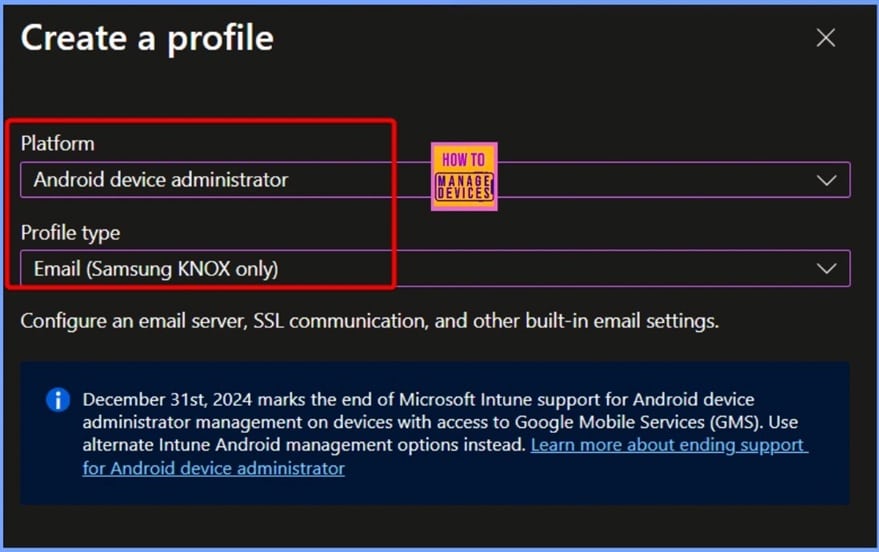
🎆How to Fix Intune Android App Installation Error 0xc7d14fb9
–https://www.anoopcnair.com/how-to-fix-intune-android-error-0xc7d14fb9/
🔥Intune Android App Installation Error
🔥Understanding Intune Error 0xc7d14fb9
🔥Issue due to End User Cancelled the App Installation
🔥Workarounds for the Issue
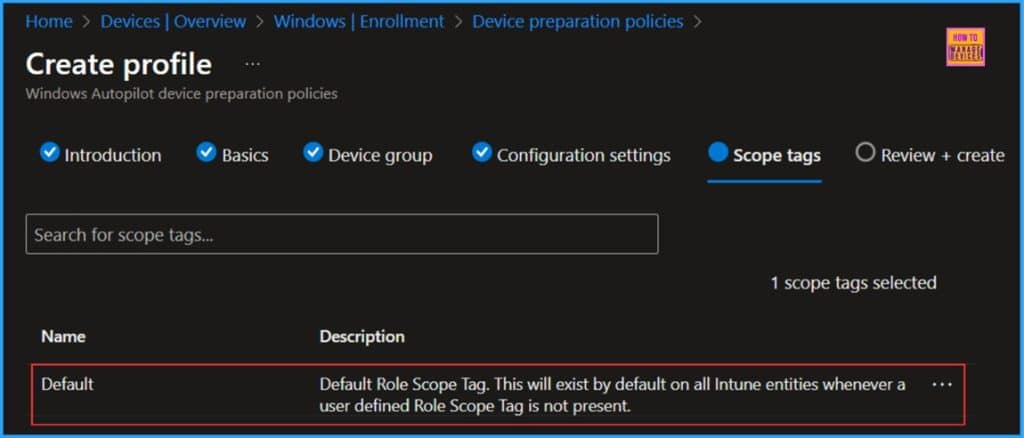
📌 How to Create Autopilot Device Preparation Policy for Windows 365 Frontline Devices using Intune
–https://www.anoopcnair.com/autopilot-device-preparation-policy-for-intune/
➡What is Windows 365 Frontline Devices?
➡Key Aspects of Autopilot Device Preparation Policy for Windows 365 Frontline Devices
➡Create an Autopilot Device Preparation Policy for Windows 365 Frontline Devices in Intune
➡Configuration Settings of Autopilot Device Preparation Policy for Windows 365 Frontline Devices
➡How to add Autopilot Device Preparation Policy to Windows 365 Frontline
Thursday 17th July 2025
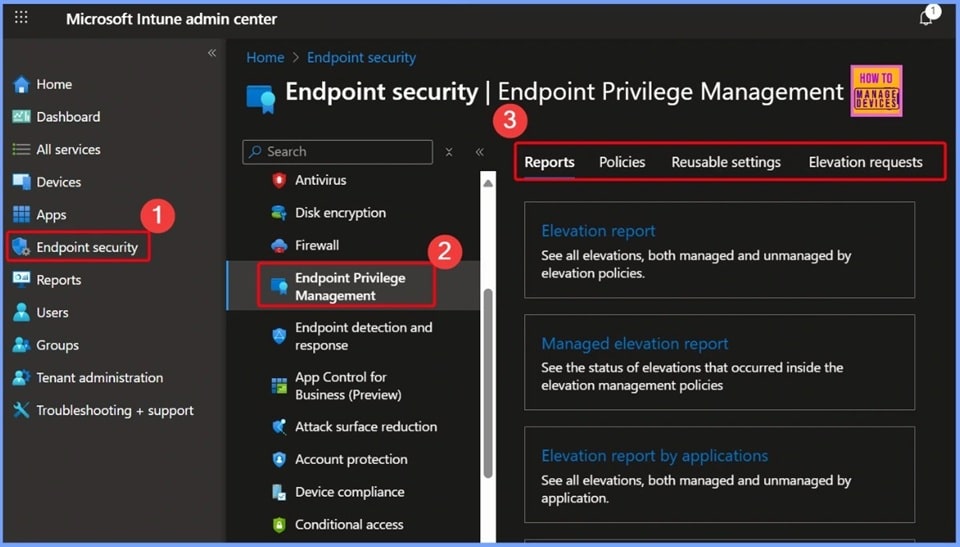
📌Intune Zero Trust Implementation using EPM and MAA
–https://www.anoopcnair.com/intune-zero-trust-approach-with-epm-and-maa/
💡Intune Zero Trust Approach with EPM and MAA from Theory to Reality
💡Just-in-Time Access with Endpoint Privilege Management (EPM)
💡Multi-Administrator Approval (MAA) for Secure Changes
💡Intune Zero Trust Approach with EPM and MAA
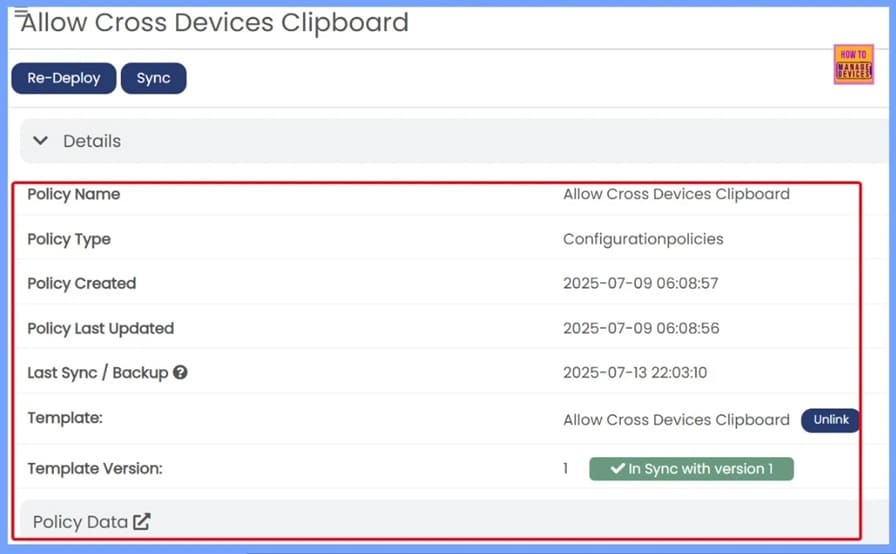
📌Intune Policy Backup Restore Standardize Redeploy using Eido
–https://www.anoopcnair.com/intune-policy-backup-restore-standardize/
🎊How to Back up, Restore, Standardize, and Redeploy Intune Policies
🎊Why Backing Up Intune Policies Is Important
🎊The Risk of Policy Loss
🎊Introducing Eido: A Simple Third-Party Tool
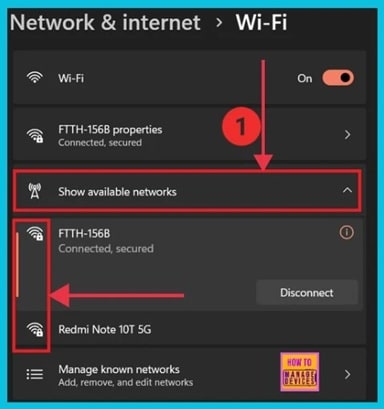
🎆How to Fix Error 0xc7d14fbc Android App Installation using Intune
–https://www.anoopcnair.com/error-0xc7d14fbc-android-installation-intune/
🔥Intune Android App Installation Error
🔥Understanding Intune Error 0xc7d14fbc
🔥Uninstall of the App was Cancelled
🔥App Install Process was Terminated
🔥Workarounds for the Issue
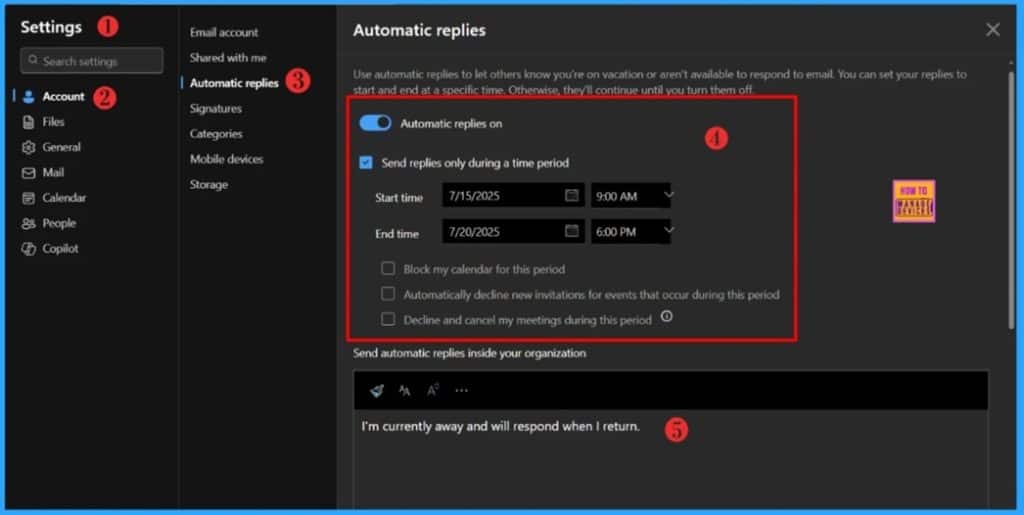
📌How to Manage Outlook Out of Office Settings using Microsoft Graph API and PowerShell- A Complete Automation Guide
–https://www.anoopcnair.com/outlook-out-of-office-graph-ape-and-PowerShell/
▶Manage Outlook Out of Office Settings
▶Configure Out of Office Settings
▶Why Use Microsoft Graph for Out-of-Office Automation
▶Get Object ID of the Target User
▶Automate Outlook Out of Office Settings Using Microsoft API
▶PowerShell Script to Automate Outlook Out of Office Settings
Friday 18th July 2025
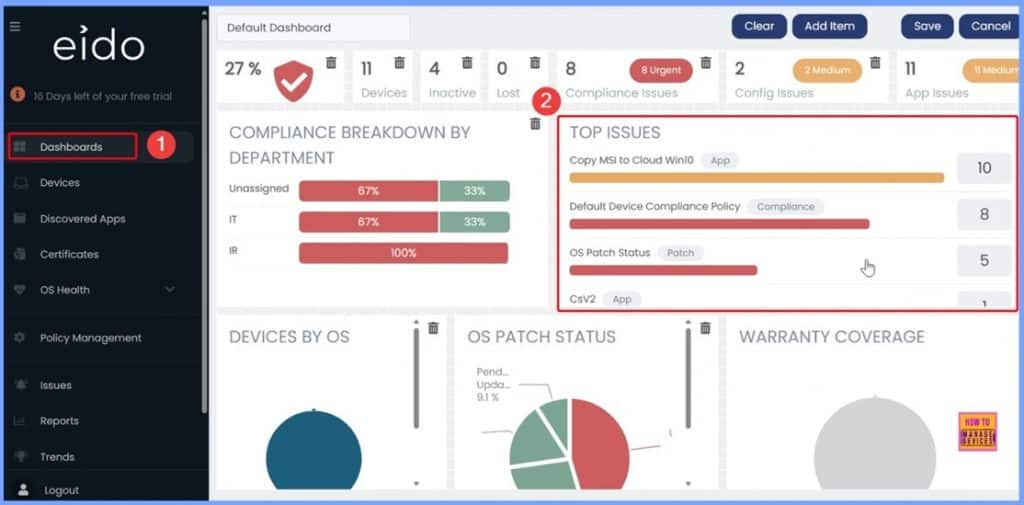
📌How to Simplify First Stage of Intune Troubleshooting with an Intuitive Eido Dashboard
–https://www.anoopcnair.com/Intune-troubleshooting-with-an-eido-dashboard/
➡️The Challenge of Troubleshooting in Intune
➡️Why Troubleshooting in Intune Is Complex
➡️Simplify with the EIDO Dashboard
➡️Why a Smarter Troubleshooting Approach Matters
➡️EIDO Dashboard for Intune Troubleshooting
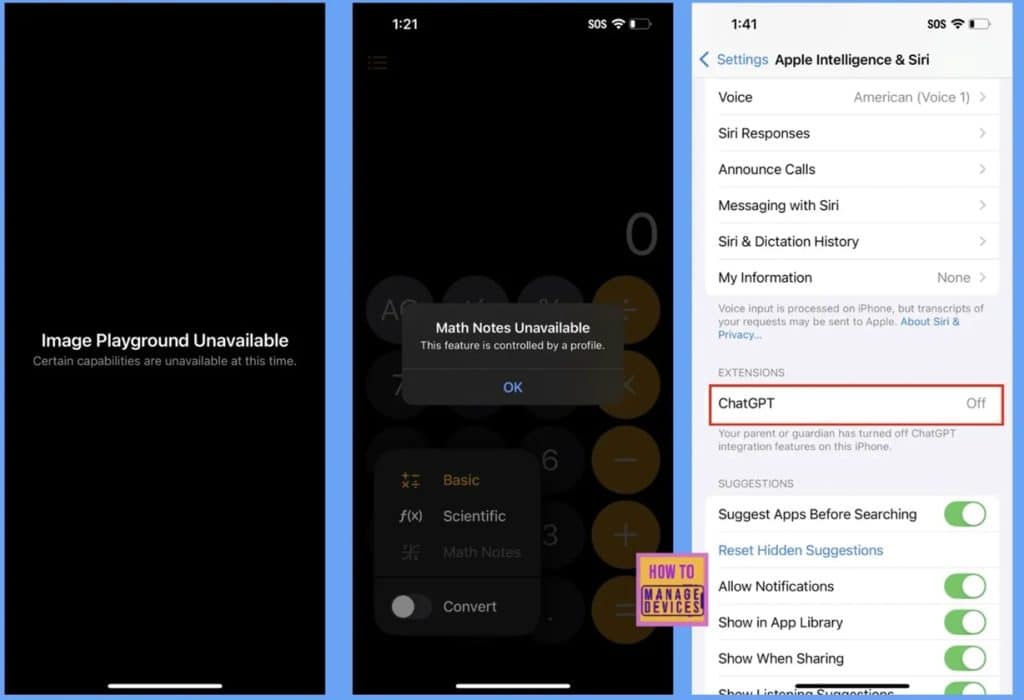
📌How to Manage Apple Intelligence on iOS or iPadOS Devices using Intune
–https://www.anoopcnair.com/apple-intelligence-on-ios-ipados-using-Intune/
💡Apple Intelligence Features
💡Why Manage Apple Intelligence
💡Brings Powerful AI Features Directly to Apple Devices
💡Apple Intelligence Support Starts with iPhone 15 Pro Devices
💡End User Experience
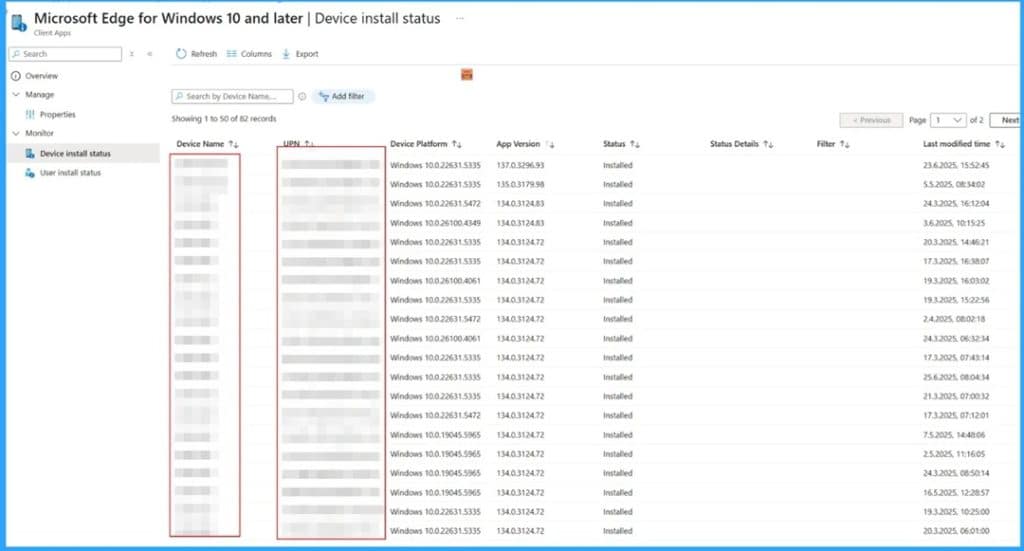
🎆How to Fix Update Fail Issue on Microsoft Edge Deployment using Intune
–https://www.anoopcnair.com/update-fail-issue-on-microsoft-edge-deployment/
🔥Update Fail Issue on Microsoft Edge
🔥Issue Occurred when the User Deploy Microsoft Edge
🔥Uninstall of the App was Cancelled
🔥Reasons of the Issue
🔥Workarounds for the Issue
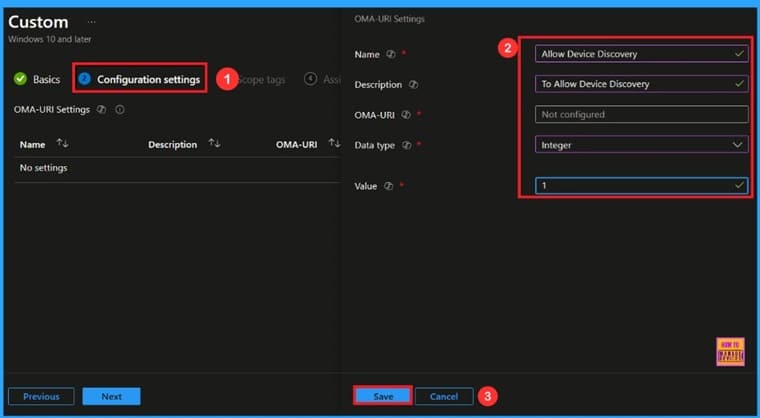
🎆Enable or Disable Device Discovery to Identify Same Network Devices using Intune Policy
–https://www.anoopcnair.com/enable-or-disable-device-discovery-intune/
🔔Enable or Disable Device Discovery
🔔Helps Detect Unknown Devices
🔔Improves Asset Management
🔔Provides Better Security Control
🔔Device and User Check-in Status
HTMD Daily Intune Tips
Disable Windows snipping Tool Capture and Recording using #MSIntune Policy. Introduction to Intune tips and today’s topic: disabling screen recording using the Snipping Tool.
–https://youtube.com/shorts/39oXSiFOZZQ
Explains that the Snipping Tool has features for both capturing and recording the screen. Introduces the “AllowScreenRecorder” option within Intune policy that controls screen recording functionality for the Snipping Tool. Mentions other methods like Group Policy and Registry.
This policy setting allows you to control whether screen recording functionality is available in the Windows Snipping Tool app.
If you disable this policy setting, screen recording functionality won’t be accessible in the Windows Snipping Tool app.
If you enable or don’t configure this policy setting, users will be able to access screen recording functionality.

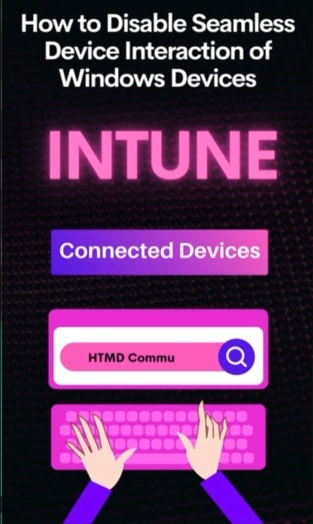
Disable Cross Device Experiences Connected Devices Platform CDP using Intune Security Policy #intune #msintune
–https://youtube.com/shorts/VGNHFsEA_JI?feature=shared
In simple words, the Connected Devices Platform (CDP) is a core Windows component that acts like a central hub for all your devices to talk to each other and your computer.
Think of it this way:
Discovery: It helps your computer “discover” other devices nearby, like your Bluetooth headphones, a smart TV on your Wi-Fi, or even your phone.
Connection: It establishes and manages the connections to these devices, whether they’re physically close (using Bluetooth or Wi-Fi) or further away (through cloud services).
Cross-Device Experiences: Once connected, CDP enables various “cross-device experiences,” such as:
Remote app launching: Starting an app on another device from your computer.
Remote messaging: Sending messages between your devices.
Remote app sessions: Continuing an activity or app session from one device to another (e.g., starting to read an article on your phone and picking it up seamlessly on your PC).
Essentially, CDP is what makes your Windows computer “aware” of other devices around it and allows them to work together for a more integrated and convenient experience. When IT admins disable it, they are preventing these device discovery and connection capabilities on the system.
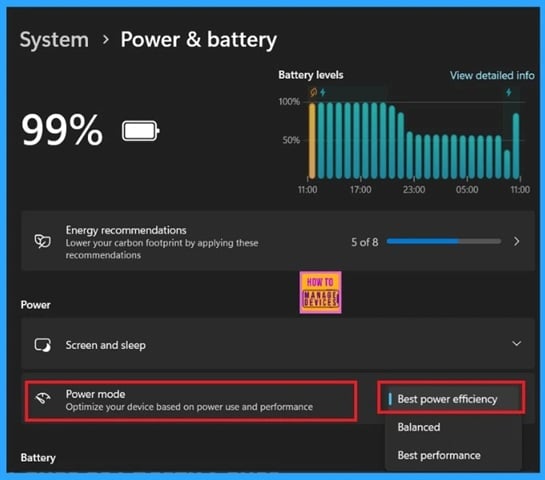
Control Power and Sleep Intune Policy Settings to have Energy Efficient and Secured Windows Devices #msintune #intune
–https://youtube.com/shorts/xxrAaE3TeyE
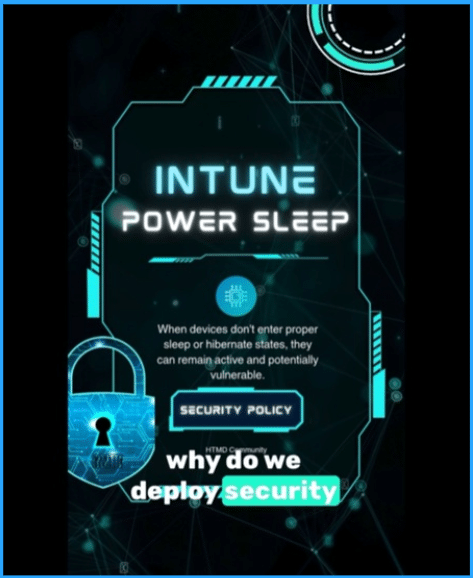
Ever wondered why your IT department might restrict certain settings on your work devices? Today, we’re diving into one specific area: why organizations create policies to limit user access to power and sleep settings.
It might seem like a small detail, but allowing users unrestricted control over power and sleep settings can introduce several challenges for an organization. These issues primarily fall into three categories: Security, Energy Efficiency, and Device Management.
Let’s start with Security. When devices don’t enter proper sleep or hibernate states, they can remain active and potentially vulnerable.
Unauthorized Access: A device left “always on” or in a light sleep state is more susceptible to unauthorized access if physically unattended. Policies ensure that devices enter a secure state after a period of inactivity, requiring re-authentication.
Patching and Updates: Many critical security updates and patches are deployed during off-hours or when devices are in a specific power state. If a user prevents their device from sleeping or restarting, it can delay or even prevent these essential updates, leaving the device, and the entire network, exposed to known vulnerabilities.
Data Protection: Forgetting to lock a device, combined with custom power settings that prevent sleep, means sensitive company data could be easily accessed by anyone walking by.
Control Search Engine Customization using Intune Policy | Why to disable browser default SE changes? #msintune #intune
–https://youtube.com/shorts/3sPdx6iHcP8
Imagine your company wants everyone to use a specific search engine, like Google, Bing, or even an internal company search tool. There are a few key reasons for this:
Security and Compliance:
➡️Preventing Malware/Phishing: Some search engines might direct users to less secure websites or show ads for potentially malicious content. By controlling the search engine, the IT department can steer users towards safer, vetted options.
➡️Data Leakage: If employees use unapproved search engines, they might accidentally (or intentionally) search for sensitive company information on public platforms, which could lead to data leaks.
➡️Regulatory Requirements: Some industries have strict rules about how data is handled and what tools employees can use. Controlling search engines can help meet these compliance standards.
Productivity:
➡️Consistent Experience: When everyone uses the same search engine, troubleshooting issues related to search results or internal tools becomes much easier for IT support.
➡️Focus: A default, approved search engine can help keep employees focused on work-related searches rather than getting sidetracked by personal search preferences or less efficient engines.
➡️Internal Resources: For many companies, the preferred search engine might be linked to internal knowledge bases or specific company resources. Ensuring its use helps employees find critical work information quickly.
In essence, implementing the “Allow Search Engine Customization” policy (and setting it to “Block”) is like putting up a sign that says, “For work, please use this specific tool for searching.” It helps the company ensure a more secure, compliant, and productive digital environment for its employees.

Why to Disable Device Discovery on Intune Managed Windows Devices #msintune
–https://youtube.com/shorts/22kXw9UXJcA?feature=shared
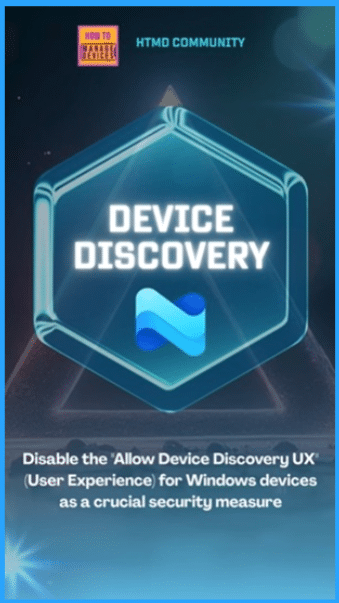
Organizations often disable the “Allow Device Discovery UX” (User Experience) for Windows devices as a crucial security measure.
This setting, while convenient for home users, can introduce significant vulnerabilities in an enterprise environment.
Here’s a breakdown of why and the scenarios where it’s critical:
Why Organizations Disable Device Discovery:
The core reason is to reduce the “attack surface” and enhance network security. When device discovery is enabled, a Windows device actively broadcasts its presence and services on the network. This makes it easier for other devices (and potential attackers) to see and potentially interact with it. By disabling it, devices become less visible, making them harder targets for malicious activity.
Specifically, disabling it helps with:
Reduced Reconnaissance: Attackers often begin by “reconnaissance,” scanning networks to identify active devices, open ports, and available services. Device discovery directly aids this process. By turning it off, organizations make it significantly harder for attackers to map their network, identify potential targets, and discover valuable assets.
Mitigating Exploits of Network Protocols: Device discovery often relies on protocols like Universal Plug and Play (UPnP), Link-Local Multicast Name Resolution (LLMNR), and Server Message Block (SMB) for network Browse. These protocols have historically been, and continue to be, targets for various vulnerabilities and exploits:
UPnP: Many UPnP implementations lack proper authentication, making devices vulnerable to port mapping requests from the internet or control by malicious websites. This can lead to attackers opening ports on firewalls without authorization, exposing internal services.
LLMNR/NBT-NS Poisoning: These protocols are susceptible to poisoning attacks where an attacker can spoof responses to discovery queries, redirecting traffic to a malicious server and potentially capturing credentials (e.g., NTLM hashes) from unsuspecting users.
SMB Vulnerabilities: While not solely tied to discovery, SMB is heavily used for file sharing and network Browse. Keeping device discovery off reduces the chance of vulnerable SMB shares being easily found and exploited.
Connect with the HTMD Community
Join the Telegram group to get the latest step-by-step guides and news updates. Join our Meetup Page to participate in User group meetings. Also, join the WhatsApp Community to get the latest news on Microsoft Technologies. We are there on Reddit as well.
HTMD Community Social Media Platform Links
| Social Media Platform | Link |
| LinkedIn: HTMD Community | https://www.linkedin.com/company/how-to-manage-devices/ |
| Telegram: SCCM Intune Technical Discussions | https://t.me/joinchat/Q9lE6G1_BO_bGq97 |
| Telegram: JOB SCCM Intune Group | https://t.me/joinchat/SIKr3OugR2FQ-Ej9 |
| WhatsApp: HTMD Community | https://chat.whatsapp.com/CeMXHSD61HtDBJwe78IZwV |
| Telegram: AVD/Windows 365 User Group | https://t.me/Inwvdcommunity |
| https://www.facebook.com/HTMDCommunity | |
| https://www.instagram.com/htmd_community/ | |
| https://twitter.com/htmdcommunity | |
| Facebook Group: SCCM | https://www.facebook.com/groups/ConfigMgr2012/ |
| Facebook Group: Intune | https://www.facebook.com/groups/1738789256382744 |

Anoop C Nair is Workplace Technology solution architect with 25+ years (as of 2026) of experience in global enterprise organizations such as JP Morgan, Capgemini, etc. Microsoft Certified Trainer (MCT). Microsoft MVP from 2015 onwards for consecutive 11+ years! He also conducts Intune and modern workplace tech training for enterprise organizations. He is Blogger, Speaker, and Founder of HTMD Community and HTMD Conference. His main focus is on Device Management technologies like Intune, Windows, Cloud PC. He writes about technologies like Intune, SCCM, Windows, Cloud PC, Windows, Entra, Microsoft Security.

Discussion