











199th HTMD Newsletter 23rd to 27th June 2025
Welcome to the 199th HTMD Newsletter 23rd to 27th June 2025! This is the list of posts and videos the HTMD Community published this week, and news from the IT industry. You can get all the information and details from Windows 11, Cloud PC, SCCM, Intune, Azure Virtual Desktop (AVD), Android, iOS, and Mac.
Previous Weeks Newsletters
- 196th HTMD Newsletter – HTMD Newsletter 196th 2nd to 6th June 2025
- 197th HTMD Newsletter – HTMD Newsletter 197th 9th to 13th June 2025
- 198th HTMD Newsletter – HTMD Newsletter 16th to 20th June 2025
Monday 23rd June 2025
🎯 Jitesh Kumar Explains – Intune New Features and Improvements – https://youtu.be/UHHdMNY_Quk
💡Multi-Admin Approval for Remote Actions
💡Android, iOS, and macOS Device Inventory
💡Device Security and Troubleshooting
💡Device Enrollment and Security
💡Intune Remote Help Sessions for Select Unattended Android Devices
💡Linux Server Endpoint Security
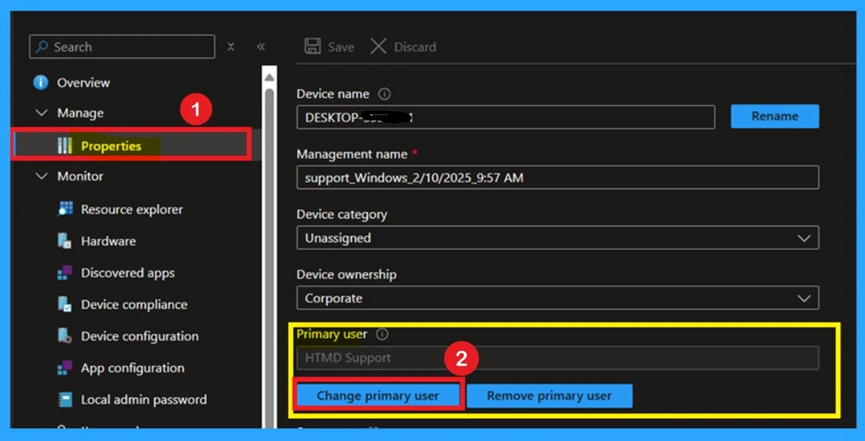
🎊Why Can’t You Change the Primary User of Mac Devices in Microsoft Intune – https://www.anoopcnair.com/primary-user-of-mac-devices-in-microsoft-intune/
📻Primary User of Mac Devices
📻Primary User is Unavailable on Mac Devices
📻Not a Misconfiguration or Permission Issue
📻Find a Device’s Primary User
📻Workarounds
🎊How to use New Multi-Monitor and Display Features in Windows 365 Link – https://www.anoopcnair.com/multi-monitor-display-features-windows-365-link/
▶New Multi-Monitor and Display Features
▶What Display Settings are Supported in this Update?
▶What’s Changed Now?
▶Do I Need to Install anything to Use these Features?
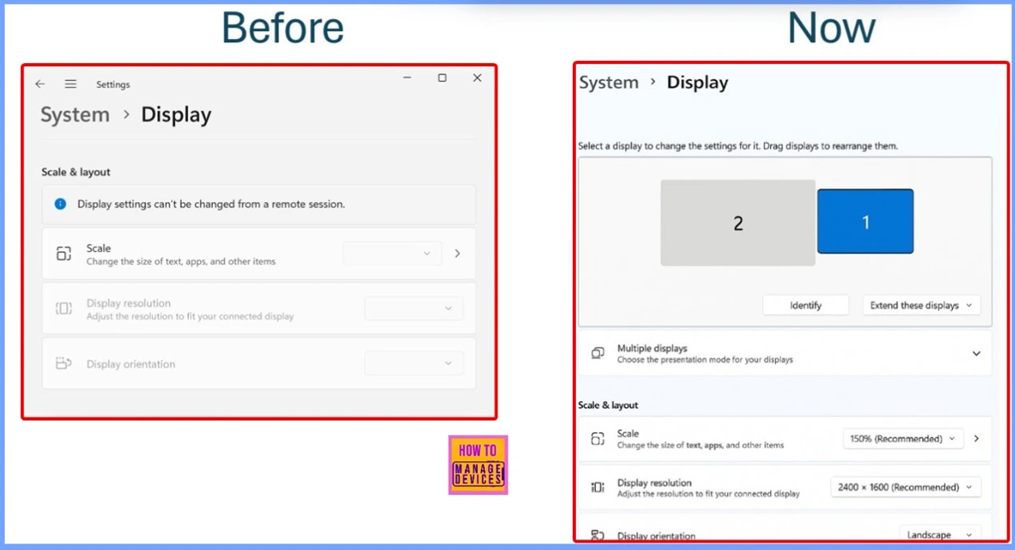
How to use New Multi-Monitor and Display Features in Windows 365 Link 199th 23rd to 27th HTMD Newsletter Fig. 4
🎉Troubleshoot and Fix Company Portal Enrollment Your Device Is Already Connected Error – https://www.anoopcnair.com/company-portal-enrollment-your-device-is-alrea/
🎊Company Portal Enrollment Error
🎊Error-Your Device is Already Connected by Your Organization
🎊Issue Happens When Enrolling New Devices
🎊Know the Steps to Troubleshoot
🎊Causes for this Issue
🎊Workaround
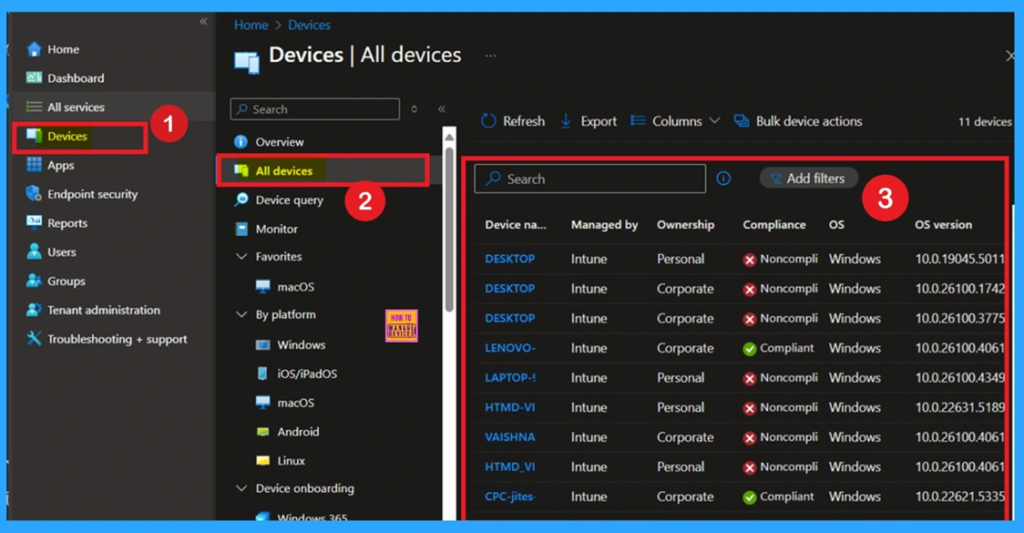
Tuesday 24th June 2025
🎯 Vaishnav K Explains – Windows LAPS Automatic Account Management using Microsoft Intune – https://youtu.be/GsbKFmAWMy0
▶What is Windows Local Administrator Password Solution (LAPS)
▶Prerequisites and Requirements for Windows LAPS
▶Important Points to Note
▶Intune Support for Windows LAPS Capabilities
▶Create, Deploy & Monitor Windows LAPS Policy
▶LAPS Policy Configuration Settings
▶End Result

🎉Deep Dive into Enable Web Based Enrollment for iOS Devices using Intune – https://www.anoopcnair.com/web-based-enrollment-for-ios-devices-intune/
🎊Web Based Enrollment for iOS Devices
🎊Pre-requistes
🎊Enable Just-in-Time Registration(JIT)
🎊Create Enrollment Types
🎊User Experience
🎊Conclusion

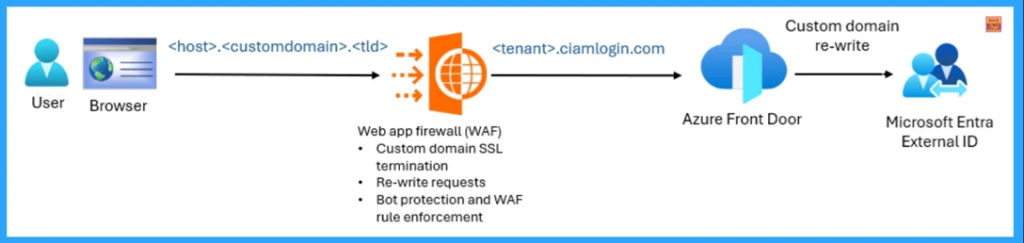
🎆How to Use Microsoft Entra External ID for Security Operations – https://www.anoopcnair.com/microsoft-entra-external-id-for-security-opera/
🔔Microsoft Entra External ID
🔔Designed to Manage External Identities
🔔Security Benefits for Operations
🔔Customizable Sign-in Experiences
🔔Features of Microsoft Entra External ID
🔔Tenant Protection from DDoS and Bot Attacks
🔔Web Application Firewall Integration
🎉Fix Remove Account Issue on Microsoft Teams for iPhone Enrolled Devices in Intune – https://www.anoopcnair.com/remove-account-issue-on-microsoft-teams-iphone/
🎊Account Issue on Microsoft Teams
🎊Error Occurs Only on iOS Devices
🎊It Happens when Users Delete Suggested Accounts
🎊Reasons for the Issue
🎊Know the Workarounds
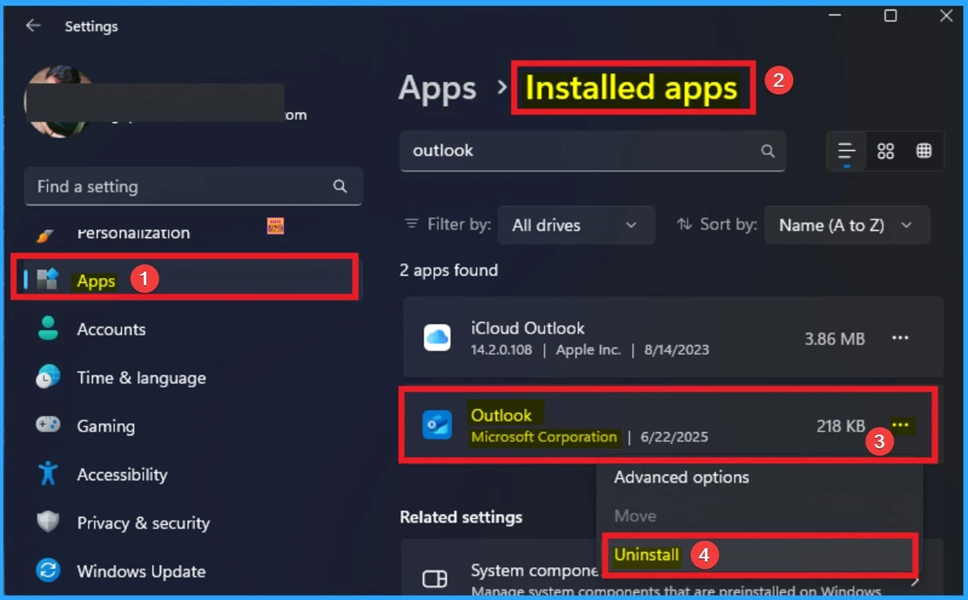
📌How to Fix Classic Outlook Error 0xc0000409 that Crashes when Opening or Starting a New Email – https://www.anoopcnair.com/classic-outlook-error-0xc0000409-that-crashes/
💡Why Does Classic Outlook Crash when Opening or Starting a New Email?
💡Fix Classic Outlook Error 0xc0000409
💡Create the FORMS2 Folder
💡Workaround
Wednesday 25th June 2025
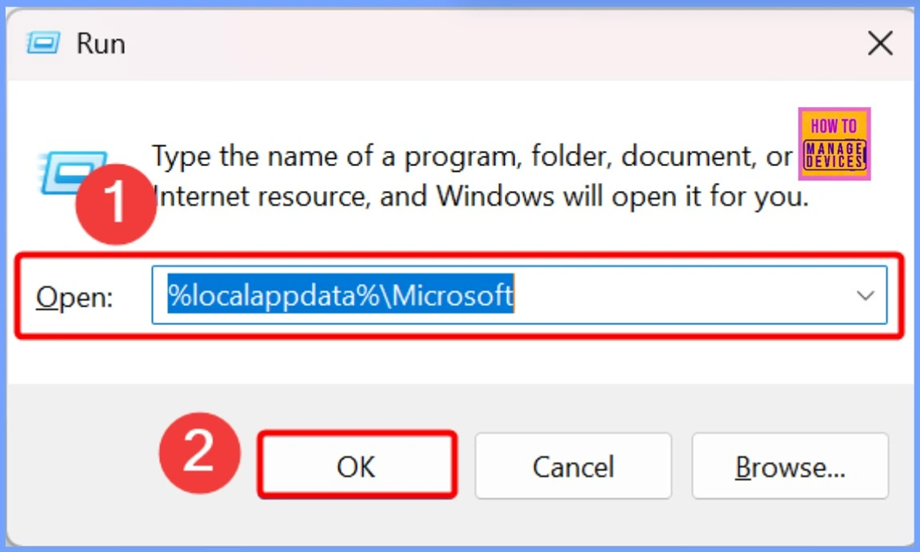
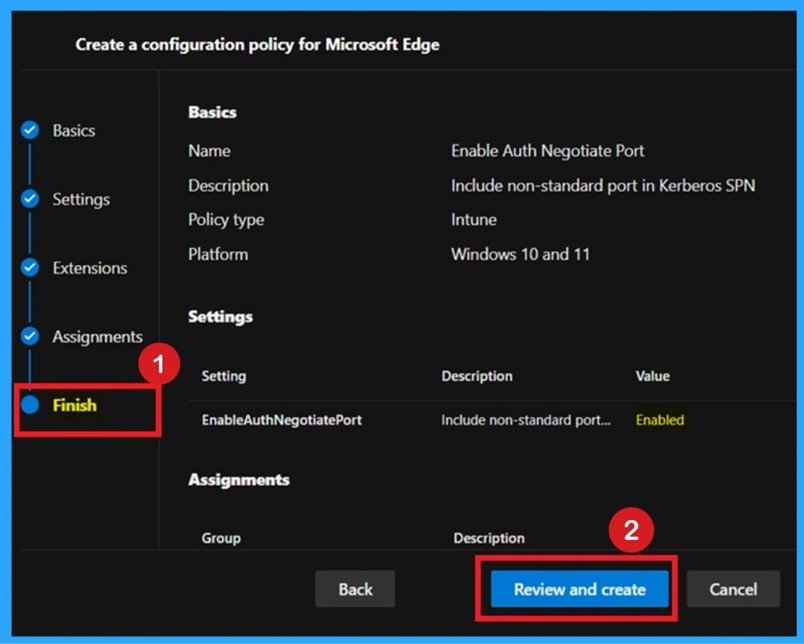
📷Enable or Disable Auth Negotiate Port Policy in MS Edge using M65 Admin Center – https://www.anoopcnair.com/auth-negotiate-port-policy-in-ms-edge-m65/
✈Auth Negotiate Port Policy
✈Adds Port Numbers to Kerberos Login Requests
✈What Happens if this Policy is Not Configured or Disabled
✈Device and User Check-in Status
✈Client-Side Verification
23rd to 27th June 2025 Fig. 13
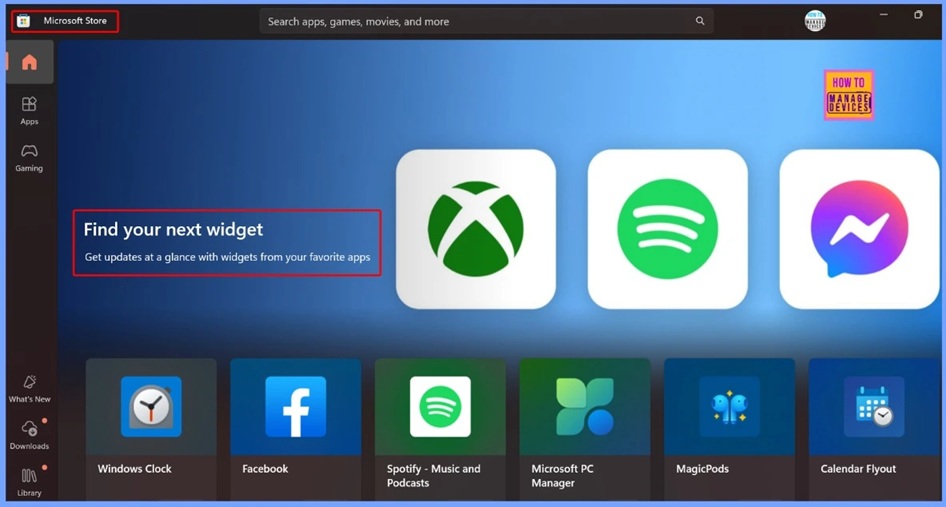
📌Microsoft is Removing the M365 Feed Widget –
https://www.anoopcnair.com/microsoft-is-removing-the-m365-feed-widget/
💡Alternative Solutions and IT Admin Guidance
💡Alternative Options for Users
💡Role of IT Admins During the Transition
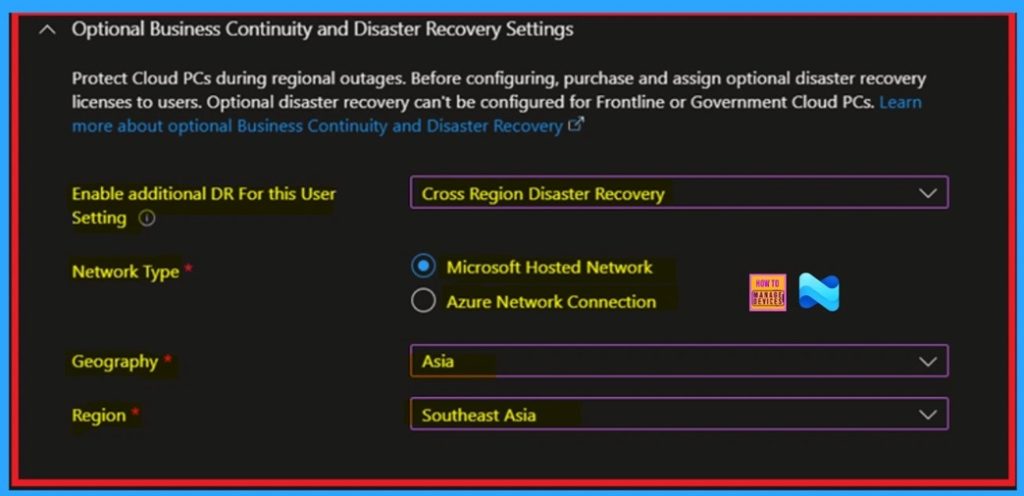
🎉Cross-Region Disaster Recovery Now Available for Windows 365 Frontline in Dedicated Mode – https://www.anoopcnair.com/cross-region-disaster-recovery-windows-365/
🎊CRDR for Windows 365 Frontline
🎊Backs up Cloud PCs to Another Azure Region
🎊Keeps Users Working if One Region Fails
🎊Add User Settings
🎊Cross-Region Disaster Recovery Settings
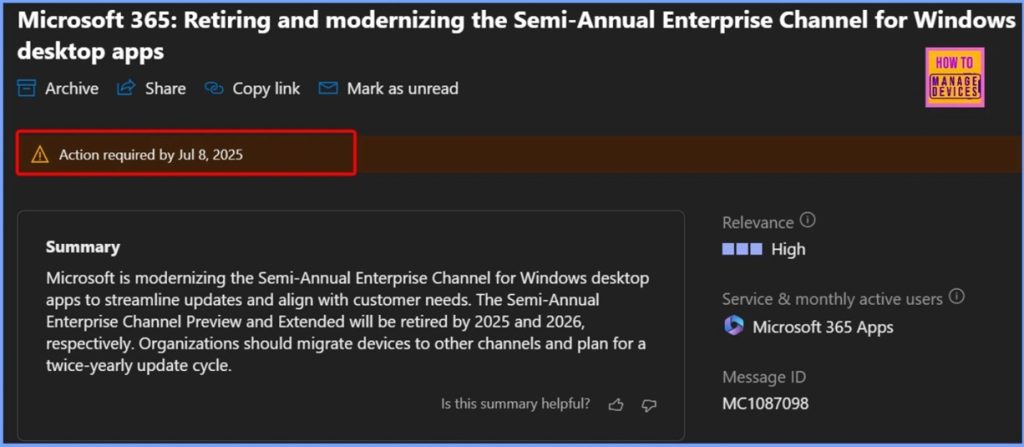
📌Microsoft Retires Semi-Annual Enterprise Channel for Word Excel PowerPoint Outlook and More – https://www.anoopcnair.com/retires-semi-annual-enterprise-channel-for-word/
💡Important Changes to Office Update Channels
💡Simplified Support Model for Semi-Annual Enterprise Channel Begins July 2025
💡More Flexibility Coming to Monthly Enterprise Channel Updates
💡Retires Semi-Annual Enterprise Channel for Office 365 Apps
Thursday 26th June 2025
📌Best way to Allow USB Access for Specific Devices using Intune –
https://www.anoopcnair.com/allow-usb-access-for-specific-devices-intune/
💡PowerShell Commands to Find VID/PID/SN
💡Create a Configuration Policy to Allow USB Access for Specific Devices in Intune
💡Monitor the Allow USB Access for Specific Devices Policy Deployment
💡Analysis of Configuration Event Logs
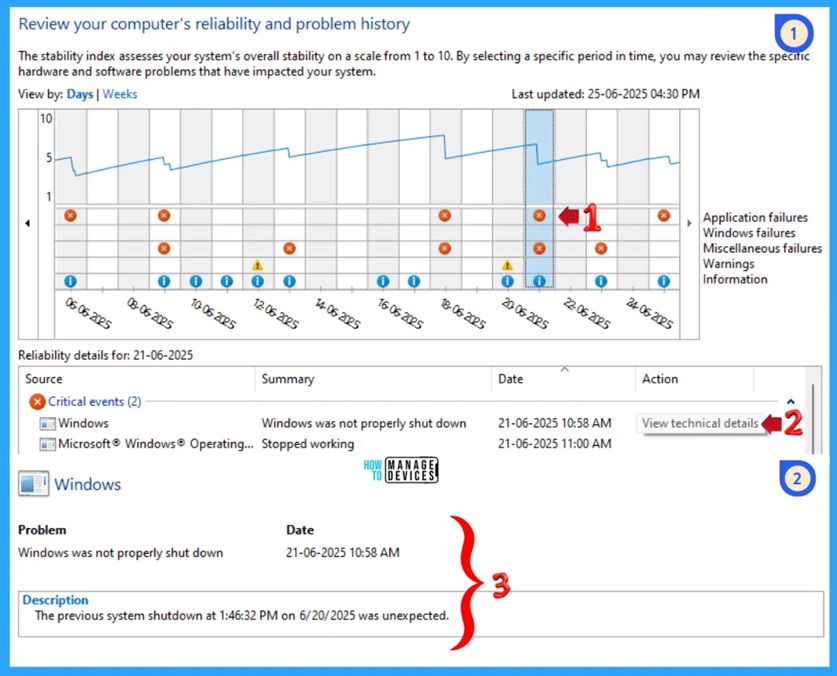
📌How to Check Reliability History in Windows 11 –
https://www.anoopcnair.com/how-to-check-reliability-history-in-windows-11/
➡What is Reliability History in Windows 11?
➡Process to Find Reliability History
➡System Stability Chart Overview
➡Control Panel Settings
➡System and Security
➡Security and Maintenance
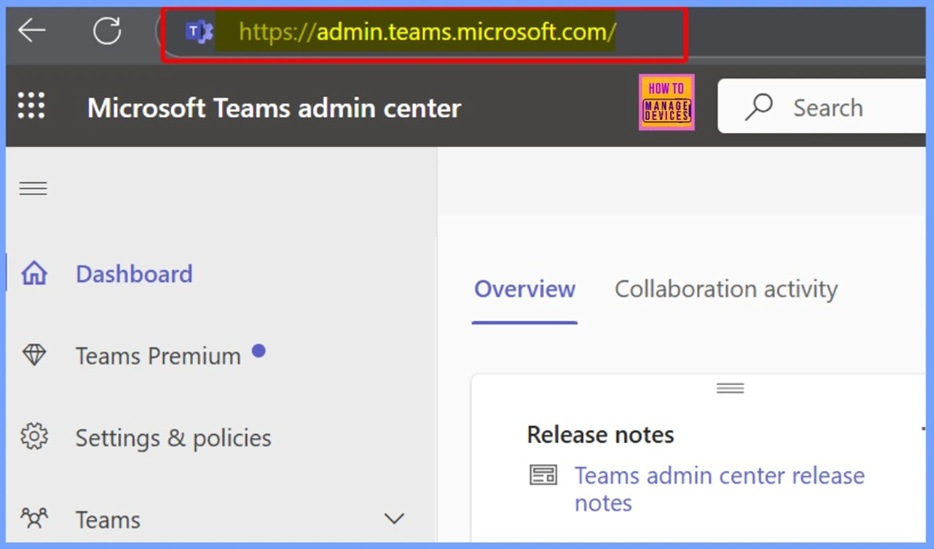
📌How to Fix Access Denied Error Invalid Privilege in Teams Admin Center – https://www.anoopcnair.com/access-denied-error-invalid-privilege-in-teams/
📻Fix Access Denied INVALID_PRIVILEGE Error in Teams Admin Center
📻Why this Error Happens
📻Roles Required to Access Teams Admin Center
📻Workaround – Steps to Fix the Error
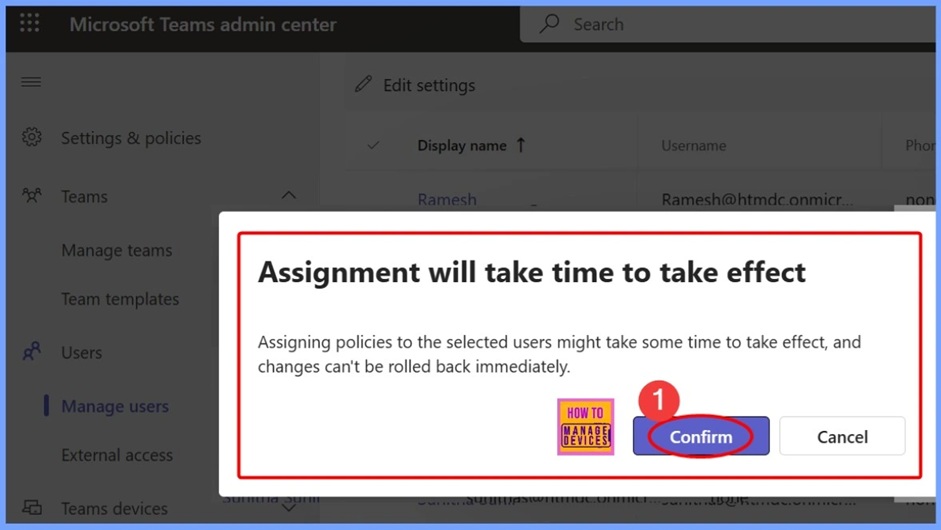
📌How to Change Policy Assignments for Multiple Users using Microsoft Teams Admin Center – https://www.anoopcnair.com/policy-assignments-for-multiple-users-teams/
🎊Change Policy Assignments for Multiple Users
🎊Edit Policy Settings for Selected Users in Teams Admin Center
🎊Meeting Policy
🎊Assignment will Take Time to Take Effect
🎊Monitoring Status – Confirmation Message After Saving Policy Changes
Friday 27th June 2025
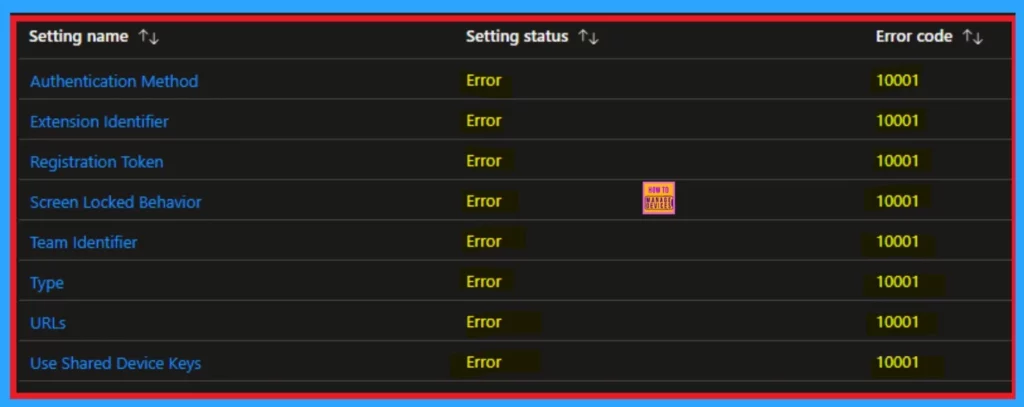
📌Fix macOS Error 100001 SSO Error while using Intune
– https://www.anoopcnair.com/error-100001-sso-error-while-using-intune/
💡Platform SSO for macOS
💡Error Code 100001
💡Missing Registration Required Popup
💡What are the Causes of this Issue
💡Workaround for the Issue
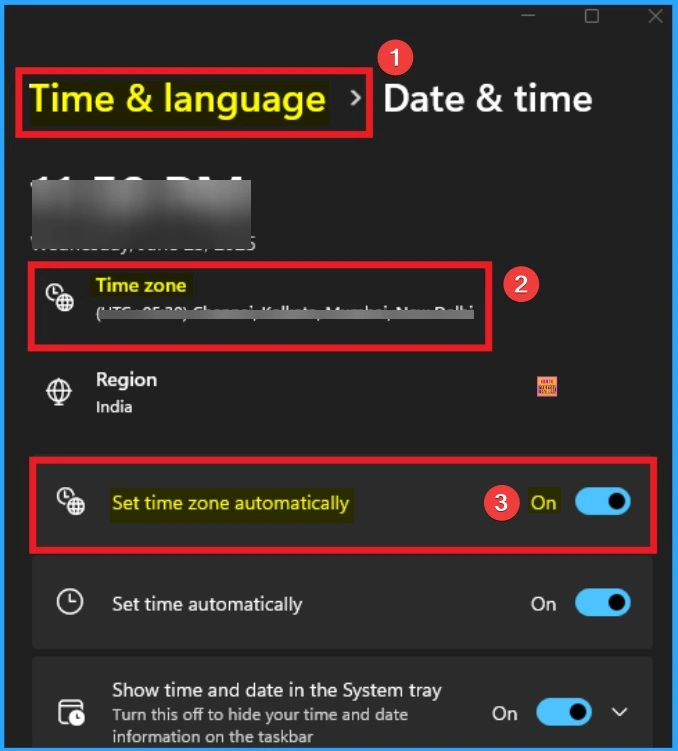
📌How to Fix Set Time Zone Automatically Greyed Out on Windows 11
– https://www.anoopcnair.com/time-zone-automatically-greyed-out-windows-11/
➡Set Time Zone Automatically Greyed Out on Windows 11
➡Different Way to Fix Time Zone Automatically Greyed Out Issue
➡Set Time Zone Automatically Settings Greyed Out on Windows 11 with Settings App
➡Fix with Registry, GPO and Control Panel
➡Intune Policy for Fix Set Time Zone Automatically Greyed Out
➡End Result of Set Time Zone Automatically
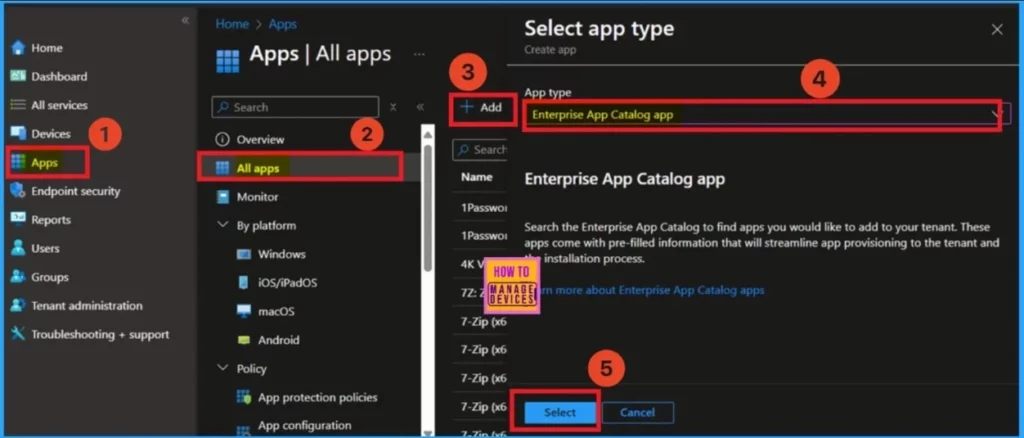
📌How to use Intune Enterprise App Catalog Apps in Windows Autopilot – https://www.anoopcnair.com/intune-enterprise-app-catalog-windows-autopilot/
✅Windows Autopilot provisioning experience
✅What Is the Enterprise App Catalog?
✅Faster setup and Reliable deployment
✅How Does It Work in Autopilot?
✅Improved user experience
📌How to Fix Intune Win32 App Deployment Failures with Error 0x87D30067 – https://www.anoopcnair.com/intune-win32-app-deployment-error-0x87d30067/
➡Intune Win32 App Deployment Failures with Error 0x87D30067
➡Workaround and Troubleshooting Steps
➡Test with a Simple Win32 App Package
➡Repackage the Failing App
➡Delete and Recreate the Intune App
➡Check IME Cache Folder Behavior
➡Use Different Network
HTMD Daily Intune Tips
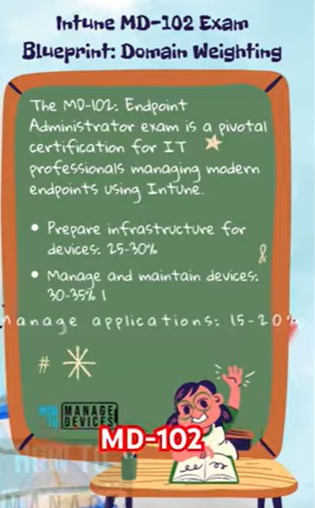
🎥 Daily Intune Tips – Intune Exam MD-102 Quick Recap
📻Watch here – https://youtube.com/shorts/_wlg4I2UI9g
📻Intune MD-102 Exam
📻Prepare Infrastructure for Devices
📻Manage and Maintain Devices
📻Manage Applications
📻Protect Devices
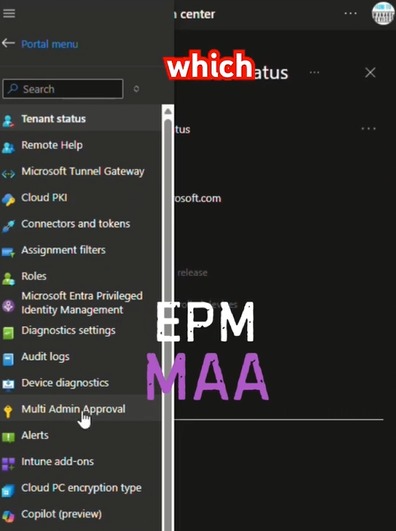
🎥 Daily Intune Tips – Intune Zero Trust Approach with EPM and MAA: From Theory to Reality: Operationalizing – https://youtube.com/shorts/mawUHLdFvrc
📻What are the Technologies
📻What are the Features available in Intune
📻Users plus Admin Users
📻Productivity and Security
📻Multi Administrator Approval (MAA)
🎥 Daily Intune Tips – AI in Intune: Hype vs. Reality | What is Reality? What is Hype? – https://www.youtube.com/shorts/Sf8SbWwy3yw
📻Summarise Policies Instantly
📻Automate Troubleshooting
📻Natural Language to KQL
📻Complex Policies in Plain English Text

🎥Daily Intune Tips – Mandatory Intune Security Hardening | 4 Topics Covered | Clock is ticking – https://youtube.com/shorts/c4pqLrUkF4Y
📻Mandatory Core Hardening
📻Legacy Intune Connector for Active Directory
📻Upcoming Security Enforcement Deadlines
📻Interactive Widgets on the iOS/iPadOS Lock Screen and Home Screen
📻SCEP Certificate Profiles to include both the First and Last Name
🎥Daily Intune Tips – Intune’s One Unified Experience | Unified Hardware Inventory | Cross Platform Parity
– https://youtube.com/shorts/gT4djVzgQFc
📻Unified Hardware Inventory
📻Intune’s One Unified Experience
📻74 New Apple Properties
📻Enrollment Time Grouping for iOS
📻Platform Specific Cleanup Rules
Connect with the HTMD Community
Join the Telegram group to get the latest step-by-step guides and news updates. Join our Meetup Page to participate in User group meetings. Also, join the WhatsApp Community to get the latest news on Microsoft Technologies. We are there on Reddit as well.
HTMD Community Social Media Platform Links
| Social Media Platform | Link |
| LinkedIn: HTMD Community | https://www.linkedin.com/company/how-to-manage-devices/ |
| Telegram: SCCM Intune Technical Discussions | https://t.me/joinchat/Q9lE6G1_BO_bGq97 |
| Telegram: JOB SCCM Intune Group | https://t.me/joinchat/SIKr3OugR2FQ-Ej9 |
| WhatsApp: HTMD Community | https://chat.whatsapp.com/CeMXHSD61HtDBJwe78IZwV |
| Telegram: AVD/Windows 365 User Group | https://t.me/Inwvdcommunity |
| https://www.facebook.com/HTMDCommunity | |
| https://www.instagram.com/htmd_community/ | |
| https://twitter.com/htmdcommunity | |
| Facebook Group: SCCM | https://www.facebook.com/groups/ConfigMgr2012/ |
| Facebook Group: Intune | https://www.facebook.com/groups/1738789256382744 |

Anoop C Nair is Workplace Technology solution architect with 25+ years (as of 2026) of experience in global enterprise organizations such as JP Morgan, Capgemini, etc. Microsoft Certified Trainer (MCT). Microsoft MVP from 2015 onwards for consecutive 11+ years! He also conducts Intune and modern workplace tech training for enterprise organizations. He is Blogger, Speaker, and Founder of HTMD Community and HTMD Conference. His main focus is on Device Management technologies like Intune, Windows, Cloud PC. He writes about technologies like Intune, SCCM, Windows, Cloud PC, Windows, Entra, Microsoft Security.

Discussion