











194th HTMD Newsletter 19th to 23rd May 2025
Welcome to the 194th HTMD Newsletter, 19th to 23rd May 2025! This is the list of posts and videos the HTMD Community published this week, and news from the IT industry. You can get all the information and details from Windows 11, Cloud PC, SCCM, Intune, Azure Virtual Desktop (AVD), Android, iOS, and Mac.
Previous Weeks Newsletters
- 191st HTMD Newsletter- HTMD Newsletter 191st 28th April to 2nd May 2025
- 192nd HTMD Newsletter- HTMD Newsletter 192nd 5th to 9th May 2025
- 193rd HTMD Newsletter- HTMD Newsletter 193rd 19th to 23rd May 2025
Table of Contents
Monday – 19 May 2025
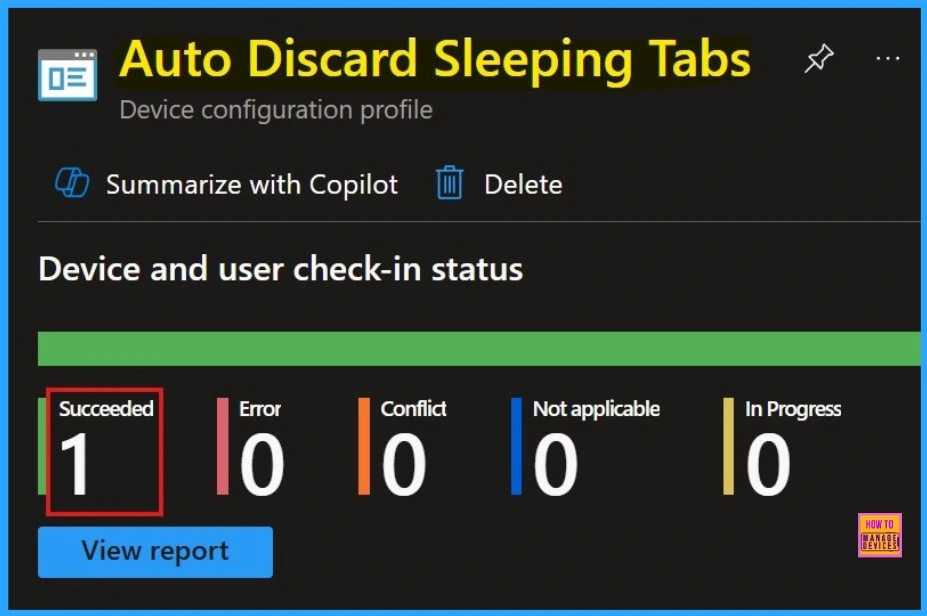
📌How to Configure Auto Discard Sleeping Tabs Policy in MS Edge Browser using M365 Admin Center
https://www.anoopcnair.com/auto-discard-sleeping-tabs-policy-edge-browser/
🎉Control How Inactive Tabs are Managed Across an Organisation’s Devices
🎉Automatically Put Inactive Tabs to Sleep
🎉Helps Improve Performance and Reduce Memory Usage
🎉How Does Sleeping Tabs Feature Work?
🎉Automatically Discarded After 1.5 Days of Inactivity
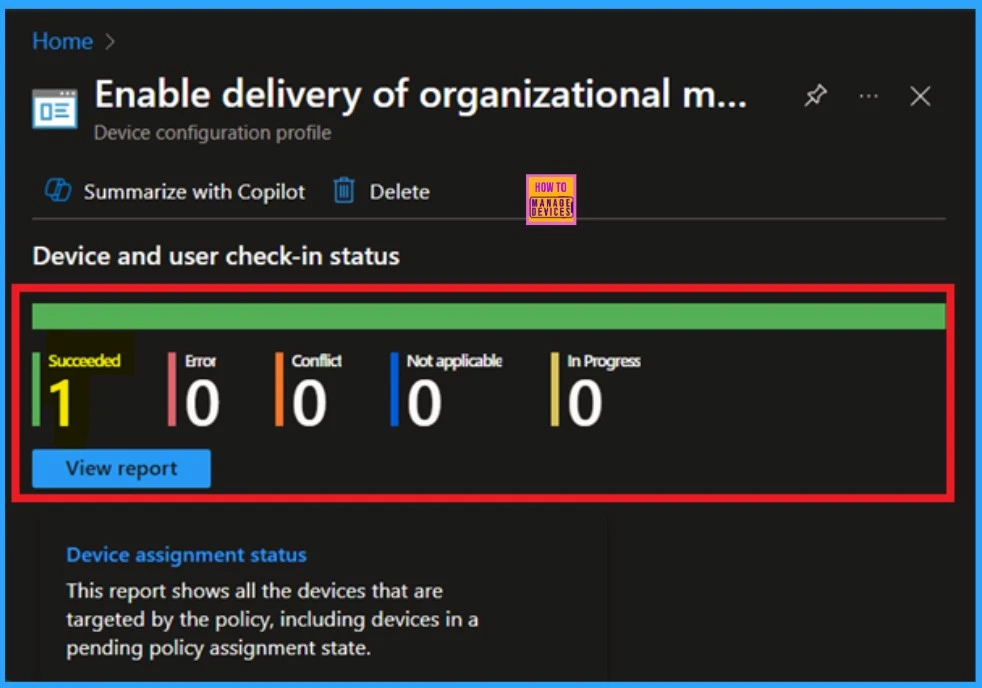
☃How to Enable or Disable Delivery of Organizational Messages Policy using Intune
https://www.anoopcnair.com/delivery-of-organizational-messages-intune/
🫧Delivery of Organizational Messages Policy
🫧Purpose of the Policy
🫧Messages Shown Through Built-in Windows Experiences
🫧Disabled By Default
🫧Strengthens Internal Communication
🫧Device and User Check-in Status
🫧Client-Side Verification
👉How to Allow or Block Media Autoplay Policy in MS Edge Browser using M365 Admin center
https://www.anoopcnair.com/media-autoplay-policy-in-ms-edge-browser-using/
✍Autoplay Allowed Policy
✍Controls if Websites Can Auto-Play Audio or Video in Edge
✍Block Distractions
✍What Happens When the Media Autoplay Policy is Set to Disabled
✍Monitoring Status
✍Purpose of the Policy
✍Device and User Check-in Status
✍Client Side Verification through Event Viewer
✍End User Experience

📌How to Prevent Smart Screen Prompt Override for Files Policy in MS Edge Browser using M365 Admin Center
https://www.anoopcnair.com/prevent-smart-screen-prompt-override-for-files/
🎉 Prevent Smart Screen Prompt Override for Files
🎉How Does SmartScreen Determine If a File Is Not Safe?
🎉What is the SmartScreen Prompt Override?
🎉Stops Any Suspicious Downloads
🎉Client-Side Verification

Tuesday – 20 May 2025
🎪Enable Disable Default Browser Settings Campaign Policy in MS Edge Browser using M365 Admin Center
https://www.anoopcnair.com/default-browser-settings-campaign-ms-edge-m365/
🎲Default Browser Settings Campaign Policy
🎲Sets the Default Browser Across the Organization for Security
🎲Prompts Users to Set Edge as the Default Browser
🎲What Happens If Policy is Enabled?
🎲Purpose of the Policy
🎲Monitoring Status
🎲Client Side verification

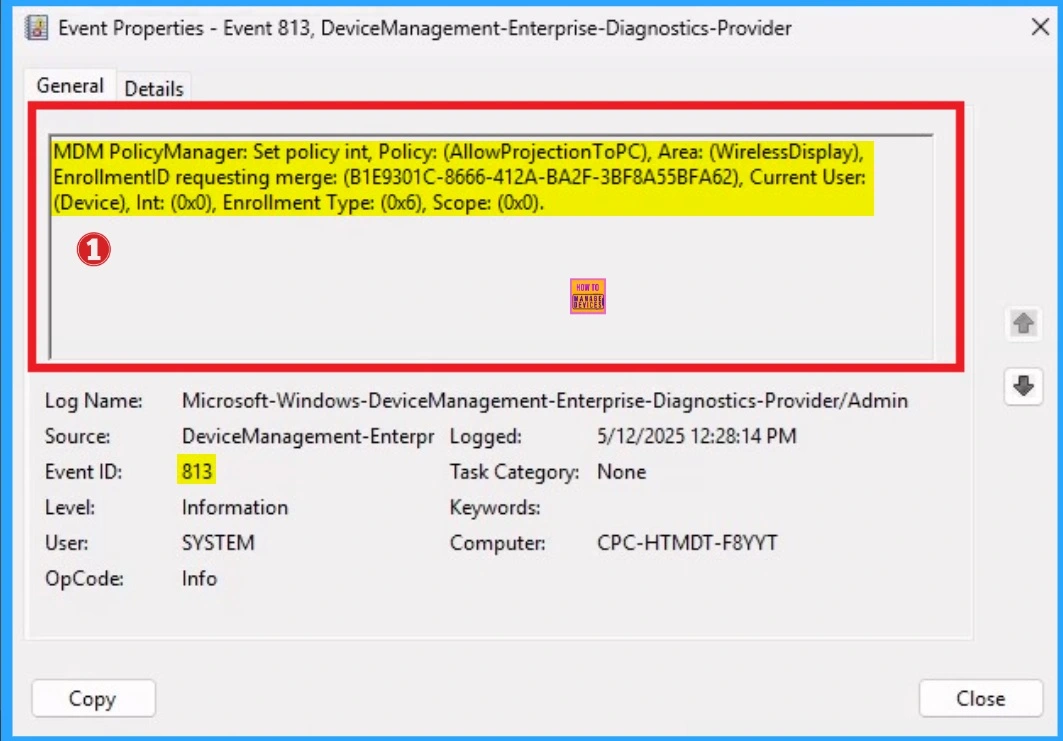
💫How to Configure Allow Projection to PC Policy in Wireless Display using Intune
https://www.anoopcnair.com/allow-projection-to-pc-policy-in-display-intune/
🎀Ability to Display One Device’s Screen on Another Device Remotely
🎀Benefits of Projection To PC policy
🎀Description Framework Properties
🎀CSP Details of Projection To PC Policy
🎀Steps to Configure Projection To PC Policy
🎀Monitoring Status
🎀Client Side Verification
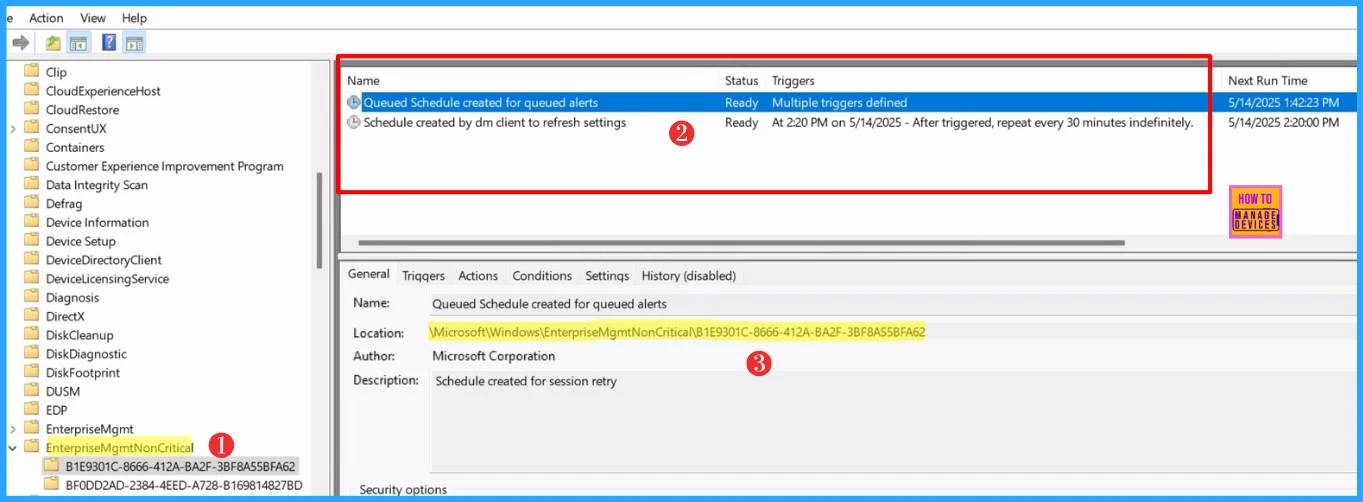
👉How to Pause Intune Config Refresh Feature on Windows Device using Microsoft Graph API
https://www.anoopcnair.com/pause-intune-config-refresh-feature-on-windows/
✍Pause Intune Config Refresh Feature on Windows Device
✍Know More About Microsoft Intune Config Refresh
✍How to Setup Microsoft Intune Config Refresh
✍Benefit of Pausing Config Refresh Feature in Microsoft Intune
✍How to Pause the Microsoft Intune Config Refresh Feature
✍Automate Process of Pausing the Intune Config Refresh Feature
✍End User Experience
👉How to Allow or Block Trusted LOB or Developer-Signed Apps in Microsoft Store using Intune Policy
https://www.anoopcnair.com/trusted-lob-or-developer-signed-apps-intune/
✍Allow All Trusted Apps
✍Why are Internal Company Apps (Private Apps or LOBs) Considered Crucial for Organizations?
✍Policy CSP Details of ApplicationManagement
✍Description Framework Properties and Allowed Values
✍Steps to Enable or Disable Trusted LOB and Developer Apps using Intune Policy
✍Device and User Check-in Status
✍Client Side Verification

Wednesday – 21 May 2025
🎪Enable or Disable Extensions Performance Detector in MS Edge Browser using M365 Admin Center
https://www.anoopcnair.com/extensions-performance-detector-edge-browser/
🎲Extensions Performance Detector in MS Edge
🎲Tool that Checks Out How Browser Extensions are Affecting Our System’s Performance
🎲Can Extensions Cause Security Risks?
🎲Useful for Power Users
🎲Removing Inefficient Extensions to Optimize Browser Performance
🎲Monitoring Status
🎲Client-Side Verification

💫Enable or Disable Web Sign-in Policy for Windows using Intune
https://www.anoopcnair.com/web-sign-in-policy-for-windows-using-intune/
🎀Enables a Web-Based Sign-in Experience on Windows Devices
🎀Benefits of Web Sign-in Policy
🎀Passwordless Authentication for Windows Devices
🎀Description Framework Properties
🎀CSP Details of Web-Based Sign-in Policy
🎀Steps to Configure Web-Based Sign-in Policy
🎀Monitoring Status
🎀Client Side Verification

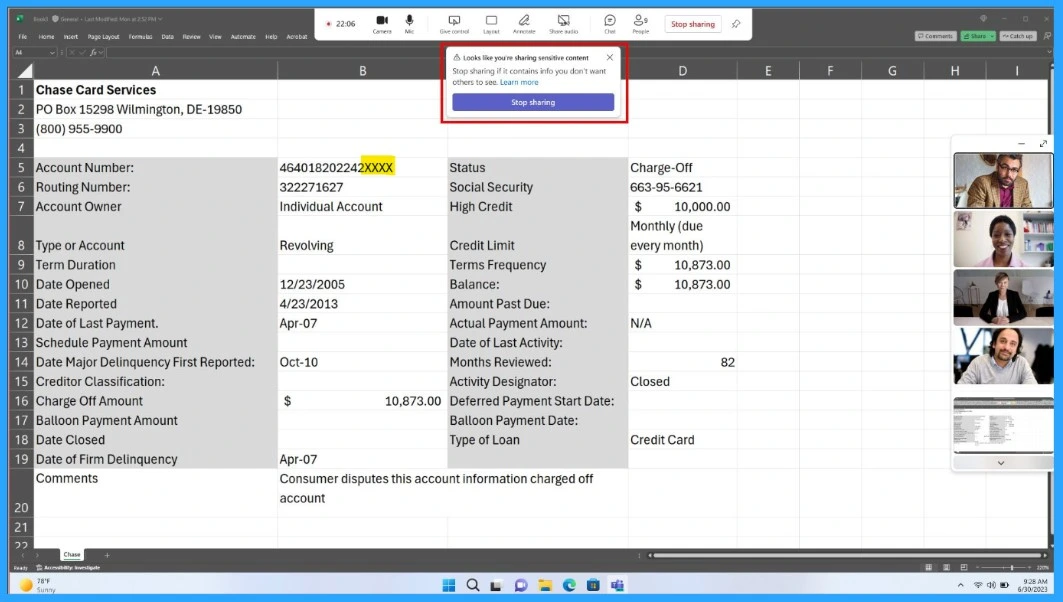
👉How to Detect Sensitive Content during Screen Sharing in Microsoft Teams
https://www.anoopcnair.com/detect-sensitive-content-during-screen-teams/
✍Detect Sensitive Content during Screen Sharing
✍What are Security Enhancements Available in Teams?
✍Teams will Automatically Notify
✍Prevent Accidental Exposure
✍Data Loss Prevention (DLP) Policies
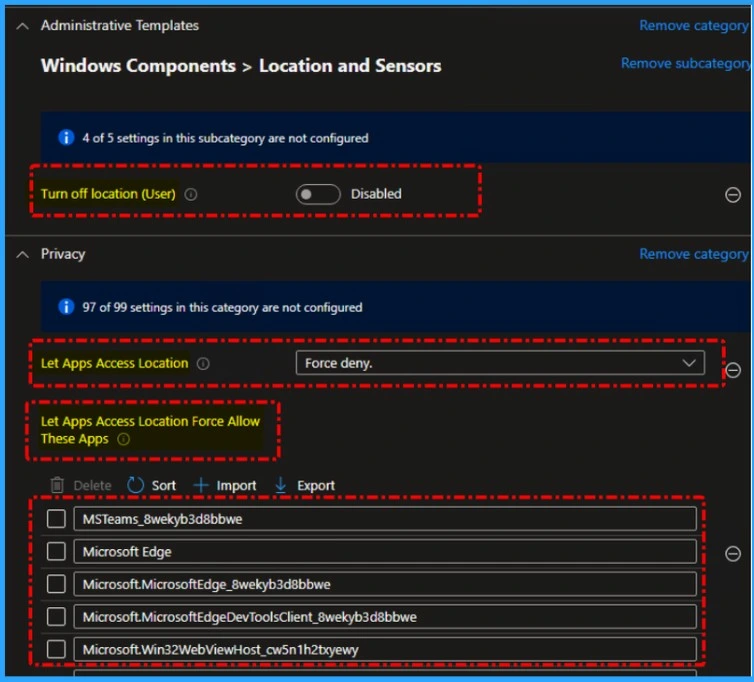
📌How to Troubleshoot Microsoft Edge Browser Location Access Issues Managed using Intune
https://www.anoopcnair.com/edge-browser-location-access-issues-intune/
💡Location Access Issues with Microsoft Edge on Intune-Managed Devices
💡Issue Overview – Edge Fails to Access Location on Windows 11 24H2
💡Potential Causes
💡How Microsoft Edge Location Services Work
💡Edge vs Windows Location Services – What’s the Conflict?
💡Troubleshooting Steps
💡Workarounds and Solutions to Restore Location Access
💡Monitoring and Reporting the Issue
Thursday – 22 May 2025
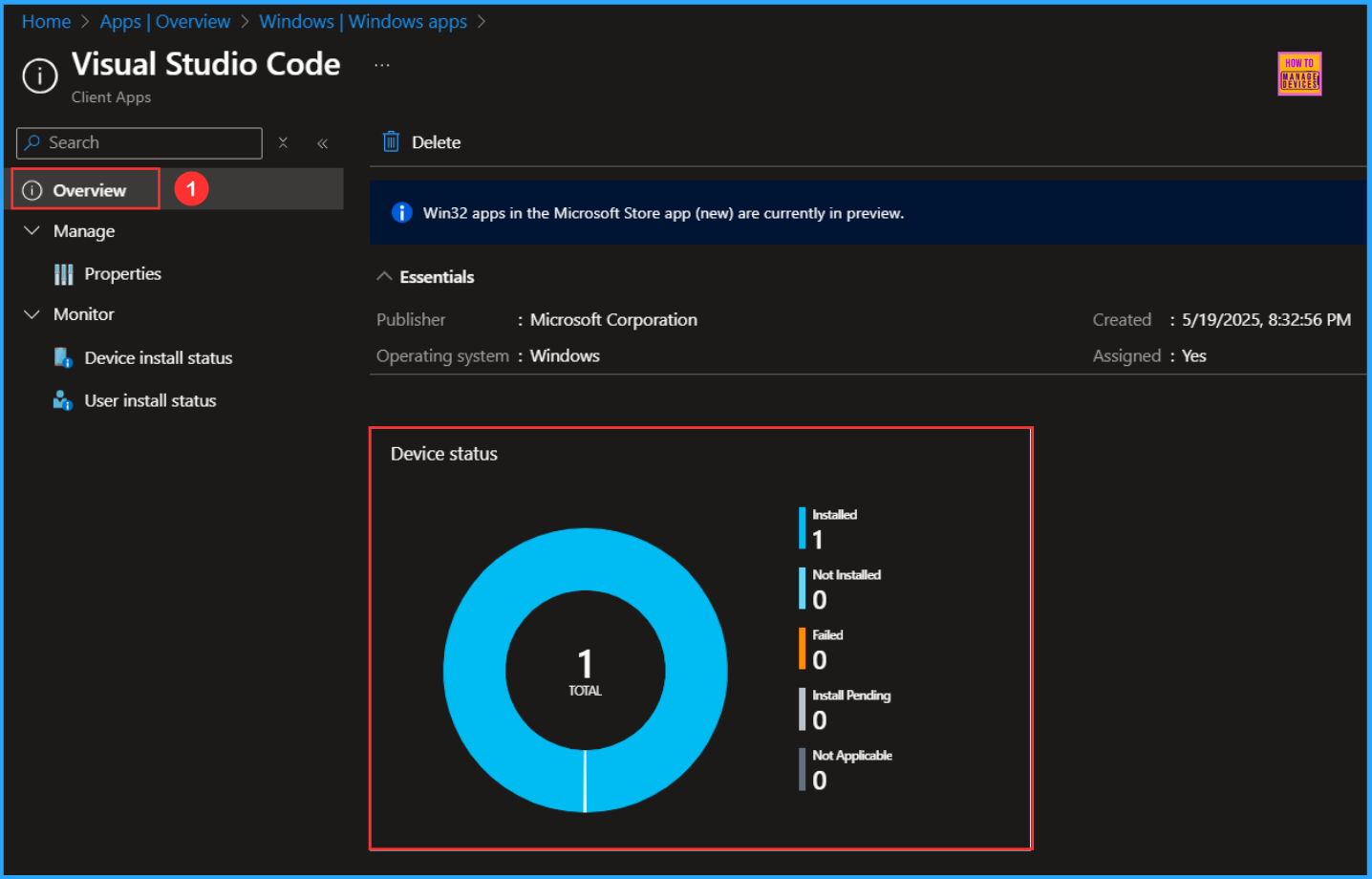
🎉Best Guide to Deploy and Update Visual Studio Code using Intune
https://www.anoopcnair.com/deploy-visual-studio-code-using-intune/
🎊Deploy and Update Visual Studio Code
🎊Create Visual Studio Code Microsoft Store App in Intune
🎊Intelligent Code Editing
🎊Cross-Platform and Lightweight
🎊Monitor the Visual Studio Code App Deployment
🎊End User Experience of Visual Studio Code App
👉How to Enforce Bing SafeSearch Policy in MS Edge Browser using M365 Admin Center
https://www.anoopcnair.com/enforce-bing-safesearch-policy-in-edge-browser/
✍What are the Advantages of Bing SafeSearch Being Always On?
✍Steps to Configure Force Bing SafeSearch Policy in MS Edge
✍Bing SafeSearch Behavior
✍BingSafeSearchStrictMode
✍Device and User Check-in Status
✍Client Side Verification through Event Viewer

🎉How to use Microsoft Entra Conditional Access in Edge for Business to Restrict Access to Compliant Devices
https://www.anoopcnair.com/entra-conditional-access-in-edge-for-business/
🎯Microsoft Entra Conditional Access
🎯Zero Trust Helps Secure Access at All levels
🎯Restrict Access to Compliant Devices
🎯Identity Signals to Enforce Access Policies
🎯Know About Error Message

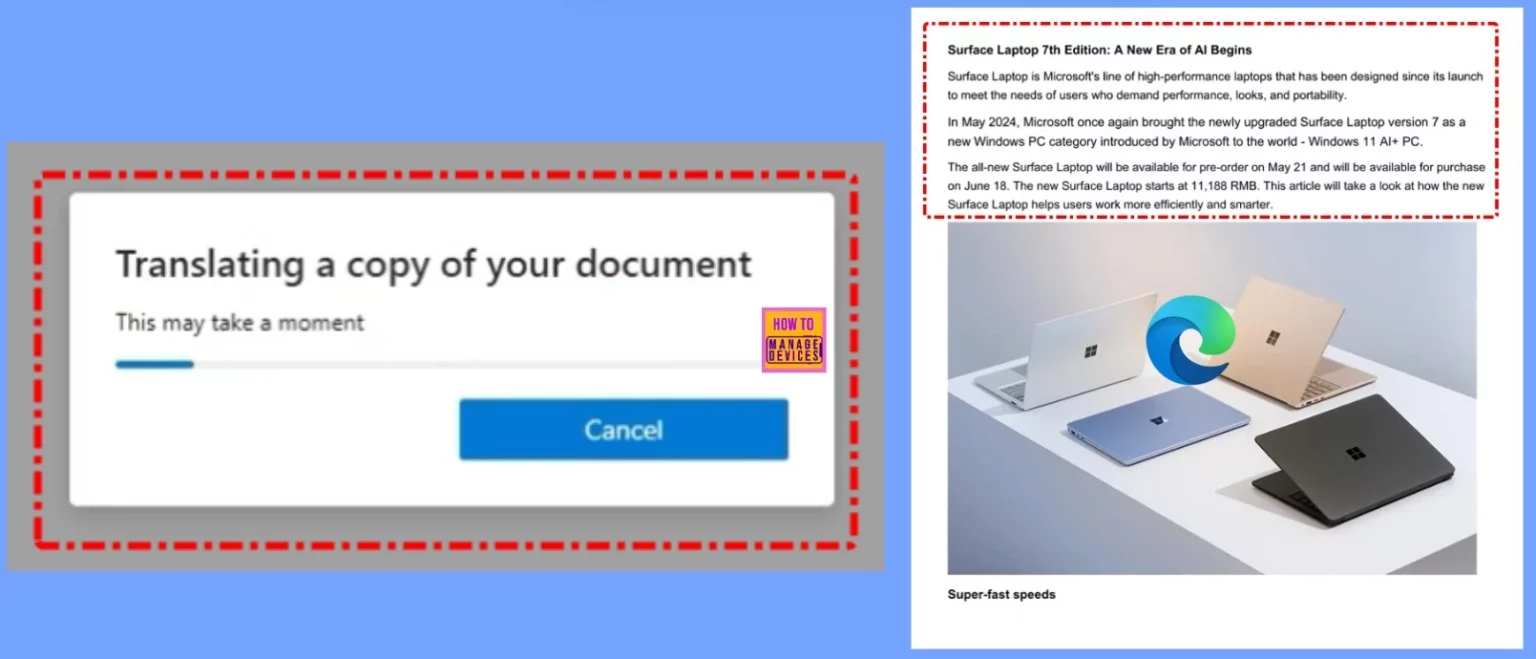
➡How to Translate Full English PDF Documents into Spanish using MS Edge Browser
https://www.anoopcnair.com/translate-english-pdf-documents-into-spanish/
▶Introduction to PDF Translation in Microsoft Edge
▶Why Use Microsoft Edge for PDF Translation?
▶Supported Languages for PDF Translation
▶Benefits of Using Microsoft Edge’s Built-in PDF Translator
▶End User Experience
Friday – 23 May 2025
🎪Enable or Disable Storage Locations in File Explorer using Intune Policy
https://www.anoopcnair.com/storage-locations-in-file-explorer-using-intune/
🎲Where is SetAllowedStorageLocations Commonly Used?
🎲To Restrict the Locations
🎲Essential for Data Management, Security, and the Efficiency of Operations
🎲Saving Files to Insecure or Unauthorized Storage Services
🎲Purpose of the Policy
🎲Administrators Can Limit Data
🎲Client-Side verification

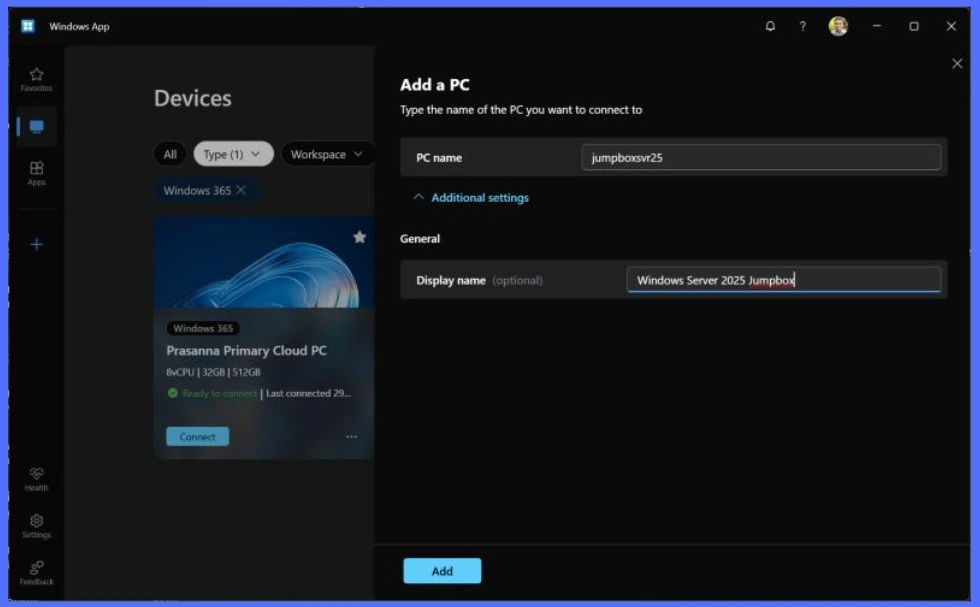
🏻New way to Take RDP of Windows PC from Windows PC using Windows App
https://www.anoopcnair.com/rdp-of-windows-pc-from-windows-pc-windows-app/
👉🏻Take RDP of Windows PC from Windows PC
👉🏻This Functionality is to Manage Built-in Features
👉🏻Supports Third-Party Applications
👉🏻How to Share Files Between Two Windows PCs?
👉🏻Let Users Control or Collaborate with Another PC
👉Configuring the Restore On Startup Policy in MS Edge Browser using Microsoft 365 Admin Center
https://www.anoopcnair.com/restore-on-startup-policy-in-ms-edge-browser/
✍Benefits of Configuring the Restore On Startup Policy in MS Edge
✍Availability of the Restore On Startup Policy
✍Different Options for the Restore On Startup Policy in Edge
✍Restore On Startup Is New Tab Page
✍Monitoring Status
✍Device and User Check-in Status
✍Client Side Verification through Event Viewer

📌How to Automate Tasks and Summarize Content with Copilot Chat in Microsoft Edge for Business
https://www.anoopcnair.com/automate-tasks-copilot-chat-in-microsoft-edge/
💡Simplify Your Workday with Copilot Chat in Microsoft Edge for Business
💡Automate Tasks with Smart Agents
💡Summarize Content Quickly and Effectively
💡End Result

Connect with the HTMD Community
Join the Telegram group to get the latest step-by-step guides and news updates. Join our Meetup Page to participate in User group meetings. Also, join the WhatsApp Community to get the latest news on Microsoft Technologies. We are there on Reddit as well.
HTMD Community Social Media Platform Links
| Social Media Platform | Link |
|---|---|
| LinkedIn: HTMD Community | https://www.linkedin.com/company/how-to-manage-devices/ |
| Telegram: SCCM Intune Technical Discussions | https://t.me/joinchat/Q9lE6G1_BO_bGq97 |
| Telegram: JOB SCCM Intune Group | https://t.me/joinchat/SIKr3OugR2FQ-Ej9 |
| WhatsApp: HTMD Community | https://chat.whatsapp.com/CeMXHSD61HtDBJwe78IZwV |
| Telegram: AVD/Windows 365 User Group | AVD Community – https://t.me/Inwvdcommunity |
| HTMD Community | Facebook | |
| HTMD Community (@htmd_community) • Instagram photos and videos | |
| HTMD Community (@htmdcommunity) / Twitter | |
| Facebook Group: SCCM | https://www.facebook.com/groups/ConfigMgr2012/ |
| Facebook Group: Intune | https://www.facebook.com/groups/1738789256382744 |

Anoop C Nair is Workplace Technology solution architect with 25+ years (as of 2026) of experience in global enterprise organizations such as JP Morgan, Capgemini, etc. Microsoft Certified Trainer (MCT). Microsoft MVP from 2015 onwards for consecutive 11+ years! He also conducts Intune and modern workplace tech training for enterprise organizations. He is Blogger, Speaker, and Founder of HTMD Community and HTMD Conference. His main focus is on Device Management technologies like Intune, Windows, Cloud PC. He writes about technologies like Intune, SCCM, Windows, Cloud PC, Windows, Entra, Microsoft Security.

Discussion