











191st HTMD Newsletter 28th April to 2nd May 2025
Welcome to the 191st HTMD Newsletter Summary from 28th April to 2nd May 2025! This is the list of posts and videos the HTMD Community published this week, and news from the IT industry. You can get all the information and details from Windows 11, Cloud PC, SCCM, Intune, Azure Virtual Desktop (AVD), Android, iOS, and Mac.
Previous Weeks Newsletters
Did you miss updates from last week? Check out the link below.
- 188th HTMD Newsletter- HTMD Newsletter 188 7th To 11th April 2025
- 189th HTMD Newsletter- HTMD Newsletter 189 14th to 18th April 2025
- 190th HTMD Newsletter- HTMD Newsletter 190th 21st to 25th April 2025
Table of Contents
Monday – 28 April 2025
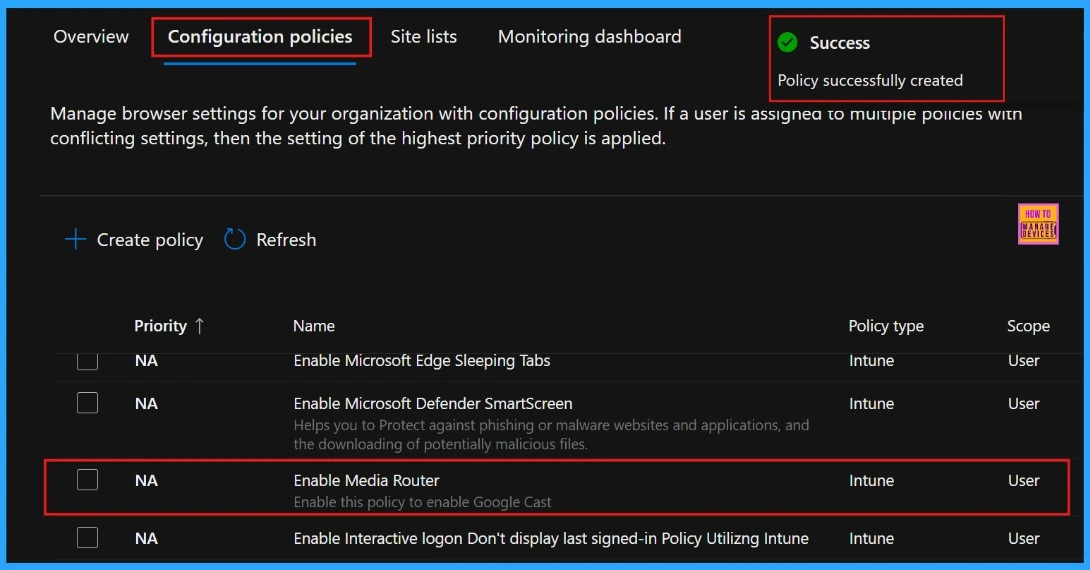
👉Enable or Disable Media Router Google Cast Policy in MS Edge Browser using M365 Admin Center
https://www.anoopcnair.com/media-router-google-cast-policy-ms-edge-browser/
✍Media Router Google Cast Policy
✍Casts or Streams Media Content
✍Allowing Users to Send Videos
✍How to Use the Media Router to Cast in Edge?
✍Steps to Enable or Disable Media Router Google Cast Policy
✍Monitoring Status
✍Device and User Check-in Status
✍Client Side Verification through Event Viewer
🎊How to Check and Manage Enhanced Security Mode for a Site in MS Edge Browser
https://www.anoopcnair.com/enhanced-security-mode-for-a-site-edge-browser/
🛜Microsoft Edge Introduces Enhanced Security Mode
🛜Improving Browser Security
🛜Adds Hardware Based Protections
🛜Provides an Extra Layer Protection for Unfamiliar Websites
🛜Trusted Sites to Work Normally
🛜Site Trust Flyout
🛜Know the Balance and Strict Mode

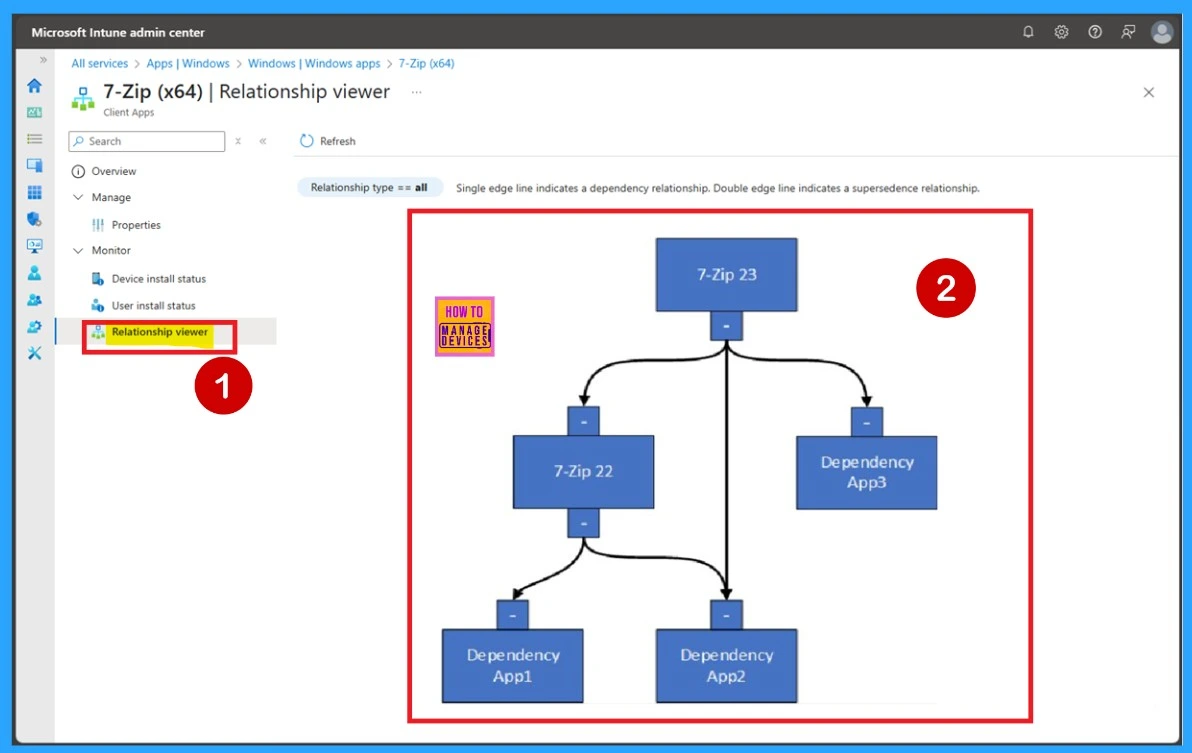
📌How Microsoft Intune Graphical Relationship Viewer Helps Manage Win32 Applications
https://www.anoopcnair.com/intune-graphical-relationship-viewer-win32/
💡Intune Graphical Relationship Viewer
💡How to Check Relationship Viewer
💡Visually Shows How Apps are Connected with in Intune
💡Showing a Clear Visual Map of Connections
💡Manage Win32 Applications
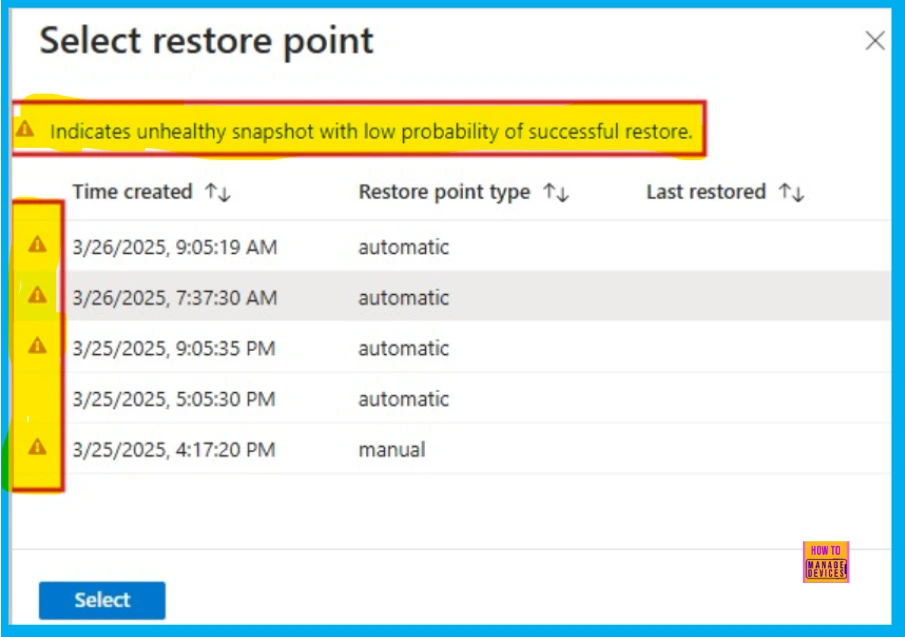
🎯Windows 365 Snapshot Health Indicator and Enhancement in Point-in-Time Restores using Intune
https://www.anoopcnair.com/intune-point-in-time-snapshot-health-indicator/
🌼Windows 365 Snapshot Health Indicator
🌼Provide More Reliable Cloud PC Recovery
🌼Emphasizes Making Disaster Recovery More Reliable
🌼Difference Between Healthy Snapshots and Unhealthy Snapshots
🌼What is the Use of Snapshots?
🌼Client Side Verification
Tuesday – 29 April 2025
🎯 Sujin Nelladath Explains – Best Method to Enforce Intune Policies using the Config Refresh Feature
https://youtu.be/UJA7JCBBmTY
🎉What is Microsoft Intune Config Refresh
🎉Intune Config Refresh: Top Requested MDM Improvement
🎉Functionality of Config Refresh
🎉Default vs. Custom Refresh Cadence
🎉Customisation Options for Policy Refresh
🎉Config Refresh Feature – Demo Guide
📌Microsoft Maps App to Be Deprecated and Removed from Microsoft Store by July 2025
https://www.anoopcnair.com/microsoft-maps-app-to-be-deprecated-and-removed/
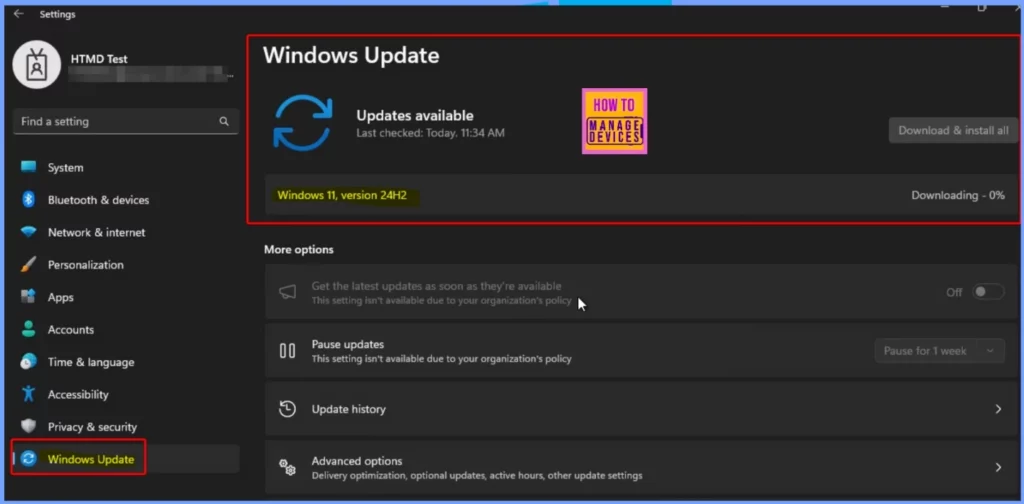
💡What is Happening to the Microsoft Maps App?
💡When was the Deprecation Announced?
💡Deprecation Timeline and Key Changes
💡What Users Should Do Before the Maps App Is Removed
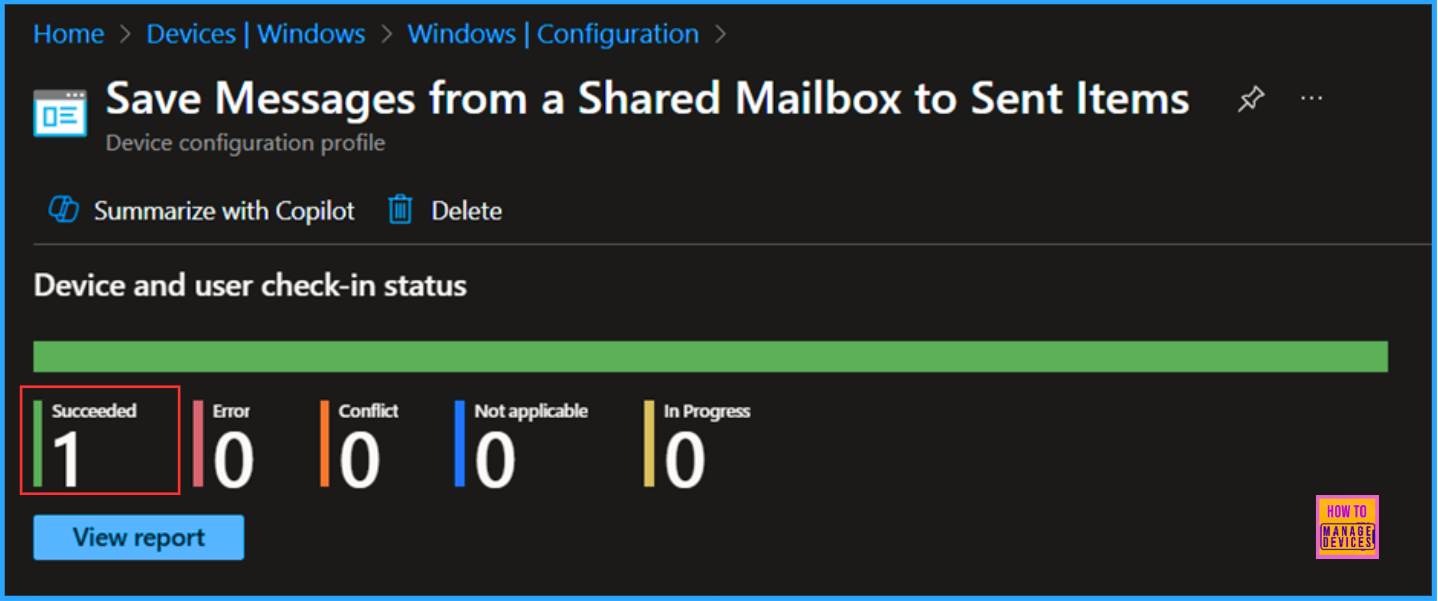
📌Allow Disallow to Save Messages from a Shared Mailbox to Sent Items with Intune
https://www.anoopcnair.com/save-messages-from-a-shared-mailbox-intune/
💡Why Saving Messages from a Shared Mailbox to Sent Items is Important
💡Improved Collaboration
💡Create a Configure Policy to Save Messages from a Shared Mailbox
💡Monitoring Status
💡Client Side Verification
💡End User Experience
📌How Security Copilot Agents Help with Phishing Triage DLP and IRM Alert Management
https://www.anoopcnair.com/how-security-copilot-agents-help-with-phishing/
🔥Microsoft Security Copilot Agents
🔥Security Copilot Agents Announcement
🔥Phishing Triage
🔥Alert Triage in DLP
🔥Alert Triage in IRM
🔥Conditional Access Optimization
🔥Vulnerability Remediation
🔥Threat Intelligence Briefing
🔥Upcoming Security Copilot Agents
🔥Partner Agents

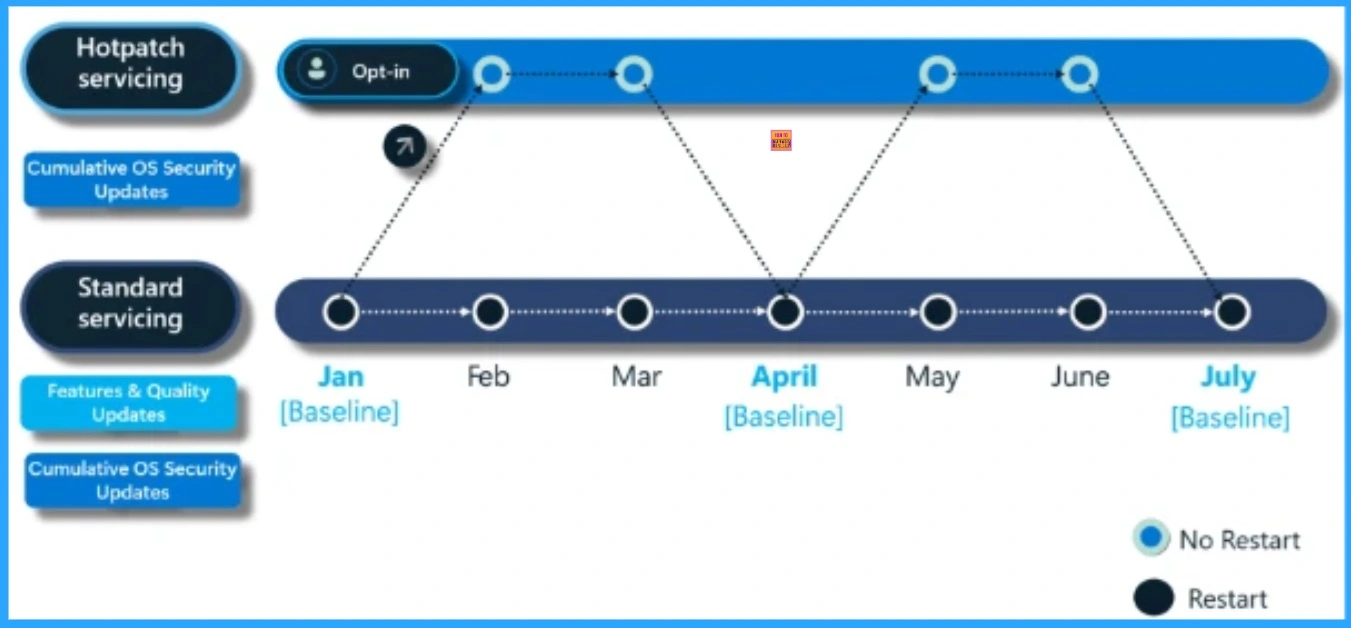
🎊New Icon for Microsoft Intune Along with Hotpatch EPM Autopatch and macOS Highlights
https://www.anoopcnair.com/new-icon-for-microsoft-intune-along-hotpatch/
🛜New Icon for Microsoft Intune
🛜Modern Endpoint Management Summit 2025
🛜Enhanced Endpoint Privilege Management
🛜Expanded Access to Windows Autopatch
🛜Big Improvements for macOS Management
Wednesday – 30 April 2025
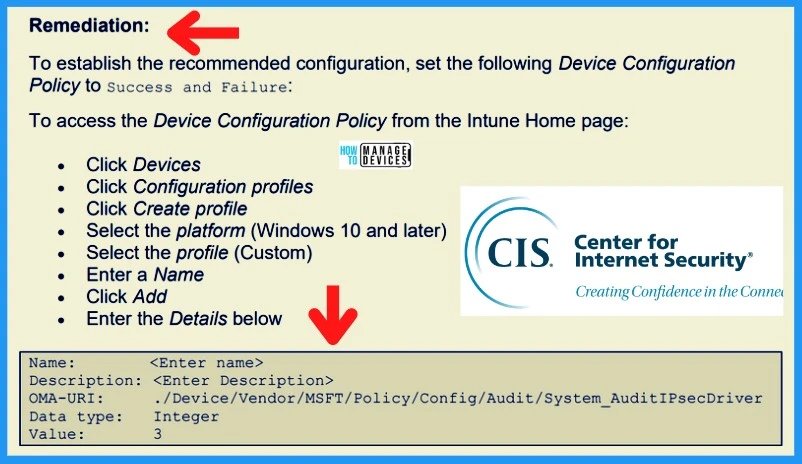
📌New CIS Benchmark v4.0.0 Now Released for Intune and Windows 11 Explore Latest Security Enhancements
https://www.anoopcnair.com/cis-benchmark-v4-0-0-for-intune-and-windows-11/
🔥New CIS Benchmark v4.0.0
🔥Explore Latest Security Enhancements
🔥Benchmark v4.0.0 for Intune and Windows 11
🔥Pre-Configured JSON Files
🔥Policy-Based Configuration
🔥How to Use Benchmark v4.0.0
🎊SCCM 2503 Step-by-Step In-Console Update Guide and Key Improvements
https://www.anoopcnair.com/sccm-2503-step-by-step-in-console-update/
🛜Globally Available as an In-Console Update
🛜Modern Endpoint Management Summit 2025
🛜Available for Sites Running Version 2309 or Later
🛜Key Enhancements in SCCM 2503
🛜Installation Notes
🛜Diagnostic and Usage Data
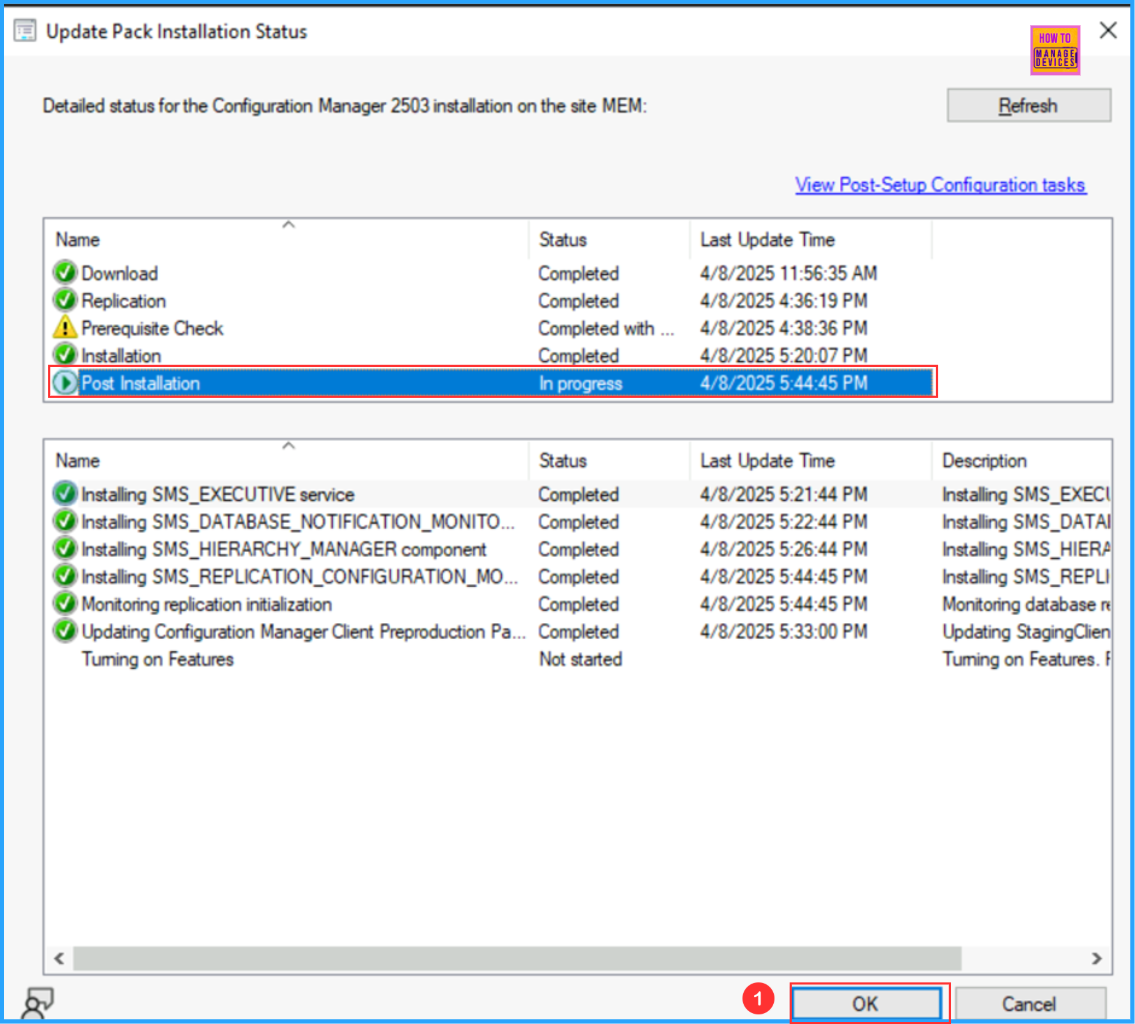
🛜Run Prerequisite Check for SCCM 2503
🛜Install SCCM 2503 Update
🛜Client Update Settings
🛜Summary of Update Package Installation
▶How to Customize Win32 App Installations with PowerShell Scripts in Microsoft Intune
https://www.anoopcnair.com/win32-app-installations-with-powershell-intune/
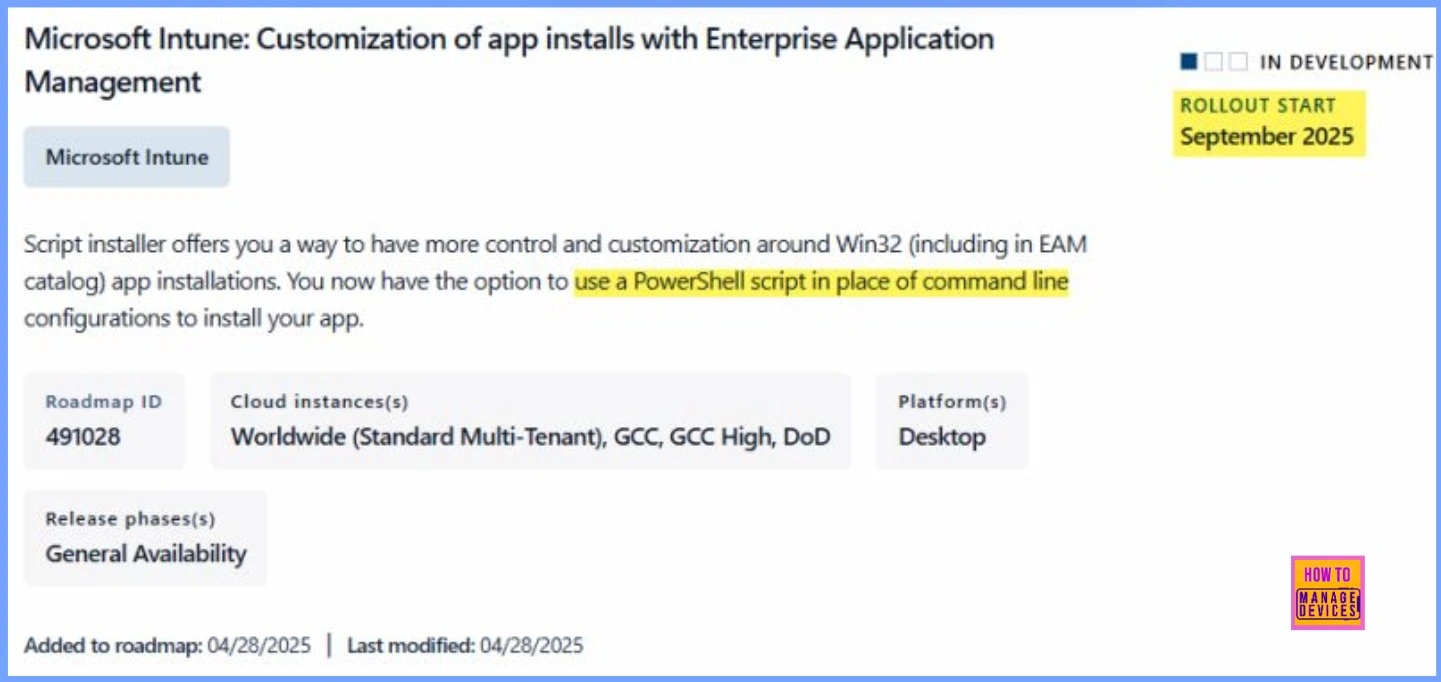
🎉What Does the Script Installer Do?
🎉When will It be Available?
🎉Where is the Script Installer Feature Available?
🎉What Does Enterprise Application Management (EAM) Do?
🎉How Does the Script Installer Enhance EAM?
🎉How to Customize Win32 App Installations with PowerShell Scripts in Microsoft Intune
🎉Overcoming Command-Line Limitations with PowerShell in Intune Win32 App Deployments
🎉Key Capabilities of using PowerShell Scripts for App Installations in Intune
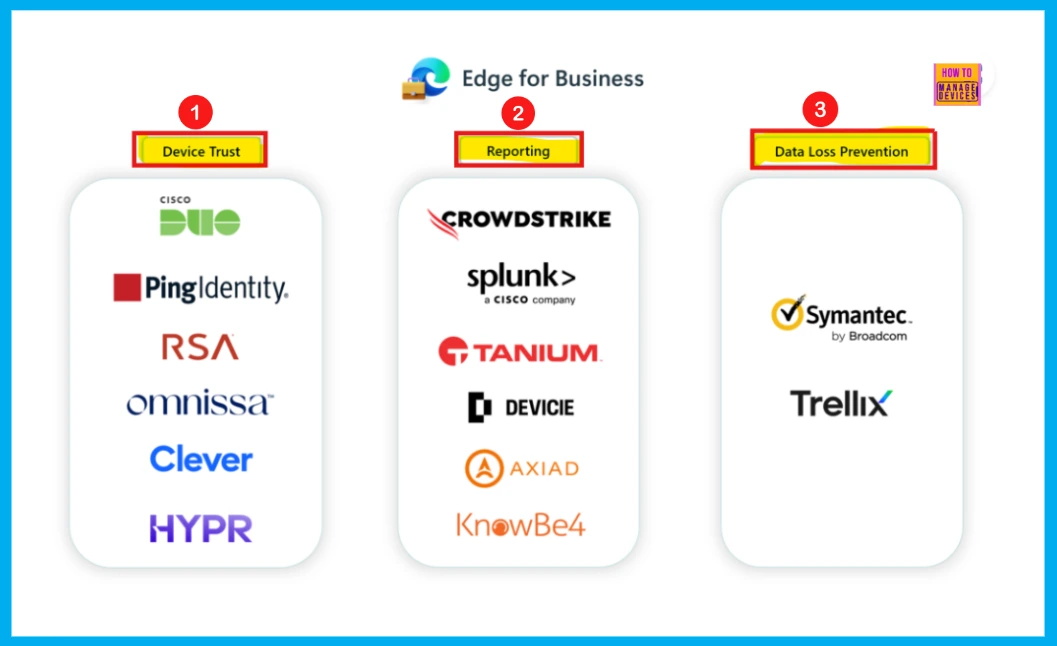
👉How Edge for Business Security Connectors Strengthen Device Trust Reporting and Data Loss Prevention
https://www.anoopcnair.com/edge-for-business-security-connectors/
✍Edge for Business Security Connectors
✍Strengthen Device Trust Reporting
✍What are the Functions of Security Connectors?
✍Three Types of Security Connectors
✍Device Trust Connector
✍Reporting Connector
✍Data Loss Prevention Connector
✍How to Integrate Connectors?
Thursday – 1 May 2025
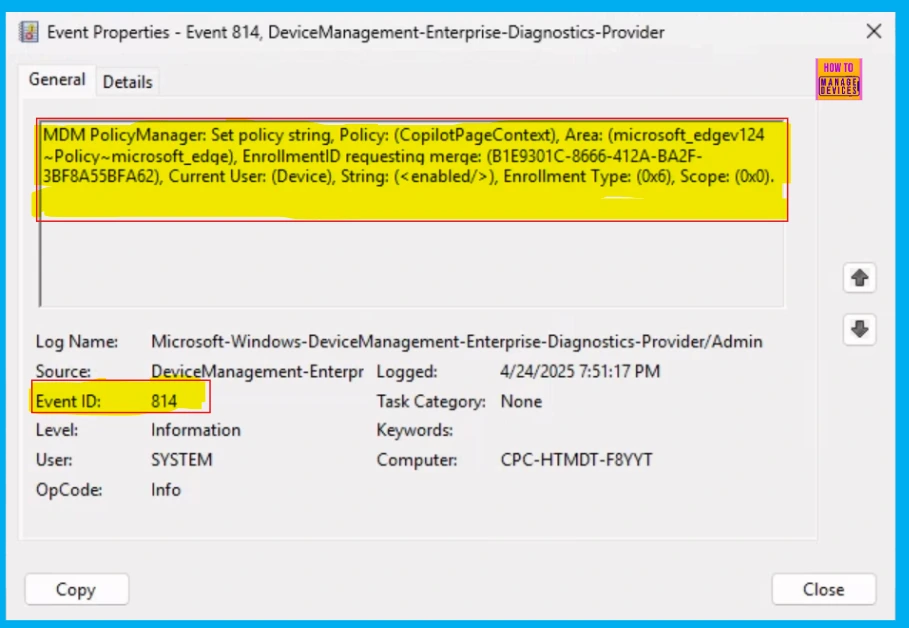
[New Post] 👉Enable or Disable Copilot Page Context Policy in MS Edge Browser using M365 Admin Center
https://www.anoopcnair.com/copilot-page-context-policy-in-ms-edge/
✍Copilot Page Context for MSA Users in Entra ID Profiles
✍Administrator Control Over Copilot’s Page Content Access
✍Steps to Enable or Disable Copilot Page Context Policy
✍Monitoring Status
✍Device and User Check-in Status
✍Client Side Verification through Event Viewer
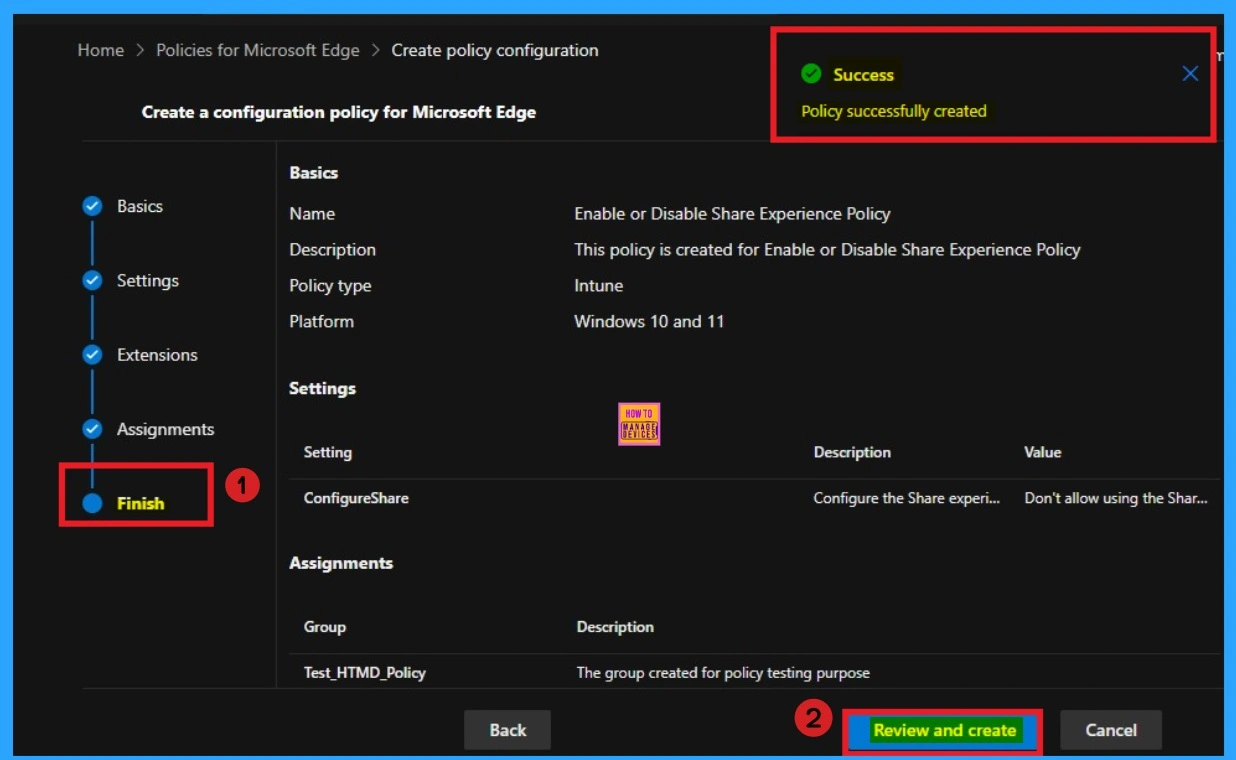
👉Enable or Disable Share Experience Policy in MS Edge Browser using M365 Admin Center
https://www.anoopcnair.com/share-experience-policy-in-ms-edge-browser/
✍Share Experience Policy in MS Edge
✍Which are the Microsoft Apps Sharing can be Controlled with this Policy?
✍Steps to Enable or Disable Share Experience Policy
✍Monitoring Status
✍Device and User Check-in Status
✍Client Side Verification through Event Viewer
📌How to Configure Redesigned New Tab Page Powered by Copilot on MS Edge Browser
https://www.anoopcnair.com/redesigned-new-tab-page-powered-copilot-browser/
▶Why is Microsoft Putting Copilot on the New Tab Page in Edge?
▶How is the New Tab Page Different?
▶Is this New Tab Experience Available to Everyone?
▶What Happens when I Enter a Query into the Copilot Chat Box?
▶How Microsoft Edge Browser Get a Redesigned New Tab Page Powered by Copilot

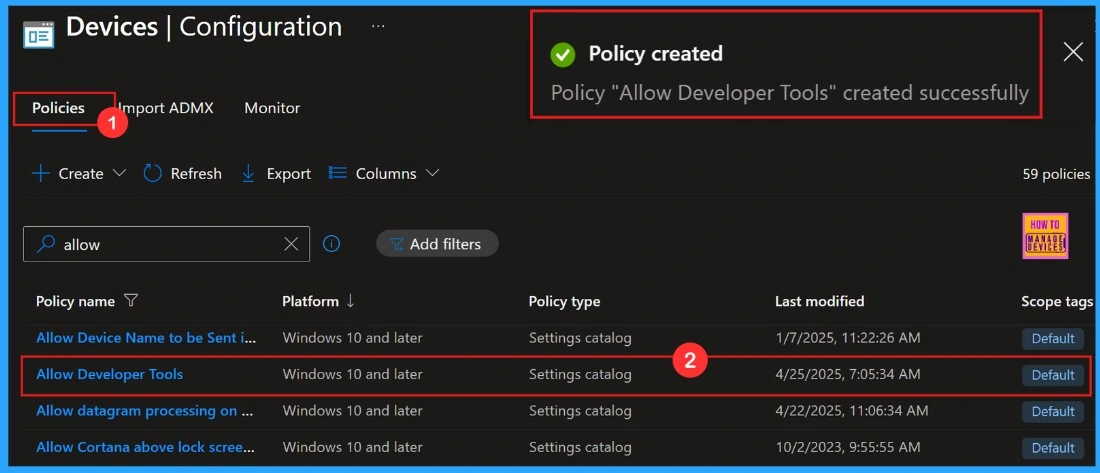
📌Allow or Block Developer Tools Policy using Intune
https://www.anoopcnair.com/block-developer-tools-policy-uisng-intune/
🔥Developer Tools Policy
🔥Explore Latest Security Enhancements
🔥Gets Access to Debugging Tools
🔥What Happens If We Block Developer Tools?
🔥CSP Details of Allow or Block Developer Tools Policy
🔥Steps to Allow or Block Developer Tools Policy
🔥Monitoring Status
🔥Client Side Verification
Friday – 2 May 2025
💫How to Allow or Block Browser History Saving Policy using Intune – https://howtomanagedevices.com/intune/21404/browser-history-saving-intune/
🎀Browser History Saving Policy
🎀Impact of the Save History Policy on the Organisation
🎀Description Framework Properties
🎀CSP Details of Browser History Saving Policy
🎀Steps to Browser History Saving Policy
🎀Monitoring Status
🎀Client Side Verification

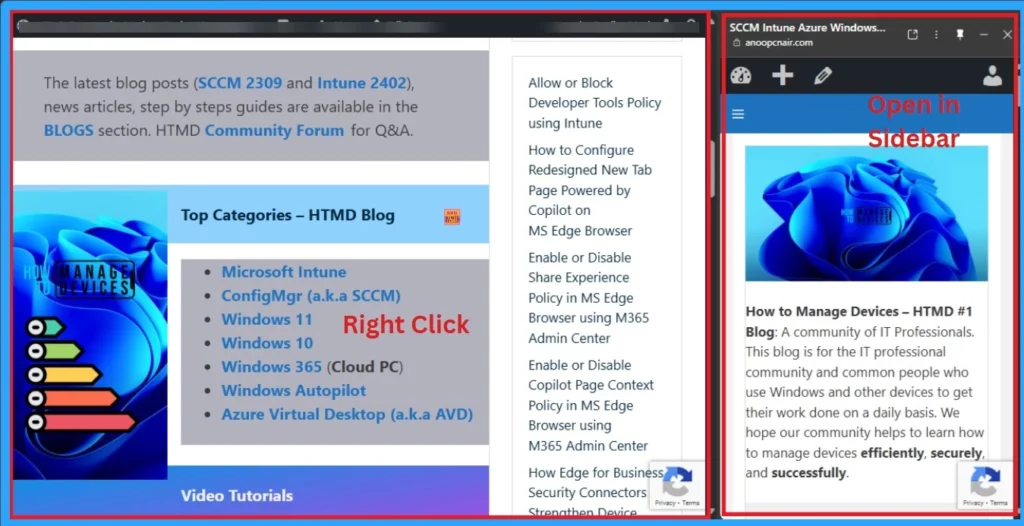
🥳Enable or Disable Open in Sidebar Policy in MS Edge
https://www.anoopcnair.com/edge-open-in-sidebar-policy-in-ms-edge-browser/
✨Open in Sidebar Policy in MS Edge
✨Advantages of Edge Open in Sidebar Policy
✨Steps to Enable or Disable Open in Sidebar Policy
✨Monitoring Status
✨Device and User Check-in Status
✨Client Side Verification through Event Viewer
✨End Result of Open in Sidebar Policy
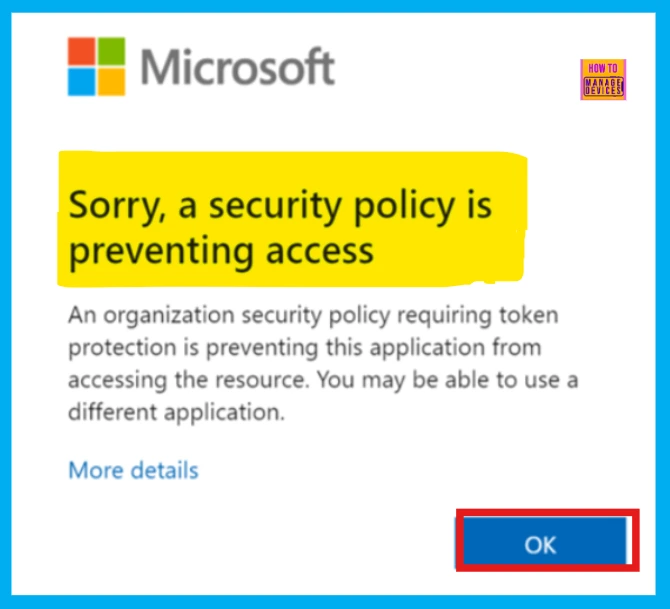
🎊How to Enable Token Protection in Entra Conditional Access for Windows App to Secure AVD and Windows 365
– https://www.anoopcnair.com/token-protection-in-entra-windows-app/
🛜Token Protection in Entra Conditional Access for Windows App
🛜Secure AVD and Windows 365 with Token Protection
🛜Device Join Support Limitations
🛜Error Code Updated
🛜Installation Notes
🛜Known Limitations
🛜Requirements Supported Devices and Supported Applications
🛜Capture Logs and Analyze
🛜End User Experience
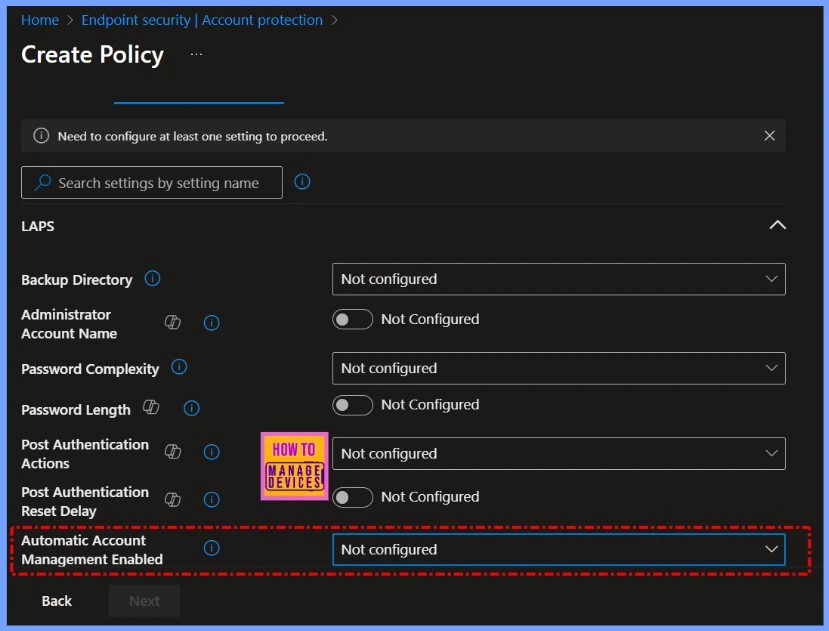
🎊How to Identify and Resolve Errors when Updating Automatic Account Management Name or Prefix in Intune
– https://www.anoopcnair.com/automatic-account-management-name-intune/
🔥Automatic Account Management
🔥How to Identify the Issue
🔥Error Happens When You Enter a Custom Name or Prefix
🔥Temporary Workaround and Recommended Actions for Admins
🔥What Admins Should Do
Connect with the HTMD Community
Join the Telegram group to get the latest step-by-step guides and news updates. Join our Meetup Page to participate in User group meetings. Also, join the WhatsApp Community to get the latest news on Microsoft Technologies. We are there on Reddit as well.
HTMD Community Social Media Platform Links
| Social Media Platform | Link |
|---|---|
| LinkedIn: HTMD Community | https://www.linkedin.com/company/how-to-manage-devices/ |
| Telegram: SCCM Intune Technical Discussions | https://t.me/joinchat/Q9lE6G1_BO_bGq97 |
| Telegram: JOB SCCM Intune Group | https://t.me/joinchat/SIKr3OugR2FQ-Ej9 |
| WhatsApp: HTMD Community | https://chat.whatsapp.com/CeMXHSD61HtDBJwe78IZwV |
| Telegram: AVD/Windows 365 User Group | AVD Community – https://t.me/Inwvdcommunity |
| HTMD Community | Facebook | |
| HTMD Community (@htmd_community) • Instagram photos and videos | |
| HTMD Community (@htmdcommunity) / Twitter | |
| Facebook Group: SCCM | https://www.facebook.com/groups/ConfigMgr2012/ |
| Facebook Group: Intune | https://www.facebook.com/groups/1738789256382744 |

Anoop C Nair is Workplace Technology solution architect with 25+ years (as of 2026) of experience in global enterprise organizations such as JP Morgan, Capgemini, etc. Microsoft Certified Trainer (MCT). Microsoft MVP from 2015 onwards for consecutive 11+ years! He also conducts Intune and modern workplace tech training for enterprise organizations. He is Blogger, Speaker, and Founder of HTMD Community and HTMD Conference. His main focus is on Device Management technologies like Intune, Windows, Cloud PC. He writes about technologies like Intune, SCCM, Windows, Cloud PC, Windows, Entra, Microsoft Security.

Discussion