











HTMD Newsletter 134 25th to 29th March
Welcome to the HTMD Newsletter 134 Summary from 25th March to 29th March 2024! This is the list of posts and videos the HTMD Community published this week and news from the IT industry. You can get all the information and details from Windows 11, Cloud PC, SCCM, Intune, Azure Virtual Desktop (AVD), Android, iOS, and Mac.
Did you miss updates from last week? Check out the link below.
- 131st HTMD Newsletter – HTMD Newsletter 131 04th to 08st March
- 132st HTMD Newsletter – HTMD Newsletter 132 11th to 15th March
- 133rd HTMD Newsletter – HTMD Newsletter 133 18th to 22nd March
25th March 2024 – HTMD Newsletter 134
🎆Emergency Fix for Windows Server Crashes Out-of-Band Updates Released by Microsoft
https://www.anoopcnair.com/emergency-fix-for-windows-server-crashes/
🎈What’s LSASS Memory Leak
🎈Temporary Workaround – Install Out-of-Band Updates
🎈Download the Out-Of-Band Updates Manually
🎈Fix for Windows Server Crashes – Import Into WSUS
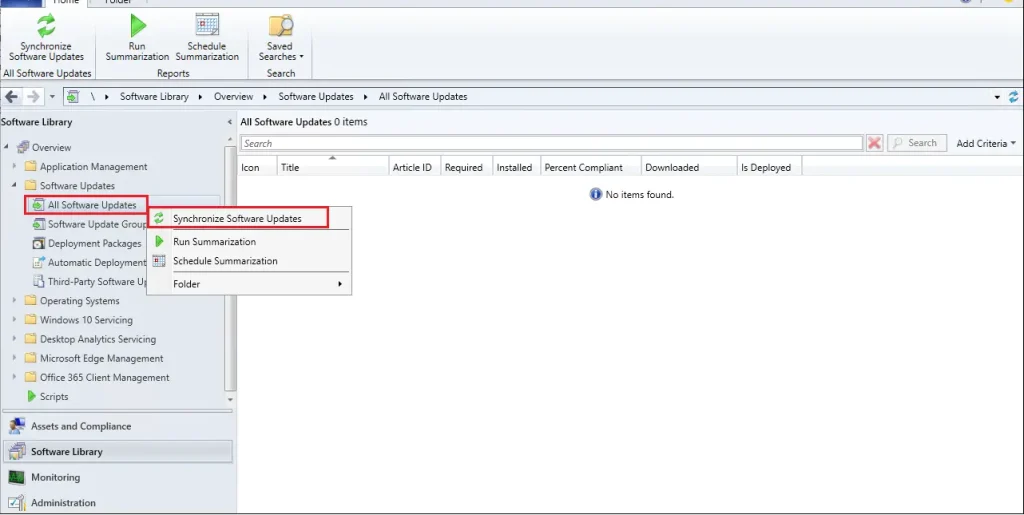
🎈SCCM – Manually Start Software Update Synchronization
🎆External Collaboration Settings in Entra ID
https://www.anoopcnair.com/external-collaboration-settings-in-entra-id/
🔥External Identities
🔥Cross-tenant Access Settings
🔥Default Settings Options
🔥Guest User Access Restrictions

🎆Google Chrome for Business Deployment using Intune Enterprise App Catalog App
https://www.anoopcnair.com/chrome-for-business-deployment-using-intune/
📌Introduction to Google Chrome for Business Deployment
📌Utilizing Intune Enterprise App Catalog App
📌Monitoring Deployment Status and Device Details
📌End-User Experience

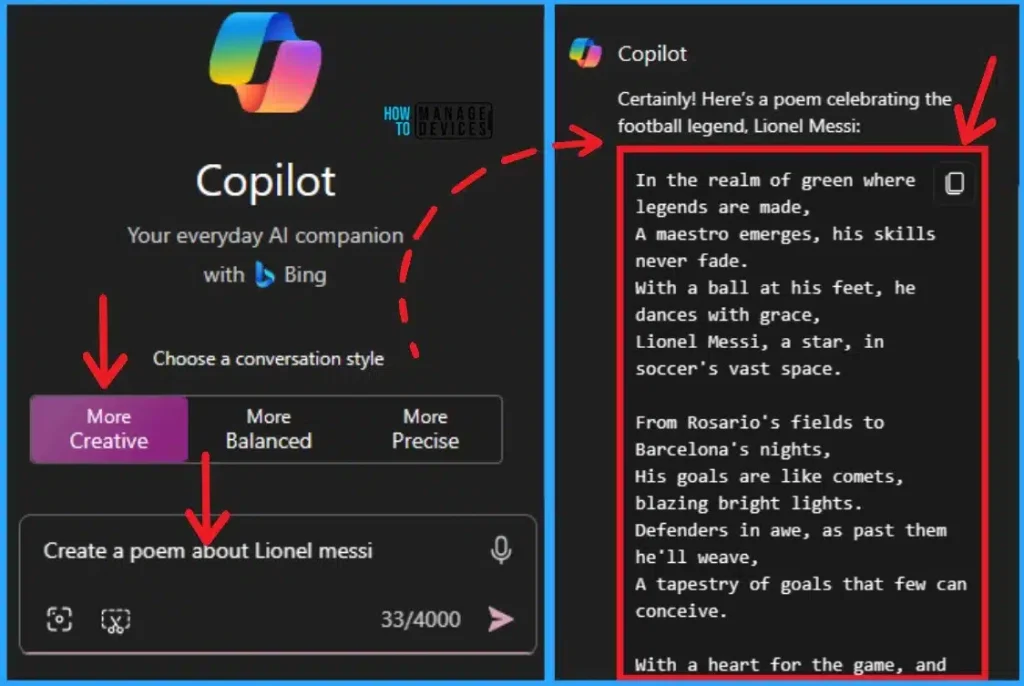
🔮Different Conversation Styles for Copilot in Windows 11
https://howtomanagedevices.com/ai/12580/conversation-styles-for-copilot/
↗Change Conversation Style for Copilot
↗Start an Original and Imaginative chat
↗Start a concise chat, useful for fact-finding
26th March 2024 – HTMD Newsletter 134
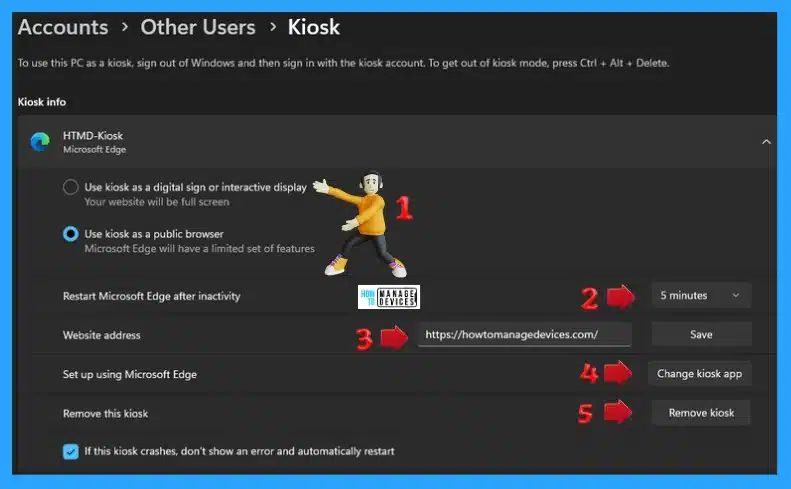
🔼Guidelines for Setting up Kiosk in Windows 11
https://www.anoopcnair.com/guidelines-for-setting-up-kiosk-in-windows-11/
🔌What is Kiosk?
🔌Kiosk Mode in Windows 11
🔌Customize & Remove Kiosk Set-Up
▶Turn On or Off Microsoft Defender SmartScreen for Microsoft Edge in Windows 11
https://www.anoopcnair.com/turn-on-defender-smartscreen-for-microsoft-edge/
🔐What are the Advantages of Microsoft Defender SmartScreen?
🔐Use Settings App for Turning on Defender SmartScreen
🔐Turn on Defender SmartScreen from Windows Security

🕹Turn On or Off Microsoft Vulnerable Driver Blocklist
https://www.anoopcnair.com/microsoft-vulnerable-driver-blocklist/
🖲Features of Microsoft Vulnerable Driver?
🖲Manage using Windows Security
🖲Use Registry Method turn Vulnerable driver blocklist on or Off

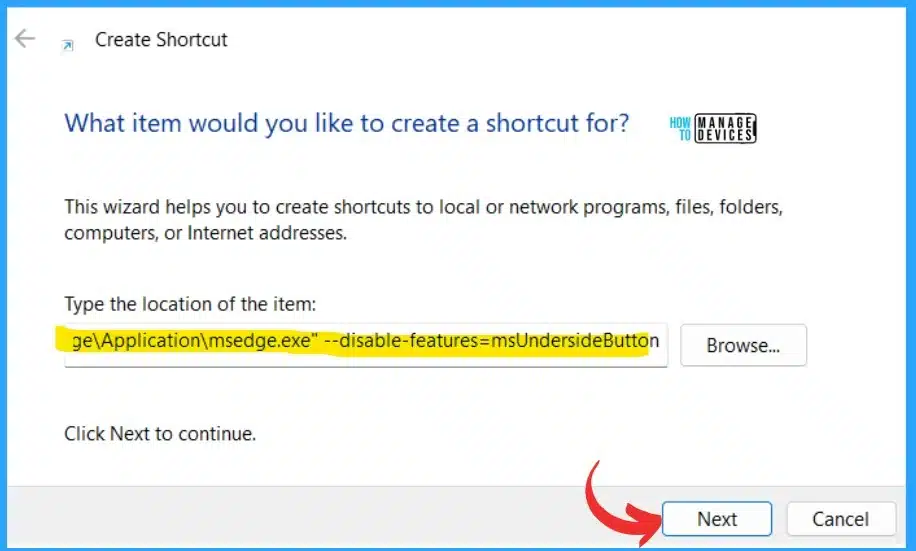
🔰Add or Remove Copilot Toolbar Icon in Microsoft Edge
https://www.anoopcnair.com/copilot-toolbar-icon-in-microsoft-edge/
➡Advantages of Copilot Toolbar Icon in Microsoft Edge?
➡Add Copilot Toolbar Icon in Microsoft Edge
➡Remove Copilot Toolbar icon using Shortcut
27th March 2024 – HTMD Newsletter 134
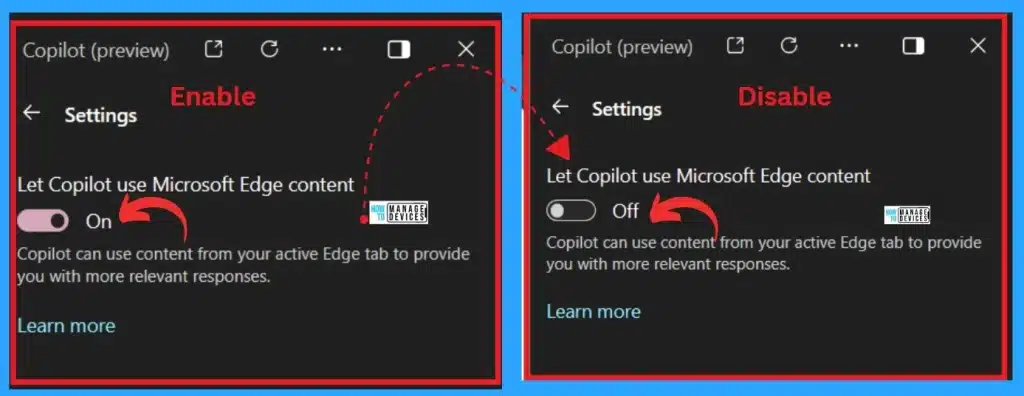
🎆Enable Disable Let Copilot Use Content from Microsoft Edge in Windows 11
https://www.anoopcnair.com/let-copilot-use-content-from-microsoft-edge/
🔥Let Copilot Use Content from Microsoft Edge
🔥Role of AI in Enhancing User Experience with Copilot
🔥Enhancing Online Tasks with AI Integration in Edge Browser
🔥Quick Access to Information with Copilot in the Edge Browser
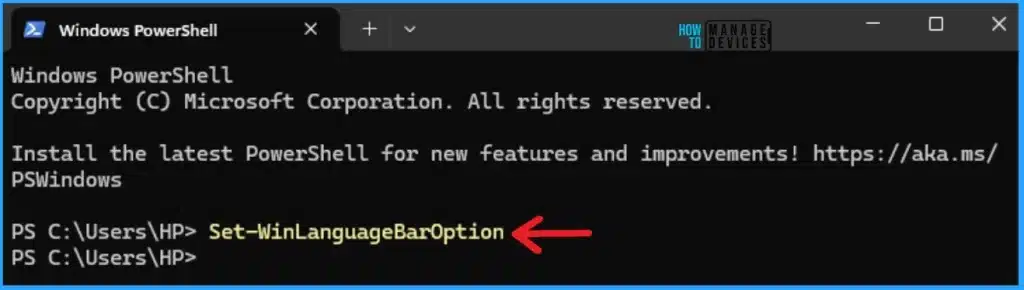
🔔Enable Different Keyboard Layout for Each App Window in Windows 11
https://www.anoopcnair.com/keyboard-layout-for-each-app-window-windows-11/
⏩Advantages of keyboard layout?
⏩Enable Different Keyboard Layouts for Each App Window in Settings
⏩Enable Different Keyboard Layouts for Each App Window in PowerShell
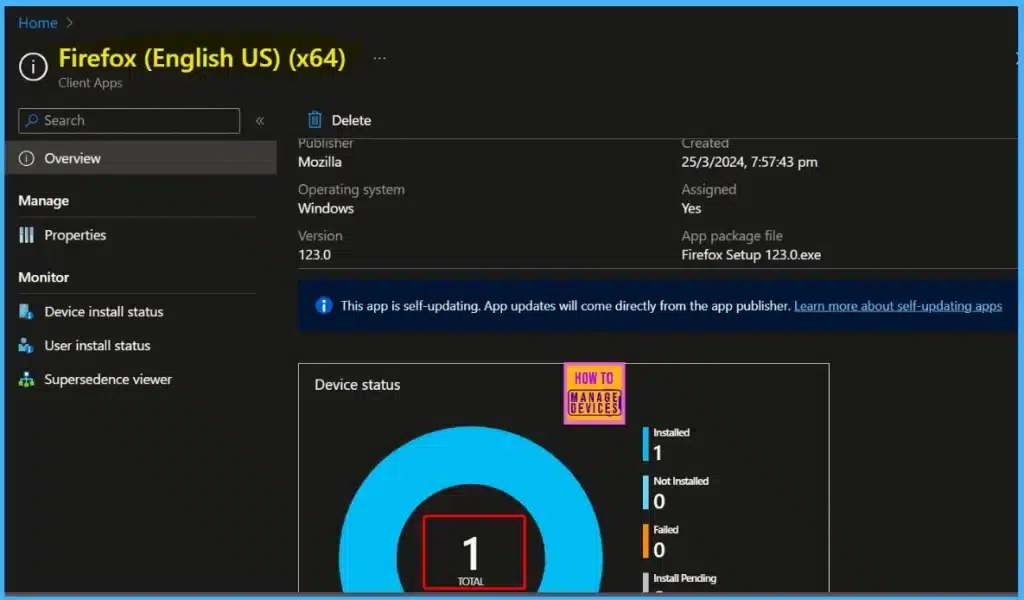
🎆Install Mozilla Firefox with Intune Enterprise App Catalog App
https://www.anoopcnair.com/mozilla-firefox-with-intune-enterprise-app/
🔥Firefox (English US)(*64)
🔥App Install Status
🔥Monitoring Deployment Status
🔥End-User Experience
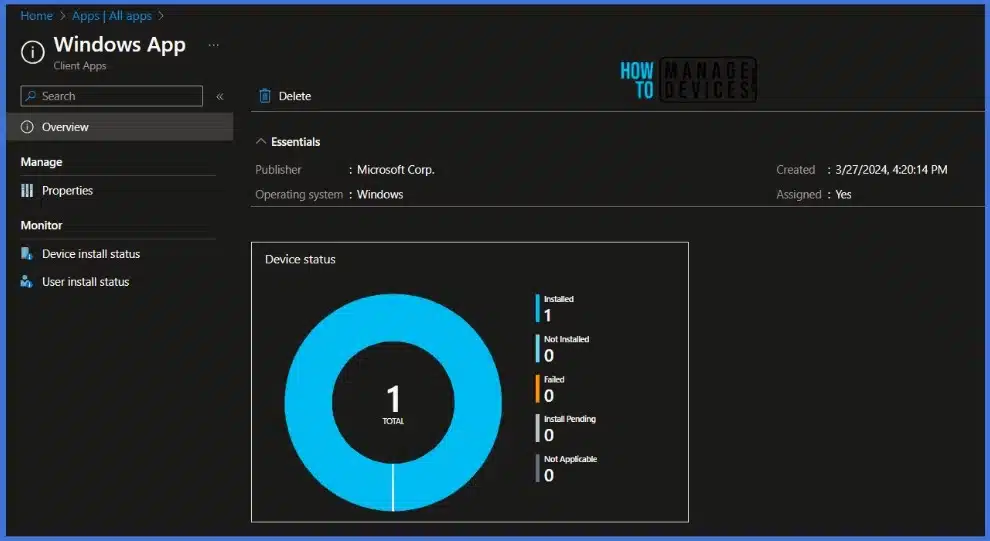
🔔Best Guide to Install Windows App from New Microsoft Store in Intune
https://www.anoopcnair.com/install-windows-app-new-microsoft-store-intune/
🎈Features of the Windows App
🎈Install Windows App from the New Microsoft Store
🎈Monitor New Microsoft Store App Deployment in Intune
🎈End-User Experience – Windows App Installation
28th March 2024 – HTMD Newsletter 134
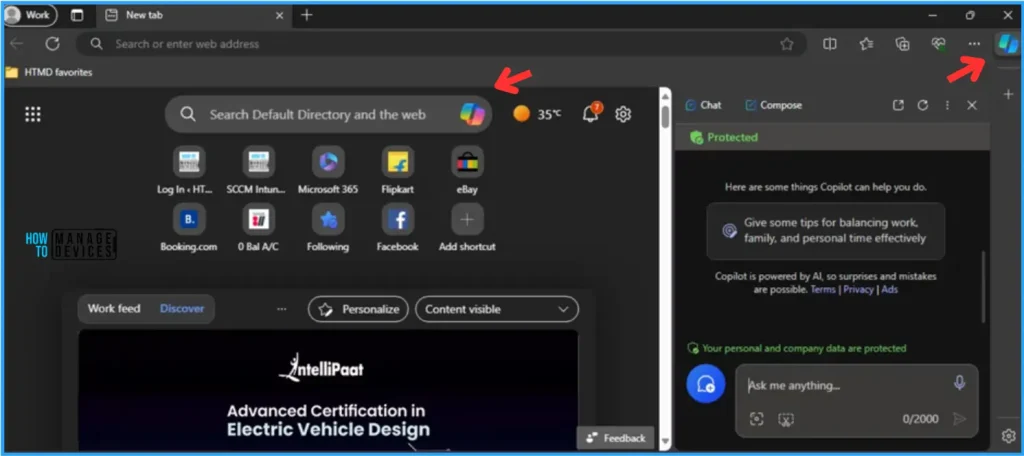
💡Complete Guide Enable Copilot in Managed Microsoft Edge Browser with Intune
https://www.anoopcnair.com/intune-enable-copilot-in-managed-microsoft-edge/
⏩Copilot in Managed Microsoft Edge Browser
⏩Create Copilot in Managed Microsoft Edge Browser in Intune
⏩Monitor the Copilot Settings in Intune
⏩End User Experience – Enable Copilot in Managed Microsoft Edge Browser
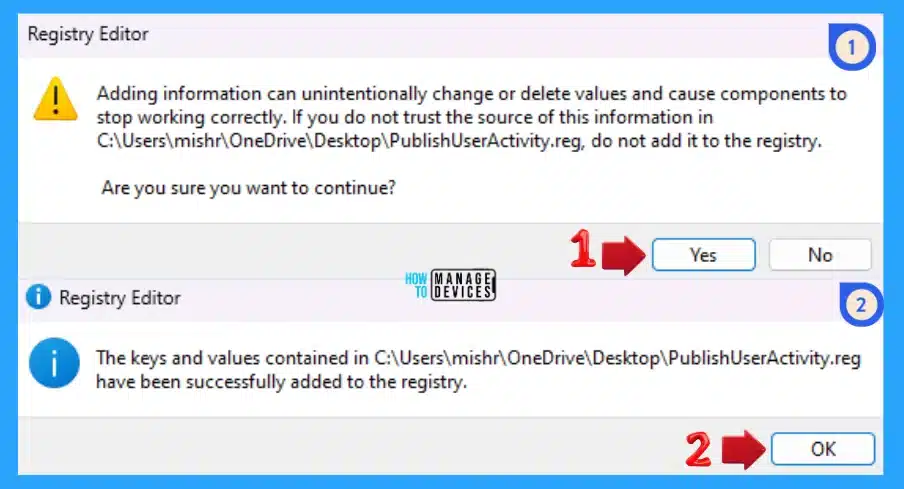
🕹Best Way to Disable Enable Store Activity History in Windows 11
https://www.anoopcnair.com/disable-enable-store-activity-history-windows/
⏩Pros and Cons of Disable Enable Store Activity History
⏩What are the Ways to Disable Enable Store Activity History
⏩Disable Enable Store Activity History using Windows Settings
⏩Disable Enable Store Activity History using Local Group Policy
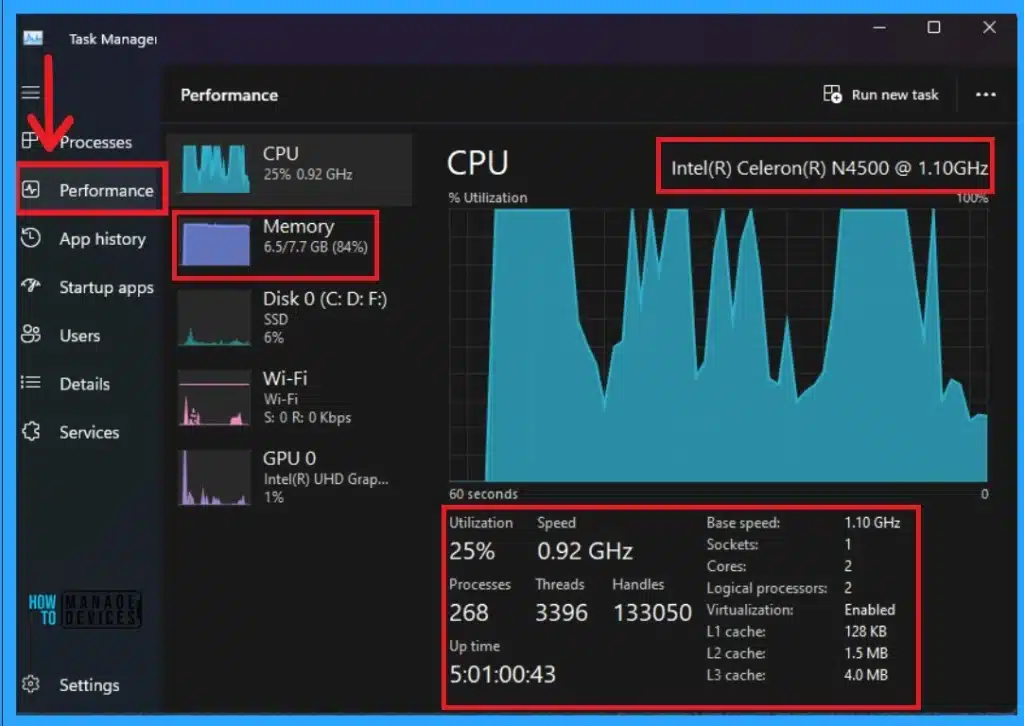
🕹5 Methods for Finding Memory Size Speed and Type in Windows 11
https://www.anoopcnair.com/finding-memory-size-speed-and-type-windows-11/
▶Advantages of Finding Memory Size in Windows 11?
▶Finding RAM/Memory Size in Settings
▶Find RAM/Memory Size in Command Prompt
⏳Change to Classic or Modern Theme in Outlook for Windows 11
https://www.anoopcnair.com/classic-or-modern-theme-in-outlook-windows-11/
🔎Change Outlook Theme for Windows 11
🔎Themes in Outlook
🔎Dark Mode Option in Outlook

29th March 2024 – HTMD Newsletter 134
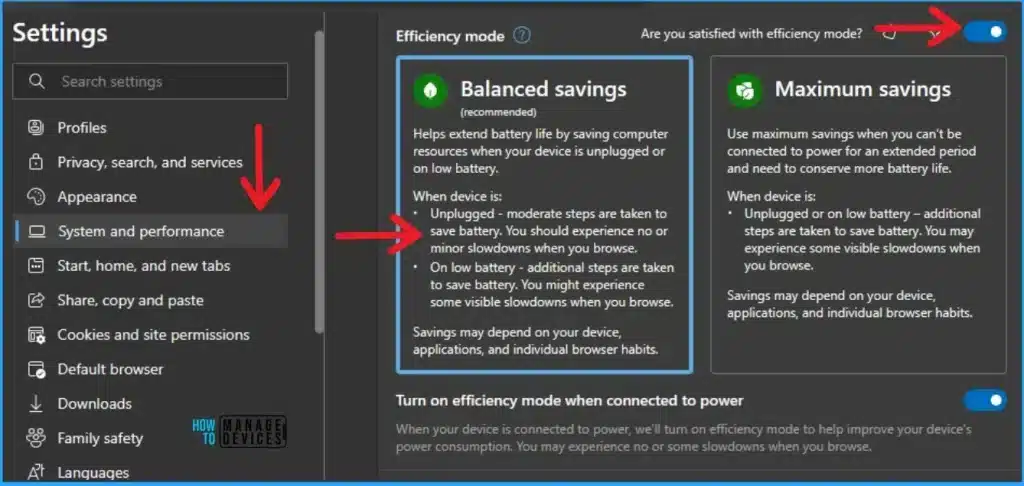
✅Enable or Disable Efficiency Mode in Microsoft Edge
https://howtomanagedevices.com/windows-11/12701/efficiency-mode-in-microsoft-edge/
⚙Advantages of Efficiency Mode in Microsoft Edge?
⚙Use Browser Essential Feature
⚙Turn Off Efficiency Mode in Edge
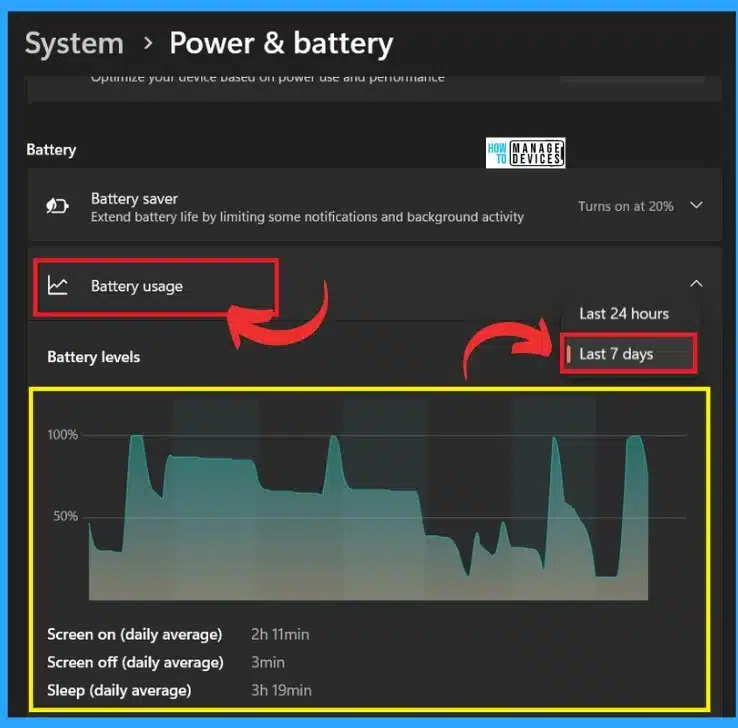
🎆Monitor Battery Usage by Apps in Windows 11
https://www.anoopcnair.com/monitor-battery-usage-by-apps-in-windows-11/
🔥Power and Battery
🔥Sleep battery usage and battery saver
🔥Battery Usage Analysis with Important Sort Feature
🔥Battery Usage per App
🎆How to Check Drive Encryption Support in Windows 11
https://www.anoopcnair.com/how-to-check-drive-encryption-support/
📌Importance of Drive Encryption in Windows 11
📌Data Protection
📌Defense Against Cyber Attacks and Data Leaks
📌Preservation of Data Integrity
📌Methods for Checking Drive Encryption in Windows 11
📌Protect your Files from Unauthorized Access

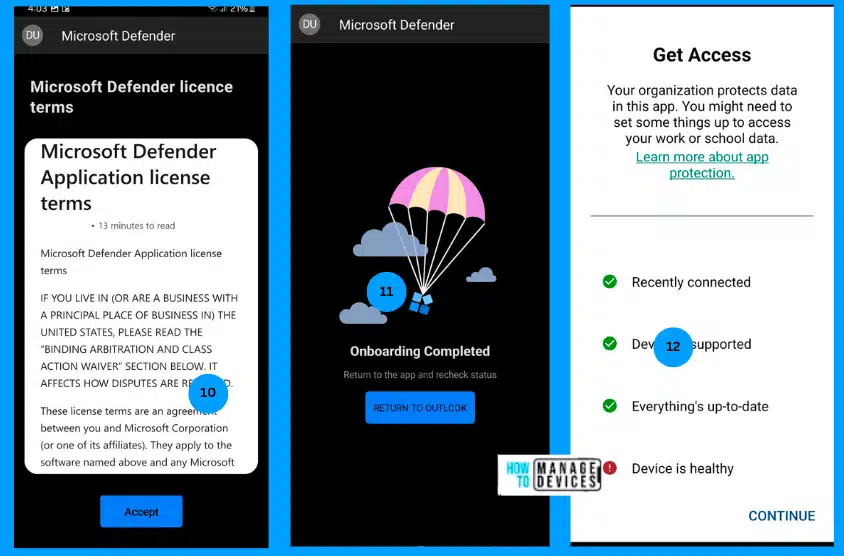
📲Protect Unmanaged Android Devices with Microsoft Defender for Endpoint
https://www.anoopcnair.com/protect-unmanaged-android-devices-mde/
➡Integrate Microsoft Defender for Endpoint with Intune
➡Create an app protection policy
➡End-user onboarding


Discussion