












HTMD Newsletter 131 04th March to 08th March
Welcome to the HTMD Newsletter 131 Summary from 04th March to 08th March 2024! This is the list of posts and videos the HTMD Community published this week and news from the IT industry. You can get all the information and details from Windows 11, Cloud PC, SCCM, Intune, Azure Virtual Desktop (AVD), Android, iOS, and Mac.
➡️ Here’s how you can be part of the HTMD Community, You can join us here.
➡️ Here, you can Subscribe HTMD Youtube Channel and welcome Video Messages about HTMD here.
➡️ We are on WhatsApp. To get the latest step-by-step guides and news updates, Join our Channel, HTMD WhatsApp.
Did you miss updates from last week? Check out the link below.
- 128th HTMD Newsletter – HTMD Newsletter 128 12th to 16th February
- 129th HTMD Newsletter – HTMD Newsletter 129 19th to 23rd February
- 130th HTMD Newsletter – HTMD Newsletter 130 26th to 01st March

04th March 2024 – HTMD Newsletter 131
🎆Pin or Unpin Copilot Side Pane on Desktop in Windows 11
https://www.anoopcnair.com/pin-or-unpin-copilot-side-pane-on-desktop/
🔼Introducing the Copilot Side Pane in Windows 11
🔼Empower Your Copilot Experience with Flexible Control
🔼Persistent Copilot Visibility Across Apps
🔼Easily Interact with Other Apps on Your Screen

🛎Setup Microsoft Edge Favorites using Intune Configuration Profile
https://www.anoopcnair.com/microsoft-edge-favorites-using-intune-profile/
🔼Advantages of Setting up Edge Favorites
🔼Configure Favorites from Intune Settings Catalog
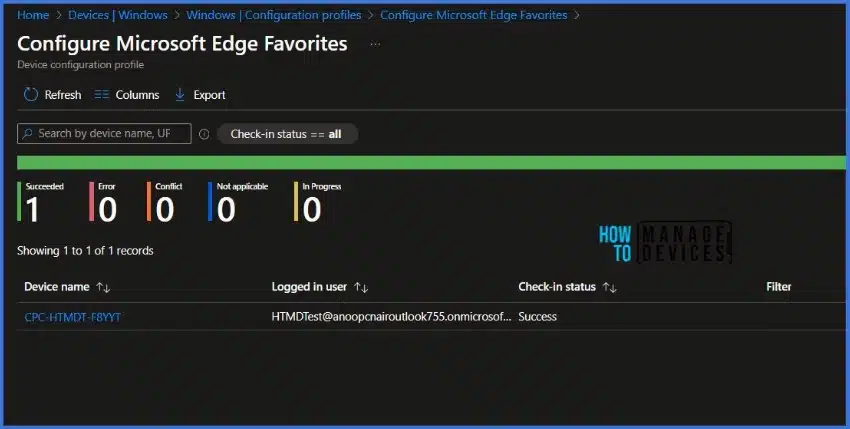
🔼Monitor Configuration Profile Deployment
🌟Start Menu Upgrade in Windows 11 Moment 5 Update
https://www.anoopcnair.com/start-menu-upgrade-in-the-moment-5-update/
🔮Start Menu Upgrade in Moment 5 Update
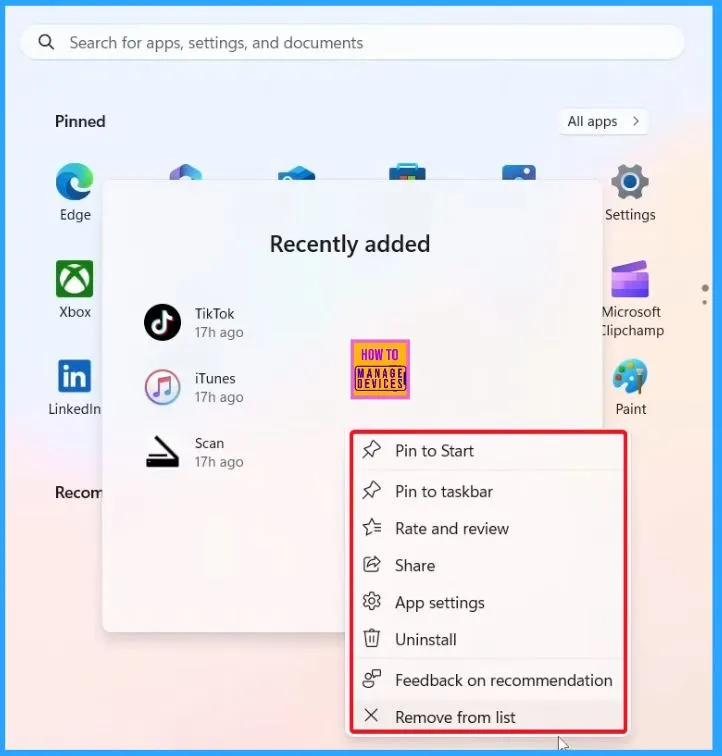
🔮Recently Added Apps
🔮Groups of recently added items
🕹New Widget Updates in Windows 11 Moment 5 Review
https://www.anoopcnair.com/new-widget-updates-in-windows-11-moment-5/
⏳Different Features of Widget Updates in Moment 5
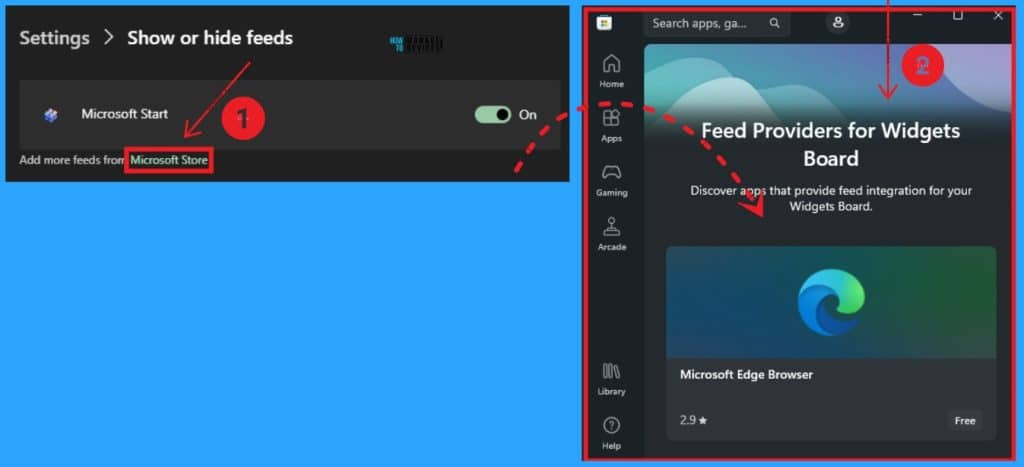
⏳Disabling Show or Hide Feeds
⏳Disable Open the Widget board on hover
05th March 2024 – HTMD Newsletter 131
🎆Conflict Errors in Outlook When Updating or Cancelling Meetings
https://www.anoopcnair.com/conflict-errors-in-outlook-when-updating/
🔥Understanding Conflict Errors in Outlook Meetings
🔥Common Causes of Conflict Errors
🔥Workarounds to Resolve Conflict Errors

⛔Microsoft is Killing AzureAD MSOnline Powershell Modules
https://www.anoopcnair.com/killing-azuread-msonline-powershell-modules/
↗What is Microsoft PowerShell Modules Related to Azure AD?
↗How Does this Deprecation Feature Impact Your Organization
↗Preparing for Deprecation
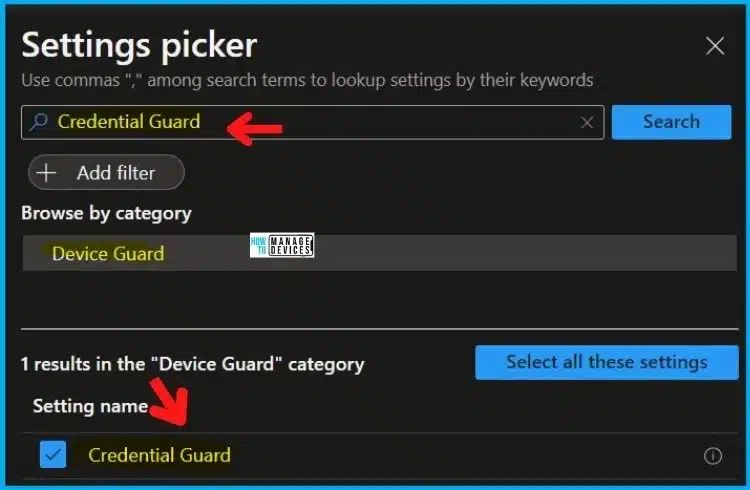
🔮Learn About 8 Common Cyber Security Threats
https://www.anoopcnair.com/learn-about-8-common-cyber-security-threats/
📍Types of Malware
📍Denial of Service (DoS)
📍Distributed Denial of Service (DDoS)
06th March 2024 – HTMD Newsletter 131
🎆2 Methods to View Reserved Storage Size in Windows 11
https://www.anoopcnair.com/view-reserved-storage-size-in-windows-11/
🎇Overview of Reserved Storage Space in Windows 11
🎇Automatic Management by Windows
🎇Ensuring Space for Feature Updates
🎇Storage Space, Drivers, Configuration Rules

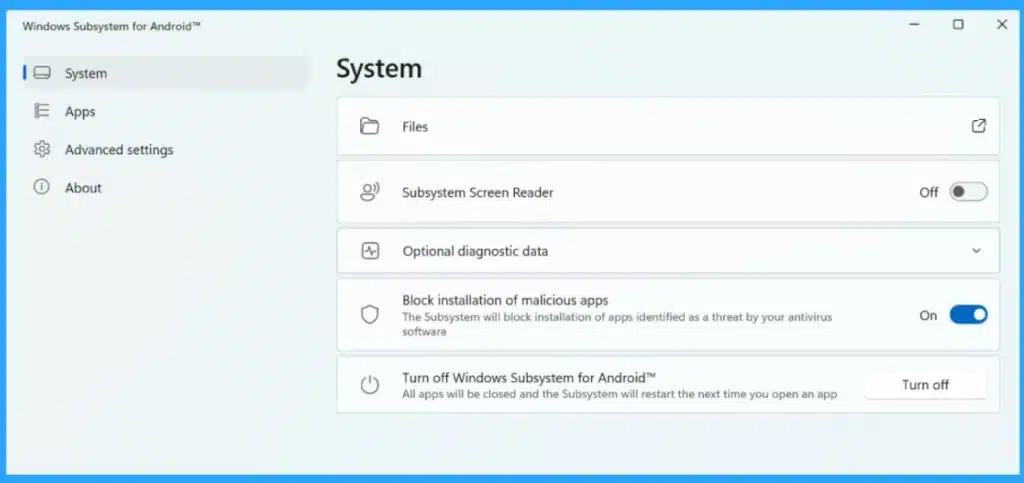
💻Microsoft Ends Support for Running Android Apps on Windows 11
https://www.anoopcnair.com/microsoft-ends-support-for-running-android-apps/
📌Important Announcement from Microsoft
📌Discontinuation of Windows Subsystem for Android (WSA) Feature
📌Changes to Amazon Appstore Access and Availability
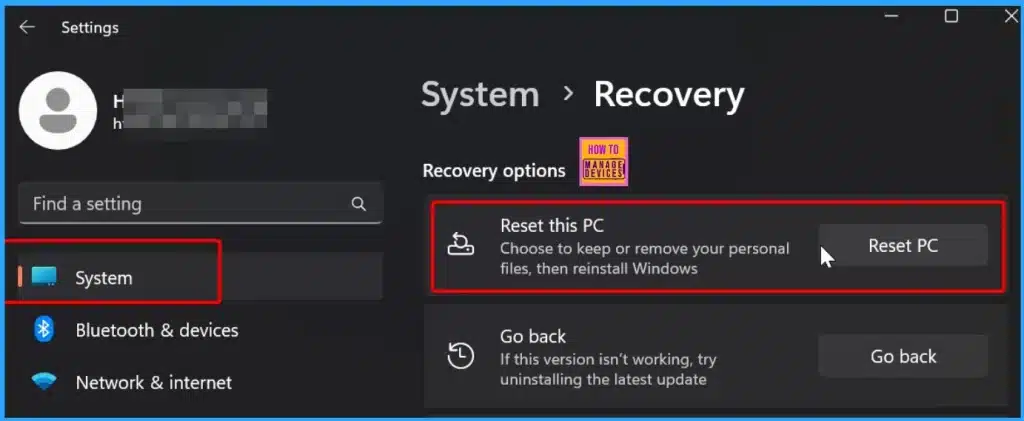
✔Start Menu Stop Working in Windows 11 Insider Preview Build
https://www.anoopcnair.com/start-menu-stop-working-in-windows-11-insider/
➡Critical Error
➡Your Start menu is not working. We will try to fix it the next time you sign in
➡Steps to Resolve the Start Menu Stop Working Issue
➡Other Troubleshooting Steps
🛎Top 10 Familiar AI Terms Everyone Should Know
https://www.anoopcnair.com/top-10-familiar-ai-terms-everyone-should-know/
🔼Large Language Models
🔼Multimodal Models
🔼Responsible AI

07th March 2024 – HTMD Newsletter 131
⭐⭐⭐⭐⭐Jamf to Intune Migration of Mac Devices – Is that an Easy Process? Let’s find out!
https://www.anoopcnair.com/macos-devices-migration-framework-to-intune/

🛎Turn on Real-time Monitoring Antivirus policy for Microsoft Defender in Intune
https://www.anoopcnair.com/real-time-monitoring-antivirus-defender-intune/
👉Advantages of Turning On Real-Time Monitoring for Microsoft Defender
👉Turn On Real-time Monitoring in Microsoft Intune
👉Monitor Antivirus Policy Deployment from the Intune
👉Monitor Antivirus Policy Deployment from the Windows Client
👉End User Experience

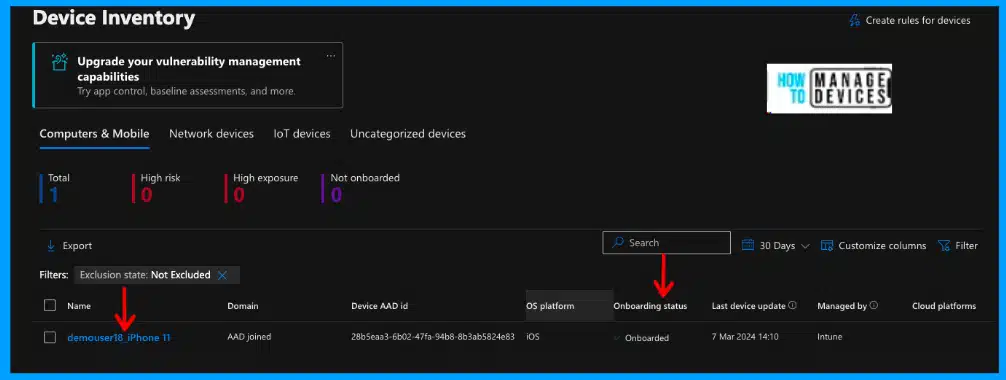
🎆Onboard iOS/iPadOS Devices to Microsoft Defender for Endpoint
https://www.anoopcnair.com/onboard-ios-ipados-microsoft-defender-endpoint/
▶Prerequisites
▶Deploy Defender App to End Users
▶Onboarding iOS/iPadOS devices to Microsoft Defender for Endpoint
▶Zero-touch (Silent) Onboarding
▶User Experience
▶Auto-Onboarding of the VPN profile
🌟Use Windows Performance Recorder Event Tracing Tool in Windows 11
https://www.anoopcnair.com/use-windows-performance-recorder-event-tracing-tool-in-windows-11/
↗Download and Install Windows Performance Recorder
↗How to Use Windows Performance Recorder?
↗Resource Analysis Profiles

🛎Windows Autopilot Self-deploying Mode is now Generally Available
https://www.anoopcnair.com/windows-autopilot-self-deploying-mode-ga-intune/
📥Windows Autopilot self-deploying mode in GA
📥Different Tasks Performed for Autopilot
📥Deployment mode, Self-Deploying

08th March 2024 – HTMD Newsletter 131
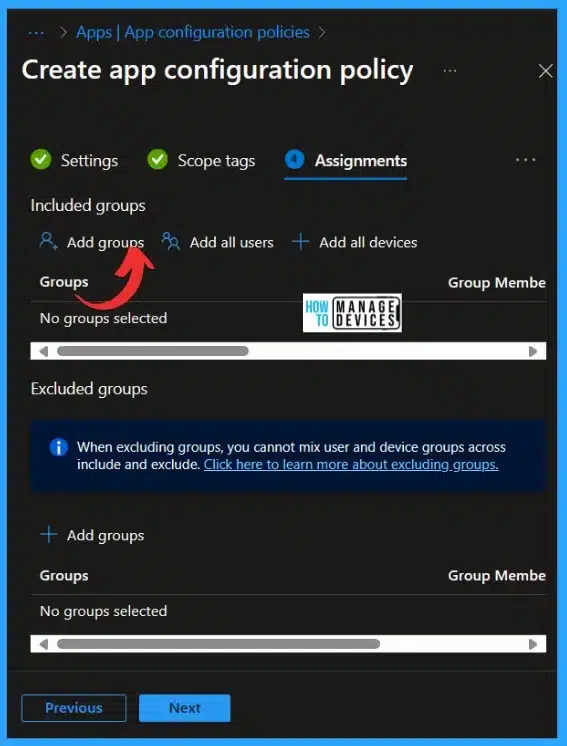
🛎Additional App Configuration Permissions for Android Apps
https://www.anoopcnair.com/app-configuration-permissions-for-android/
👉App Configuration Permissions for Android Apps
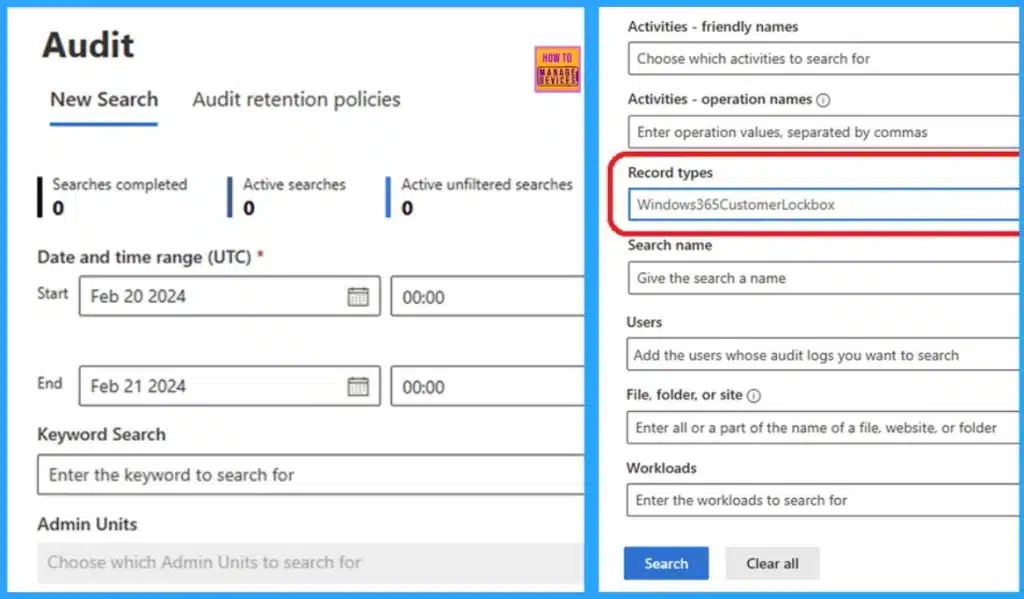
🎆Enhanced Security with Windows 365 Customer Lockbox
https://www.anoopcnair.com/windows-365-customer-lockbox-security/
💡Customer Lockbox
💡Set Requirements for data access
💡Require Approval for All Data Access Requests
💡Customer Lockbox Requests
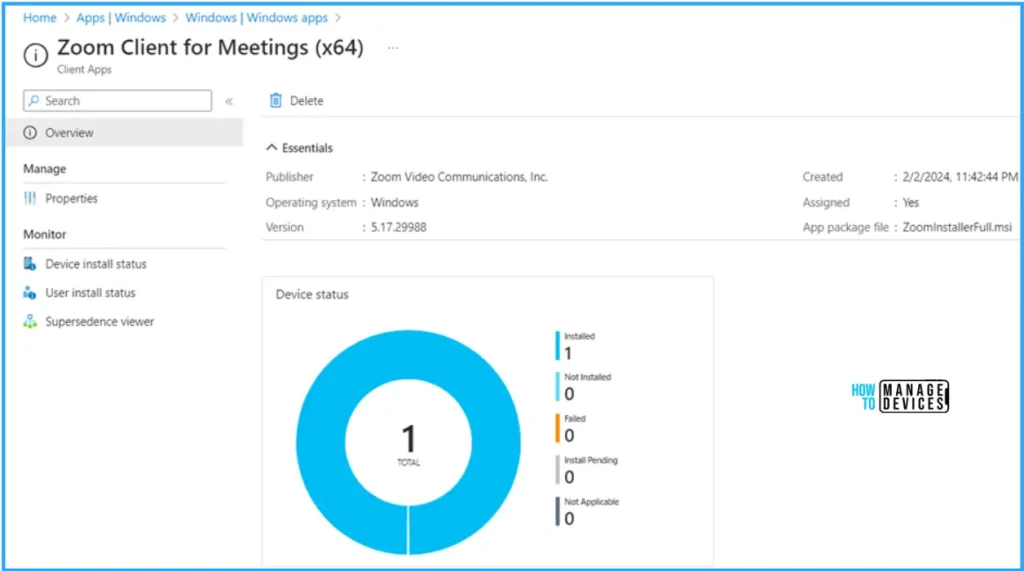
📢Install Zoom Client using Windows Enterprise App Catalog App with Intune
https://www.anoopcnair.com/intune-install-zoom-client-windows-enterprise/
▶Why Zoom Upgrade Required
▶Create and Install Zoom Client Enterprise App Catalog App
▶Configure the Zoom Client For Meetings App
▶Monitor the Zoom Client for Meeting App Deployment in Intune


Discussion