











HTMD Newsletter 127 5th to 9th February
Welcome to the HTMD Newsletter 127 Summary from 5th to 9th February 2024! This is the list of posts and videos that the HTMD Community published this week and news from the IT industry. You can get all the information and details from Windows 11, Cloud PC, SCCM, Intune, Azure Virtual Desktop (AVD), Android, iOS, and Mac.
➡️ Here’s how you can be part of the HTMD Community, You can join us here.
➡️ Here, you can Subscribe HTMD Youtube Channel and welcome Video Messages about HTMD here.
➡️ We are on WhatsApp. To get the latest step-by-step guides and news updates, Join our Channel, HTMD WhatsApp.
Did you miss updates from last week? Check out the link below.
- 124th HTMD Newsletter – HTMD Newsletter 124 15th to 19th January
- 125th HTMD Newsletter – HTMD Newsletter 125 22nd to 26th January
- 126th HTMD Newsletter – HTMD Newsletter 126 29th January to 2nd February

5th February 2024 – HTMD Newsletter 127
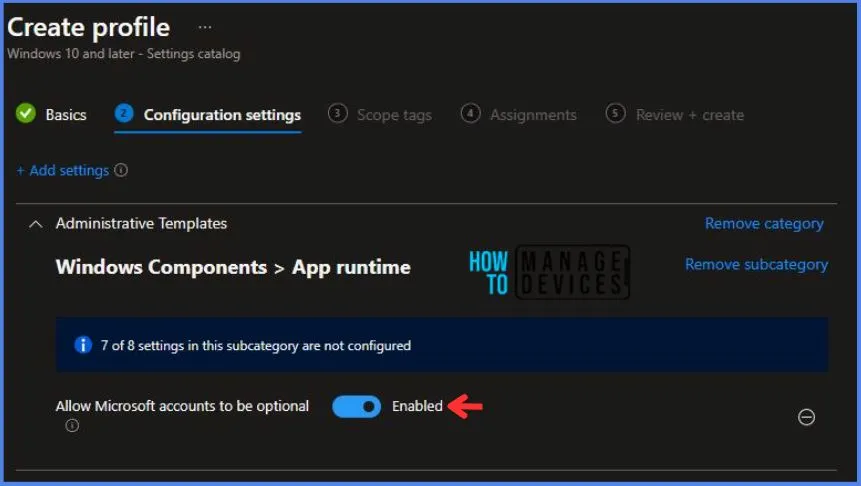
🎆What to Expect from Windows 11 24H2
https://www.anoopcnair.com/what-to-expect-from-windows-11-24h2/
📢Windows 11 24H2 Release Soon
📢Upcoming Release Before Windows 12
📢Artificial Intelligence Integration
📢New version of Copilot with contextual awareness
📢Deeper integration with other apps or services
📢Improving security, adding new functions
📢Making the user experience better
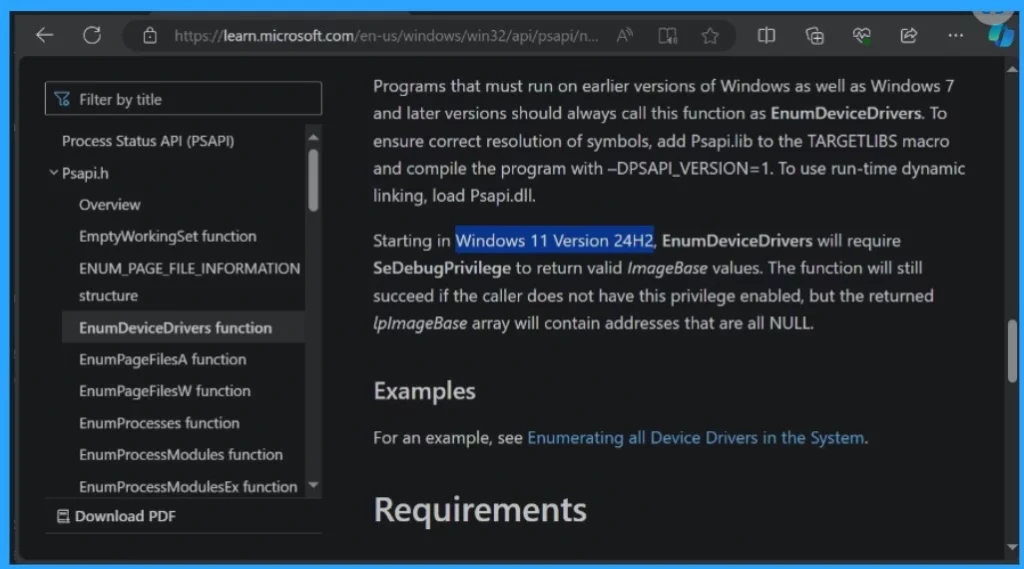
🎆Intune Allow Microsoft Accounts to be Optional Policy
https://www.anoopcnair.com/allow-microsoft-accounts-to-be-optional-policy/
🎈Allow Microsoft Accounts to be Optional
🎈Managing Microsoft Account Usage
🎈Enabling Enterprise Accounts for Windows Store Apps
🎈Device and user check in status
🎈Registry Key Verification
🎈AllowMicrosoftAccountsToBeOptional
↗Introducing AI Upgraded Snapdragon X Elite Qualcomm with Windows 11
https://www.anoopcnair.com/ai-upgraded-snapdragon-x-elite-by-qualcomm/
🔼Features of Snapdragon X Elite

6th February 2024 – HTMD Newsletter 127
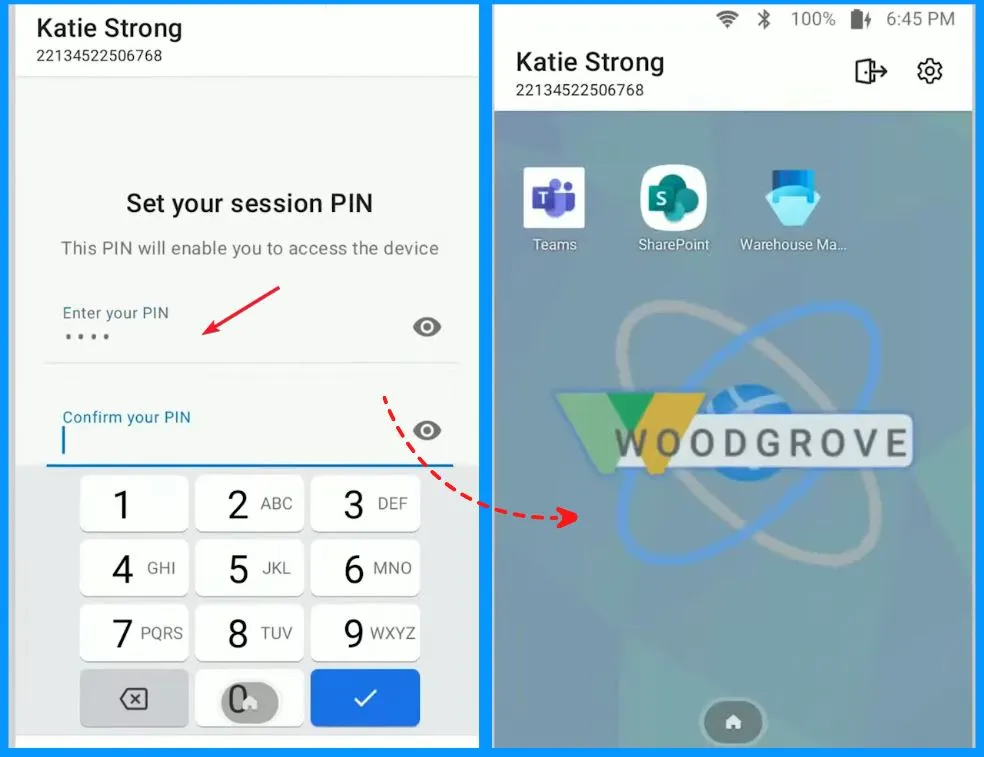
🎆Intune Shared Device Mode for Android and iOS Devices
https://www.anoopcnair.com/intune-shared-device-mode-for-android-and-ios/
📢Intune Shared Device Mode Overview
📢Multi-user experience on Android and iOS devices
📢Single sign in/sign out across all supported apps on device
📢User based Conditional Access
📢Managed home screen improvements
📢Improved Permission granting flow
📢Enhanced troublshooting flow
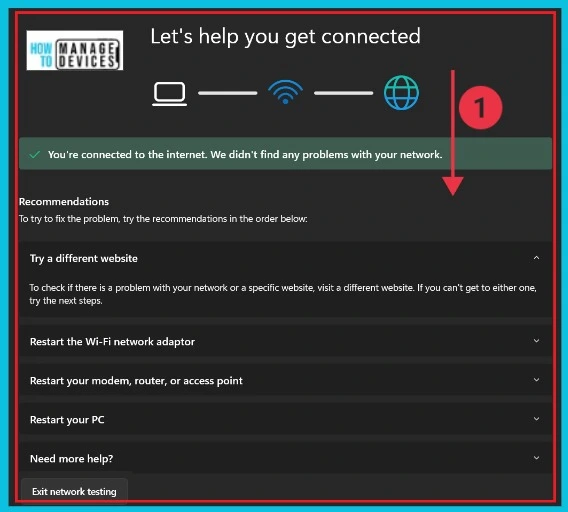
🎆11 Best Fixes for Windows 11 WiFi Connection Issues in 2024
https://www.anoopcnair.com/fixes-for-windows-11-wifi-connection-issues/
👉Wi-Fi not working?
👉Wi-fi Icon Missing?
👉Reasons for Wi-Fi Not Connecting
👉Different Methods for Fixing Wi-Fi Connection Issues
👉Run the Network and Internet Troubleshooter Method
👉Fix socket API Errors and Reset IP logos
👉Check the Proxy Server and Restore the Internet Settings
🛎Over Half of Workforce use Banned AI Tools
https://www.anoopcnair.com/over-half-of-workforce-use-banned-ai-tools/
⏩Use of Generative AI Tools in Workplace without Oversight
⏩Usage of Unapproved and Banned Generative AI Tools
⏩Ethical and Safe Use of Generative AI
⏩Generative AI Policies at Work
⏩Generative AI Impact on Productivity and Engagement

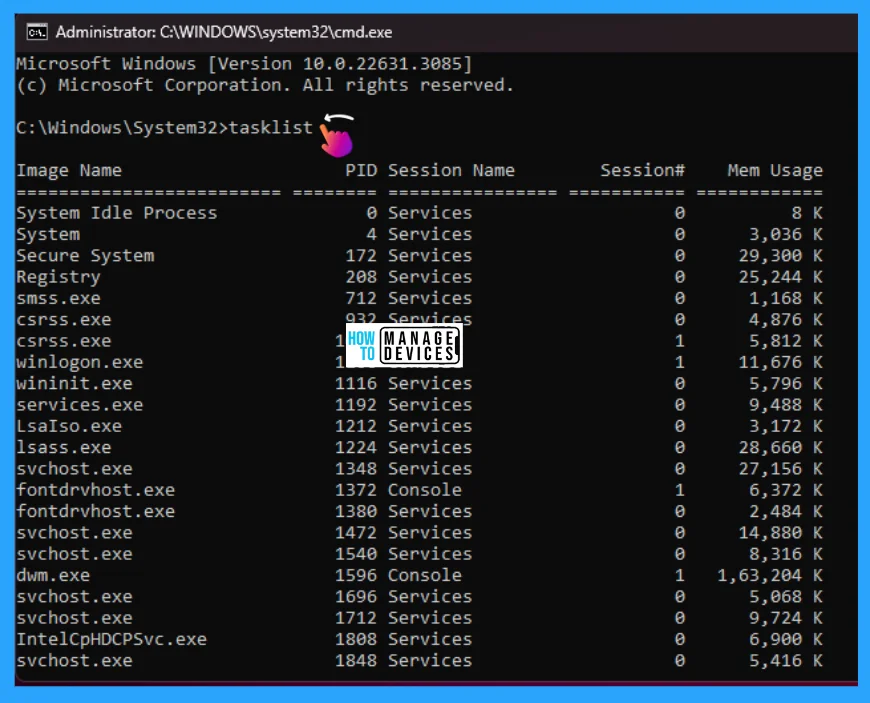
🛠Best Ways to Force Quit Frozen Apps in Windows 11
https://www.anoopcnair.com/best-ways-force-quit-frozen-apps-in-windows-11/
⏳What are Frozen Apps in Windows 11?
⏳Force quit applications in Windows
⏳Multiple ways to Close Unresponsive Apps
7th February 2024 – HTMD Newsletter 127
🎆Prevent the Use of Security Questions for Local Accounts using Intune Policy
https://www.anoopcnair.com/intune-security-questions-for-local-accounts/
👉Prevent the Use of Security Questions for Local Accounts
👉Credential User Interface
👉Intune Report for Prevent the Use of Security Questions for Local Accounts Policy
👉Intune MDM Event Log
👉Windows CSP Details NoLocalPasswordResetQuestions

🎆What is Face Check Feature in Entra
https://www.anoopcnair.com/what-is-face-check-feature-in-entra/
📢Microsoft Entra Verified ID Face Check Powered by Microsoft Azure AI Services
📢Enables High-Assurance Verification with Face Check
📢Fast Remote Onboarding and Secure Access with Verified ID
📢Control who can Retrieve a Credential
📢Ensuring Data Privacy with Entra Verified ID
📢How much does Face Check Cost?

🎆Restrict Drivers Installation for Non-Administrators Users with Intune Policies
https://www.anoopcnair.com/restrict-drivers-installation-non-admin-intune/
👉Process of blocking non-administrators from installing drivers
👉Driver Installation
👉Allow non-administrators to install drivers for these device setup classes
👉Monitor the Configuration Profile Deployment in Microsoft Intune
👉End-User Experience After Restricting Non-Administrators from Installing Drivers

8th February 2024 – HTMD Newsletter 127
📢Add More Security CMG Web App in SCCM 2309 Update
https://www.anoopcnair.com/sccm-2309-update-add-more-security-cmg-web-app/
↗Pre-requisite to Create CMG Web App
↗What is Microsoft Entra Apps?
↗How to Update CMG Web App Settings
↗Configure Azure Active Directory to Add More Security CMG Web App
↗Why CMG Web App & Client App Registrations are Required?

🎆Intune Working Time Limit Access Feature for Android Devices
https://www.anoopcnair.com/intune-working-time-limit-access-feature/
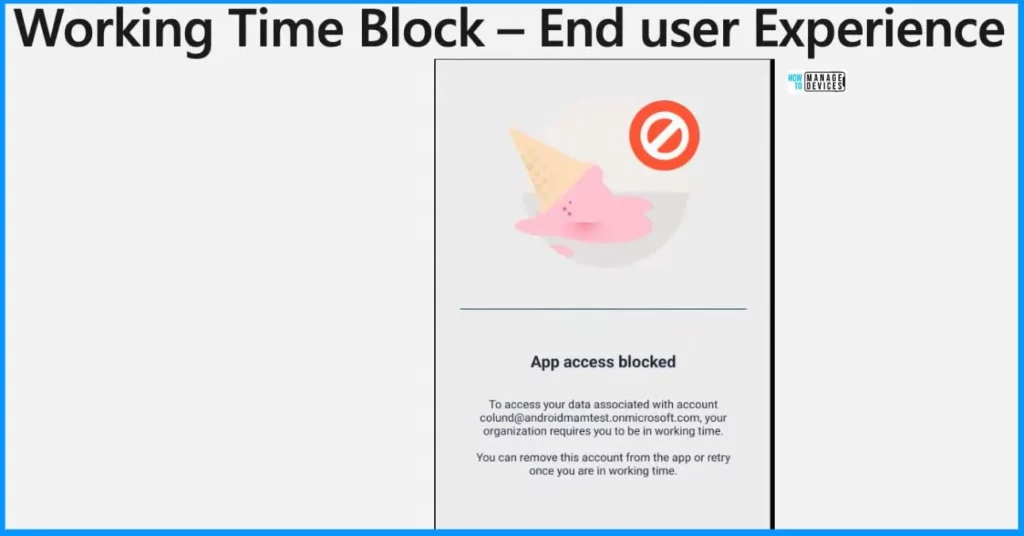
📢App Access Blocked?
📢Limit Access and Mute Notifications
📢Working Time Block Admin Experience
📢Conditional Launch Settings
📢Working Time Block End User Experience
📢Break Reminders and Stress Reduction
📢Which Apps and Platforms Currently Support this Feature?
📢Maintain a Healthy Work-life Balance
🖨How to Run Program Compatibility Troubleshooter on Windows 11
https://www.anoopcnair.com/program-compatibility-troubleshooter-windows-11/
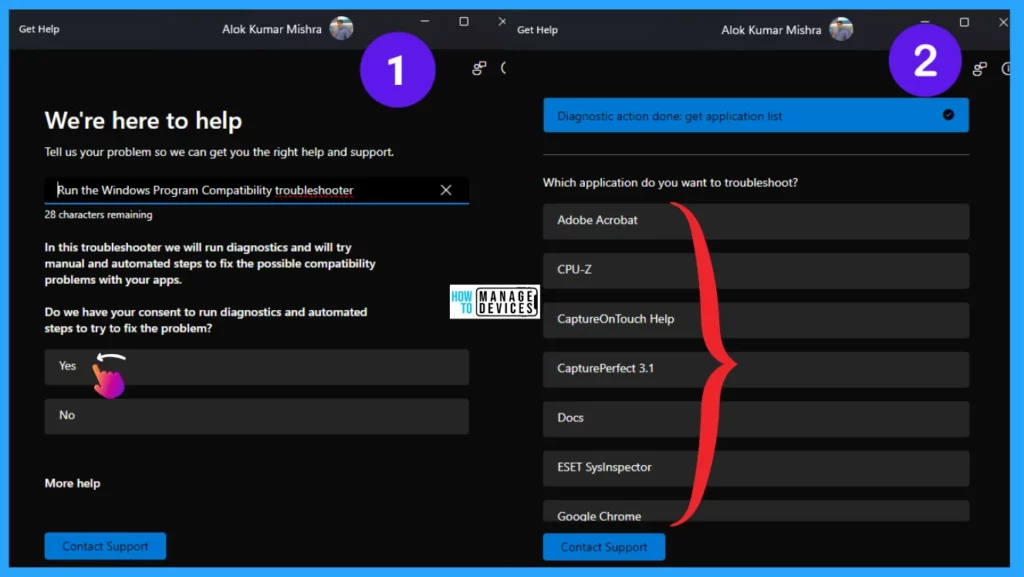
🛠What is Program Compatibility Troubleshooter?
🛠Run Program Compatibility Troubleshooter Using Settings App
🛠Use Desktop Shortcut to Run Troubleshooter
🔼Best Practices for Creating Entra ID Dynamic Groups for Intune
https://www.anoopcnair.com/creating-entra-id-dynamic-groups-for-intune/
⏳Performant Alternatives in Dynamic Groups for Intune

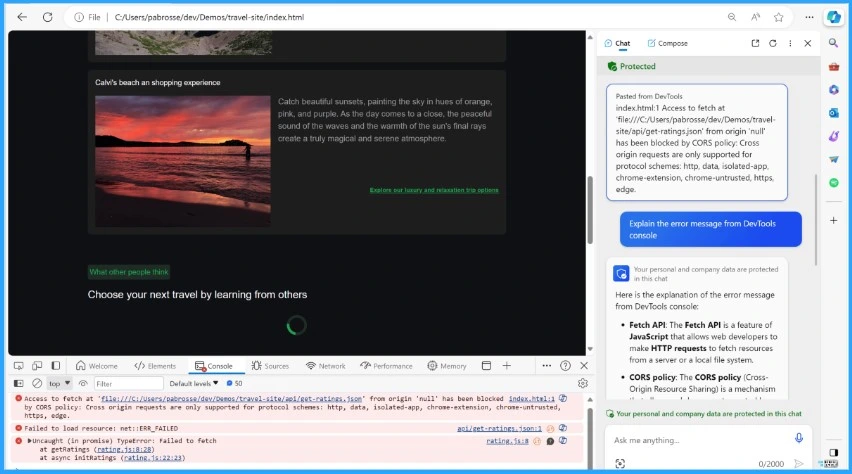
🔮New Error Detecting Feature in Edge Browser using Copilot
https://www.anoopcnair.com/error-detecting-feature-in-edge-browser-copilot/
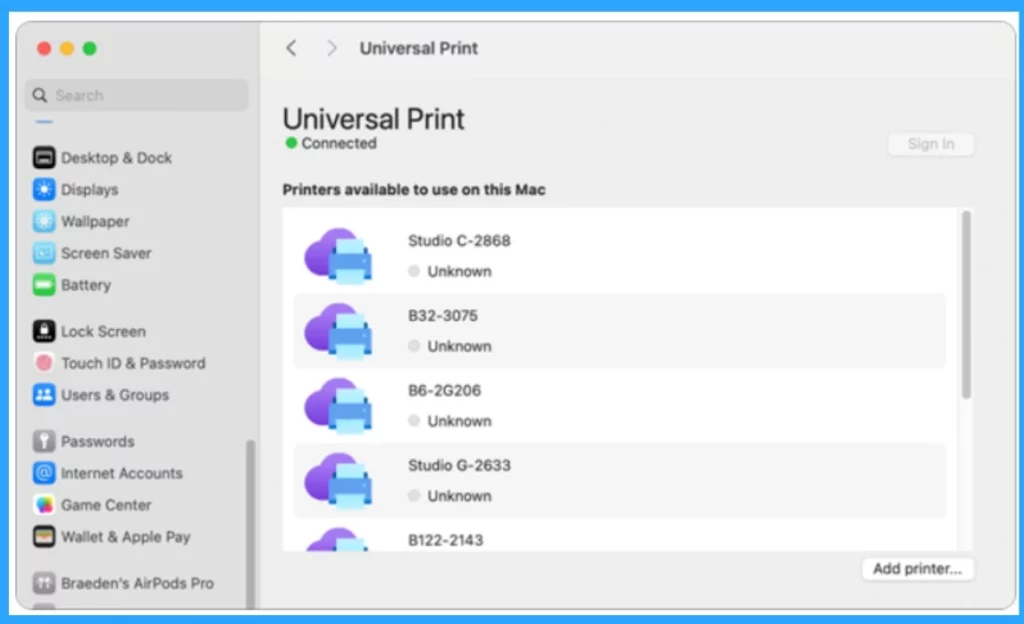
🎆Microsoft Made Universal Print for macOS Available
https://www.anoopcnair.com/microsoft-made-universal-print-for-macos/
📢Simplified Printing for Mac Users with Universal Print
📢Key Features of Universal Print for macOS
📢Locating Printers by Name Building 8 or Design Studio
📢Different Global Settings Options and Uses
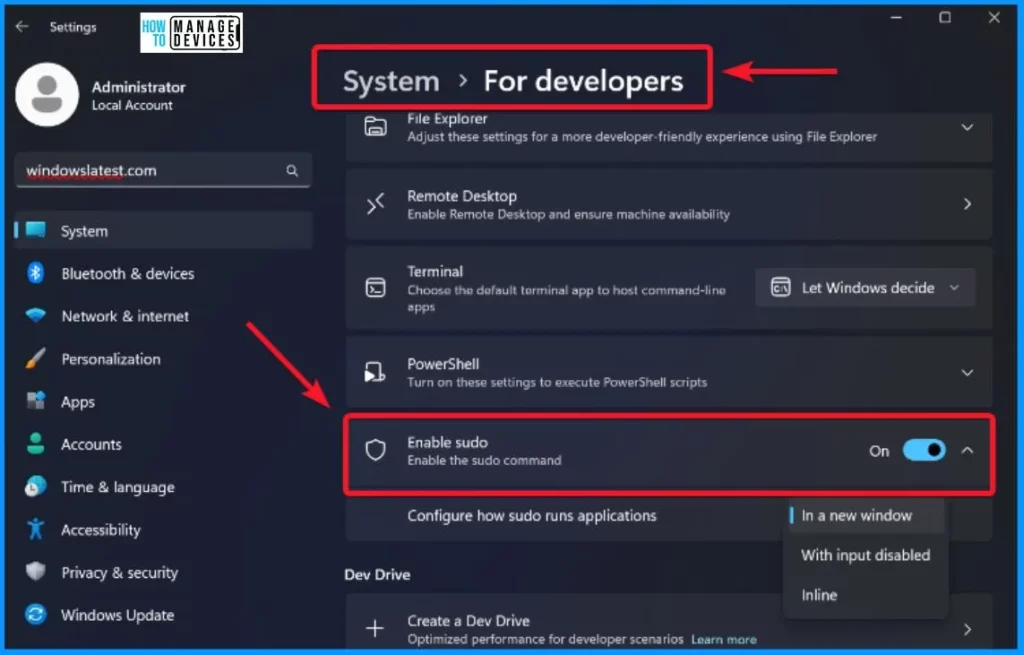
🎆Microsoft Latest Addition Sudo for Windows
https://www.anoopcnair.com/microsoft-latest-addition-sudo-for-windows/
👉Windows 11 Insider Preview Build 26052
👉Future Plans for Sudo for Windows
👉How Does Sudo for Windows Work?
👉Supports Different Configuration Options
👉Effortless Execution of Elevated Commands
👉Simplified Administrative Operations
9th February 2024 – HTMD Newsletter 127
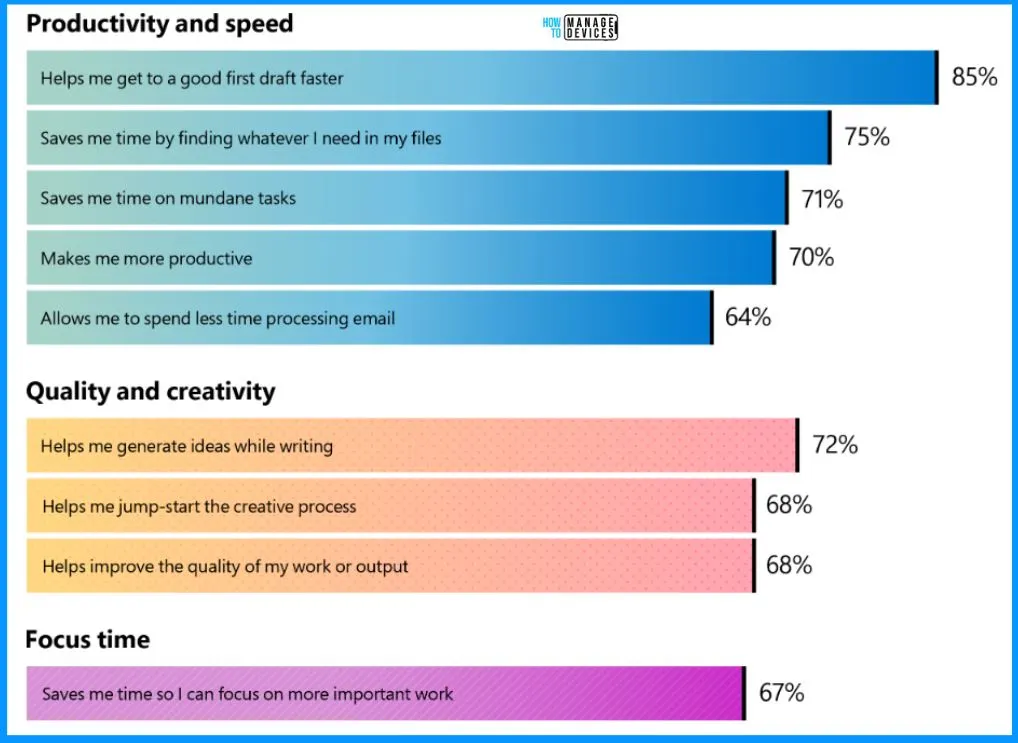
🎆Microsoft Claims Copilot Trains Employees to Think like a Manager
https://www.anoopcnair.com/microsoft-claims-copilot-trains-employees/
📢Microsoft Initial Analysis and Several Key Findings
📢Copilot Boosts Productivity and Creativity
📢Copilot for Sales Empowering Sellers with Enhanced Tools
📢Reports of Sales, Customer Service and Finance
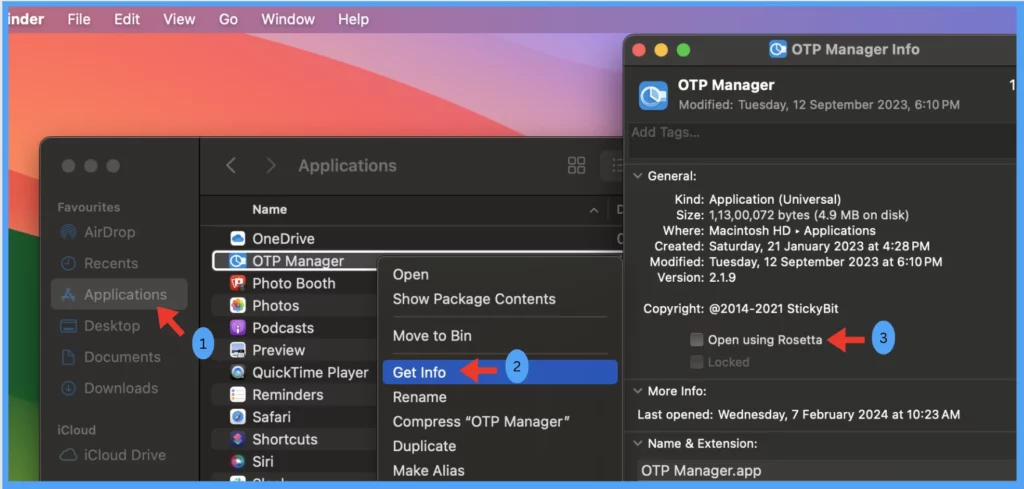
🎆Install Rosetta 2 on Apple Silicon MacBooks using Intune
https://www.anoopcnair.com/intune-rosetta-2-on-apple-silicon-macbooks/
👉Rosetta 2 on Apple Silicon MacBooks using Intune MDM Solution
👉Understanding the Importance of Rosetta App
👉Which Devices Require Rosetta and Why?
👉Installation Process – Step-by-Step Guide
👉Pre-Requisites for installing Rosetta
👉Shell Script to Install Rosetta 2
👉End User Experience
🔮Create and Deploy Python Application with Intune Enterprise App Catalog App
https://www.anoopcnair.com/intune-guide-to-deploy-python-enterprise-app/
⏩Benefits of Enterprise App Management
⏩What is Python? – Learn More About the Python
⏩Enterprise Application Catalog to Deploy Python
⏩Monitor Enterprise Application Catalog in Intune
⏩End-User Experience – Python Installation

🔮Microsoft Offers 2 Million People in India with AI Skilling Opportunities
https://www.anoopcnair.com/microsoft-offers-2-million-india-ai-skilling/

🎆Exciting Features Coming Soon to Latest Windows 11 Moment Drop Release
https://www.anoopcnair.com/latest-windows-11-moment-drop-release/
👉Introduction to Moment 5 Update for Windows 11
👉Optimizing Windows 11 Performance and Upgrade Requirement
👉End of 2024 Moment Updates and Preview of Hudson Valley
👉Direct Inking into Text Boxes
👉AI-Powered Smart App Snap Suggestions
👉Updating the Widgets Board in Windows 11
👉Windows 365 Integration in Moment 5 Update

Deb is an SCCM and Intune admin with many years of experience in enterprise environments. He is interested in Windows management, Task Sequence, SCCM, and modern management.

Discussion