











HTMD Newsletter 124 15th to 19th January
Welcome to the HTMD Newsletter 124 Summary from 15th to 19th January 2024! This is the list of posts and videos that the HTMD Community published this week and news from the IT industry. You can get all the information and details from Windows 11, Cloud PC, SCCM, Intune, Azure Virtual Desktop (AVD), Android, iOS, and Mac.
➡️ Here’s how you can be part of the HTMD Community, You can join us here.
➡️ Here, you can Subscribe HTMD Youtube Channel and welcome Video Messages about HTMD here.
➡️ We are on WhatsApp. To get the latest step-by-step guides and news updates, Join our Channel, HTMD WhatsApp.
Did you miss updates from last week? Check out the link below.
- 121st HTMD Newsletter – HTMD Newsletter 121 Dec 25th to 29th
- 122nd HTMD Newsletter – HTMD Newsletter 122 Jan 1st to 5th
- 123rd HTMD Newsletter – HTMD Newsletter 123 8th to 12th January

15th January 2024 – HTMD Newsletter 124
🎆Intune Remote Assistance for MacOS Devices
https://www.anoopcnair.com/intune-remote-assistance-for-macos-devices/
🎈New Remote Assistance Session
🎈Start Remote Help Session with Passcode and Session Link
🎈Helpful Tool for Troubleshooting and Assistance
🎈Communication and Chat Feature
🎈Simple Secure and Helpful Tool

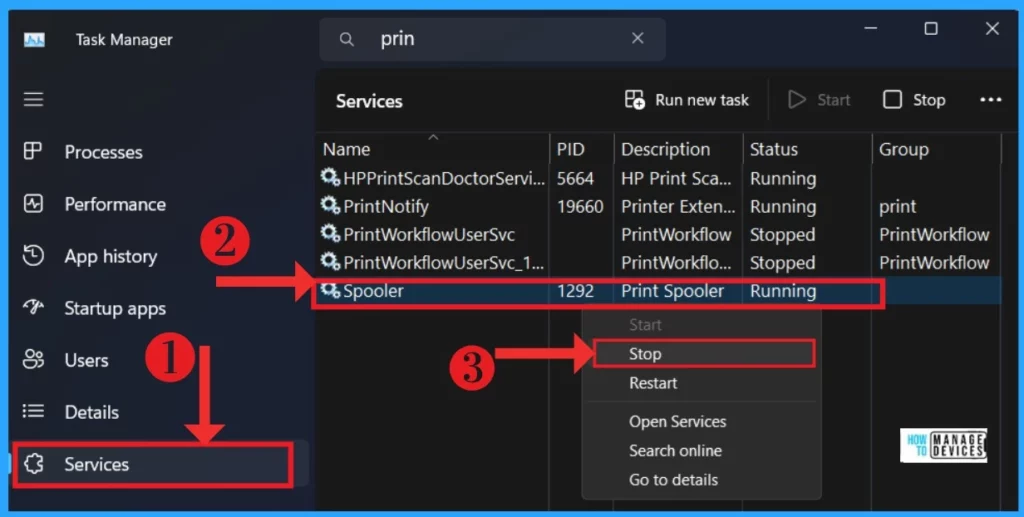
🎆Ways to Enable and Disable Unwanted Services from Windows 11
https://www.anoopcnair.com/enable-disable-unwanted-services-windows-11/
▶Automatic System Services
▶Importance of Manual Service Control
▶Managing Local Services
▶Different Methods to Enable Disable Unwanted Services
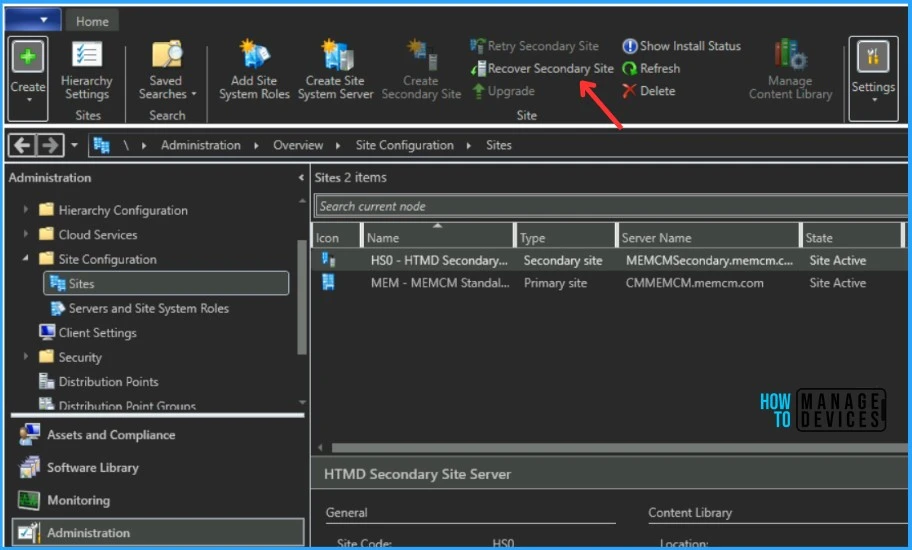
✅SCCM 2309 Hotfix KB26129847 Client Discovery Data Fix
https://www.anoopcnair.com/sccm-2309-hotfix-kb26129847-client-discovery/
➡Summary of Hotfix SCCM 2309 KB26129847
➡Download KB26129847 Hotfix
➡Use Update Registration Tool to Import Hotfix
🎆Android Devices and Intune Remote Help Walkthrough Guide
https://www.anoopcnair.com/android-devices-and-intune-remote-help/
🔔New Remote Assistance session
🔔Request screen sharing
🔔Request Full Control
🔔Initiate Unattended Control
🔔Remotely Accessing and Controlling a Device in Charging Dock

🙏Intune Daily News 1501 via HTMD News Updates
New Intune Graph API All the best for the new year 2024!
https://youtube.com/shorts/8TcK6GBk5xc
16th January 2024 – HTMD Newsletter 124
🎆How to Use Intune Remote Assistance for Windows Devices
https://www.anoopcnair.com/intune-remote-assistance-for-windows-devices/
🎇Initiating Remote Assistance through Intune Portal
🎇Attended Screen Sharing and Attended Full Control
🎇Viewing and Controlling the User’s Screen
🎇Troubleshooting and Guiding Users
🎇Support Unregistered Devices
🎇Implementing Strong Authentication Measures
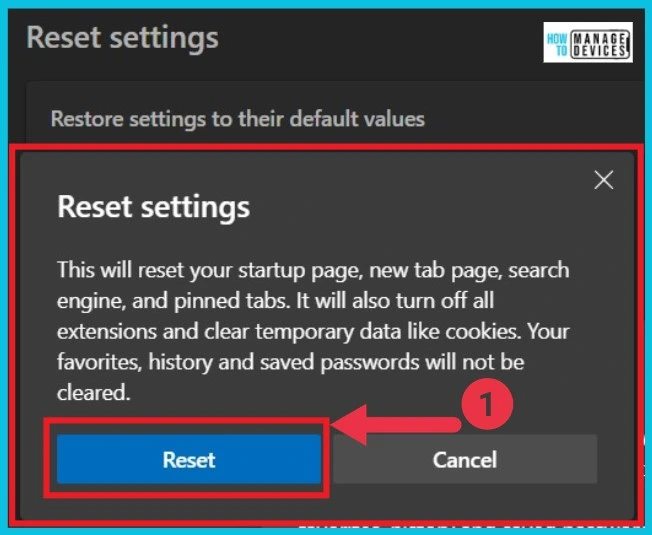
🎆How to Repair Reset Microsoft Edge in Windows
https://www.anoopcnair.com/how-to-repair-reset-microsoft-edge-in-windows/
▶Enhance the performance of Microsoft Edge
▶Effective Problem Resolution
▶Restore Settings to their Default Values
▶Using PowerShell to Reset Microsoft Edge
▶Resetting Edge with Run Command
▶keep Microsoft Edge up to date and Boost Speed
⏩Copilot Vs Copilot Pro Vs Copilot for Microsoft 365 Comparison
https://www.anoopcnair.com/copilot-vs-copilot-pro-microsoft-365-copilot/
↘Microsoft Copilot Pro Launches
↘Comapre Copilot for Microsoft 365 Vs Copilot
↘Free Copilot, Copilot Pro

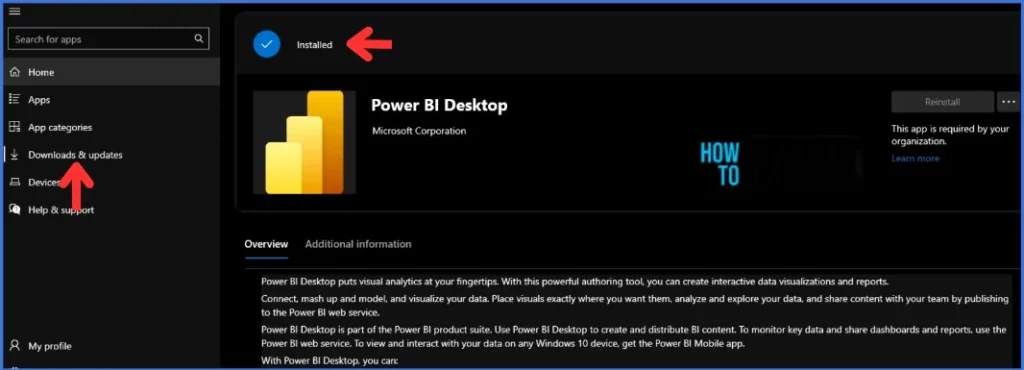
🚀Install Power BI Desktop from New Microsoft Store in Intune
https://www.anoopcnair.com/install-power-bi-desktop-microsoft-store-intune/
🔃Prerequisites and Improvements of New Microsoft Store Applications
🔃Advantages of using Power BI
🔃Install Power BI Desktop from the New Microsoft Store
🔃Monitor New Microsoft Store App Deployment in Intune
🔃End-User Experience – Power BI Desktop Installation
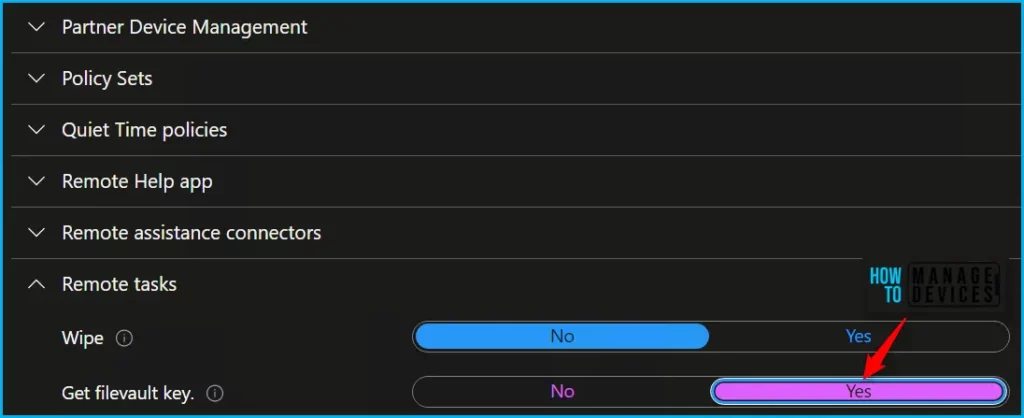
📍Configure Intune RBAC Role for macOS FileVault Recovery Key
https://www.anoopcnair.com/intune-rbac-macos-filevault-recovery-key/
🔎Manage macOS FileVault Recovery Key
🔎Configure Help Desk Operator Role
🔎Get FileVault Key
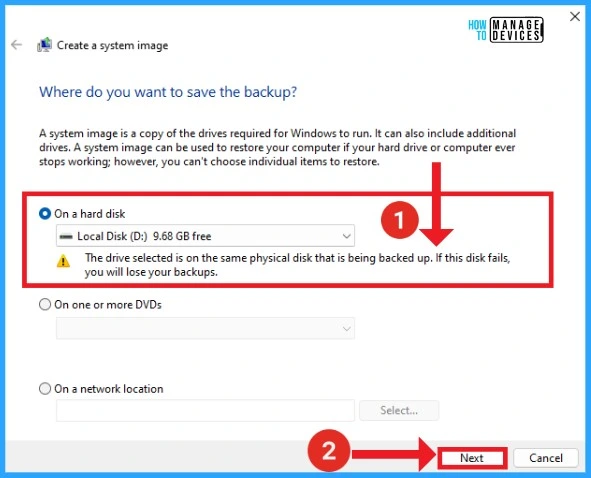
🔃Best Method to Create Windows 11 System Image Backup
https://www.anoopcnair.com/how-to-create-windows-11-system-image-backup/
✅Advantages of System Image Backup?
✅Create Windows 11 System Image Backup
✅Backed Up Drives for Creating System Image
17th January 2024 – HTMD Newsletter 124
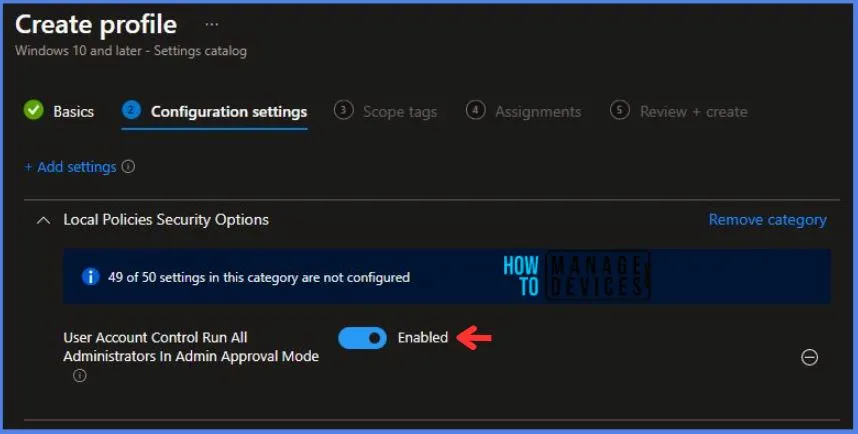
🎆Deploy Intune Run All Administrators in Admin Approval Mode Policy
https://www.anoopcnair.com/intune-run-all-administrators-in-admin-approval/
⏩Run All Administrators in the Admin Approval Mode
⏩Intune Report for Admin Approval Mode Policy
⏩Windows CSP Details UserAccountControl_RunAllAdministratorsInAdminApprovalMode
⏩Registry Key Verification – Run all Administrators in Admin Approval Mode
🎆Enable Windows LAPS Managed Account in WinRE or Safemode
https://www.anoopcnair.com/windows-laps-managed-account-in-winre-safemode/
🎈A New Feature in Windows LAPS
🎈Strong Password Management in Recovery and Troubleshooting Modes
🎈Windows LAPS Integration with Safe Mode Boot
🎈Enable Name of Administrator Account to Manage

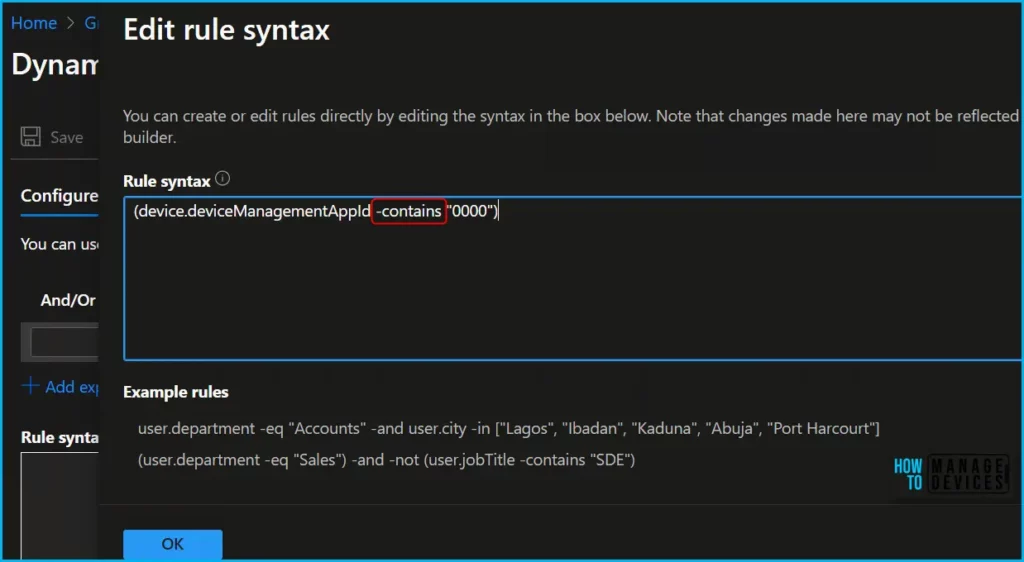
🛠Entra ID Dynamic Group Rule Builder Contains and Not Contains Operator
https://www.anoopcnair.com/entra-id-dynamic-group-rule-builder-operators/
🕹Changes to Dynamic Group Rule Operator
🕹Edits to Dynamic Group Rule Builder in GA
🕹No longer include contains notContains operators
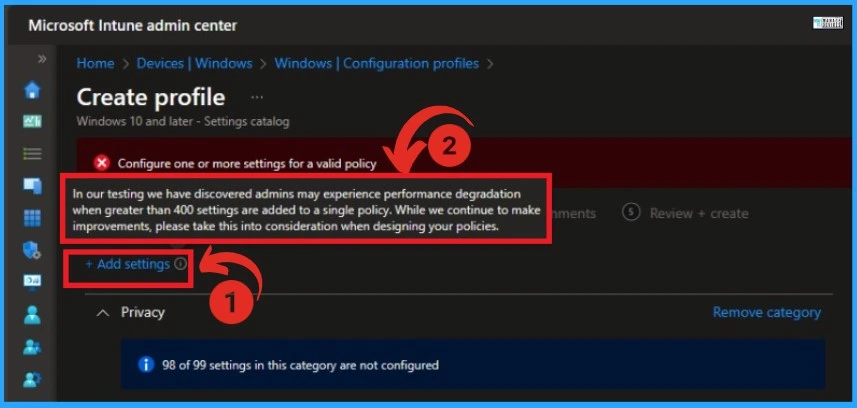
⚠Known Performance Issue with Intune Settings Catalog Policy
https://www.anoopcnair.com/known-performance-issue-intune-settings-catalog/
🔌Performance Degradation Experience
🔌Settings Catalog Configuration Error
🔌Intune Settings Catalog Configuration Error
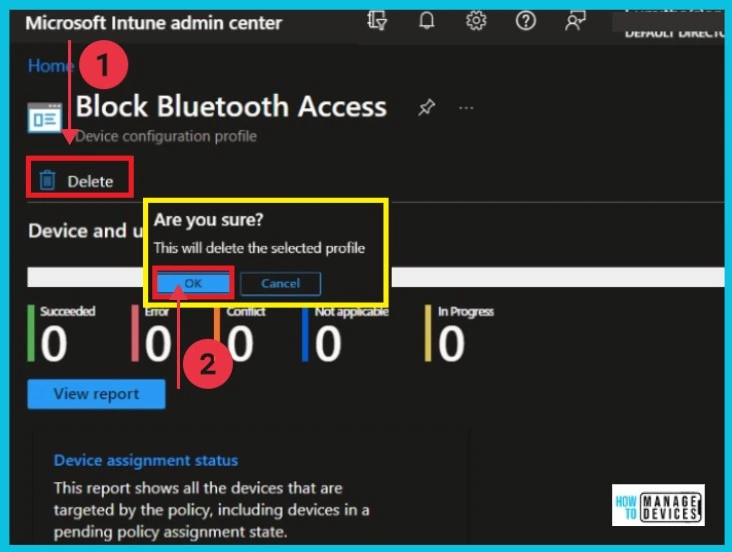
🎆How to Delete or Remove Configuration Profiles Policies from Intune
https://www.anoopcnair.com/remove-configuration-profiles-policies-intune/
▶Why Delete Configuration Profiles in Intune?
▶Step-by-Step Guide for Deletion
▶Different Methods for Deletion
18th January 2024 – HTMD Newsletter 124
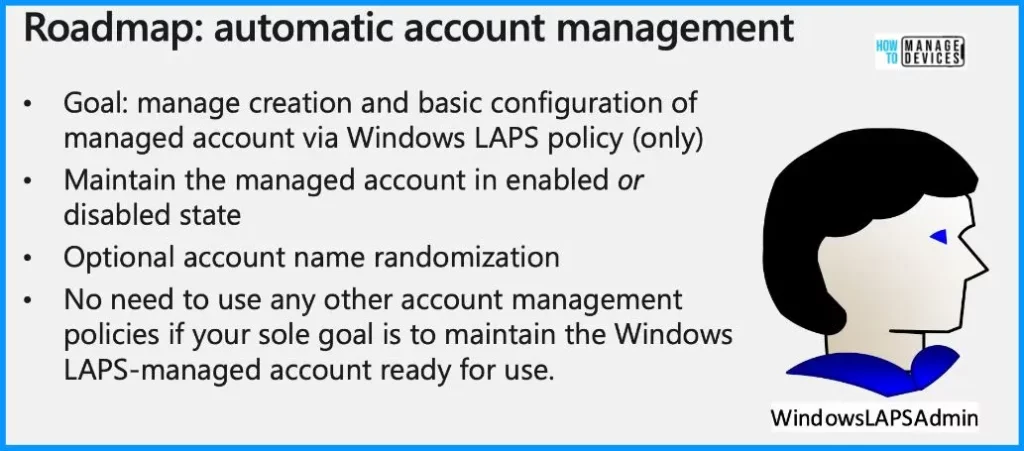
🎆Windows LAPs Automatic Account Management
https://www.anoopcnair.com/windows-laps-automatic-account-management/
🎈Automatic Account Management
🎈New GUI for Onprem Password Retrieval
🎈Password Algorithm Improvement
🎈Simplifying Built-In Admin Security with LAPS
🎈Easy Management of Non-Built-In Admin Accounts
🎆How to Create Intune Audit Credential Validation Policy
https://www.anoopcnair.com/intune-audit-credential-validation-policy/
🔌Audit Credential Validation Policy
🔌Intune Report for Audit Credential Validation
🔌Registry Key Verification – Audit Credential Validation
🔌Windows CSP Details AccountLogon_AuditCredentialValidation

🎆Enable Disable Location Services in Windows 11
https://www.anoopcnair.com/enable-disable-location-services-in-windows-11/
👉Let Apps Access your Location
👉Different Methods to Enable Disable Location Services
👉Set Default Location in Windows
👉How to Clear a Location History
👉Benefits of Managing Location Services
👉Enhancing User Experience and Security

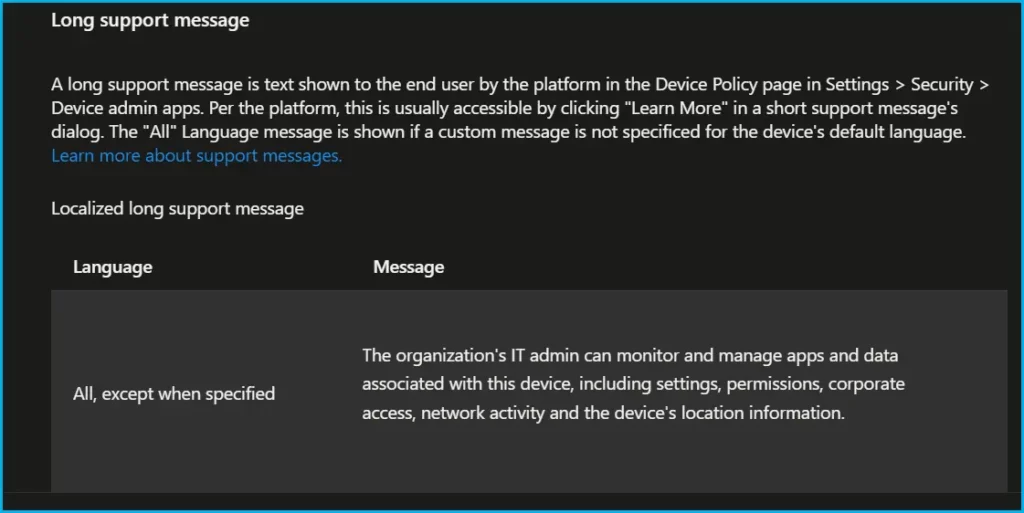
📲Configure Custom Message for Android using Intune
https://www.anoopcnair.com/configure-custom-message-for-android-intune/
🕹Android Device Restriction Profile
🕹Configure Custom Support Information
🕹Display Lock Screen Message
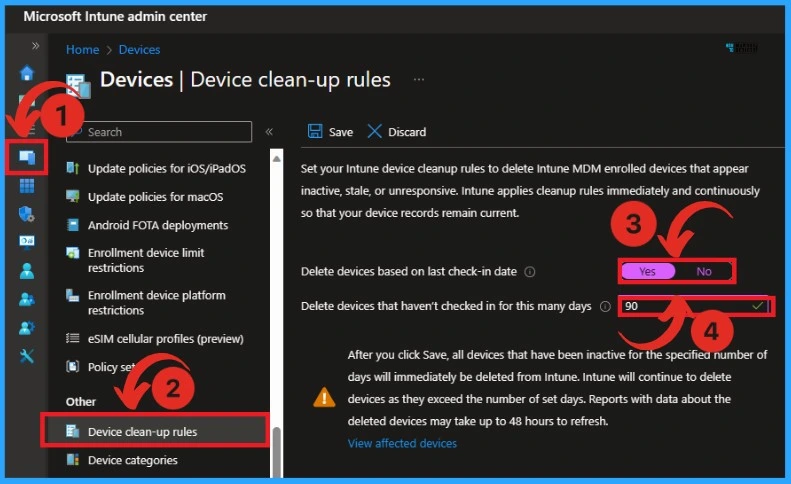
How to Delete Devices from Microsoft Intune
https://www.anoopcnair.com/how-to-delete-devices-from-microsoft-intune/
⛏Delete Devices from Microsoft Intune
⛏Automatic Intune Device Cleanup Rules Delete Stale Devices
⛏Device-cleanup-rules
19th January 2024 – HTMD Newsletter 124
🎆macOS Devices Migration Framework to Intune from Jamf Kandji JumpCloud Platforms https://www.anoopcnair.com/macos-devices-migration-framework-to-intune/
▶Introduction to macOS Devices Migration Framework
▶Understanding MDM Platforms: Jamf, Kandji, JumpCloud
▶Purpose of Implementing MDM Solutions for Device Management
▶Types of MDM Solutions for Mac Device Management
▶Steps for MacOS Devices Migration to Intune

🔎Enable Contact Sharing on Android using Intune
https://www.anoopcnair.com/enable-contact-sharing-on-android-using-intune/
🔮Android Work Profile Settings
🔮Enable Contact Sharing via Bluetooth
🔮Allow Sharing Access to Work Profile Contacts

↗3 Best Ways to Enable Disable User Accounts in Windows 11
https://www.anoopcnair.com/enable-disable-user-accounts-in-windows-11
🛠Enable Disable User Account Using System Setting
🛠Enable Disable User Account Using Command Prompt
🛠Enable Disable User Account Using PowerShell

🎆Now Get Microsoft Teams Meetings Shortcut Directly from Start Menu https://www.anoopcnair.com/teams-meetings-shortcut-directly-start-menu
🎈Easy Access to Upcoming Microsoft Teams Meetings
🎈One-click access to join the Teams meeting
🎈Who is Eligible for this Feature in Windows 11?
🎈How Does this Feature Benefit Windows 11 Users?

🎆New Banner Notification on Teams Classic Client
https://www.anoopcnair.com/new-banner-notification-on-teams-classic-client
👉Microsoft Teams Classic (OG) Retirement
👉75-Day Transition Period for Classic Teams Users
👉Can Users Dismiss the Update Notifications?
👉Method for Transitioning Teams Licenses

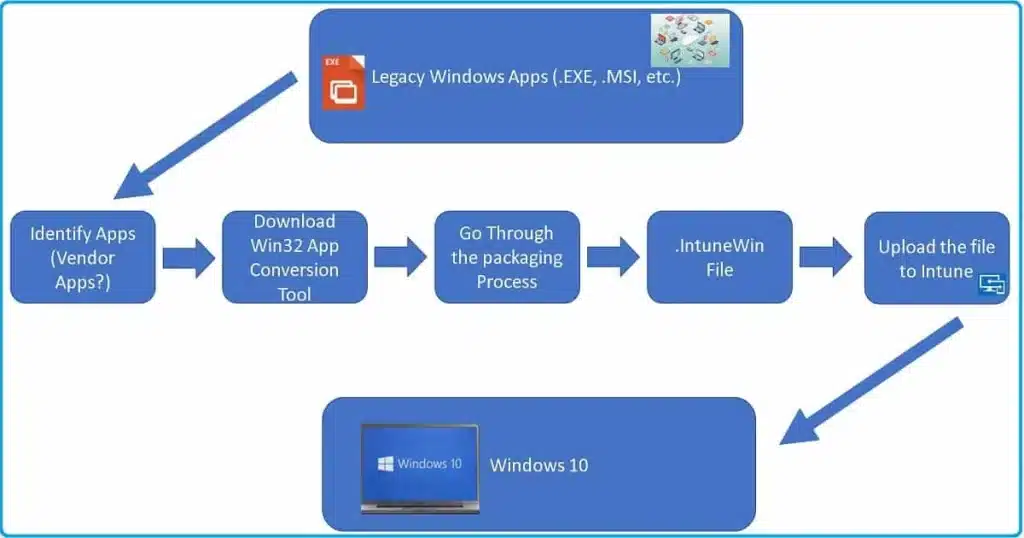
🔎Maximum Size Cap for Intune Win32 App is Increased Now
https://www.anoopcnair.com/maximum-size-for-intune-win32-app-is-increased
↗Maximum Size Cap for Intune Win32 App?
↗Win32 App Limit Size Increased
↗Extended to 30 GB per App

Deb is an SCCM and Intune admin with many years of experience in enterprise environments. He is interested in Windows management, Task Sequence, SCCM, and modern management.

Discussion