











217th HTMD Newsletter 27th to 31st October 2025
Welcome to the 217th HTMD Newsletter,27th to 31st October 2025! This is the list of posts and videos the HTMD Community published this week, and news from the IT industry. You can get all the information and details from Windows 11, Cloud PC, SCCM, Intune, Azure Virtual Desktop (AVD), Android, iOS, and Mac.
Previous Weeks Newsletter
- 214th HTMD Newsletter – HTMD Newsletter 6th to 10th October 2025
- 215th HTMD Newsletter – HTMD Newsletter 13th to 17th October 2025
- 216th HTMD Newsletter – HTMD Newsletter 20th to 24th October 2025
Monday 27th October 2025
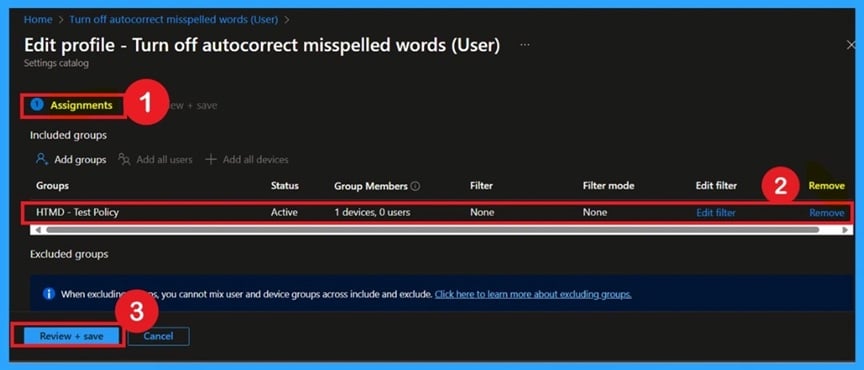
🎯How to Prevent Automatic Typo Corrections to Maintain User Control using Intune Policy
–https://www.anoopcnair.com/prevent-automatic-typo-corrections-Intune/
🔥Disable Autocorrect Misspelled Words Feature via Intune
🔥Real World Example: Enforcing Typing Behavior Across Microsoft Word, Outlook, Teams
🔥Ensure Consistent Text Input Experience Across Devices
🔥Helps Admins Maintain Control Over User Typing Preferences
🔥Policy Enforcement Prevents Users from Re-Enabling Autocorrect
🔥Client Side Behavior
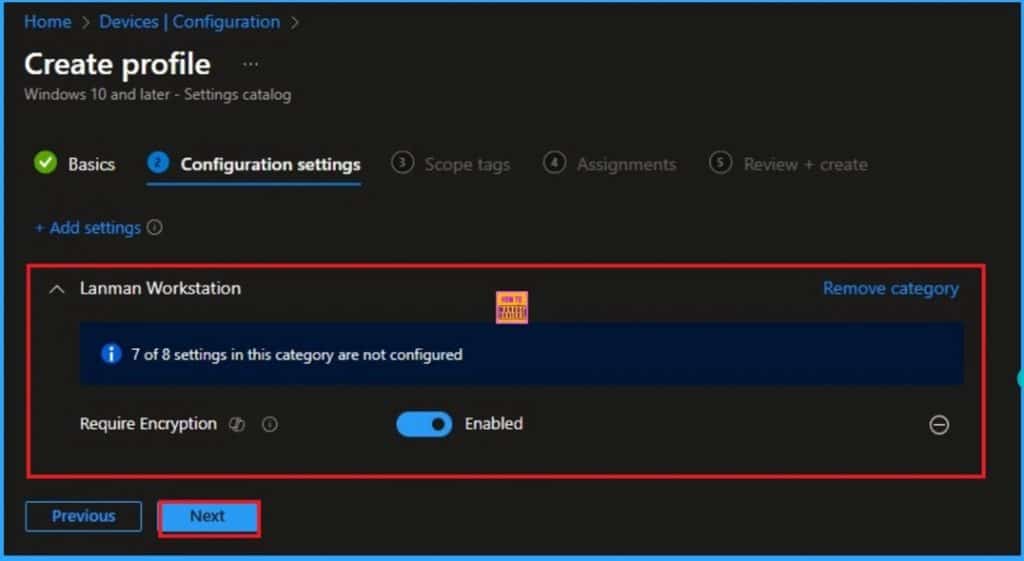
🎯Step-by-Step Guide to Mandating SMB Encryption on Every Windows Device with Intune
–https://www.anoopcnair.com/mandating-smb-encryption-on-windows-with-Intune/
🔥Require SMB Encryption for Windows Devices
🔥Real Word Example of Require SMB Encryption Policy
🔥Helps to Enforce High Security Standards
🔥Enhance End User Privacy and Data Security
🔥How this Policy Helps Admins
🔥Client-Side Behavior
🎯Achieve Next Level File Sharing Security Deploy Minimum SMB 3.0 With Intune
–https://www.anoopcnair.com/sharing-security-deploy-minimum-smb-3-0-intune/
🔥Minimum SMB 3.0 for Windows Devices
🔥Real Word Example of SMB Dialect Policy
🔥Helps to Enforce High Security Standards
🔥Achieve Next Level File Sharing Security
🔥How this Policy Helps Admins
🔥Client Side Behavior
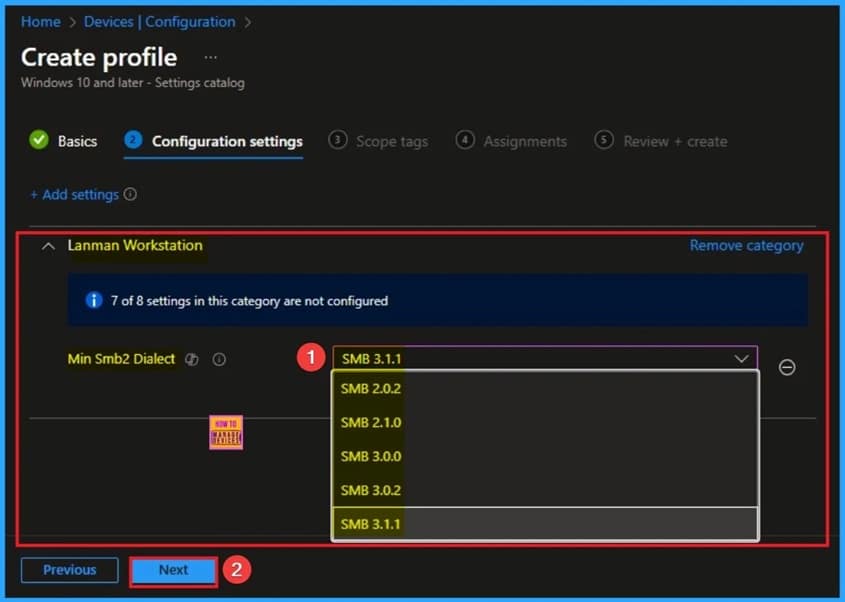
🎆Stop Hidden Threats your Step by Step Guide to Activating Network File Scanning using Intune
–https://www.anoopcnair.com/activating-network-file-scanning-using-intune/
🔔Enable Network Scanning Files Policy
🔔Protects Shared Drives and Servers from Threats
🔔Enhances Overall System and Data Security
🔔Prevents the Spread of Infections Across Multiple Computers
🔔Device and User Check-in Status
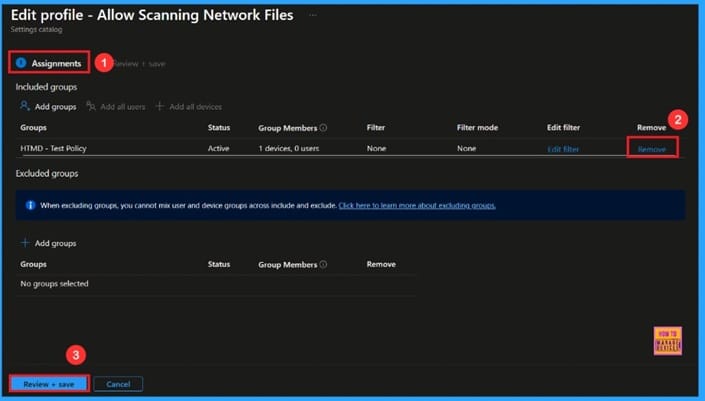
Tuesday 28th October 2025
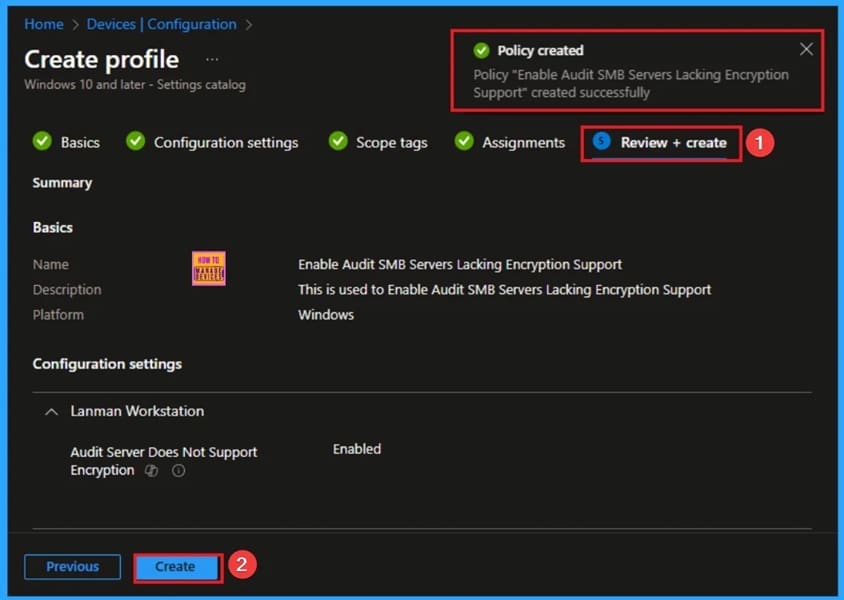
🎯How to Enable Audit SMB Servers Lacking Encryption Support using Intune
–https://www.anoopcnair.com/audit-smb-servers-lacking-encryption-intune/
🔥Enable Audit SMB Servers Lacking Encryption
🔥Real Word Example of Audit SMB Servers Policy
🔥Helps to Enforce High Security Standards
🔥Identification of Vulnerable or Legacy Servers
🔥How this Policy Helps Admins
🔥Client Side Behavior
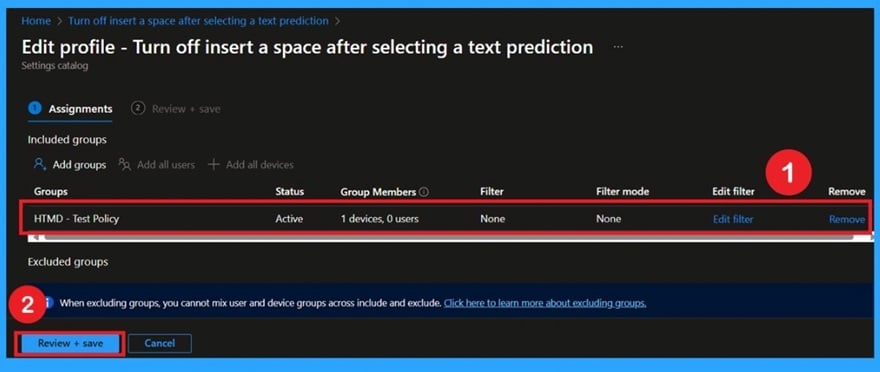
👉Prevent Automatic Space After Text Suggestions for Accurate Typing using Intune Policy ✍Control Text Prediction Behavior on On-Screen Keyboards
–https://www.anoopcnair.com/automatic-space-after-text-suggestions-intune/
✍Prevent Automatic Space Insertion After Suggested Words
✍Ensure Consistent Typing Experience Across Managed Devices
✍Lock Input Behavior When Policy is Enabled
✍Require Manual Spacebar Press for Word Separation
✍Device Check-in Status
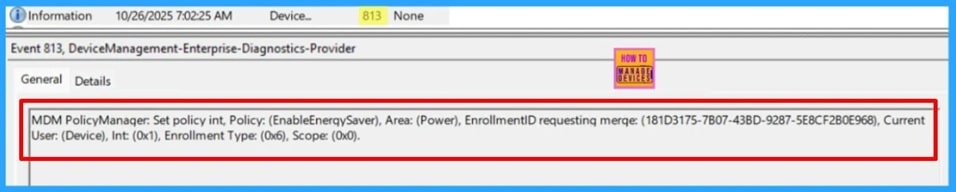
📌How to Enable or Disable Energy Saver Always-on Mode in Intune Settings Catalog
–https://www.anoopcnair.com/energy-saver-always-on-mode-in-intune-settings/
☑New Settings Catalog Policies for Windows 11, Version 25H2
☑Learn More About Enable Energy Saver Policy
☑Step by Step to Enable or Disable Energy Saver Always-on Mode
☑Monitor Configuration Profile Deployment in Microsoft Intune
☑Event Log to Verify Intune Policy Deployment Status
🎆How to Block JavaScript or VBScript from Launching Downloaded Executable Content using Intune
–https://www.anoopcnair.com/block-javascript-or-vbscript-from-intune/
📌What Are JavaScript and VBScript Used For
📌How This Policy Protects Endpoints
📌How to Configure This Policy in Intune
📌What End Users Can Expect
📌Why This Policy Is Important
📌What Risks This Rule Mitigates
📌How This ASR Rule Works

Wednesday 29th October 2025
📌Best Guide to use PowerShell Scripts Intune Enterprise App Catalog app
–https://www.anoopcnair.com/powershell-scripts-in-intune-enterprise-app/
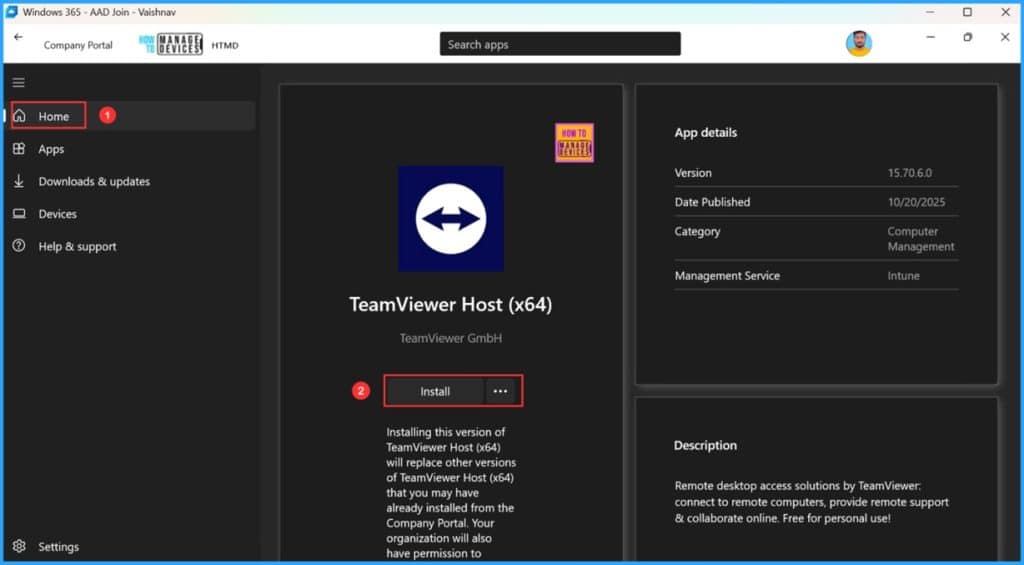
✅Create TeamViewer Enterprise App Catalog app
✅TeamViewer Host Intune Enterprise App Catalog app Details
✅Configure the TeamViewer Host (x64) App
✅Create PowerShell Scripts for both Installation and Uninstallation of TeamViewer Host (x64) App
✅End User Experience of TeamViewer Host App Deployment
✅Monitor the TeamViewer Host App Deployment in Intune
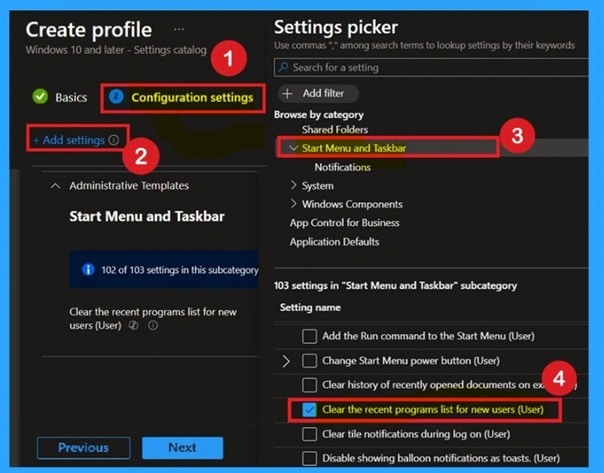
🎆Control Recent Programs Visibility for New Users using Intune Policy
–https://www.anoopcnair.com/recent-programs-visibility-users-using-intune/
📌What Is the Start Menu’s Role in User Experience
📌Why Managing Recent Programs Visibility
📌How This Policy Impacts New User Profiles
📌What End Users Can Expect on First Sign-In
📌Why This Policy Enhances Productivity and Clean UI
📌What Happens If the Policy Is Not Configured
📌How This Setting Supports a Professional Environment
📌Client-Side Verification through Event Viewer
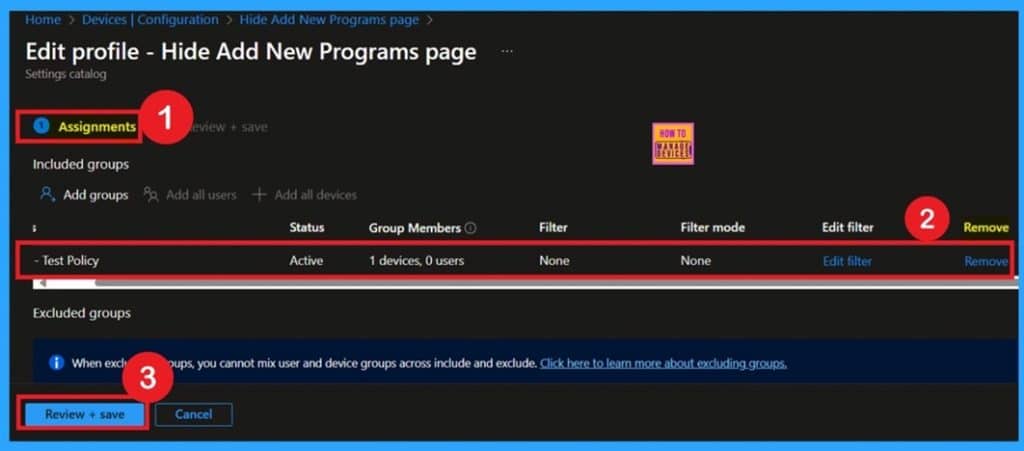
🎆How to Remove Assigned Groups from Attack Surface Reduction ASR Policy in Microsoft Intune
–https://www.anoopcnair.com/remove-assigned-groups-from-asr-policy-intune/
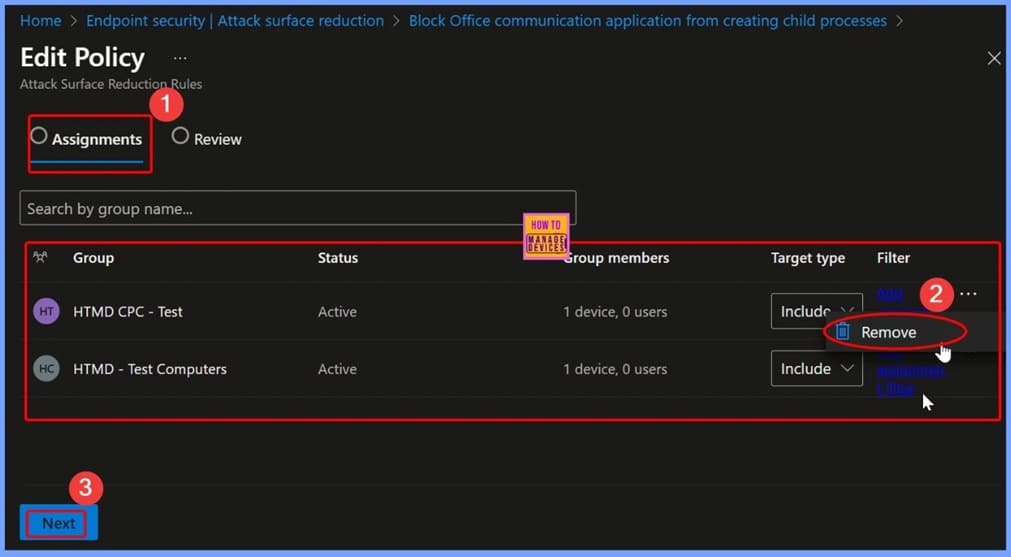
🔊Remove Assigned Groups from Attack Surface Reduction ASR Policy
🔊What Happens When You Remove Assigned Groups
🔊Why Removing Assigned Groups Is Helpful
🔊How This Helps IT Administrators
🔊What Are the Benefits of Regular Policy Maintenance
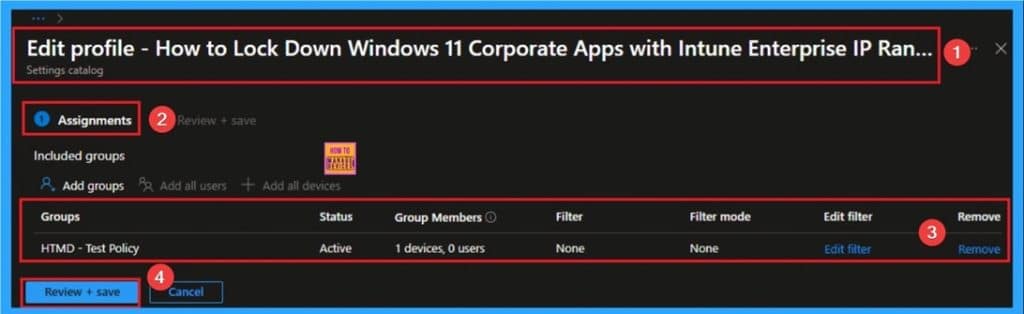
🎯How to Enable Enterprise IP Range Policy to Lock Down Windows 11 Corporate Apps using Intune
–https://www.anoopcnair.com/enterprise-ip-range-policy-to-lock-down-intune/
🔥Enable Enterprise IP Range
🔥Real Word Example of Enterprise IP Range Policy
🔥Helps to Defining the Trusted Network Perimeter
🔥Improved Data Protection
🔥How this Policy Helps Admins
🔥Client Side Behavior
Thursday 30th October 2025
🚀Enhance Data Retrieval Speed by Adjusting BranchCache Age using Intune Policy
–https://www.anoopcnair.com/data-retrieval-speed-branchcache-age-intune/
📌BranchCache and Its Role in Network Optimization
📌Why Adjusting Cache Age Matters for Data Accuracy
📌How This Policy Impacts Cached Segment Validity
📌What Administrators Can Configure with This Setting
📌Why This Policy Supports Performance and Compliance
📌What Happens If the Policy Is Not Configured (Default: 28 Days)
📌How This Setting Balances Refresh Frequency and Efficiency
📌Client-Side Behavior and Cache Expiry Management
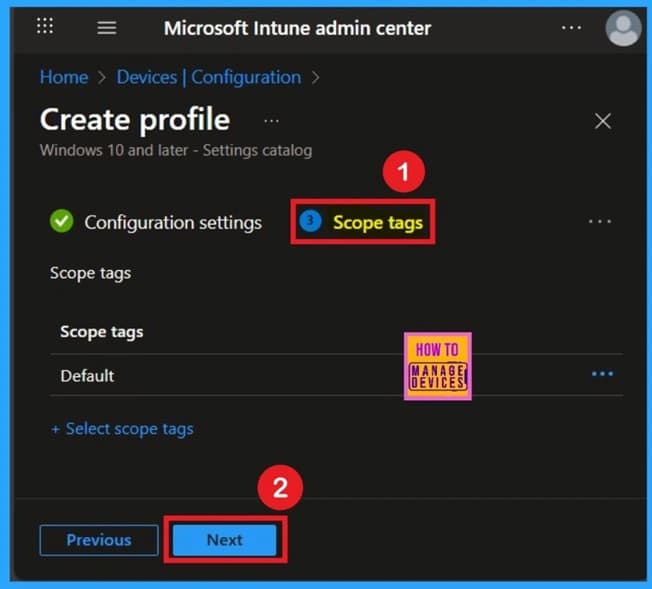
🔕Turn Off All Balloon Notifications in Taskbar Using Intune Policy
–https://www.anoopcnair.com/balloon-notifications-in-taskbar-the-intune/
📌What Are Notification Balloons and Their Purpose
📌Why Disabling Them Can Improve Focused Workspaces
📌How This Policy Impacts System and App Alerts
📌What Administrators Can Expect When Policy Is Enabled
📌Why This Setting Benefits Professional or Shared Devices
📌How This Policy Supports a Consistent User Experience
📌User-Side Impact: No Pop-Ups for System Events
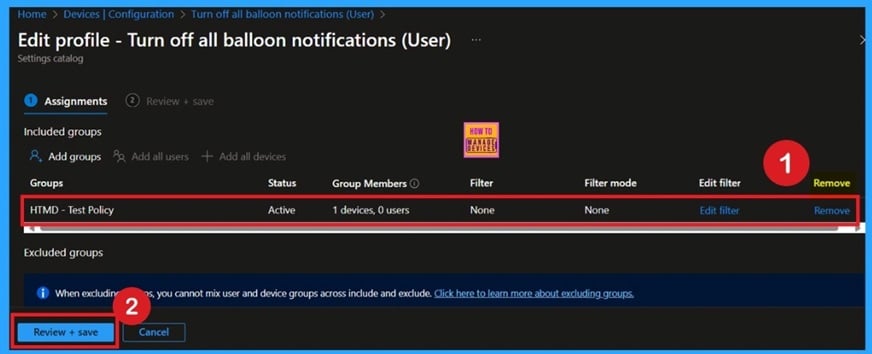
🎆Top 4 Pillars of SCCM to Intune Migration Workloads Identity Applications Policies
–https://www.anoopcnair.com/top-4-pillars-of-sccm-to-intune-migration/
🎉The Four Core Migration Pillars
🎉Workload Migration Path
🎉Identity Strategy (Hybrid vs. Cloud)
🎉Application Modernization Workflow
🎉Policy Transformation (GPO to Intune)
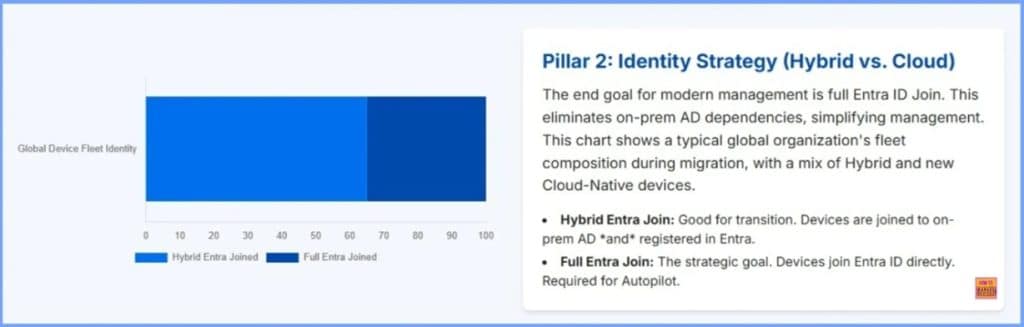
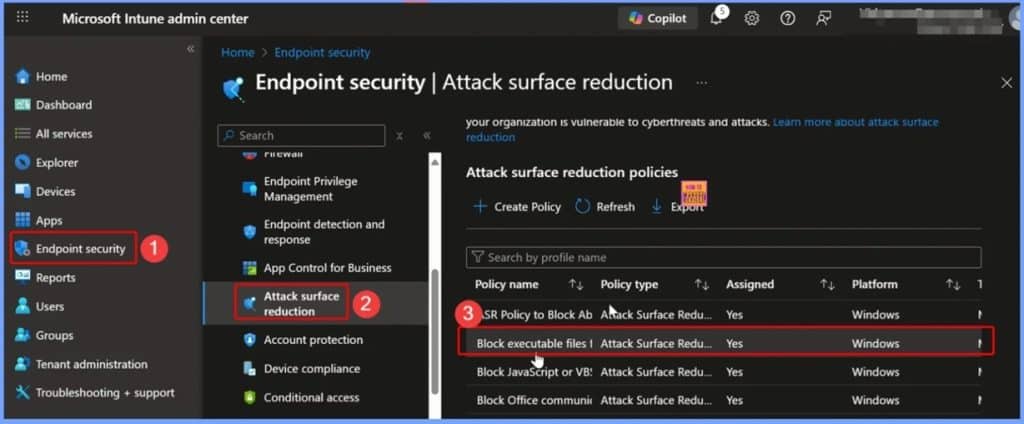
🎆How to Delete Attack Surface Reduction ASR Policy from Microsoft Intune
–https://www.anoopcnair.com/delete-attack-surface-reduction-asr-intune/
📌What is an Attack Surface Reduction (ASR) Policy in Intune
📌Why You Might Need to Delete an ASR Policy
📌How to Delete an ASR Policy from Microsoft Intune
📌Check Policy Status Before Deletion
📌Confirm Policy Deletion
📌How Deleting Helps IT Admins
Friday 31st October 2025
🎆How to Control Multi Monitor Taskbar Settings using Intune Policy
–https://www.anoopcnair.com/control-multi-monitor-taskbar-settings-intune/
🔊Control Taskbar Visibility on Multiple Monitors
🔊What Happens When the Policy Is Enabled
🔊Why Restricting Taskbar to One Monitor Is Helpful
🔊How This Helps IT Administrators
🔊What End Users Can Expect
🔊What Are the Benefits of Consistent Desktop Layouts
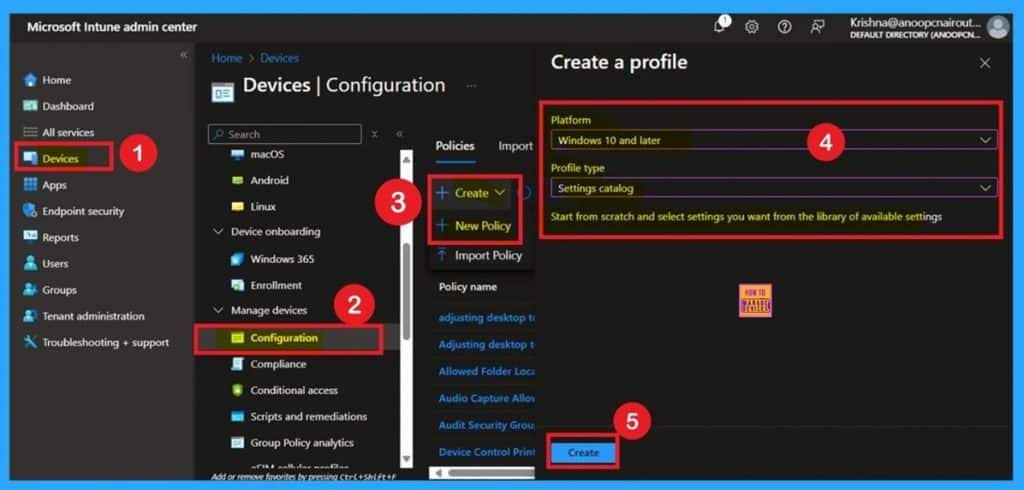
🎆How to Enhance Security by Removing the Add New Programs Option using Intune
–https://www.anoopcnair.com/removing-the-add-new-programs-option-intune/
📌What is the Add New Programs Option in Windows
📌Why You Might Need to Remove the Add New Programs Option
📌How to Configure This Policy in Microsoft Intune
📌What Happens When the Policy is Enabled
📌What Happens If the Policy is Disabled or Not Configured
📌How Removing This Option Helps IT Admins Maintain Control
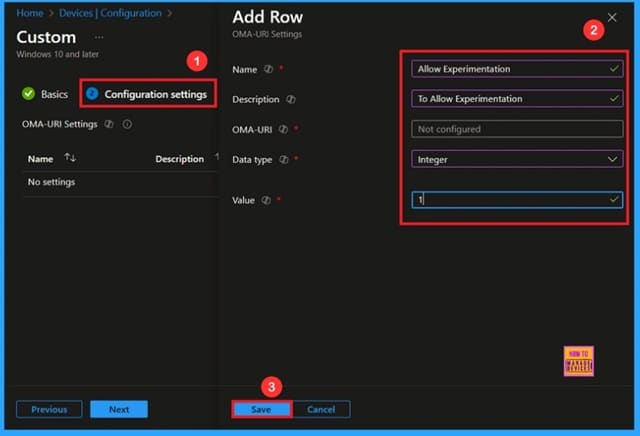
🎆Stop Microsoft From Changing your Windows Settings Without Warning using Intune
–https://www.anoopcnair.com/microsoft-changing-windows-setting-using-intune/
🔔Allow Experimentation Policy
🔔Ensures a Stable and Predictable System Environment
🔔Helps Maintain Security and Compliance Standards in Organizations
🔔Improves User Productivity by Avoiding Unexpected Interface or Functionality Changes.
🔔Device and User Check-in Status
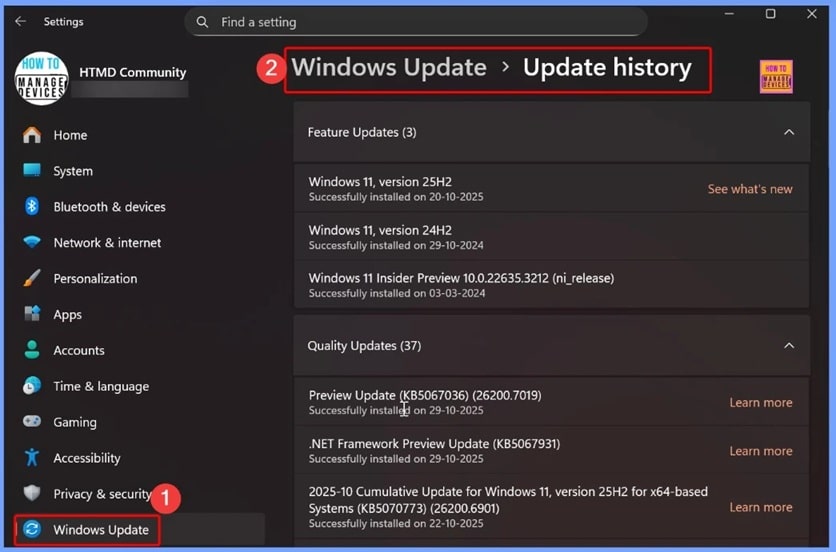
🎆Microsoft Introducing Simplified and Standardized Windows Update Titles to Enhance Clarity and User Experience
–https://www.anoopcnair.com/windows-update-titles-to-enhance-clarity/
▶️What’s New in Microsoft’s Simplified Windows Update Title Format
▶️Windows Update titling system applies across a wide range of Microsoft update categories
▶️Where You will See the New Update Titles
▶️What IT Teams Need to Know About the New Windows Update Naming System
▶️How Consistent Update Titles Improve Patch Deployment Decisions
▶️What These Changes Mean for Enterprise Update Management
Connect with the HTMD Community
Join the Telegram group to get the latest step-by-step guides and news updates. Join our Meetup Page to participate in User group meetings. Also, join the WhatsApp Community to get the latest news on Microsoft Technologies. We are there on Reddit as well.
HTMD Community Social Media Platform Links
| Social Media Platform | Link |
| LinkedIn: HTMD Community | https://www.linkedin.com/company/how-to-manage-devices/ |
| Telegram: SCCM Intune Technical Discussions | https://t.me/joinchat/Q9lE6G1_BO_bGq97 |
| Telegram: JOB SCCM Intune Group | https://t.me/joinchat/SIKr3OugR2FQ-Ej9 |
| WhatsApp: HTMD Community | https://chat.whatsapp.com/CeMXHSD61HtDBJwe78IZwV |
| Telegram: AVD/Windows 365 User Group | https://t.me/Inwvdcommunity |
| https://www.facebook.com/HTMDCommunity | |
| https://www.instagram.com/htmd_community/ | |
| https://twitter.com/htmdcommunity | |
| Facebook Group: SCCM | https://www.facebook.com/groups/ConfigMgr2012/ |
| Facebook Group: Intune | https://www.facebook.com/groups/1738789256382744 |

Anoop C Nair is Workplace Technology solution architect with 25+ years (as of 2026) of experience in global enterprise organizations such as JP Morgan, Capgemini, etc. Microsoft Certified Trainer (MCT). Microsoft MVP from 2015 onwards for consecutive 11+ years! He also conducts Intune and modern workplace tech training for enterprise organizations. He is Blogger, Speaker, and Founder of HTMD Community and HTMD Conference. His main focus is on Device Management technologies like Intune, Windows, Cloud PC. He writes about technologies like Intune, SCCM, Windows, Cloud PC, Windows, Entra, Microsoft Security.

Discussion