











201st HTMD Newsletter 7th to 11th July 2025
Welcome to the 201st HTMD Newsletter, 7th to 11th July 2025! This is the list of posts and videos the HTMD Community published this week, and news from the IT industry. You can get all the information and details from Windows 11, Cloud PC, SCCM, Intune, Azure Virtual Desktop (AVD), Android, iOS, and Mac.
Previous Weeks Newsletters
- 198th HTMD Newsletter – HTMD Newsletter 16th to 20th June 2025
- 199th HTMD Newsletter – HTMD Newsletter 23rd to 27th June 2025
- 200th HTMD Newsletter – HTMD Newsletter 30th June to 4th July 2025
Monday 7th July 2025
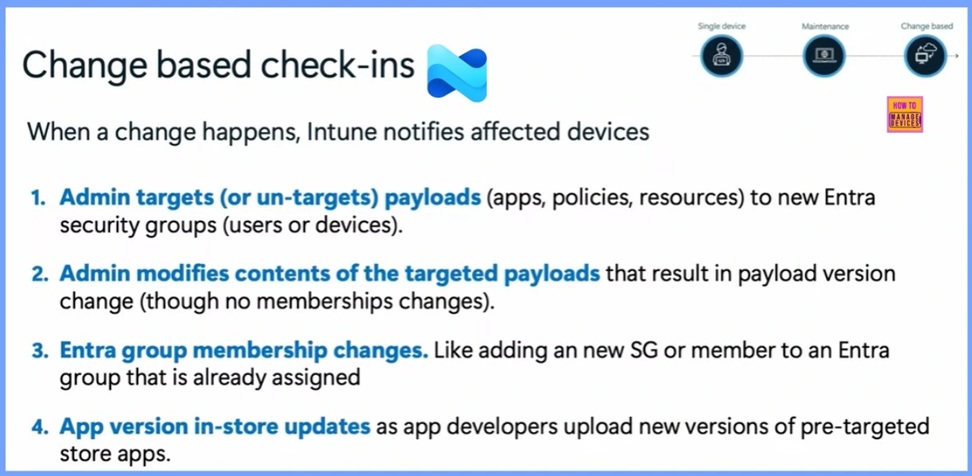
📌Microsoft Revealed Different Types of Intune Check-ins
–https://www.anoopcnair.com/microsoft-different-types-of-intune-check-ins/
▶Device Sync/Wipe, Get App from Company Portal, Malware Found
▶Scheduled Check-ins (Time or Event based, Depending on the Platform)
▶Change Based or The Fast Lane Check-ins
▶Admin Targets or Un-targets Payloads
▶Entra Group Membership Changes
📌Popular Misconception of Intune Check-ins Explained by Microsoft
–https://www.anoopcnair.com/misconception-of-intune-check-ins-explained/
💡Maintenance check-ins are Important
💡Why Maintenance Check-ins?
💡Popular Misconceptions for Devices
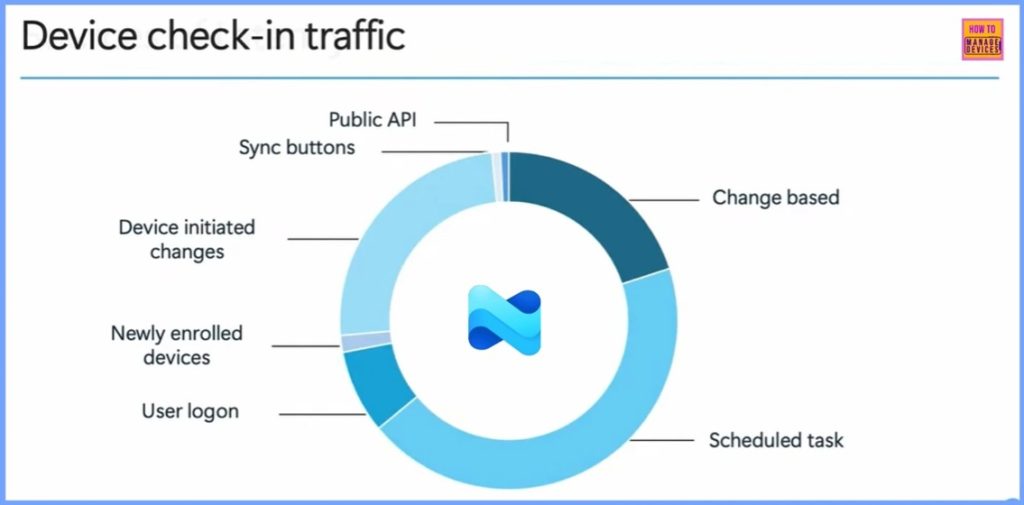
💡Device Check-in Traffic
💡Check-in Source and Details
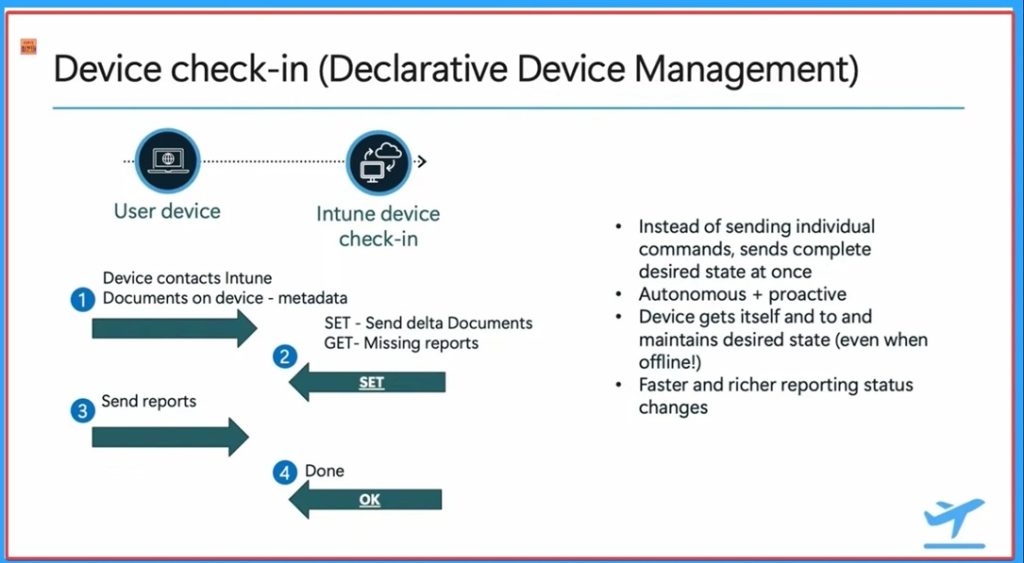
📌New Intune Device Check-in Sends Complete Desired State at Once
–https://www.anoopcnair.com/new-intune-device-check-in-sends-complete-desi/
💡Complete Desired State at Once
💡Declarative Device Management
💡Enhances how Intune Delivers Payloads
💡Maintenance Check-ins
💡Reduced Network Load
💡OMA Device Management
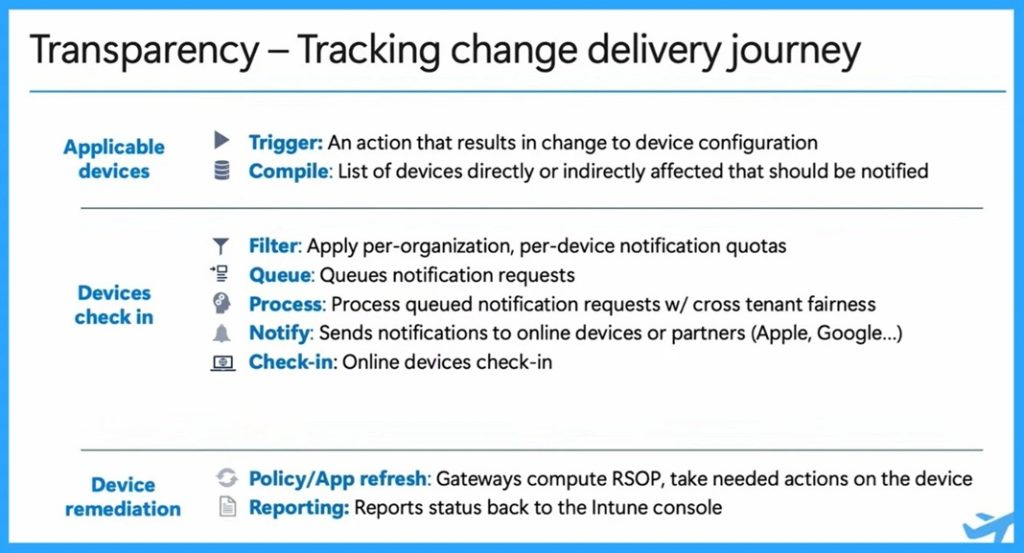
📌How Intune Manages Change Tracking with Changes in Devices Check-ins Device Remediation and Applicable Devices
–https://www.anoopcnair.com/how-intune-devices-check-ins-device-remediation/
🎊Devices Check-ins Device Remediation
🎊Applicable Devices Identification
🎊Admins Receive Real-time Insights
🎊Tracking Change Delivery Journey
🎊Transparency of Configuration
Tuesday 8th July 2025
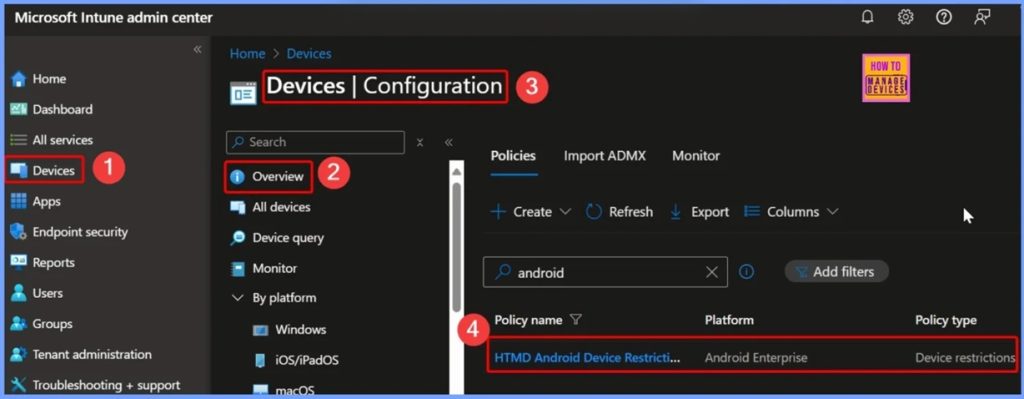
📌How to Fix Greyed Out Locate Device Option for Corporate Android Devices in Intune
–https://www.anoopcnair.com/greyed-out-locate-device-android-intune/
▶Why Is the “Locate Device” Option Greyed Out?
▶Check Device Enrollment Type in Intune
▶How to Fix the Ownership Type
▶Enable Location Services
▶Fix – Check if your Intune Device Restrictions Policy Disables Location Services
▶Device Not Synced Recently
▶Validate Configuration Profile Status in Intune
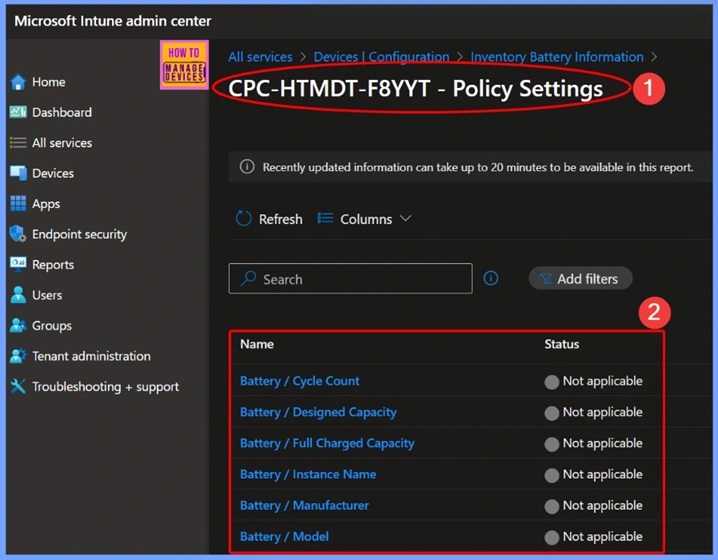
📌How to Track Device Battery Information using Intune Property Catalog
–https://www.anoopcnair.com/device-battery-information-using-Intune/
🎊Battery Configuration Properties Status in Intune
🎊Sync your Device to Get the Latest Updates
🎊Monitoring Status
🎊How to View Collected Battery Inventory Data
🎊How to Check the Status of Policy Deployment Directly from Assigned Devices
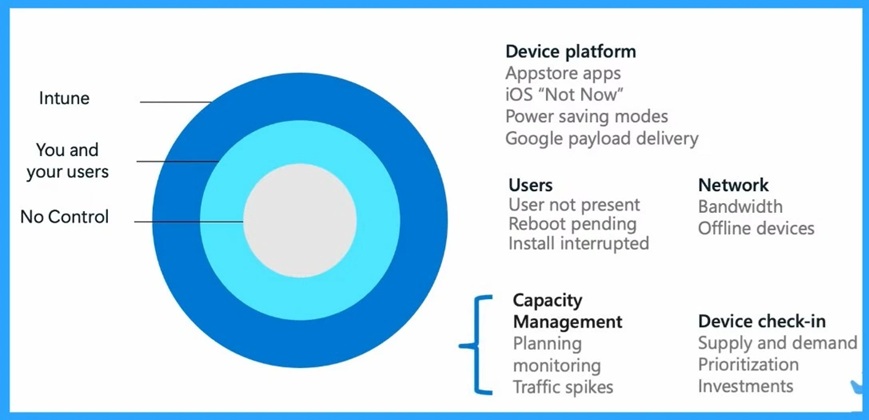
📌Microsoft Explained about Intune Latency Issues No Control Your Control and Controlled by Service
–https://www.anoopcnair.com/Microsoft-explained-about-Intune-latency-issues/
💡Intune Latency Issues
💡Purpose of Device Check-Ins
💡Platform Limitations
💡Common Causes of Delay
💡How Microsoft Addresses Latency
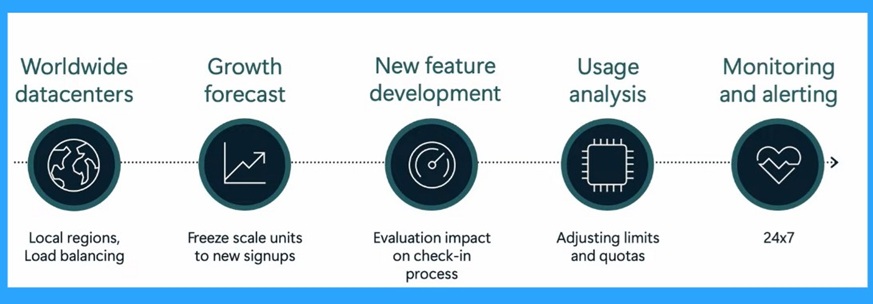
🎆Microsoft Explained about Intune Platform Challenges and Capacity Management
–https://www.anoopcnair.com/intune-platform-challenges-and-capacity-manage/
🔔Understanding of Device Check-Ins
🔔Capacity Management
🔔Handle More Devices on Same Time
🔔Microsoft Continuously Expands Data Center
🔔Platform Challenges
Wednesday 9th July 2025
📌2025 July KB5062553 KB5062552 Windows 11 Patch | 1 Zero Day Vulnerability and 137 Flaws
–https://www.anoopcnair.com/2025-july-kb5062553-kb5062552-windows-11/
💡1 Zero-Day Vulnerability and 137 Flaws
💡New Improvements and Features with 2025 July Patch
💡Issues Fixed with Windows 11 July Patch
💡July Patch Direct Download Link
🎆 2025 July KB5062554 Windows 10 Patch | 1 Zero Day Vulnerability and 137 Flaws
–https://www.anoopcnair.com/2025-july-kb5062554-windows-10-patch-zero-day/
🔔1 Zero-Day Vulnerability
🔔New Improvements and Features with July Patches
🔔Issues Fixed with Windows 10 July Patches
🔔July Patches Direct Download Link
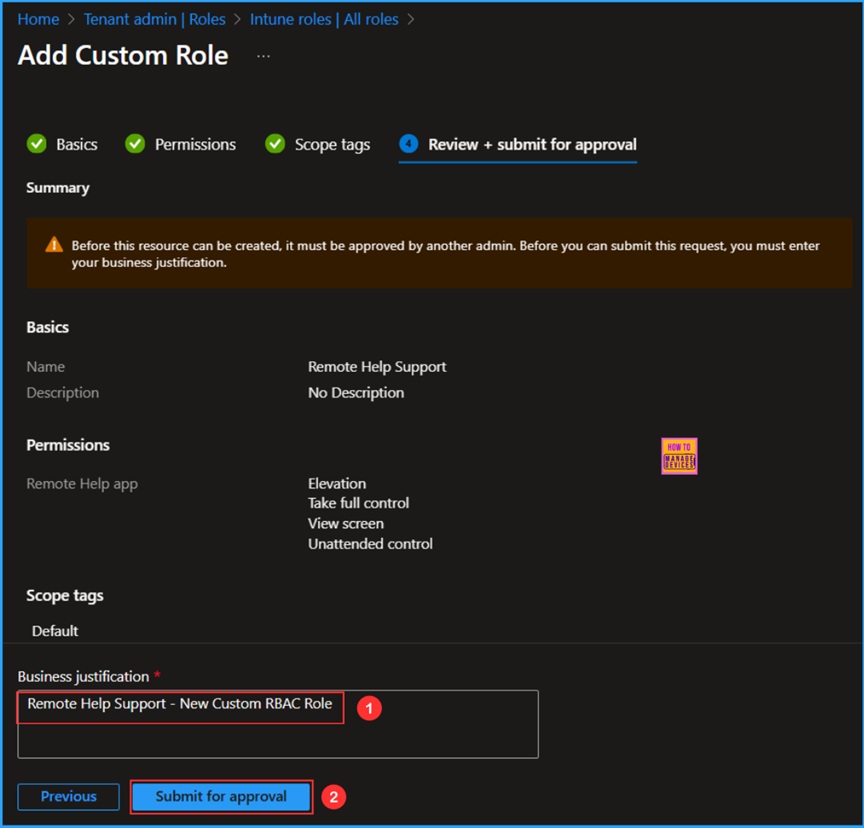
📌 How to Enable MAA Multi Admin Approval to Create or Modify Intune Roles
–https://www.anoopcnair.com/how-to-enable-maa-create-or-modify-intune-roles/
✔Multi Admin Approval Role Types Available in Intune
✔Create an Access Policy for Multi Admin Approval for Intune Roles
✔Review the Submitted Approval
✔Intune Admin Experience
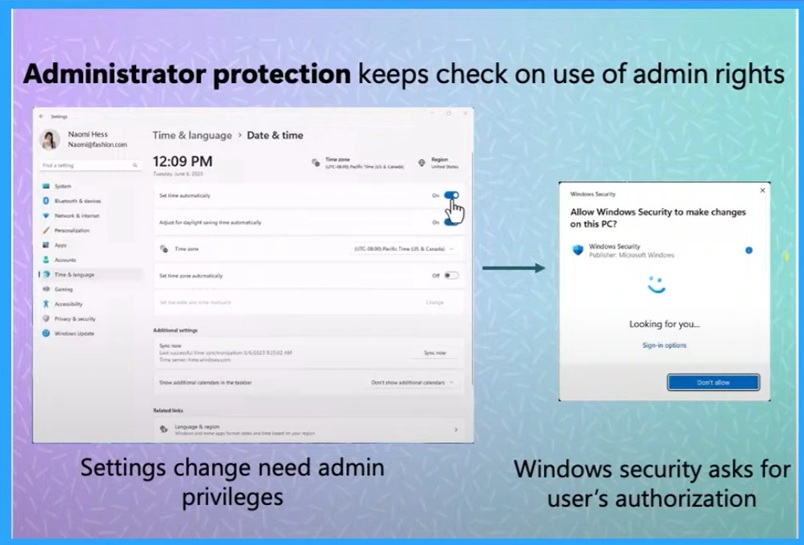
📌Enable Admin Protection and Configure Prompt for Consent on the Secure Desktop Policy options Coming to Intune
–https://www.anoopcnair.com/enable-admin-protection-and-configure-intune/
▶ Admin Protection and Configure Prompt
▶New Security Feature
▶Just-in-Time Access Control
▶Enhances Device Security
Thursday 10th July 2025
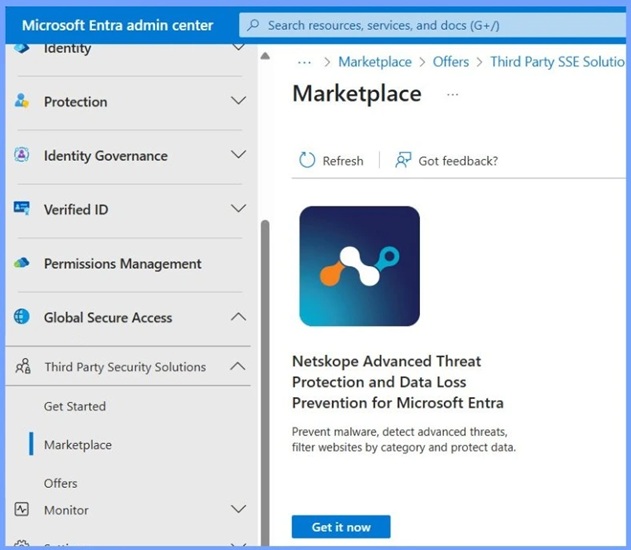
📌Expansion of Entra Global Secure Access Advanced Threat Protection
–https://www.anoopcnair.com/entra-global-secure-access-advanced-threat/
➡️Easy Integration through Entra Portal
➡️Enhanced Threat Detection and Data Protection
➡️Entra Security Solutions
➡️Global Secure Access
➡️Prevent Malware Across All Traffic
➡️Detect and Respond to Advanced Threats
➡️Protect Sensitive Data Everywhere
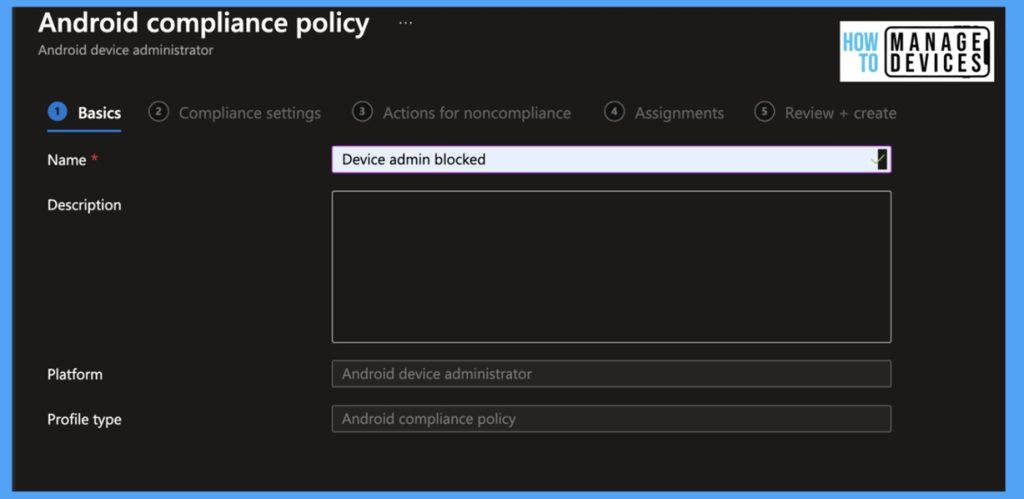
📌How to Fix Intune Android App Installation Error 0xC7D14FB1
–https://www.anoopcnair.com/intune-android-installation-error-0xc7d14fb1/
🎊App Installation Error 0xC7D14FB1
🎊Happens During the Android OS Installation Time
🎊How Device Admin Causes This Issue
🎊Reasons of Error
🎊Knox Scenario
🎊Workaround
🛠How to Resolve Error 0x80070017 on Autopilot Device Setup in Intune
–https://www.anoopcnair.com/error-0x80070017-on-autopilot-device-setup/
⚠Error 0x80070017 on Autopilot Device Setup
⚠Issues with App Deployment
⚠Reasons for this Issue
⚠ESP Timeout or Misconfiguration
⚠Workaround for this Issue
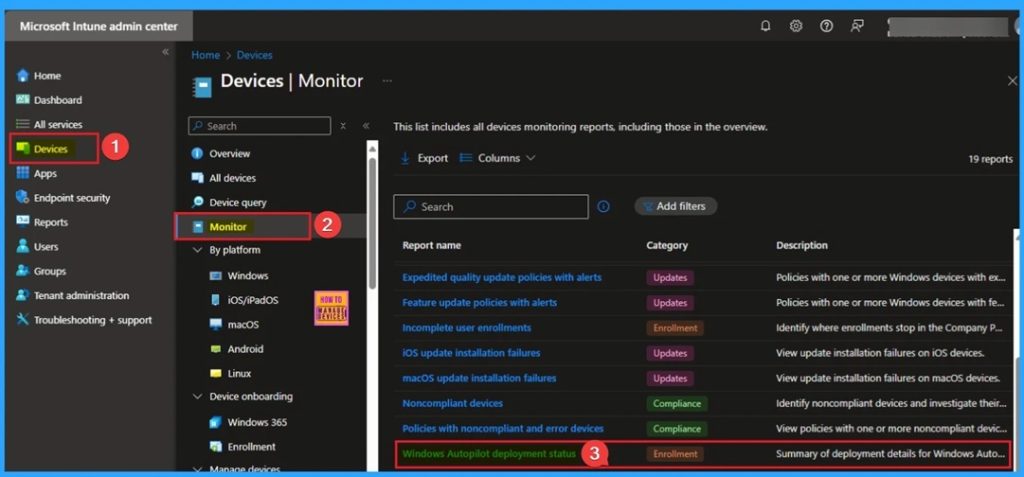
📌How to Enable or Disable Bluetooth Allow Preparing using Intune Policy Settings Catalog
–https://www.anoopcnair.com/Bluetooth-allow-preparing-using-Intune-policy/
➡Why Bluetooth Pairing Matters?
➡Enable or Disable Bluetooth Allow Preparing using Intune Policy
➡Advantages of Bluetooth Allow Preparing Policy
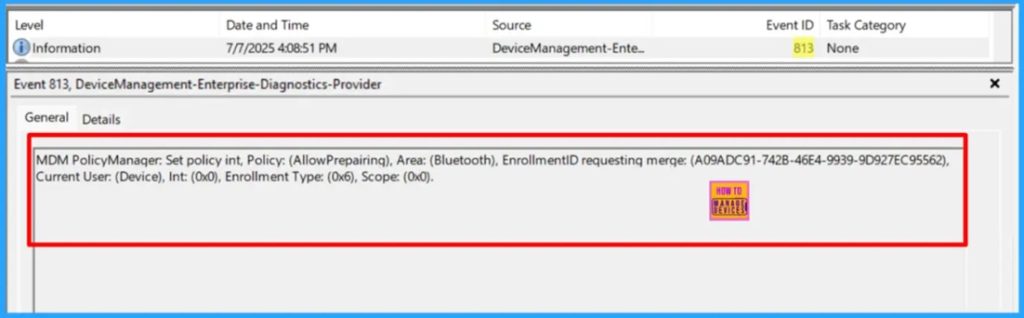
➡CSP Details
➡Monitoring Status
➡Client-Side Verification
Friday 11th July 2025
📌Do you Know What are the Main Usages of Intune Top Endpoint Security Tool?
–https://www.anoopcnair.com/main-usages-of-Intune-top-endpoint-security/
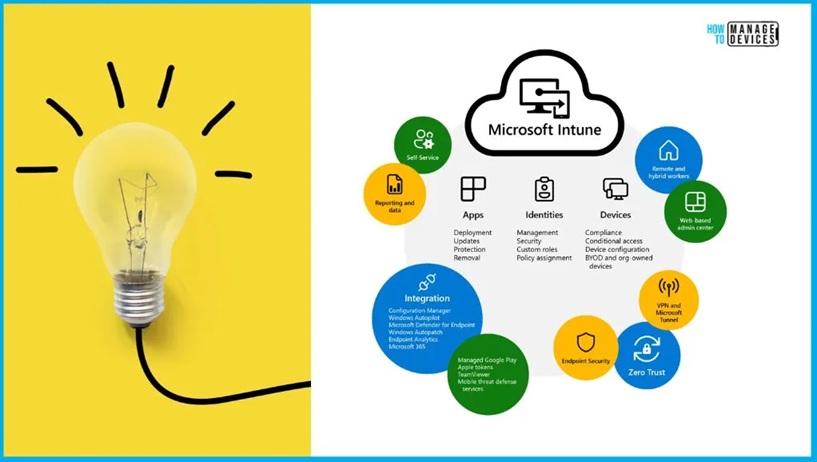
💡What is Intune Used for?
💡How Intune Helps You Manage Endpoint Devices?
💡Intune is Not for Server Management
💡Technology Behind Intune
💡A Powerful Cloud-Based Management Solution
💡What is Intune used for? – Video from HTMD Community
📌 How to Fix Intune iOS App Installation Error 0x87D1313D
–https://www.anoopcnair.com/intune-ios-app-installation-error-0x87d1313d/
💡Installation Error 0x87D1313D
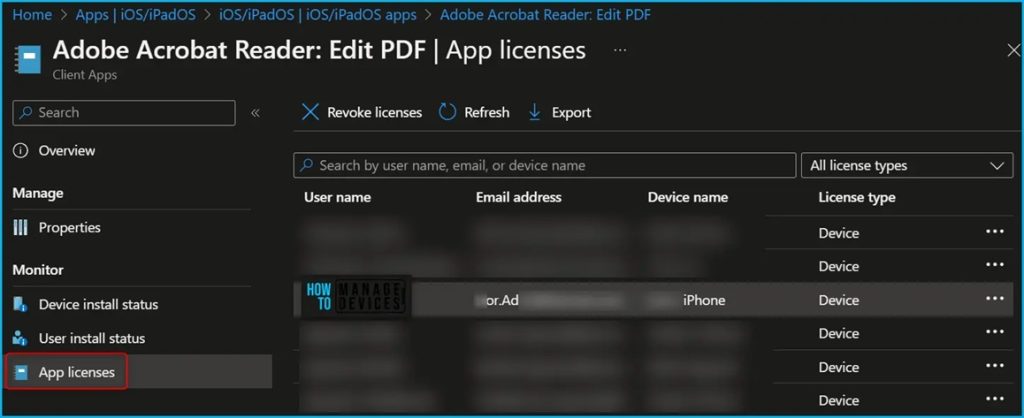
💡Could Not Retrieve License for the App
💡App Can’t be Licensed Via Apple VPP
💡Troubleshooting Tips
💡Sync VPP Token
💡Know the Workarounds
📌Troubleshoot and Fix Issue in Duplicate Device Records in Entra ID During Autopilot Hybrid Join
–https://www.anoopcnair.com/duplicate-device-records-in-entra-id-autopilot/
➡Duplicate Device Records in Entra ID
➡Troubleshoot and Fix Issue
➡Autopilot Hybrid Join Devices
➡Reasons of the Issue
➡Recommended Actions
➡After Effects of the Issue

📌5 Methods to Enable or Disable Automatic Sample Submission for Microsoft Defender Antivirus in Windows Devices
–https://www.anoopcnair.com/automatic-sample-submission-windows-devices/
➡How to enable or disable Automatic Sample Submission for Microsoft Defender Antivirus
➡Windows Security Settings
➡Local Group Policy Setting
➡Registry File
➡PowerShell Script
➡Intune Policy
➡Important Considerations
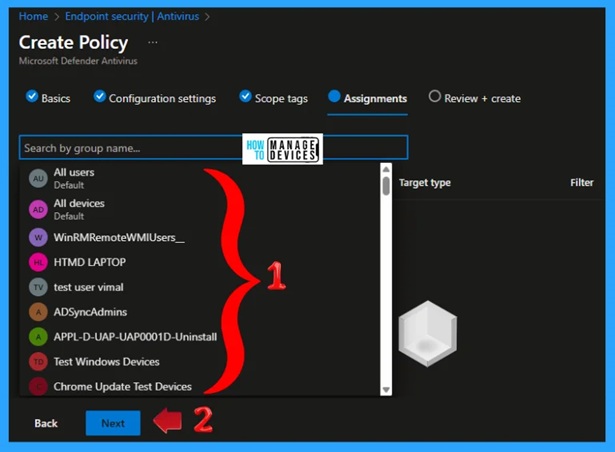
HTMD Daily Intune Tips
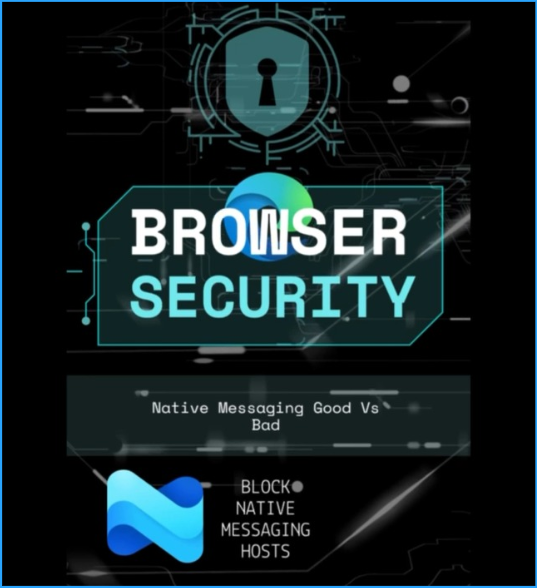
🎥Daily Intune Tips – Block Edge Browser Native Messaging Feature using Intune Security Policy to Avoid Backdoor Attacks
–https://youtube.com/shorts/_YY3t7DPQvc
📻Allow user-level native messaging hosts (installed without admin permissions) (User)
📻Native Messaging
📻How to Control the Behavior of Your Browser
📻System-level and User-Level Messaging Hosts
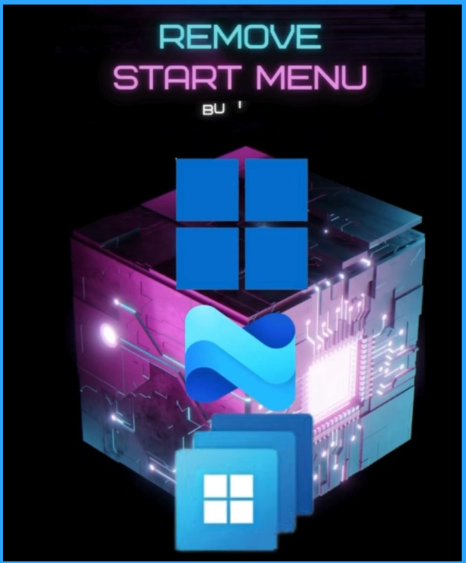
🎥Daily Intune Tips – Hide Windows 11 Start Menu Shutdown Restart Sleep using Intune policies for KIOSK other devices
–https://youtube.com/shorts/iLFV5EahhyU
📻Hide Windows 11 Start Menu
📻Different Scenarios of Need the Functionality
📻Policy for Hide Shut Down Restart Windows 11 PC
📻Intune Policy for KIOSK Other Devices
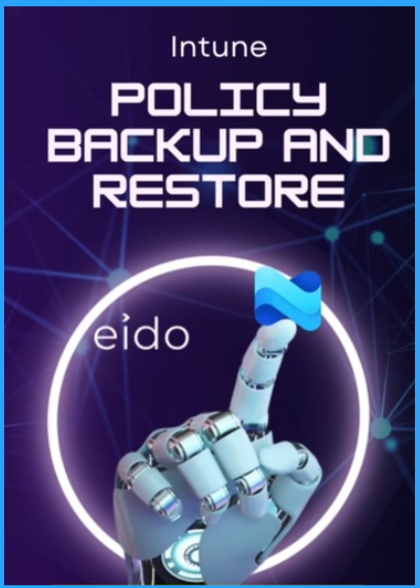
Intune Policy Backup Restore Standardize Redeploy using 3rd Party Tool #msintune #eido #OneClickRestore
–https://youtube.com/shorts/yfW9VLZzFEI
Managing hundreds of policies in Microsoft Intune can be complex. What happens if a critical policy is changed by mistake, or even deleted?
Recovering quickly is essential. This is where a powerful tool can help. Let’s see how you can easily back up, restore, standardize, and redeploy your Intune policies in just a few clicks.
But what about preventing mistakes in the first place? You can standardize your configurations by converting any existing policy into a reusable template.
How to create a new template from scratch?
Magic Link Certificate for Intune and Apple: MDM Push Notification Cert | Expired | Renew
–https://youtube.com/shorts/W4pkUJn5njg
If you use Microsoft Intune to manage iPhones, iPads, or Macs, you have an Apple MDM Push Certificate. This certificate is the magic link that lets Intune talk to your Apple devices. But it expires every year!”
Understanding its role in managing Apple devices.
Creating a New Certificate: A detailed guide for setting up your MDM connection for the first time.
Renewing Your Certificate: Don’t let your certificate expire! Learn the proper steps to renew it and maintain management of your devices.
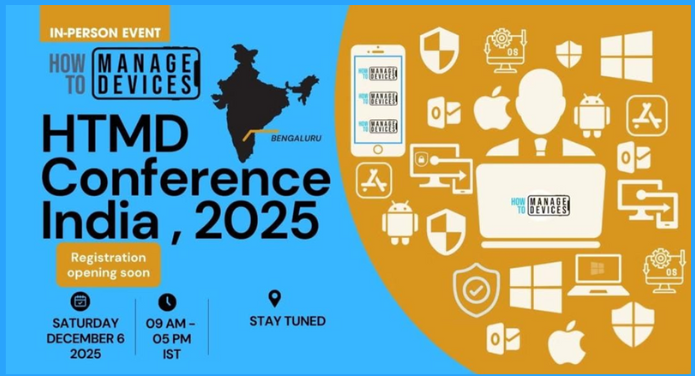
📢 Big Announcement from the HTMD Community! Registration for the highly anticipated HTMD Conference 2025 is now officially open! Join us on December 6, 2025, as we delve into “Unleashing the Future of Device Management.” – https://www.youtube.com/shorts/8OJn8QqYZT4
Our latest video provides all the details, including an exciting offer: early registrants and attendees will receive an exclusive “I ❤️ Intune I ❤️ HTMD” keychain (!!).
Key takeaways from the video timeline:
Daily Intune Tips & the big reveal.
HTMD Conference 2025 details.
Step-by-step registration instructions.
Urgent call to action – secure your seat!
Spaces are limited, and arrangement planning is crucial, so register your interest via the meetup link in the video description. We look forward to confirming your seat!
Register now and chance to grab 🎁- https://htmd.in/htmd-conf-2025-Meetup-Link
Connect with the HTMD Community
Join the Telegram group to get the latest step-by-step guides and news updates. Join our Meetup Page to participate in User group meetings. Also, join the WhatsApp Community to get the latest news on Microsoft Technologies. We are there on Reddit as well.
HTMD Community Social Media Platform Links
| Social Media Platform | Link |
| LinkedIn: HTMD Community | https://www.linkedin.com/company/how-to-manage-devices/ |
| Telegram: SCCM Intune Technical Discussions | https://t.me/joinchat/Q9lE6G1_BO_bGq97 |
| Telegram: JOB SCCM Intune Group | https://t.me/joinchat/SIKr3OugR2FQ-Ej9 |
| WhatsApp: HTMD Community | https://chat.whatsapp.com/CeMXHSD61HtDBJwe78IZwV |
| Telegram: AVD/Windows 365 User Group | https://t.me/Inwvdcommunity |
| https://www.facebook.com/HTMDCommunity | |
| https://www.instagram.com/htmd_community/ | |
| https://twitter.com/htmdcommunity | |
| Facebook Group: SCCM | https://www.facebook.com/groups/ConfigMgr2012/ |
| Facebook Group: Intune | https://www.facebook.com/groups/1738789256382744 |

Anoop C Nair is Workplace Technology solution architect with 25+ years (as of 2026) of experience in global enterprise organizations such as JP Morgan, Capgemini, etc. Microsoft Certified Trainer (MCT). Microsoft MVP from 2015 onwards for consecutive 11+ years! He also conducts Intune and modern workplace tech training for enterprise organizations. He is Blogger, Speaker, and Founder of HTMD Community and HTMD Conference. His main focus is on Device Management technologies like Intune, Windows, Cloud PC. He writes about technologies like Intune, SCCM, Windows, Cloud PC, Windows, Entra, Microsoft Security.

Discussion