











HTMD Newsletter 126 29th January to 2nd February
Welcome to the HTMD Newsletter 126 Summary from 29th January to 2nd February 2024! This is the list of posts and videos that the HTMD Community published this week and news from the IT industry. You can get all the information and details from Windows 11, Cloud PC, SCCM, Intune, Azure Virtual Desktop (AVD), Android, iOS, and Mac.
➡️ Here’s how you can be part of the HTMD Community, You can join us here.
➡️ Here, you can Subscribe HTMD Youtube Channel and welcome Video Messages about HTMD here.
➡️ We are on WhatsApp. To get the latest step-by-step guides and news updates, Join our Channel, HTMD WhatsApp.
Did you miss updates from last week? Check out the link below.
- 123rd HTMD Newsletter – HTMD Newsletter 123 8th to 12th January
- 124th HTMD Newsletter – HTMD Newsletter 124 15th to 19th January
- 125th HTMD Newsletter – HTMD Newsletter 125 22nd to 26th January
29th January 2024 – HTMD Newsletter 126
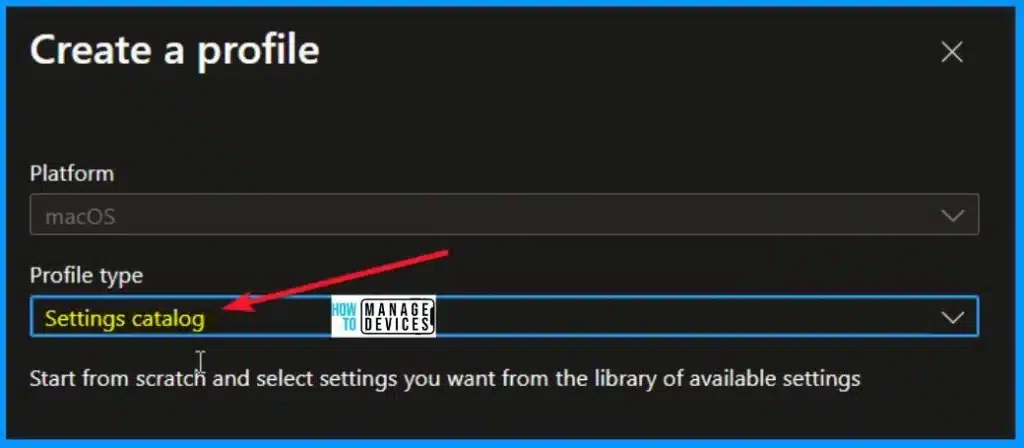
🎆Settings Catalog Commands for Intune Mac Device Management
https://www.anoopcnair.com/settings-catalog-commands-for-intune-mac-device/
📢Comprehensive List of Configurable Settings
📢Quicker Support for New Command Keys
📢FileVault Rotation and Remote Desktop Next
📢Added Managed Settings
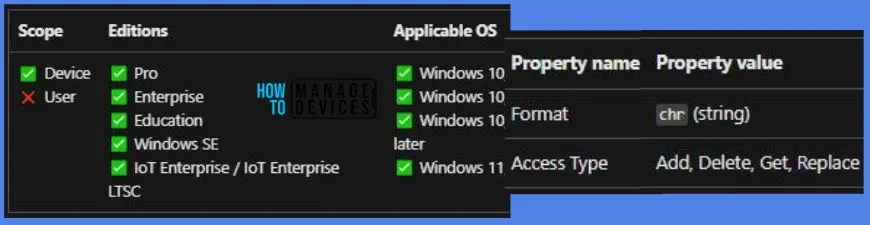
🖨Allow Print Spooler to Accept Client Connections using Intune Policy
https://www.anoopcnair.com/allow-print-spooler-to-accept-client-connection/
↗Configure Intune Policy
↗Monitor Policy Deployment Status Report
↗RegisterSpoolerRemoteRpcEndPoint Disabled
📍New Intune Setting Disable Location on Android Enterprise Devices
https://www.anoopcnair.com/intune-setting-disable-location-on-android/
📲Configure Android Restriction Profile
📲Disables Location setting on the device
📲Prevent Users to Turn on Location

↗How to Create Intune Encryption Oracle Remediation Policy
https://www.anoopcnair.com/intune-encryption-oracle-remediation-policy/
🛠Configure Encryption Oracle Remediation
🛠3 options for Protection Level on Device
🛠Monitor Intune Report Policy

30th January 2024 – HTMD Newsletter 126
Managing cloud certificates can be a daunting task, but with Intune Cloud PKI, it’s easier than ever to issue and deploy certificates for managed devices. ➡https://youtu.be/_L52Tl7Eh28

🎆Walkthrough of Mac Device Passwordless SSO with Entra
https://www.anoopcnair.com/mac-device-passwordless-sso-with-entra/
✔Understanding the concept of Passwordless Single Sign-On (SSO)
✔Exploring excellent Login Experience
✔Eliminating Manual Password Entry
✔Security Advantages of Using Entra for Mac Device
✔Smoother and more Efficient Authentication Experience
✔Enhancing Both Security and User Convenience

⏳New Features in SCCM Technical Preview 2401
https://www.anoopcnair.com/new-features-in-sccm-technical-preview-2401/
🛠SCCM 2401 Technical Preview New Features
🛠Automated Software Diagnostic Dashboard
🛠HTTPS or Enhanced HTTP should be enabled

🎆Top 3 Improvements for Drivers Policies in Intune
https://www.anoopcnair.com/3-improvements-for-drivers-policies-in-intune/
📢Top 3 Enhancements with Bulk Editing in Intune
📢Simplifies the Management of Device Drivers
📢Easily handle Multiple Drivers Simultaneously
📢Recommended Drivers and Bulk Driver Actions

🔌Customize Recycle Bin Settings Easily on Windows 11
https://www.anoopcnair.com/customize-recycle-bin-settings-on-windows-11/
🔎Find & Access the Recycle Bin
🔎Manage Recycle Bin Storage
🔎Schedule to Empty the Recycle Bin

31st January 2024 – HTMD Newsletter 126
🎆Windows Update Logs Deep Dive with Microsoft
https://www.anoopcnair.com/windows-update-logs-deep-dive-with-microsoft/
✔Analyzing Logs for Windows Update Issues
✔Effective Troubleshooting and Enhanced Update Experience
✔Different UX Logs and Their Functions
✔Reboot and Notifications
✔USO Update Stack Orchestrator Logs
✔UX User Experience and WU Windows Update Logs

💻Setup Enrollment Notification in Intune for Mac Devices
https://www.anoopcnair.com/setup-enrollment-notification-in-intune-for-mac/
🛎What is Enrollment Notification?
🛎Configure Enrollment Notifications for macOS
🛎Send Push, Email Notification Prerequisites

↗Install Microsoft PC Manager from New Microsoft Store in Intune
https://www.anoopcnair.com/install-microsoft-pc-manager-new-store-intune/
🕹Search for Store Apps in Intune
🕹Deploy Microsoft PC Manager from Intune
🕹Monitor PC Manager Installation

🎆Windows Update Troubleshooting
https://www.anoopcnair.com/mouxcoreworker-udiag-and-monotificationux-udiag/
📢MoUxCoreWorker-Udiag and MoNotificationUx-Udiag
📢MoUSOCoreWorker
📢Troubleshoot issues with Windows Update
📢Diagnosing and Resolving Update Issues
📢Identifying Update Notification Problems

1st February 2024 – HTMD Newsletter 126
🔼Fresh Looking Feature Update Screen for Windows 11
https://www.anoopcnair.com/fresh-feature-update-screen-for-windows-11/

🎆Intune Patch Compliance Reports in Details
https://www.anoopcnair.com/intune-patch-compliance-reports-in-details/
📢Overview of Intune Patch Compliance Reports
📢Detailed System Update Information
📢Windows Update for Business Reports and Intune
📢Different Types of Update Alerts

⏳Know RAM Information in Windows 11 using Various Ways
https://www.anoopcnair.com/know-ram-information-in-windows-11/
↗Minimum Requirement of RAM?
↗Check RAM Information from Windows Terminal
↗Use DirectX Diagnostic Tool to Check RAM

🎆Best Free Microsoft Courses Available in 2024
https://www.anoopcnair.com/best-free-microsoft-courses-available-in-2024/
📢Offering Free Certification Courses for Professionals
📢Boost Career with Free Microsoft Certification Courses
📢14 courses in Different Categories for Azure and Microsoft 365
📢Microsoft Azure Fundamentals
📢Developing Solutions for Microsoft Azure

2nd February 2024 – HTMD Newsletter 126
💖Microsoft has just released a new feature – Intune Device Query – as part of Intune Advanced Analytics. https://www.anoopcnair.com/intune-pivot-query-real-time-reporting/

🎆FIX Windows 11 Version 23H2 Download Error – 0x80246019
https://www.anoopcnair.com/version-23h2-download-error-0x80246019/
🎈Understanding Windows 11 Download Error 0x80246019
🎈What are the Main Reasons for Error 0x80246019?
🎈Different Method to Fix the Error 0x80246019
🎈Windows Update Other Troubleshooters

🔮Deploy Intune Let Apps Activate With Voice Above Lock Policy
https://www.anoopcnair.com/let-apps-activate-with-voice-above-lock-policy/
⛏Setup Intune Configuration Profile
⛏Monitor Policy Deployment
⛏Registry Information

✅New ZoomIt Features DemoType
https://www.anoopcnair.com/new-zoomit-features-demotype/
⏩How can DemoType Benefit for Presentations?
🎆Top Windows Update Issues and Fixes Revealed by Microsoft
https://www.anoopcnair.com/top-windows-update-issues-and-fixes/
📢Low Activity and Inactive Devices
📢Issues with Windows Update Scanning
📢Understanding “Restart Required” in Windows Update
📢Transient Errors, Safeguards



Discussion