











158th HTMD Newsletter 9th To 13th September 2024
Welcome to the 158th HTMD Newsletter Summary from 9th To 13th September 2024! This is the list of posts and videos the HTMD Community published this week, as well as news from the IT industry. You can get all the information and details from Windows 11, Cloud PC, SCCM, Intune, Azure Virtual Desktop (AVD), Android, iOS, and Mac.
Previous Weeks Newsletters
Did you miss updates from last week? Check out the link below.
- 155th HTMD Newsletter–HTMD Newsletter 155 19th To 23rd August
- 156th HTMD Newsletter–HTMD Newsletter 156 26th To 30th August
- 157th HTMD Newsletter–HTMD Newsletter 157 2nd To 6th September
Monday – 9th September 2024
[📺] Quick Fix to your Windows OS Issues with Detection and Remediation Scripts with Intune
https://www.youtube.com/watch?v=LdfwbxxOJwU
➡Everyday Use Cases for Intune Remediation Scripts
➡About Remediations & Script requirements
➡Prepare Detection & Remediation Scripts to Create a Local User
➡Deploy & Monitor Remediation Script
➡End User Experience – Detection & Remediation Script
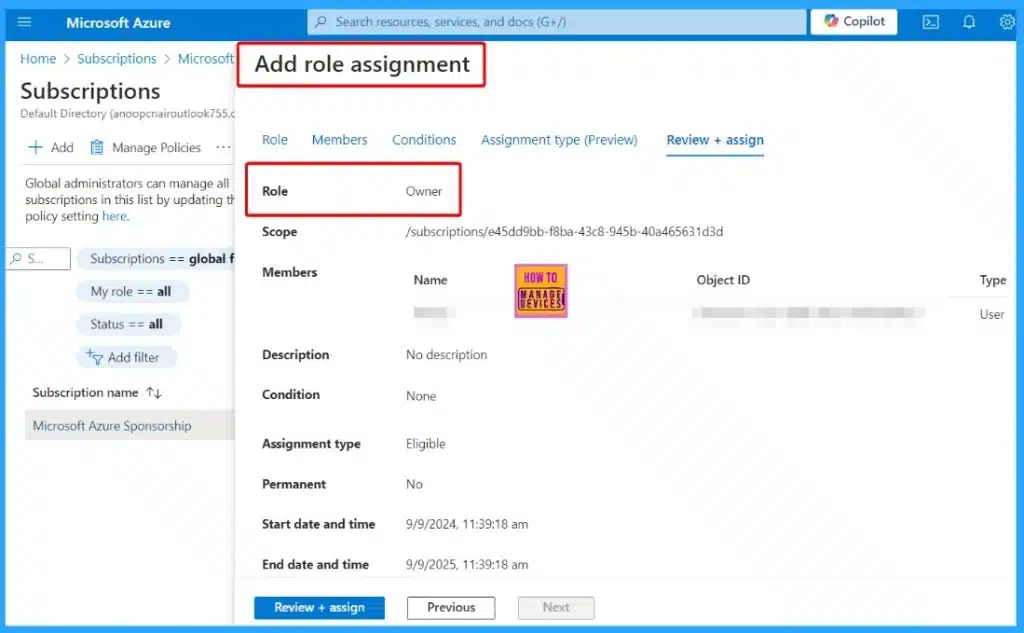
🎆Azure Classic Administrators will be Deprecated on 31st August 2024 Crucial to Convert to Azure RBAC Roles
https://www.anoopcnair.com/azure-classic-administrators-will-be-deprecated/
➡What Happens to Azure Classic Administrator Roles after August 31, 2024?
➡What Should We Do to Prepare for this Change?
➡How to Remove an Azure Classic Administrator
➡Convert a Co-Administrator to the Owner Role in Azure
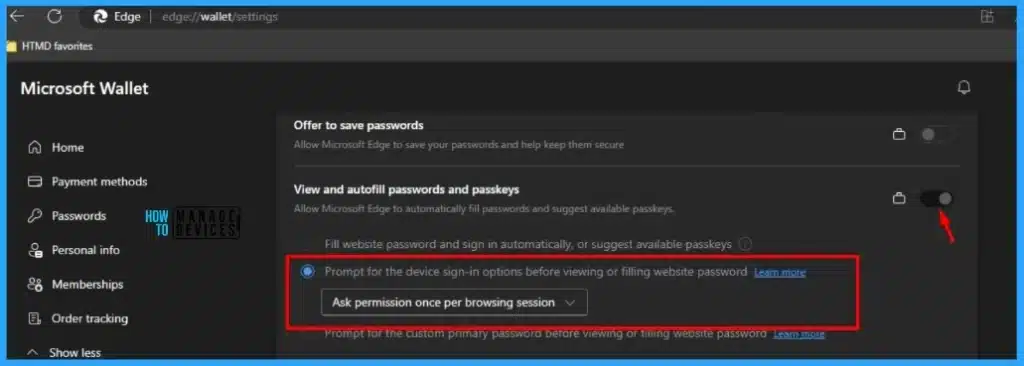
🎆Enable or Disable Password Prompt for Autofill in the MS Edge Browser using Intune Policy
https://www.anoopcnair.com/disable-password-prompt-for-autofill-ms-intune/
💡Advantage of Enabling Password Prompt for Autofill
💡Intune Policy
💡Microsoft Edge\Password manager and protection
💡Configures a setting that asks users to enter their device password while using password autofill
💡Monitor Configuration Profile Deployment in Microsoft Intune
💡Event Log to Verify Intune Policy Deployment Status
💡Enduser Experience
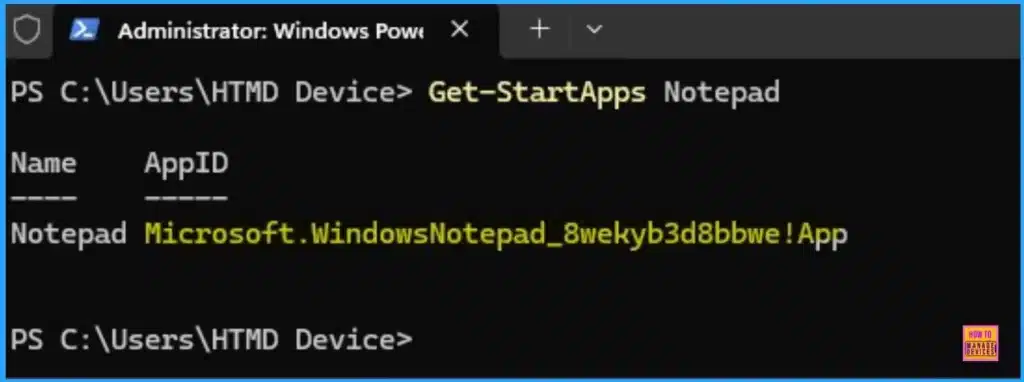
🎆Enable or Disable Copilot Hardware Key for Specific Applications in Windows
https://www.anoopcnair.com/copilot-hardware-key-for-specific-applications/
☑What is Copilot Hardware Key?
☑What Does the Set Copilot Hardware Key Policy Do?
☑What Happens if the Policy is Enabled?
☑Application User Model ID AUMID
Tuesday – 10th September 2024
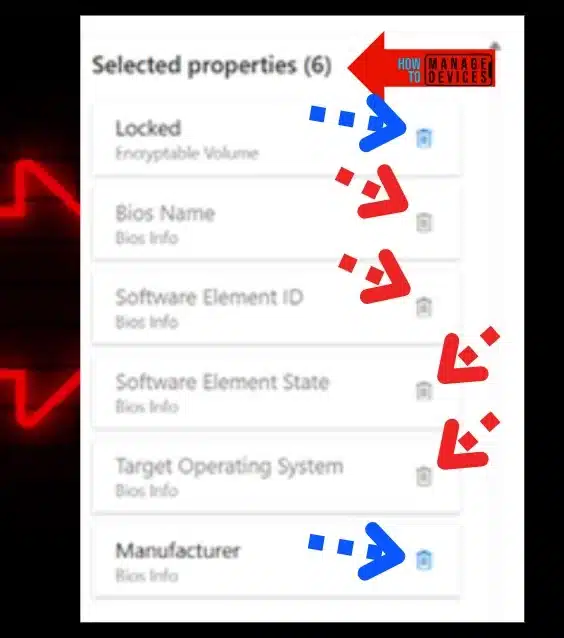
✅]How to Enable Intune Custom Hardware Inventory option for Windows Devices
https://www.anoopcnair.com/enable-intune-custom-hardware-inventory-option/
✅Is it really a custom hardware inventory?
✅What is Intune Resource Explorer in this context?
✅Entra ID Dynamic groups based on Custom inventory? Not now
✅What is Intune Inventory Profile?
📌September 2024 Windows 11 KB5043076 KB5043067 Patches and 4 Zero Day Vulnerabilities 79 Flaws
https://www.anoopcnair.com/september-2024-windows-11-kb5043076-kb5043067/
💡4 Zero-Day Vulnerability 79 Flaws
💡New Improvements and Features with September Patches
💡Issues Fixed with Windows 11 September Patches
💡September Patches Direct Download Link

📌September 2024 Windows 10 KB5043064 Patches and 4 Zero-Day Vulnerabilities
https://www.anoopcnair.com/september-2024-windows-10-kb5043064-patches/
💡4 Zero-Day Vulnerability 79 Flaws
💡New Improvements and Features with September Patches
💡Issues Fixed with Windows 10 September Patches
💡September Patches Direct Download Link

Wednesday – 11th September 2024
🎊Turn On or Off Translucent Selection Rectangle on Desktop in Windows 11 to Improve the Performance of PC
https://www.anoopcnair.com/turn-on-or-off-translucent-selection-rectangle/
🎆Translucent Selection Rectangle on Desktop
🎆SystemPropertiesPerformance
🎆Show Translucent Selection Rectangle
🎆Run Command, Windows Settings, Registry Editor, Registry File

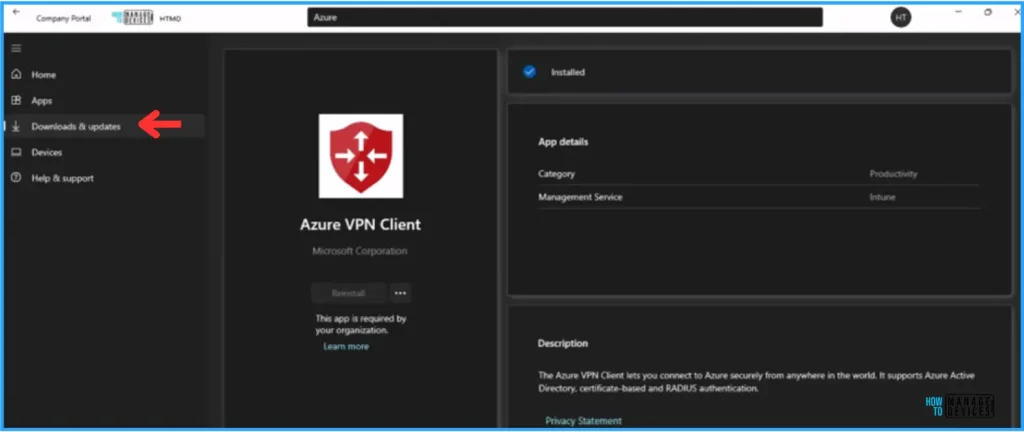
🎉Easy Guide to Deploy Azure VPN Client Microsoft Store App using Intune
https://www.anoopcnair.com/deploy-azure-vpn-client-from-store-via-intune/
▶Check out the Azure VPN Client’s Key Features
▶Azure VPN Client
▶Create Azure VPN Client Microsoft Store App
▶Monitor the Azure VPN Client Microsoft Store App Deployment
▶End User Experience – Azure VPN Client Microsoft Store App Deployment
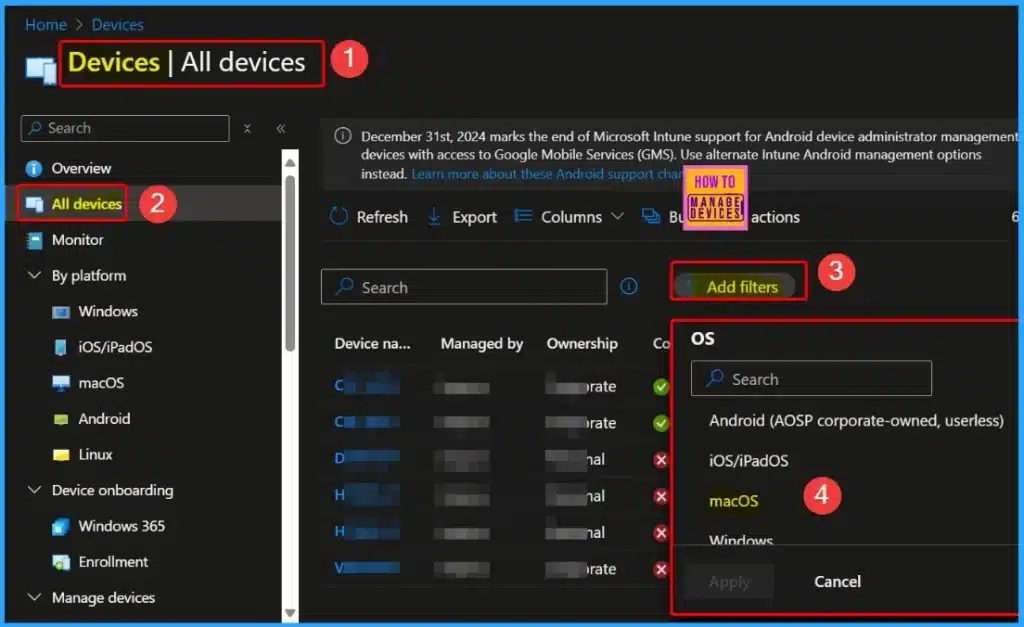
💻Unsupported Versions of iOS iPadOS MacOS Devices for Intune | Minimum Supported Versions 16 and 13
https://www.anoopcnair.com/unsupported-versions-of-ios-macos-for-intune/
▶What are Userless iOS and iPadOS Devices Enrolled through Automated Device Enrollment (ADE)?
▶Require iOS/iPadOS 16.x or Higher After iOS/iPadOS 18 Release
▶How to Check and Manage Affected Devices in Microsoft Intune
▶Managing Supported OS Versions in Intune
▶Requires macOS 13.x or Higher with the Release of macOS 15 Sequoia
▶How to Prepare for the macOS 13.x Minimum Requirement in Intune
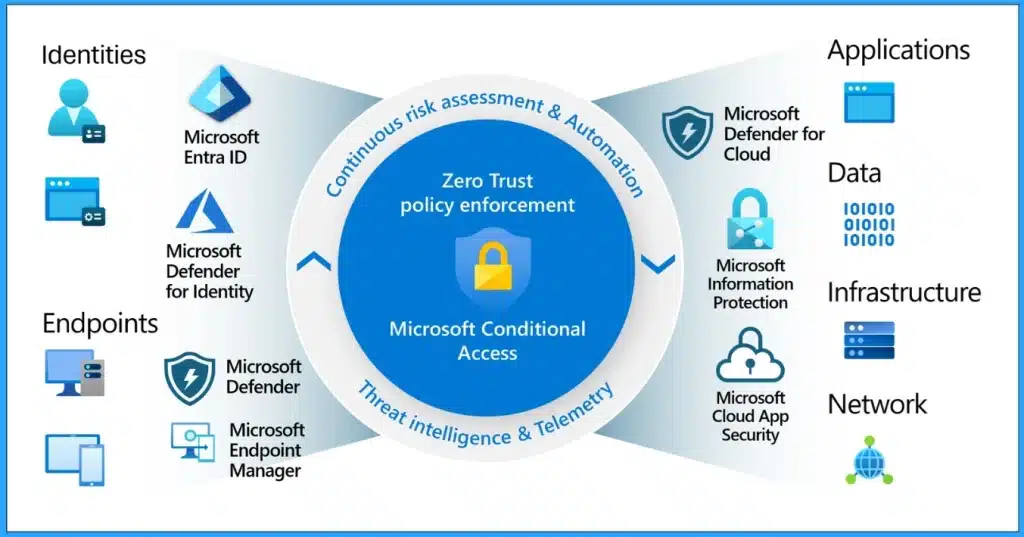
🧑💻Top 30 Microsoft Entra Interview Questions and Answers Modern Identity and Access Management Solution
https://www.anoopcnair.com/microsoft-entra-interview-questions-and-answers/
✨Entra Interview Questions and Answers
✨Best Entra Guide for Beginners
✨Most Asked Interview Questions
✨Interview Questions and Answers Modern Identity and Access Management Solution
✨Important Questions of Microsoft Entra
Thursday – 12th September 2024
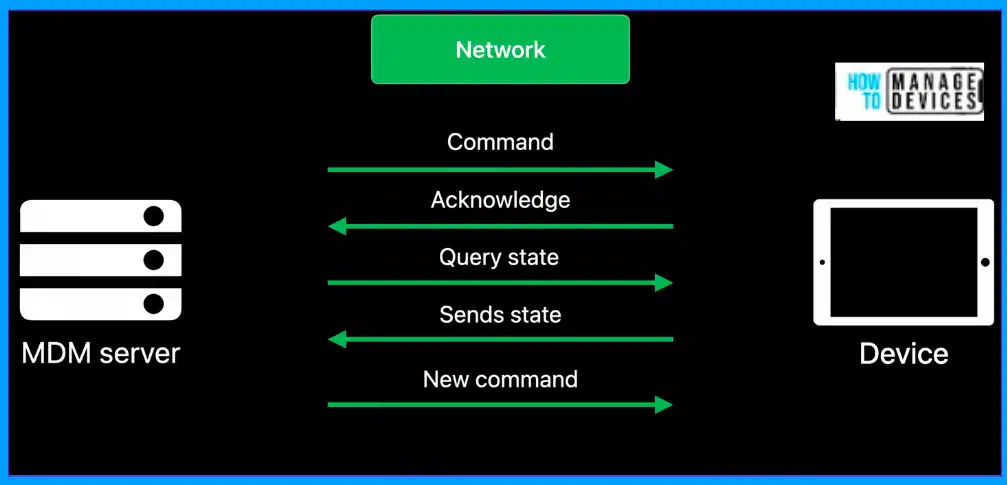
✍Intune Fully Supports iOS iPadOS 18 and macOS 15 New Features and Enhancements
https://www.anoopcnair.com/intune-fully-supports-ios-ipados-18-macos-15/
✨New Features
✨DDM & MDM
✨Recent Apple Announcements
✨Release of iOS/iPadOS 18.0 and macOS 15.0 Sequoia
✨Alternate Management Method for Enrolling Devices
✨ADE Setup Assistant Screens within Enrollment Policies
✨Supported vs. Allowed Versions for Devices without a Primary User
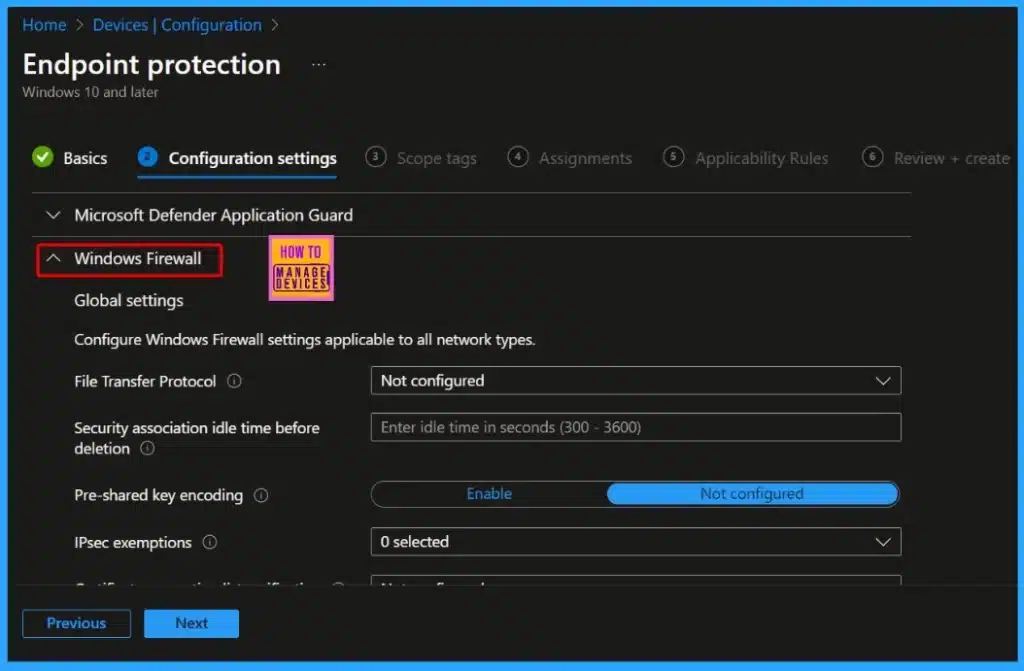
▶RDP Port 3389 is Disabled by Default for All Newly Provisioned Windows 365 Cloud PCs
https://www.anoopcnair.com/rdp-port-3389-is-disabled-by-default-windows365/
▶What is Port 3389?
▶Remote Desktop Protocol (RDP) Port 3389
▶Windows 365 Security Baselines
▶Create a Custom Firewall Rule in Microsoft Intune
▶Protect your PCs from Potential Security Risks
Friday – 13th September 2024
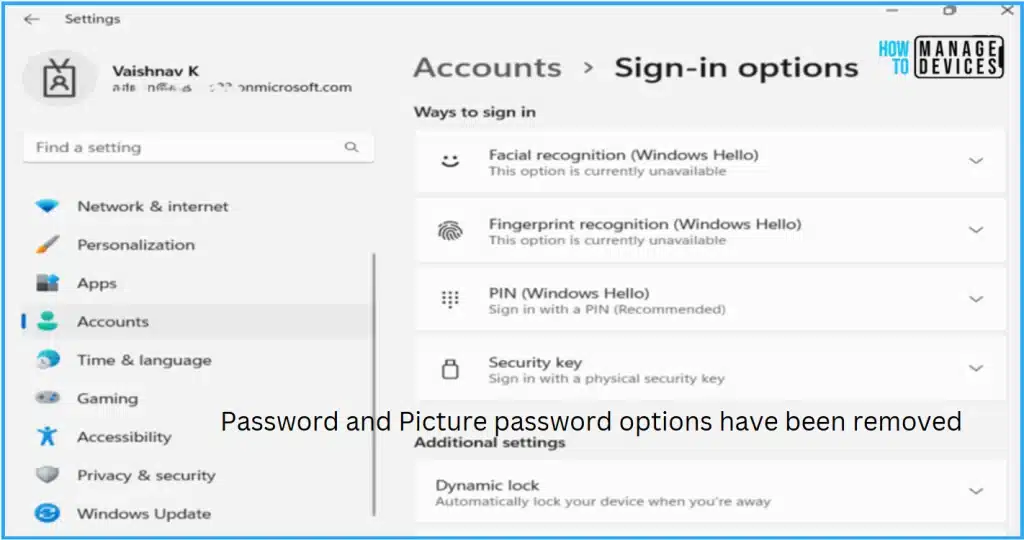
📌The Best Method to Enable Windows Passwordless Experience using Intune
https://www.anoopcnair.com/enable-windows-passwordless-experience-intune/
💻Windows Passwordless Experience Microsoft Recommendations
💻Authentication
💻Enable Windows Passwordless Experience
💻Monitor the Enable Windows Passwordless Experience Policy Deployment
💻End User Experience
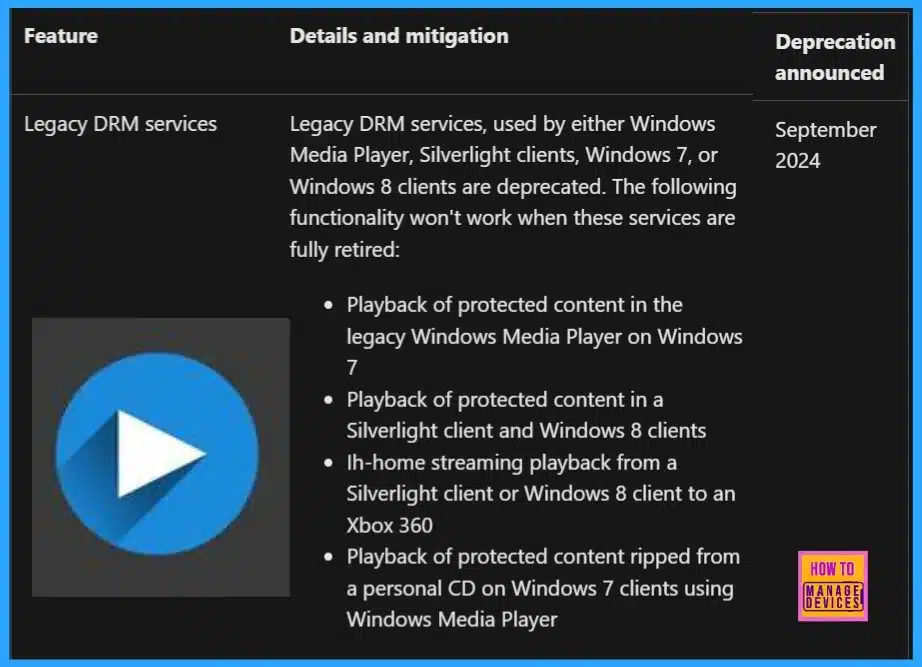
➡Major Impact on Functionality for Windows Media Player Silverlight Deprecation of Legacy DRM Services
https://www.anoopcnair.com/impact-functionality-for-windows-media-player/
🎈Legacy DRM Services
🎈Why is there a Major Impact on Functionality for Windows Media Player?
🎈Deprecation Feature
🎈Details and Mitigation
Connect with HTMD Community
➡️ We are on WhatsApp. To get the latest step-by-step guides and news updates, Join our Channel, HTMD WhatsApp.
HTMD Community Social Media Platform Links
| Social Media Platform | Link |
|---|---|
| Telegram SCCM Intune Technical Discussions | https://t.me/joinchat/Q9lE6G1_BO_bGq97 |
| Telegram Group JOB SCCM Intune Group | https://t.me/joinchat/SIKr3OugR2FQ-Ej9 |
| WhatsApp Community | https://chat.whatsapp.com/CeMXHSD61HtDBJwe78IZwV |
| AVD Telegram User Group | WVD Community – https://t.me/Inwvdcommunity |
| Facebook Page: Facebook Page ConfigMgr Intune | HTMD Community | Facebook |
| Instagram Page for Device Management | HTMD Community (@htmd_community) • Instagram photos and videos |
| HTMD Community (@htmdcommunity) / Twitter | |
| SCCM Facebook Group | https://www.facebook.com/groups/ConfigMgr2012/ |
| Intune Facebook Group | https://www.facebook.com/groups/IntuneSCCMDeviceMGMT |

Anoop C Nair is Workplace Technology solution architect with 25+ years (as of 2026) of experience in global enterprise organizations such as JP Morgan, Capgemini, etc. Microsoft Certified Trainer (MCT). Microsoft MVP from 2015 onwards for consecutive 11+ years! He also conducts Intune and modern workplace tech training for enterprise organizations. He is Blogger, Speaker, and Founder of HTMD Community and HTMD Conference. His main focus is on Device Management technologies like Intune, Windows, Cloud PC. He writes about technologies like Intune, SCCM, Windows, Cloud PC, Windows, Entra, Microsoft Security.

Discussion