











231st HTMD Newsletter 2nd to 6th February 2026
Welcome to the 231st HTMD Newsletter, 2nd to 6th February 2026 ! This is the list of posts and videos the HTMD Community published this week, and news from the IT industry. You can get all the information and details from Windows 11, Cloud PC, Intune, Android, iOS, and Mac.
Previous Weeks Newsletter
- 228th HTMD Newsletter – HTMD Newsletter 12th to 16th Januvary 2026
- 229th HTMD Newsletter – HTMD Newsletter 19th to 23rd December 2026
- 230th HTMD Newsletter – HTMD Newsletter 26th to 30th Januvary 2026
Monday 2nd February 2026
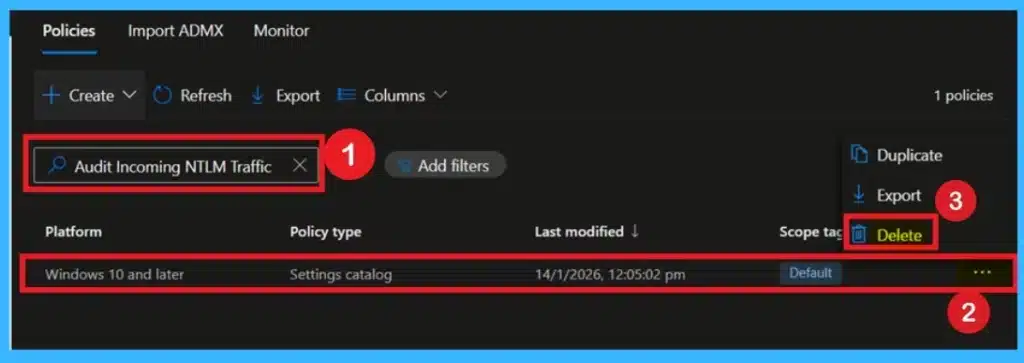
🔐Supporting Secure Login Practices Through NTLM Auditing using Intune Policy
https://www.anoopcnair.com/secure-login-through-ntlm-auditing-intune/
🔔Helps Identify where NTLM logins are Still being used in the Organization
🔔Determines whether Clients use LM, NTLM, or NTLMv2 for Authentication
🔔Provides Visibility into Legacy Login Methods without Blocking Users or Apps
🔔Supports Risk Assessment before Making any Blocking or Enforcement Changes
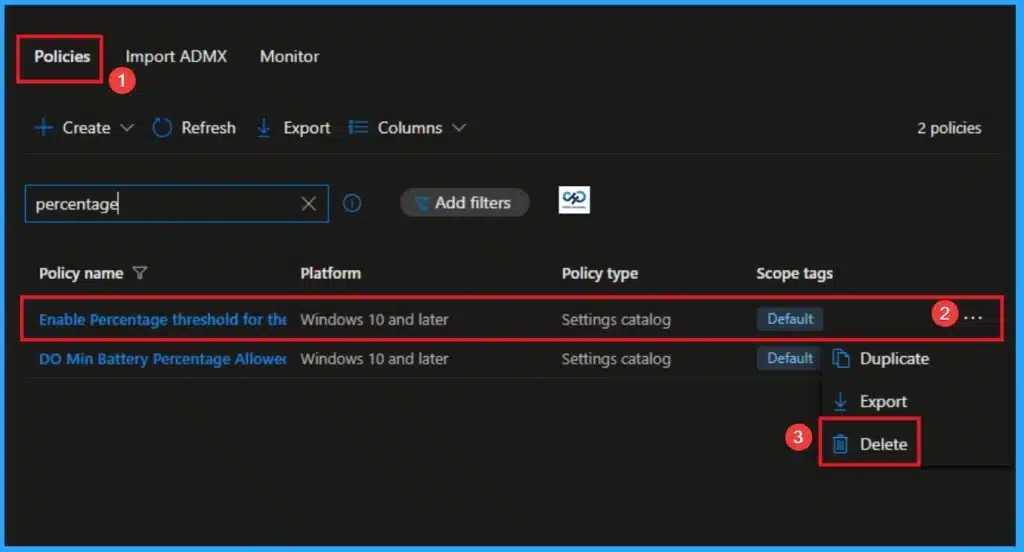
👉Enable Percentage Threshold for Security Event Log at which System will Generate a Warning using Intune
https://www.anoopcnair.com/percentage-threshold-for-security-event-intune/
🔊 Alerts to Potential “Log-Filling” Attacks in Real-Time
🔊 Warning Level Prevents Emergency Shutdown
🔊 Get a Proactive Alert at a Set Percentage
🔊 Controlled Process for Log Management
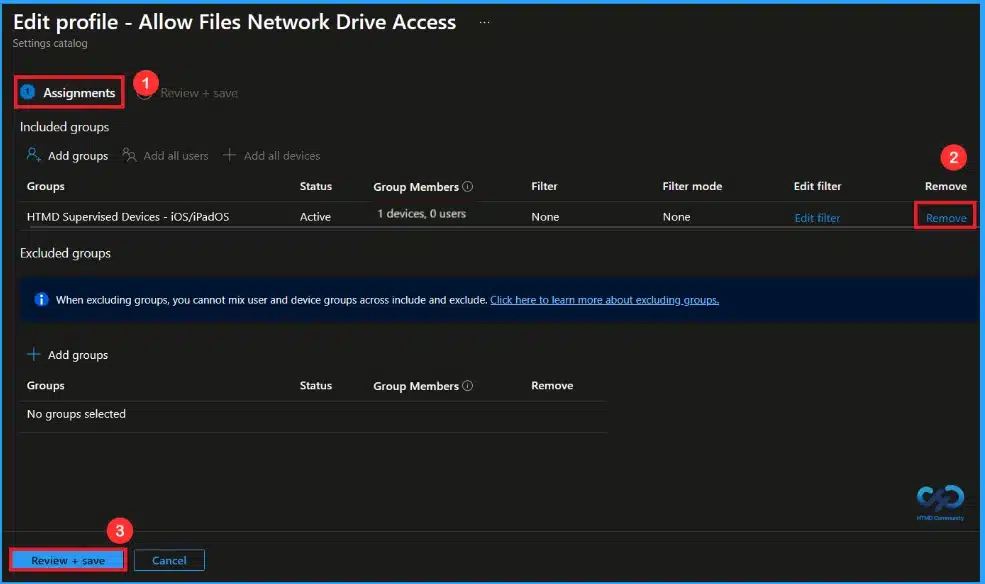
🎆Block Network Drive Access in iOS Files App using Intune
https://www.anoopcnair.com/network-drive-access-ios-files-app-using-intune/
🔔Controls Files App Connections to Network Drives
🔔Blocks Access When Enabled for Security.
🔔Prevents Data Exfiltration Risks from Unmanaged Devices
🔔Disabled Allows Normal Access But Increases Exposure
🔔Device and User Check-in Status
Tuesday 3rd February 2026
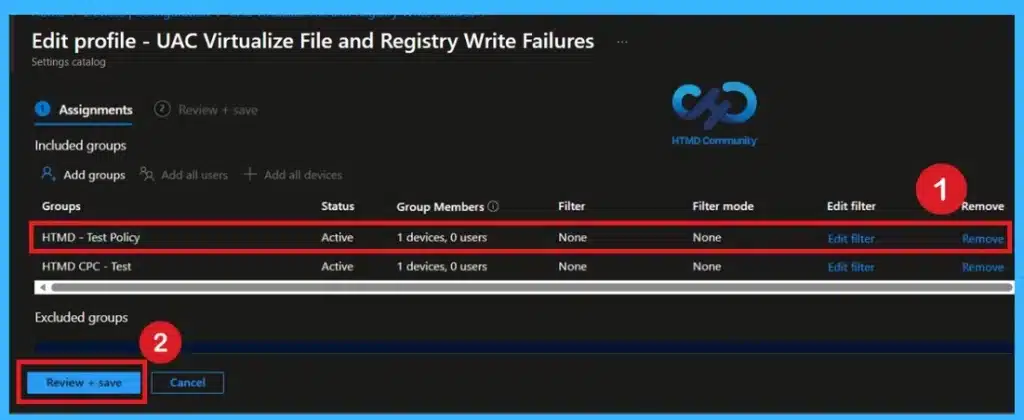
👉 Enforce Secure File and Registry Redirection for Applications using Intune Policy
https://www.anoopcnair.com/registry-redirection-for-applications-intune/
🔊 Redirects Unauthorized File & Registry Writes to Safe Locations
🔊 Prevents Legacy Applications from Failing on Modern OS
🔊 Protects Critical System Areas from Accidental or Malicious Changes
🔊 Ensures Compatibility for Older Applications Without Compromising Security
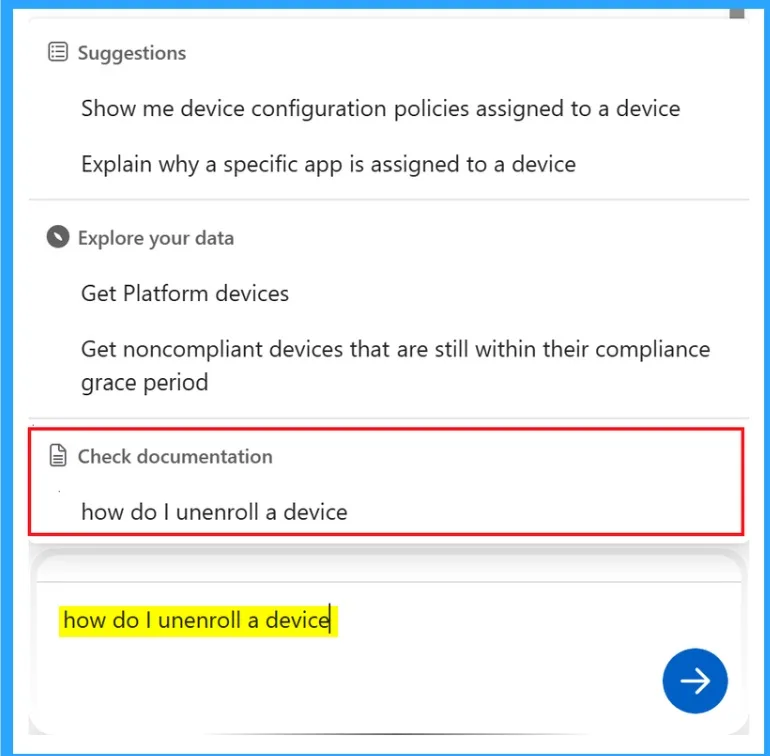
👉How Infusing AI into Intune Settings turning Configuration into Intelligent Guidance
https://www.anoopcnair.com/how-infusing-ai-into-intune-settings-turning/
🔊 Evolving from Static Configuration Menus into Intelligent
🔊 AI will Translate those into the Correct Intune Settings Automatically
🔊 Conflict Resolution and Impact Mapping
🔊 Shift from Manual to Intent-Based Management
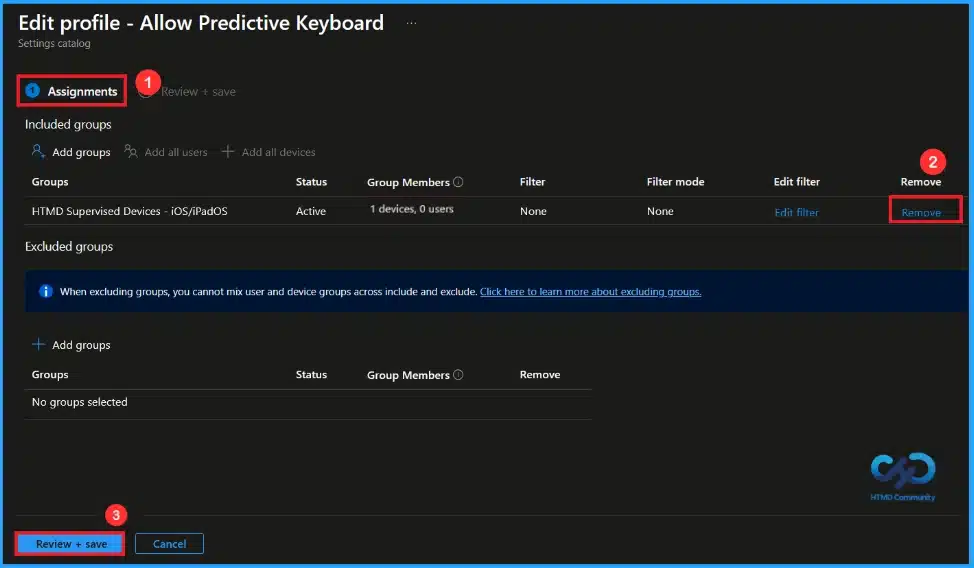
🎆How to Control Predictive Text on iPhones and iPads using Intune
https://www.anoopcnair.com/predictive-text-iphones-and-ipads-using-intune/
🔔Predictive Text Suggests Words Based on User Typing.
🔔Suggestions Appear Above the iOS Keyboard.
🔔Disabling the Policy Removes Word Suggestions from the Keyboard.
🔔Predictive Text Suggests Words as you Type to Make Typing Faster and Easier.
🔔Device and User Check-in Status
Wednesday 4th February 2026
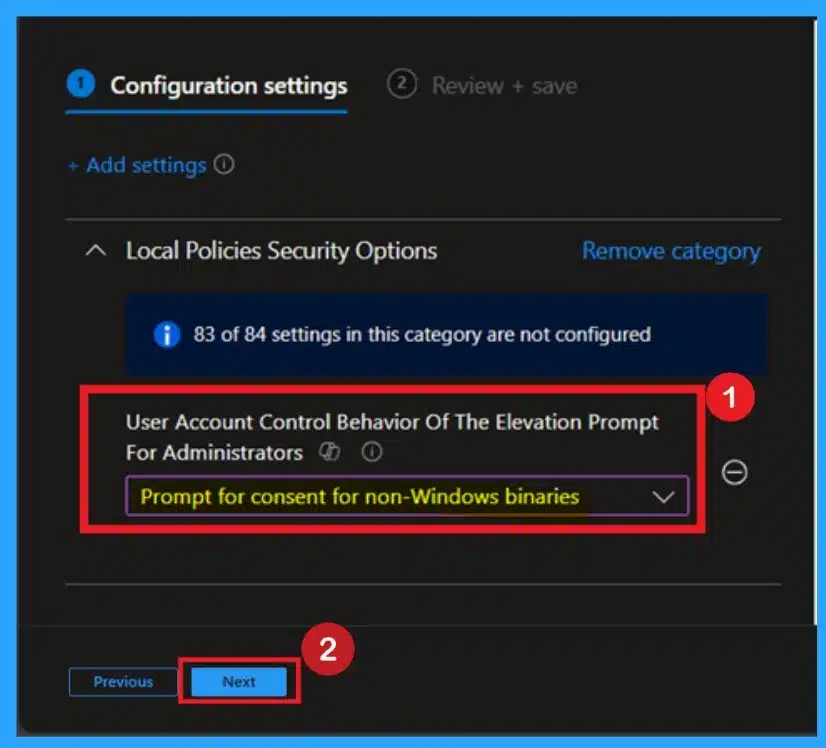
🎯How Time Zone Restoration and UAC Settings Cause a UAC Dialog After Windows Backup Restore
https://www.anoopcnair.com/how-time-zone-restoration-and-uac-settings/
🔥UAC Prompt Can Appear After Restore Due to Non‑Default Behavior
🔥Default “Prompt for Consent for Non‑Windows Binaries” Avoids Unnecessary Prompts
🔥How to Check this UAC Setting in Intune
🔥Why Does the UAC Dialog Appear After Restore?
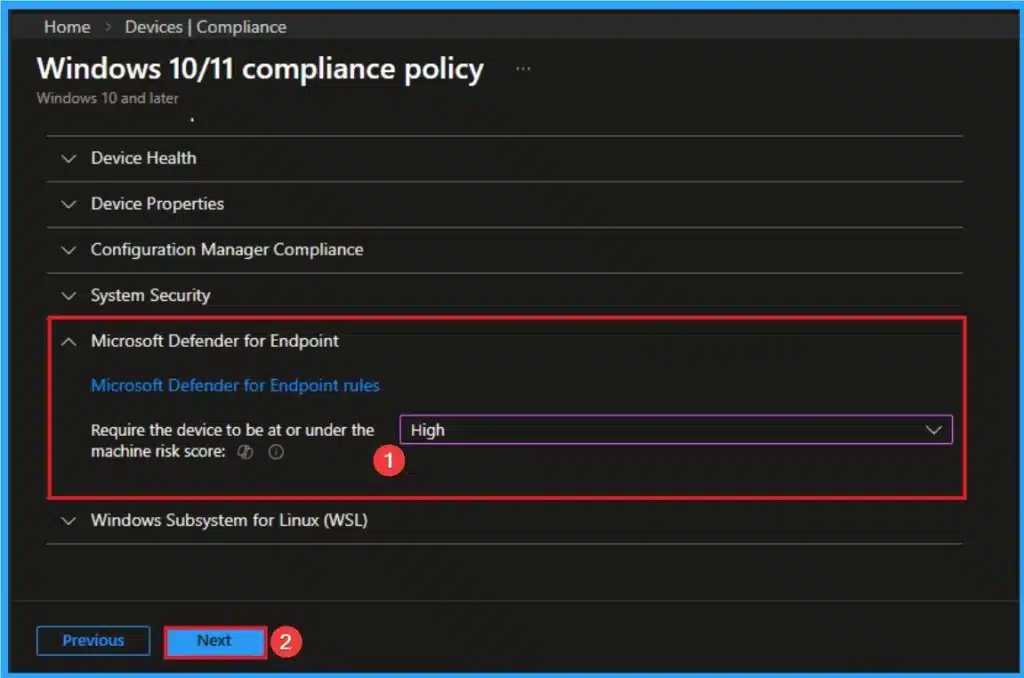
👉How to Avoid Security Gaps When Switching from MDE Policy Management to Intune
https://www.anoopcnair.com/security-gaps-when-switching-from-mde-to-intune/
🔊 Compare Intune’s Security Baselines with MDE’s Existing Configurations
🔊 Identify Missing or Weaker Controls Before Migration
🔊 Verify Microsoft 365 Licensing
🔊 Transitioning from MDE Policy Management
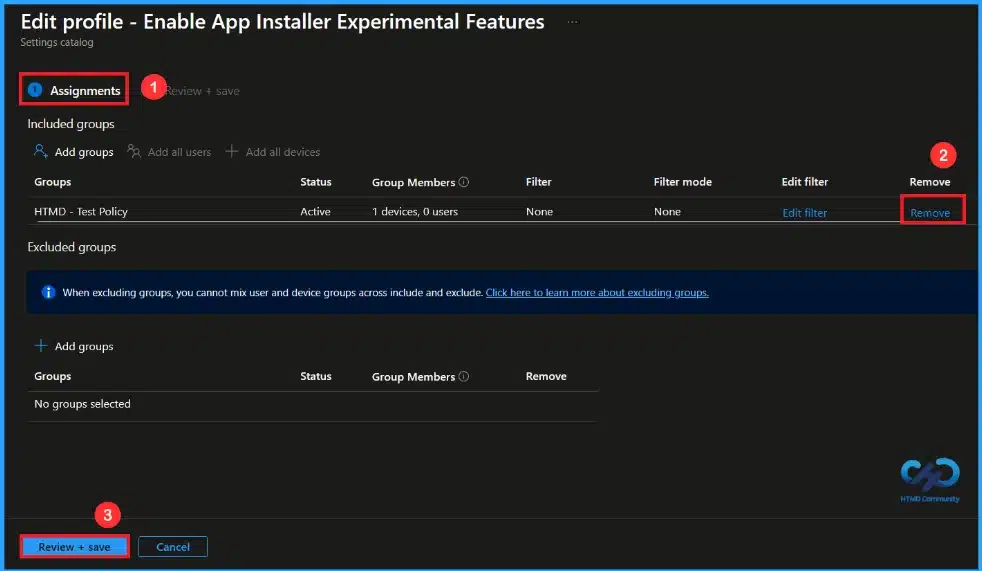
🎆Controlling Windows Package Manager Experimental Features with Intune Policy
https://www.anoopcnair.com/windows-experimental-features-intune-policy/
🔔This Policy Controls User Access to Experimental Windows Package Manager Features
🔔When Disabled, Experimental Features are Completely Restricted
🔔When Enabled, Users Can Activate Experimental Features
🔔Disabling the Policy Helps Ensure System Reliability
🔔Device and User Check-in Status
Thursday 5th February 2026
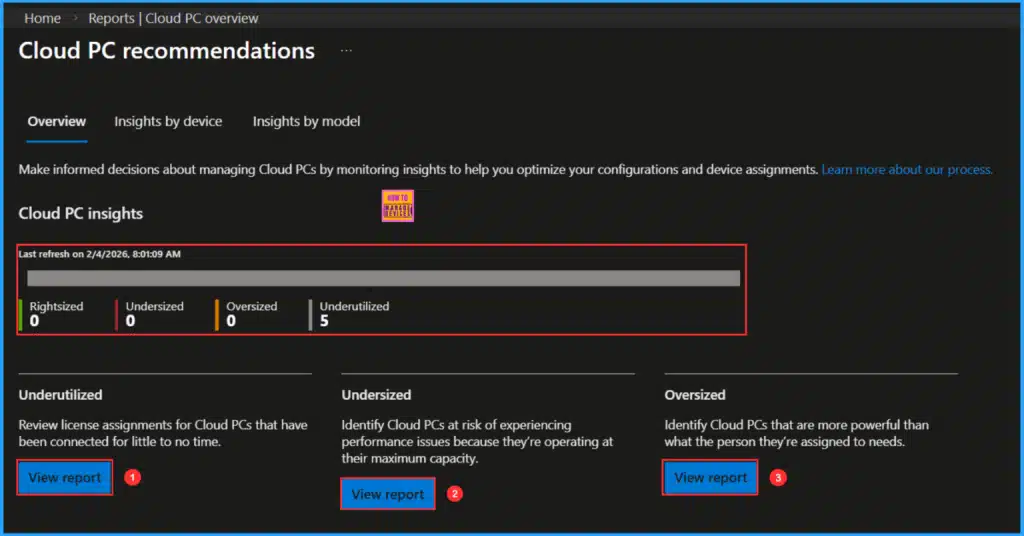
🎆Explore the Windows 365 Cloud PC Overview Reports in Intune – https://www.anoopcnair.com/windows-365-cloud-pc-overview-reports-in-intune/
✅ Key Takeaways
✅ What are the Windows 365 Cloud PC Overview Reports
✅ Windows 365 Cloud PC Overview Key Report Components
✅ How to Access Windows 365 Cloud PC Overview Report in Intune
✅ Export Reports Option
👉Enable Link-Layer Topology Discovery for Instant Network Health Analysis using Intune
https://www.anoopcnair.com/link-layer-topology-discovery-using-intune/
🔊 Enable Link-Layer Topology Discovery Policy
🔊 Helps for Instant Network Health Analysis
🔊 See Visual Representation of How Devices are Connected
🔊 Allows a Windows Computer to Query the Local Network
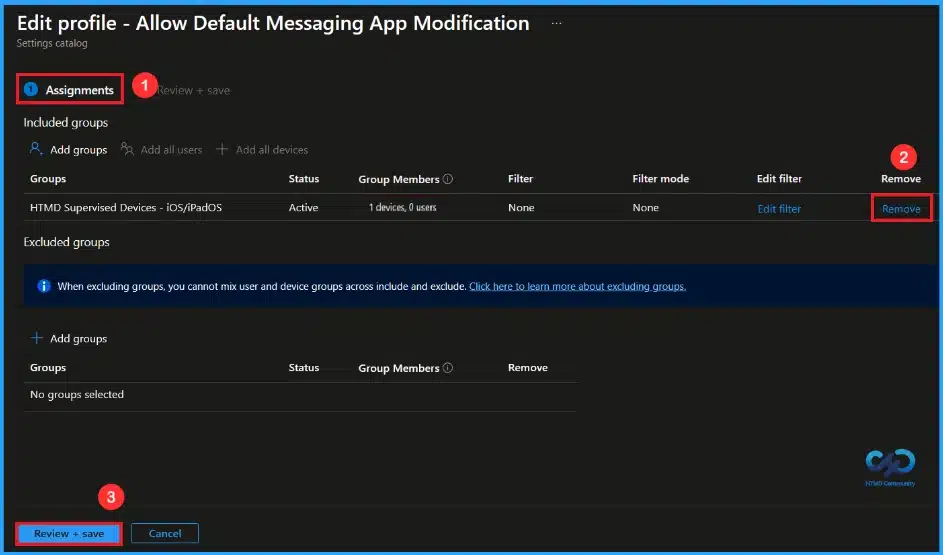
🎆Managing Default Messaging App Preferences on iOS Devices using Intune
https://www.anoopcnair.com/messaging-app-preferences-ios-using-intune/
🔔This Policy Allows Organizations to Select a Default Messaging App on iOS Devices.
🔔Approved Messaging Apps are Enforced for All Work-Related Communication.
🔔Device and User Check-in Status
Friday 6th February 2026
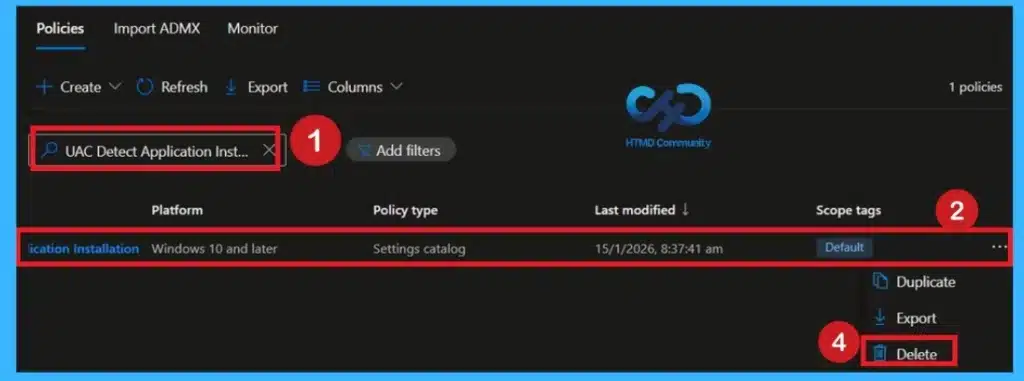
👉How to Prevent Unauthorized App Installations in Windows Devices using Intune Policy
https://www.anoopcnair.com/prevent-unauthorized-app-installations-intune/
🔊 Block Unauthorized App Installations via Intune
🔊 Stops Users from Installing Unapproved Applications
🔊 Enhances Security and Compliance Across Enterprise Devices
🔊 Ensures Consistent Policy Enforcement Organization-Wide
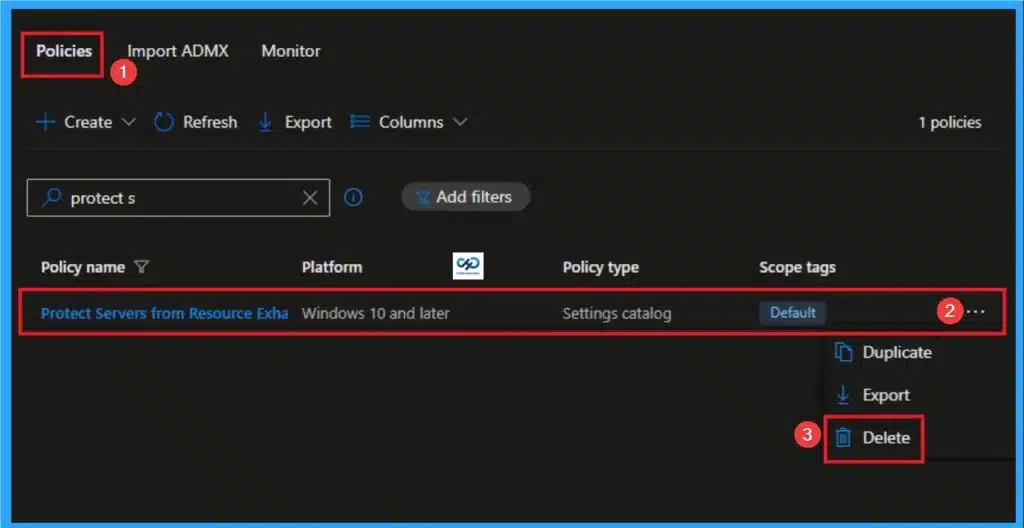
👉How to Protect Servers from Resource Exhaustion Using Intune
https://www.anoopcnair.com/protect-servers-from-resource-exhaustion-intune/
🔊 Protect Servers from Resource Exhaustion Policy
🔊 Helps Reduces Manual Intervention
🔊 Enhances Overall Organizational Resilience
🔊 Aligns with Modern Workplace Device Management Practices
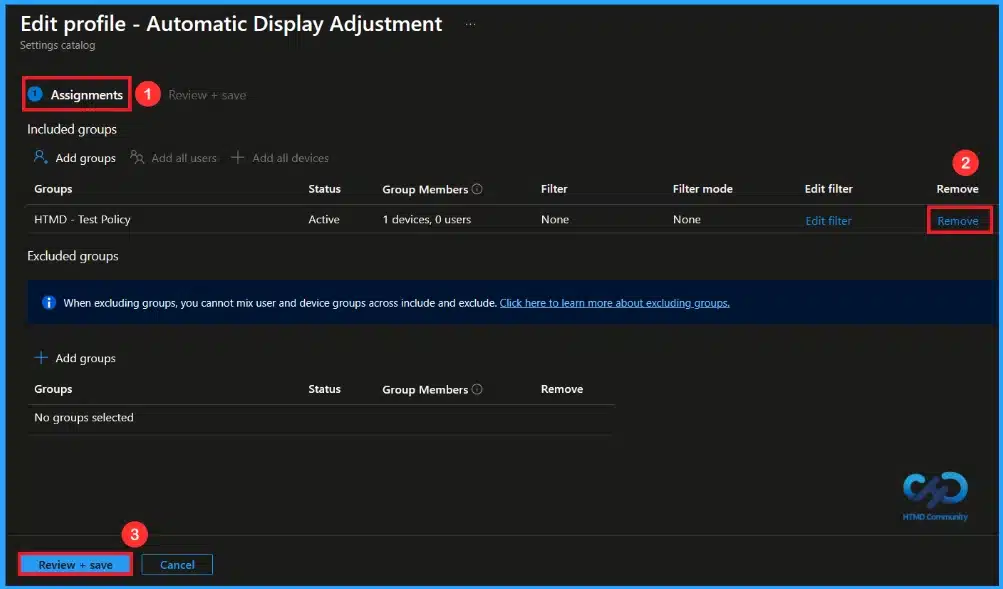
How to Control Automatic Display Adjustment on HoloLens using Intune
https://www.anoopcnair.com/display-adjustment-hololens-using-intune/
🔔This Policy Adjusts the HoloLens Display Automatically.
🔔Users Can Adjust the Display Manually if Needed.
🔔Organizations Can Choose How the Policy is Set.
🔔The Policy Makes HoloLens Easy to Use
🔔Device and User Check-in Status
Connect with the HTMD Community
Join the Telegram group to get the latest step-by-step guides and news updates. Join our Meetup Page to participate in User group meetings. Also, join the WhatsApp Community to get the latest news on Microsoft Technologies. We are there on Reddit as well.
HTMD Community Social Media Platform Links
| Social Media Platform | Link |
|---|---|
| LinkedIn: HTMD Community | https://www.linkedin.com/company/how-to-manage-devices/ |
| Telegram: SCCM Intune Technical Discussions | https://t.me/joinchat/Q9lE6G1_BO_bGq97 |
| Telegram: JOB SCCM Intune Group | https://t.me/joinchat/SIKr3OugR2FQ-Ej9 |
| WhatsApp: HTMD Community | https://chat.whatsapp.com/CeMXHSD61HtDBJwe78IZwV |
| Telegram: AVD/Windows 365 User Group | https://t.me/Inwvdcommunity |
| https://www.facebook.com/HTMDCommunity | |
| https://www.instagram.com/htmd_community/ | |
| https://twitter.com/htmdcommunity | |
| Facebook Group: SCCM | https://www.facebook.com/groups/ConfigMgr2012/ |
| Facebook Group: Intune | https://www.facebook.com/groups/1738789256382744 |

Anoop C Nair is Workplace Technology solution architect with 25+ years (as of 2026) of experience in global enterprise organizations such as JP Morgan, Capgemini, etc. Microsoft Certified Trainer (MCT). Microsoft MVP from 2015 onwards for consecutive 11+ years! He also conducts Intune and modern workplace tech training for enterprise organizations. He is Blogger, Speaker, and Founder of HTMD Community and HTMD Conference. His main focus is on Device Management technologies like Intune, Windows, Cloud PC. He writes about technologies like Intune, SCCM, Windows, Cloud PC, Windows, Entra, Microsoft Security.

Discussion