












212th HTMD Newsletter 22nd to 26th September 2025
Welcome to the 212th HTMD Newsletter, 22nd to 26th September 2025! This is the list of posts and videos the HTMD Community published this week, and news from the IT industry. You can get all the information and details from Windows 11, Cloud PC, SCCM, Intune, Azure Virtual Desktop (AVD), Android, iOS, and Mac.
Previous Weeks Newsletter
- 209th HTMD Newsletter – HTMD Newsletter 1st to 5th September 2025
- 210th HTMD Newsletter – HTMD Newsletter 8th to 12th September 2025
- 211th HTMD Newsletter – HTMD Newsletter 15th to 19th September 2025

Table of Contents
Monday 22nd September 2025
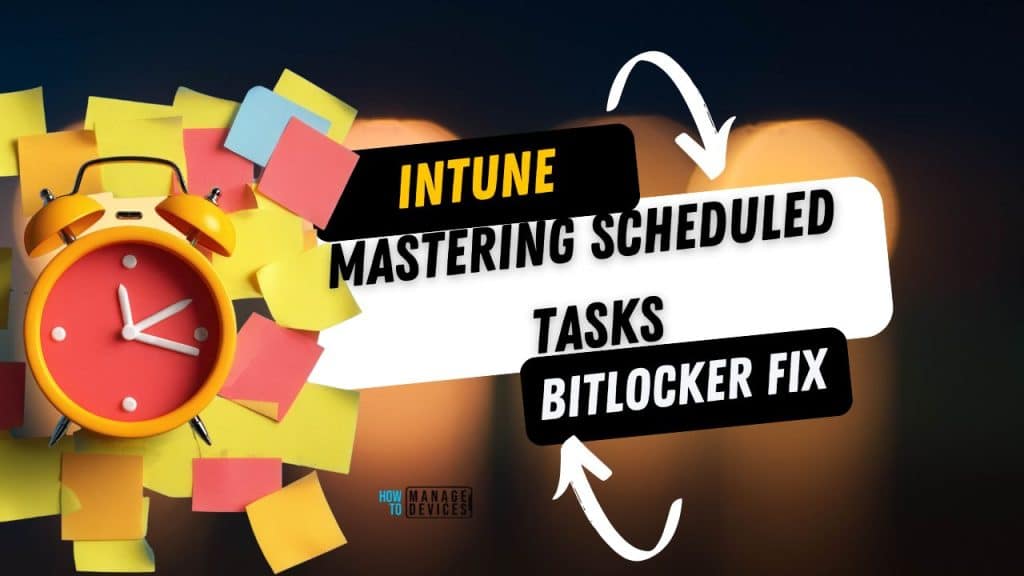
Are your Microsoft Intune Scheduled Tasks failing, timing out, or just not running reliably? 😫 You’re hitting the limits of native PowerShell scripts (30-min timeout, one-time execution, no VBS/Batch support).
It’s time to STOP relying on flawed script deployments and embrace the ultimate, reliable method: Win32 App Packaging.
In my new video, I provide the step-by-step guide to package your tasks as a Win32 App, giving you:
🚀 True Reliability for Hourly/Daily tasks.
⏱ No More 30-Minute Timeouts.
✅ Advanced Triggering (Time, Logon, System Events).
Ready to master automation and clean up your Intune environment?
Click to watch the full tutorial and get the exact script framework! 👇
https://youtu.be/Quh9RamjKWo
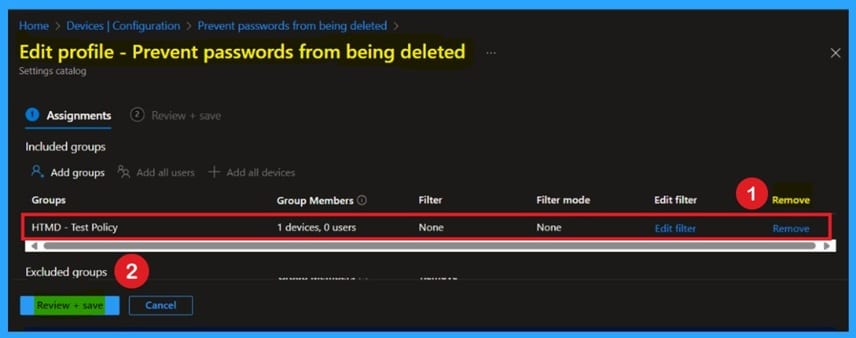
🎯Prevent Edge from Deleting Saved Passwords on Exit using Intune
–https://www.anoopcnair.com/edge-deleting-saved-passwords-on-exit-intune/
🔥How to Retain Saved Passwords in Microsoft Edge Using Intune
🔥Why Password Persistence Matters for User Experience
🔥Avoiding Repeated Credential Entry After Browser Exit
🔥What Does this Edge Policy Allow You to Configure?
🔥Ensuring Smooth Access to Web Apps and Services
🔥Client-Side Behavior and Verification Steps
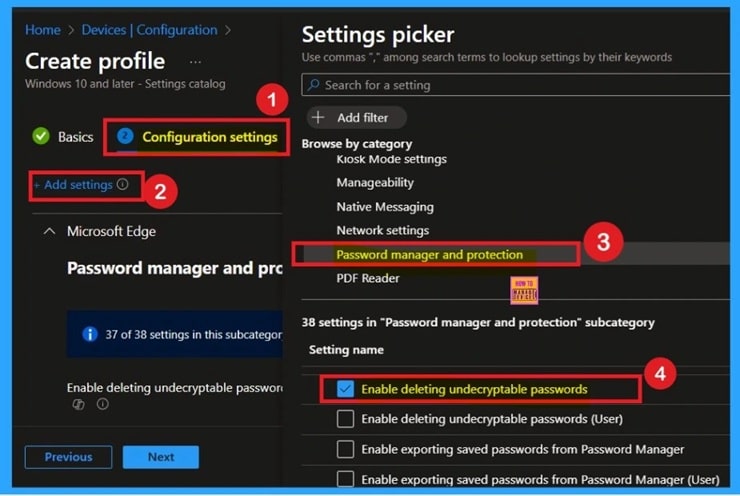
🎯How to Delete Unencryptable Passwords in MS Edge using Intune Policy
–https://www.anoopcnair.com/unencryptable-passwords-in-MS-edge-using-Intune/
🔥How to Automatically Remove Broken Password Entries via Intune
🔥Why Cleaning Up Unencryptable Passwords Improves User Experience
🔥Restoring Proper Functionality of Edge’s Password Manager
🔥What Does this Edge Policy Allow You to Configure?
🔥Ensuring Smooth Autofill and Login Across Websites
🔥Client Side Behavior
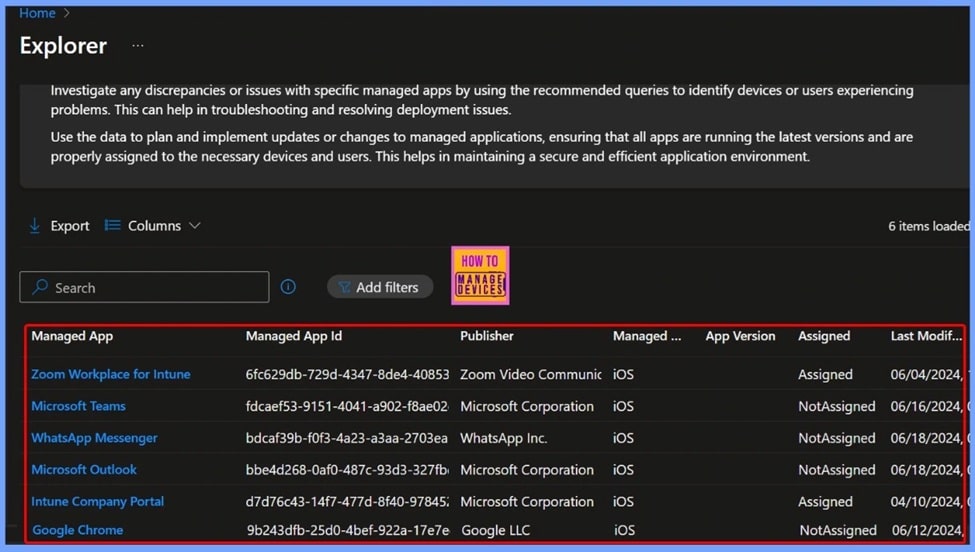
🎆Retrieve iOS VPP Managed App ID Publisher Platform Assignment and Last Modified Details using Intune Copilot Explorer
–https://www.anoopcnair.com/retrieve-iOS-vpp-managed-app-id-Intune/
🔥Get iOS VPP App Applications Query
🔥Introduction to iOS VPP Apps
🔥Why Use Intune Copilot Explorer?
🔥Retrieve iOS VPP App Details in Intune
🔥Benefits of Using Copilot Explorer for VPP Apps
🔥End Result
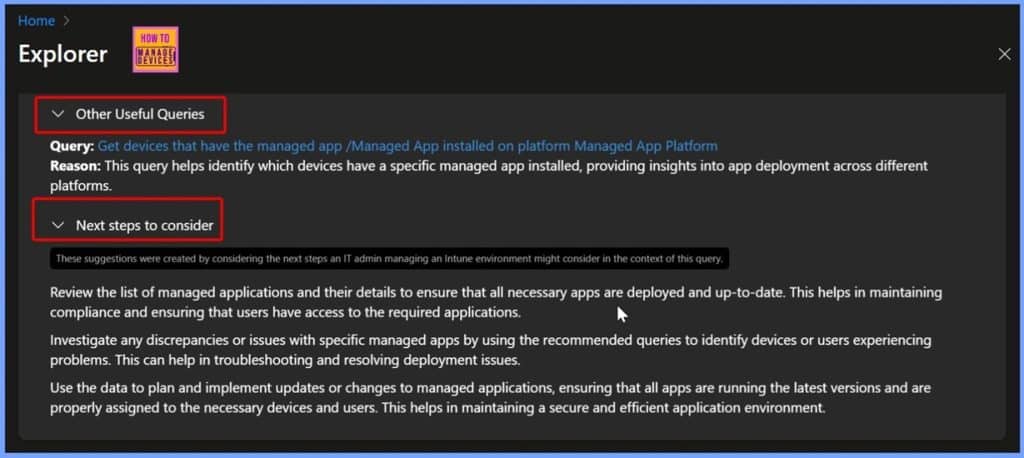
🎆How to Access macOS DMG Applications with App ID Publisher and Version in Intune Copilot Explorer
–https://www.anoopcnair.com/macOS-dmg-applications-with-app-id-in-Intune/
🔥Introduction to macOS DMG Applications
🔥Why Use DMG Applications in Intune?
🔥Getting macOS DMG Applications via Intune Copilot Explorer
🔥Benefits of Using Copilot Explorer for DMG Applications
🔥End Result
Tuesday 23rd September 2025
📢 IT ADMIN ALERT! MAJOR Microsoft Intune & Windows 365 Updates Just Landed! – https://youtu.be/G2Lve33eVVw
You need to know these game-changers for enterprise management and security:
🔒 Cloud PC Hardening: Clipboard, USB, and Drive Redirections are now DISABLED by default for newly provisioned Windows 365 PCs—a massive step for data security and SFI compliance.
✅ Autopilot Fixed: Windows Quality Updates install DURING OOBE (starting Sept 2025), eliminating the post-setup update lag and making devices ready faster!
💪 Granular RBAC: Expanded Intune controls are coming for Endpoint Security workloads (Antivirus, BitLocker, EDR), allowing for surgical role-based access.
💻 Device Enrollment: Intune now supports Ubuntu 22.04 and 24.04 LTS.
💡 New Feature: Windows 365 Reserve is in Public Preview, offering temporary Cloud PC access when a primary device is unavailable (up to 10 days/year).
Which of these changes will impact your environment the most?
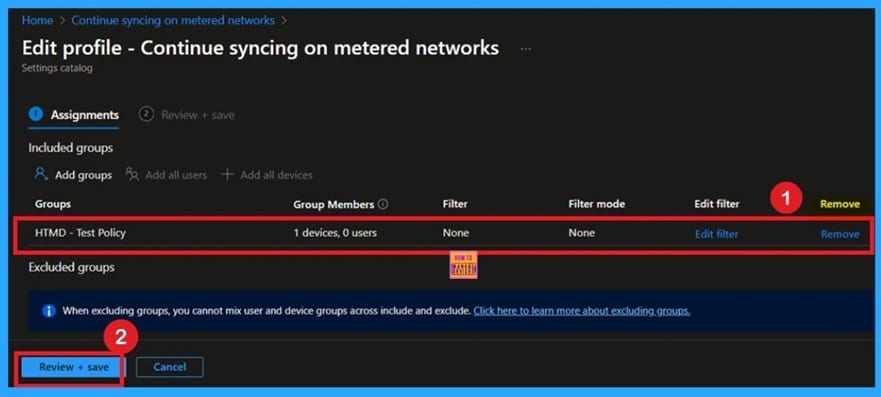
🎯How to Continue Syncing on Metered Networks on OneDrive using Intune Policy
–https://www.anoopcnair.com/syncing-on-metered-networks-on-onedrive-intune/
🔥How to Enable OneDrive Sync on Metered Connections via Intune
🔥Why Syncing on Limited Networks Matters for Productivity
🔥Avoiding Delays in File Availability During Mobile Hotspot Use
🔥What Does this OneDrive Policy Allow You to Configure?
🔥Ensuring Real-Time Collaboration Regardless of Network Type
🔥User Options for Manual Sync Override
🔥Client Side Verification
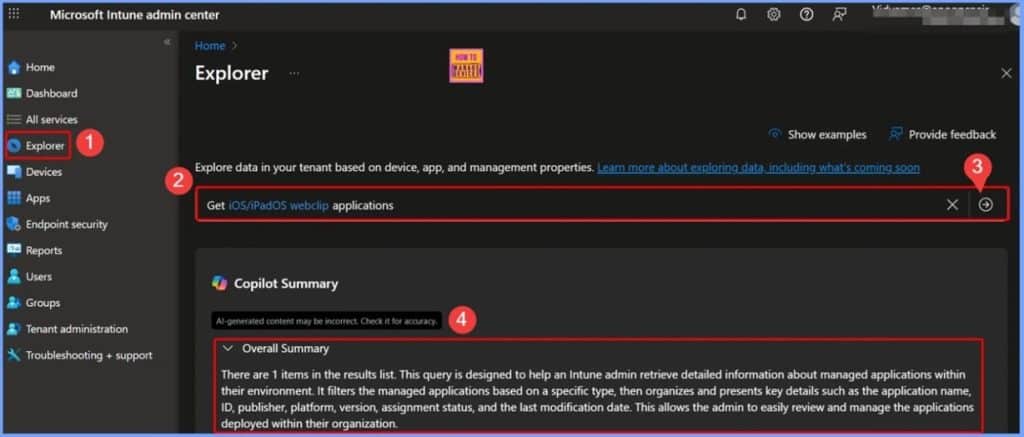
🎆Retrieve iOS or iPadOS Web Clip App Name ID Version and Last Modified Date using Intune Copilot Explorer
–https://www.anoopcnair.com/iOS-or-ipados-web-clip-app-name-id-Intune/
🔥Introduction to Web Clip Applications
🔥Quickly Access a Specific Website
🔥Getting iPadOS Web Clip App Name ID via Intune Copilot Explorer
🔥Benefits of using Copilot Explorer Web Clip Applications
🔥End Result
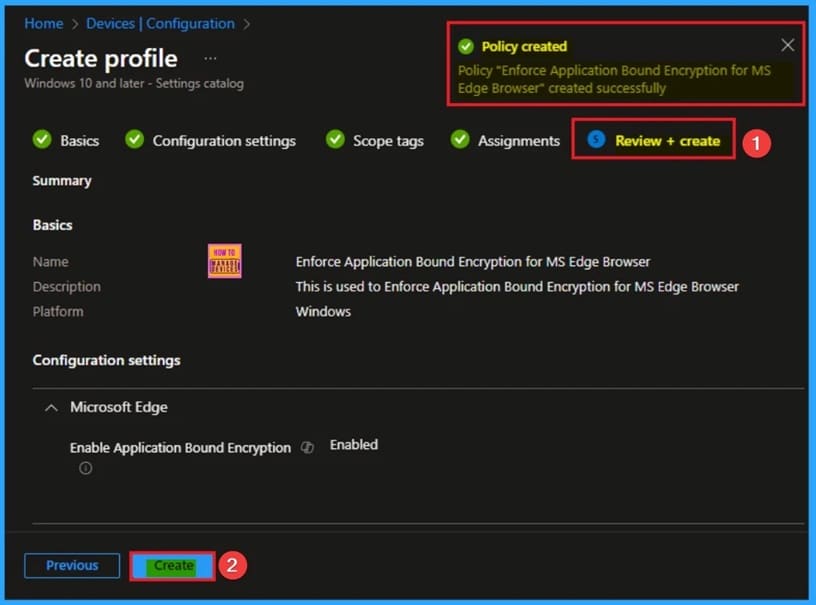
🎆Enforce Application Bound Encryption for MS Edge Browser to Securing Local Browser Data using Intune
–https://www.anoopcnair.com/application-bound-encryption-for-ms-edge-intune/
🔔Application Bound Encryption Policy for Microsoft Edge
🔔Helps to Protect Sensitive Browsing Data from Unauthorized Applications
🔔Protect Saved Credentials and Cookies
🔔How this Policy Helps Admins?
🔔Example Scenario
🔔Device and User Check-in Status
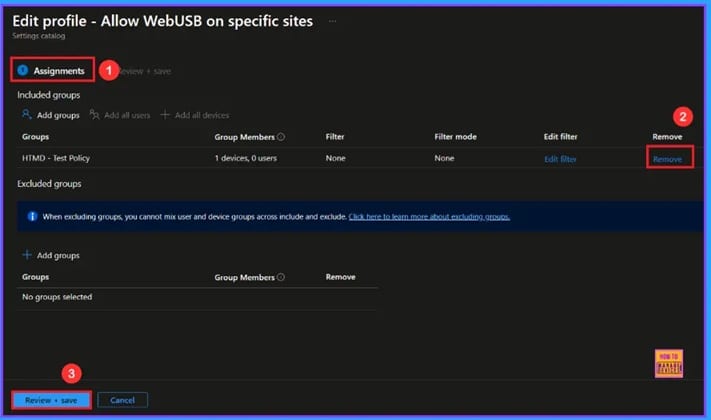
🎆Enable WebUsb Ask for Urls Policy in Microsoft Edge to Control USB Device Access using Intune
–https://www.anoopcnair.com/webusb-policy-edge-to-usb-device-using-Intune/
🔔Enable WebUSB Policy
🔔Prevents Unsafe or Malicious Websites from using USB Devices
🔔 Protects Sensitive Data and Devices
🔔Reduces User Mistakes
🔔Device and User Check-in Status
Wednesday 24th September 2025
🎯Managing Automatic Update Check Intervals in MS Edge using Intune Policy
–https://www.anoopcnair.com/automatic-update-check-intervals-edge-intune/
🔥How to Manage Microsoft Edge Update Intervals via Intune
🔥Why Update Timing Matters for Performance and Security
🔥Reduce Bandwidth Strain with Custom Update Check Periods
🔥What Does the Auto-Update Check Period Override Policy Do?
🔥Ensure Timely Delivery of Bug Fixes and Security Patches
🔥Client-Side Verification
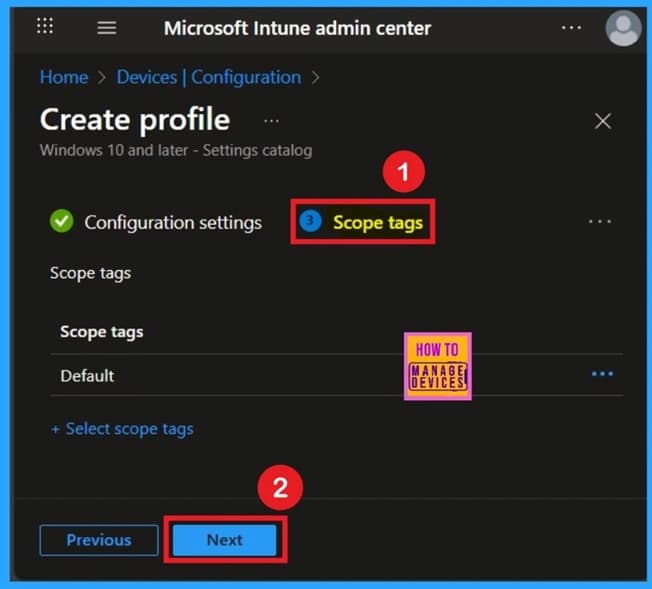
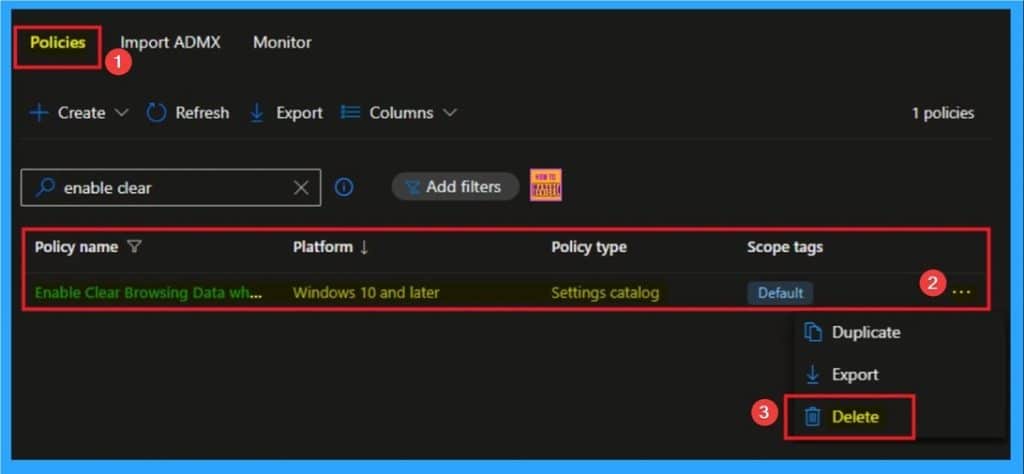
🎆Enable Clear Browsing Data when MS Edge Closes to Balancing User Convenience and Data Privacy using Intune
–https://www.anoopcnair.com/clear-browsing-data-when-ms-edge-closes-intune/
🔔Clear Browsing Data when MS Edge Closes
🔔Helps to Reduce the Risk of a Data Breach by Automatically Clearing Browsing Data
🔔Helpful for KIOSK Environment
🔔How this Policy Helps Admins?
🔔Example Scenario
🔔Device and User Check-in Status
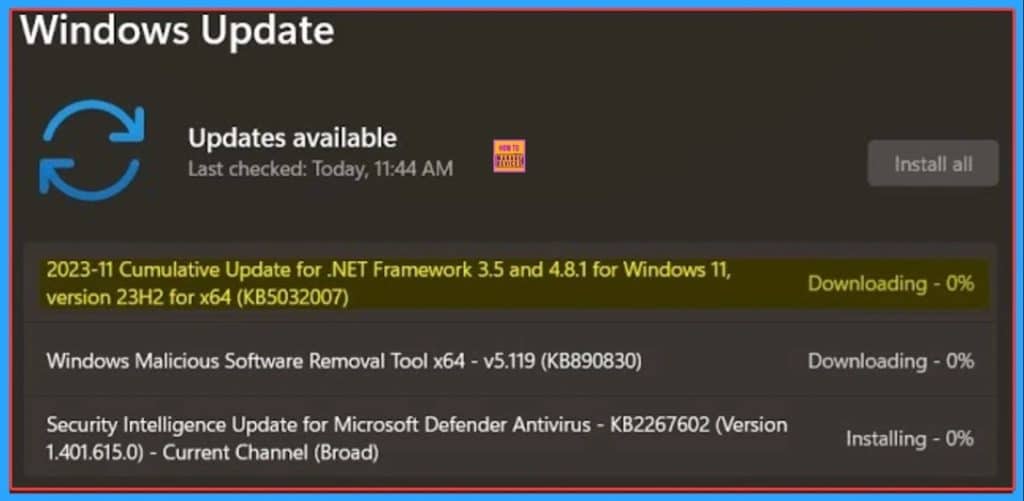
🎆Fix Cumulative Update KB5065426 and KB5064401 Installation Error in SCCM with Code 0x8007139F
–https://www.anoopcnair.com/installation-error-in-sccm-with-code-0x8007139f/
🎉Cumulative Update KB5065426 and KB5064401 Installation Error
🎉Error Code 0x8007139F
🎉Reasons of Installation Error in SCCM
🎉After Effects of this Issue
🎉Different Fixes of Issue
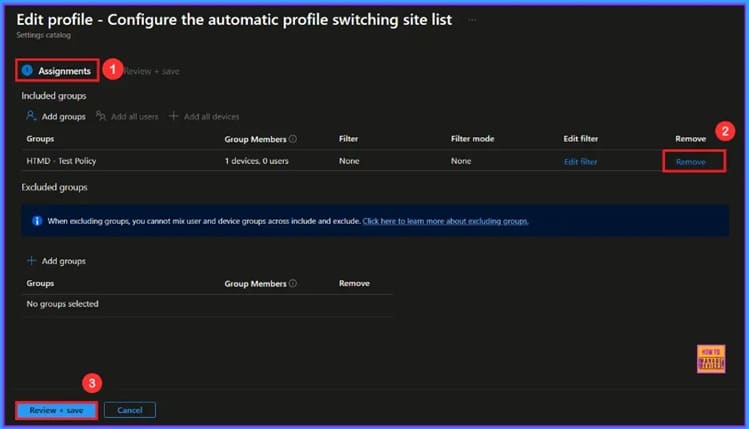
🎆Enable MS Edge Profile Switching Policy in Windows Environment for Controlled Site Access using Intune
–https://www.anoopcnair.com/edge-profile-switching-policy-using-Intune/
🔔Enable MS Edge Profile Switching Policy
🔔 Improves Security for Sensitive Business Sites
🔔 Saves Time by Avoiding Manual Switching
🔔Supports Compliance and Data Protection Needs
🔔Device and User Check-in Status
Thursday 25th September 2025
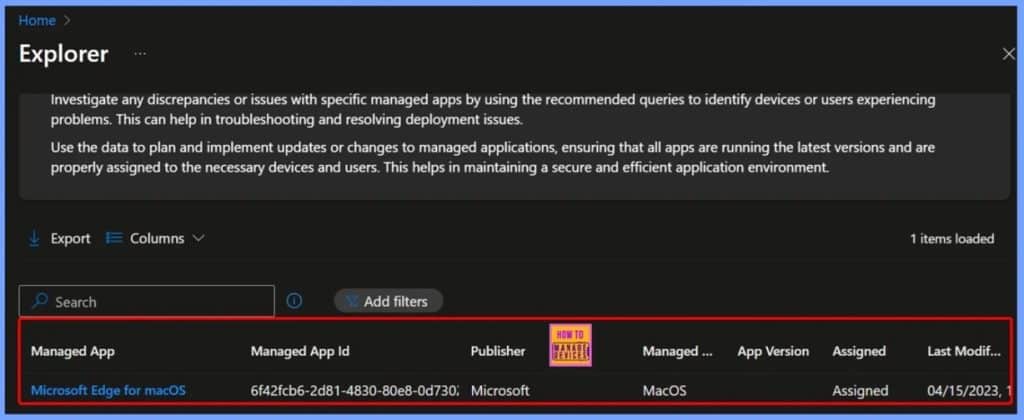
🎆How to Access macOS Edge App Name ID Publisher Platform Version Assignment and Modification Date Details in Intune Copilot Explorer
–https://www.anoopcnair.com/macos-edge-app-name-id-publisher-intune/
🔥Access macOS Modification Date Details in Intune Copilot Explorer
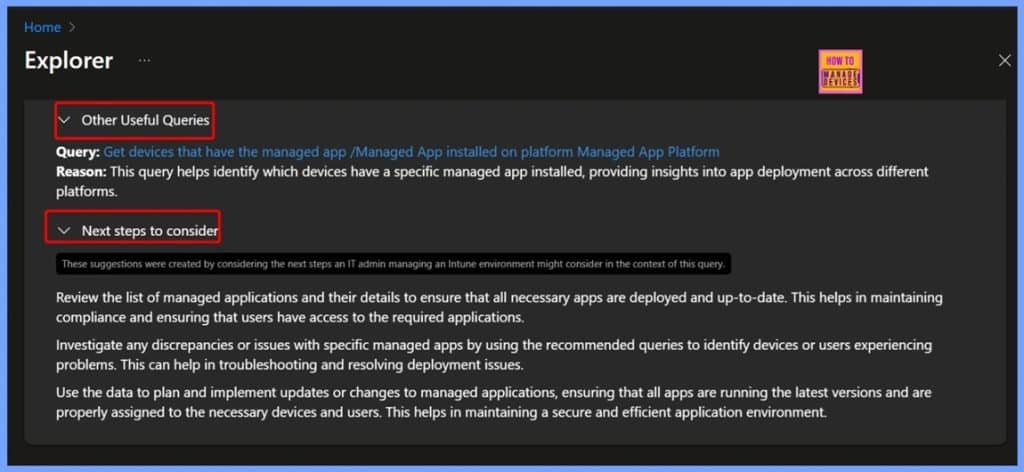
🔥Find Devices with a Specific Managed App Installed on a Platform
🔥Getting macOS acOS Edge App’s name via Intune Copilot Explorer
🔥Benefits of Using Copilot Explorer for Access macOS Edge Version
🔥End Result
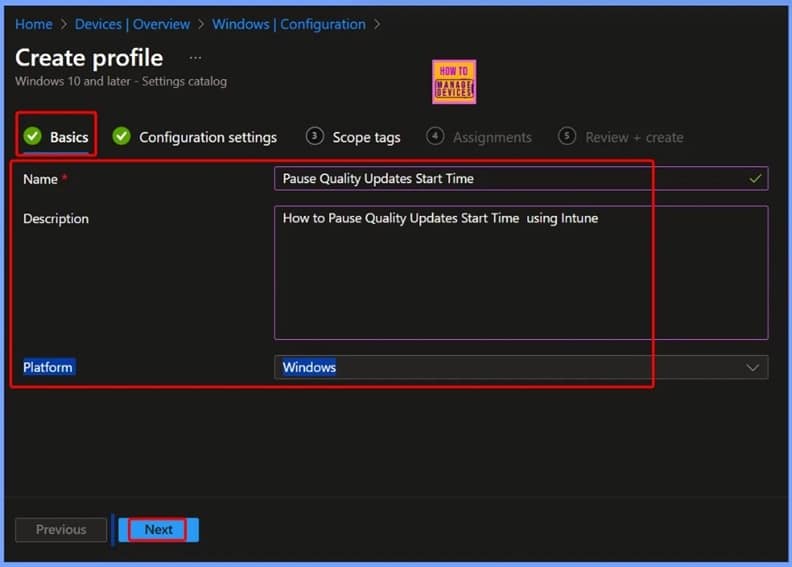
🎆How to Set Pause Start Date for Quality Updates using Intune Policy
–https://www.anoopcnair.com/pause-start-date-for-quality-updates-Intune/
▶Pause Quality Updates Start Time Policy in Intune
▶Helps to Manage Updates Easily
▶Pause Quality Updates for 35 Days
▶How this Policy Helps Admins?
▶Monitoring Status
▶Client-Side Verification
🎆Enable Split Screen in Microsoft Edge to Improving Workflow and Multitasking using Intune
–https://www.anoopcnair.com/split-screen-in-Microsoft-edge-using-Intune/
🔔Split Screen in Microsoft Edge
🔔Enables Easy Comparison of Information from Two Different Sources
🔔Improving Workflow and Multitasking
🔔How this Policy Helps Admins?
🔔Example Scenario
🔔Device and User Check-in Status
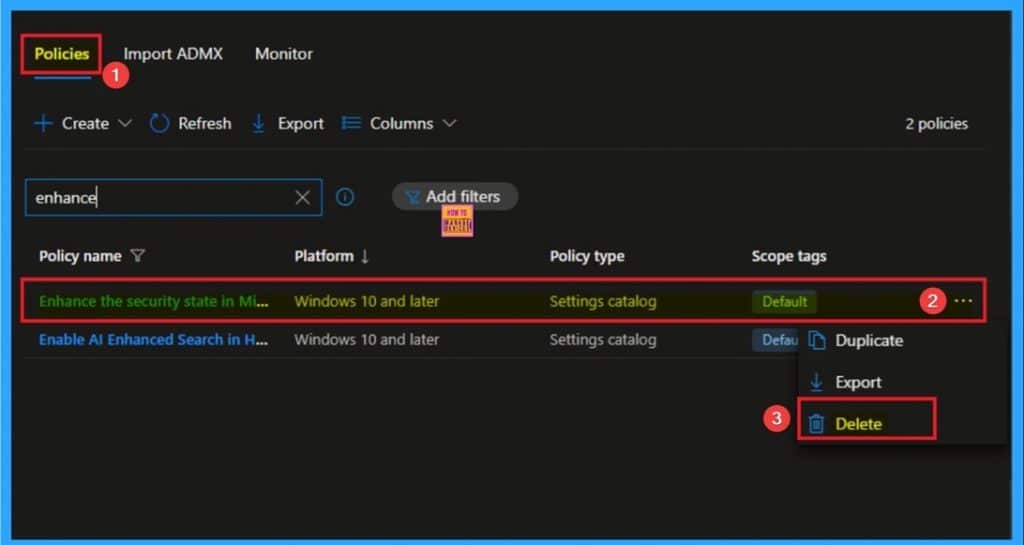
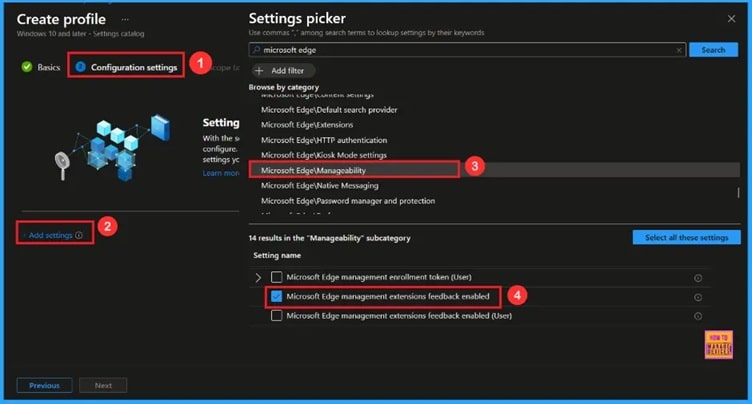
🎆Enable Extensions Reporting Policy in Microsoft Edge for Sending Data about Extensions using Intune
–https://www.anoopcnair.com/extensions-reporting-edge-data-using-Intune/
🔔Enable Extensions Reporting Policy
🔔Improves Browser Security
🔔Prevents Harmful or Unsafe Extensions
🔔Supports Compliance with Company Security Rules
🔔Device and User Check-in Status
Friday 26th September 2025
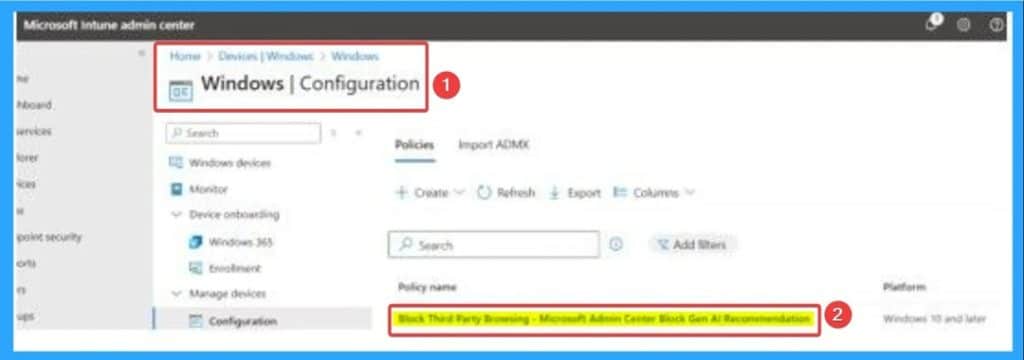
🎆How to Fix Intune AI Policy Conflicts that Prevent Third-Party Browser Access
–https://www.anoopcnair.com/intune-ai-policy-conflicts-prevent-third-party/
🎉Intune AI Policy Conflicts
🎉Prevent Third-Party Browser Access
🎉Reasons of AI Policy Conflicts
🎉After Effects of this Issue
🎉Different Fixes of Issue
🎆Fix Task Sequence Delays in Windows 11 24H2 During Bare Metal Deployment in SCCM
–https://www.anoopcnair.com/task-sequence-delays-in-windows-11-24h2-in-sccm/
🎉Task Sequence Delays in Windows 11 24H2
🎉Issue Occurred During Bare Metal Deployment in SCCM
🎉Reasons of Task Sequence Delays
🎉After Effects of this Issue
🎉Different Fixes of Issue

🎆Retrieve macOS Microsoft Defender App ID Publisher and Last Modified Date using Intune Copilot Explorer
–https://www.anoopcnair.com/macos-microsoft-defender-app-id-intune-copilot/
🔥Introduction – Microsoft Defender for macOS
🔥Retrieving App Details in Intune Copilot Explorer
🔥Information Available in App Results
🔥Benefits for IT Admins
🔥Ensuring Compliance and Security Standards
🎆How to Schedule Windows Updates Every First Week of Month using Intune Policy
–https://www.anoopcnair.com/schedule-windows-updates-every-first week-Intune/
🔔Schedule Windows Updates Every First Week of Month
🔔Helps to Control Scheduling Windows Updates
🔔Reducing the Risk of Unexpected Downtime
🔔How this Policy Helps Admins?
🔔Device and User Check-in Status
Connect with the HTMD Community
Join the Telegram group to get the latest step-by-step guides and news updates. Join our Meetup Page to participate in User group meetings. Also, join the WhatsApp Community to get the latest news on Microsoft Technologies. We are there on Reddit as well.
HTMD Community Social Media Platform Links
| Social Media Platform | Link |
| LinkedIn: HTMD Community | https://www.linkedin.com/company/how-to-manage-devices/ |
| Telegram: SCCM Intune Technical Discussions | https://t.me/joinchat/Q9lE6G1_BO_bGq97 |
| Telegram: JOB SCCM Intune Group | https://t.me/joinchat/SIKr3OugR2FQ-Ej9 |
| WhatsApp: HTMD Community | https://chat.whatsapp.com/CeMXHSD61HtDBJwe78IZwV |
| Telegram: AVD/Windows 365 User Group | https://t.me/Inwvdcommunity |
| https://www.facebook.com/HTMDCommunity | |
| https://www.instagram.com/htmd_community/ | |
| https://twitter.com/htmdcommunity | |
| Facebook Group: SCCM | https://www.facebook.com/groups/ConfigMgr2012/ |
| Facebook Group: Intune | https://www.facebook.com/groups/1738789256382744 |

Anoop C Nair is Workplace Technology solution architect with 25+ years (as of 2026) of experience in global enterprise organizations such as JP Morgan, Capgemini, etc. Microsoft Certified Trainer (MCT). Microsoft MVP from 2015 onwards for consecutive 11+ years! He also conducts Intune and modern workplace tech training for enterprise organizations. He is Blogger, Speaker, and Founder of HTMD Community and HTMD Conference. His main focus is on Device Management technologies like Intune, Windows, Cloud PC. He writes about technologies like Intune, SCCM, Windows, Cloud PC, Windows, Entra, Microsoft Security.

Discussion