











205th HTMD Newsletter 4th to 8th August 2025
Welcome to the 205th HTMD Newsletter, 4th to 8th August 2025! This is the list of posts and videos the HTMD Community published this week, and news from the IT industry. You can get all the information and details from Windows 11, Cloud PC, SCCM, Intune, Azure Virtual Desktop (AVD), Android, iOS, and Mac.
Previous Weeks Newsletters
- 202nd HTMD Newsletter – HTMD Newsletter 14th to 18th July 2025
- 203rd HTMD Newsletter – HTMD Newsletter 21st to 25th July 2025
- 204th HTMD Newsletter – HTMD Newsletter 28th July to 1st August 2025
Monday 4th August 2025
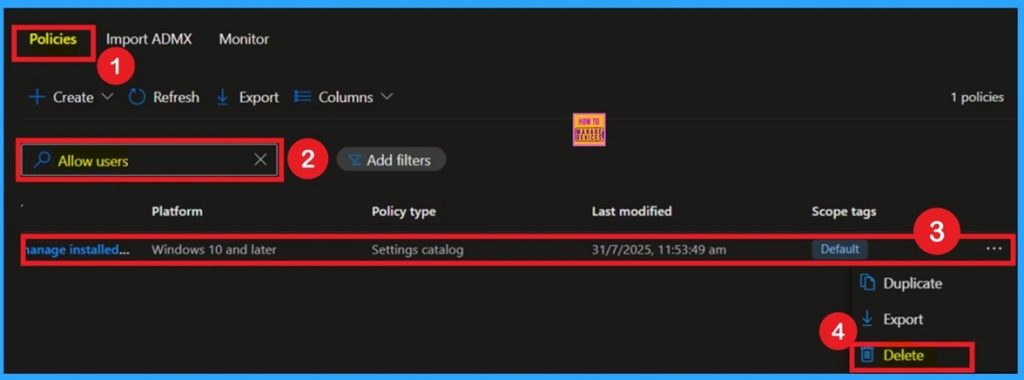
🎆Allow or Disallow users to Manage Installed CA Certificates for user
–https://www.anoopcnair.com/to-manage-installed-ca-certificates-for-user/
🔥CA Certificates Policy
🔥Control Users have Over Certificate Authority (CA)
🔥Helps Manage Trust and Security for Websites
🔥Is this Setting being Secure For Organizations
🔥What Does the Certificate Management Setting Control?
🔥Monitoring Status
🔥Client-Side Verification
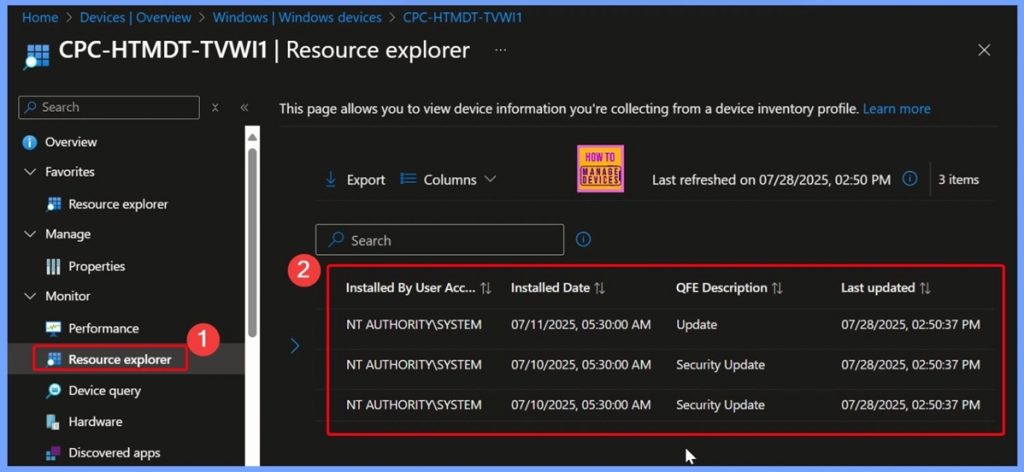
🎆How to Track Windows Security Patch Installation Details using Intune Inventory
–https://www.anoopcnair.com/windows-security-patch-installation-Intune/
🔥WindowsQfe – View Installed Security Patches
🔥Information about Security Patches Applied to the Windows Device
🔥Supported Platforms
🔥Supported Scenarios
🔥End Result
🔥Collected Important Details Related to the Windows
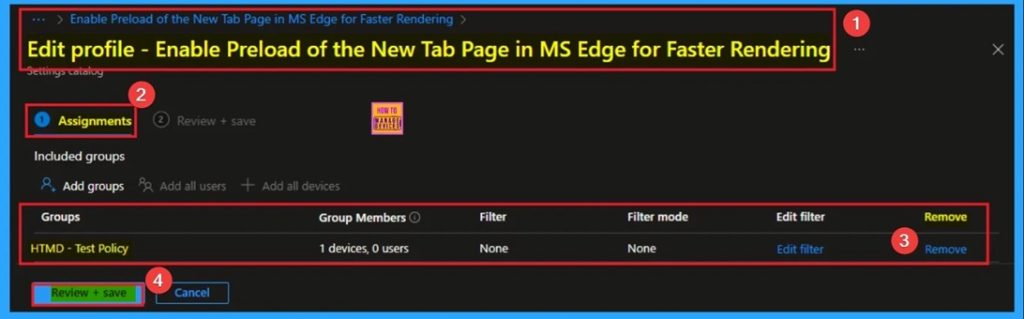
💫How to Enable Preload of the New Tab Page in MS Edge for Faster Rendering Using Intune
–https://www.anoopcnair.com/enable-preload-of-the-new-tab-page-edge-intune/
🎀Enable Preload of the New Tab Page in MS Edge
🎀Improve Faster Rendering for MS Edge
🎀Benefits of Preload of the New Tab Page
🎀How this Policy Helps Admin?
🎀Example of Applicable Scenario
🎀Monitoring Status
🎀Client-Side Verification
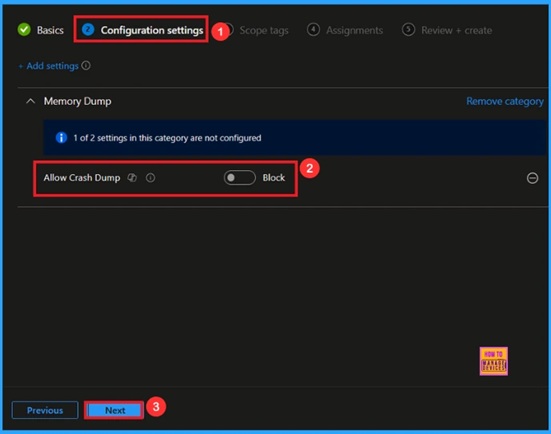
🎆Enable Crash Dump Policy in Windows for Saves Memory Data using Intune
–https://www.anoopcnair.com/enable-crash-dump-policy-in-windows-for-saves/
🔔Enable Crash Dump Policy
🔔Crash Data Collection Control
🔔Helps in Troubleshooting
🔔Improves System Reliability
🔔Device and User Check-in Status
Tuesday 5th August 2025
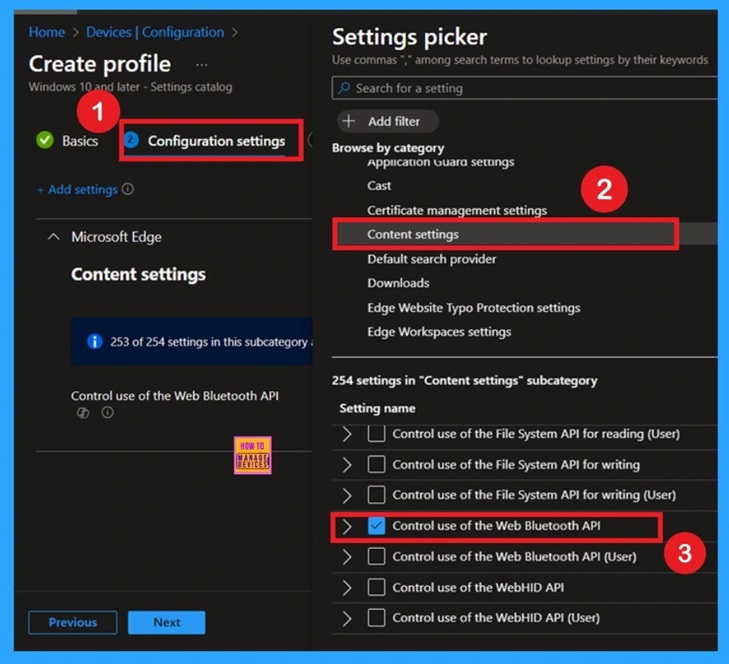
🎆Take Control of Your Browser Security Manage Web Bluetooth in Edge Browser with Intune Policy
–https://www.anoopcnair.com/web-Bluetooth-edge-browser-with-Intune-policy/
🔥Web Bluetooth in Edge Browser
🔥Enabling or Disabling Bluetooth usage for Websites
🔥Prevents Employees from Connecting to Unknown Bluetooth Devices
🔥Minimizes Attack surface from Websites
🔥What is the Web Bluetooth API?
🔥Monitoring Status
🔥Client-Side Verification
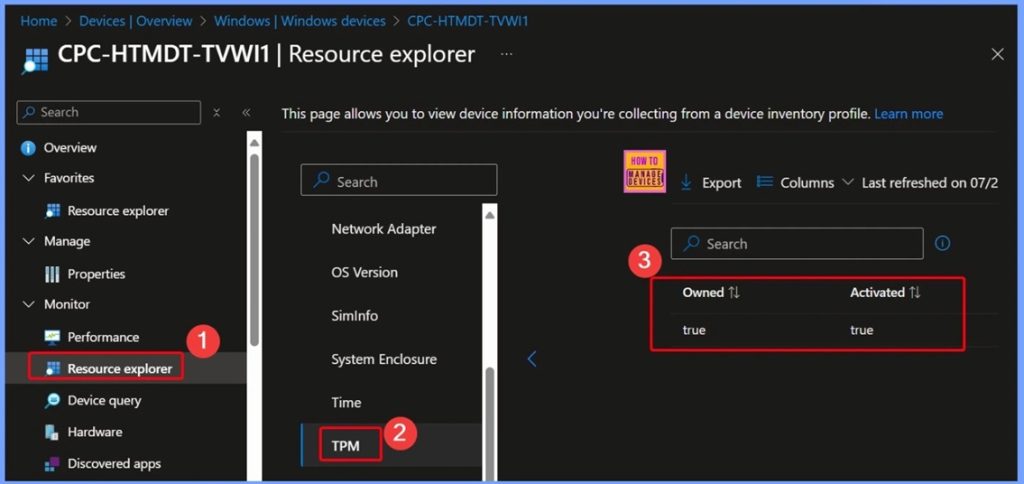
🎆How to Discover TPM Status across Windows Devices using Intune Inventory
–https://www.anoopcnair.com/tpm-status-across-windows-intune-inventory/
🔥What is TPM?
🔥Why Monitor TPM Status?
🔥What Intune Collects About TPM
🔥Centralised Visibility with Intune
🔥Benefits for IT Admins
🔥Review + Create in Intune Configuration
🔥End Result
🔥Collected Important Details Related to the TPM Status across Windows Devices
📌How to Fix Conflict Status in Local user Group Membership Policy using Intune
–https://www.anoopcnair.com/conflict-status-in-local-user-group-membership/
➡Conflict Status in Local user Group Membership Policy
➡How to Fix Conflict Status in Local user Group Membership Policy
➡Suggested Workaround
➡Reasons of the Issue
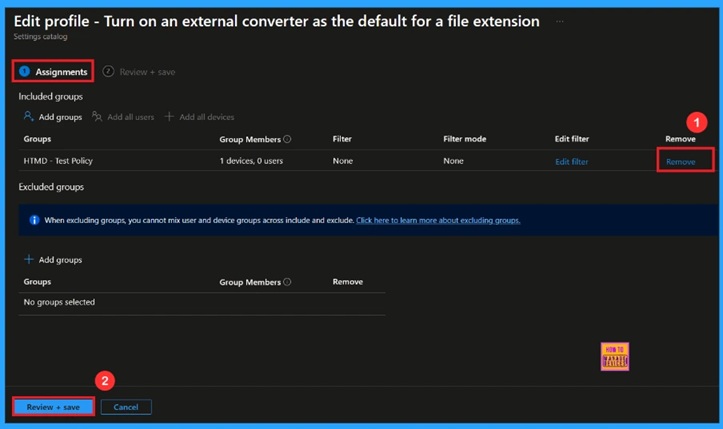
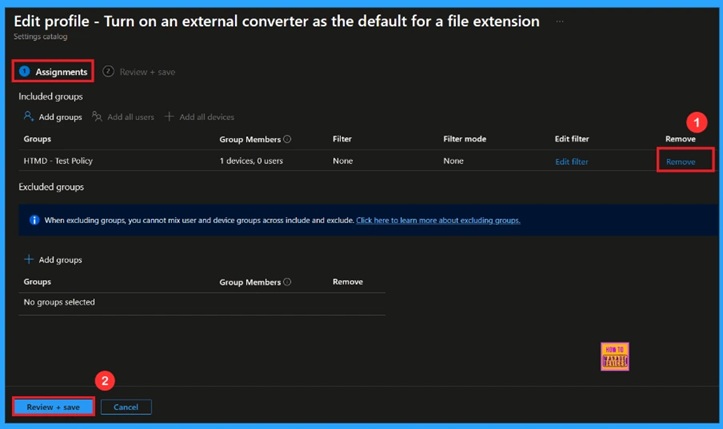
🎆Manage External Converters for File Extensions using Intune Policy
–https://www.anoopcnair.com/external-converters-for-file-extensions-Intune/
🔔Enable External Converter Policy
🔔Custom File Handling
🔔Improved Compatibility and Conversions
🔔Enhance Security
🔔Device and User Check-in Status
Wednesday 6th August 2025
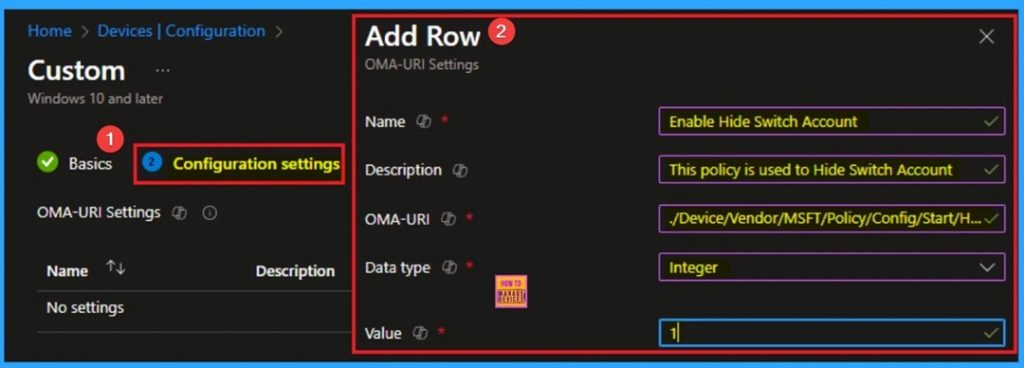
💫How to Show or Hide Switch Account Option in Windows Start Menu using Intune Policy
–https://www.anoopcnair.com/hide-switch-account-windows-start-menu-intune/
🎀Show or Hide Switch Account Option in Windows Start Menu
🎀Helps to Prevent Switching Accounts
🎀Benefits of Show or Hide Switch Account Option Policy
🎀How this Policy Helps Admin?
🎀Example of Applicable Scenario
🎀Monitoring Status
🎀Client-Side Verification
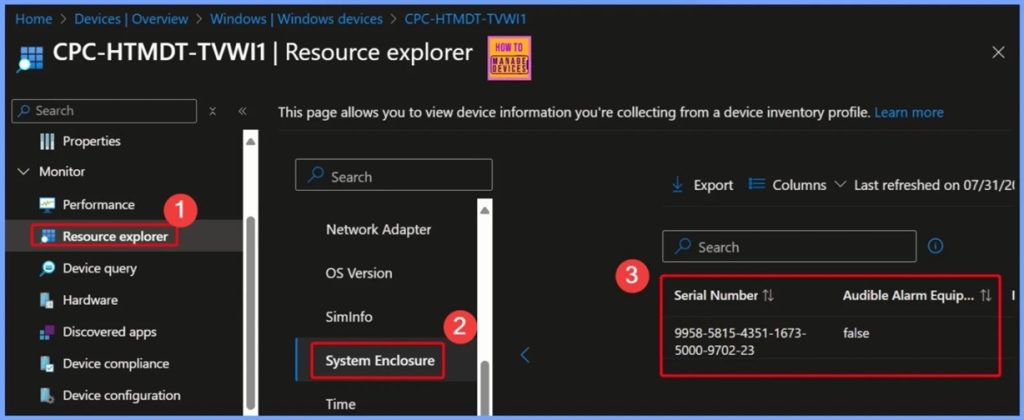
🎆How to Collect Serial Number Alarms Breach Info Security Breach and More using Intune Inventory
–https://www.anoopcnair.com/serial-number-alarms-breach-info-Intune/
🔥Introduction – Why Physical Security Details Matter
🔥What Is the System Enclosure Property in Intune?
🔥Key Security Insights Collected from the System Enclosure
🔥Additional Details Captured
🔥How This Helps IT Admins and Organizations
🔥End Result
🔥Collected Important Details Related to the System Enclosure Property
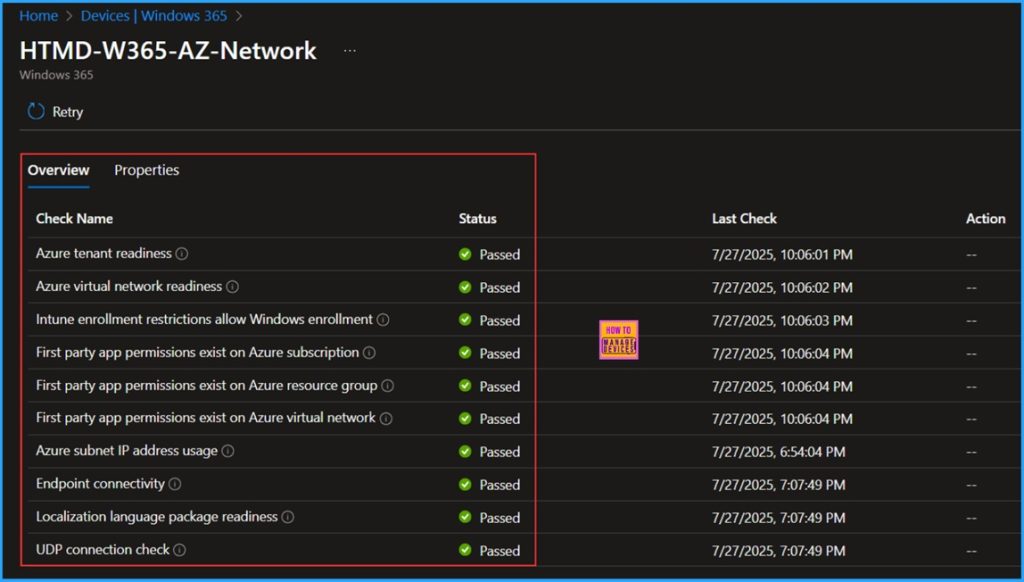
📌 How to Create Entra Joined Azure Network Connection for Windows 365 Cloud PCs in Intune
–https://www.anoopcnair.com/entra-joined-azure-network-windows-365-intune/
💡Key Uses of Entra Joined Azure Network Connection
💡Create Entra Joined Azure Network Connection for Windows 365 Cloud PCs
💡Improves Security and Modern Identity Management
💡Simplified Provisioning
💡Overview of Entra Joined Azure Network Connection for Windows 365 Cloud PCs
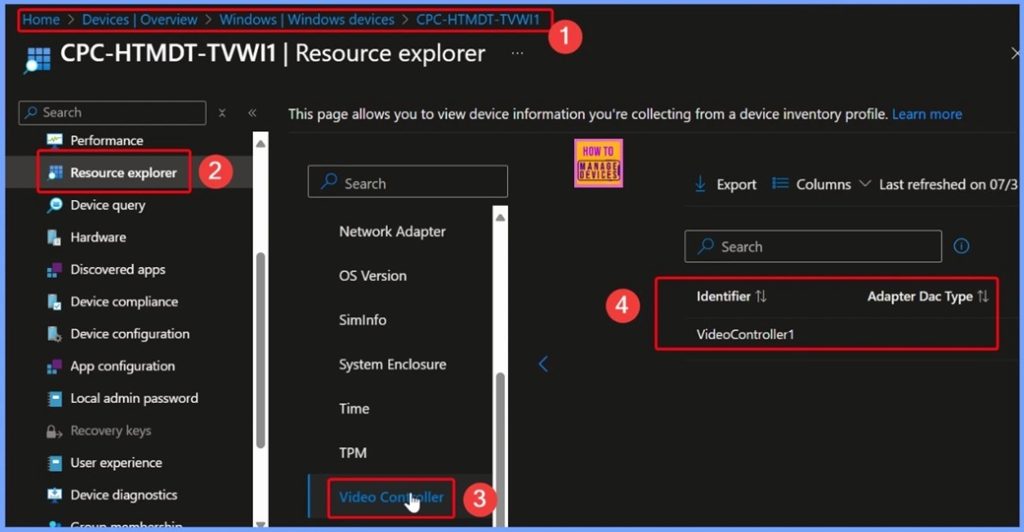
🎆How to use Intune Inventory to View Graphics Model Video RAM and Display Settings on Windows Devices
–https://www.anoopcnair.com/Intune-inventory-to-view-graphics-model-video/
🔥Why Use Intune Inventory for Video Controller Data?
🔥Investigate Display or Resolution Issues
🔥Identify Outdated or Underperforming Graphics Cards
🔥Benefits for IT and Support Teams
🔥Monitor and Report on Graphics Hardware across all Windows Devices
🔥Ensure Devices Meet Minimum Hardware Requirements
🔥Plan for Hardware Refresh or Upgrade Cycles
Thursday 7th August 2025
📻Explore Microsoft Intune Multi Admin Approval MAA Scenarios | What is MAA in Intune? #msintune What is Multi-Admin Approval (MAA) in Intune? | A Comprehensive Guide by Vaishnav – https://youtu.be/7vh772YnNZs
Description:
In this video, we dive deep into Multi-Admin Approval (MAA), a critical security feature in Microsoft Intune designed to protect your tenant from compromised administrative accounts.
What is Multi-Admin Approval (MAA)?
Multi-Admin Approval (MAA) is a security capability within Intune that requires a second administrator to approve a change before it is applied. This adds a crucial layer of protection, especially for sensitive configurations like apps and scripts.
With MAA, you can configure access policies to protect specific resources. These policies define:
Which configurations are protected (e.g., Apps, Scripts, other Access Policies).
Which administrators are permitted to approve changes to those resources.
When a protected resource is modified, Intune holds the change until a different, authorized administrator explicitly approves it. Approvers can also reject change requests, providing full control over your tenant’s security.
Key Topics Covered in this Video:
What is Multi-Admin Approval (MAA)? A detailed overview of the feature and its purpose.
Prerequisites for Access Policies and Approvers: We’ll walk you through the necessary requirements, including supported resources and required administrator roles.
How Multi-Admin Approval and Access Policies Work: We’ll demonstrate the entire workflow, from submitting a change to getting it approved.
More Insights: Learn about key details like the 3-day expiration window for requests.
How to Create an Access Policy: A step-by-step guide on setting up your first policy.
Submitting and Approving Requests: We’ll show you the end-to-end process from the perspective of both the submitting admin and the approver.
Intune Admins’ Experience: A look at the user interface and how admins interact with MAA.
Q&A: We’ll address some of the most common questions about MAA.
Prerequisites to Follow Along:
Your Intune tenant must have at least two administrator accounts.
Your account needs the Intune Service Administrator, Azure Global Administrator, or an appropriate Intune role with the necessary MAA permissions.
Approvers must be part of an approver group assigned to the access policy.
Stay tuned to learn how to enhance your Intune security posture with Multi-Admin Approval!
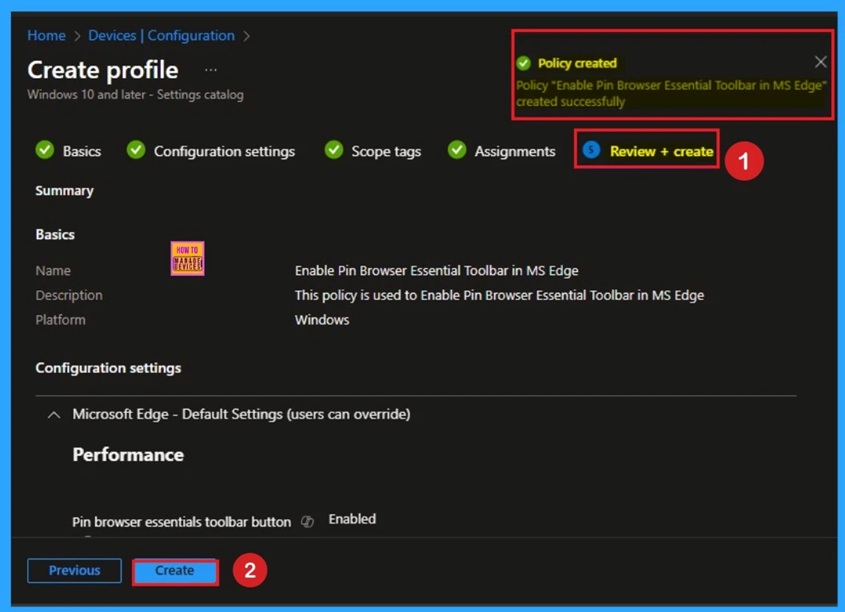
💫Enable Pin Browser Essential Toolbar in MS Edge for Monitor Performance using Intune
–https://www.anoopcnair.com/pin-browser-essential-toolbar-in-ms-edge-intune/
🎀Browser Essential Toolbar in MS Edge
🎀Helps to Monitor Performance of Edge Browser
🎀Benefits of Enable Pin Browser Essential Toolbar in MS Edge
🎀How this Policy Helps Admin?
🎀Example of Applicable Scenario
🎀Monitoring Status
🎀Client-Side Verification
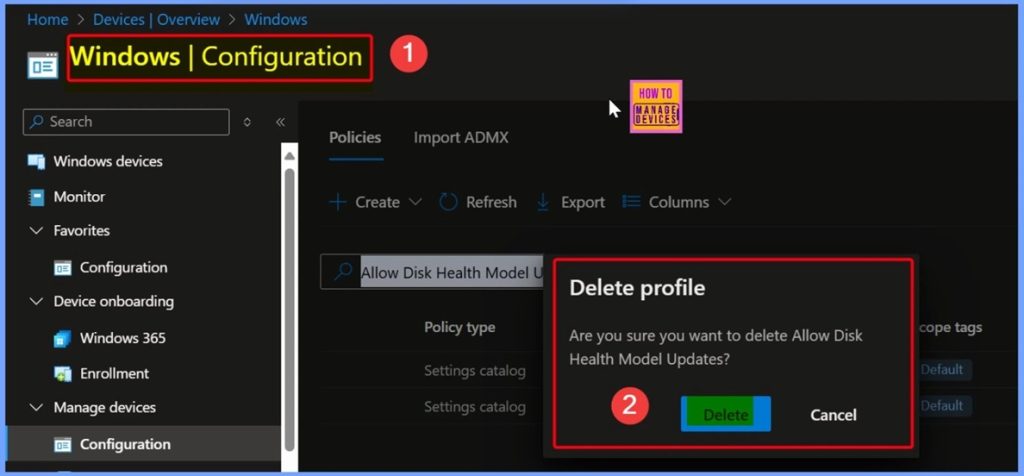
🎆How to Allow or Block Disk Health Model Updates Policy using Intune
–https://www.anoopcnair.com/disk-health-model-updates-policy-using-Intune/
▶️Managing Disk Health Model Updates Setting in Intune
▶️Setting Disk Health Model Updates Policy in Intune with Assigned Values
▶️Selecting Allow Disk Health Model Updates from the Settings Picker in Intune
▶️Enable or Disable the Default Allow Disk Health Model Updates Setting in Intune
▶️End Result
▶️Client-Side Verification
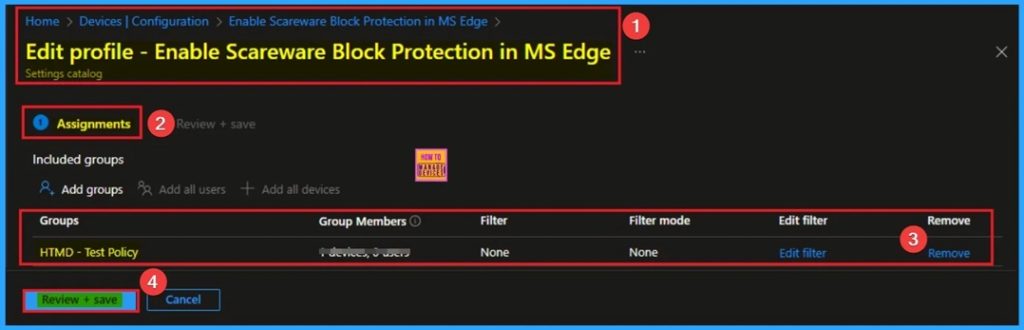
📌How to Enable Scareware Block Protection in MS Edge Using Intune
–https://www.anoopcnair.com/scareware-block-protection-in-ms-edge-intune/
🔔Scareware Block Protection Policy in MS Edge
🔔Provides Warning Messages to Help Protect Users on Edge Browser
🔔Benefits of Scareware Block Protection Policy in MS Edge
🔔How this Policy Helps Admin?
🔔Helps to Control Download Fake Security Tools
🔔Example of Applicable Scenario
🔔Monitoring Status
🔔Client-Side Verification
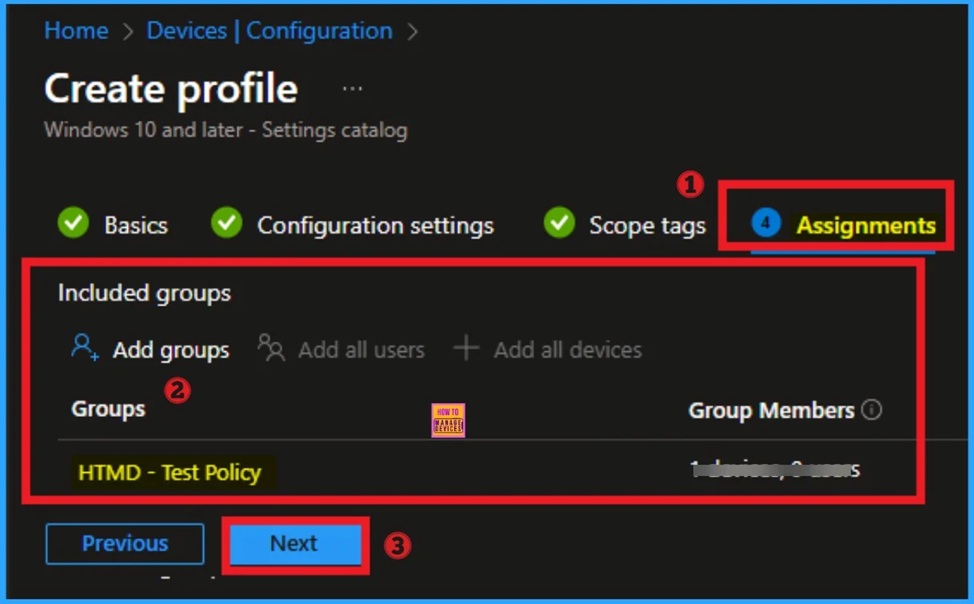
📌Enable Sign in Click to Action Dialog Policy in MS Edge for Accessing Resources using Intune
–https://www.anoopcnair.com/sign-in-click-to-action-dialog-in-edge-intune/
🔥Sign in Click to Action Dialog Policy in MS Edge
🔥Ensure Users are Authenticated Before Accessing Sensitive Features
🔥Benefits of Sign in Click to Action Dialog Policy
🔥How this Policy Helps Admin?
🔥Example of Applicable Scenario
🔥Monitoring Status
🔥Client-Side Verification
Friday 8th August 2025
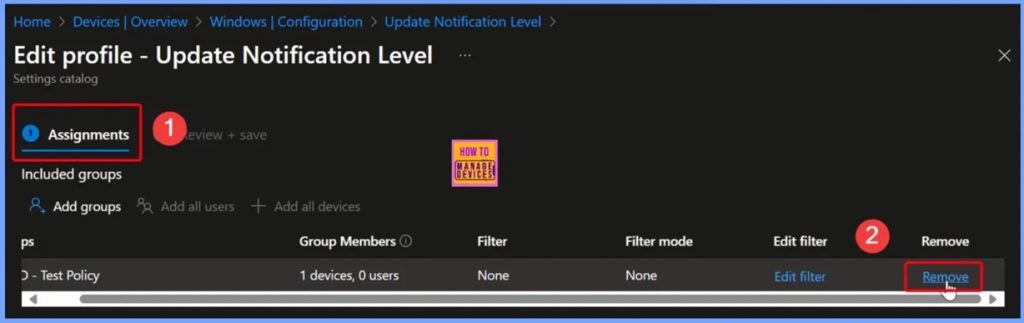
🎆How to Configure Display Options for Windows Update Notifications in Intune
–https://www.anoopcnair.com/display-windows-update-notifications-in-Intune/
🎊Turning off Update Notifications may Hide Critical Updates
🎊Deadline Warnings still Appear if Specify Deadlines Policy is Enabled
🎊Active Hours Limit Notifications based on Combined Settings
🎊Default Setting that Displays All Update Notifications
🎊Control the Visibility of Update and Restart Notifications
🎊Restrict Admin Access to Specific Resources
🎊Targeting Policies to Specific User or Device Groups
🎊End Result
🎊Client-Side Verifications
🎊Windows CSP Details
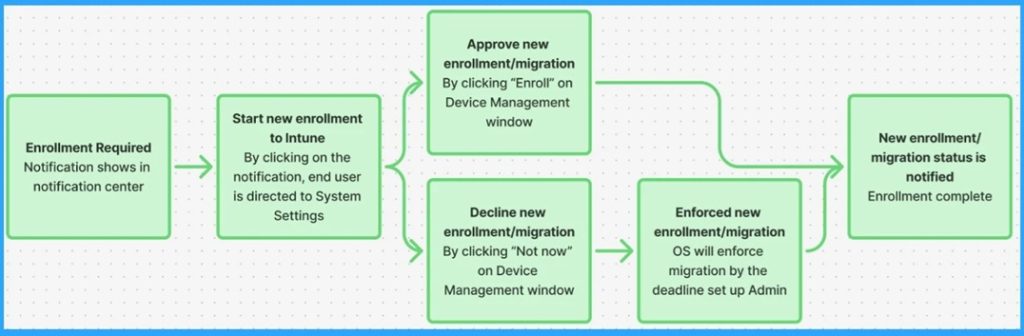
💫No Wipe No Reenrollment Needed for MacOS iOS iPad OS Devices Migration to Intune from other MDM Solutions
–https://www.anoopcnair.com/no-wipe-no-reenrollment-needed-for-macos-intune/
🎀MacOS iOS iPad OS Devices Migration to Intune from other MDM Solutions
🎀Prerequisite of Devices Migration to Intune
🎀Pre-Migration Steps to Set Up Preparation
🎀Admins’ Step-by-Step Flow of Migration
🎀Endpoint Step-by-Step Flow of Migration
🎀Verification of Migration
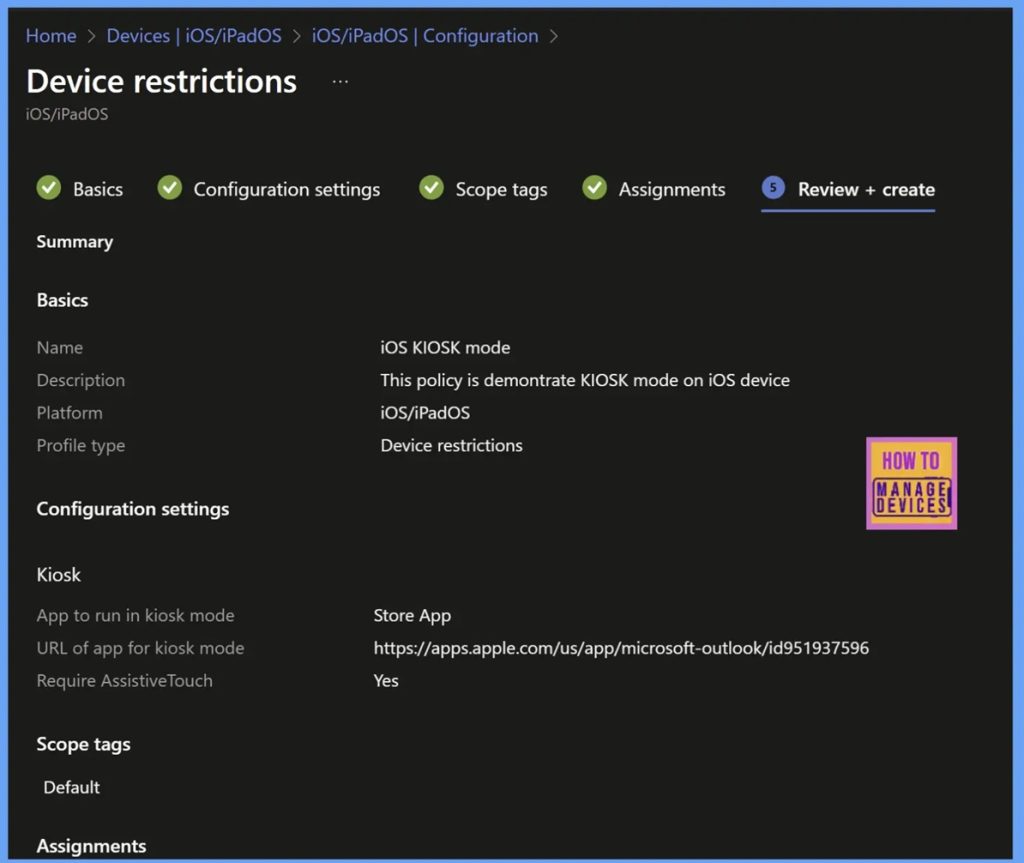
📌Best Guide to Transforming iOS Devices into a Dedicated Kiosk with Intune
–https://www.anoopcnair.com/iOS iOS-devices-into-a-dedicated-kiosk-with-Intune/
🔥Transforming iOS Devices into a Dedicated Kiosk
🔥What is KIOSK Mode
🔥Create a Dedicated KIOSK configuration in Intune
🔥Ensure Focused Functionality
🔥Prevent Users from Accessing Unintended Features
🔥Monitoring Status
🔥End User Experience
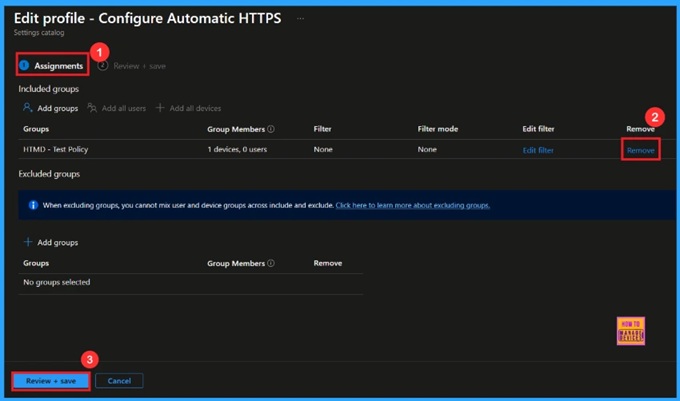
🎆Enable Automatic HTTPS Policy to Switch Connections from HTTP to HTTPS using Intune
–https://www.anoopcnair.com/automatic-https-to-switch-connections-intune/
🔔Enable Automatic HTTPS Policy
🔔Helps Secure Data Transfer
🔔Helps Prevent Cyberattacks
🔔Improve User Trust and Compliance
🔔Device and User Check-in Status
HTMD Daily Intune Tips
Reasons to Hide Favorite Bar of Edge Browser using Intune | How to Disable manually | Restrict User #msintune #htmdcommunity
–https://youtube.com/shorts/0mCQZui9Yg4
This policy is not a security policy in the traditional sense of protecting against malware or unauthorized access. Instead, it is a configuration policy used to enforce a specific user experience and maintain a consistent corporate environment.
Real-World Examples and Importance
Example 1: Call Center Environment
Scenario: A call center provides agents with a web browser to access their customer management system and knowledge base.
Policy Setting: The Intune policy would be set to “Disable” the favorites bar.
Importance: This ensures agents stay focused on their work. The organization pre-populates a mandatory bookmarks folder with links to their CRM, knowledge base, and escalation contacts. The favorites bar is disabled to prevent agents from adding personal bookmarks (e.g., social media, news sites) that could distract them from customer interactions.
Example 2: Corporate Office Environment
Scenario: A company wants to ensure all employees have easy access to the corporate intranet, but also allows them to add their own work-related bookmarks.
Policy Setting: The Intune policy would be set to “Enable” the favorites bar.
Importance: The IT department can use another Intune policy (or a companion policy) to push a mandatory “Corporate Links” folder to the favorites bar. The “Enable” policy setting ensures that in addition to the corporate links, employees can also add their own bookmarks for projects, client websites, or frequently used tools, thereby boosting their personal productivity.
Example 3: Kiosk or Public Computer
Scenario: A public library or a retail store has a kiosk computer for customer use.
Policy Setting: The Intune policy would be set to “Disable” the favorites bar.
Importance: This is a crucial security and maintenance step. Disabling the favorites bar prevents users from saving bookmarks that could be inappropriate or malicious. It also ensures that the next user sees a clean, default browser interface, providing a consistent and secure experience for everyone.
📻Data Integrity and Governance using Allowed Storage Locations | Removal Drives Sync Roots Local Drives using Intune #msintune #htmdcommunity #dataintegrity
–https://youtube.com/shorts/uUUPS-GTRhs
▶️Access to all storage locations
▶️Access to all storage locations
▶️Removable Drives

📻Monitor Security Incidents Forensics Privileged Access Malware using Audit Registry Intune Policy
–https://youtube.com/shorts/JPe6MJ3JFi8
▶️How it Works
▶️Organizations enable this policy for critical security and compliance reasons
▶️The registry is a core component of the Windows operating system
▶️Browser Push Notification for predefined list of specific sites using Intune Policy | Communication #msintune #htmdcommunity
–https://youtube.com/shorts/pfOPJv_VVgM
➡️Allow notifications on specific sites policy setting allows an IT administrator to define a list of websites (URLs) that are permitted to display browser push notifications.
➡️By enabling this policy and adding specific URLs, the administrator is overriding the default browser behavior and explicitly allowing notifications from those sites for all users to whom the policy is assigned.
➡️The policy has two key components
➡️Why Organizations Enable or Disable?
➡️Reasons to Disable or Restrict:
➡️Reasons to Enable (for specific sites):
➡️Real-World Examples and Importance
📻Control Windows Search Indexer Vs System performance with Indexer Disable Backoff Intune policy #msintune #htmdcommunity #mobiledevicemanagement
–https://youtube.com/shorts/Z2ZcEivH3kU
▶️What the “Disable Backoff” policy is
▶️What is the “Disable Backoff” Intune Policy?
▶️Why Organizations Enable or Disable This Policy
Connect with the HTMD Community
Join the Telegram group to get the latest step-by-step guides and news updates. Join our Meetup Page to participate in User group meetings. Also, join the WhatsApp Community to get the latest news on Microsoft Technologies. We are there on Reddit as well.
HTMD Community Social Media Platform Links
| Social Media Platform | Link |
| LinkedIn: HTMD Community | https://www.linkedin.com/company/how-to-manage-devices/ |
| Telegram: SCCM Intune Technical Discussions | https://t.me/joinchat/Q9lE6G1_BO_bGq97 |
| Telegram: JOB SCCM Intune Group | https://t.me/joinchat/SIKr3OugR2FQ-Ej9 |
| WhatsApp: HTMD Community | https://chat.whatsapp.com/CeMXHSD61HtDBJwe78IZwV |
| Telegram: AVD/Windows 365 User Group | https://t.me/Inwvdcommunity |
| https://www.facebook.com/HTMDCommunity | |
| https://www.instagram.com/htmd_community/ | |
| https://twitter.com/htmdcommunity | |
| Facebook Group: SCCM | https://www.facebook.com/groups/ConfigMgr2012/ |
| Facebook Group: Intune | https://www.facebook.com/groups/1738789256382744 |

Anoop C Nair is Workplace Technology solution architect with 25+ years (as of 2026) of experience in global enterprise organizations such as JP Morgan, Capgemini, etc. Microsoft Certified Trainer (MCT). Microsoft MVP from 2015 onwards for consecutive 11+ years! He also conducts Intune and modern workplace tech training for enterprise organizations. He is Blogger, Speaker, and Founder of HTMD Community and HTMD Conference. His main focus is on Device Management technologies like Intune, Windows, Cloud PC. He writes about technologies like Intune, SCCM, Windows, Cloud PC, Windows, Entra, Microsoft Security.

Discussion