











200th HTMD Newsletter 30th June to 4th July 2025
Welcome to the 200th HTMD Newsletter, 30th June to 4th July 2025! This is the list of posts and videos the HTMD Community published this week, and news from the IT industry. You can get all the information and details from Windows 11, Cloud PC, SCCM, Intune, Azure Virtual Desktop (AVD), Android, iOS, and Mac.
Previous Weeks Newsletters
- 197th HTMD Newsletter – HTMD Newsletter 197th 9th to 13th June 2025
- 198th HTMD Newsletter – HTMD Newsletter 16th to 20th June 2025
- 199th HTMD Newsletter – HTMD Newsletter 23rd to 27th June 2025
Monday 30th June 2025
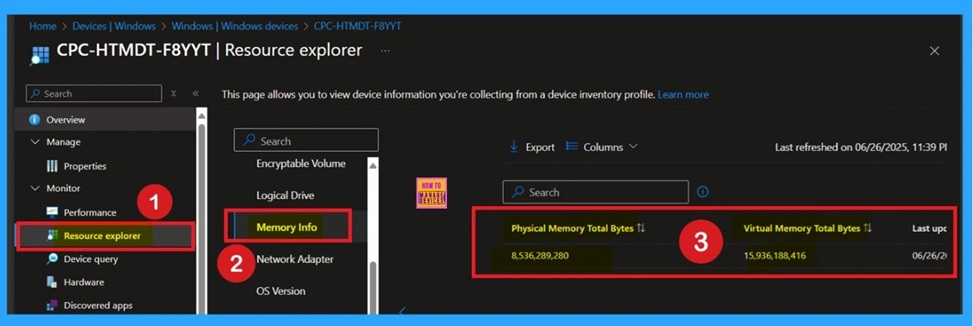
📌How to Collect Physical and Virtual Memory Information using Intune Properties Catalog – https://www.anoopcnair.com/physical-and-virtual-memory-information-intune/
➡Physical and Virtual Memory Information
➡Properties Catalog
➡Collect Hardware and Performance Data
➡Know the Total physical RAM of a Device
➡Prevents Performance Issues
➡Devices must be Company-Owned and Managed Through Intune
➡Helps to Upgrades and Troubleshooting
📌How to Fix Intune Error 0x87D1041C Application not Detected after Successful Installation – https://www.anoopcnair.com/intune-error-0x87d1041c-application-not/
💡How to Fix Intune Error 0x87D1041C
💡Application Not Detected After Successful Installation
💡What Does Error 0x87D1041C Mean?
💡Why Detection Rules Matter in Intune
💡How to Troubleshoot and Fix Error 0x87D1041C

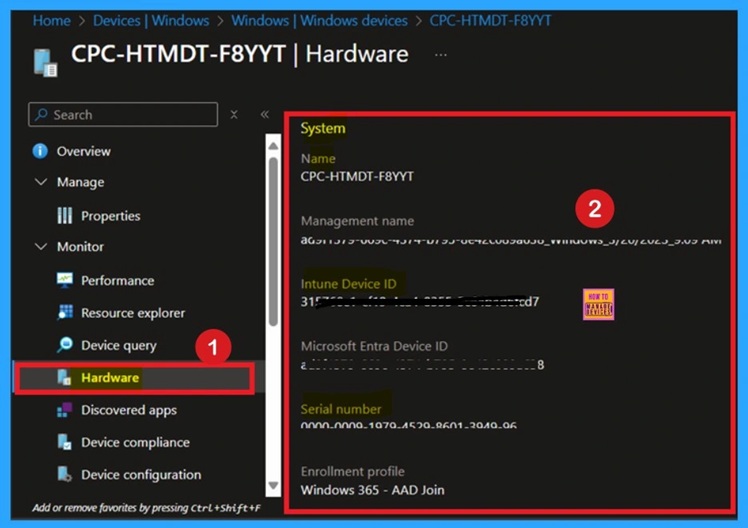
📌Key Difference between Resource Explorer and Hardware Tab in Microsoft Intune – https://www.anoopcnair.com/resource-explorer-and-hardware-tab-in-intune/
🎊Resource Explorer and Hardware Tab
🎊Help Manage Devices
🎊Shows Basic Device Details
🎊Better for Inventory and Device Insight
🎊Microsoft Plans to Unify Resource Explorer and Hardware Tab in Future
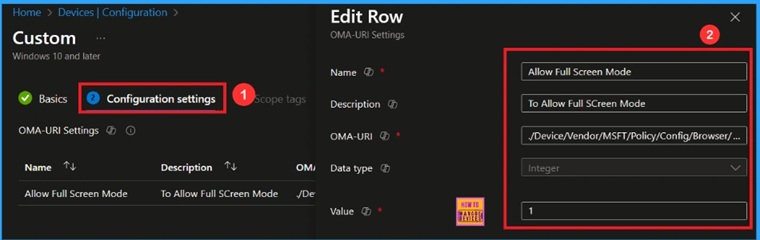
🎆Enable Disable Full Screen Mode in MS Edge Browser using Intune Policy – https://www.anoopcnair.com/full-screen-mode-in-ms-edge-browser-intune/
🔔Enable or Disable Full Screen Mode Policy
🔔Helps Minimize Distractions
🔔Provides Better Visibility
🔔Helps Enhance User Engagement
🔔Device and User Check-in Status
Tuesday 1st July 2025
📌Intune MAM App Protection Policies for Screenshot Protection Settings – https://www.anoopcnair.com/Intune-mam-app-protection-policies-screenshot/
💡Intune MAM App Protection Policies
💡Screenshot Protection Settings
💡Can Users still Access Work Data if they are on a Personal Device?
💡What kind of Restrictions can IT Admins Apply with APP?
💡Intune Expands Partner Application Ecosystem

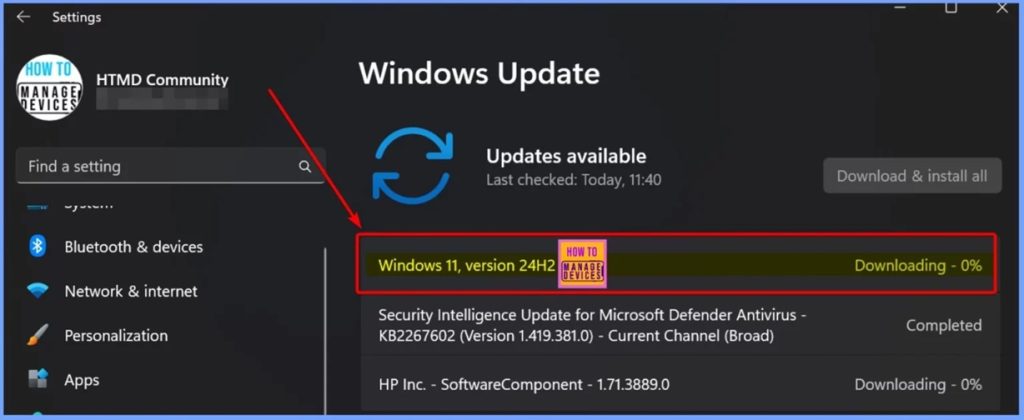
📌Update to Windows 11 Version 25H2 using Normal Cumulative Update – https://www.anoopcnair.com/update-to-windows-11-version-25h2-using-normal/
➡Microsoft has Officially Announced Windows 11 Version 25H2
➡Now Available to Windows Insiders
➡What If You’re Using an Older Version?
➡Intune and SCCM Update Details
➡What We can Expect from the Windows 11 Version 25H2
➡Check your Version and OS Build Number
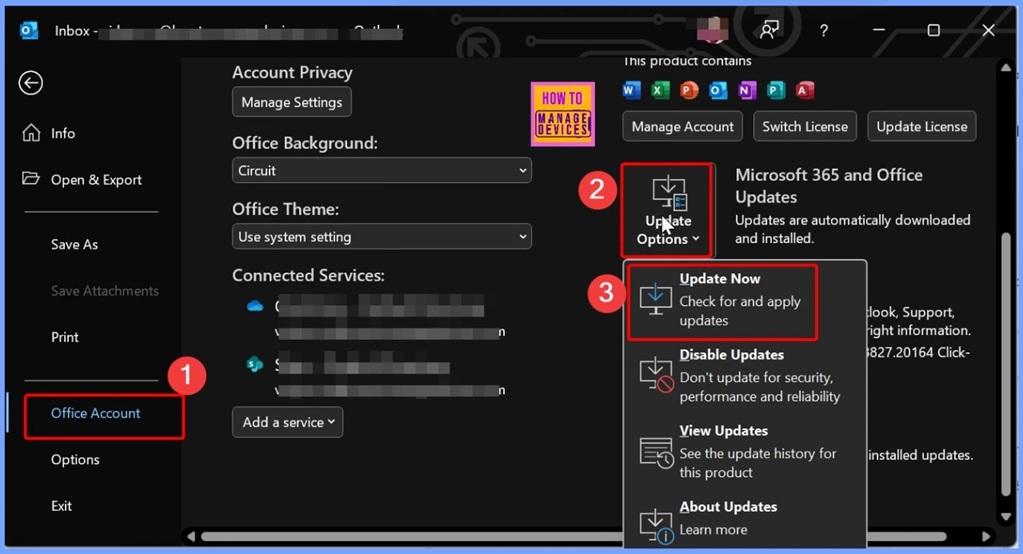
📌How to Fix Server Unavailable Error when Opening Automatic Replies for Shared Mailboxes in Classic Outlook –
https://www.anoopcnair.com/server-unavailable-error-when-classic-outlook/
➡What is the Issue with Automatic Replies in Outlook?
➡Issue Overview – “Server Unavailable” Error in Classic Outlook
➡Affected Versions – Outlook Builds with the Problem
➡Related Issue – Outlook Crashing with Error 0xc0000409
➡Root Cause – Why the Error Occurs
➡Workarounds
Wednesday 2nd July 2025
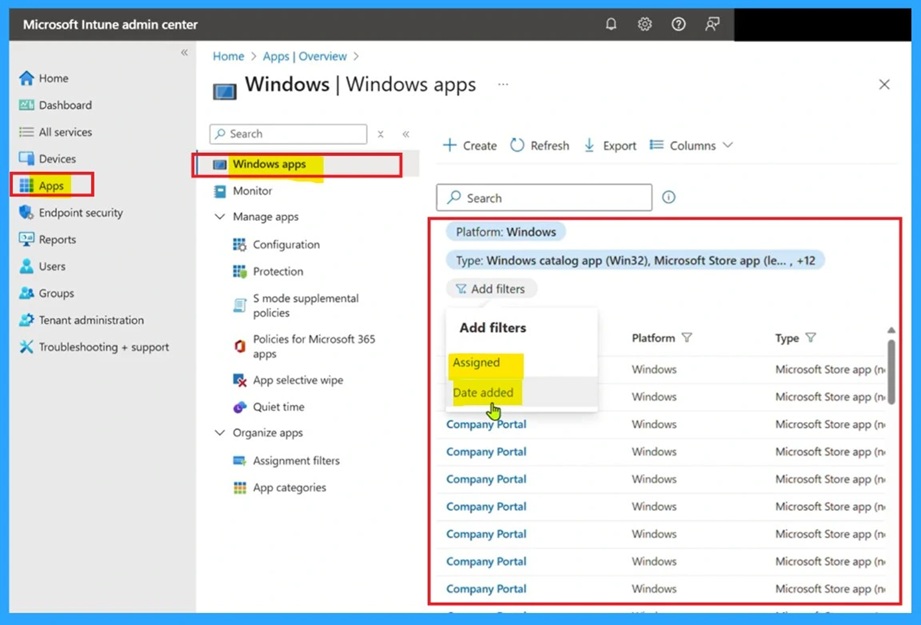
📌Why Microsoft Intune Lists Stop Loading After 300 Items | Issue | Fix – https://www.anoopcnair.com/intune-lists-stop-loading-after-300-items-issue/
➡Apps or Devices Stop Displaying items After 300 Entries
➡Issue Happens Across Different Browsers and Multiple Tenants
➡Causes of this Issue
➡Workarounds
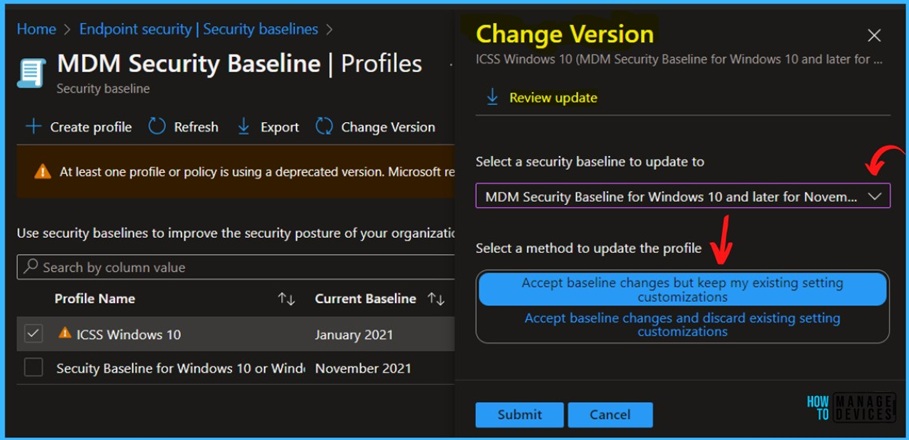
📷How to Fix Custom Settings Not Getting Saved After the Latest Security Baseline Policy Update – https://www.anoopcnair.com/custom-settings-not-getting-saved-security-base/
✈ Security Baseline Policy
✈Settings Not Getting Saved
✈Affects Updated Security Baseline Profiles
✈Workaround
📌How to Fix Android App Installation Error 0xC7D14FB5 in Intune – https://www.anoopcnair.com/android-installation-error-0xc7d14fb5-in-intune/
🎊Fix Android App Installation Error 0xC7D14FB5
🎊Devices Affected by Error 0xC7D14FB5
🎊How App Assignment Type Affects User Experience
🎊Main Cause of the Issue
🎊Recommendations to Fix Error 0xC7D14FB5

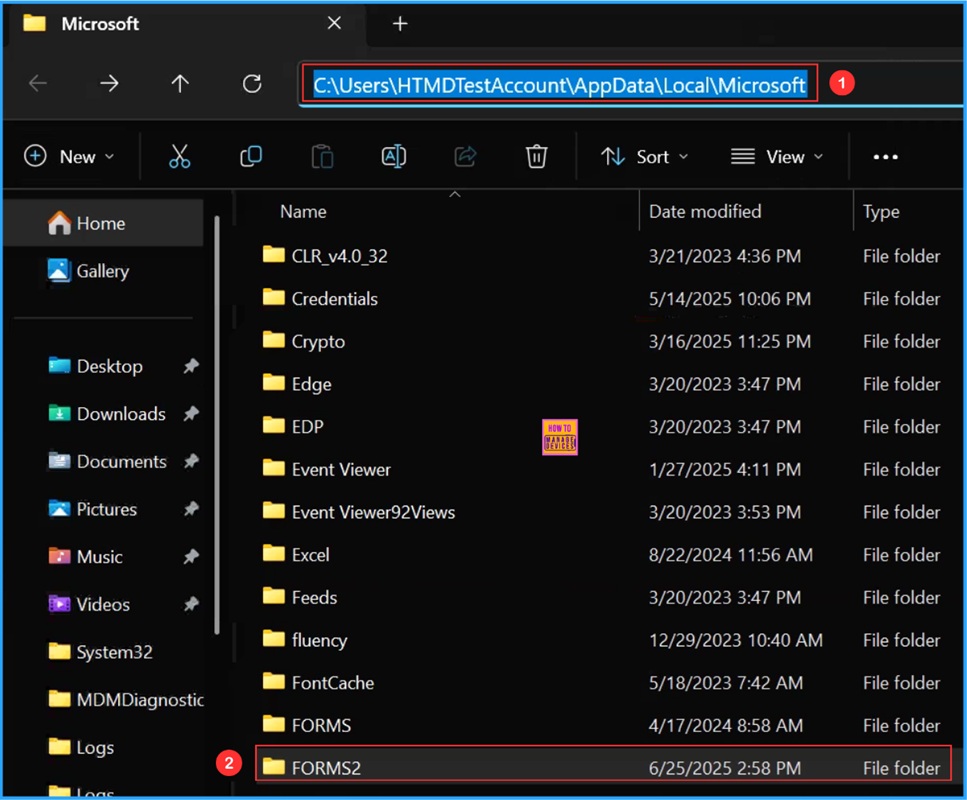
📌 Best way to Fix Classic Outlook Crashes using Intune PowerShell Remediation Script – https://www.anoopcnair.com/fix-classic-outlook-crashes-using-powershell/
💡Write PowerShell Detection and Remediation Scripts to Fix Classic Outlook Crashes
💡Download the already written Scripts from the GitHub Repository
💡Create a Remediation Script in Intune to Fix Classic Outlook Crashes
💡Configure Script Settings
💡Monitor the Fix Classic Outlook Crashes when Opening or Starting a New Email Deployment
💡End User Experience
Thursday 3rd July 2025
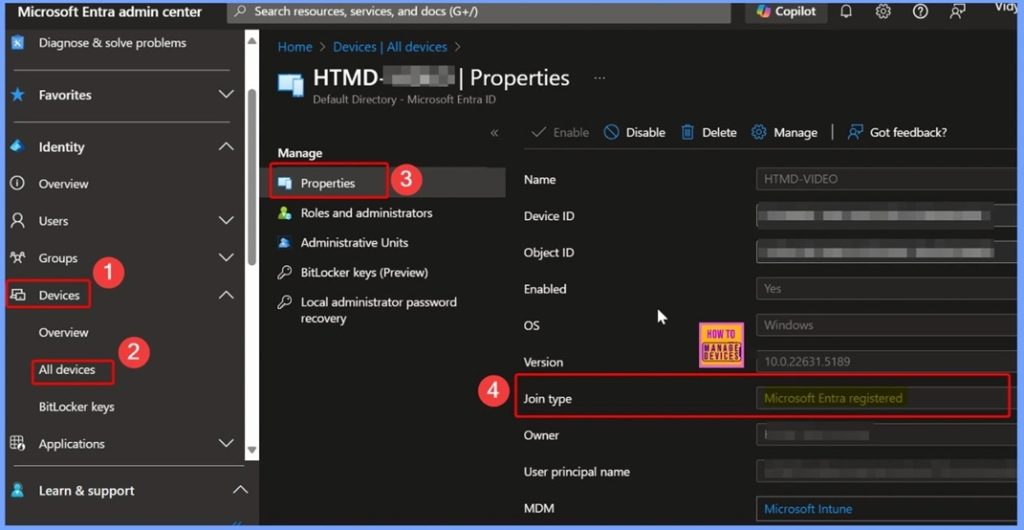
📌Windows Sign-In Traffic Shows Microsoft-Owned IP Address Instead of Public IP – https://www.anoopcnair.com/windows-sign-in-traffic-shows-microsoft-owned/
💡Prerequisites to Enable Windows Sign-in Traffic using GSA
💡How to Confirm GSA is Active
💡Check for Microsoft-Owned IP in Sign-In Logs
💡Why Mutual TLS Adds Strong Protection
📌 How to Fix Intune Android App Installation Error 0xC7D14FB2 –
https://www.anoopcnair.com/intune-android-installation-error-0xc7d14fb2/
💡Error 0xC7D14FB2
💡Android App Installation Failed
💡Intune Prompts User with a Retry Notification
💡Device Administrator Scenarios
💡KNOX Scenarios
💡Workarounds

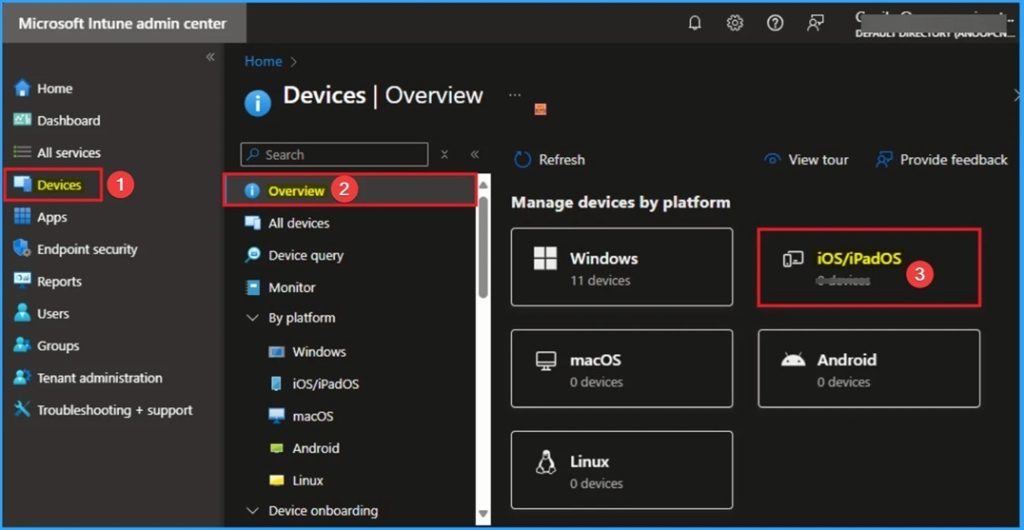
🛠Troubleshoot and Fix Intune iOS App Installation Error 0x87D12906 – https://www.anoopcnair.com/intune-ios-app-installation-error-0x87d12906/
⚠Intune iOS App Installation Error 0x87D12906
⚠App Installation Command Failed,
⚠Reasons for Installation Error 0x87D12906
⚠Troubleshoot and Fix Error 0x87D12906
⚠Apple MDM Agent error
⚠Workaround for the Issue
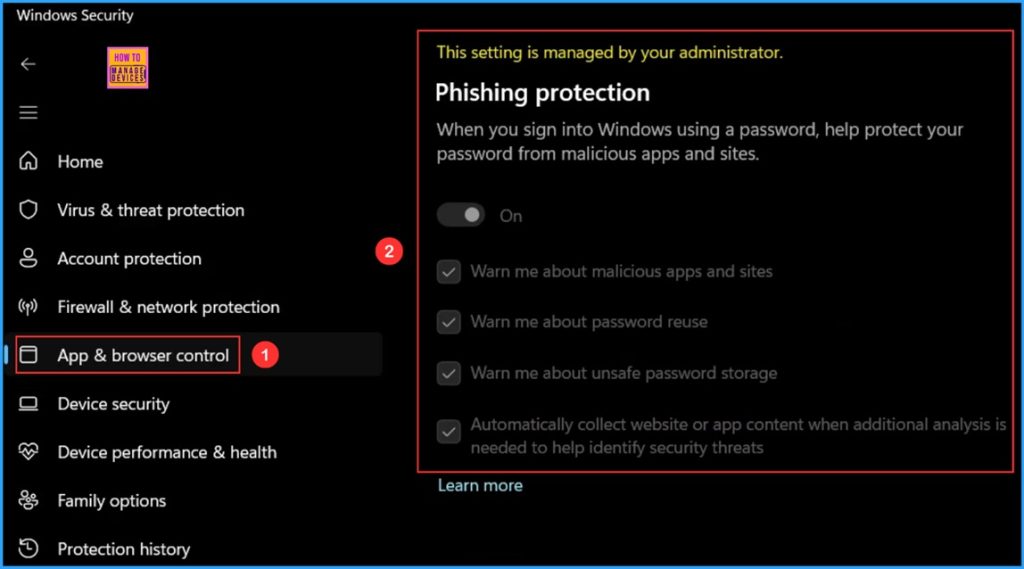
📌Intune Security Policy to Set Up Smart Screen Enhanced Phishing Protection – https://www.anoopcnair.com/intunesmart-screen-enhanced-phishing-protection/
➡Smart Screen Enhanced Phishing Protection
➡Automatic Data Collection
➡Configuration Policy to Set Up Smart Screen Enhanced Phishing Protection
➡Significantly Reduces the Risk of Credential Theft
➡Notify Password Reuse
➡Monitoring Status
➡End User Experience
Friday – 4th July 2025
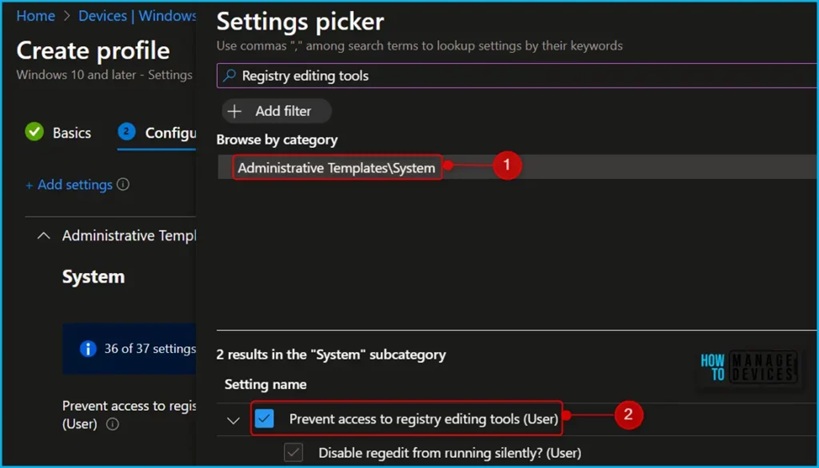
📌How to Block Registry Editor in Windows Devices using PowerShell Script Group Policy and Intune Policy-
https://www.anoopcnair.com/registry-editor-in-windows-11-intune-policy/
➡What is Registry Editor?
➡When to Block the Registry Editor?
➡When not to Block the Registry Editor?
➡Local Group Policy Settings
➡PowerShell Script
➡Intune Configuration Policy
➡What are the Potential Risks of Blocking the Registry Editor?
➡What are the Risks of Editing the Registry Editor?
➡Why Registry Editor Matters?
🛠Fix iOS App Installation Error 0x87D1313C in Intune –
https://www.anoopcnair.com/ios-app-installation-error-0x87d1313c-in-intune/
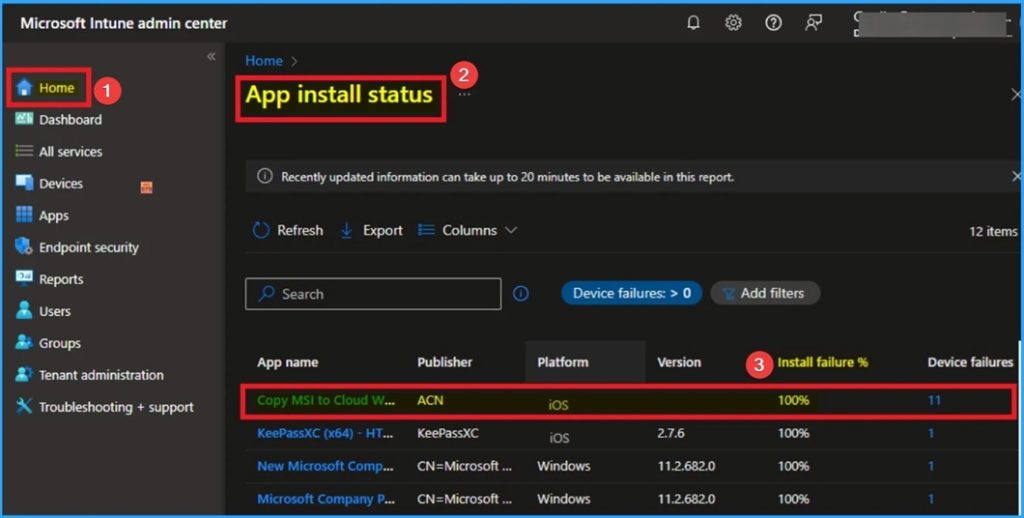
⚠Error Due to Network Connection Lost on the Client
⚠Error 0x87D1313C in iOS App Installation
⚠Reasons for this Issue
⚠Updated Download Service URL was Sent to the Device
⚠Recommended Actions
HTMD Daily Intune Tips
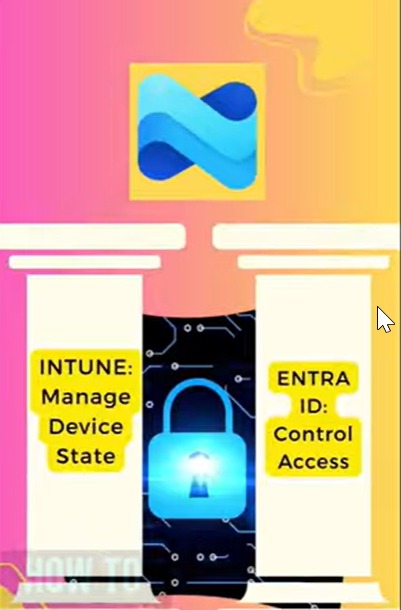
🎥 Daily Intune Tips – Intune Licensing Traps and Methods to avoid it. Device License is the Cheapest but! $2.70 –
https://youtube.com/shorts/FwQMzDQjIDY
📻Licensing Cost Reduction Traps
📻Manage Devices and Data
📻How We can Secure the Data
📻Entra Id Control Access
🎥Daily Intune Tips – Ready to Simplify First Stage of #msIntune Troubleshooting with Intuitive dashboard. Stop troubleshooting the hard way –
https://youtube.com/shorts/7i3Rk380To8
📻Are you Tired of Wrestling with your Intune Environment?
📻The Intune Dashboard Powerful, but not always Intuitive for Troubleshooting
📻Ready to Simplify your Intune Troubleshooting
📻Eido Dashboard Introduction for Issues
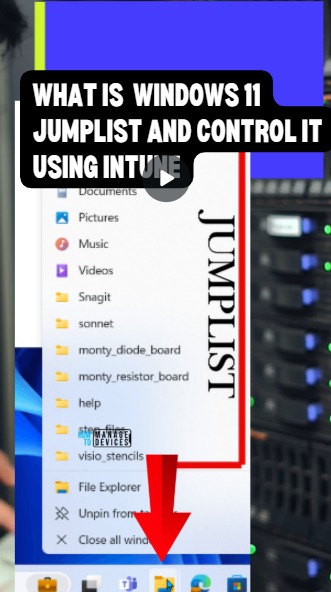
🎥 Daily Intune Tips – Control Windows 11 Start Menu Recent Jump List using Microsoft Intune #msintune | How to Disable Windows 11 Jump Lists Using Microsoft Intune | Step-by-Step Guide – https://youtube.com/shorts/zv4gZnnKBME
📻Windows 11 Jumped List
📻How to Avoid Populating Recent Jump List
📻Hide Recent Jump List Settings in Intune
📻Event Logs for Troubleshooting Recent Jump List
🎥Daily Intune Tips – #MSIntune AI Powered Vulnerability Remediation Agent as part of Endpoint Security | AI at Next Level –
https://youtube.com/shorts/nsBFZyfxBtE
📻AI Powered Vulnerability Remediation Agent
📻Creates Simple and Automated Process
📻Specialized Security Copilot Agent in Intune
📻Required Management Licenses
🎥 Daily Intune Tips – Enforcing Defender Signature Checks using Intune Security Policy #msintune #msdefender – – https://youtube.com/shorts/y7jPdyLaIRU
📻Validate the Signature of Microsoft Updates
📻How to create Intune Policy
📻Scheduled Scans of Microsoft Defender
📻Endpoint Security Guide
Connect with the HTMD Community
Join the Telegram group to get the latest step-by-step guides and news updates. Join our Meetup Page to participate in User group meetings. Also, join the WhatsApp Community to get the latest news on Microsoft Technologies. We are there on Reddit as well.
HTMD Community Social Media Platform Links
| Social Media Platform | Link |
| LinkedIn: HTMD Community | https://www.linkedin.com/company/how-to-manage-devices/ |
| Telegram: SCCM Intune Technical Discussions | https://t.me/joinchat/Q9lE6G1_BO_bGq97 |
| Telegram: JOB SCCM Intune Group | https://t.me/joinchat/SIKr3OugR2FQ-Ej9 |
| WhatsApp: HTMD Community | https://chat.whatsapp.com/CeMXHSD61HtDBJwe78IZwV |
| Telegram: AVD/Windows 365 User Group | https://t.me/Inwvdcommunity |
| https://www.facebook.com/HTMDCommunity | |
| https://www.instagram.com/htmd_community/ | |
| https://twitter.com/htmdcommunity | |
| Facebook Group: SCCM | https://www.facebook.com/groups/ConfigMgr2012/ |
| Facebook Group: Intune | https://www.facebook.com/groups/1738789256382744 |

Anoop C Nair is Workplace Technology solution architect with 25+ years (as of 2026) of experience in global enterprise organizations such as JP Morgan, Capgemini, etc. Microsoft Certified Trainer (MCT). Microsoft MVP from 2015 onwards for consecutive 11+ years! He also conducts Intune and modern workplace tech training for enterprise organizations. He is Blogger, Speaker, and Founder of HTMD Community and HTMD Conference. His main focus is on Device Management technologies like Intune, Windows, Cloud PC. He writes about technologies like Intune, SCCM, Windows, Cloud PC, Windows, Entra, Microsoft Security.

Discussion