











161st HTMD Newsletter September 30th To October 4th 2024
Welcome to the 161st HTMD Newsletter Summary from September 30th to October 4th, 2024! This is the list of posts and videos the HTMD Community published this week, as well as news from the IT industry. You can get all the information and details from Windows 11, Cloud PC, SCCM, Intune, Azure Virtual Desktop (AVD), Android, iOS, and Mac.
Table of Contents
Previous Weeks Newsletters
Did you miss updates from last week? Check out the link below.
- 158th HTMD Newsletter–HTMD Newsletter 158 9th To 13th September
- 159th HTMD Newsletter–HTMD Newsletter 159 16th To 20th September
- 160th HTMD Newsletter–HTMD Newsletter 160 23rd To 27th September
Monday – 30th September 2024
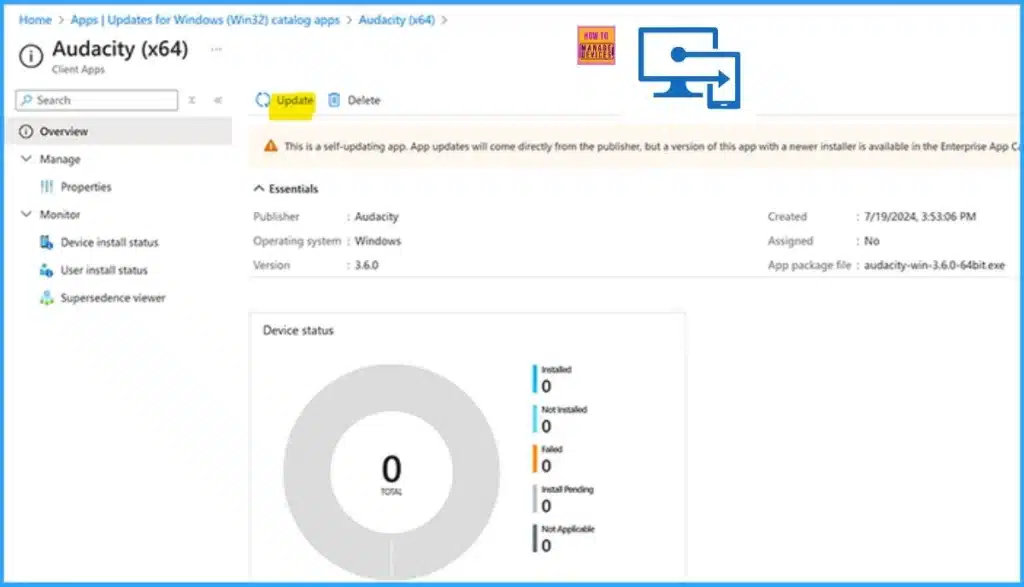
💻New Update Button is Available for Intune Enterprise Application Management to Update Catalog Apps
https://www.anoopcnair.com/new-update-button-is-available-intune-app-mgmt/
🎊New Overview Page Tile Alerts Users to Available App Updates
🎊Updated Supersedence Policies for App Management
🎊Enterprise App Catalog Apps with Available Updates
🎊New Experience to Make App Management Easier
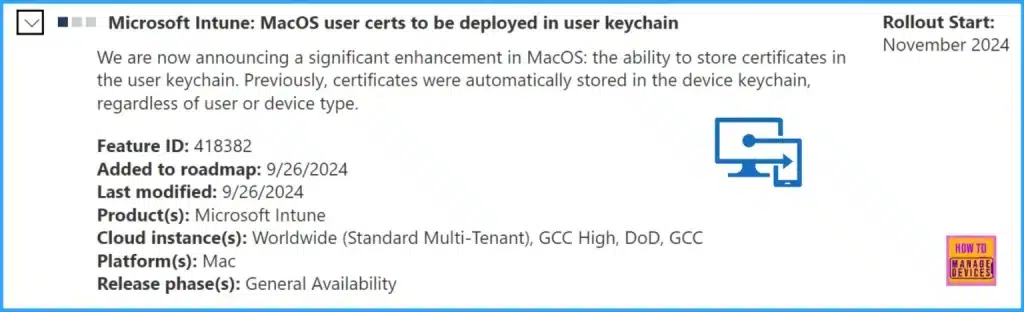
🎊MacOS Certificates can now be Stored in User Keychain using Intune
https://www.anoopcnair.com/macos-certificates-stored-user-keychain-intune/
💻Microsoft Announces Significant Enhancement for MacOS
💻MacOS User Certs to be Deployed in User Keychain
💻Significance of the New Update
💻Easier for Organizations to Manage Certificates on macOS Devices
💻Feature ID 418382
💻Most Asked 54 Windows 365 Cloud PC Interview Questions and Answers
https://www.anoopcnair.com/windows-365-cloud-pc-interview-questions-answer/
🌟Windows 365 Cloud PC Interview Questions and Answers
🌟Beginners Level Interview Questions
🌟Important Questions of Microsoft Cloud PC
🌟Best Windows 11 Interview Questions
🌟Most Asked Questions Windows 365 Cloud PC Interview Questions
🌟Easy Guide for IT Enthusiasts
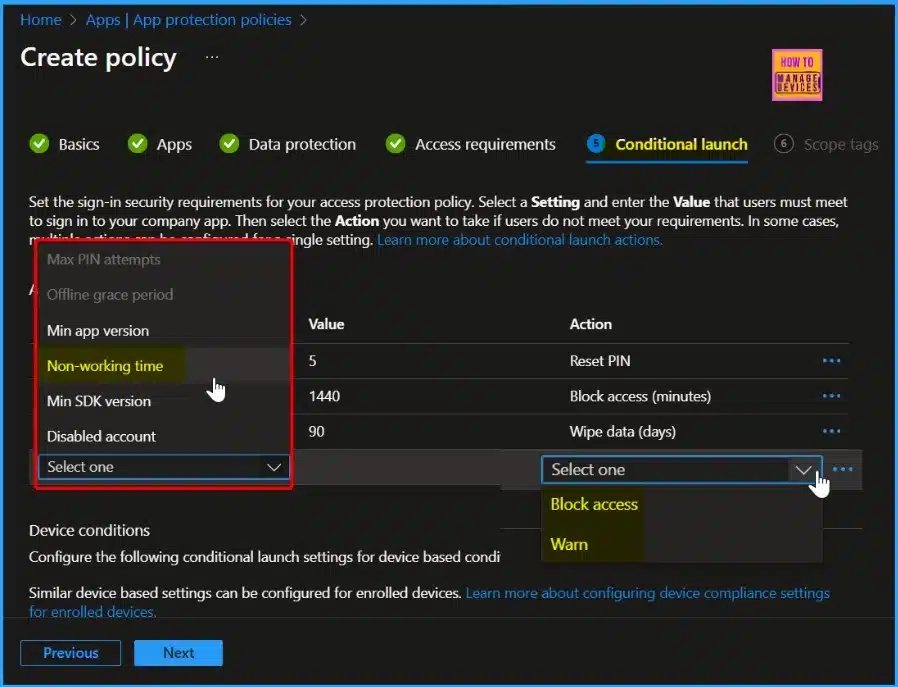
🎊New Working Time Settings for App Protection Policies in Intune Limit Access and Mute Notifications
https://www.anoopcnair.com/working-time-settings-mam-intune-policy-for-ios/
🎇Working Time Settings for App Protection Policies
🎇Which Apps are Supported by the Working Time Settings?
🎇How Does the Limit Access Setting Work?
🎇App Protection Policies
🎇Non-Working Time
🎇Block Access and Warn
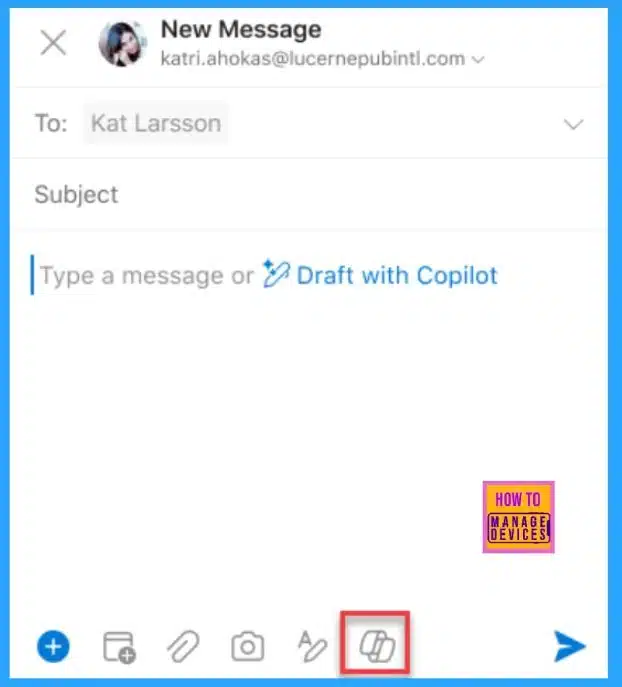
🎆Outlook Automation Draft Emails Summarize Schedule Meeting Invitations using Copilot in Outlook
https://www.anoopcnair.com/outlook-automation-draft-emails-copilot-meeting/
➡Outlook for Windows and Web
➡Email Coaching with Copilot in Outlook
➡Copilot in Outlook for Mac
➡Copilot in Outlook for iOS and Android
Tuesday – 1st October 2024
💻Top 8 Quick Restart Methods for Windows 11 Troubleshooting
https://www.anoopcnair.com/top-8-quick-restart-methods-for-windows-11/
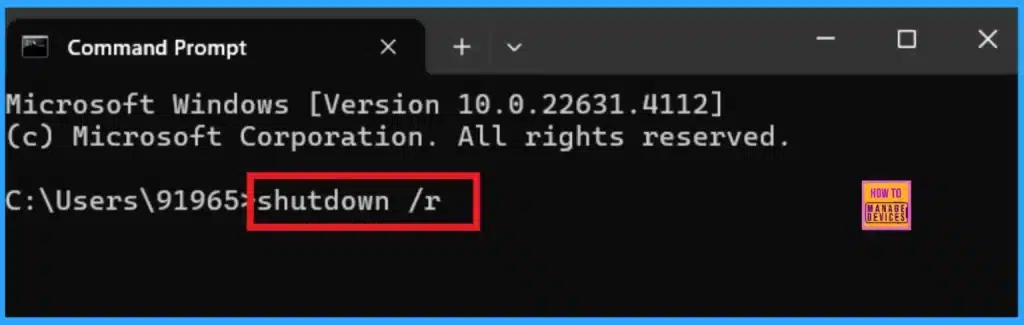
🌟Quick Restart Methods for Windows 11 Troubleshooting
🌟Different Methods for a Quick Restart
🌟Emergency Restarts Methods in Windows 11
🌟Know about the Purpose of a Restart
🌟Use the Simplest Shortcut Method for Restart
🌟Use the PowerShell for Restart
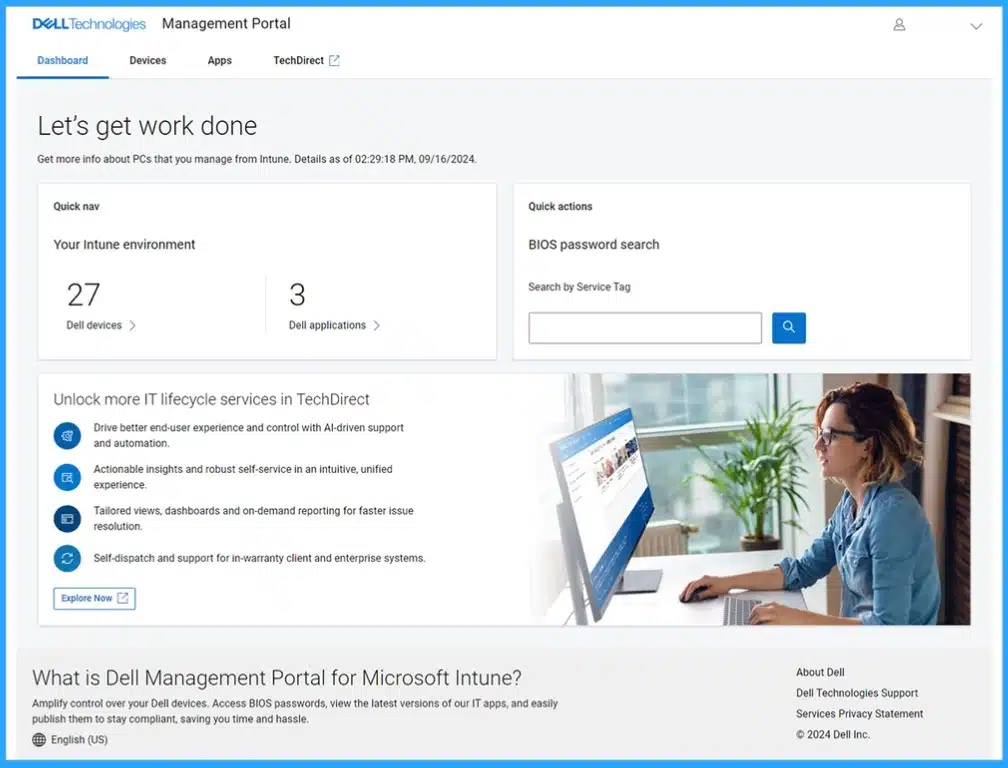
✍Integrating Dell Management Portal in Intune Admin Center Coming Soon
https://www.anoopcnair.com/dell-management-portal-in-intune-comming-soon/
📌Dell Management Portal in Intune Admin Center
📌Powerful Tool for Managing PC
📌Benefits of the Dell Management Portal
📌Features Provided by Dell Management Portal
📌Cloud-based Application for Optimize Resources
📌Centralized View of all Dell Devices with Intune
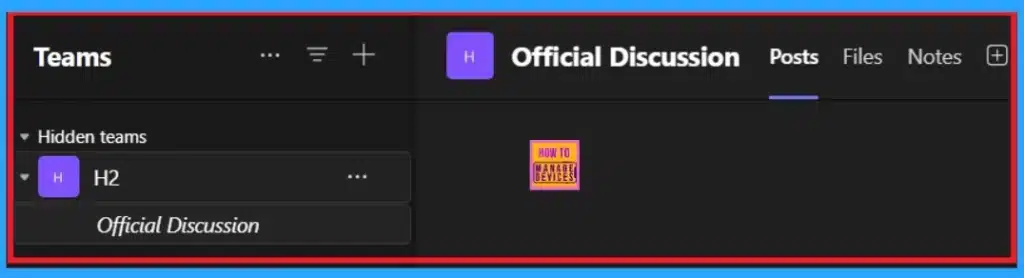
➡Easily Rename the General Channel in Microsoft Teams New Feature
https://www.anoopcnair.com/rename-the-general-channel-in-microsoft-teams/
☑Microsoft Teams New Feature
☑Rename the General Channel
☑Easy to Navigate through Channels
☑Improve the Clarity of Understanding the use of Each Channel
☑Know More about General Chanel
☑Learn How to Rename The Channel
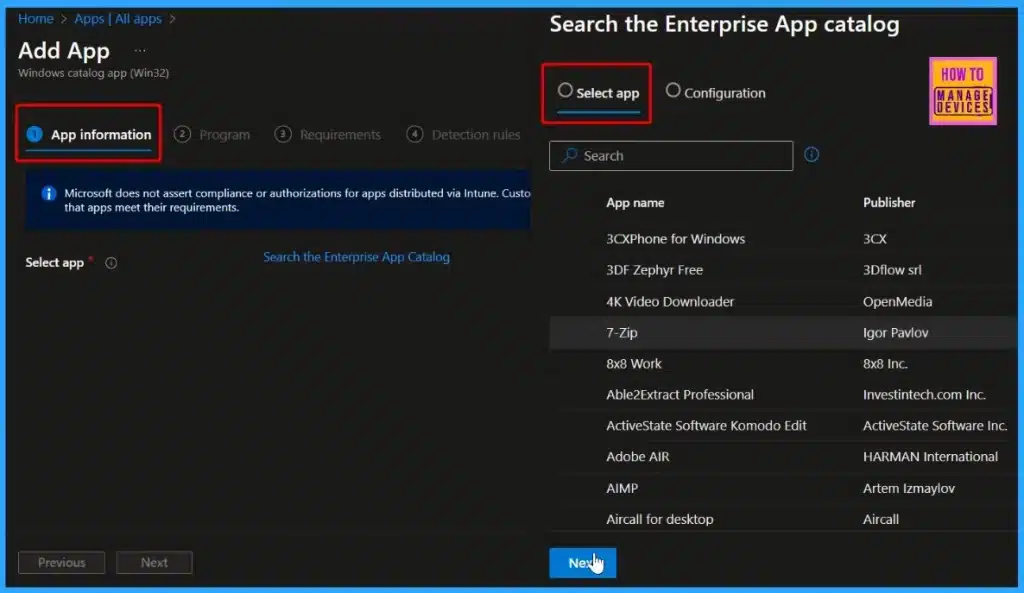
💡Enhanced App Deployment in Intune with Direct App Links from Enterprise App Catalog
https://www.anoopcnair.com/intune-with-direct-app-links-from-enterprise/
🎈Direct App Links
🎈Simplified the Process for Adding Apps from the Enterprise App Catalog to Intune
🎈Eliminates the Need to Duplicate App Binaries and Metadata
🎈App Contents now Download from a “.manage.microsoft.com” subdomain
🎈Immediate Syncing and Ready for Additional Actions within Intune
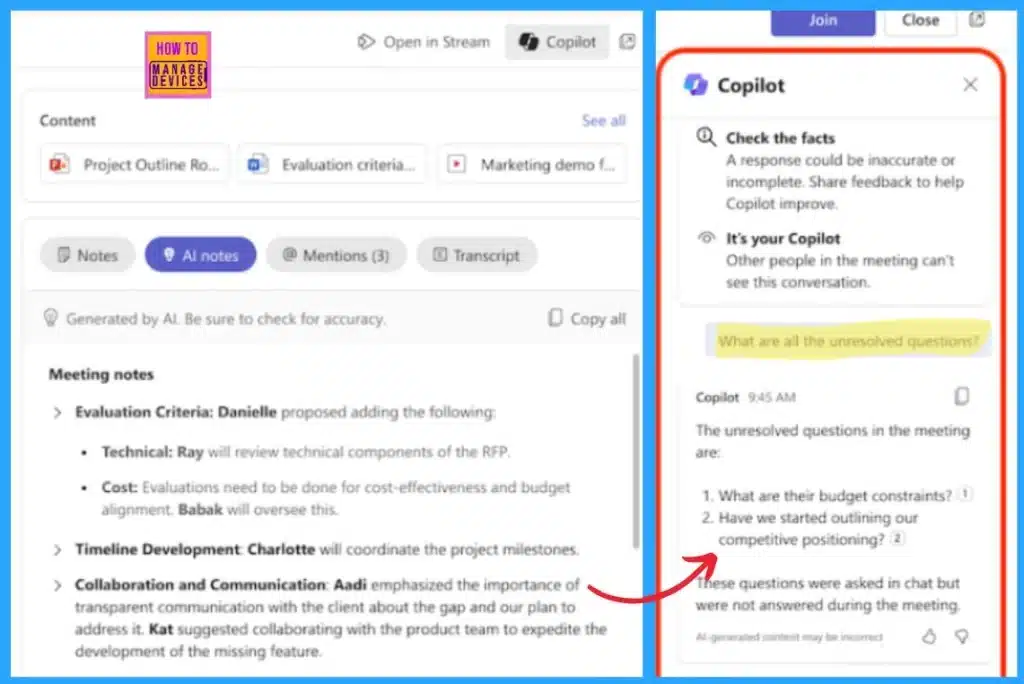
🎆Microsoft 365 Copilot in Teams for Chat Meeting Calls Generally Available
https://www.anoopcnair.com/copilot-in-teams-for-chat-meeting-calls/
➡Microsoft 365 Copilot in Teams for Chat Meeting Calls
➡Use Copilot in Teams Chat
➡Use Copilot in a Meeting
➡Use Copilot in Teams Calls
Wednesday – 2nd October 2024
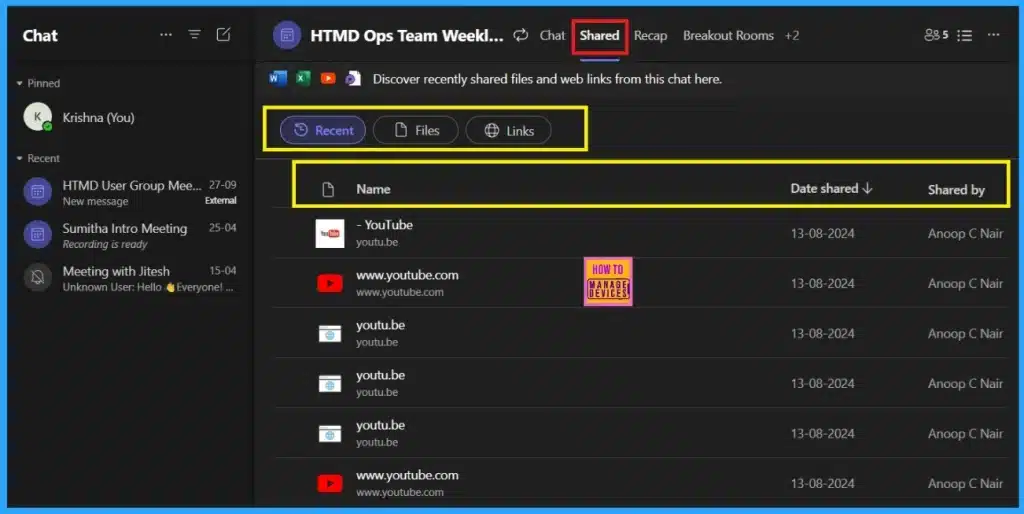
🎆Shared Tab in Chat Microsoft Teams Introducing the Best Way to Access Files and Links in a Chat
https://www.anoopcnair.com/microsoft-shared-tab-in-chat/
➡New Feature for Microsoft Teams
➡Replace the Files Tab and Gathers File and Link to the Chat
➡Introducing the Shared Tab in 1:1
➡Use the Filter Keyword option for Locate the File and Link
➡Know about the Keyword Option
➡Understand the Importance of Shared Tab in Chat
➡Know how to Access Shared Option
🎊Native Authentication for Microsoft Entra External ID | Complete Control Over Login Experience
https://www.anoopcnair.com/native-authentication-for-microsoft-entra/
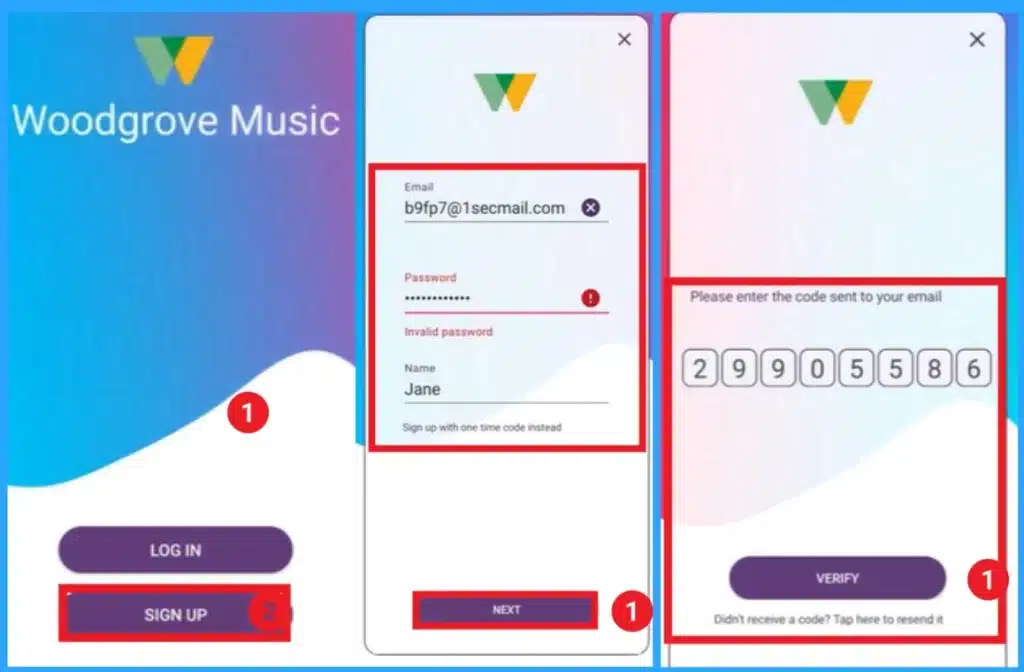
🎇Native Authentication for Entra External ID
🎇How to Use Native Authentication
🎇Browser-Delegated Authentication
🎇Complete Control Over Login Experience
🎇Difference Between Browser-Delegated Authentication and Native Authentication
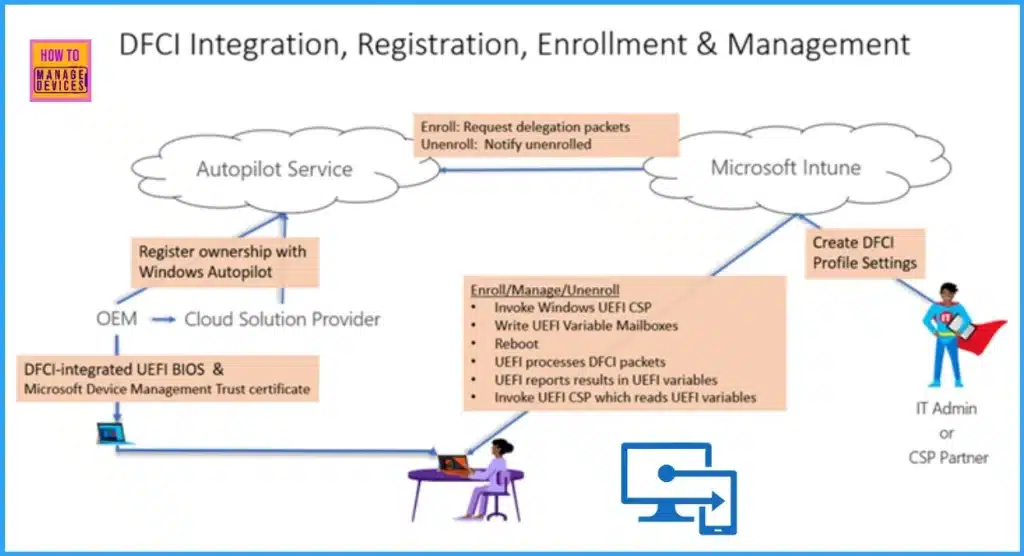
📌Intune Device Firmware Configuration Interface DFCI now Supports VAIO Devices Running Windows 10 and 11
https://www.anoopcnair.com/intune-device-firmware-dfci-now-supports-vaio/
🎊Microsoft Intune September 2409 Update
🎊Device Firmware Configuration Interface (DFCI) supports VAIO Devices
🎊Which Devices Support DFCI?
🎊Device Firmware Configuration Interface
🎊UEFI Access with Device Firmware Configuration Interface (DFCI)
🎊DFCI Management Lifecycle
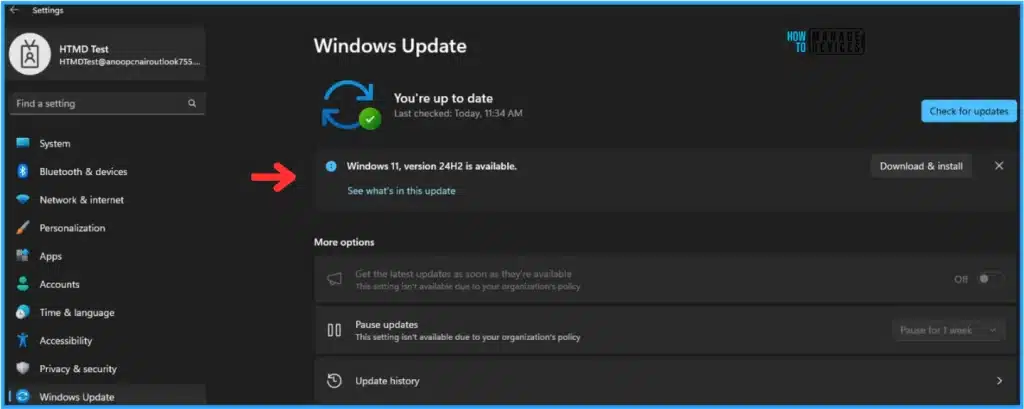
🛑Best Way to Set Windows 11 24H2 as Optional Update with Intune
https://www.anoopcnair.com/windows-11-24h2-as-optional-update-with-intune/
🎉Key Highlights of Windows 11 24H2 Update
🎉Create Windows 11 24H2 Feature Update Profile with Intune
🎉Monitor the Windows 11 24H2 Optional Update Deployment Status
🎉End User Experience
Thursday – 3rd October 2024
🎊Windows 11 LTSC 2024 Long Term Servicing Channel is Now Available
https://www.anoopcnair.com/microsoft-introducing-ltsc-2024/
🎇LTSC 2024 Long Term Servicing Channel is now Available
🎇Microsoft Announced 2 versions of LTSC 2024
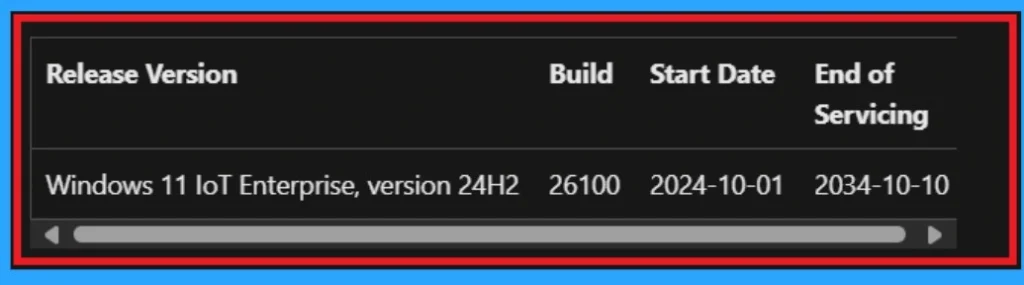
🎇Windows 11 IoT Enterprise LTSC 2024
🎇Windows 11 Enterprise LTSC 2024 New Features
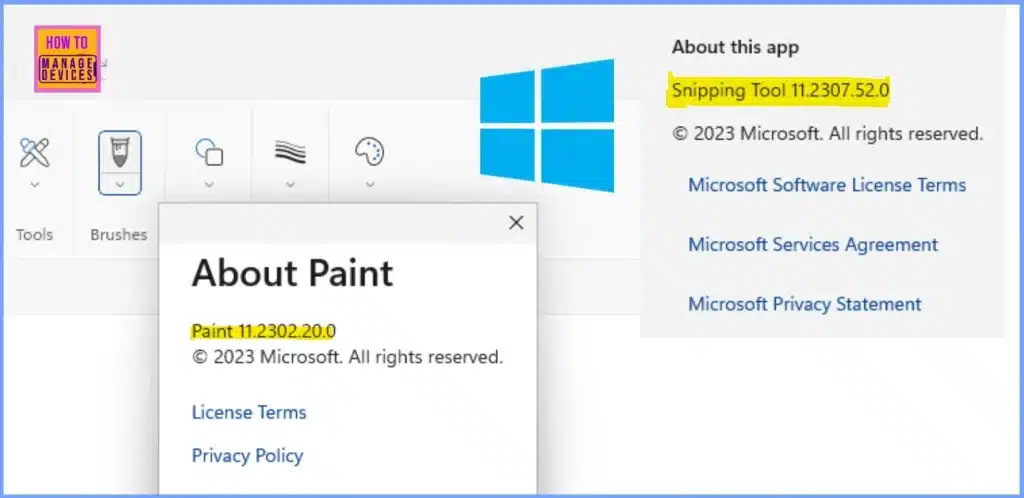
🎊Why Does Windows 11 24H2 Have Outdated Versions of Paint and Snipping Tool?
https://www.anoopcnair.com/windows-11-24h2-have-outdated-versions-of-paint/
🎇Windows 11 Version 24H2
🎇Outdated App in Windows 11 24H2
🎇What Impact Does this have on Users?
🎇What can Users Do with these Updates?
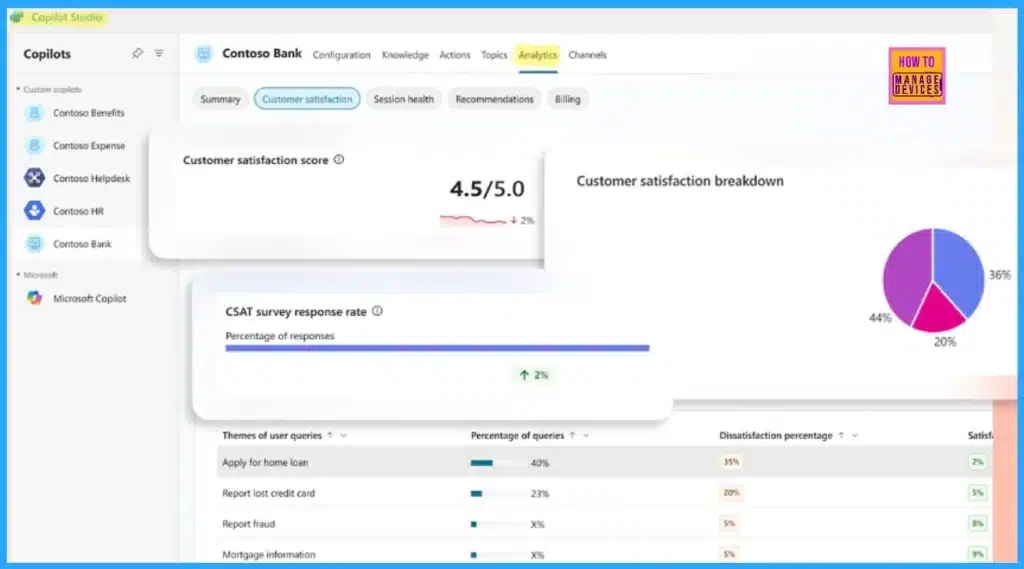
🎆Microsoft 365 Copilot Agent with Copilot Studio to Improve Your Business Need
https://www.anoopcnair.com/microsoft365-copilot-agent-with-copilot-studio/
➡What is Mirosoft Copilot Studio?
➡Copilot Agent with Copilot Studio
➡Manage Copilot Agents
➡Add Agents to Microsoft 365 Copilot
➡Publish Copilot Agents to Microsoft 365 Copilot
➡Easily Build Your Agent
➡Copilot Studio Pricing
➡Secure and Control the Agents
🎆Windows 11 24H2 Now Available Through WSUS | New Features and Enhancements
https://www.anoopcnair.com/windows-11-24h2-available-through-wsus-new/
🎉Windows 11 24H2 Now Available Through WSUS
🎉New Features of Windows 11 24H2
🎉Default Proactive Protection
🎉Scrollable List in Quick Settings
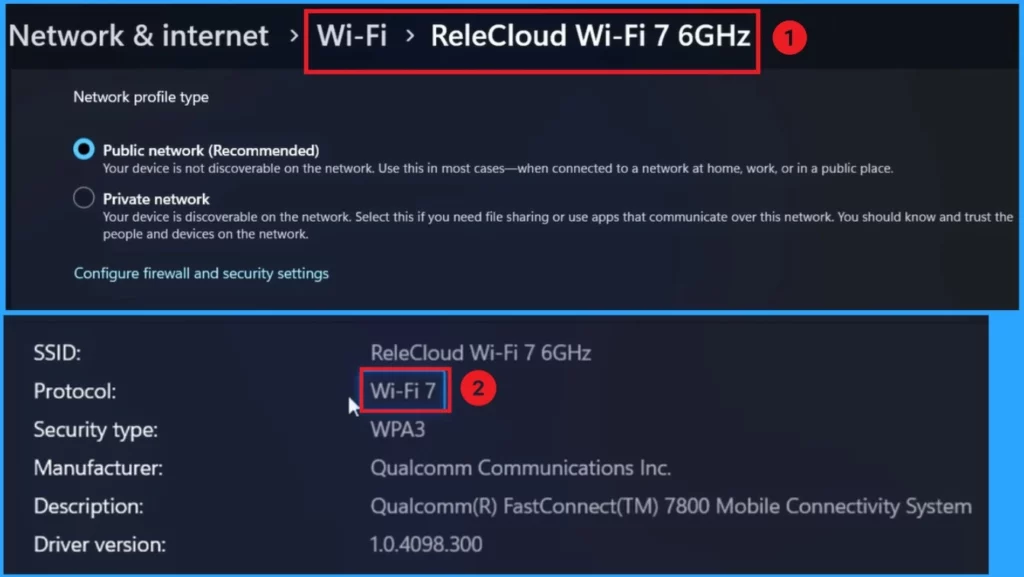
🎉Support for Wi-Fi 7
🎉Wi-Fi Refresh Button
🎉Live Captions with Translation
💻New Exciting Features in Copilot+ PCs and Windows 11
https://www.anoopcnair.com/new-features-in-copilot-pcs-and-windows-11/
🎊New Features of Copilot+PC Renovating the PC Experience
🎊Recall (Preview)
🎊Click to Do (Preview)
🎊Super-Resolution in Photos
🎊Improved Windows Search
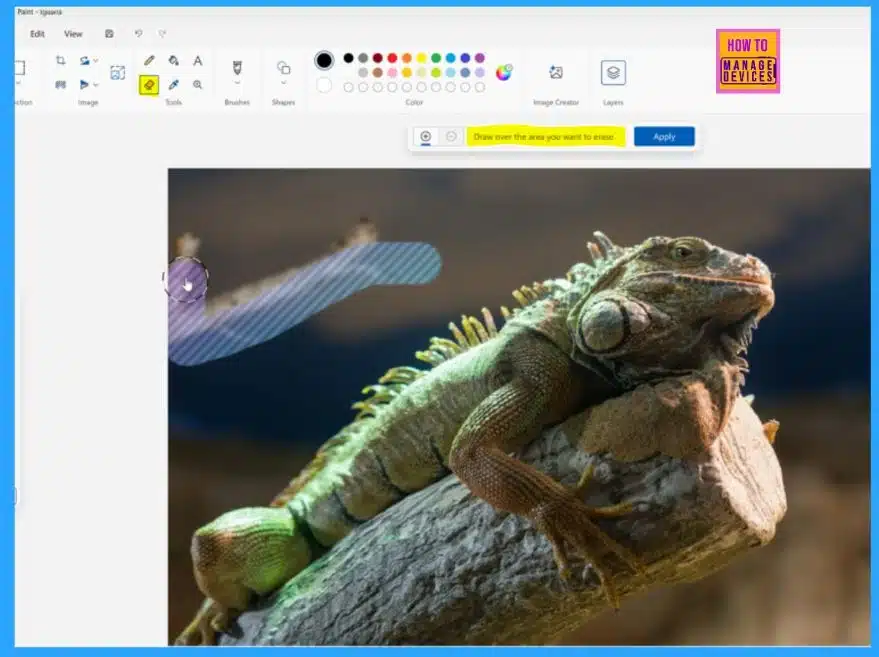
🎊Generative Fill and Erase in Paint
🎊How to Get Copilot+PC Features
Friday – 4th October 2024
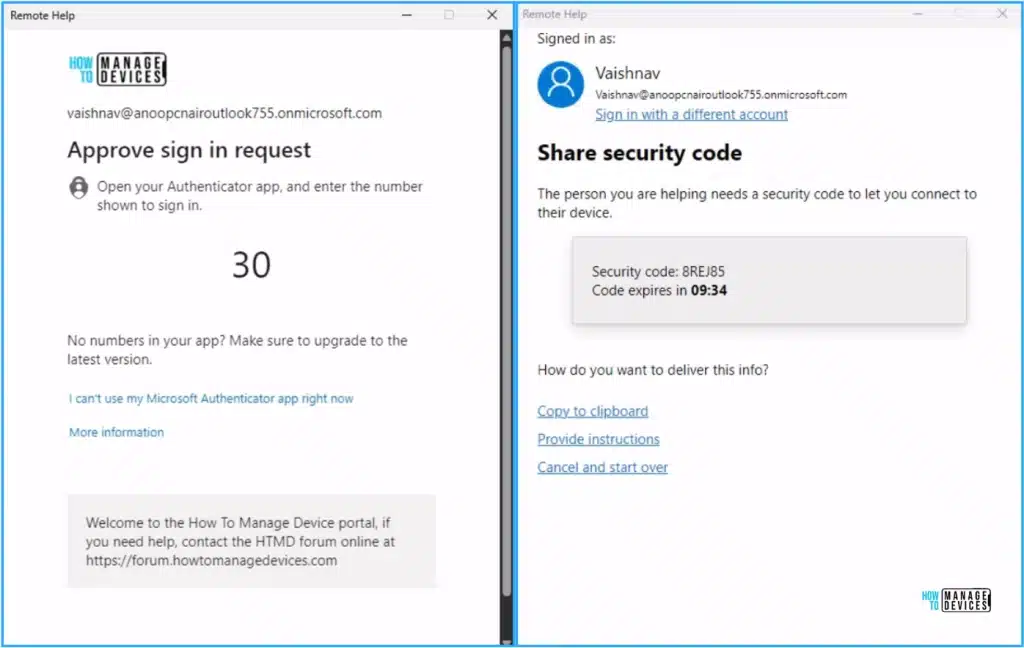
➡Best Guide to Setup Conditional Access for Remote Help with Intune
https://www.anoopcnair.com/best-guide-to-setup-conditional-access-for-remote-help-with-intune/
🎊What is Conditional Access?
🎊Key Features of Conditional Access for Remote Help
🎊Import the RemoteAssistanceService Cloud App to the Tenant
🎊Create a Conditional Access Policy for Remote Help
🎊End User Experience
Connect with HTMD Community
Join the Telegram group to get the latest step-by-step guides and news updates. Join our Meetup Page to participate in User group meetings. Also, Join the WhatsApp Community to get the latest news on Microsoft Technologies. We are there on Reddit as well.
HTMD Community Social Media Platform Links
| Social Media Platform | Link |
|---|---|
| LinkedIn: HTMD Community | https://www.linkedin.com/company/how-to-manage-devices/ |
| Telegram: SCCM Intune Technical Discussions | https://t.me/joinchat/Q9lE6G1_BO_bGq97 |
| Telegram: JOB SCCM Intune Group | https://t.me/joinchat/SIKr3OugR2FQ-Ej9 |
| WhatsApp: HTMD Community | https://chat.whatsapp.com/CeMXHSD61HtDBJwe78IZwV |
| Telegram: AVD/Windows 365 User Group | AVD Community – https://t.me/Inwvdcommunity |
| HTMD Community | Facebook | |
| HTMD Community (@htmd_community) • Instagram photos and videos | |
| HTMD Community (@htmdcommunity) / Twitter | |
| Facebook Group: SCCM | https://www.facebook.com/groups/ConfigMgr2012/ |
| Facebook Group: Intune | https://www.facebook.com/groups/1738789256382744 |

Anoop C Nair is Workplace Technology solution architect with 25+ years (as of 2026) of experience in global enterprise organizations such as JP Morgan, Capgemini, etc. Microsoft Certified Trainer (MCT). Microsoft MVP from 2015 onwards for consecutive 11+ years! He also conducts Intune and modern workplace tech training for enterprise organizations. He is Blogger, Speaker, and Founder of HTMD Community and HTMD Conference. His main focus is on Device Management technologies like Intune, Windows, Cloud PC. He writes about technologies like Intune, SCCM, Windows, Cloud PC, Windows, Entra, Microsoft Security.

Discussion