











156th HTMD Newsletter 26th To 30th August 2024
Welcome to the 156th HTMD Newsletter Summary from 26th to 30th August 2024! This is the list of posts and videos the HTMD Community published this week, as well as news from the IT industry. You can get all the information and details from Windows 11, Cloud PC, SCCM, Intune, Azure Virtual Desktop (AVD), Android, iOS, and Mac.
➡️ We are on WhatsApp. To get the latest step-by-step guides and news updates, Join our Channel, HTMD WhatsApp.
Did you miss updates from last week? Check out the link below.
- 153rd HTMD Newsletter–HTMD Newsletter 153 5th To 9th August
- 154th HTMD Newsletter–HTMD Newsletter 154 12th To 19th August
- 155th HTMD Newsletter–HTMD Newsletter 155 19th To 23rd August
26th August 2024
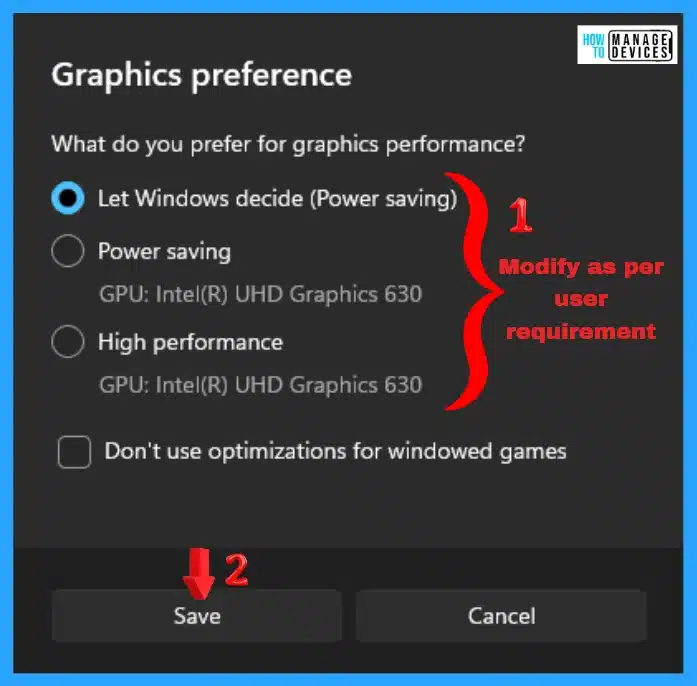
🎆Add Remove Apps to Graphics Settings List | Graphics Performance Preferences for Apps in Windows 11
https://www.anoopcnair.com/add-remove-apps-to-graphics-settings-list-perf/
✔How to Modify Graphics Performance Preferences for Apps
✔Add Apps to Graphics Settings List
✔Remove Apps from Graphics Settings List
✔Modify Graphics Performance Preferences for Apps
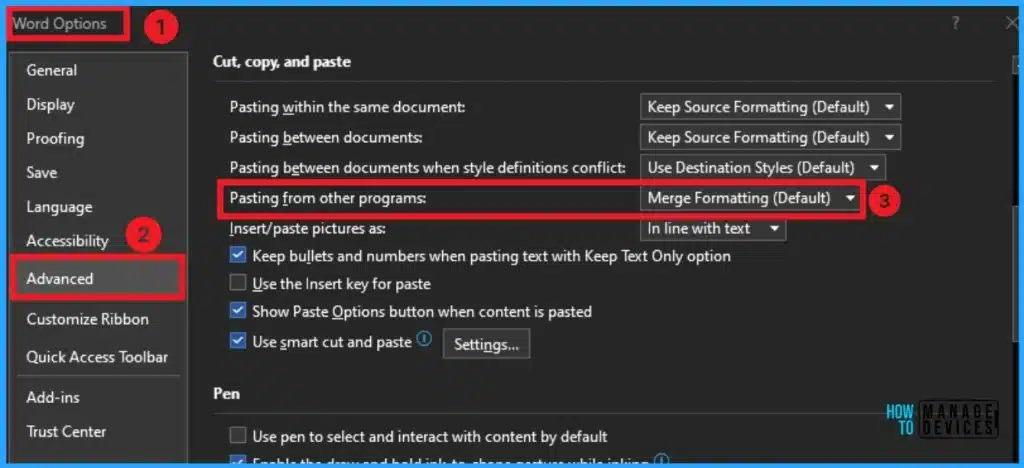
💡MS Word Default Paste Merge Formatting option to Match the Look and Feel of Existing Content
https://www.anoopcnair.com/ms-word-default-paste-merge-formatting-option/
▶MS Word Default Paste Merge Formatting option
▶How Merge Formatting Works on your MS Word
▶Types of Paste Options on MS Word
▶Updated Default Paste Option in MS Word
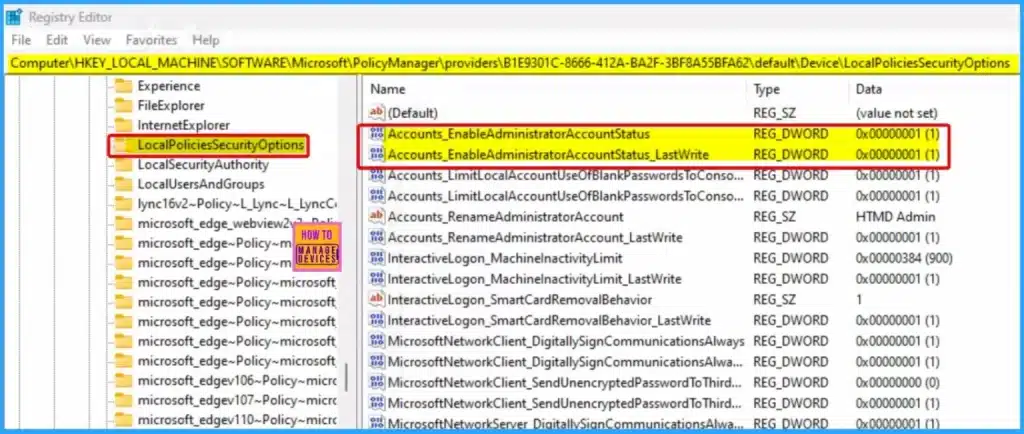
🎆Enable or Disable the Built-in Administrator Account in Windows using Intune Policy
https://www.anoopcnair.com/disable-built-in-administrator-account-intune/
▶Windows CSP Details – Accounts_EnableAdministratorAccountStatus
▶Enable Administrator Account
▶Local Policies Security Options
▶Accounts Enable Administrator Account Status
▶End Result Server Side
▶Client Side Verification
🎆Enhanced Reporting Multi-Administrative Approval Microsoft Home Page via Intune August 2024 Update
https://www.anoopcnair.com/enhanced-reporting-multi-admin-intune-aug-2024/
➡Microsoft Managed Home Screen
➡New Resource Reporting for Windows PCs
➡New Settings for macOS and iOS/iPadOS Devices
➡Discovered Apps Report
➡New AppWorkload.log for Better App Management Troubleshooting
➡New Account-Driven Apple User Enrollment for iOS/iPadOS Devices
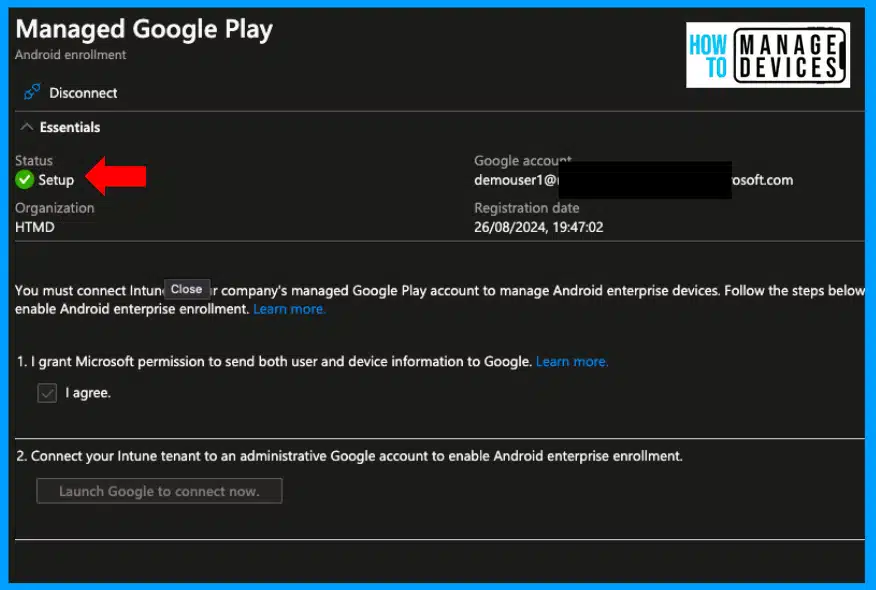
➡Microsoft Entra Account to Enable Android Enterprise Management
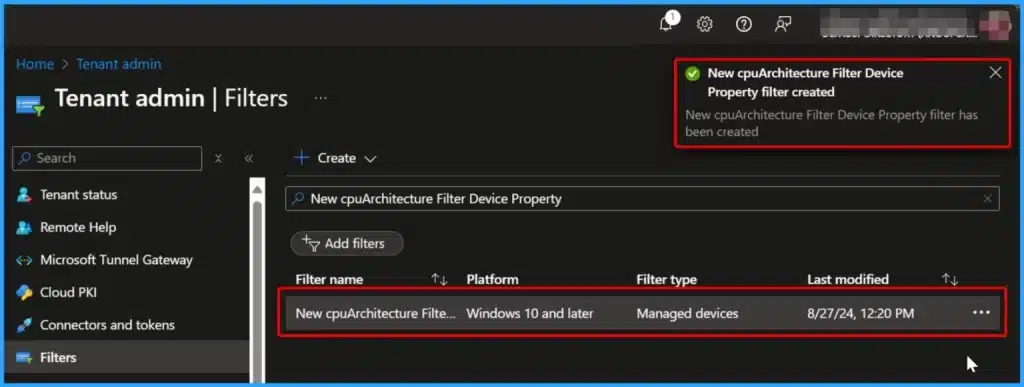
➡New cpuArchitecture Filter for App and Policy Assignments in Intune
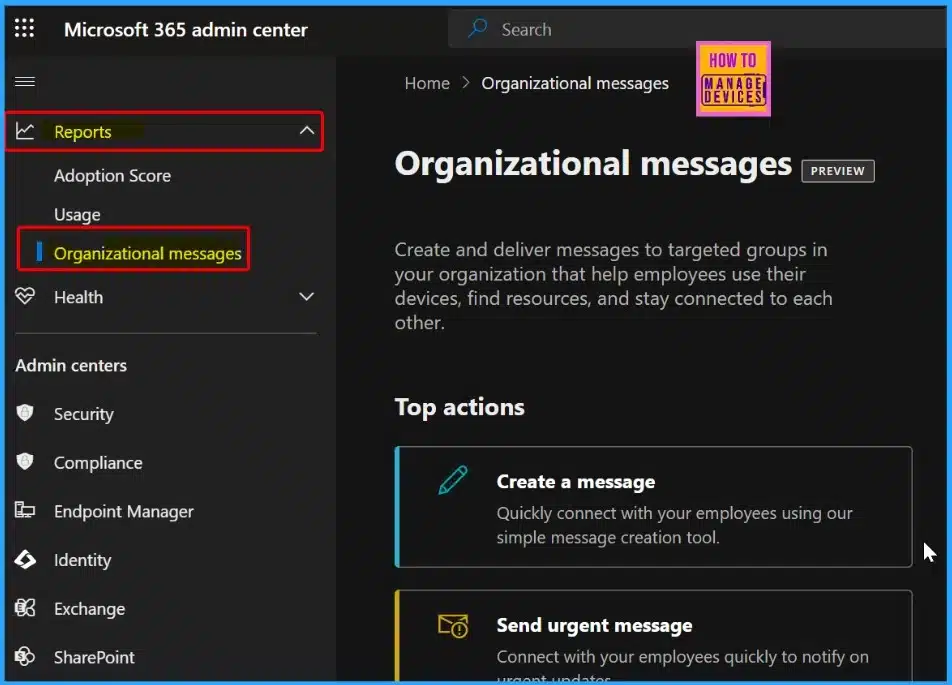
➡Organizational Messages Moved to Microsoft 365 Admin Center
27th August 2024
🎊How to use Intune Filter cpuArchitecture Device Property for App and Policy Assignments
https://www.anoopcnair.com/how-to-use-intune-filter-cpuarchitecture-policy/
💡What is the New cpuArchitecture Filter Device Property?
💡Which Devices Support the cpuArchitecture Filter?
💡What Processor Architectures can be Filtered with this Property?
💡How to Create a Filter
💡End Result – Serverside
💡Device Properties for Managed Device Filter Rules cpuarchitecture
💡Connect Intune with Managed Google Play using Microsoft Entra Identity Account Instead of Google Account
https://www.anoopcnair.com/google-play-using-entra-identity-account-intune/
🎈What is Managed Google Play?
🎈Microsoft Entra Identity Account
🎈Manage Android enterprise Device
🎈Add Subscription to your Admin Account
28th August 2024
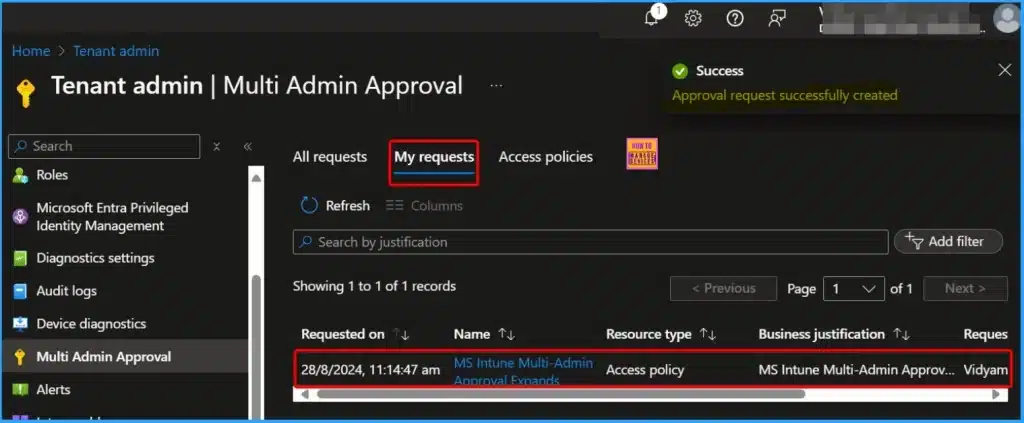
💻MS Intune Multi-Admin Approval Expands Support to Mobile Non-Windows Devices Policy
https://www.anoopcnair.com/intune-multi-admin-approval-non-windows-mobile/
🎊Intune Multi-Admin Approval
🎊Windows Only applies to Windows 10 and later, Windows 8.1 and later, and Windows 10X.
🎊Non Windows Only Applies to Android Device Administrator, Android Enterprise, iOS, iPadOS, and macOS
🎊How Multi-Admin Approval and Access Policies Work
🎊How to Create an Access Policy
🎊End Result Server Side
🎊More Details Regarding Intune Multi-Admin Approval
🎆Automate Intune Firewall Policy Reports using Graph API and Get exportJobs FirewallStatus UPN Details
https://www.anoopcnair.com/auto-intune-firewall-policy-reports-graph-api/
💡Know More About Intune Firewall Policy Reports
💡Use Graph Explorer to try Microsoft Graph APIs
💡Generate Intune Firewall Policy Report using Microsoft Graph API
💡HTTP Methods and Available Properties

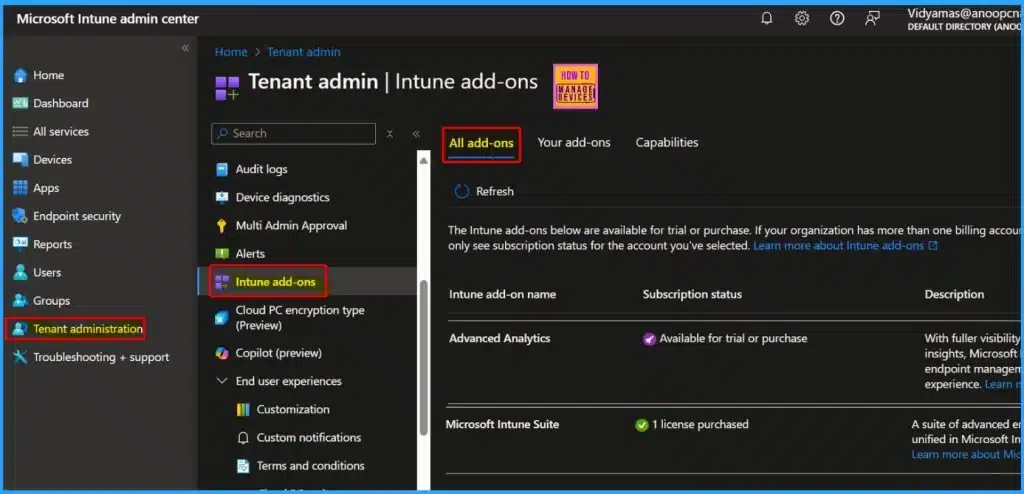
🎈CPU and RAM Spike Time Scores Report for Windows Physical Devices in Intune Advanced Analytics
https://www.anoopcnair.com/cpu-and-ram-spike-time-scores-report-intune-win/
🎊Resource Performance Report
🎊License Requirements
🎊Prerequisites
🎊CPU and RAM Spike Time Scores
🎊Model and Device Performance
🎊Microsoft Intune Suite add-on Capabilities
29th August 2024
🎈Top Players of End User Experience Management Solutions EUC DEX as per Forrester Wave Report
https://www.anoopcnair.com/top-players-of-end-user-experience-management/
🎊EUC Industry is Dead or no Longer Necessary?
🎊End User Experience Management Solutions
🎊Enhancing Digital Employee Experience DEX with DEM
🎊Relationship Between DEM and Other Markets
🎊Role of AI and Domain Knowledge in User Issue Resolution
🎊Key Considerations for Technology and Industry Terminology
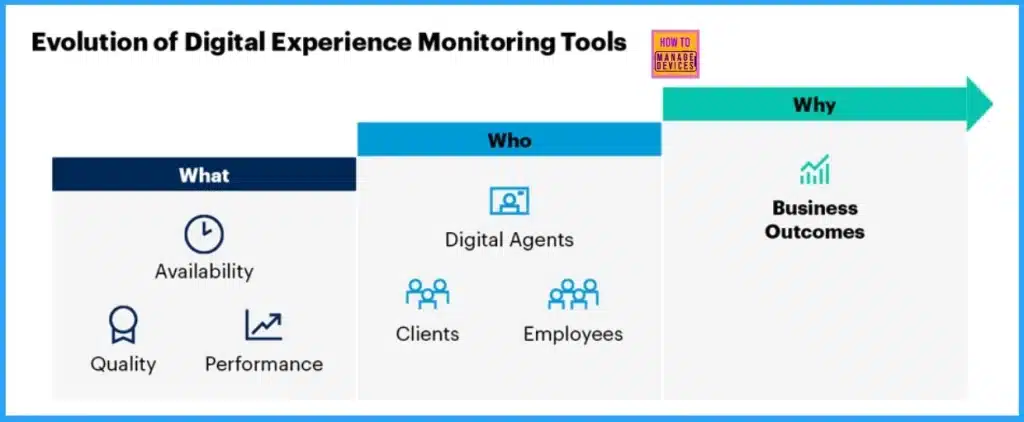
🎊Digital Experience Monitoring Components
🎊Evolution of Digital Experience Monitoring Tools
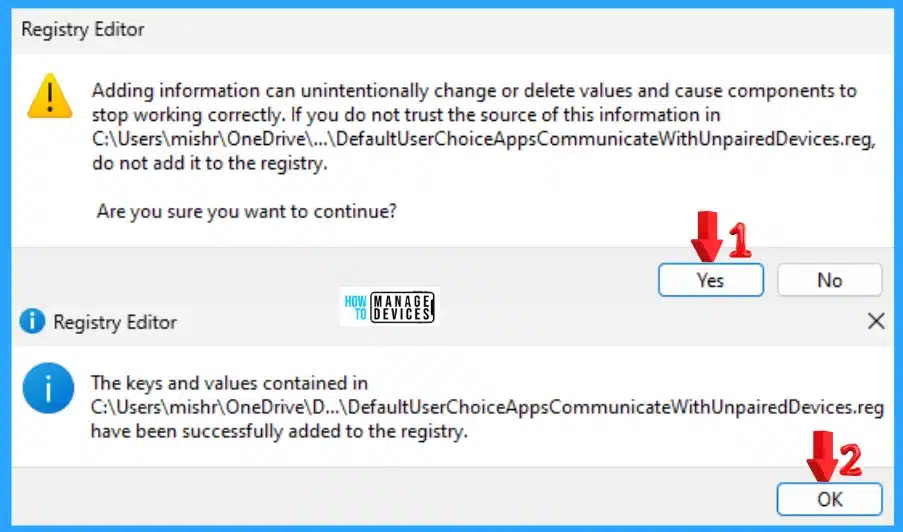
🎆Allow Disallow Windows Apps to Communicate with Unpaired Devices Policy in Windows 11
https://www.anoopcnair.com/disallow-windows-apps-to-communicate-policy/
▶Let Windows Apps Communicate with Unpaired Devices
▶Using Windows Settings App
▶Using Local Group Policy Editor
▶Using Registry File
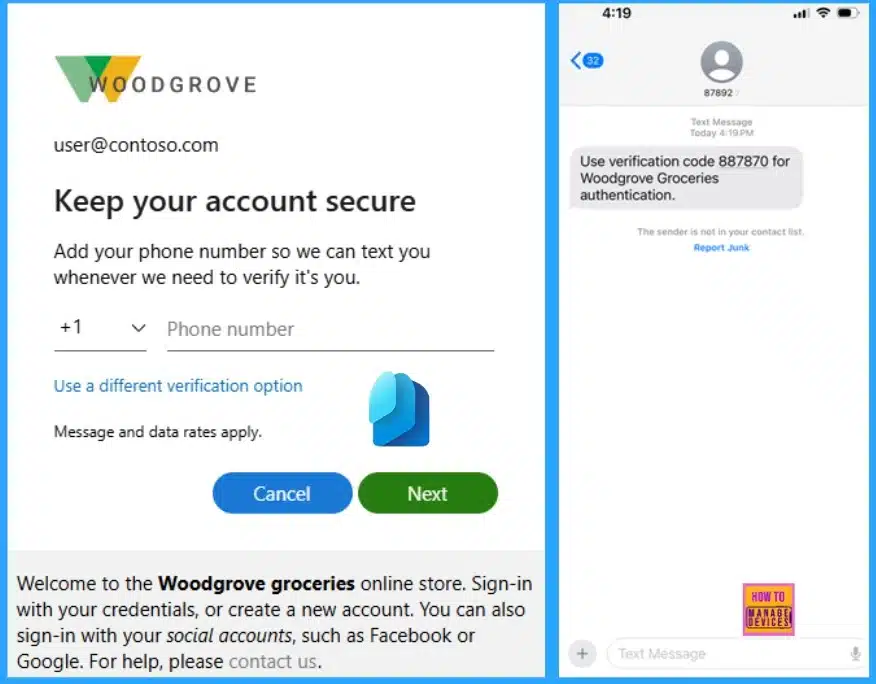
🎆Entra External ID Now Supports SMS as an MFA Option
https://www.anoopcnair.com/entra-external-id-now-supports-sms-as-an-mfa/
🎈How SMS Works for Multi-Factor Authentication (MFA)
🎈Keep your Account Secure
🎈How External ID Mitigates Fraudulent Sign-Ups via SMS
🎈Telephony Throttling Limits and CAPTCHA for SMS MFA
🎈Different Pricing Tiers for SMS-based Authentication
30th August 2024
🎆Azure Monitor Agent and Remote Session Lock Configuration Windows 365 Cloud PC August 2024 Update
https://www.anoopcnair.com/windows-365-cloud-pc-august-2024-update/
✔How Does the Azure Monitor Agent Update Benefit Users?
✔What changes have been Made Regarding the Remote Session Lock Experience?
✔Azure Monitor Agent Now Available for Windows 365 Enterprise and Government Cloud PCs
✔New Configuration Options for Remote Session Lock Experience with Single Sign-On
✔Windows 365 Encryption with Microsoft Purview Customer Key Now Generally Available
✔Understanding Windows 365 Service Resilience


Anoop C Nair is Workplace Technology solution architect with 25+ years (as of 2026) of experience in global enterprise organizations such as JP Morgan, Capgemini, etc. Microsoft Certified Trainer (MCT). Microsoft MVP from 2015 onwards for consecutive 11+ years! He also conducts Intune and modern workplace tech training for enterprise organizations. He is Blogger, Speaker, and Founder of HTMD Community and HTMD Conference. His main focus is on Device Management technologies like Intune, Windows, Cloud PC. He writes about technologies like Intune, SCCM, Windows, Cloud PC, Windows, Entra, Microsoft Security.

Discussion