












HTMD Newsletter 116 Summary from 20th to 24th November 2023
Welcome to the HTMD Newsletter 116 Summary from 20th to 24th November 2023! This is the list of posts and videos that the HTMD Community published this week and news from the IT industry. You can get all the information and details from Windows 11, Cloud PC, SCCM, Intune, Azure Virtual Desktop (AVD), Android, iOS, and Mac.
➡️ Here’s how you can be part of the HTMD Community, You can join us here.
➡️ Here, you can Subscribe HTMD Youtube Channel and welcome Video Messages about HTMD here.
➡️ We are on WhatsApp. To get the latest step-by-step guides and news updates, Join our Channel, HTMD WhatsApp.
Did you miss updates from last week? Check out the link below.
- 113th HTMD Newsletter – HTMD Newsletter 113 Summary from 30th October to 3rd November 2023
- 114th HTMD Newsletter – HTMD Newsletter 114 Summary from 6th to 10th November 2023
- 115th HTMD Newsletter – HTMD Newsletter 115 Summary from 13th to 17th November 2023

20th November 2023 – HTMD Newsletter 116
⭐2011 HTMD daily updates – Intune 2311 Features
https://www.youtube.com/shorts/KcMMwaa75Dc
⭐MS Paint New version with Background remove and replace option
⭐Company Portal App download issues?
⭐New Insider Build available for Windows 11
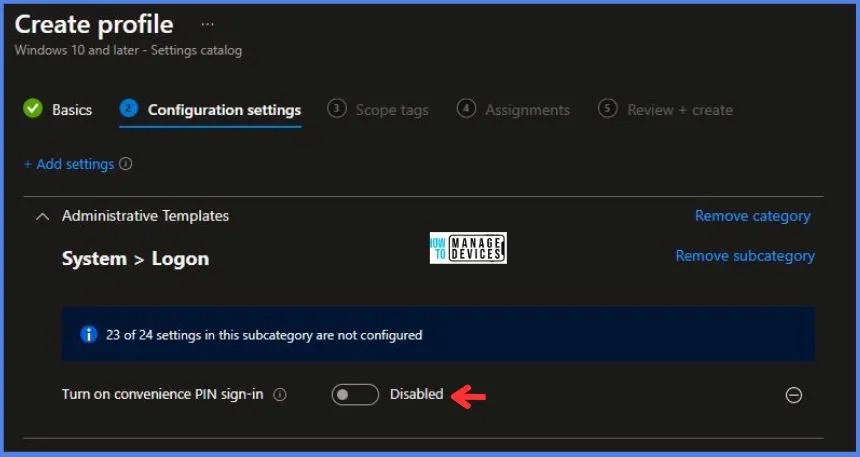
💹Turn On Convenience PIN Sign-In Policy using Intune
https://www.anoopcnair.com/turn-on-convenience-pin-sign-in-policy-intune/
⏳Windows CSP Details AllowPINLogon
⏳Turn On Convenience PIN Sign-In Policy
⏳Intune Report for Turn On Convenience PIN Sign-In Policy
🔄Various Ways to Set up Environment Variables on Windows 11
https://www.anoopcnair.com/set-up-environment-variables-on-windows-11/
⏳What are Environment Variables?
⏳Set up Environment Variables
⏳Edit Environment Variables on Windows

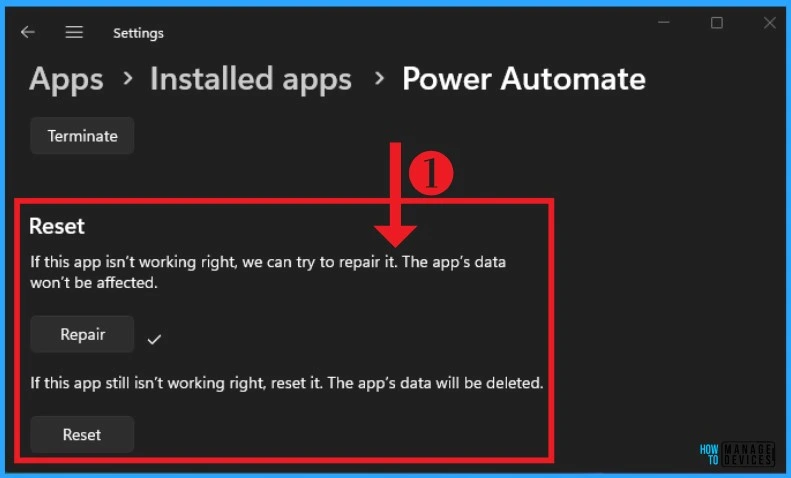
📂 How to Repair Reset Power Automate in Windows
https://www.anoopcnair.com/how-to-repair-reset-power-automate-in-windows/
🕹How to use Repair and Reset Option?
🕹Repair Option for Power Automate
🕹Reset Microsoft Power Automate Desktop
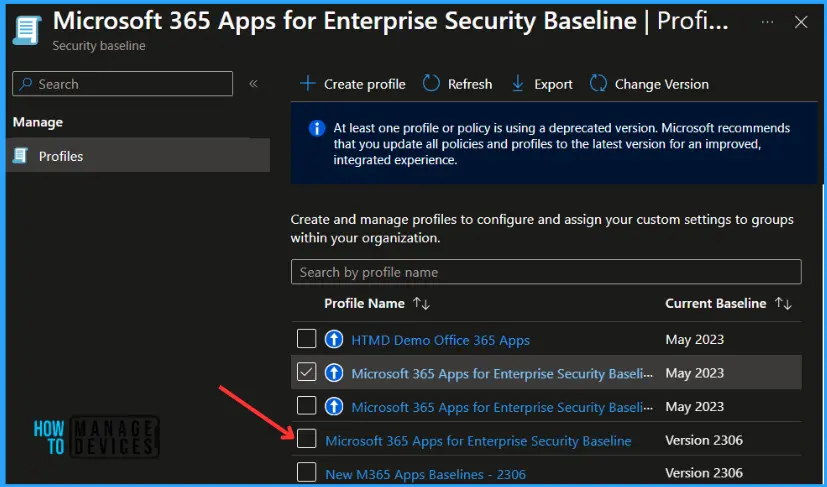
📝Intune 2311 November Update New Features Improvements
https://www.anoopcnair.com/intune-2311-november-update-new-features/
🛡New profile for Windows Hyper-V Firewall Rules
🛡Updated security baseline for Microsoft 365 Apps
🛡Settings to manage Windows Subsystem for Linux
🎆Azure VM Inspector Tool for Troubleshooting Issues of Virtual Machines
https://www.anoopcnair.com/azure-vm-inspector-tool-for-troubleshooting/
👉Quickly find and fix problems
👉To troubleshoot OS and disk related issues on VM
👉Start to configure the diagnostics storage account
👉Health Check and Performance Metrics
👉Issue Detection and Troubleshooting Guidance

21st November 2023 – HTMD Newsletter 116
⭐2111 Daily News – Intune 2311 update rollout issues
https://youtube.com/shorts/S113JNqDR9w
⭐Windows 10 Copilot Released | CFR
⭐Update Ring policies are visible in Configuration Profiles
⭐Autopilot policies got deleted?
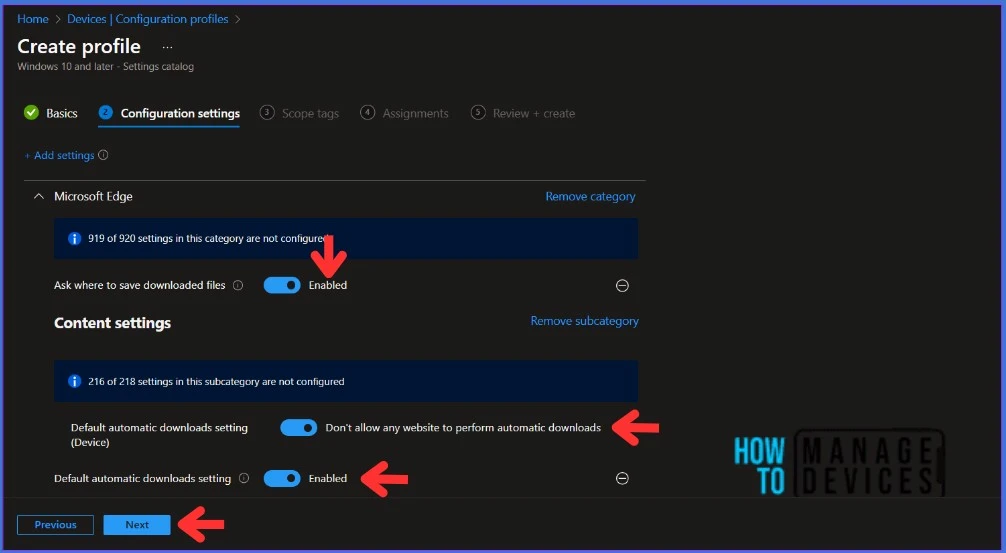
🔄Best Guide to Block Automatic Downloads on Microsoft Edge using Intune
https://www.anoopcnair.com/block-automatic-downloads-on-ms-edge-intune/
🕹Reason Behind Blocking Automatic Downloads on Microsoft Edge
🕹Block Automatic Downloads in Intune
🕹Monitor the Configuration Profile Deployment in Intune
🕹End-User Experience After Blocking Automatic Downloads
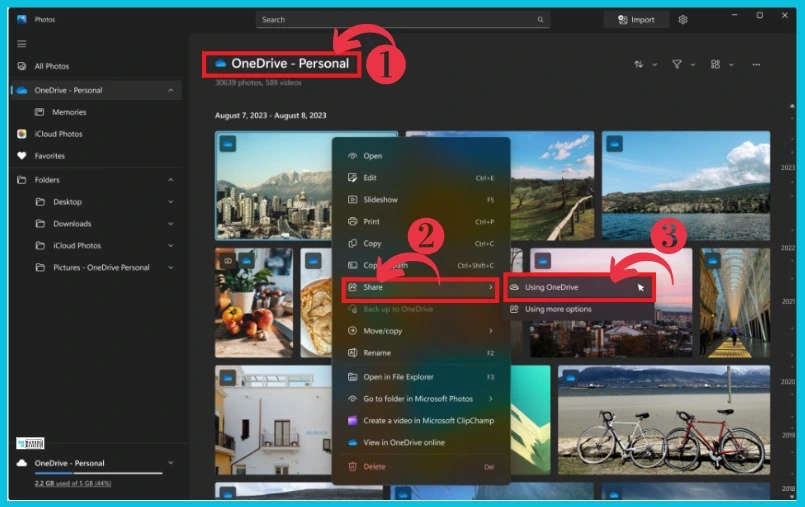
🎆How to Remove and Replace Background using Windows Photos
https://www.anoopcnair.com/remove-and-replace-background-windows-photos/
⭐Background Remove and Replace
⭐Filmstrip
⭐Timeline Scrollbar
⭐Share Individual Photos with OneDrive
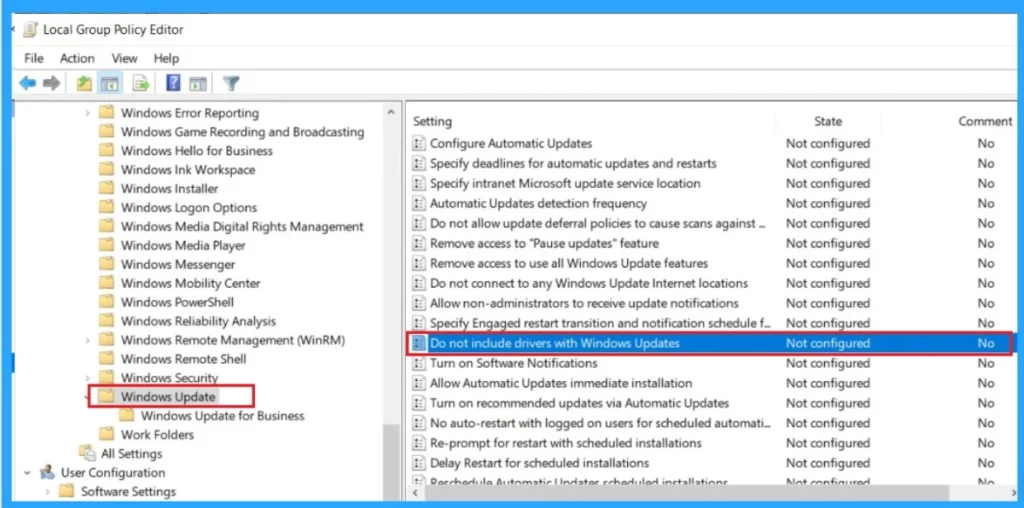
👨💻How to Stop Automatic Driver Installation in Windows11
https://www.anoopcnair.com/stop-automatic-driver-installation-in-windows11/
▶What are the Advantages of Driver?
▶How to Stop Automatic Driver Installation
▶ Stop Automatic Driver Installation in Group Policy Editor
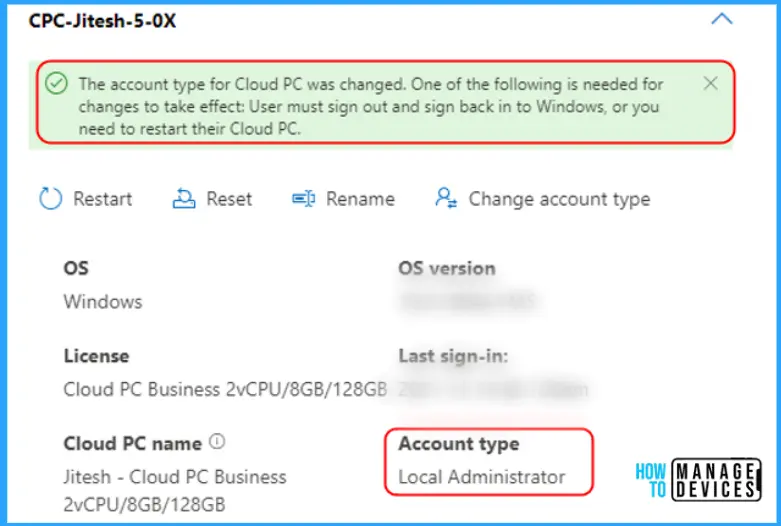
🔐Enable Local Admin Access for Windows 365 Business Edition
https://www.anoopcnair.com/local-admin-access-for-windows-365-business/
📍Select account type for Cloud PC user
📍Enable Local Admin for Cloud PC Business
📍Business Edition Organization Settings
↪ How to Enable or Disable Copilot in Windows 10
https://www.anoopcnair.com/enable-disable-copilot-in-windows-10-fix/
↪Microsoft released Windows 10 22H2 Build 19045.3754 (KB5032278)
↪How to Manage Copilot in Windows 10
↪Windows 10 Copilot and Controlled Feature Rollout

22nd November 2023 – HTMD Newsletter 116
⭐2211 Daily News – Microsoft Entra Vs Okta by Gartner Research
https://youtube.com/shorts/XWG0qiA1Zwk
⭐Entra tend to create confusion about what features and functionalities
⭐Microsoft Entra has 700,000 paid clients and pricing is below the market average
⭐highest score out of all vendors for its centralized portable identity integrations with above average pricing
⏳Intune Configuration Profile Allow Clipboard Synchronization Across Devices
https://www.anoopcnair.com/allow-clipboard-synchronization-devices-intune/
🛡Windows CSP Details AllowClipboardHistory
🛡Configuration Profile to Allow Clipboard Synchronization Across Devices
🛡Intune Report for Allow Clipboard Synchronization Across Devices

🎥Free Copilot for Windows – Handson Review
https://youtu.be/lrAi8pJD7KU
📺What are the things you can achieve with AI companions
📺3rd party Application challenges with Copilot
📺Bing Chat and Copilot?

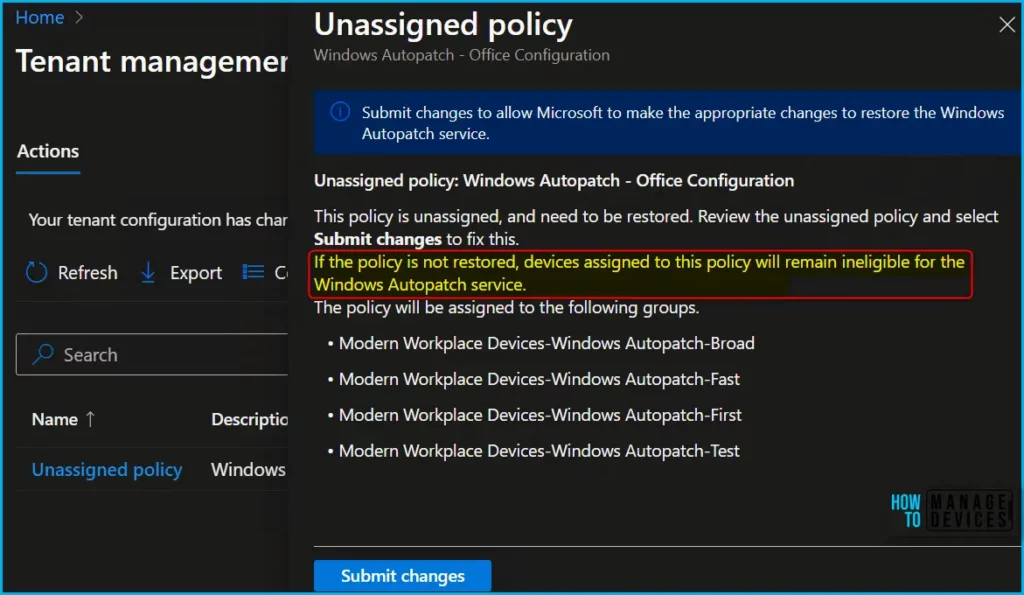
⏩Fix Windows Autopatch Device Configuration Critical Alerts
https://www.anoopcnair.com/windows-autopatch-device-configuration-alerts/
↘Windows Autopatch Critical Error
↘Unassigned Device Configuration Profiles
↘Restore Device Configuration Policy
🔗How to Open Links in App Instead of Web Browser in Windows 11
https://www.anoopcnair.com/open-links-in-app-instead-browser-in-windows-11/
🔎How do you make links open in the app?
🔎Open links in the corresponding app
🔎Use Registry file, Settings App

⭐Compare Microsoft Entra Vs Okta using Gartner research
https://www.anoopcnair.com/comparison-microsoft-entra-vs-okta/
▶Microsoft Entra ID and Leading Vendors
▶Strengths of Microsoft Entra ID
▶Cautions and Challenges for Microsoft Entra ID
▶Key Innovations and product family in Microsoft Entra

23rd November 2023 – HTMD Newsletter 116
⭐2311 Daily Updates – Company Portal Error 0x8024001E
https://youtube.com/shorts/q4cfUKqhf_o
⭐Apple DDM for non-supervised devices
⭐Updates to Intune development roadmap?
⭐winget.exe is missing on the systems?
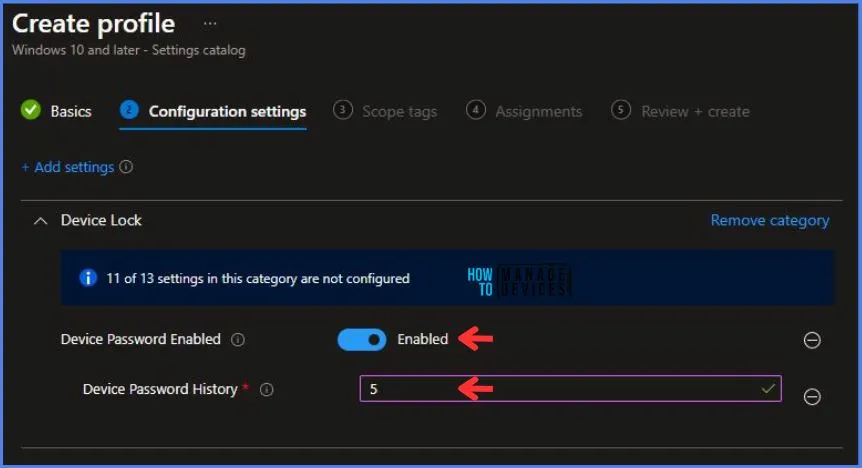
🛡Best Way to Enforce Password History Policy using Intune
https://www.anoopcnair.com/enforce-password-history-policy-using-intune/
⏩Windows CSP Details DevicePasswordHistory
⏩Enforce the Password History Policy using Intune
⏩IIntune Report for Enforce Password History Policy
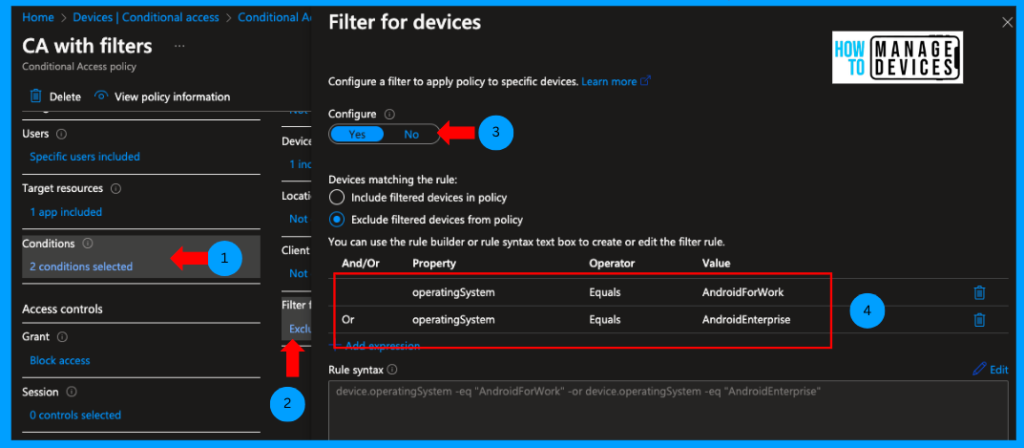
👨💻Best Method to Block Access to M365 Apps Outside Android Work Profile using Intune
https://www.anoopcnair.com/block-access-to-m365-apps-android-intune/
🚀Create Enrolment Restrictions
🚀Create a Conditional Access Policy to Block Access to Microsoft 365 Apps
🚀Create Conditional Access with Filters
🚀User Experience
📲Turn off Android Work Profile on Intune Managed Device
https://www.anoopcnair.com/turn-off-android-work-profile-managed-intune/
⏳Pause or Turn off Work Apps
⏳Turn off Apps and Notifications for Work Profile
⏳Restore Access to Work Apps

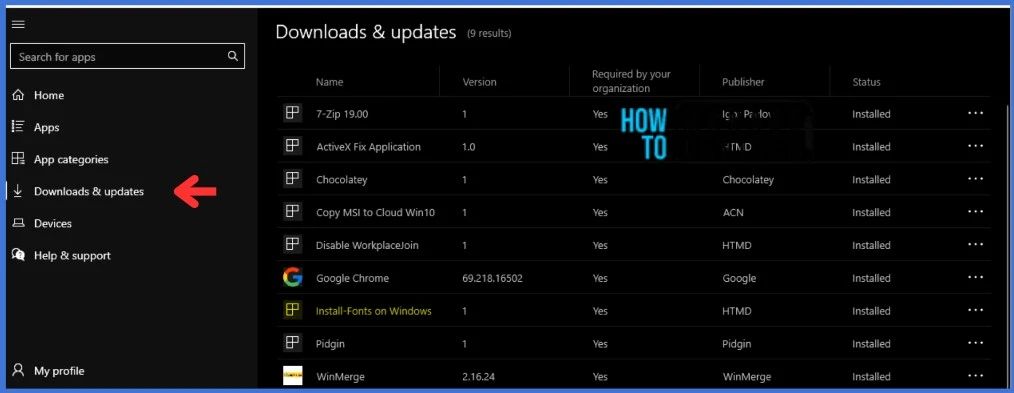
🔄Install Fonts on Windows Devices using Intune Win32 App
https://www.anoopcnair.com/install-fonts-on-windows-devices-using-intune/
➡How to Install Fonts on Windows Devices Manually
➡How to Get the Font File for Deployment
➡PowerShell Scripts to Install and Uninstall the Font on Windows OS using Intune
➡Prepare Win32 App Installation Source for Intune
➡Monitor Deployment from the Intune Portal
24th November 2023 – HTMD Newsletter 116
⭐2411 Daily Updates – Windows App Version Confusion in Intune Portal
https://youtube.com/shorts/rQNSIho3T6c
⭐Possibility Q – SCEP Cert Deployment for Linux Devices?
⭐116th Edition from 20th to 24th November 2023
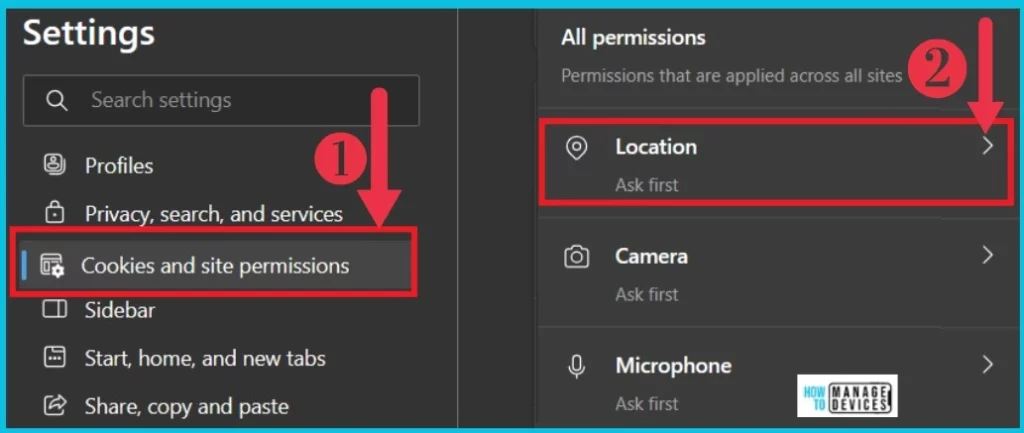
🎆Turn On and Off Location Sharing in Edge
https://www.anoopcnair.com/turn-on-and-off-location-sharing-in-edge/
👉An Inbuilt option in Microsoft Edge
👉Provides Exact Geographic Location
👉keep you Safe in the Digital World.
👉Maintain the Security and Privacy
⏳Intune Policy to Disable Touch ID for Unlock Mac Device
https://www.anoopcnair.com/intune-policy-disable-touch-id-for-unlock-mac/
👨💻Configure macOS Restriction Policy
👨💻Allow Fingerprint For Unlock – False
👨💻Monitor macOS Policy deployment


Deb is an SCCM and Intune admin with many years of experience in enterprise environments. He is interested in Windows management, Task Sequence, SCCM, and modern management.

Discussion