











HTMD Newsletter from 3rd to 7th October 2022
Welcome to the Fifty-seventh (57th) HTMD Newsletter from 3rd to 7th October 2022! This is the list of posts that the HTMD Community published this week and news from the IT industry. You can get all the information and details from Windows 11, Cloud PC, SCCM, Intune, and Azure Virtual Desktop (AVD).
➡️ Here’s how you can be part of the HTMD Community, You can join us here.
Did you miss updates from last week? Check out the link below.
- 54th HTMD Newsletter – HTMD Newsletter from 12th to 16th September 2022
- 55th HTMD Newsletter – HTMD Newsletter from 19th to 23rd September 2022
- 56th HTMD Newsletter – HTMD Newsletter from 26th to 30th September 2022

3rd October 2022
🔁Filter Windows 11 22H2 Devices in Intune | Endpoint Manager
👉Create Filter Rule for Windows 11 22H2
👉Use Windows 11 22H2 Filter Rule
https://anoopcnair.com/filter-windows-11-22h2-devices-in-intune-mem/

🚀Create Windows 11 22H2 Azure AD Device Group Step by Step Guide
💻Dynamic Vs. Assigned Groups
💻Azure AD Groups Vs. Intune Filters
💻(device.deviceOSVersion -startsWith “10.0.22621”)
https://anoopcnair.com/create-windows-11-22h2-azure-ad-device-group/

4th October 2022
🚀SCCM Collection for Windows 11 22H2 Devices | CMPivot | SQL Queries
👉WQL query for collection – Build Number Vs. Version
👉SMS_G_System_OPERATING_SYSTEM.Version
👉OperatingSystem | where Version == ‘10.0.22621’
https://anoopcnair.com/sccm-collection-for-windows-11-22h2-devices-cmpivot-sql-queries/

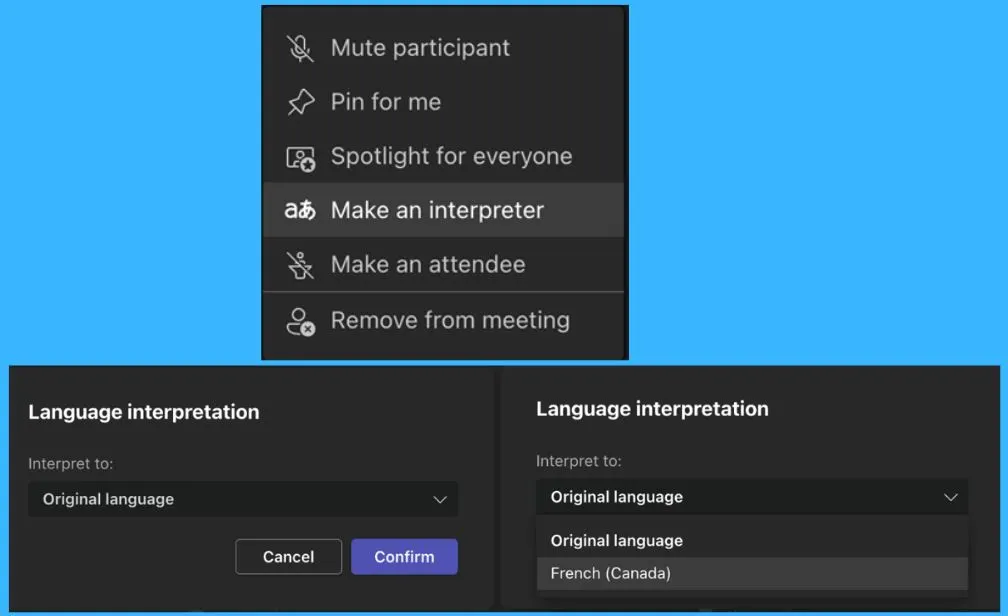
💥New Features in Microsoft Teams August September Update
1️⃣Use PowerPoint Live in Teams for an immersive remote presentation
2️⃣Join a Teams meeting using a meeting ID and more…
https://anoopcnair.com/features-ms-teams-august-september-update/
⚡Enable Power Optimization Settings on Windows 11 | Intune | Group Policy
👉Settings App Vs. Control Panel
👉Group Policy Administrative Templates
👉Inutne Settings Catalog – Administrative Templates\System\Power Management
https://anoopcnair.com/power-optimization-settings-windows-11-intune/

5th October 2022
🚀SCCM CI to find Windows 11 Device is Blocked from an Upgrade
👉 Enable Compliance Evaluation on Clients = Yes
👉TargetVersionUpgradeExperienceIndicators\NI22H2
👉DCMAgent.log for troubleshooting!
https://anoopcnair.com/windows-11-device-is-blocked-from-upgrade-sccm/

🧑💻Deploy Cisco Webex using Intune | Easy Guide
ℹ️Intune MSI Deployment Scenario
ℹ️Monitor Application Deployment
ℹ️Track Cisco Webex Deployment – Windows Registry
https://anoopcnair.com/deploy-webex-using-intune-endpoint-manager/

⚡Intune Chrome OS Support and Power Automate Integration?
🤔Internal Testing or Private Preview of Chrome OS support?
🤔Power Automate Integration with Intune?
🤔More details on Linux support and Roadmap
https://anoopcnair.com/intune-chrome-os-support-power-automate-integra/

6th October 2022
🔰New SCCM Hotfix KB15599094 NTLM Client Installation Update
⏳Summary of Hotfix KB15599094
⏳Eligible SCCM Versions for Installing Hotfix
⏳Installation and Validation of SCCM Hotfix KB15599094
https://anoopcnair.com/sccm-hotfix-kb15599094-ntlm-client-installation/

✅Latest Features of Windows 11 22H2
✅IT Pro/Admin experience enhancements
✅Unique Features of the Start Menu
✅Windows 11 22H2 Features of Taskbar
✅File Explorer Advanced Features
https://anoopcnair.com/latest-features-of-windows-11-22h2-advanced/

7th October 2022
⚡📷Windows 11 Photos App Features and User Guide
📷Microsoft Photos app is not available in WinGet
📷Import options available
📷Video Editing Features of Photos App
📷People Category Options
https://anoopcnair.com/windows-11-photos-app-features-and-user-guide/

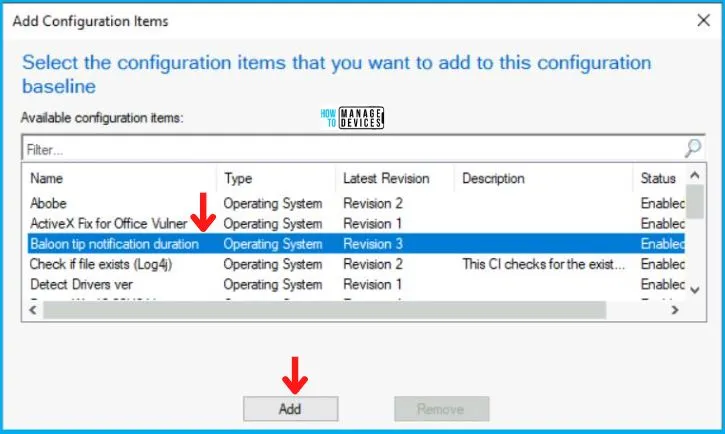
🧑💻Update Balloon Tips Duration using SCCM Configuration Item CI CB
💻Control Panel\Accessibility\MessageDuration?
💻Error in DCMAgent.log
💻MessageDuration is the registry key which is by default set to 5
https://anoopcnair.com/update-balloon-tips-duration-using-sccm-ci/
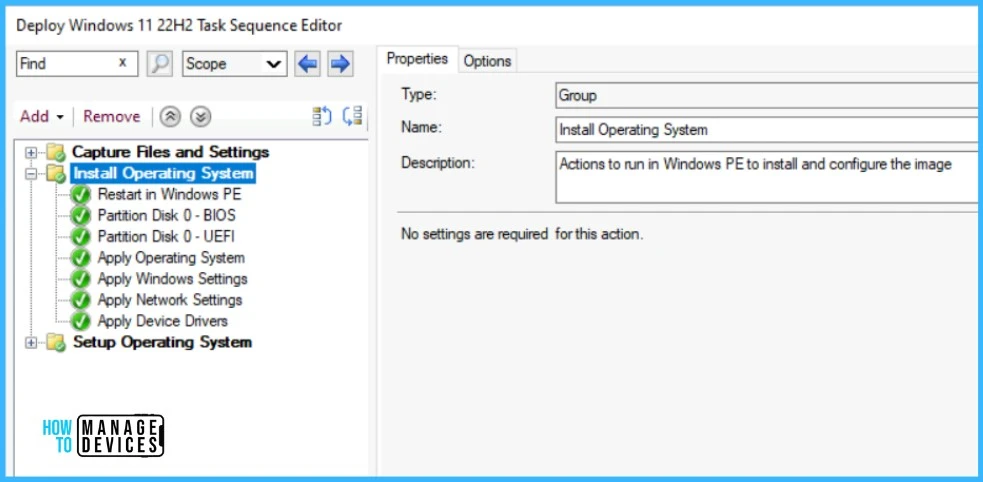
🧰Best Guide to Deploy Windows 11 22H2 using SCCM Task Sequence | ConfigMgr
🚀Create Windows 11 22H2 Task Sequence
🚀Windows 11 Task Sequence Deployment Step
🚀Troubleshooting OSD Task Sequence Error Reference
https://anoopcnair.com/deploy-windows-11-22h2-using-sccm-task-sequence/

Anoop C Nair is Workplace Technology solution architect with 25+ years (as of 2026) of experience in global enterprise organizations such as JP Morgan, Capgemini, etc. Microsoft Certified Trainer (MCT). Microsoft MVP from 2015 onwards for consecutive 11+ years! He also conducts Intune and modern workplace tech training for enterprise organizations. He is Blogger, Speaker, and Founder of HTMD Community and HTMD Conference. His main focus is on Device Management technologies like Intune, Windows, Cloud PC. He writes about technologies like Intune, SCCM, Windows, Cloud PC, Windows, Entra, Microsoft Security.

Discussion