











229th HTMD Newsletter 19th to 23rd January 2026
Welcome to the 229th HTMD Newsletter, 19th to 23rd January 2026 ! This is the list of posts and videos the HTMD Community published this week, and news from the IT industry. You can get all the information and details from Windows 11, Cloud PC, Intune, Android, iOS, and Mac.
Previous Weeks Newsletter
- 226th HTMD Newsletter – HTMD Newsletter29th December 2025 to 2nd January 2026
- 227th HTMD Newsletter – HTMD Newsletter 5th to 9th December 2025
- 228th HTMD Newsletter – HTMD Newsletter 12th to 16th December 2025
Monday 19th January 2026
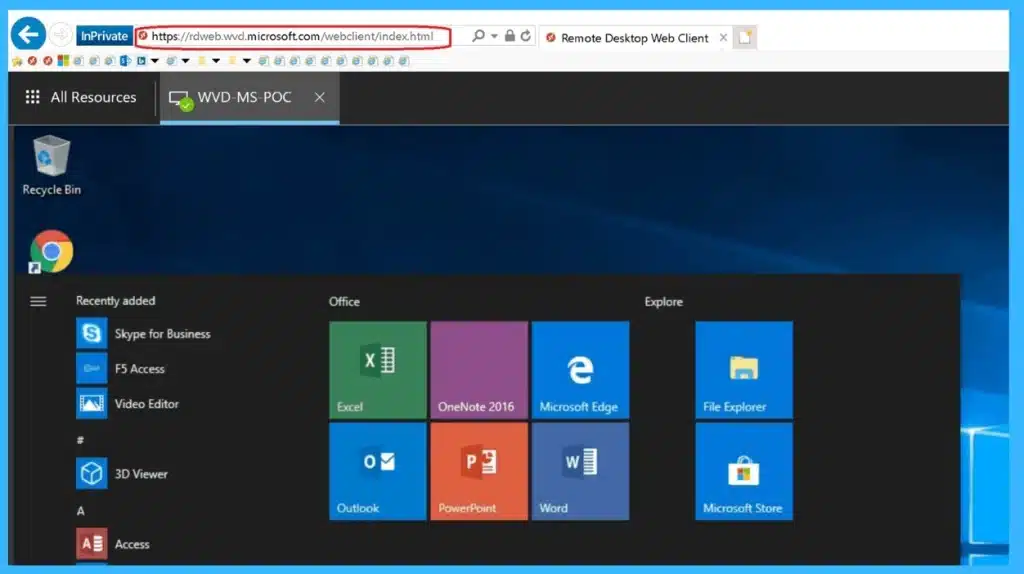
🎯How to Fix Windows App Authentication Error 0x80080005 for AVD and Windows 365 After January Updates
https://www.anoopcnair.com/windows-app-authentication-error-0x80080005/
🔥 Issue Introduced by January 13, 2026 Patch Tuesday Cumulative Updates
🔥 Windows App Fails Authentication (Error 0x80080005) for AVD And Windows 365
🔥 Error 0x80080005 Occurs Before Session Starts, Blocking Authentication
🔥 Only Devices With Specific January 2026 KBs/OS Builds are Impacted
🔥 Microsoft Acknowledged the Bug And Released Out-Of-Band Fix KB5077744
🔥 Workarounds Include Using MSRDC (Classic Client) or Web Client Until Patched
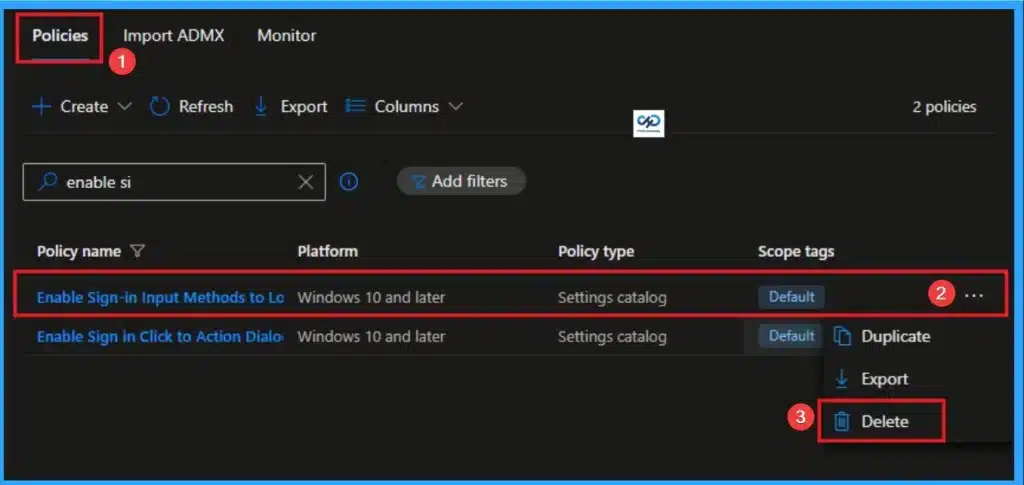
👉Control Sign-in Input Methods to Login Screen for Standardize the Windows Sign-In Experience using Intune
https://www.anoopcnair.com/sign-in-input-methods-to-login-screen-intune/
🔊 Enable Sign-in Input Methods to Login Screen in Intune
🔊 Helps to Standardize the Windows Sign-In Experience
🔊 Eliminate Confusion for Users at Sign-in
🔊 How this Policy Helps Admins
🔊 Client Side Verification
🔊 Device Check-in Status
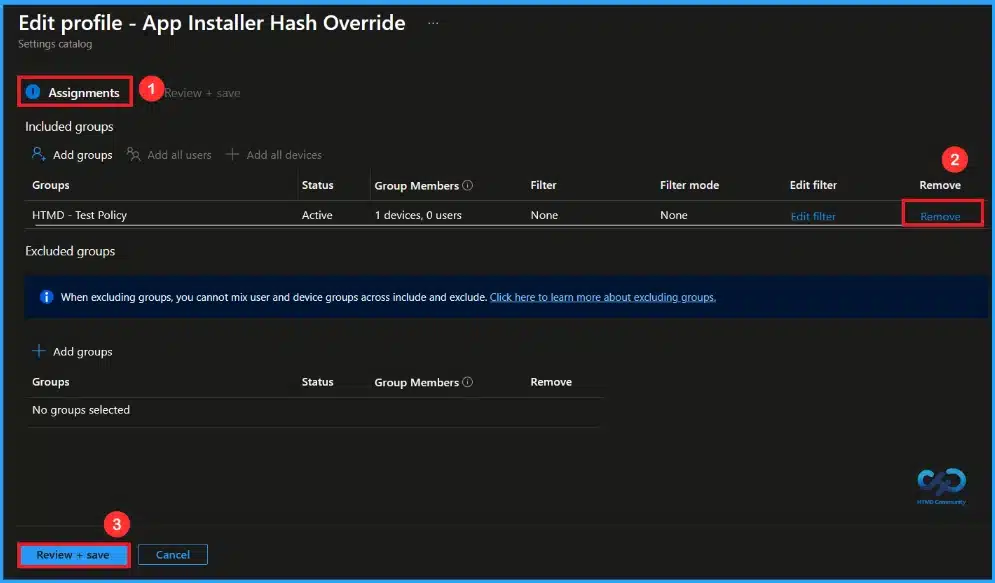
🎆How to Control SHA256 Validation in Windows Package Manager using Intune
https://www.anoopcnair.com/sha256-validation-windows-manager-using-intune/
🔔Allows Installation of Custom or Internal Applications
🔔Helps Development and Testing Teams Work without Delays
🔔Reduces Dependency on Manual Workarounds
🔔Provides Flexibility While Still Being Managed by IT
🔔Device and User Check-in Status
Tuesday 20th January 2026
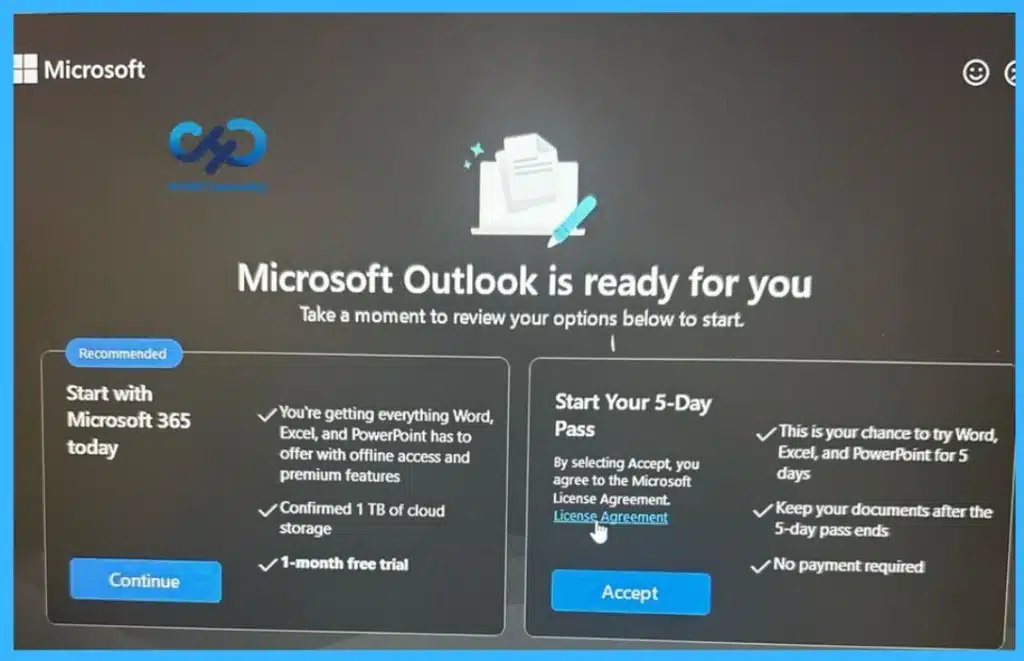
🎆5 Days Pass to Use Microsoft 365 Apps Outlook Word Excel PowerPoint
https://www.anoopcnair.com/5-days-pass-to-use-microsoft-365-apps-outlook/
🔔Allows Users to Work On Documents, Spreadsheets, Emails, and Presentations Like
Paid Subscriber
🔔Provides a Trial Experience Without Payment for Outlook, Word, Excel, and PowerPoint
🔔No Credit Card or Payment Details are Required to Start Using the Apps
🔔Helps Users Understand How Microsoft 365 Subscription Feels in Real Use
🔔Includes Offline Access and Premium Features for Word, Excel, and PowerPoint
🔔Helps Reduce Unnecessary Spending and Supports Better Planning
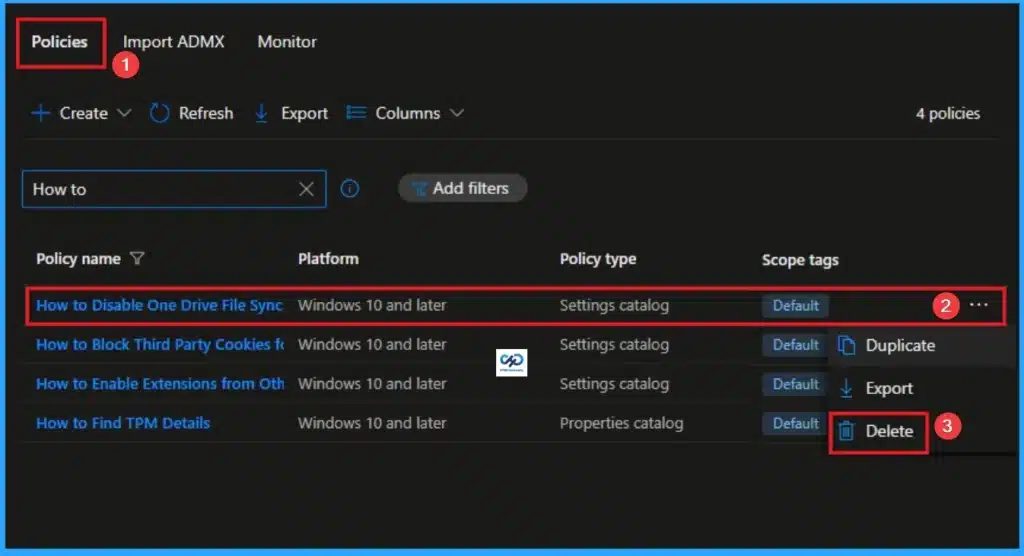
👉How to Completely Lockdown OneDrive File Sync with Intune Policy
https://www.anoopcnair.com/completely-lockdown-onedrive-file-sync-intune/
🔊 Enable OneDrive File Sync in Intune
🔊 Helps to Prevent Data Leakage or Enforce Compliance
🔊 No Local Copies of Cloud Files Exist
🔊 How this Policy Helps Admins
🔊 Client Side Verification
🔊 Device Check-in Status
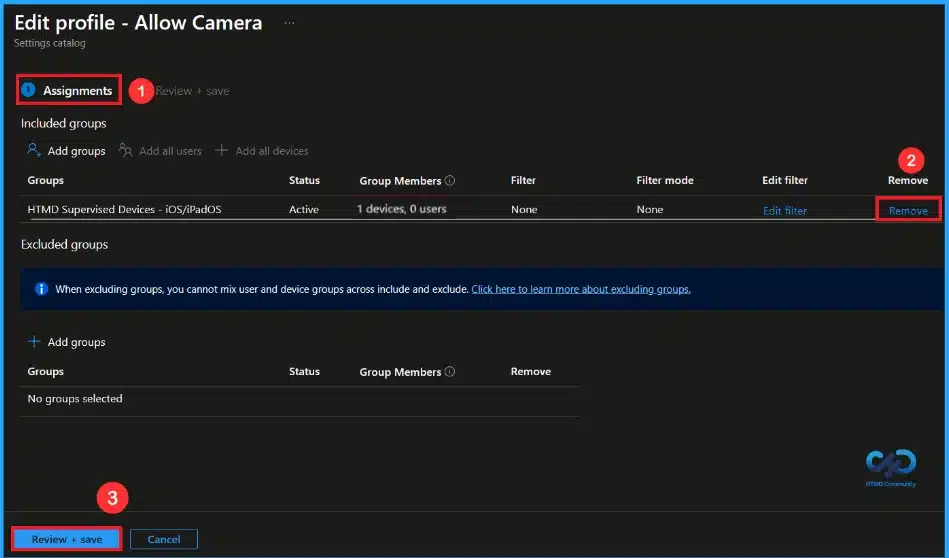
🎆How to Restrict Camera Access on Supervised iOS Devices using Intune
https://www.anoopcnair.com/restrict-camera-access-ios-devices-using-intune/
🔔Completely Disables the Camera on the Device
🔔Works Only on Supervised iOS Devices
🔔Cannot be Changed or Removed by the User
🔔Managed and Enforced Centrally using Intune
🔔Device and User Check-in Status
Wednesday 21st January 2026
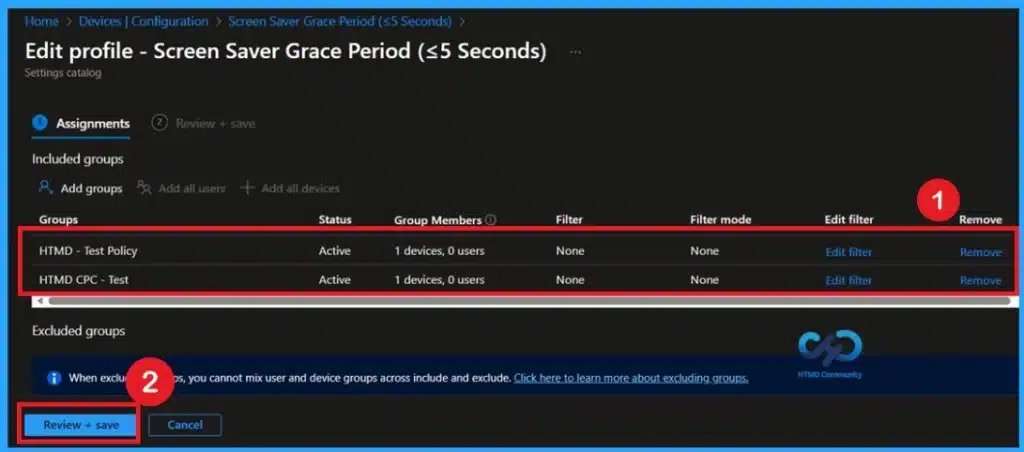
🎆Prevent Unauthorized Access by Configuring Screen Saver Lock Timing using Intune Policy
https://www.anoopcnair.com/unauthorized-access-by-screen-saver-lock-intune/
🔔Protects Shared Work Areas from Unauthorized Access
🔔Ensures Consistent Lock Settings Across all Company Devices
🔔Eliminates Risk From Screen Saver Grace Period Delays
🔔Reduces Risk Of Data Theft and Unauthorized Access
🔔Simplifies Management While Strengthening Security
👉Enable Notify Unsafe App Policy for Enhanced Phishing Protection in Defender Smart Screen using Intune
https://www.anoopcnair.com/notify-unsafe-app-for-defender-using-intune/
🔊 Notify Unsafe App Policy in Intune
🔊 Enhanced Phishing Protection in Defender Smart Screen
🔊 Protect users by Warning them when Potentially Unsafe or Phishing-Related Apps are Detected
🔊 How this Policy Helps Admins
🔊 Client Side Verification
🔊 Device Check-in Status

🎆How to Enable Audit Process Creation Command Line Logging in Windows using Intune
https://www.anoopcnair.com/command-line-logging-in-windows-using-intune/
🔔Helps Detect Malware and Suspicious Scripts by Logging Full Command Details
🔔Makes Security Investigations Easier and Faster
🔔Provides Clear Audit Logs for Compliance and Monitoring
🔔Helps Troubleshoot Issues by Showing How Apps were Launched
🔔Improves Visibility into PowerShell and Command Prompt Usage
🔔Device and User Check-in Status

Thursday 22nd January 2026
🎆 New MAM Security Rules in Microsoft Intune Impact Outlook and Teams Access
https://www.anoopcnair.com/new-mam-security-rules-in-microsoft-intune-impa/
🔥 Microsoft Intune Began Enforcing New MAM Security Rules on January 19, 2026
🔥 Old Intune-Protected Apps Are Now Blocked from Opening if SDK/Company Portal Versions Are Outdated
🔥 Applies to All Intune-Protected Apps Including Outlook, Teams, and Custom Line-of-Business Apps
🔥 iOS Apps Must Use Updated Intune App SDK Versions
🔥 Android Devices Require the Latest Intune Company Portal App Installed for Compliance
🔥 Admins Who Haven’t Updated Apps Risk Service Interruptions and User Access Failures
🔥 Enforcement Moves From Recommendation to Mandatory Policy, Locking Down Company Data
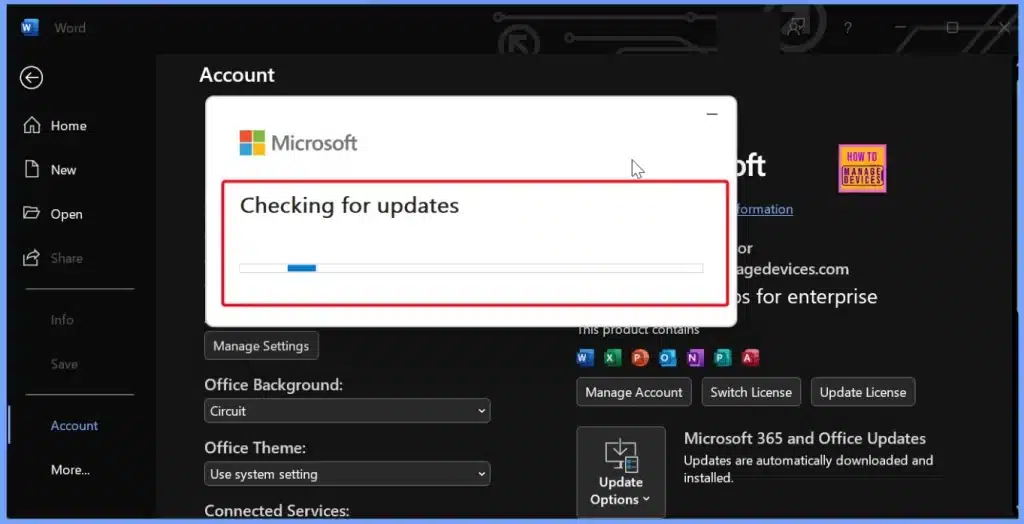
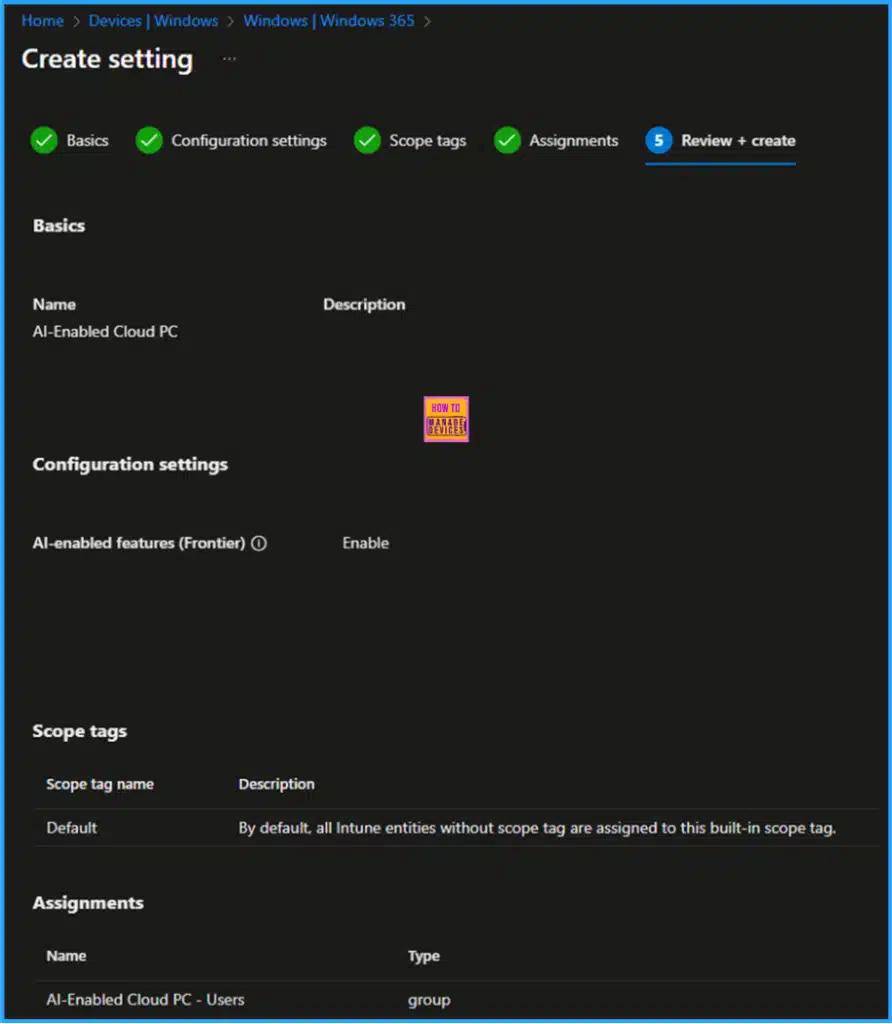
🎯How to Configure AI-Enabled Features for Windows 365 Cloud PCs
https://www.anoopcnair.com/ai-enabled-features-for-windows-365-cloud-pcs/
💡Prerequisites for Enabling Frontier Preview on Windows 365 Cloud PCs
💡Create a Cloud PC Configuration for AI-Enabled Features in Intune
💡Important Notes
💡End User Experience – Windows App
💡End User Experience – AI-Enabled Windows 365 Cloud PC’s Taskbar
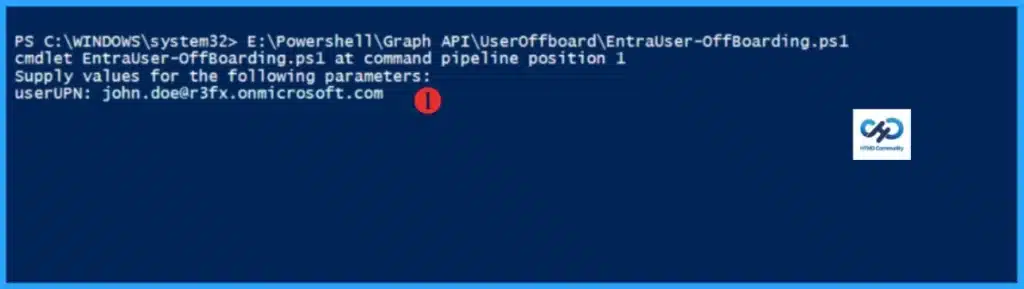
🎆 Automate Microsoft Entra User Offboarding with Microsoft Graph API and PowerShell
https://www.anoopcnair.com/entra-user-offboarding-with-microsoft-graph-api/
🔔How to Strengthen Security Through Automated User Offboarding in Microsoft Entra
🔔Know more about Microsoft Graph API
🔔Permissions Required for User Offboarding Automation
🔔Key Activities Performed by the User Offboarding Automation
🔔PowerShell Script for User Offboarding
🔔End result
Friday 23rd January 2026
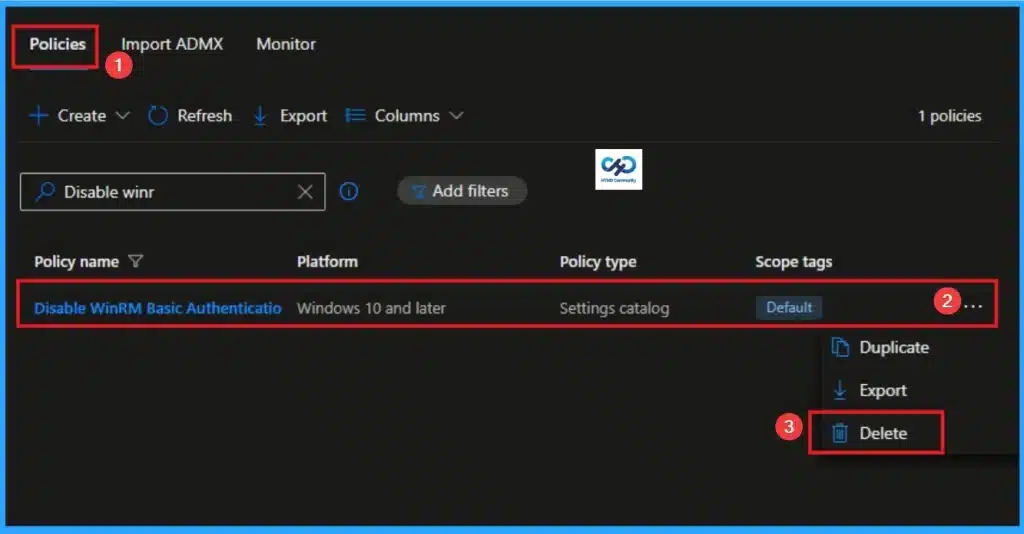
👉How to Disable WinRM Basic Authentication and Achieve Zero-Trust Security using Intune
https://www.anoopcnair.com/disable-winrm-basic-authentication-using-intune/
🔊 WinRM Basic Authentication in Intune
🔊 Helps to Achieve Zero-Trust Security
🔊 Eliminating Legacy Authentication Methods
🔊 How this Policy Helps Admins
🔊 Client Side Verification
🔊 Device Check-in Status
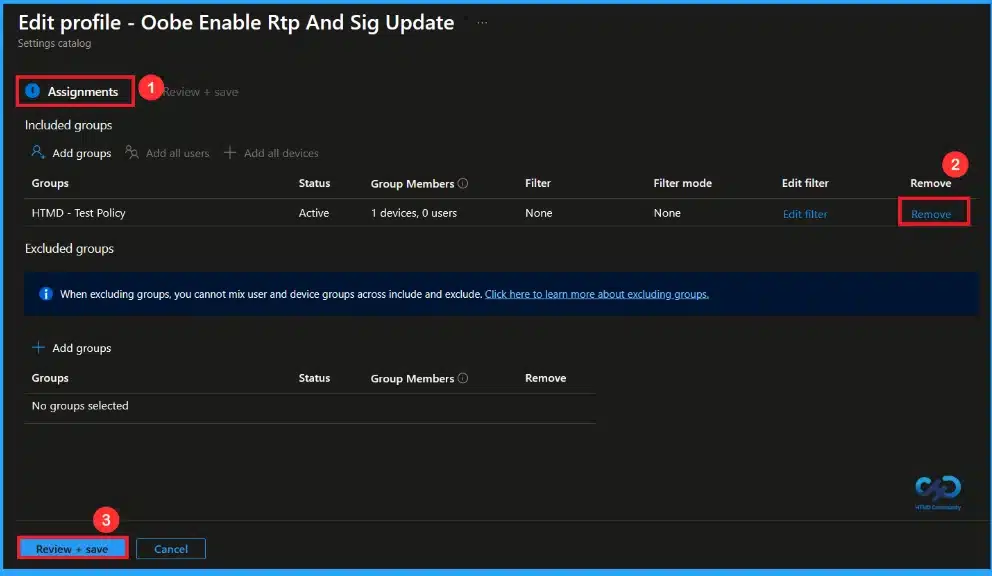
🎆Managing Real Time Protection and Security Updates During Windows OOBE using Intune
https://www.anoopcnair.com/protection-security-windows-oobe-using-intune/
🔔Protects Devices During First Boot and Setup
🔔 Blocks Malware and Threats Before User Sign-in
🔔Reduces Security Risks During Out-of-Box Experience
🔔Ensures Company Security Standards from Day One
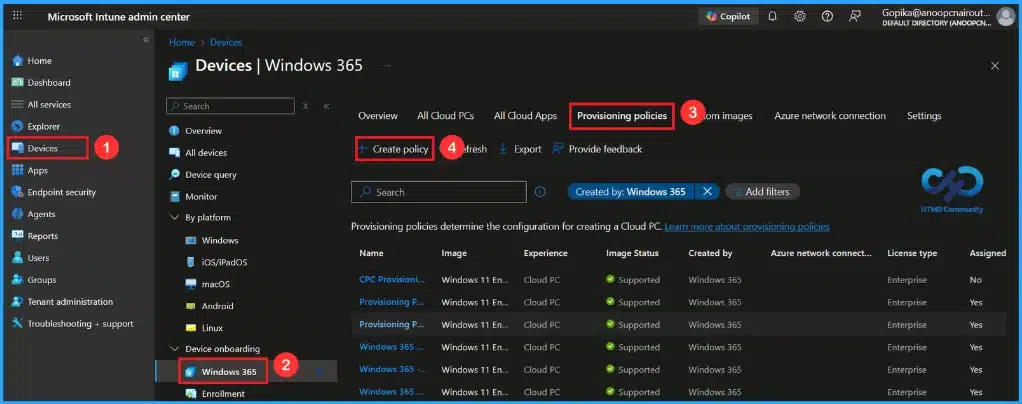
🎆Windows 365 Introduces Three-Tier Region Selection for Smarter Cloud PC Deployment
https://www.anoopcnair.com/windows-365-three-tier-region-cloud-pc/
🔔Automatic Cloud PC Placement Across Selected Regions
🔔Geography-Level Selection for Maximum Resiliency
🔔Region Group Selection to Meet Data Sovereignty Needs
🔔Region-Level Control for Compliance and Performance Requirements
Connect with the HTMD Community
Join the Telegram group to get the latest step-by-step guides and news updates. Join our Meetup Page to participate in User group meetings. Also, join the WhatsApp Community to get the latest news on Microsoft Technologies. We are there on Reddit as well.
HTMD Community Social Media Platform Links
| Social Media Platform | Link |
|---|---|
| LinkedIn: HTMD Community | https://www.linkedin.com/company/how-to-manage-devices/ |
| Telegram: SCCM Intune Technical Discussions | https://t.me/joinchat/Q9lE6G1_BO_bGq97 |
| Telegram: JOB SCCM Intune Group | https://t.me/joinchat/SIKr3OugR2FQ-Ej9 |
| WhatsApp: HTMD Community | https://chat.whatsapp.com/CeMXHSD61HtDBJwe78IZwV |
| Telegram: AVD/Windows 365 User Group | https://t.me/Inwvdcommunity |
| https://www.facebook.com/HTMDCommunity | |
| https://www.instagram.com/htmd_community/ | |
| https://twitter.com/htmdcommunity | |
| Facebook Group: SCCM | https://www.facebook.com/groups/ConfigMgr2012/ |
| Facebook Group: Intune | https://www.facebook.com/groups/1738789256382744 |

Anoop C Nair is Workplace Technology solution architect with 25+ years (as of 2026) of experience in global enterprise organizations such as JP Morgan, Capgemini, etc. Microsoft Certified Trainer (MCT). Microsoft MVP from 2015 onwards for consecutive 11+ years! He also conducts Intune and modern workplace tech training for enterprise organizations. He is Blogger, Speaker, and Founder of HTMD Community and HTMD Conference. His main focus is on Device Management technologies like Intune, Windows, Cloud PC. He writes about technologies like Intune, SCCM, Windows, Cloud PC, Windows, Entra, Microsoft Security.

Discussion