











228th HTMD Newsletter 12th to 16th January 2026
Welcome to the 228th HTMD Newsletter, 12th to 16th January 2026 ! This is the list of posts and videos the HTMD Community published this week, and news from the IT industry. You can get all the information and details from Windows 11, Cloud PC, Intune, Android, iOS, and Mac.
Previous Weeks Newsletter
- 225th HTMD Newsletter – HTMD Newsletter22nd to 26th December 2025
- 226th HTMD Newsletter – HTMD Newsletter29th December 2025 to 2nd January 2026
- 227th HTMD Newsletter – HTMD Newsletter 5th to 9th December 2025
Monday 12th January 2026
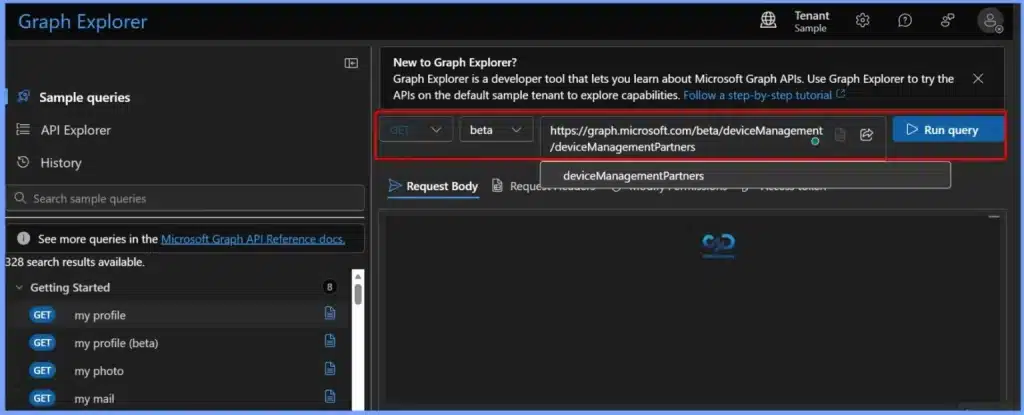
🎆Fix a Stuck Legacy Jamf Connector to Restore New Jamf Intune Integration and Mac Device Sync – https://www.anoopcnair.com/jamf-connector-to-restore-new-jamf-intune/
▶️Overview – Legacy Jamf Connector Issue in Intune
▶️Unsupported Jamf–Intune Legacy Integration
▶️Root Cause – Stuck Legacy Jamf Connector
▶️Connector Stuck and Internal Server Errors
▶️Mac Devices Not Syncing to Intune
▶️Conditional Access and Device Visibility
▶️Moving to the New Supported Jamf–Intune Integration
▶️Why the Issue Persists After Migration
▶️Legacy Connector Blocking the New Integration
▶️Restoring Mac Device Sync in Intune
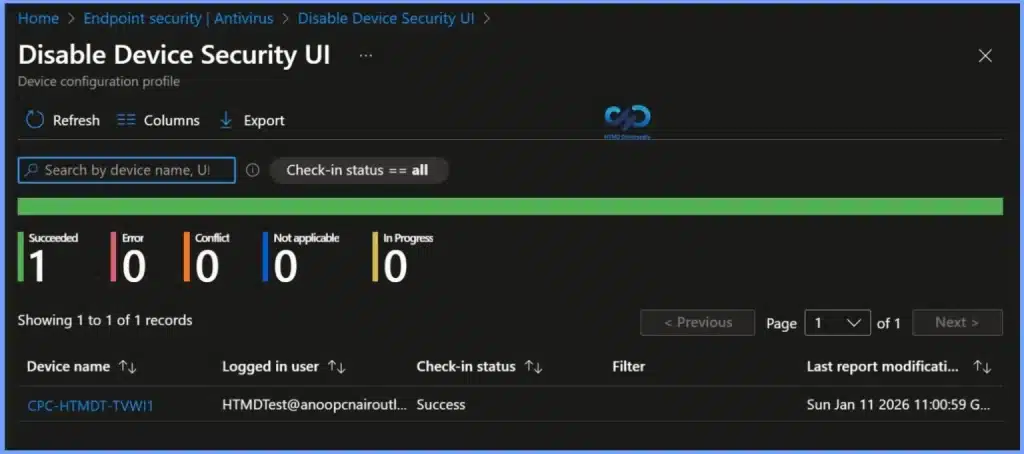
🎆How to Control Device Security Area Visibility in Windows Security using Intune Policy – https://www.anoopcnair.com/control-device-security-area-visibility-intune/
🎉Policy Overview: Control Device Security Area Visibility
🎉Effect of Enabling the Policy
🎉Effect of Disabling or Not Configuring the Policy
🎉Purpose and Benefits
🎉Policy Type and Configuration
🎉Device and User Check-in Status
🎉Cliet Side Verification
🎆How to Enable or Disable Tamper Protection for your Organisation using Microsoft Intune Antivirus Policy
https://www.anoopcnair.com/tamper-protection-for-your-organisation-intune/
🔔What is Tamper Protection?
🔔Requirements for Managing Tamper Protection in Intune
🔔Enable Tamper Protection for your Organization Using Microsoft Intune Antivirus Policy
🔔Monitor Configuration Profile Deployment in Microsoft Intune
🔔Monitor Antivirus Policy Deployment from the Windows Client Side
🔔End User Experience

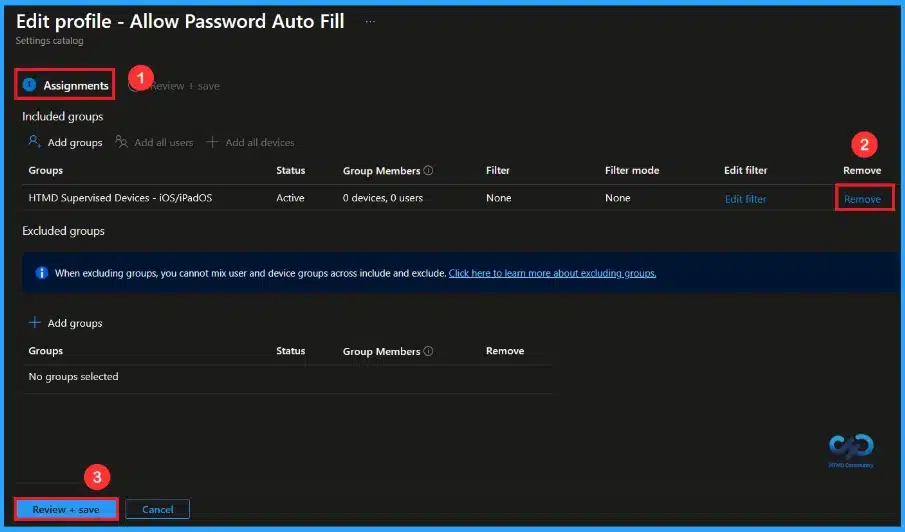
🎆Enhance iOS Security by Disabling AutoFill Passwords using Intune
https://www.anoopcnair.com/ios-security-autofill-passwords-using-intune/
🔔Blocks Password AutoFill to Stop iOS from Automatically Entering Saved Credentials
🔔Prevents Passwords from Being Stored on the Device for Better Security
🔔Applies Only to Organization-Owned, Supervised iOS Devices
🔔Enforced Through Intune so Users Cannot Change the Setting
🔔Reduces the Risk of Unauthorized Access on Shared or Lost Devices
🔔Device and User Check-in Status
Tuesday 13th January 2026
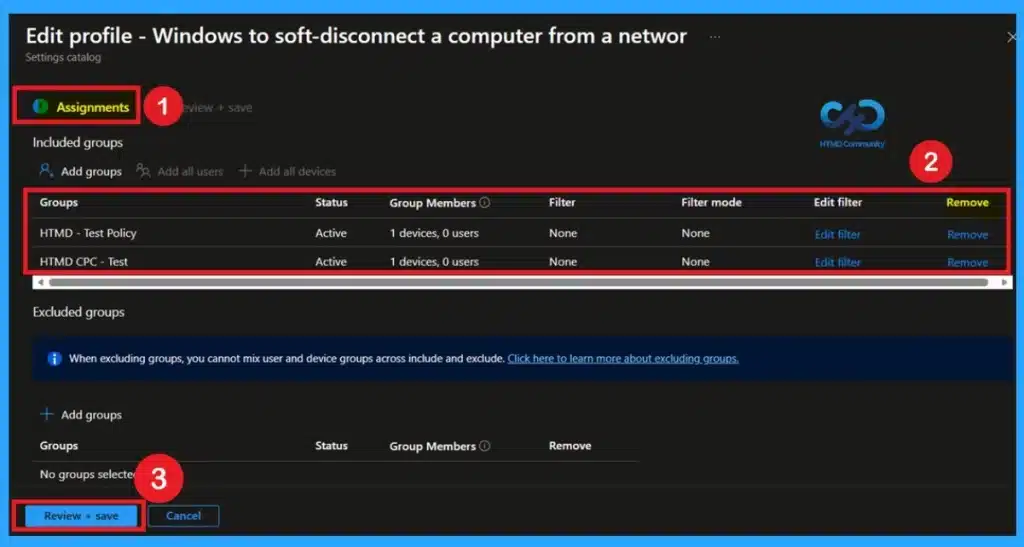
🎆Maintaining Network Stability During Connection Changes using Intune Policy –
https://www.anoopcnair.com/network-stability-connection-changes-intune/
🔊Configure Soft Disconnect Behavior in Windows Using Intune
🔊What This Policy Controls
🔊Why Manage Network Disconnections Centrally
🔊Security and Compliance Benefits
🔊Improved Stability for Users and Applications
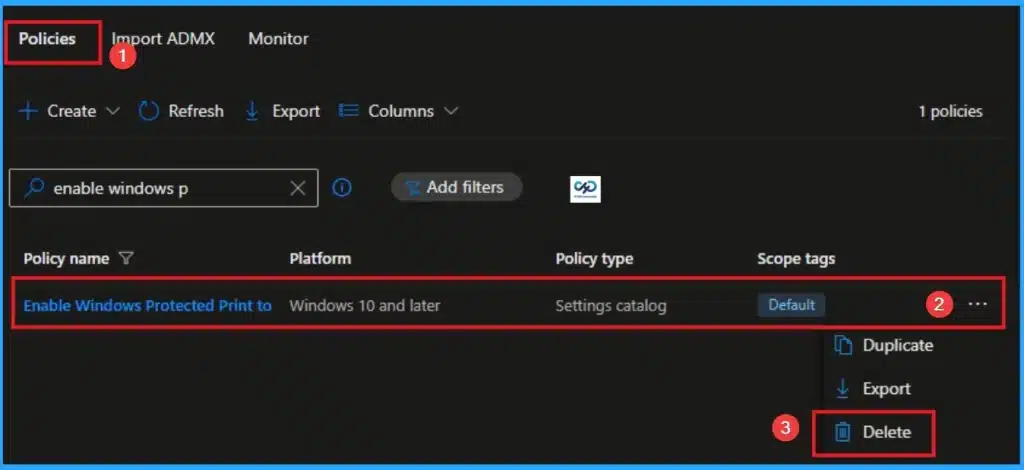
👉How to Enable Windows Protected Print to Eliminate Print Vulnerabilities using Intune
https://www.anoopcnair.com/windows-protected-print-eliminate-using-intune/
🔊 Windows Protected Print Policy in Intune
🔊 Helps to Eliminate Print Vulnerabilities
🔊 Enables Advanced Hardware-Based Protections
🔊 How this Policy Helps Admins
🔊 Client Side Verification
🔊 Device Check-in Status
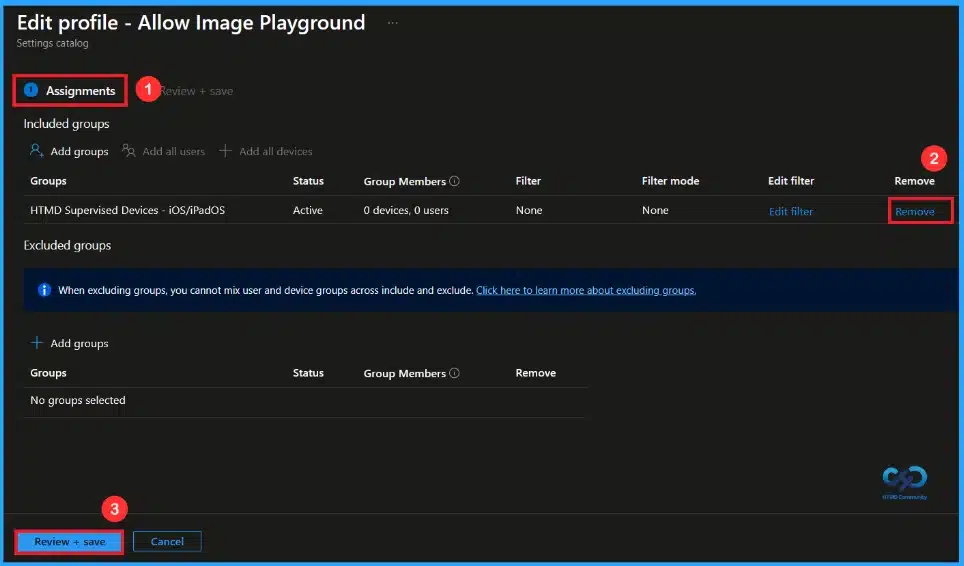
🎆Restrict Image Generation on iOS Devices using Intune
https://www.anoopcnair.com/image-generation-on-ios-devices-using-intune/
🔔Blocks AI Image Generation on Managed iOS Devices to Prevent Misuse
🔔Works Only on Supervised Devices for Stronger Control and Enforcement
🔔Improves Security and Compliance by Limiting Advanced AI Features
🔔Managed Through Intune, Making it Easy for Admins to Deploy and Monitor
🔔Device and User Check-in Status
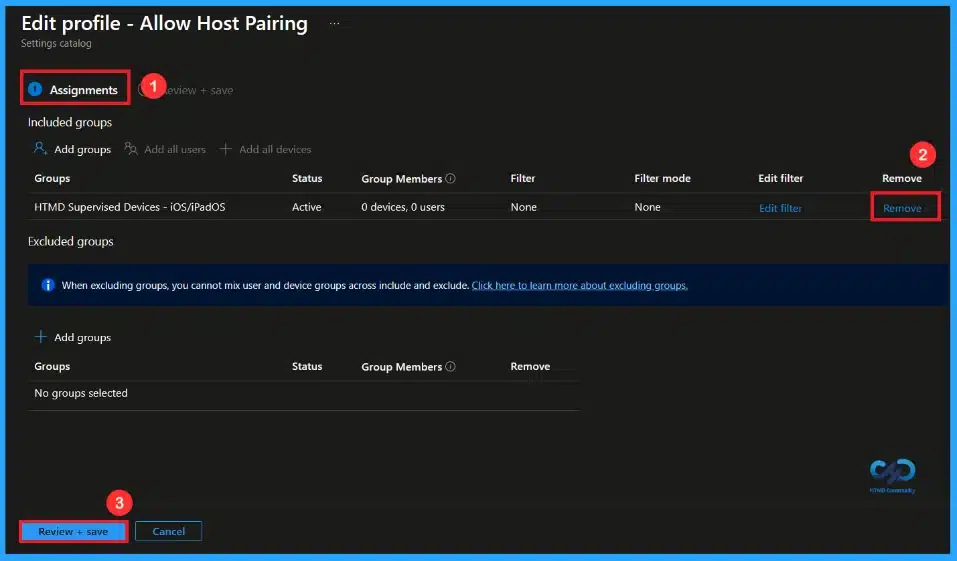
🎆Restrict Host Pairing for Better iOS Device Security using Intune
https://www.anoopcnair.com/host-pairing-ios-device-security-using-intune/
🔔Allows the iOS Device to Pair Only with the Supervision Host Computer
🔔Blocks Pairing with Personal or Unknown Computers
🔔Protects Company Data from Unauthorized Access
🔔Works Only on Supervised iOS Devices and Cannot be Changed by Users
🔔Device and User Check-in Status
Wednesday 14th January 2026
📌2026 January KB5074109 KB5073455 Windows 11 Patch | 3 Zero Day Vulnerabilities and 114 Flaws – https://www.anoopcnair.com/2026-january-kb5074109-kb5073455-windows-11/
💡3 Zero-Day Vulnerabilities and 114 Flaws
💡New Improvements and Features with January Patch
💡Issues Fixed with Windows 11 January Patch
💡January Patches Direct Download Link

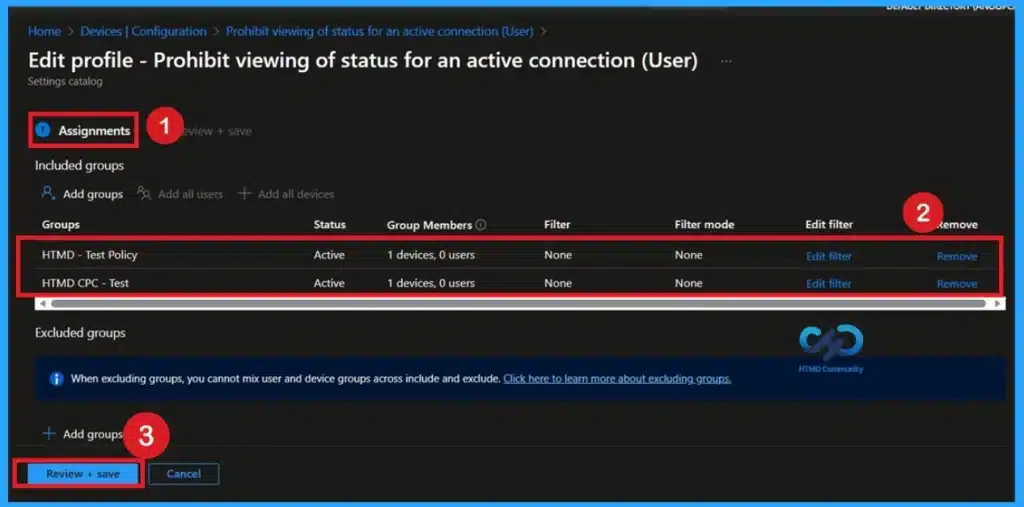
🎆Managing Network Visibility by Disabling User Access to Connection Status using Intune Policy
https://www.anoopcnair.com/network-visibility-disabling-user-access-intune/
🔔Blocks Users from Viewing and Controlling Network Connection Status
🔔Stops Users from Disconnecting or Altering active Connections
🔔Enforces Strict IT Control Over Network Behavior
🔔Reduces Security Risks Caused by User Actions
🔔Supports Centralized Management in Enterprise Environments
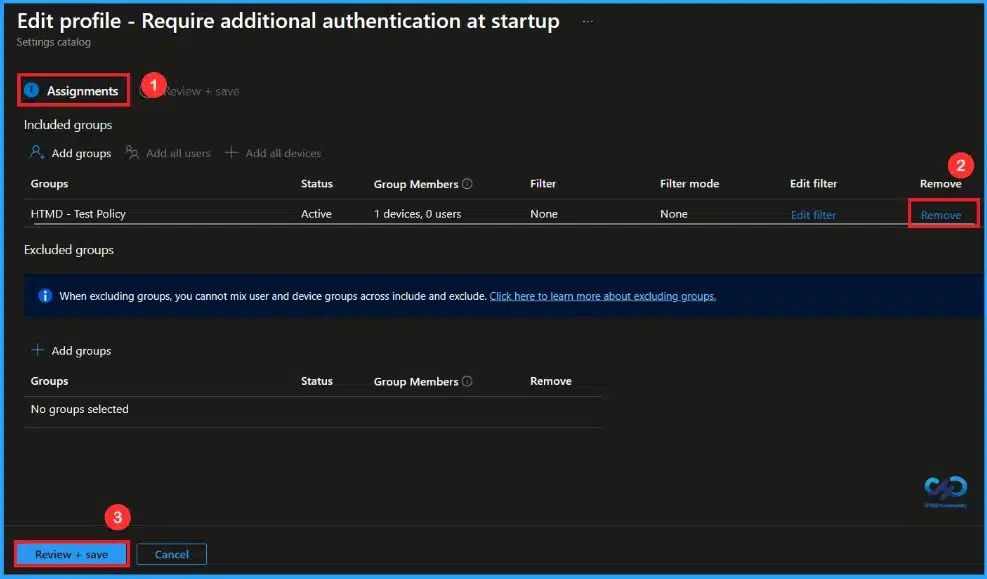
🎆Secure Windows Devices with BitLocker Startup Authentication using Intune
https://www.anoopcnair.com/bitlocker-startup-authentication-using-intune/
🔔This Policy Helps Protect Data Before Windows Starts.
🔔The Policy Provides Strong Startup Authentication.
🔔BitLocker Encryption Helps Prevent Unauthorized Access.
🔔Intune Management Provides Centralized Control.
🔔Device and User Check-in Status
Thursay 15th January 2026
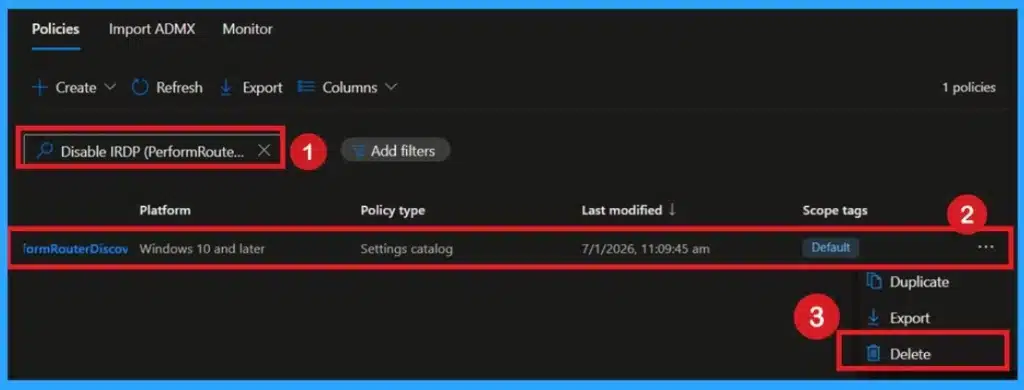
🎆Disabling Internet Router Discovery for Better Network Safety using Intune Policy
https://www.anoopcnair.com/disabling-internet-router-discovery-intune/
🔔Prevents Hackers from Masquerading as Routers on the Network
🔔Eliminates the Outdated Internet Router Discovery Protocol (IRDP)
🔔Ensures Gateway Settings Are Fully Controlled by IT Admins
🔔Boosts Network Reliability Without Affecting End-User Experience
🔔Meets CIS Level 2 Security Compliance Standards
👉Require Domain users to Elevate when Setting Network’s Location using Intune
https://www.anoopcnair.com/domain-users-to-elevate-when-setting-intune/
🔊 Require Domain users to Elevate when Setting Network’s Location
🔊 Helps to Prevent Unauthorized or Accidental Changes to Network Profiles
🔊 Useful in Enterprise Environments
🔊 How this Policy Helps Admins
🔊 Client Side Verification
🔊 Device Check-in Status
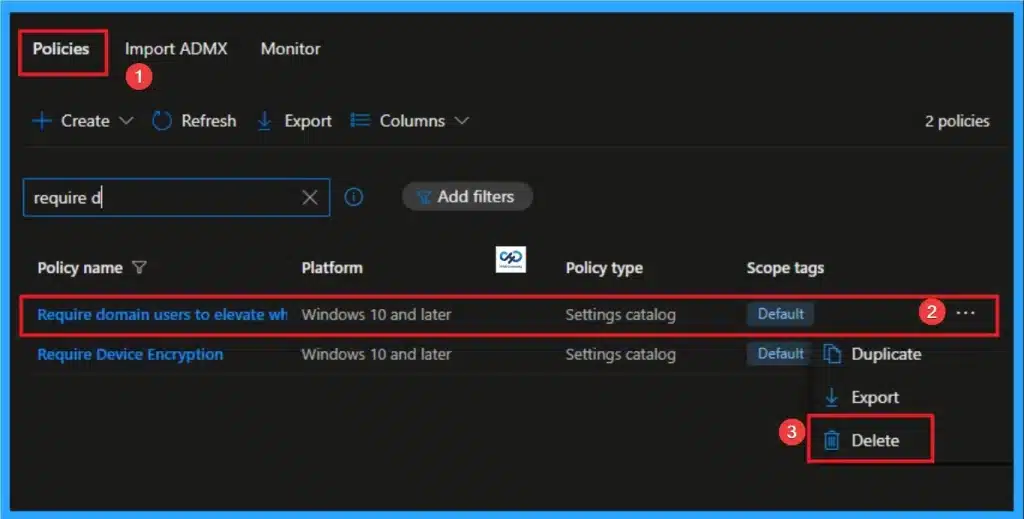
🎆How to Manage Today View on the iOS Lock Screen using Intune
https://www.anoopcnair.com/manage-today-view-ios-lock-screen-using-intune/
🔔Controls Whether Today View Widgets are Shown on the Lock Screen
🔔Prevents Data Exposure When the Device is Locked
🔔Works on Supervised and User-Enrolled iOS Devices
🔔Enforced Centrally through Intune for Consistent Security
🔔Device and User Check-in Status
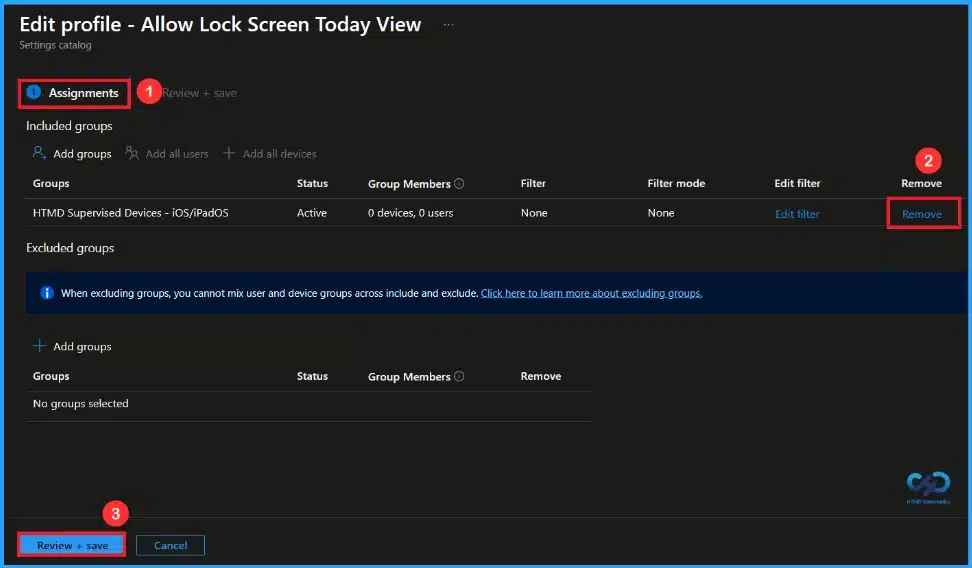
Friday 15th January 2026
🎆Improving Windows Application Security by Controlling DLL Search Order using Intune Policy
https://www.anoopcnair.com/security-by-controlling-dll-search-order-intune/
🔔Enable Safe DLL Policy in Intune
🔔Saves Disk Space and Improves System Efficiency
🔔How this Policy Helps Organizations
🔔Monitoring Status of Safe DLL Policy
🔔Client Side Verification
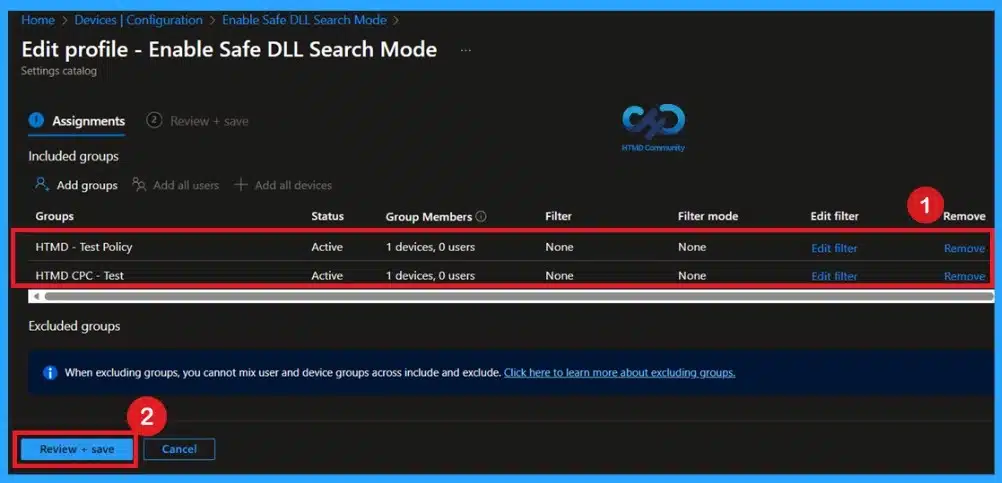
👉How to Enable LLTD Responder for Network Diagnostics using Intune
https://www.anoopcnair.com/lltd-responder-for-network-diagnostics-intune/
🔊 Enable LLTD Responder Policy in Intune
🔊 Helps to Better Visibility for Troubleshooting Connectivity Issues
🔊 Useful in Enterprise Environments
🔊 How this Policy Helps Admins
🔊 Client Side Verification
🔊 Device Check-in Status
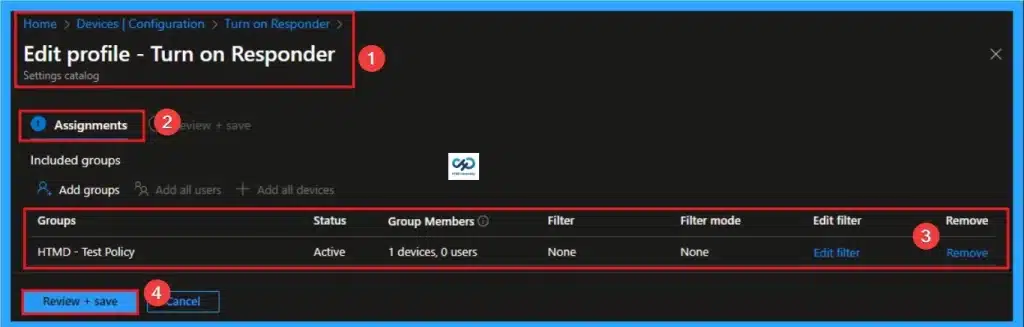
🎆How to Disable Siri When the Device Is Locked on iOS using Intune
https://www.anoopcnair.com/disable-siri-device-locked-ios-using-intune/
🔔Prevents Siri Access When the Device is Locked
🔔Allows Siri Only After the Device is Unlocked
🔔Applies Only if a Passcode is Configured
🔔Supported on Supervised and User-enrolled iOS Devices
🔔Device and User Check-in Status
Connect with the HTMD Community
Join the Telegram group to get the latest step-by-step guides and news updates. Join our Meetup Page to participate in User group meetings. Also, join the WhatsApp Community to get the latest news on Microsoft Technologies. We are there on Reddit as well.
HTMD Community Social Media Platform Links
| Social Media Platform | Link |
|---|---|
| LinkedIn: HTMD Community | https://www.linkedin.com/company/how-to-manage-devices/ |
| Telegram: SCCM Intune Technical Discussions | https://t.me/joinchat/Q9lE6G1_BO_bGq97 |
| Telegram: JOB SCCM Intune Group | https://t.me/joinchat/SIKr3OugR2FQ-Ej9 |
| WhatsApp: HTMD Community | https://chat.whatsapp.com/CeMXHSD61HtDBJwe78IZwV |
| Telegram: AVD/Windows 365 User Group | https://t.me/Inwvdcommunity |
| https://www.facebook.com/HTMDCommunity | |
| https://www.instagram.com/htmd_community/ | |
| https://twitter.com/htmdcommunity | |
| Facebook Group: SCCM | https://www.facebook.com/groups/ConfigMgr2012/ |
| Facebook Group: Intune | https://www.facebook.com/groups/1738789256382744 |

Anoop C Nair is Workplace Technology solution architect with 25+ years (as of 2026) of experience in global enterprise organizations such as JP Morgan, Capgemini, etc. Microsoft Certified Trainer (MCT). Microsoft MVP from 2015 onwards for consecutive 11+ years! He also conducts Intune and modern workplace tech training for enterprise organizations. He is Blogger, Speaker, and Founder of HTMD Community and HTMD Conference. His main focus is on Device Management technologies like Intune, Windows, Cloud PC. He writes about technologies like Intune, SCCM, Windows, Cloud PC, Windows, Entra, Microsoft Security.

Discussion