











225th HTMD Newsletter 22nd to 26th December 2025
Welcome to the 225th HTMD Newsletter,22nd to 26th December 2025! This is the list of posts and videos the HTMD Community published this week, and news from the IT industry. You can get all the information and details from Windows 11, Cloud PC, Intune, Android, iOS, and Mac.
Previous Weeks Newsletter
- 222nd HTMD Newsletter – HTMD Newsletter 1st to 5th December 2025
- 223rd HTMD Newsletter – HTMD Newsletter 8th to 12th December 2025
- 224th HTMD Newsletter – HTMD Newsletter 15th to 19th December 2025
Monday 22nd December 2025
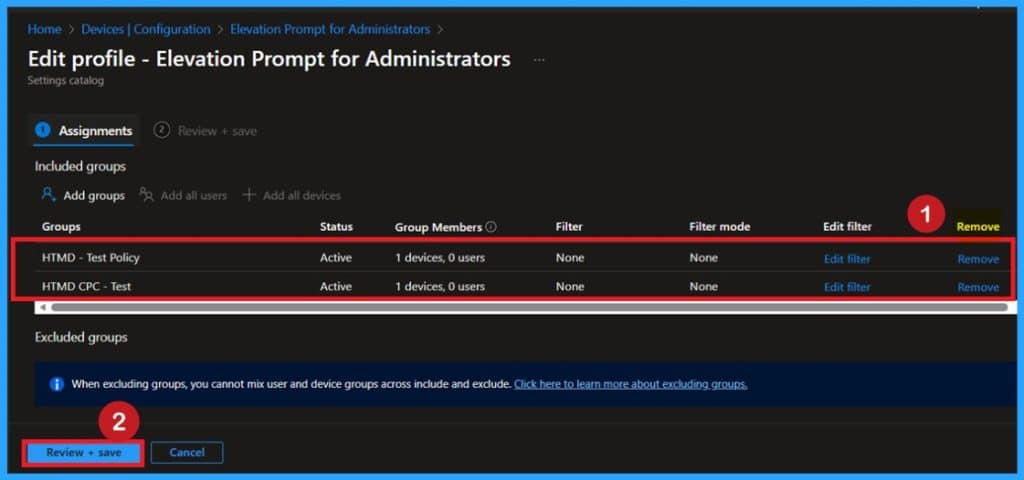
🎯Enhancing System Security by Configuring UAC Elevation Prompts using Intune policy
https://www.anoopcnair.com/system-security-uac-elevation-prompts-intune/
🔥Ensures Clear Approval for Administrator Privileges
🔥Stops Programs from Running with Elevated Rights Unnoticed
🔥Secure Desktop Prompts Prevent Malicious Interference
🔥Makes All Administrative Actions Visible and Controlled
🔥Applied via Intune Security Options Configuration Profile
🔥Easily Tested, Monitored, and Enforced Across Devices
Tuesday 23rd December 2025
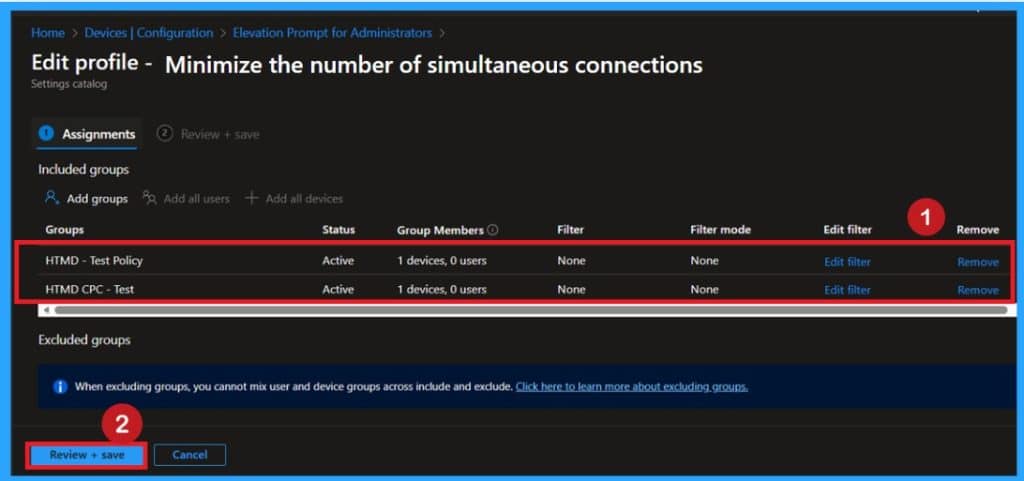
🎯Improving Network Protection with the Minimize Simultaneous Connections Policy in Intune
https://www.anoopcnair.com/simultaneous-connections-secure-network-intune/
🔥Prevents Devices from Using Multiple Network Connections at Once
🔥Reduces Hidden Risks from Wi‑Fi and Cable Connections Running Together
🔥Ensures Safer, More Stable Internet Access for Enterprise Assets
🔥Stops Automatic Wi‑Fi Switching When a Secure Cable Is Plugged In
🔥Simplifies Connectivity Rules Without Impacting User Productivity
🔥Applied via Intune Configuration Profile for Consistent Enforcement Across Devices
Wednesday 24th December 2025
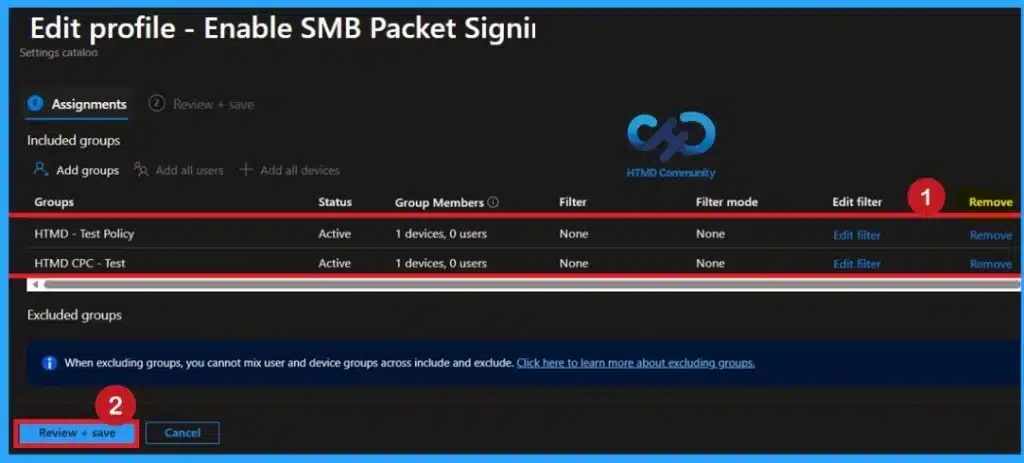
🎯Securing SMB Communication with Intune Using Digitally Sign Communications Policy
https://www.anoopcnair.com/securing-smb-communication-with-intune-using/
🔥Forces SMB Connections to Use Digital Signing
🔥Prevents Unauthorized Access to Shared Files, Folders, and Printers
🔥Stops Data Tampering by Rejecting Untrusted or Altered Messages
🔥Ensures Secure File and Printer Sharing Across Enterprise Networks
🔥Applied via Intune Security Options Configuration Profile
🔥Automatically Protects All Assigned Windows Devices
Thursday 25th December 2025
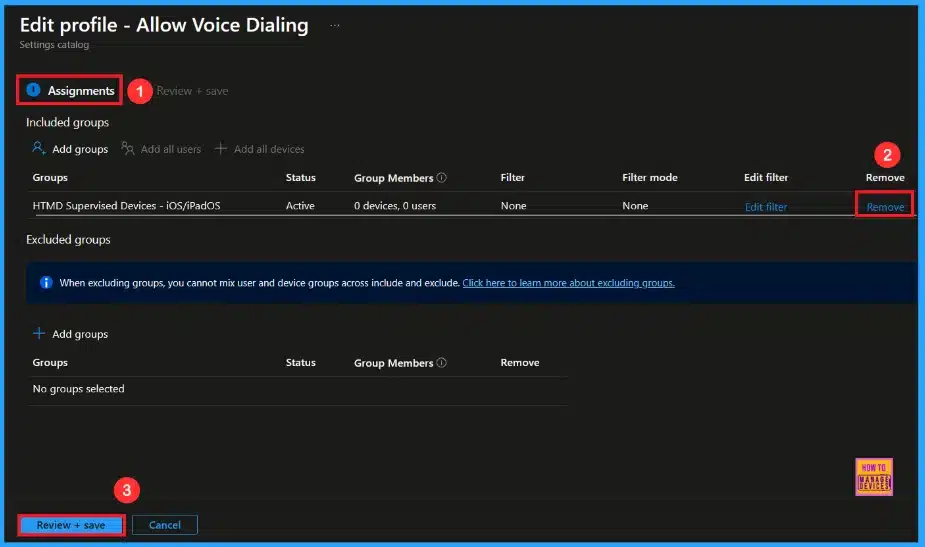
🎯Secure iOS Devices by Blocking Call Initiation using Intune
https://www.anoopcnair.com/secure-ios-devices-call-initiation-using-intune/
🔥Enable Voice Dialing Policy
🔥Avoid Accidental Calls from the Lock Screen on iOS Device
🔥Keeps Communication Controlled and Secure
🔥How this Policy helps Admins
🔥Device Check-in Status
🔥Client Side Verification
Friday 26th December 2025
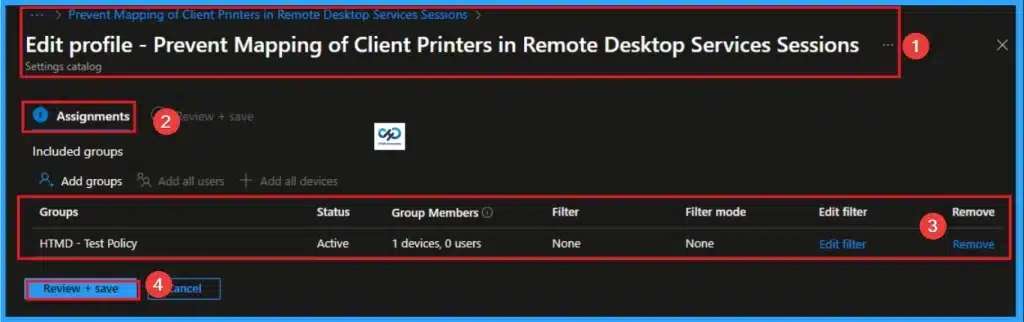
👉How to Prevent Mapping of Client Printers in Remote Desktop Services Sessions using Intune
https://www.anoopcnair.com/mapping-of-client-printers-in-remote-intune/
🔊 Prevent Mapping of Client Printers
🔊 Centralized Printing Solution
🔊 Allowing Access to the Remote Desktop Environment
🔊 How this Policy Helps Admins
🔊 Client Side Verification
🔊 Device Check-in Status
Connect with the HTMD Community
Join the Telegram group to get the latest step-by-step guides and news updates. Join our Meetup Page to participate in User group meetings. Also, join the WhatsApp Community to get the latest news on Microsoft Technologies. We are there on Reddit as well.
HTMD Community Social Media Platform Links
| Social Media Platform | Link |
|---|---|
| LinkedIn: HTMD Community | https://www.linkedin.com/company/how-to-manage-devices/ |
| Telegram: SCCM Intune Technical Discussions | https://t.me/joinchat/Q9lE6G1_BO_bGq97 |
| Telegram: JOB SCCM Intune Group | https://t.me/joinchat/SIKr3OugR2FQ-Ej9 |
| WhatsApp: HTMD Community | https://chat.whatsapp.com/CeMXHSD61HtDBJwe78IZwV |
| Telegram: AVD/Windows 365 User Group | https://t.me/Inwvdcommunity |
| https://www.facebook.com/HTMDCommunity | |
| https://www.instagram.com/htmd_community/ | |
| https://twitter.com/htmdcommunity | |
| Facebook Group: SCCM | https://www.facebook.com/groups/ConfigMgr2012/ |
| Facebook Group: Intune | https://www.facebook.com/groups/1738789256382744 |

Anoop C Nair is Workplace Technology solution architect with 25+ years (as of 2026) of experience in global enterprise organizations such as JP Morgan, Capgemini, etc. Microsoft Certified Trainer (MCT). Microsoft MVP from 2015 onwards for consecutive 11+ years! He also conducts Intune and modern workplace tech training for enterprise organizations. He is Blogger, Speaker, and Founder of HTMD Community and HTMD Conference. His main focus is on Device Management technologies like Intune, Windows, Cloud PC. He writes about technologies like Intune, SCCM, Windows, Cloud PC, Windows, Entra, Microsoft Security.

Discussion