











223rd HTMD Newsletter 8th to 12th December 2025
Welcome to the 223rd HTMD Newsletter,8th to 12th December 2025! This is the list of posts and videos the HTMD Community published this week, and news from the IT industry. You can get all the information and details from Windows 11, Cloud PC, Intune, Android, iOS, and Mac.
Previous Weeks Newsletter
- 220th HTMD Newsletter – HTMD Newsletter 17th to 21st November 2025
- 221st HTMD Newsletter – HTMD Newsletter 24th to 28th November 2025
- 222nd HTMD Newsletter – HTMD Newsletter 1st to 5th December 2025
Monday 8th December 2025
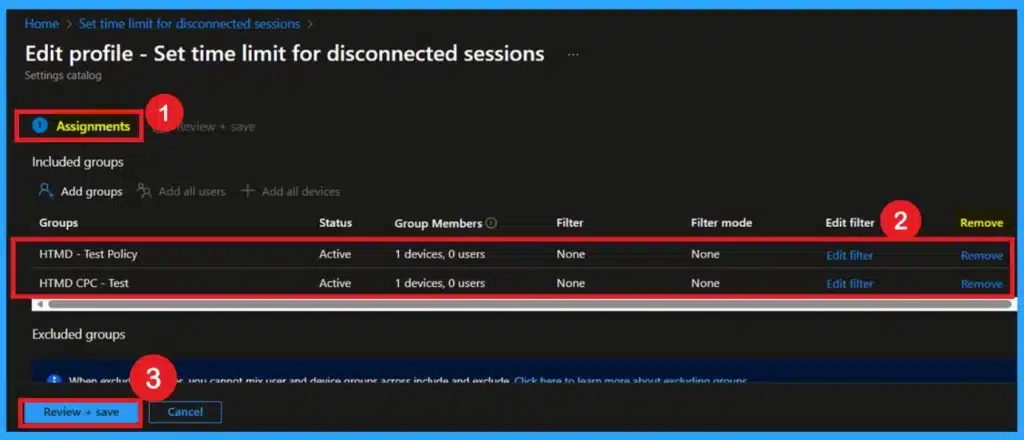
👉 Managing Disconnected Remote Desktop Sessions for Security and Resource Optimization
https://www.anoopcnair.com/disconnected-remote-desktop-for-security-intune/
🔊Disconnected Remote Desktop Sessions Can Drain CPU and Memory Resources
🔊Idle Sessions May Cause Server Instability and Performance Issues Over Time
🔊Old Credentials in Disconnected Sessions Can Lead to Account Lockouts
🔊Unattended Sessions Create Potential Security Risks if Misused
🔊Intune Policy Helps Automatically Remove Stale Disconnected Sessions
🔊Keeps Systems Clean and Resources Available for Active Users
🔊Supports Remote Workforces by Enforcing Session Management Rules
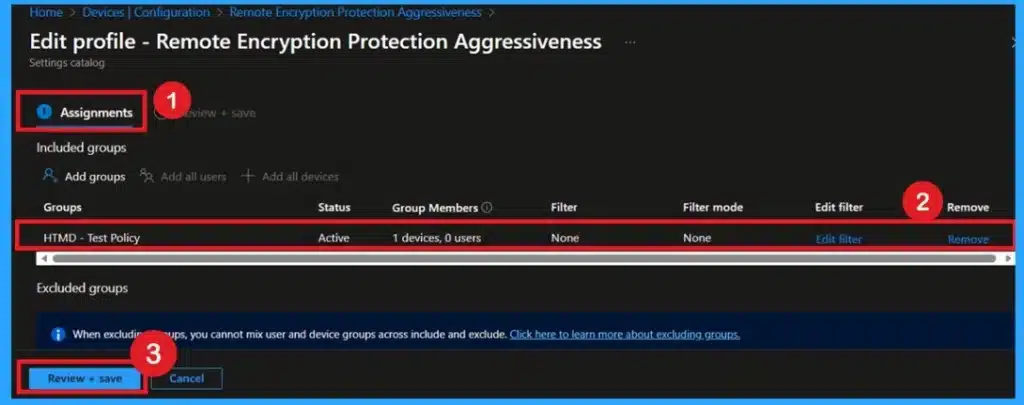
👉Improve Device Security and Reduce Malicious IP Access with Remote Encryption Protection Aggressiveness Policy using Intune
https://www.anoopcnair.com/ip-access-remote-encryption-protection-intune/
🔊Works Silently in the Background to Block Harmful Connections
🔊Uses Microsoft Defender Intelligence to Judge Risky IP Addresses
🔊Medium Level Blocks When Confidence is Above 99%
🔊High Level Blocks When Confidence is Above 90%
🔊Balances Strong Protection with Smooth User Experience
🔊Organizations Commonly Choose Medium or High for Safer Operations
🔊Policy Reduces Chances of Users Reaching Malicious Websites or IPs
🔊Critical for Building a Zero Trust Security Environment
👉How to Enable Zero Trust macOS Management with Intune Platform SSO and Cloud Managed Admin Passwords – https://www.anoopcnair.com/enable-zero-trust-macos-management-with-intune/
🎉Creating the Enrollment Profile in Intune
🎉Enabling Restrictions and Prefilling Account Information
🎉Enabling Platform SSO and Passwordless Login
🎉Single Sign-On (SSO) for macOS
🎉Seamless Enrollment with Platform SSO
🎉Accessing Apps with Single Sign-On
🎉Verifying User Page Visibility
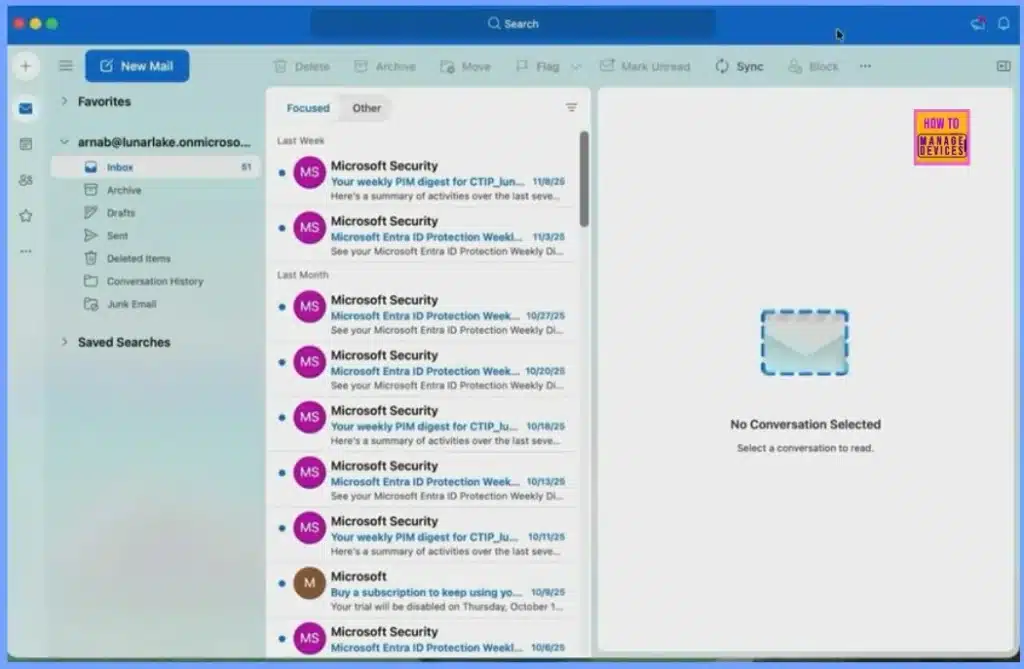
🎉Quick Access to Outlook with SSO
🎉Centralized Management of Recovery and Admin Passwords
🎆Control App Suggestions for Unknown File Types in Windows using Intune – https://www.anoopcnair.com/app-suggestion-unknown-file-window-using-intune/
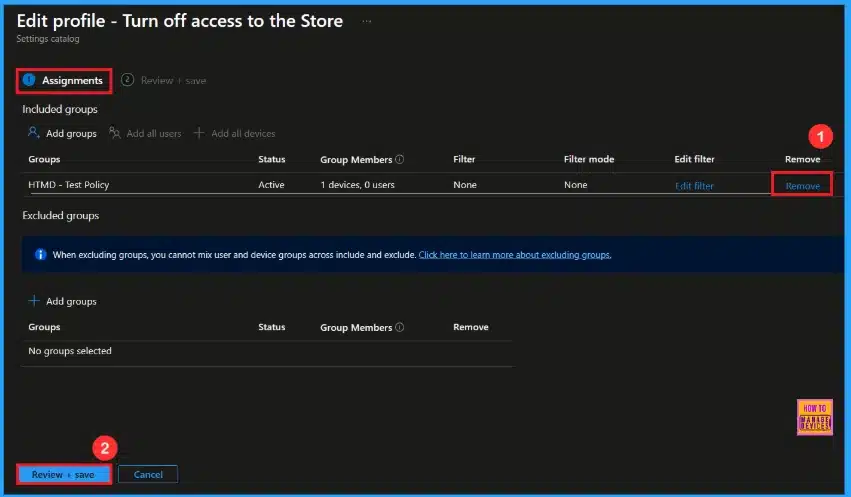
🔔Prevents Users from Installing Untrusted Apps from the Store
🔔Helps Maintain Strict Software Compliance and Licensing Rules
🔔Reduces Malware and Security Risks from Unknown Sources
🔔Keeps Devices More Stable by Limiting Unnecessary App Installations
🔔Device and User Check-in Status
Tuesday 9th December 2025
👉 Protecting Sensitive System Memory by Configuring Debug Programs using Intune Policy
https://www.anoopcnair.com/system-memory-configuring-debug-programs-intune/
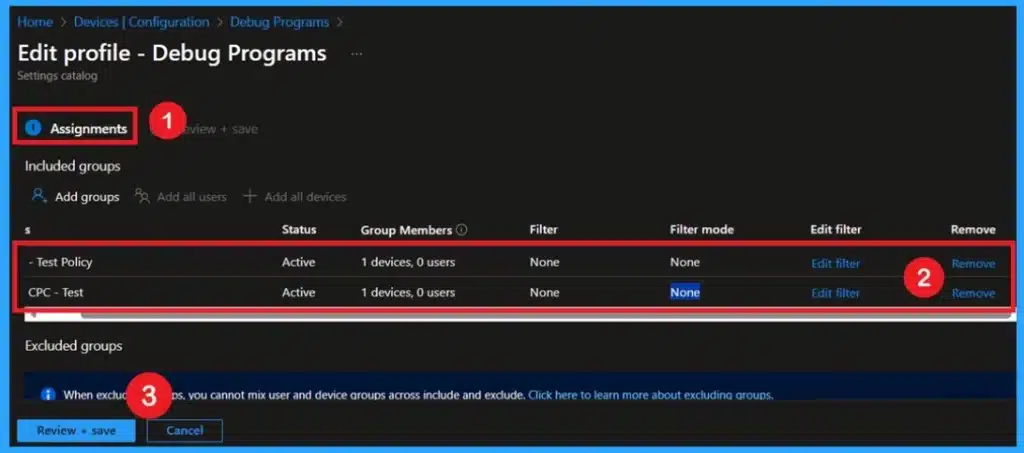
🔊Restricts Debugging Rights to Only Trusted Administrators
🔊Prevents Unnecessary Exposure of Sensitive System Areas
🔊Most Users and Developers Do Not Need System-Level Debugging
🔊Limits Risk of Unauthorized Access to Memory and Processes
🔊Protects Credentials, Tokens, and Private Data in Running Processes
🔊Reduces Chances of Data Leakage or Misuse
🔊Keeps the Environment More Stable and Secure
🔊Critical for Strengthening Zero Trust Security in Organizations
👉 Blocking User Access to Spotlight Personalization Features using Intune Policy
https://www.anoopcnair.com/spotlight-personalization-features-using-intune/
🔊Controls Windows Spotlight Collection That Downloads Daily Images
🔊Appears Harmless on Personal Devices but Risky in Enterprises
🔊Spotlight Communicates with Microsoft Servers for Images
🔊Data Exchange May Include Telemetry, Usage Stats, and Behavioral Information
🔊Disabling Spotlight Limits Unnecessary External Communication
🔊Helps Reduce Privacy, Security, and Compliance Risks
🔊Lowers Organizational Attack Surface by Restricting Data Sharing
🔊Aligns with Cybersecurity Best Practices for Safer Operations

👉Enforce Zero-Trust TLS Certificate Enforcement Policies for iOS in Intune – https://www.anoopcnair.com/zero-trust-tls-certificate-ios-in-intune/
🎉Enforce Zero-Trust TLS Certificate Policies for iOS
🎉How the Policy Works
🎉Benefits for IT Administrators
🎉Enhanced Security and Compliance
🎉Basics – Provide Policy Name and Description
🎉Configuration Settings for the Policy
🎉Configure Restrictions Payload on iOS Devices
🎉Allow Untrusted TLS Prompt
🎉Allow Untrusted TLS Prompt – True Setting Explained
🎉Scope Tag of the Settings
🎉Assignments of the Settings
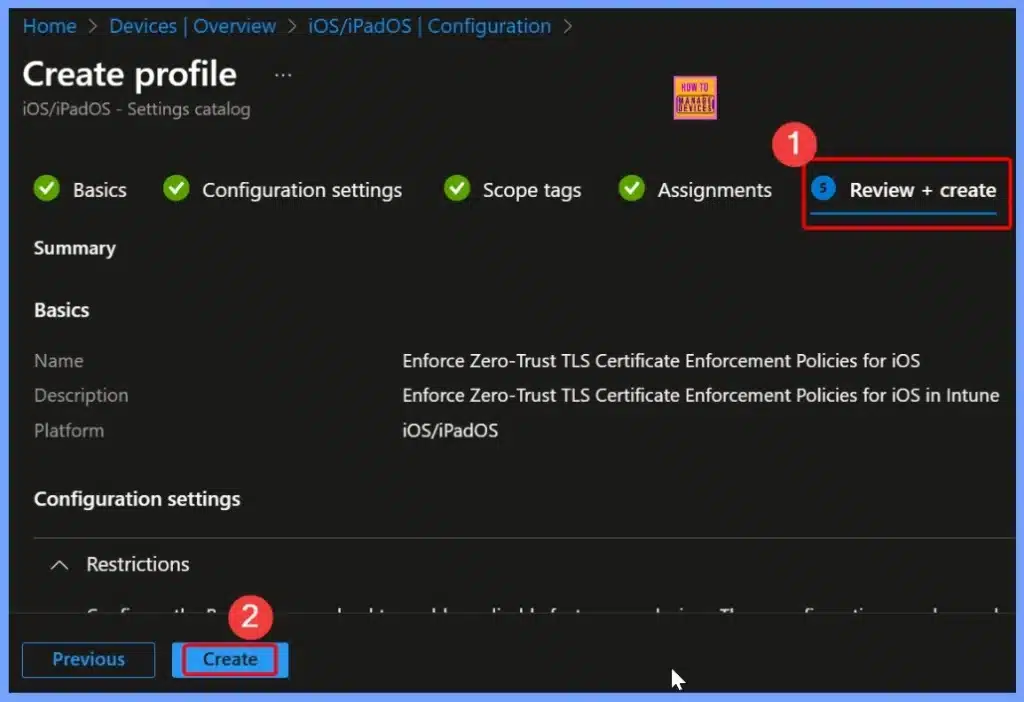
🎉Review and Create the Settings
🎉Device and User Check In Status
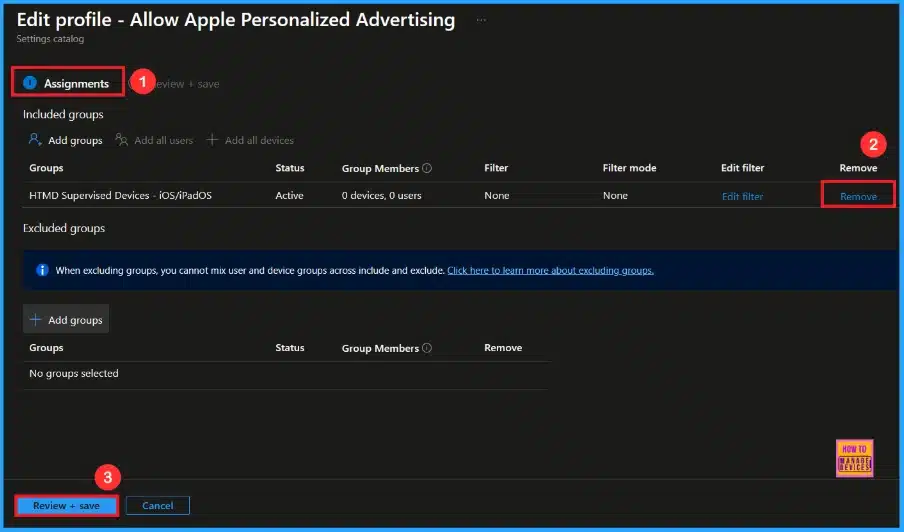
🎆Protecting Apple Users from Personalized Ad Tracking Risks using Intune – https://www.anoopcnair.com/apple-users-ad-tracking-risks-using-intune/
🔔Allow Apple Personalized Advertising
🔔Provides Stronger Security for Supervised Devices by Keeping Sensitive Information Safe
🔔Block Personalized Advertising so User Won’t Receive Ads Based on their Activity
🔔It Provides Stronger Security for Supervised Devices by Keeping Sensitive Information Safe
🔔Device and User Check-in Status
Wednesday 10th December 2025
📌Windows 11 KB5072033 KB5071417 December 2025 Patch and 3 Zero Day Vulnerabilities and 57 Flaws – https://www.anoopcnair.com/windows-11-kb5072033-kb5071417-december-patch/
💡3 Zero-Day Vulnerabilities
💡New Improvements and Features with December Patch
💡Issues Fixed with Windows 11 December Patch
💡December Patches Direct Download Link

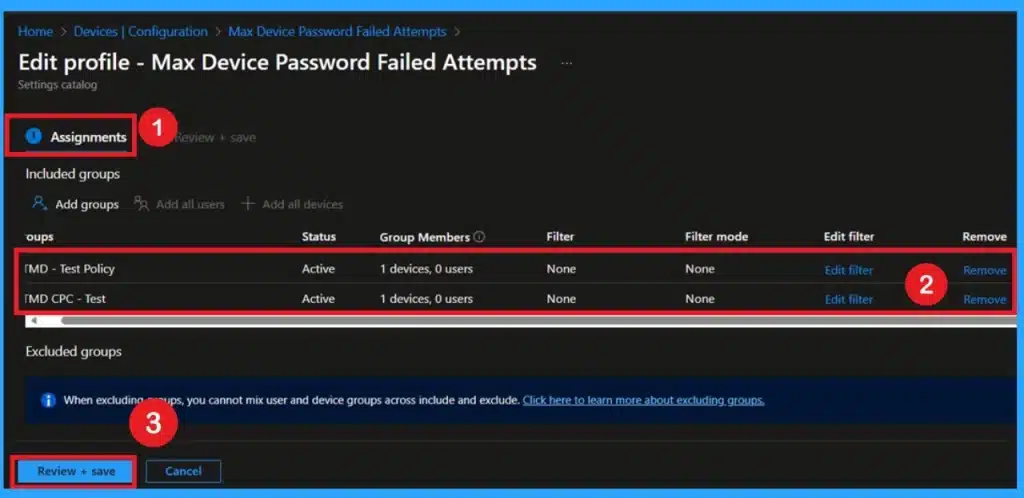
👉 Max Failed Password Attempts Configuration using Intune Policy
https://www.anoopcnair.com/max-failed-password-attempts-configurati-intune/
🔊Defines How Many Wrong Password Attempts Before Device Locks
🔊Prevents Unlimited Guessing of Passwords by Unauthorized Users
🔊Protects Confidential Emails, Stored Passwords, Financial Data
🔊Locks Screen After Five Failed Attempts to Keep Data Safe
🔊Repeated Lockouts Can Indicate Suspicious Activity for IT to Investigate
🔊Provides Early Alerts to Help Prevent Cyber Threats
🔊Balances Security With Usability by Allowing Reasonable Attempts
🔊Encourages Users to Remember Passwords Carefully in Office Environments
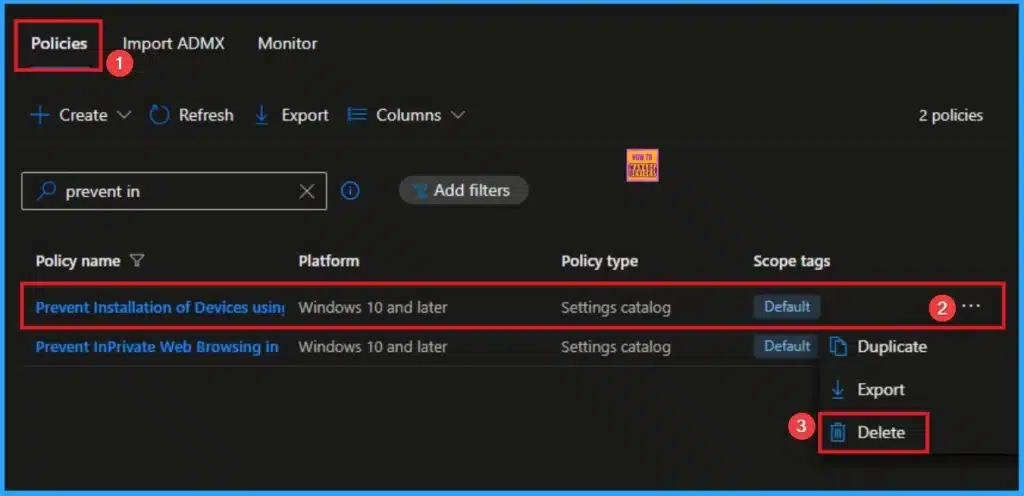
👉Prevent Installation of Devices using Drivers that Match these Device Setup Classes using Intune
https://www.anoopcnair.com/installation-of-devices-using-drivers-intune/
🔊 Prevent Installation of Devices using Drivers
🔊 Critical Component of Device Control
🔊 Enable Data Loss Prevention
🔊 How to Prevent Installation of Devices using Drivers
🔊 How this Policy Helps Users and Admins
🔊 Device and User Check-in Status
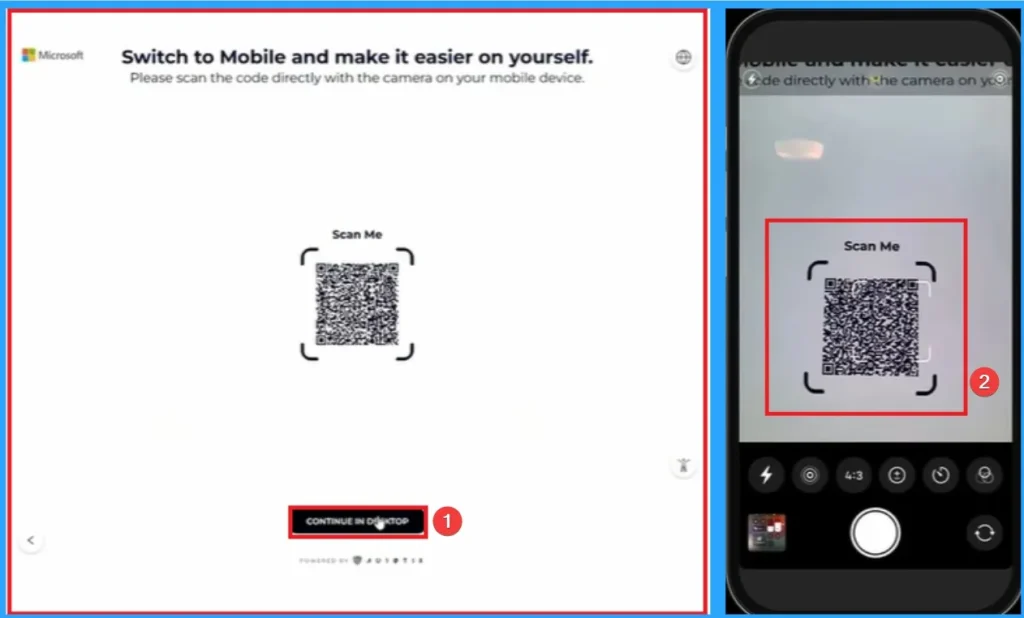
👉Seamless Account Recovery for Passwordless Users in Microsoft Entra Agent
https://www.anoopcnair.com/account-recovery-for-passwordless-users-entra/
🔊 Account Recovery for Passwordless Users
🔊 Safer and Faster Account Recovery
🔊 Entra Account Recovery for Passwordless Users Available in Preview
🔊 How Account Recovery (SSAR) Works in Microsoft Entra ID
🔊 How to Setup Account Recovery
🔊End User Experience of Account Recovery
Thurday 11th December 2025
👉Download the PPTs of HTMD Community Conference 2025 – https://www.anoopcnair.com/download-ppts-of-htmd-community-conference-2025/
🎉The Revolution of Computers in the Age of AI
🎉The Evolution of Modern Windows Management: From OMA-DM to MMP-C:
🎉Dive Into the Future: Exploring the Power of Windows 365 Cloud Apps using Intune
🎉Empowering Mobile Security: Integrating Intune App SDK with Android and iOS Applications
🎉How to configure and manage LAPS on macOS using Intune
🎉Graph the Future: Automating Intune with Power Automate & Microsoft Graph
🎉Securing Azure Virtual Desktop with Intune Defender and Conditional Access
🎉Enterprise App Management- Streamlining app deployment via Intune
🎉Track 2 – Modern Security AI and Cloud Innovation
🎉Build Security Copilot Prompt Book for Microsoft Defender XDR
🎉Securing the Mission: Zero Trust Architecture with Azure for Defense
🎉Revolutionizing IT Management with Intune Copilot
🎉Architecture and Design updates of Windows 365 Cloud PC
🎉Management Capabilities & Reporting of Windows 365 Cloud PC
🎉Buzz about Intune MAM and Secured Enterprise Browsers but Why?
🎉Lets Unveil The Magic Behind Modern Windows Provisioning
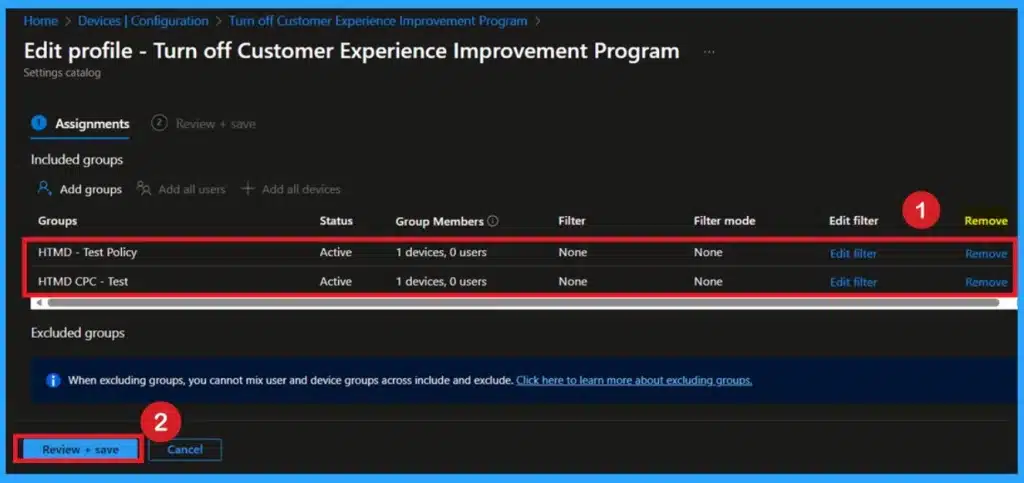
🎆Turn Off Customer Experience Improvement Program to Prevent Enterprise Data Sharing using Intune Policy
https://www.anoopcnair.com/customer-experience-improvement-program-intune/
🔔Stop Windows from Sending Usage & Telemetry Data Outside the Organization
🔔Ensure Compliance with Enterprise Privacy & Regulatory Requirements
🔔Reduce Risk of Behavioral Data Leakage from Managed Devices
🔔Centralized Control via Intune Policy for Thousands of Endpoints
🔔Helps IT Admins Maintain a Strict “No External Data Sharing” Posture
🔔Improves Trust with End Users by Guaranteeing No Activity Tracking Leaves the Network
🔔Supports Security Teams in Audits by Demonstrating Clear Data Governance
🔔Device and User Check-in Status with Intune Policy Enforcement
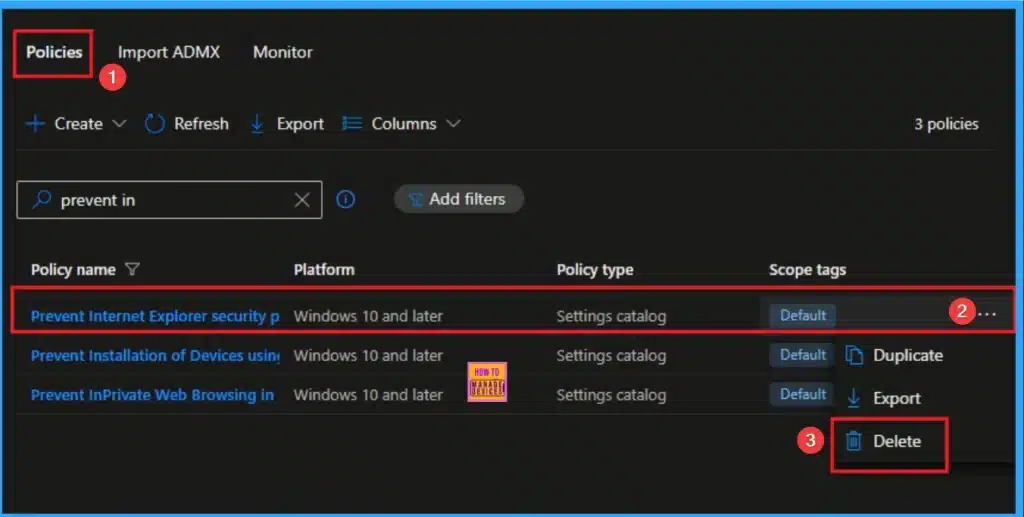
👉Prevent Internet Explorer Security Prompt for Windows Installer Scripts using Intune
https://www.anoopcnair.com/internet-explorer-security-prompt-using-intune/
🔊 Internet Explorer Security Prompt for Windows
🔊 Designed to Control a Security Warning
🔊 ADMX-backed policy
🔊 How this Policy Helps Admins
🔊 Client Side Verification
🔊Device Check-in Status
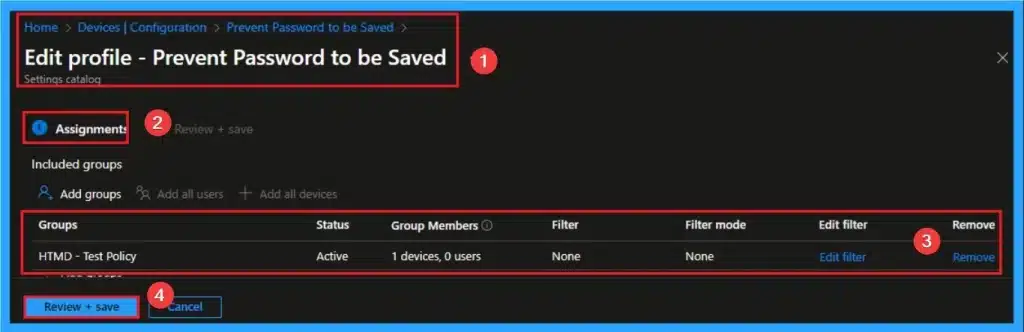
👉Step-by-Step Intune Configuration to Kill RDP Password Saving on All Endpoints
https://www.anoopcnair.com/intune-configuration-kill-rdp-password-saving/
🔊 Kill RDP Password Saving on All Endpoints
🔊 Grayed Out Allow me to Save Credentials CheckBox
🔊 Enables Security Risk Mitigation
🔊 How this Policy Helps Admins
🔊 Client Side Verification
🔊Device Check-in Status
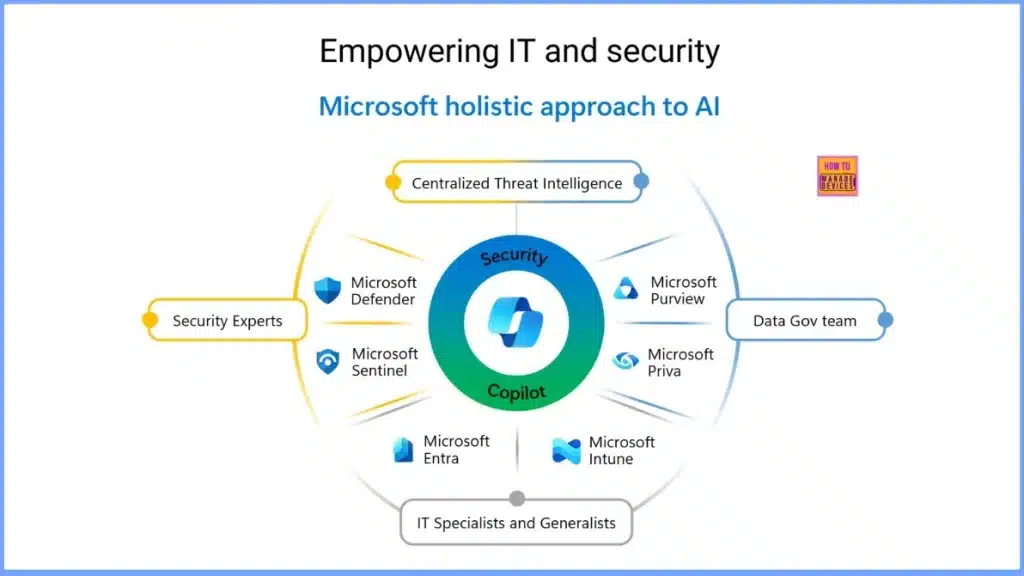
Seamless Provisioning of Windows 365 Cloud PCs for External Identities with Intune https://youtu.be/oZCWdfBg_7o
Unlock the power of cross-tenant collaboration!
🚀 In this video, we dive deep into one of the most requested features for modern IT admins: Provisioning Windows 365 Cloud PCs for External Identities.
Gone are the days of shipping hardware or creating complex VPNs for contractors and partners. Learn how to leverage Microsoft Entra ID (Azure AD) B2B and Microsoft Intune to securely assign Cloud PCs to guest users, allowing them to bring their own identity while you maintain full control over the device.
Friday 12th December 2025
✅Why Intune is Getting Faster: OMA-DM vs. MMP-C Explained – https://youtu.be/NpMFAM3kVoY
Windows management is undergoing its biggest architectural shift in a decade. 🔄 In this video, we explore the evolution from the legacy OMA-DM (Open Mobile Alliance Device Management) protocol to the new, lightning-fast MMP-C (Microsoft Managed Platform Cloud).
For years, admins have relied on the “Sync” button and the OMA-DM “Get-Set-Get” loop. But as devices become more complex, we need a system that is faster, more resilient, and self-healing. Enter WinDC (Windows Declared Configuration) and MMP-C.

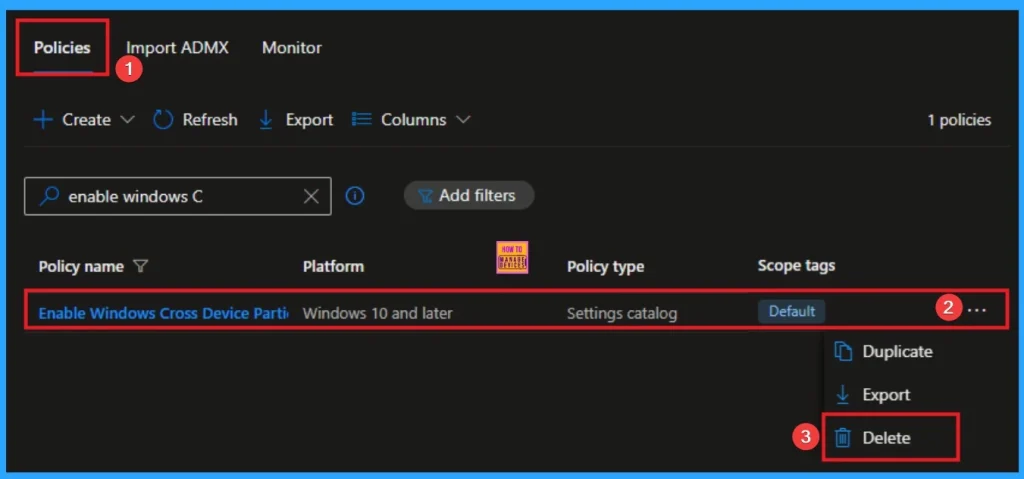
👉Enable Windows Cross Device Participation to Seamlessly Share Content using Intune
https://www.anoopcnair.com/windows-cross-device-participation-using-intune/
🔊 Enable Windows Cross Device Participation
🔊 Helps to Seamlessly Share Content
🔊 Enables Share Content and Send Notification
🔊 How this Policy Helps Admins
🔊 Client Side Verification
🔊 Device Check-in Status
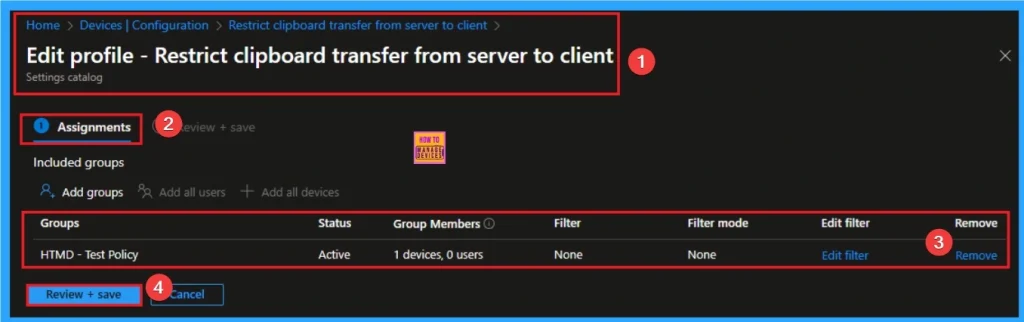
👉How to Restrict Clipboard Transfer from Client to Server on Remote Desktop Services using Intune
https://www.anoopcnair.com/clipboard-transfer-from-client-to-server-intune/
🔊 Restrict Clipboard Transfer from Client to Server
🔊 Helps for Data Loss Prevention
🔊 Allowing Access to the Remote Desktop Environment
🔊 How this Policy Helps Admins
🔊 Client Side Verification
🔊 Device Check-in Status
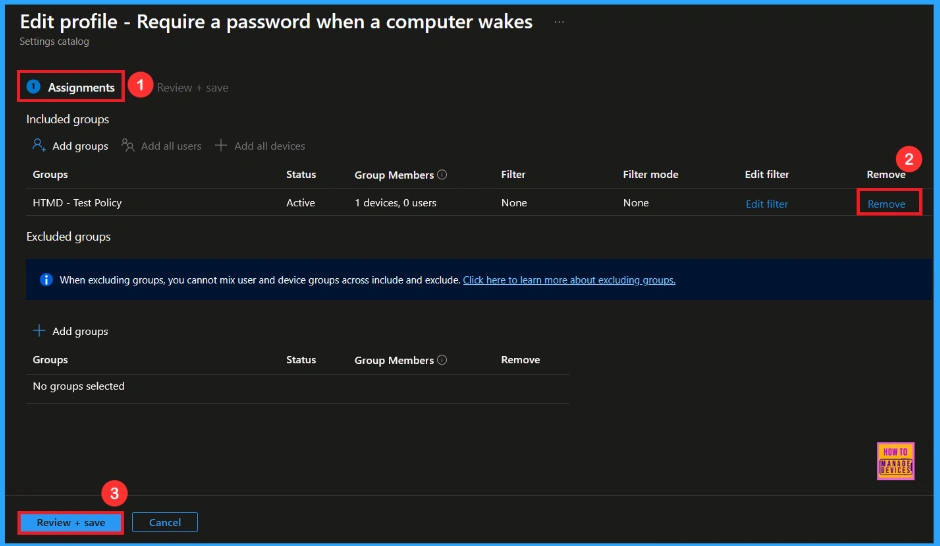
🎆Enforcing Password Prompt on Wake for Stronger Security using Intune
https://www.anoopcnair.com/password-prompt-wake-security-using-intune/
🔔Prevents Unauthorized Access When the Device Wakes
🔔Protects Sensitive Files and Company Data
🔔Provides Automatic Security in Offices and Public Areas
🔔Helps Maintain Consistent Security Across all Managed Devices
🔔Device and User Check-in Status
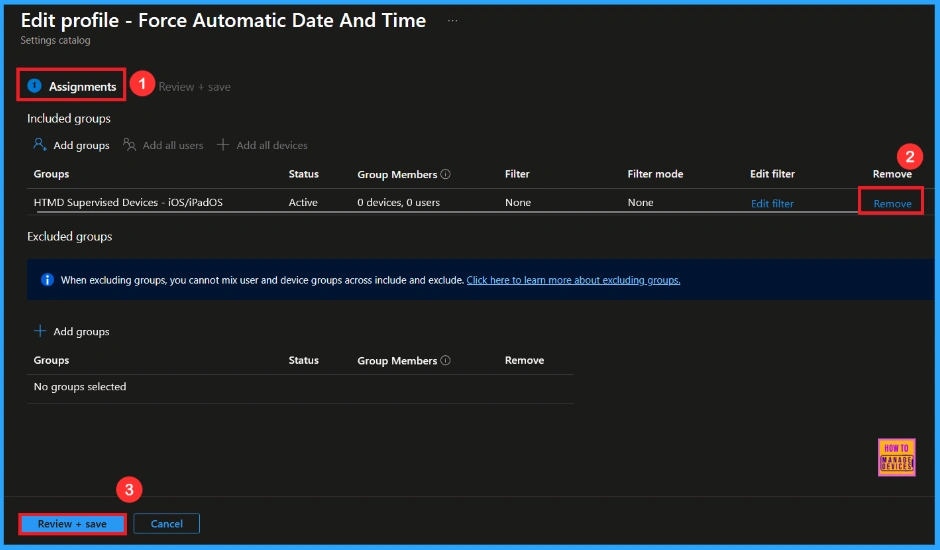
🎆Enforcing Automatic Date and Time for Supervised iOS Devices using Intune
https://www.anoopcnair.com/automatic-date-time-supervised-ios-using-intune/
🔔Helps Keep the Device Time Accurate by Forcing Automatic Date and Time
🔔Provides Automatic Time Zone Updates Based on the Device Location
🔔Helps Prevent Users from Changing Time Settings on Spervised Devices
🔔Provides Better Control for Organizations by Locking the “Set Automatically” Option.
🔔Device and User Check-in Status
Connect with the HTMD Community
Join the Telegram group to get the latest step-by-step guides and news updates. Join our Meetup Page to participate in User group meetings. Also, join the WhatsApp Community to get the latest news on Microsoft Technologies. We are there on Reddit as well.
HTMD Community Social Media Platform Links
| Social Media Platform | Link |
| LinkedIn: HTMD Community | https://www.linkedin.com/company/how-to-manage-devices/ |
| Telegram: SCCM Intune Technical Discussions | https://t.me/joinchat/Q9lE6G1_BO_bGq97 |
| Telegram: JOB SCCM Intune Group | https://t.me/joinchat/SIKr3OugR2FQ-Ej9 |
| WhatsApp: HTMD Community | https://chat.whatsapp.com/CeMXHSD61HtDBJwe78IZwV |
| Telegram: AVD/Windows 365 User Group | https://t.me/Inwvdcommunity |
| https://www.facebook.com/HTMDCommunity | |
| https://www.instagram.com/htmd_community/ | |
| https://twitter.com/htmdcommunity | |
| Facebook Group: SCCM | https://www.facebook.com/groups/ConfigMgr2012/ |
| Facebook Group: Intune | https://www.facebook.com/groups/1738789256382744 |

Anoop C Nair is Workplace Technology solution architect with 25+ years (as of 2026) of experience in global enterprise organizations such as JP Morgan, Capgemini, etc. Microsoft Certified Trainer (MCT). Microsoft MVP from 2015 onwards for consecutive 11+ years! He also conducts Intune and modern workplace tech training for enterprise organizations. He is Blogger, Speaker, and Founder of HTMD Community and HTMD Conference. His main focus is on Device Management technologies like Intune, Windows, Cloud PC. He writes about technologies like Intune, SCCM, Windows, Cloud PC, Windows, Entra, Microsoft Security.

Discussion