











211th HTMD Newsletter 15th to 19th September 2025
Welcome to the 211th HTMD Newsletter, 15th to 19th September 2025! This is the list of posts and videos the HTMD Community published this week, and news from the IT industry. You can get all the information and details from Windows 11, Cloud PC, SCCM, Intune, Azure Virtual Desktop (AVD), Android, iOS, and Mac.
Previous Weeks Newsletter
- 208th HTMD Newsletter – HTMD Newsletter 25th to 29th August 2025
- 209th HTMD Newsletter – HTMD Newsletter 1st to 5th September 2025
- 210th HTMD Newsletter – HTMD Newsletter 8th to 12th September 2025

Monday 15th September 2025
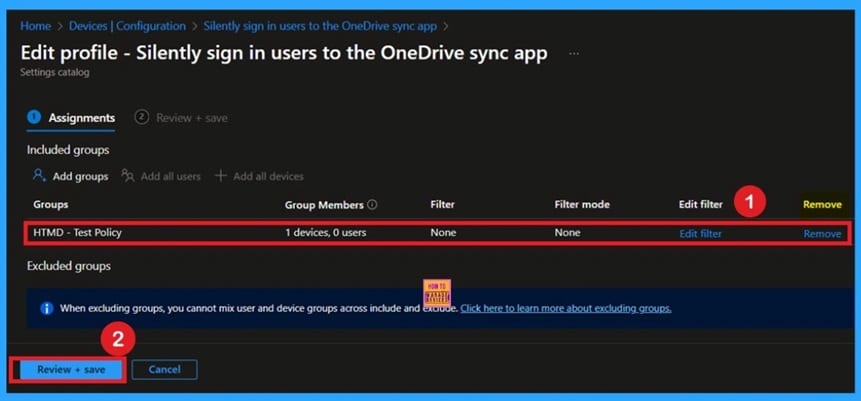
📌Silently Sign in Users to OneDrive Sync App Using Windows Credentials via Intune
–https://www.anoopcnair.com/OneDrive-sync-app-with-their-windows-credential/
🔥Enable Seamless Sign-In Without Manual Credential Entry
🔥Leverages Windows Credentials for Automatic Authentication
🔥Boosts Productivity with Instant Access to OneDrive
🔥Configured Effortlessly via Intune Settings Catalog
🔥Applies Across All Managed Windows Devices
🔥Supports Secure and User-Friendly File Access
🔥Client-Side Verification
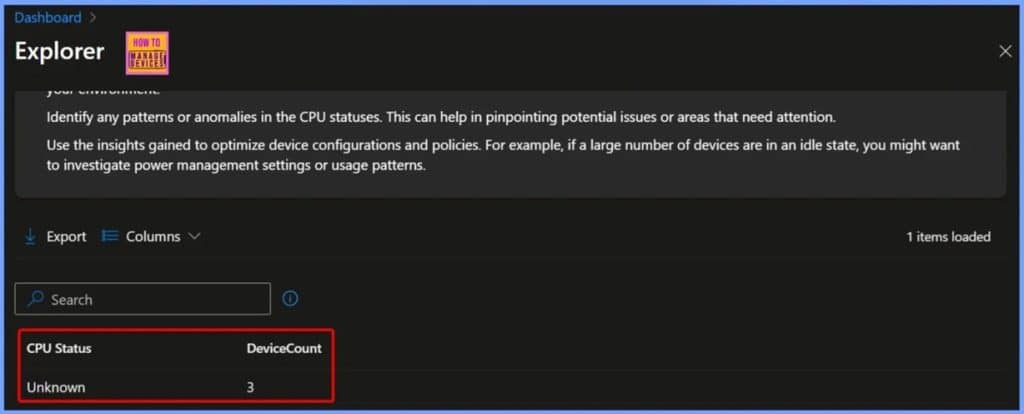
🎆Get Summary of Devices by CPU Status using Intune Copilot Explorer
–https://www.anoopcnair.com/summary-of-devices-by-cpu-status-using-intune/
📌Summary of Devices by CPU Status using Intune
📌Analyzing Device Distribution by CPU Status
📌Step-by-Step Guidance
📌End Results – Devices with Unknown CPU Status
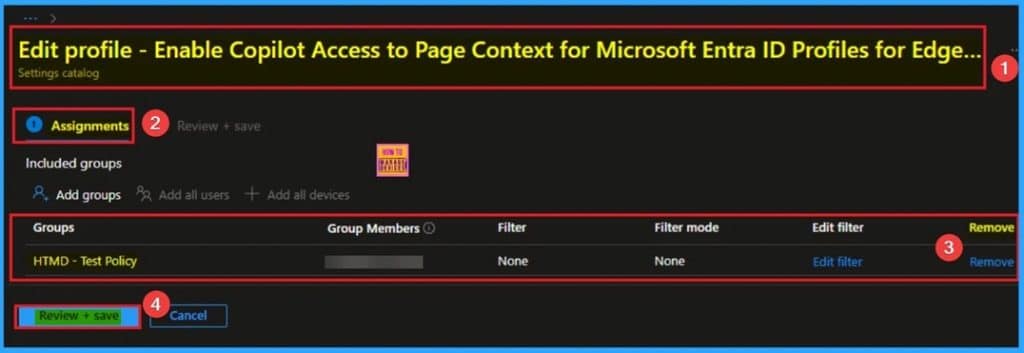
🎆Enable Copilot Access to Page Context for Microsoft Entra ID Profiles for Edge Sidebar using Intune
–https://www.anoopcnair.com/copilot-access-to-page-context-for-edge-intune/
🔔Copilot Access to Page Context for Microsoft Entra ID Profiles
🔔Not Apply to MSA Microsoft Edge Profiles
🔔Helps to Enhance Browser Security
🔔How this Policy Helps Admins?
🔔Summarize Complex Whitepapers
🔔Device and User Check-in Status
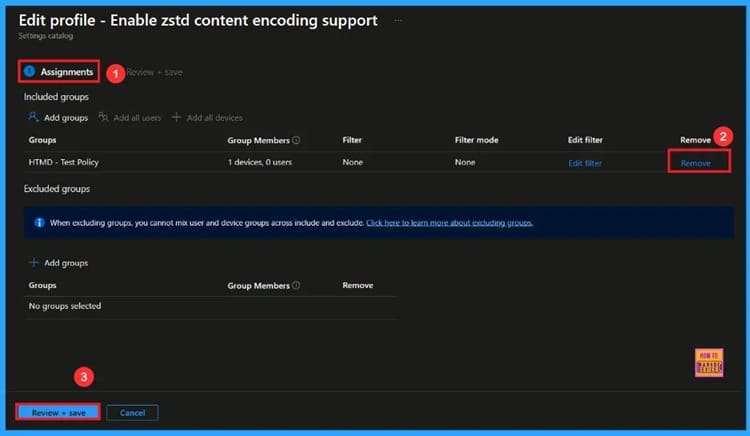
🎆Enable Zest Content Encoding Policy in Microsoft Edge to Improve Web Compression using Intune
–https://www.anoopcnair.com/zest-content-encoding-policy-edge-using-Intune/
🔔Enable Zest Content Encoding Policy
🔔Helps Web Pages Load faster
🔔Provides Smoother Browsing for Users
🔔Improves Reliability of Server Responses
🔔Device and User Check-in Status
Tuesday 16th September 2025
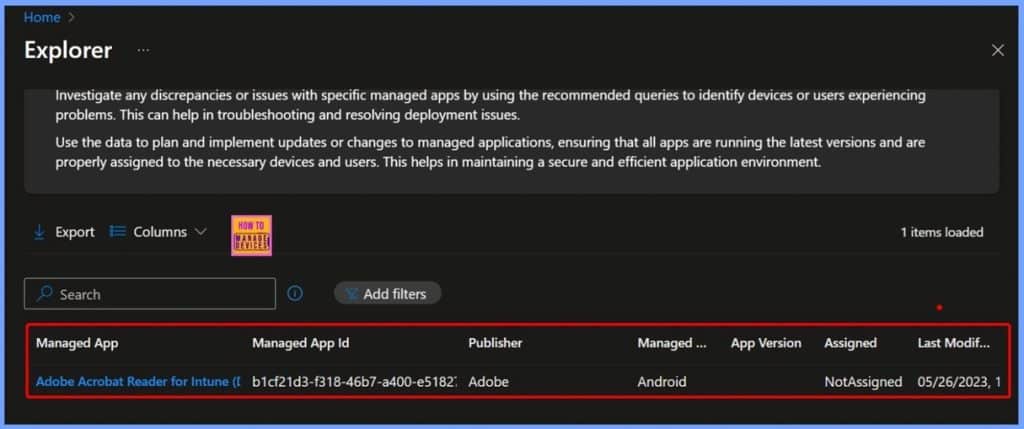
🎆How to Get Managed App ID Last modified Date App Version Details of Built-in Android App using Intune Copilot Explorer
–https://www.anoopcnair.com/get-managed-app-id-Intune-copilot-explorer/
🎊Get Built-in Android Applications
🎊Managing and Monitoring Intune Managed Applications
🎊Other Useful Queries and Next Steps to Consider
🎊End Result: Viewing Built-in Android Applications Using Intune Copilot Explorer
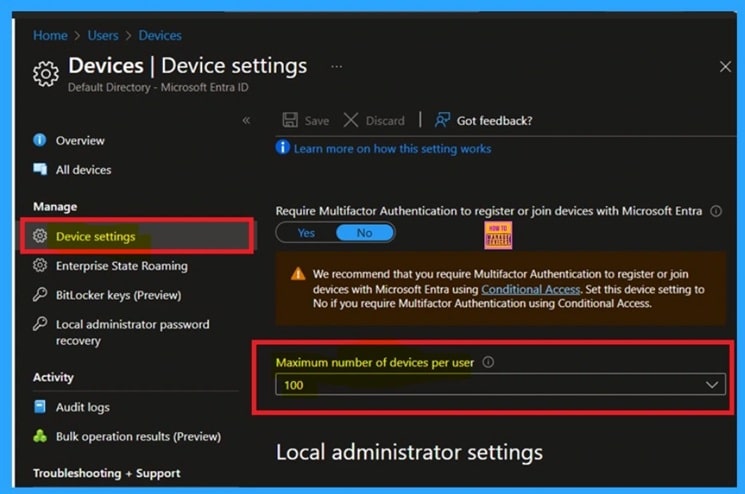
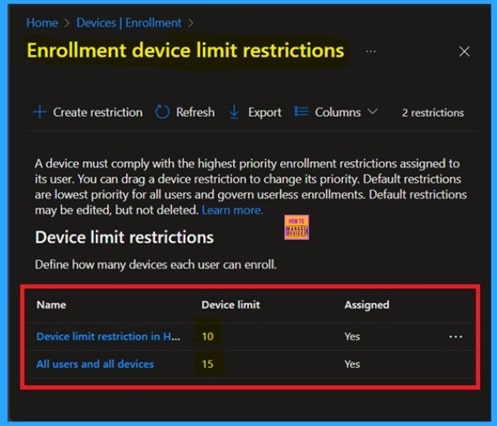
📱Fixing Device Limit Errors on iOS with Microsoft Entra
–https://www.anoopcnair.com/device-limit-errors-on-iOS-with-Microsoft-entra/
➡Enrollment Error: This Device is Not Registered” in Company Portal
➡Occurs When Microsoft Entra Device Cap Is Reached
➡Device May Appear Registered but Fails Backend Validation
➡Microsoft Entra Enforces Per-User Device Limits for Compliance
➡Ensures Smooth iOS Enrollment Experience in Intune
➡Supports Secure and Scalable Device Management
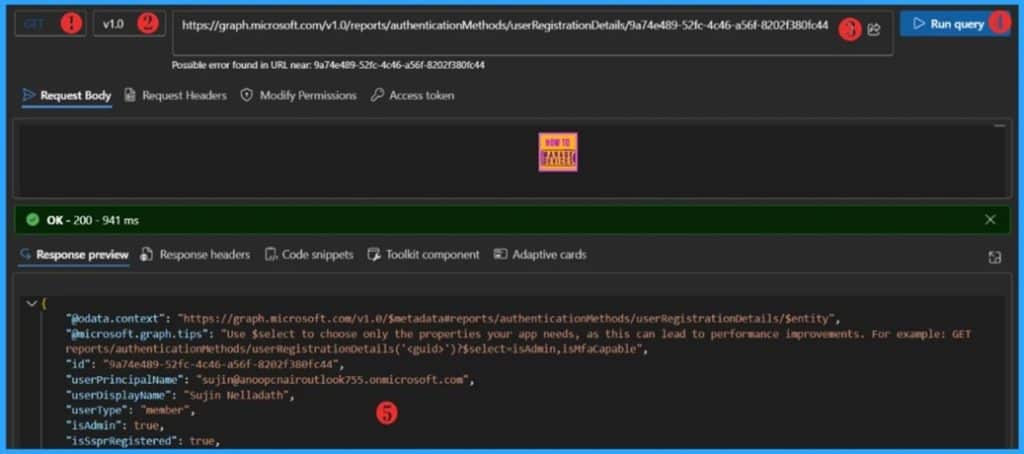
🎆How to Track User Registration Details in Entra ID using Microsoft Graph API
–https://www.anoopcnair.com/user-registration-details-in-entra-id-graph-api/
📌Working with the Entra ID User Registration Report
📌What’s Multi-Factor Authentication (MFA)
📌What’s Self-Service Password Reset (SSPR)
📌Learn more about userRegistrationDetails Properties
📌Permissions required to call the API
📌Get Entra ID Users Authentication Methods with Microsoft Graph API
📌Get a Specific Entra ID User’s Authentication Methods Using Microsoft Graph API
🎆Troubleshooting the Intune Device Limit Issue on macOS
–https://www.anoopcnair.com/the-Intune-device-limit-issue-on-macOS/
➡macOS Enrollment Blocked by Device Cap in Microsoft Entra
➡Common Error: New Mac Shows “Device Not Registered”
➡Often Affects Users with Multiple Work Devices Over Time
➡Admins Can Remove Stale Devices or Increase Device Cap
➡Ensures Successful Intune Enrollment for macOS
Wednesday 17th September 2025
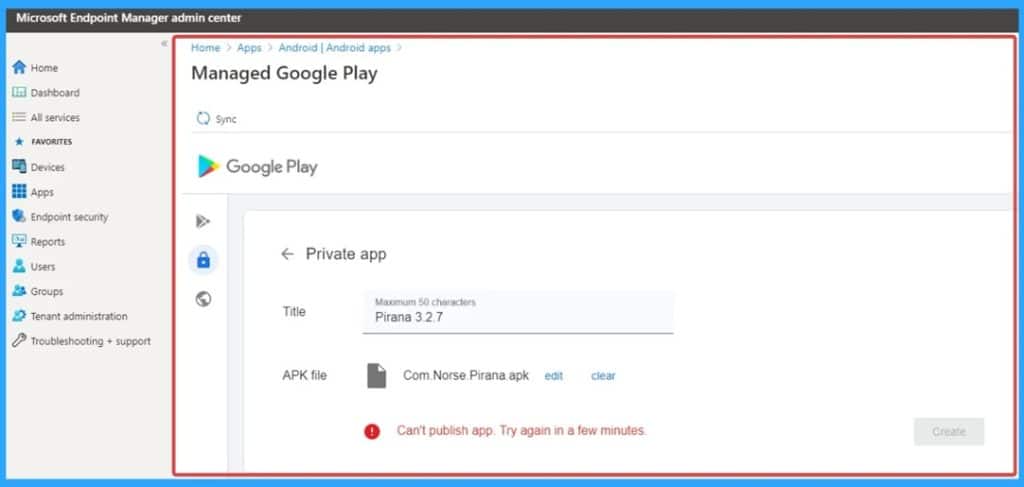
🎆Troubleshoot Persistent Upload Failure when Submitting Private APKs via Intune Managed Google Play
–https://www.anoopcnair.com/upload-failure-submitting-private-apks-intune/
🎉Upload Failure on Private APKs
🎉Issue Occurred on Managed Play Store Portal
🎉Reasons of Upload Failure Private APKs
🎉After Effects of this Issue
🎉Different Fixes of Issue
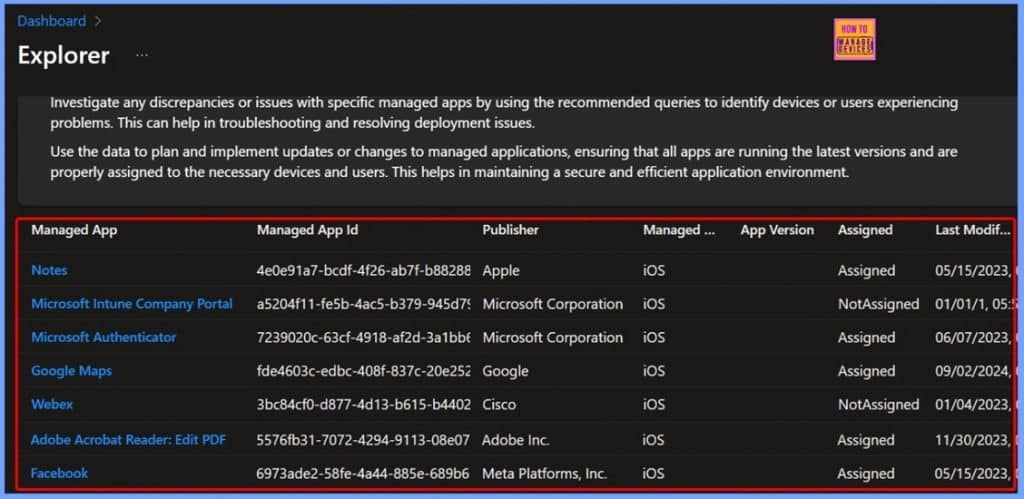
🎆Retrieve iOS Store App Name Managed App ID Publisher and Platform from Intune Copilot Explorer
–https://www.anoopcnair.com/retrieve-ios-store-app-managed-app-id-intune/
▶️Overview of iOS Store App in Intune
▶️Key Details to Retrieve: App Name, Managed App ID, Publisher, and Platform
▶️Managing and Monitoring iOS Store App Applications
▶️Get iOS Store App Applications Query
▶️End Results of Managing iOS Applications using Intune
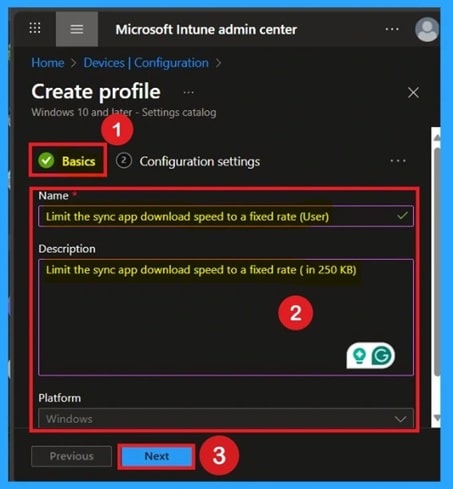
🎯How to Restrict OneDrive Sync Speed in a Fixed Rate via Intune Policy
–https://www.anoopcnair.com/restrict-onedrive-sync-speed-via-intune/
🔥How to Set a Fixed Sync Rate for OneDrive Using Intune
🔥Why Bandwidth Control Matters for IT Teams
🔥Managing Network Load During Peak Hours
🔥What Does this OneDrive Setting Allow you to Configure?
🔥Ensuring Consistent Sync Performance Across Devices
🔥How to Get Monitoring Status
🔥Client-Side Verifications
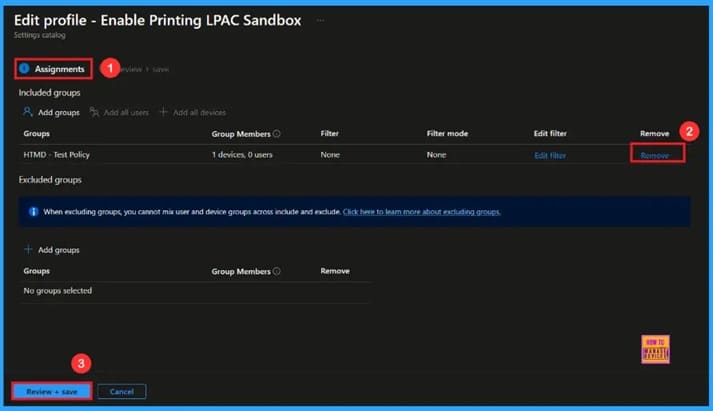
🎆Control Least Privilege App Container Sandbox for Printing Services in Edge Browser using Intune
–https://www.anoopcnair.com/least-privilege-app-container-edge-using-intune/
🔔Allow Printing LPAC Sandbox
🔔 Helps Improve System
🔔Provides Safe Printing Services
🔔Improves User Confidence and Reliability
🔔Device and User Check-in Status
Thursday 18th September 2025
🛠How to Restrict Microsoft 365 Azure VPN from High-Risk Entra ID Joined Devices using Intune
–https://www.anoopcnair.com/restrict-microsoft-365-azure-vpn-using-intune/
⚠Security Issue on Intune Enrolled Entra ID joined Devices
⚠Restrict Azure VPN and Microsoft 365 Apps
⚠Reasons of Issue
⚠Know Main Causes
⚠Workaround for the Issue
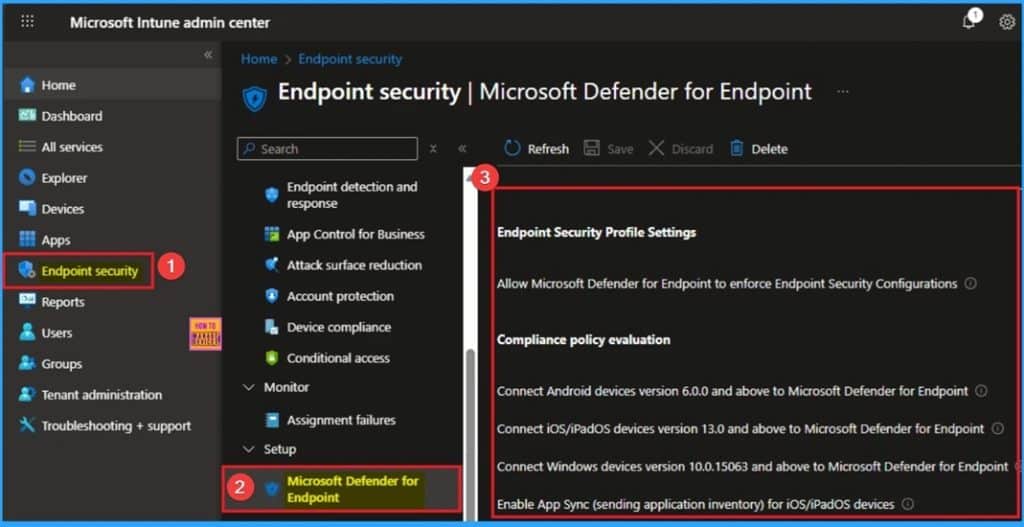
🛠Fix Drive Mapping Failure After Modifying ADMX Settings in Intune
–https://www.anoopcnair.com/drive-mapping-failure-after-modifying-in-Intune/
⚠Drive Mapping Failure in Intune
⚠Issue Occurred after Modifying ADMX Settings in Intune
⚠Reasons of Issue
⚠Know Main Causes
⚠Workaround for the Issue
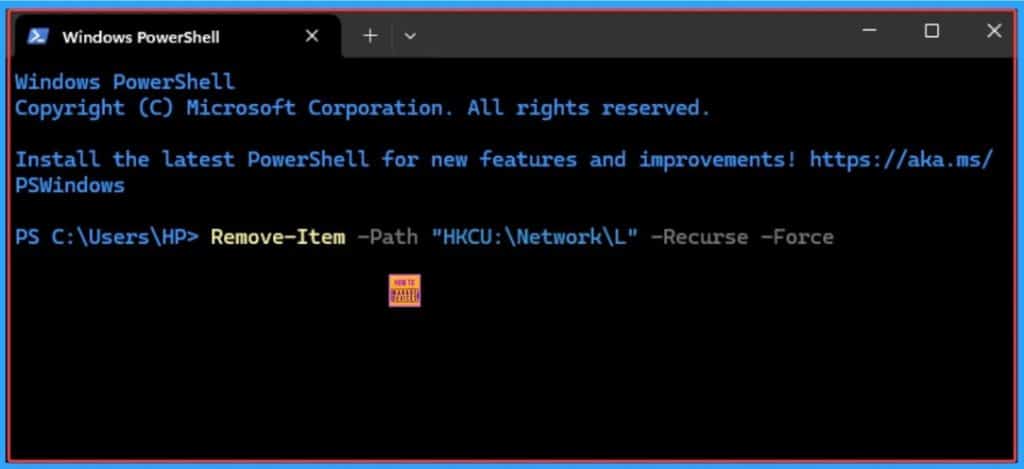
🛠Fix Error 0x87D30067 and 0x87D300C9 in Brave Installation using Intune
–https://www.anoopcnair.com/0x87d30067-and-0x87d300c9-installation-intune/
⚠Error 0x87D30067 and 0x87D300C9 in Brave Browser Installation
⚠Unzipping Downloaded Content
⚠Unmonitored Process may Timeout
⚠Reasons of Issue
⚠Workaround for the Issue
⚠Download the Correct Brave Installer
⚠Create the PowerShell Installation Script
⚠Package the Application for Intune (Win32 App)
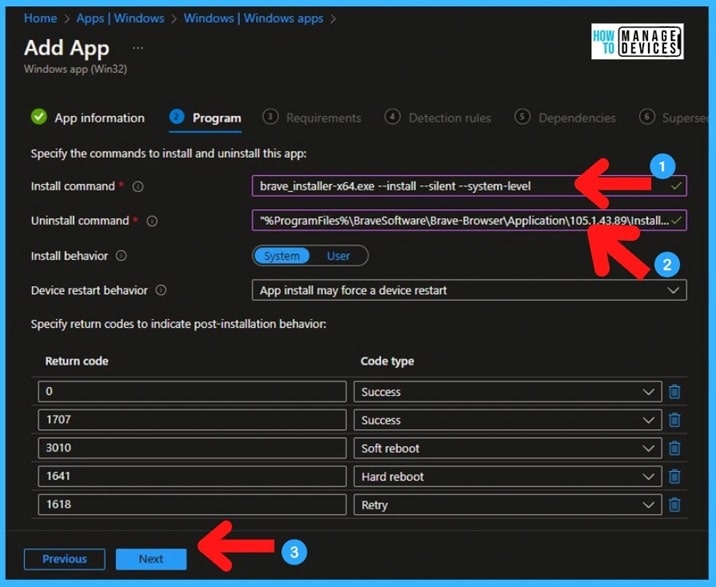
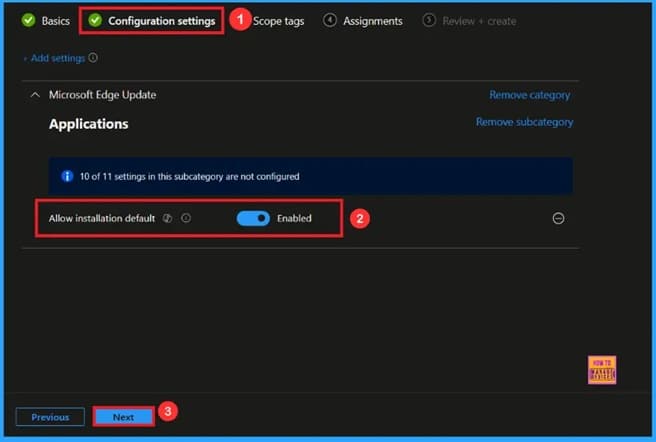
🎆Enable Microsoft Edge Update Policy in All Channels for Controlling Edge Installation using Intune
–https://www.anoopcnair.com/MS-edge-update-edge-installation-using-Intune/
🔔Enable Microsoft Edge Update Policy
🔔Improves Security by Controlling Updates
🔔Keeps all Devices Following the Same Rules
🔔 Reduces Downtime and Supports Smooth Workflows
🔔Device and User Check-in Status
Friday 19th September 2025
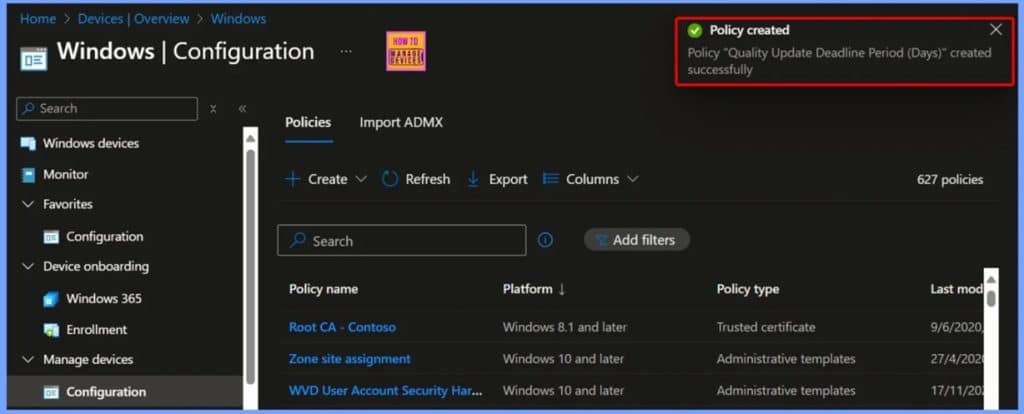
🎆How to Set Deadline for Automatic Installation of Quality Updates on Windows Devices using Intune
–https://www.anoopcnair.com/set-deadline-for-automatic-installation-intune/
📌Overview of Setting Deadlines for Automatic Quality Updates
📌Quality Update Deadline Period Days
📌Windows Update for Business
📌How the Automatic Update Deadline Works
📌User Options for Completing Updates Before the Deadline
📌Step-by-Step Guide to Configure Update Deadlines in Intune
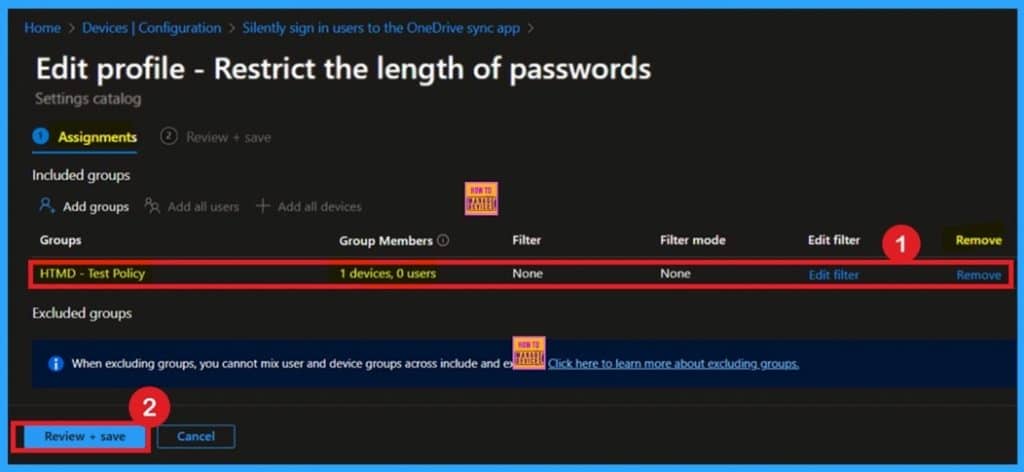
📌Manage Credential Length in Edge Password Manager through Intune
–https://www.anoopcnair.com/length-in-edge-password-manager-intune/
🔥Block Saving of Usernames/Passwords Longer Than 256 Characters
🔥Helps Prevent Sync Errors and UI Issues in Password Manager
🔥Keeps Credential Store Clean and Secure
🔥Configured Easily via Intune Settings Catalog
🔥Applies Across all Managed Devices Automatically
🔥Monitoring Status
🔥Client-Side Verification
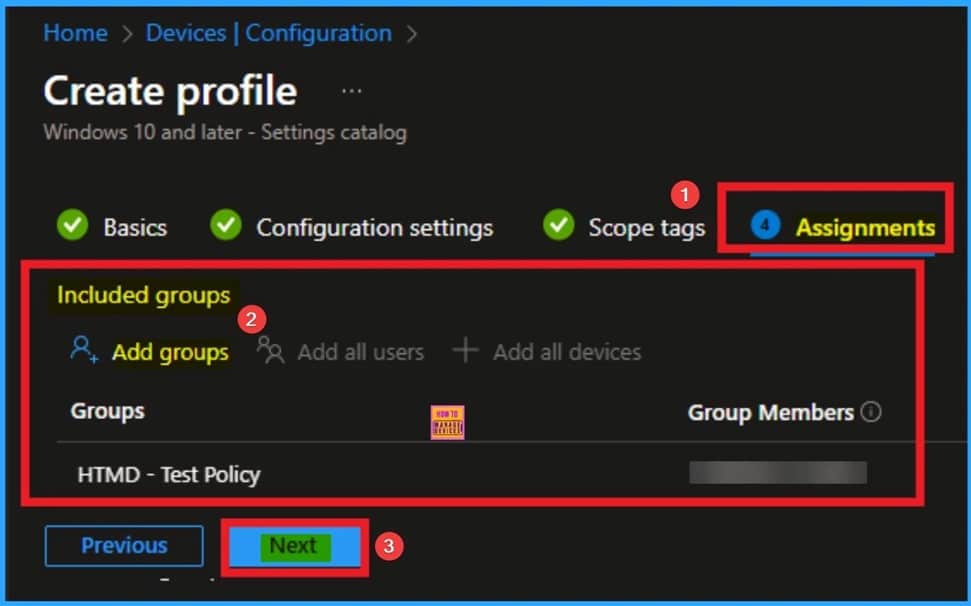
🎆Control Access to Open in Sidebar for Microsoft Edge Browser using Intune
–https://www.anoopcnair.com/open-in-sidebar-for-Microsoft-edge-using-Intune/
🔔Open in Sidebar for Microsoft Edge
🔔Helps to Access Browser’s Multitasking Capabilities
🔔Avoid Switching of Tabs in Edge Browser
🔔How this Policy Helps Admins?
🔔Example Scenario
🔔Device and User Check-in Status
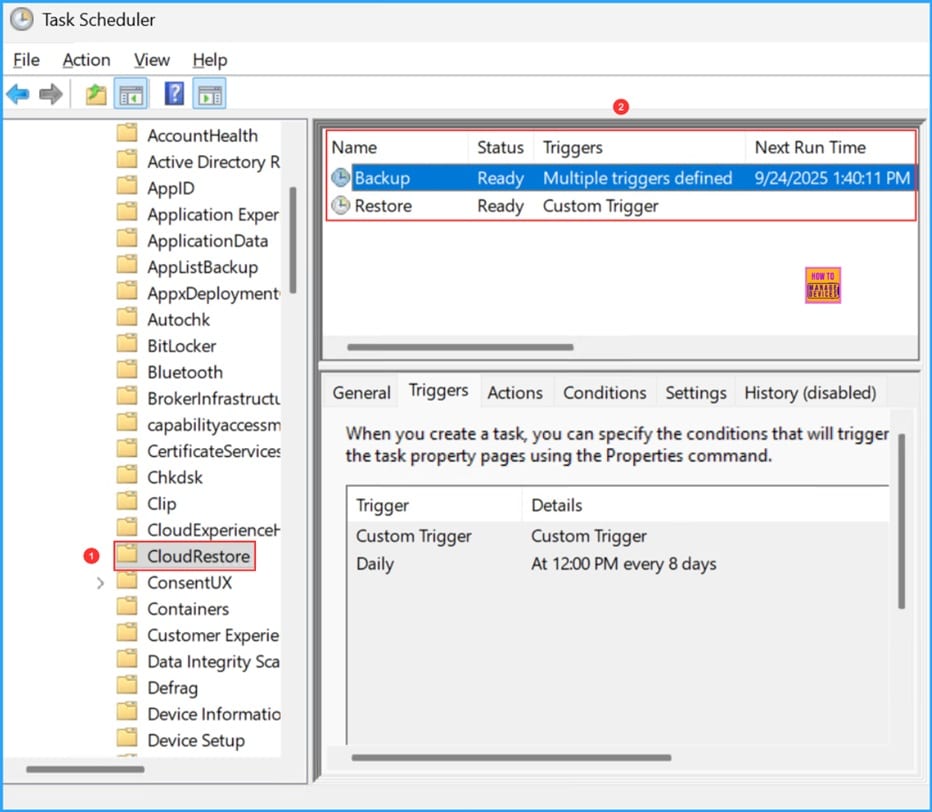
📌How to Configure Windows Backup and Restore in Microsoft Intune
–https://www.anoopcnair.com/configure-windows-backup-and-restore-intune/
💡Enable Windows Backup using Intune Configuration
💡Configure Windows Backup and Restore in Intune
💡Monitor the Functionality of Windows Backup and Restore
💡End User OOBE Experience
Connect with the HTMD Community
Join the Telegram group to get the latest step-by-step guides and news updates. Join our Meetup Page to participate in User group meetings. Also, join the WhatsApp Community to get the latest news on Microsoft Technologies. We are there on Reddit as well.
HTMD Community Social Media Platform Links
| Social Media Platform | Link |
| LinkedIn: HTMD Community | https://www.linkedin.com/company/how-to-manage-devices/ |
| Telegram: SCCM Intune Technical Discussions | https://t.me/joinchat/Q9lE6G1_BO_bGq97 |
| Telegram: JOB SCCM Intune Group | https://t.me/joinchat/SIKr3OugR2FQ-Ej9 |
| WhatsApp: HTMD Community | https://chat.whatsapp.com/CeMXHSD61HtDBJwe78IZwV |
| Telegram: AVD/Windows 365 User Group | https://t.me/Inwvdcommunity |
| https://www.facebook.com/HTMDCommunity | |
| https://www.instagram.com/htmd_community/ | |
| https://twitter.com/htmdcommunity | |
| Facebook Group: SCCM | https://www.facebook.com/groups/ConfigMgr2012/ |
| Facebook Group: Intune | https://www.facebook.com/groups/1738789256382744 |

Anoop C Nair is Workplace Technology solution architect with 25+ years (as of 2026) of experience in global enterprise organizations such as JP Morgan, Capgemini, etc. Microsoft Certified Trainer (MCT). Microsoft MVP from 2015 onwards for consecutive 11+ years! He also conducts Intune and modern workplace tech training for enterprise organizations. He is Blogger, Speaker, and Founder of HTMD Community and HTMD Conference. His main focus is on Device Management technologies like Intune, Windows, Cloud PC. He writes about technologies like Intune, SCCM, Windows, Cloud PC, Windows, Entra, Microsoft Security.

Discussion