











210th HTMD Newsletter 8th to 12th September 2025
Welcome to the 210th HTMD Newsletter, 8th to 12th September 2025! This is the list of posts and videos the HTMD Community published this week, and news from the IT industry. You can get all the information and details from Windows 11, Cloud PC, SCCM, Intune, Azure Virtual Desktop (AVD), Android, iOS, and Mac.
Previous Weeks Newsletter
- 207th HTMD Newsletter – HTMD Newsletter 18th to 22nd August 2025
- 208th HTMD Newsletter – HTMD Newsletter 25th to 29th August 2025
- 209th HTMD Newsletter – HTMD Newsletter 1st to 5th September 2025
Monday 8th September 2025
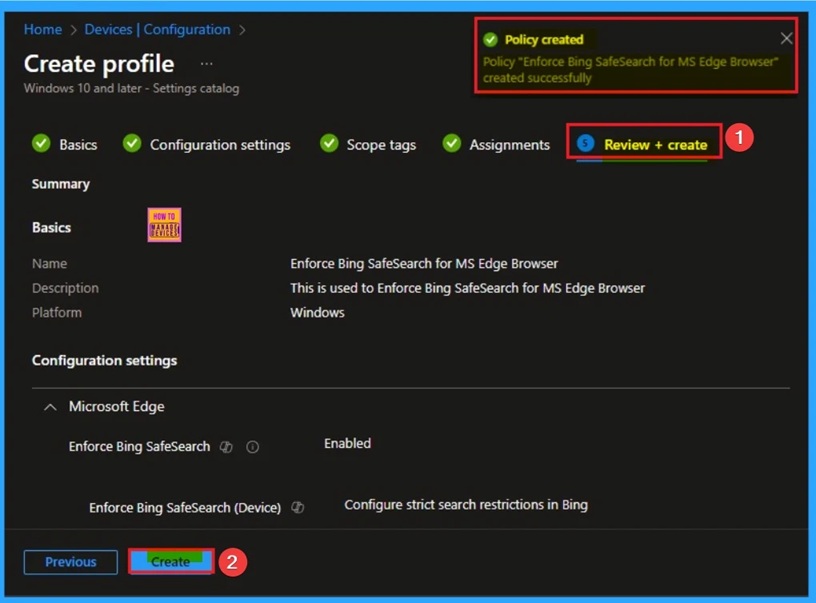
📌 Enforce Bing Safe Search for MS Edge Browser to Filter Adult Text Image and Videos using Intune
–https://www.anoopcnair.com/Bing-safe search-for-edge-browser-using-Intune/
✨ Bing Safe Search Policy Microsoft Edge
✨ Helps to Filter Inappropriate Content
✨ What is the Purpose of the Safe Search Enforcement Policy?
✨ How this Policy Helps Admins?
✨ Monitoring Status Admins
✨ Client-Side Verification
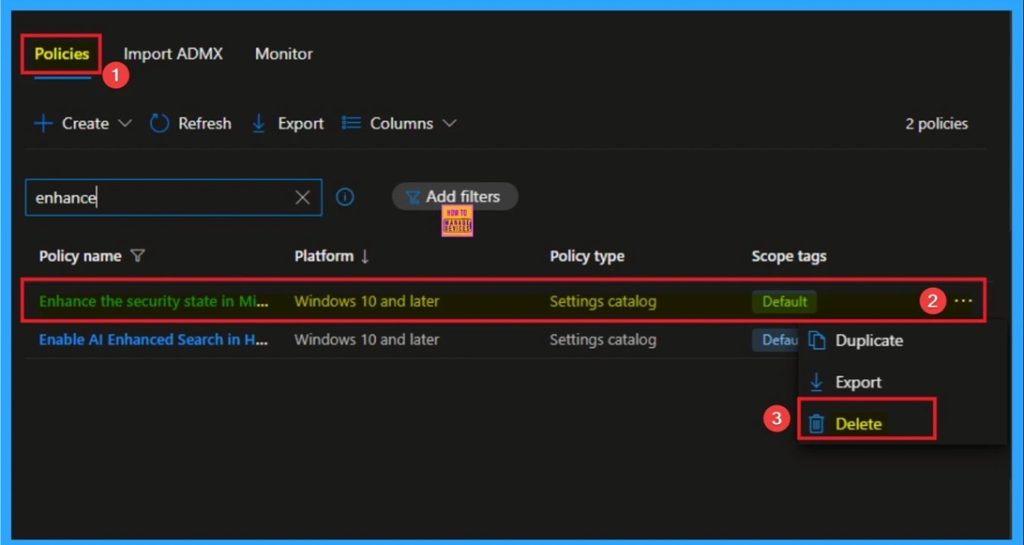
🎆Enable Security State Policy to Prevent Data Leakage in MS Edge Browser using Intune
–https://www.anoopcnair.com/enable-security-state-in-edge-using-Intune/
🔔Security State Policy for MS Edge Browser
🔔Addresses Common Attack Vectors
🔔Helps to Improve Organization Security
🔔How this Policy Helps Admins?
🔔Prevent Data Leakage
🔔Device and User Check-in Status
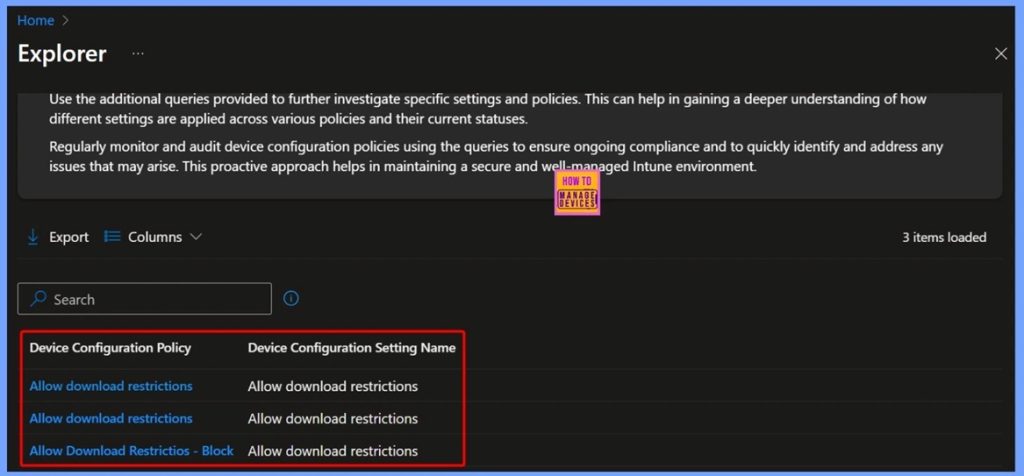
🎆How to Track Download Restriction Configurations in Intune using Copilot Explorer
–https://www.anoopcnair.com/download-restriction-configurations-in-intune/
🔥Track Download Restriction Configurations in Intune
🔥Get Policies that have Settings Configured where the Setting Name Contains [Setting Name]
🔥Mandatory Settings Name in Query Configuration
🔥Allow Download Restrictions
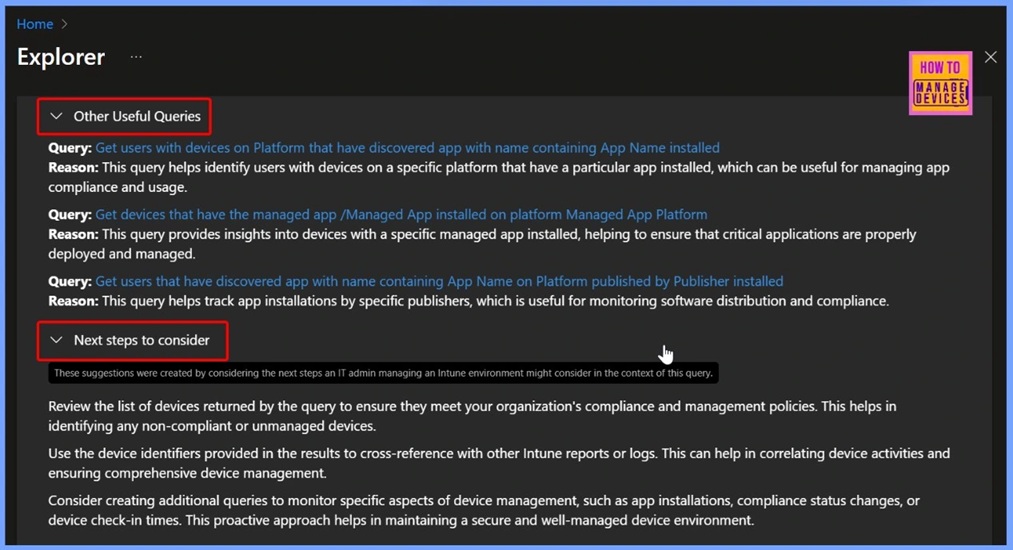
🔥Other Useful Queries and Next Steps
🔥End Results – Download Restriction Policies
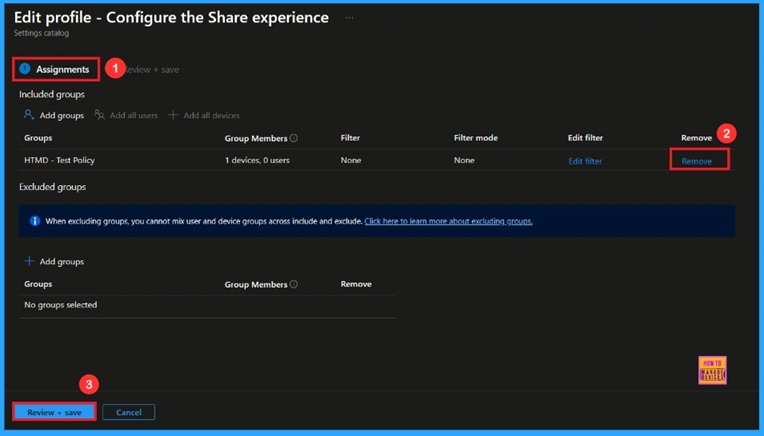
🎆Control Sharing Options using Intune for Microsoft Edge Browser on Windows Devices
–https://www.anoopcnair.com/sharing-options-using-Intune-for-edge-windows/
🔔Enable Share Experience Policy
🔔Helps Users to Share Content
🔔Provides Faster Collaboration
🔔Improves Productivity
🔔Supports Teamwork in Organizations
🔔Device and User Check-in Status
Tuesday 9th September 2025
🎆How to Retrieve Windows Devices Marked as Personal in Intune Copilot Explorer
–https://www.anoopcnair.com/windows-devices-marked-as-personal-in-Intune/
▶️Windows Devices Marked as Personal in Intune
▶️Get Windows Devices that are Personal Owned Query
▶️Organizational Benefits of Tracking Personal Devices
▶️IT Admin Benefits of Managing Personal Devices
▶️End Result
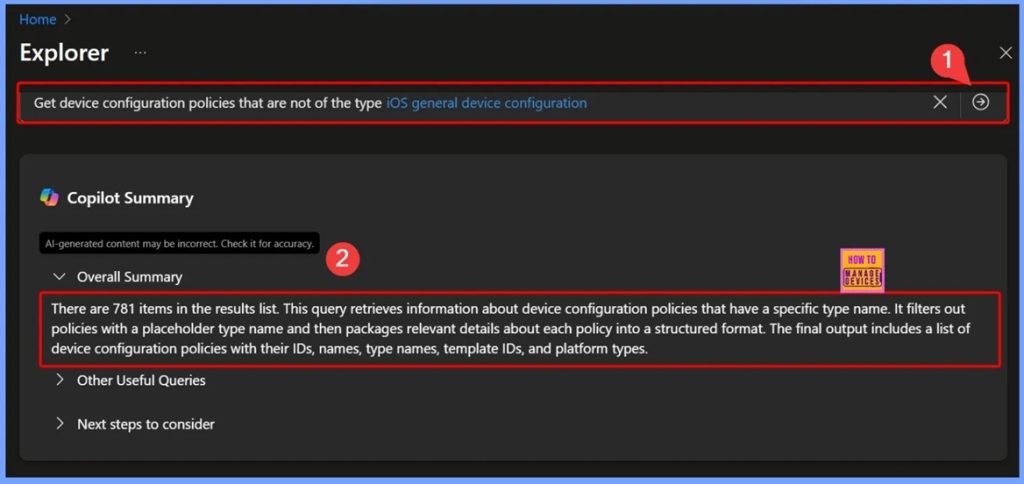
🎆Identify Non iOS General Device Configuration Policies with Intune Copilot Explorer
–https://www.anoopcnair.com/non-ios-general-device-configuration-intune/
🔊Filtering Device Configuration Policies by Excluding Specific Policy Types in Intune
🔊Selecting Device Configuration Policy Type Name in Intune Copilot Explorer
🔊Viewing Query Results for Device Configuration Policies in Intune
🔊Using Queries to Track Policy Settings and Status in Intune
🔊End Results
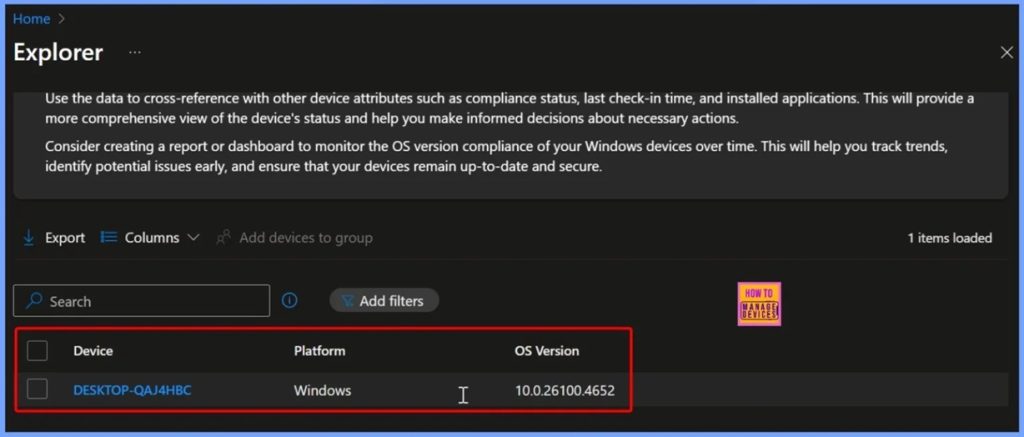
🎆Steps to Identify Windows Devices with Specific OS Version using Intune Copilot Explorer
–https://www.anoopcnair.com/windows-devices-with-specific-os-version-Intune/
📌Steps to Identify Devices with a Specific OS Version
📌Get Windows devices that are on OS version Prompt
📌Benefits of Using Copilot Explorer
📌Organisational Benefits of Tracking Windows OS Versions
📌IT Admin Benefits of Monitoring Windows OS Versions
📌Useful Queries and Next Steps
📌End Results – Windows Device with Specific OS Version
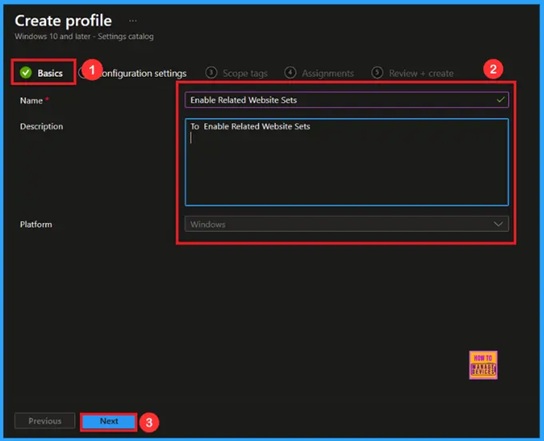
🎆Manage Third-Party Cookies in MS Edge with Related Websites Sets Policy using Intune
–https://www.anoopcnair.com/third-party-cookies-in-edge-websites-intune/
🔔Enable Related Website Sets Policy
🔔Helps Link Related Websites
🔔Improves Productivity
🔔Balances Privacy and Functionality
🔔Device and User Check-in Status
Wednesday 10th September 2025
📌2025 September KB5065426 KB5065431 Windows 11 Patch | 2 Zero Day Vulnerabilities and 81 Flaws
–https://www.anoopcnair.com/2025-september-kb5065426-kb5065431-windows-11/
💡2 Zero-Day Vulnerabilities and 81 Flaws
💡New Improvements and Features with September 2025 Patch
💡Issues Fixed with Windows 11 September Patch
💡September Patches Direct Download Link
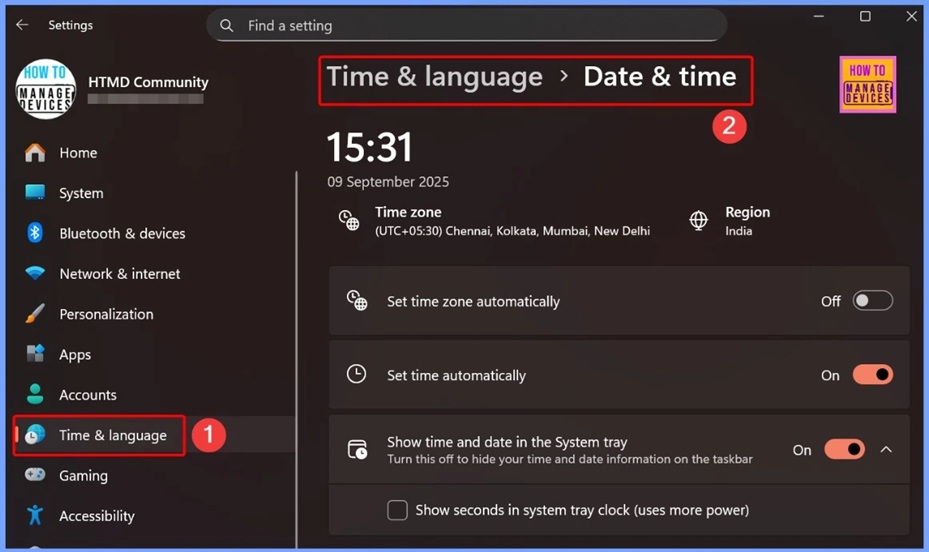
🎆2025 September KB5065429 Windows 10 Patch | 2 Zero Day Vulnerabilities and 81 Flaws
–https://www.anoopcnair.com/2025-september-kb5065429-windows-10-patch-zero/
🔔2 Zero-Day Vulnerabilities
🔔New Improvements and Features with September Patches
🔔Issues Fixed with Windows 10 September Patches
🔔September Patches Direct Download Link
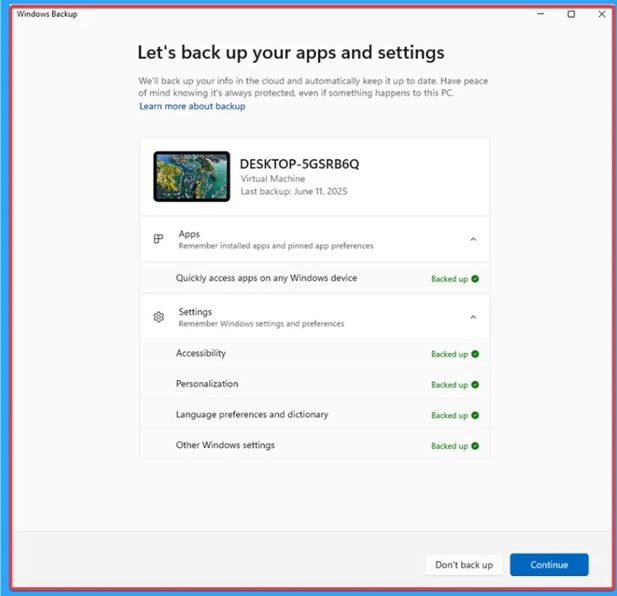
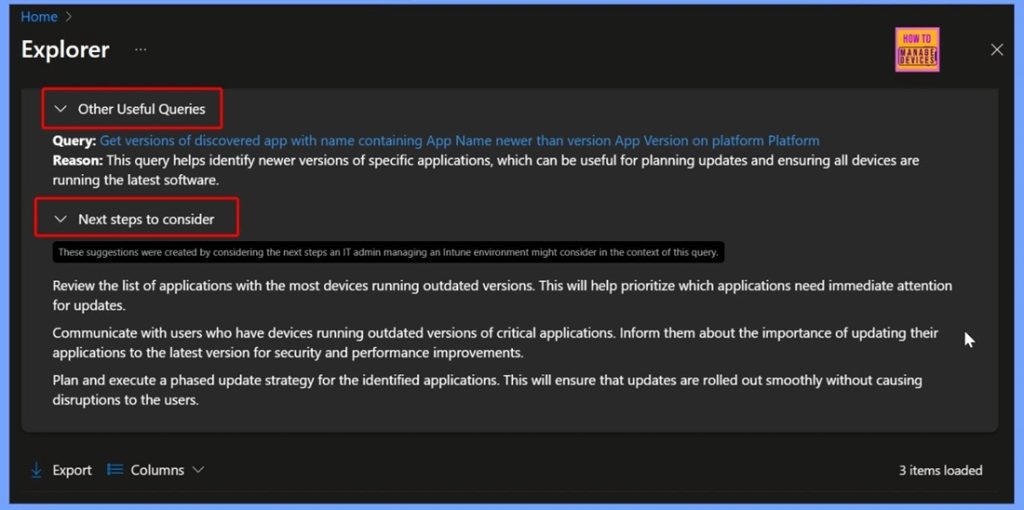
🎆Find Top 3 Windows Apps with Outdated Versions across your Organization using Intune Copilot Explorer
–https://www.anoopcnair.com/windows-apps-with-outdated-versions-intune/
🔥How to Use Intune Copilot Explorer to Identify Outdated Apps
🔥How This Helps IT Teams Plan Updates
🔥Real-World Scenarios
🔥Improving Security and Performance by Updating Apps
🔥Prioritizing Updates for a Safer and More Efficient Organization
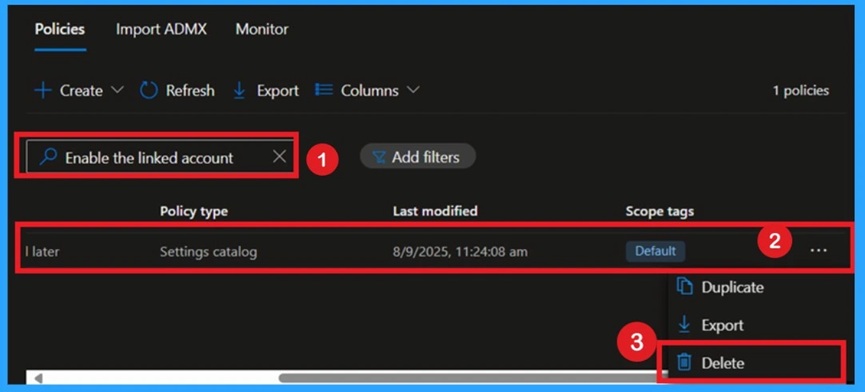
📌Enable Linked Account Feature in Microsoft Edge Using Intune Policy
–https://www.anoopcnair.com/linked-account-feature-in-MS-edge-using-Intune/
🔥Link Microsoft Account (MSA) with Azure AD for Smooth Sign-In
🔥Enhances Account Management Experience in Edge
🔥Allows Users to View and Add Linked Accounts via Flyout
🔥Supports Organizational Flexibility and Security Requirements
🔥Configured Easily via Intune Settings Catalog
🔥Applies Across all Managed Devices Automatically
🔥Monitoring Status
🔥Client-Side Verification
Thursday 11th September 2025
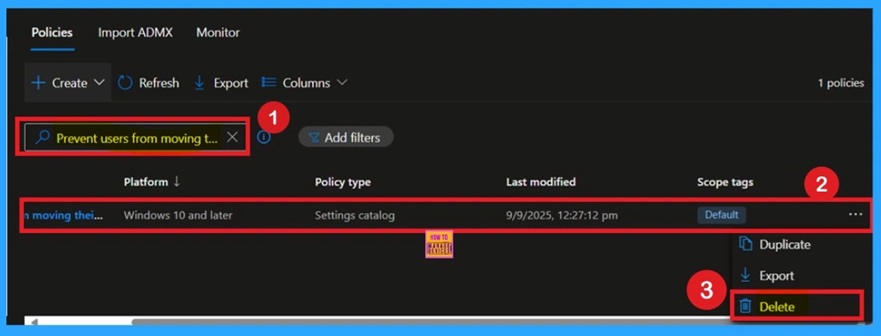
📌Prevent users from Moving their Windows Known Folders to OneDrive
–https://www.anoopcnair.com/moving-their-windows-known-folders-to-OneDrive/
🔥Block Folder Redirection to Enhance Data Security
🔥Disables Start Protection and Setup Prompts for Known Folders
🔥Applies Only to New Migrations and Existing Redirects Stay Intact
🔥Ideal for Organizations Avoiding Cloud Storage for Sensitive Data
🔥Monitoring Status
🔥Streamlines Folder Management Across All Managed Devices
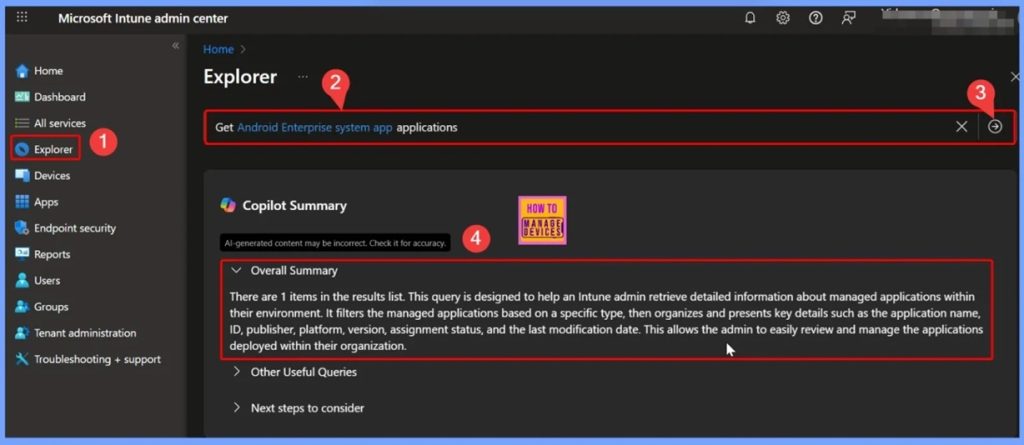
🎆Identify Android Enterprise System Apps using Intune Explorer and Security Copilot
–https://www.anoopcnair.com/android-enterprise-system-apps-using-Intune/
➡️Android Enterprise System Apps
➡️Get Android Enterprise System App Applications Query
➡️Identify Devices with a Specific Managed App Installed
➡️End Results of Identifying Android Enterprise System Apps
➡️IT Admin Benefits of Identifying Android Enterprise System Apps
➡️Organization Benefits of Identifying Android Enterprise System Apps
🎆Enable Component Updates in MS Edge to Enhance Browser Security using Intune
–https://www.anoopcnair.com/component-updates-in-MS-edge-using-Intune/
🔔Enable Component Updates in MS Edge
🔔Helps to Avoid Manual Tracking and Deploying of Small Component Update
🔔Helps to Enhance Browser Security
🔔How this Policy Helps Admins?
🔔Prevent Data Breach and Malware Infections
🔔Device and User Check-in Status
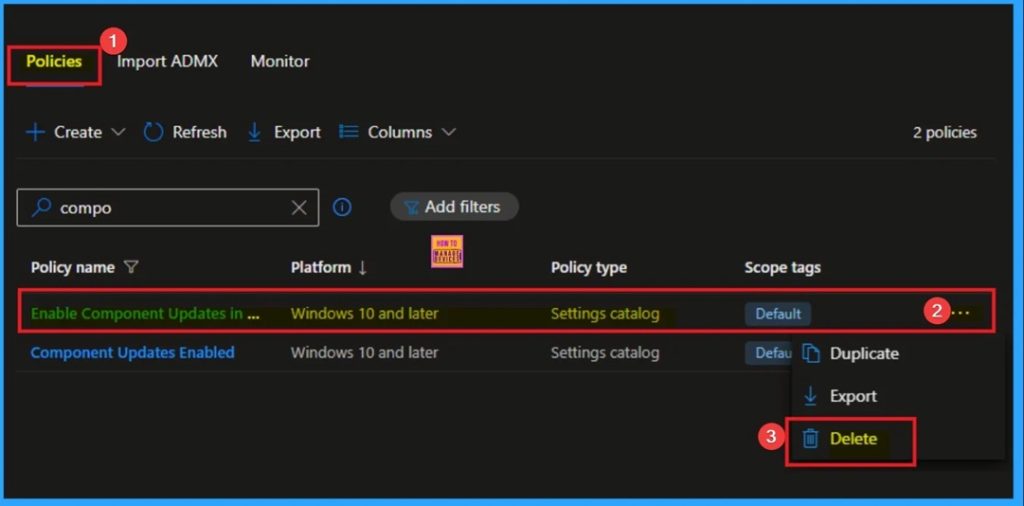
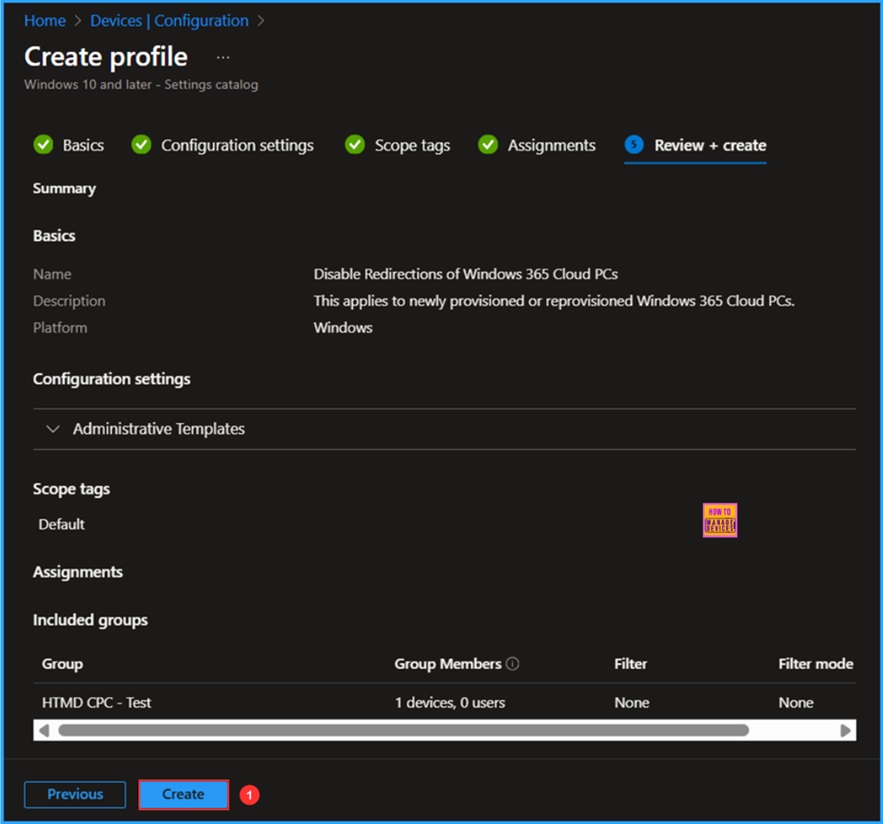
📌 Best Method to Enable and Disable Windows 365 Cloud PCs Redirections using Intune
–https://www.anoopcnair.com/windows-365-cloud-pcs-redirections-using-intune/
💡Device and Resource Redirection OMA URI Details
💡Create a Configuration to Enable and Disable Windows 365 Cloud PCs Redirections in Intune
💡Monitor the Enable and Disable Windows 365 Cloud PCs Redirections Deployment
💡End User Experience of Enable and Disable Windows 365 Cloud PCs Redirections Policy
Friday 12th September 2025
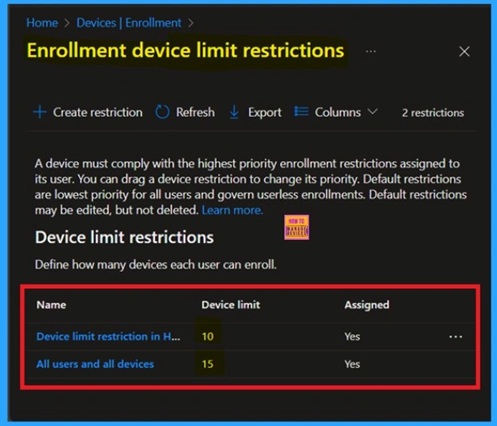
📌Understanding the Device Limit Reached Error During Android Enrollment in Microsoft Intune
–https://www.anoopcnair.com/device-limit-reached-error-Intune-device-enroll/
✨Understand Why the Error Occurs During Company Portal Setup
✨Helps Identify When a User Exceeds the Allowed Device Count
✨Default Limit is 15 Devices Per User
✨How this Policy Helps Admins Maintain Device Management
✨Error Confirmation via Company Portal Logs
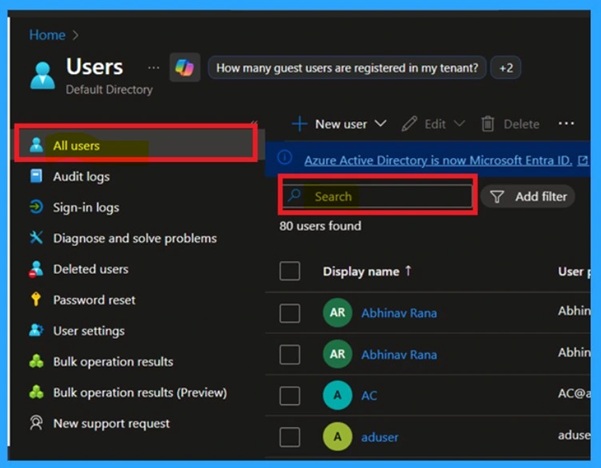
🎆Troubleshooting Android Enrollment Errors Caused by Microsoft Entra Device Limit
–https://www.anoopcnair.com/android-enrollment-errors-microsoft-entra-devi/
🔔Understand Microsoft Entra Device Enrollment Limits
🔔Why Device Limits Matter for Security and Manageability
🔔How This Policy Helps Admins Maintain Control
🔔Prevents Over-Enrolling Devices Under One User
🔔Workarounds to Resolve Enrollment Errors
🔔Keep Device Management Organized and Secure
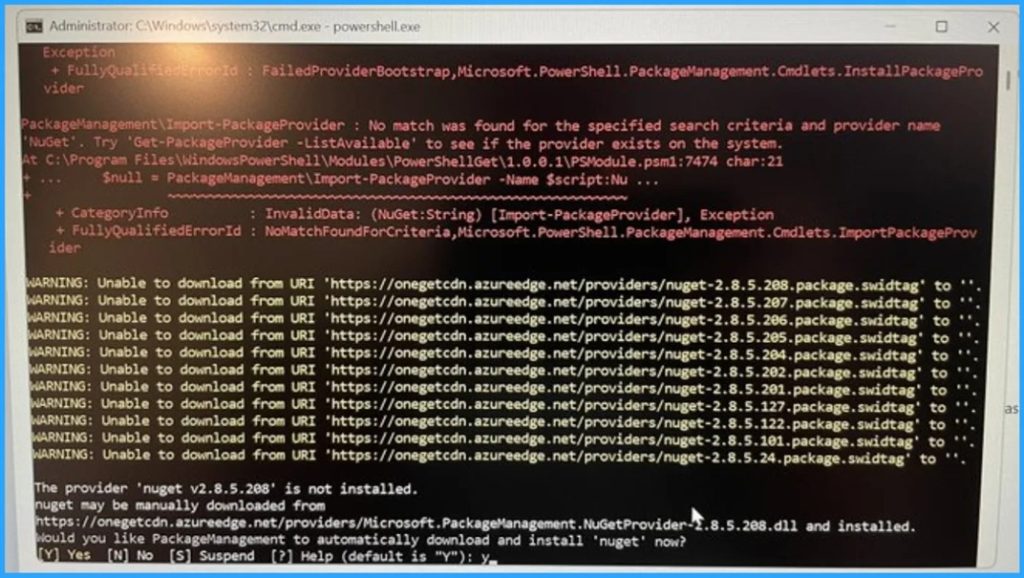
🎆How to Fix Azureedge.net Certificate Expiration Impacting NuGet and Autopilot
–https://www.anoopcnair.com/azureedge-net-certificate-expiration-autopilot/
🎉Azureedge.net Certificate Expiration
🎉Impacting NuGet and Autopilot
🎉Reasons of Azureedge.net Certificate Expiration
🎉After Effects of this Issue
🎉Different Fixes of Issue
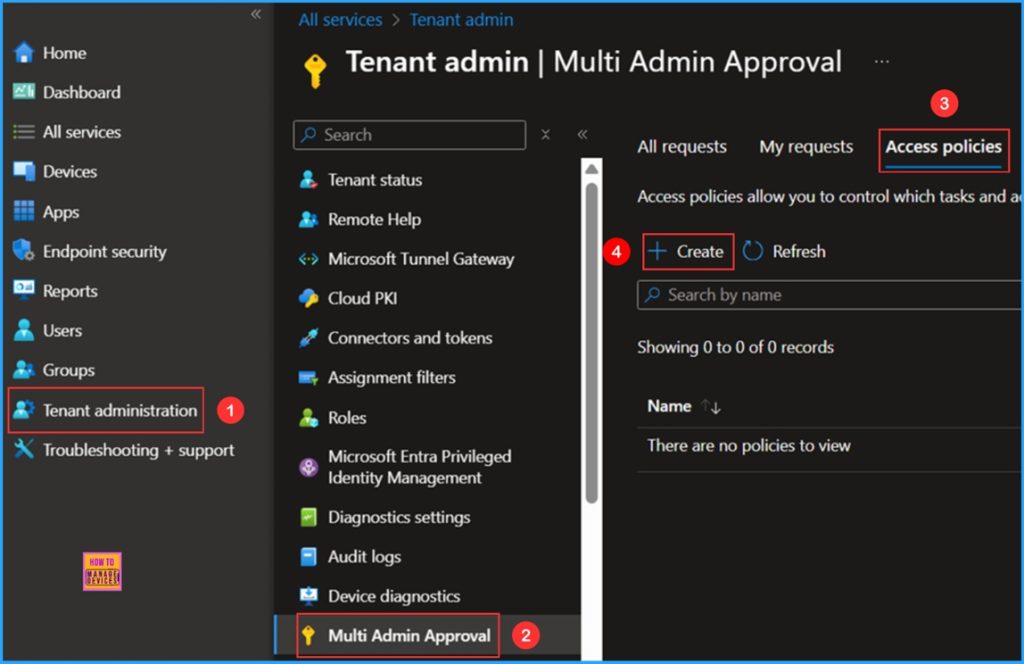
🎆How to Set Up Multi Admin Approval for Three New Device Actions in Intune
–https://www.anoopcnair.com/multi-admin-approval-for-three-new-intune/
🔔Multi Admin Approval for Three New Device Actions
🔔Access Policy to Set Up Multi Admin Approval
🔔Ensures Sensitive Tasks are Monitored
🔔Prevent Accidental or Malicious Device Actions
🔔Intune Admin Experience
Connect with the HTMD Community
Join the Telegram group to get the latest step-by-step guides and news updates. Join our Meetup Page to participate in User group meetings. Also, join the WhatsApp Community to get the latest news on Microsoft Technologies. We are there on Reddit as well.
HTMD Community Social Media Platform Links
| Social Media Platform | Link |
| LinkedIn: HTMD Community | https://www.linkedin.com/company/how-to-manage-devices/ |
| Telegram: SCCM Intune Technical Discussions | https://t.me/joinchat/Q9lE6G1_BO_bGq97 |
| Telegram: JOB SCCM Intune Group | https://t.me/joinchat/SIKr3OugR2FQ-Ej9 |
| WhatsApp: HTMD Community | https://chat.whatsapp.com/CeMXHSD61HtDBJwe78IZwV |
| Telegram: AVD/Windows 365 User Group | https://t.me/Inwvdcommunity |
| https://www.facebook.com/HTMDCommunity | |
| https://www.instagram.com/htmd_community/ | |
| https://twitter.com/htmdcommunity | |
| Facebook Group: SCCM | https://www.facebook.com/groups/ConfigMgr2012/ |
| Facebook Group: Intune | https://www.facebook.com/groups/1738789256382744 |

Anoop C Nair is Workplace Technology solution architect with 25+ years (as of 2026) of experience in global enterprise organizations such as JP Morgan, Capgemini, etc. Microsoft Certified Trainer (MCT). Microsoft MVP from 2015 onwards for consecutive 11+ years! He also conducts Intune and modern workplace tech training for enterprise organizations. He is Blogger, Speaker, and Founder of HTMD Community and HTMD Conference. His main focus is on Device Management technologies like Intune, Windows, Cloud PC. He writes about technologies like Intune, SCCM, Windows, Cloud PC, Windows, Entra, Microsoft Security.

Discussion