











208th HTMD Newsletter 25th to 29th August 2025
Welcome to the 208th HTMD Newsletter, 25th to 29th August 2025! This is the list of posts and videos the HTMD Community published this week, and news from the IT industry. You can get all the information and details from Windows 11, Cloud PC, SCCM, Intune, Azure Virtual Desktop (AVD), Android, iOS, and Mac.
Previous Weeks Newsletter
- 205th HTMD Newsletter – HTMD Newsletter 4th to 8th August 2025
- 206th HTMD Newsletter – HTMD Newsletter 11th to 15th August 2025
- 207th HTMD Newsletter – HTMD Newsletter 18th to 22nd August 2025
Monday 25th August 2025
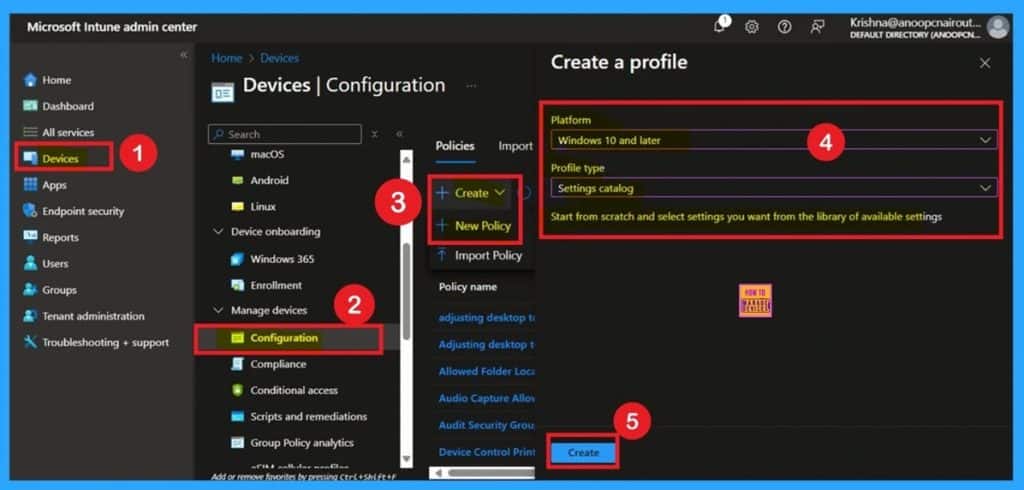
📌Enable/Disable Layout Settings for Printing in Microsoft Edge using Intune Policy
–https://www.anoopcnair.com/sets-layout-for-printing-in-edge-using-Intune/
➡Standardizes Webpage Printing Experience Across All Users
➡Controls Default Print Layout as Portrait or Landscape
➡Admins Can Lock Layout or Allow User Choice
➡Improves Document Clarity and Fit During Printing
➡Part of Printing Category in Intune Settings Catalog
➡Ensures Consistent Output Across Managed Devices
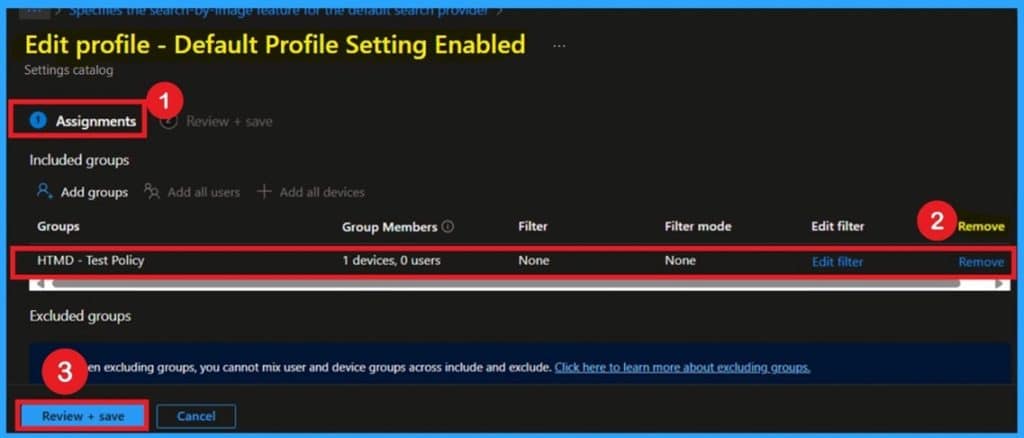
📌Configure Default Profile Setting for Microsoft Edge using Intune Policy
–https://www.anoopcnair.com/default-profile-setting-enabled-in-edge-Intune/
🔥Default Profile Launch Control in Edge
🔥Overrides “Last Used Profile” Behavior
🔥Ensures Consistent Profile Use Across All Managed Devices
🔥Blocks Guest & Kids Mode Profiles from Being Set as Default
🔥Supports Identity and Sign-in Management via Settings Catalog
🔥Improves Security and Reduces Profile Switching Confusion
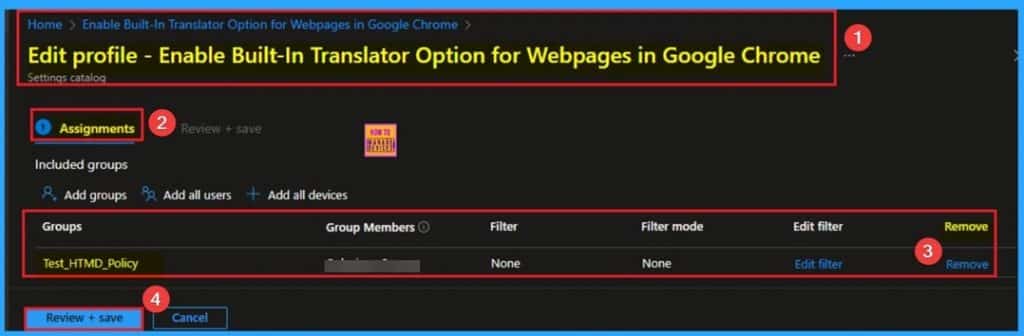
📌Enable Built-In Translator Option for Webpages in Google Chrome and Microsoft Edge Browser using Intune
–https://www.anoopcnair.com/built-in-translator-in-chrome-edge-using-intune/
🔥Built-In Translator Option for Webpages
🔥Available on Google Chrome and Microsoft Edge Browser
🔥Benefits of Built-In Translator Option for Webpages Policy
🔥How this Policy Helps Admin?
🔥Monitoring Status
🔥Client-Side Verification
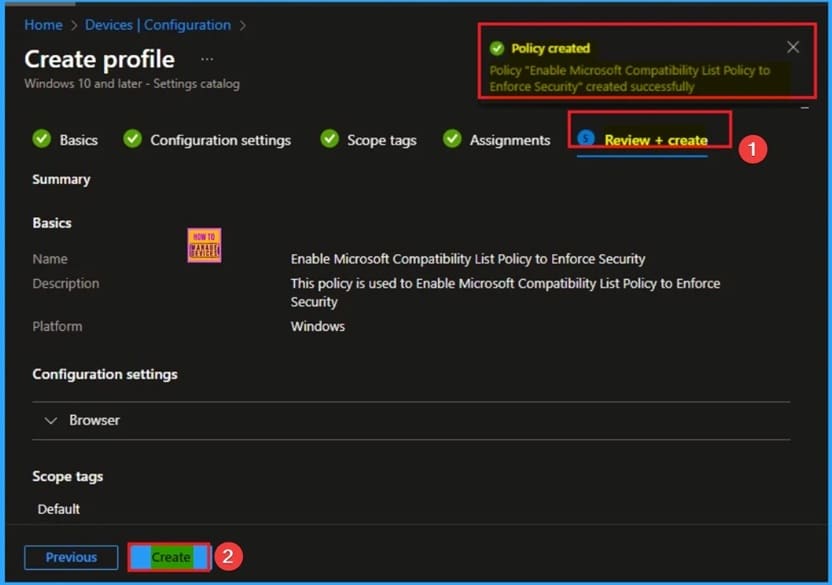
📌Enable Legacy Web App Compatibility in MS Edge Browser using Intune
–https://www.anoopcnair.com/legacy-web-app-compatibility-in-ms-edge-intune/
✨Legacy Web App Compatibility in MS Edge Browser
✨Bridge the Gap between Modern Web Browsers and Legacy Web Applications
✨Benefits of Enable Legacy Web App Compatibility in MS Edge Policy
✨How this Policy Helps Admin?
✨Monitoring Status
✨Client-Side Verification
Tuesday 26th August 2025
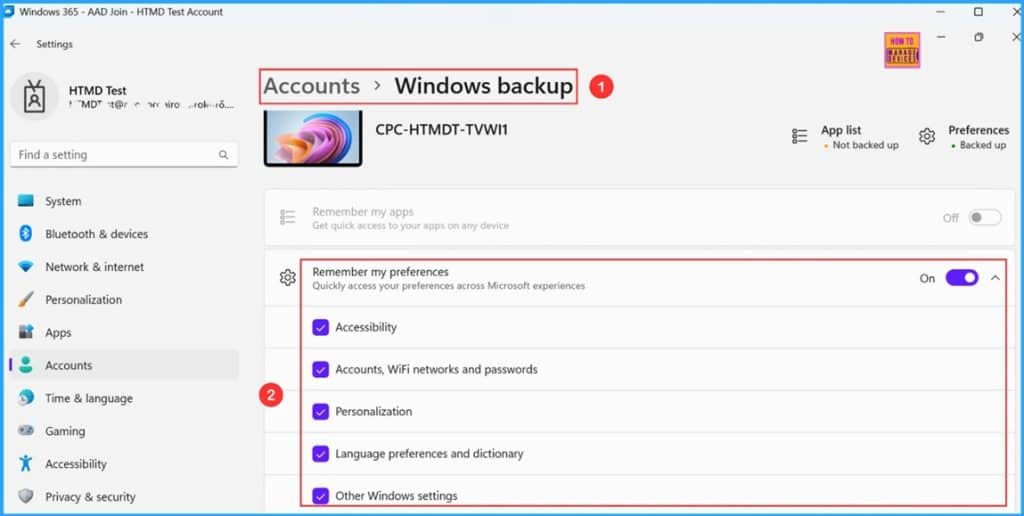
📌Easy way to Enable Windows Backup using Microsoft Intune Configuration
–https://www.anoopcnair.com/enable-windows-backup-using-microsoft-intune/
☑Enable Windows Backup Supported Platforms
☑Create a Configuration Policy to Enable Windows Backup in Intune
☑Monitor the Enable Windows Backup Policy Deployment
☑Important Notes about the Settings & Policy CSP details
☑End User Experience of Enable Windows Backup Policy
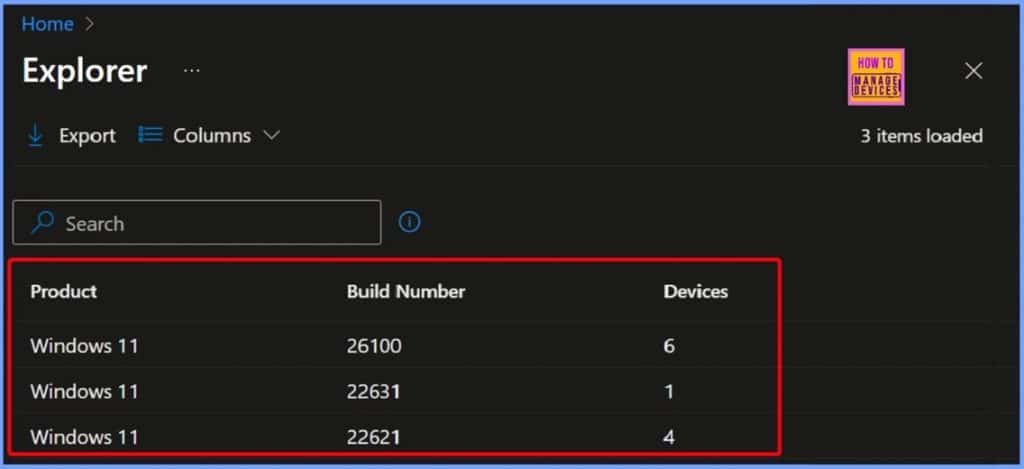
🎆How to Check Windows Feature Update Status using Intune Copilot Explorer
–https://www.anoopcnair.com/windows-feature-update-status-in-Intune-copilot/
▶️Windows Feature Update Status in Intune
▶️Device Updates Category in Intune Explorer
▶️View Windows Feature Update Distribution in Intune Explorer
▶️Other Useful Queries and Next Steps to Consider
▶️End Results
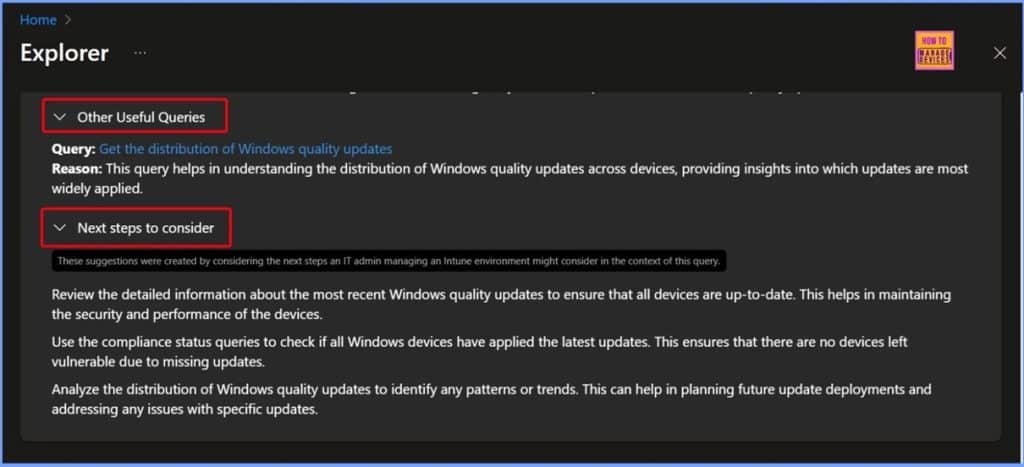
🎆How to Get Latest Windows Quality Updates using Intune Security Copilot
–https://www.anoopcnair.com/windows-quality-updates-using-Intune-copilot/
📌Introduction – Why Quality Updates Matter
📌Deploying Windows Quality Updates via Intune
📌Benefits of Centralized Update Management
📌Monitoring Update Deployment in Intune
📌Intune Explorer with Security Copilot
📌End-User Experience with Quality Updates
📌Best Practices for IT Admins
📌Conclusion – Keeping Windows Devices Secure and Up to Date
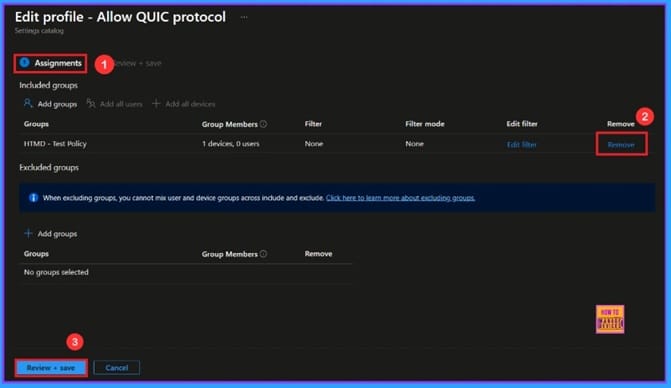
🎆Accelerate Microsoft Edge Performance by Enabling the QUIC Protocol Using Intune
–https://www.anoopcnair.com/microsoft-edge-performance-quic-protocol-Intune/
🔔Enable QUIC Protocol
🔔Improve Speed and Performance
🔔Provide Stable Connections
🔔Device and User Check-in Status
Wednesday 27th August 2025
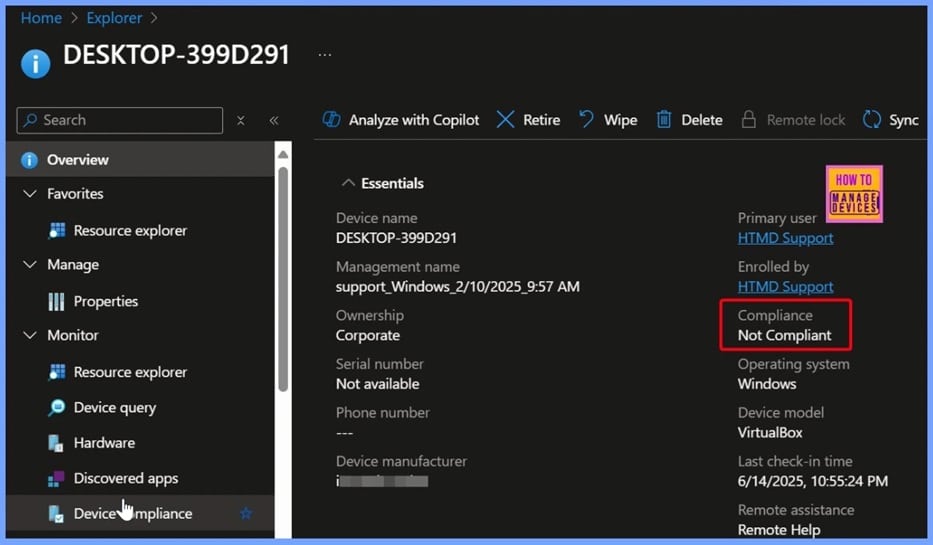
🎆How to Find Windows Devices without Compliance Policy using Intune Copilot Explorer
–https://www.anoopcnair.com/windows-devices-without-compliance-intune/
🎊Identify Devices Without Compliance Policy in Intune
🎊Other Useful Compliance Queries in Intune Security Copilot
🎊Security Risks of Missing Compliance Policies
🎊What Compliance Policies Do
🎊End Results
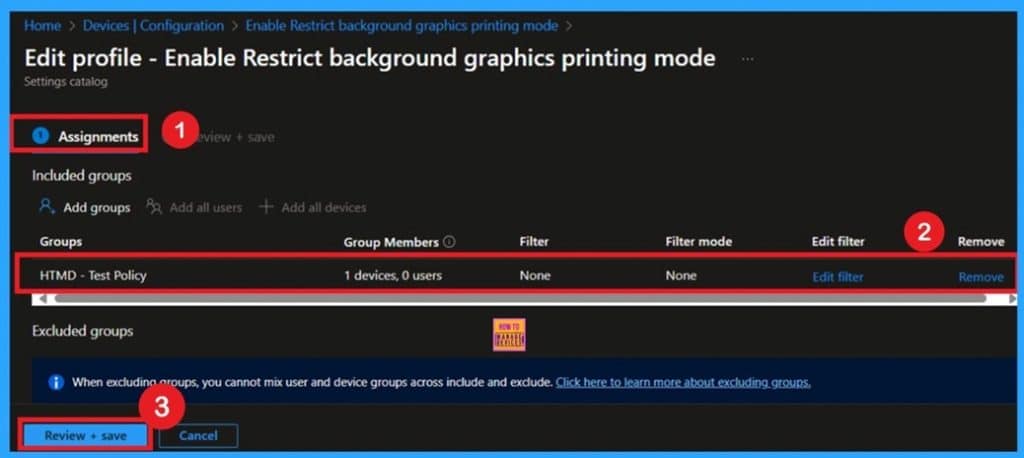
📌Enable Restrict Background Graphics Printing Mode for MS Edge using Intune Policy
–https://www.anoopcnair.com/restrict-background-graphics-edge-intune/
➡Controls Whether Background Graphics Are Included in Printed Documents
➡Helps Reduce Printing Costs and Ink Usage Across Organization
➡Ensures Branding Elements Like Logos Are Always Printed When Required
➡Admins Can Enforce or Restrict Background Graphics Printing
➡Part of Printing Category in Intune Settings Catalog
➡Supports Compliance and Standardized Output Across Managed Devices
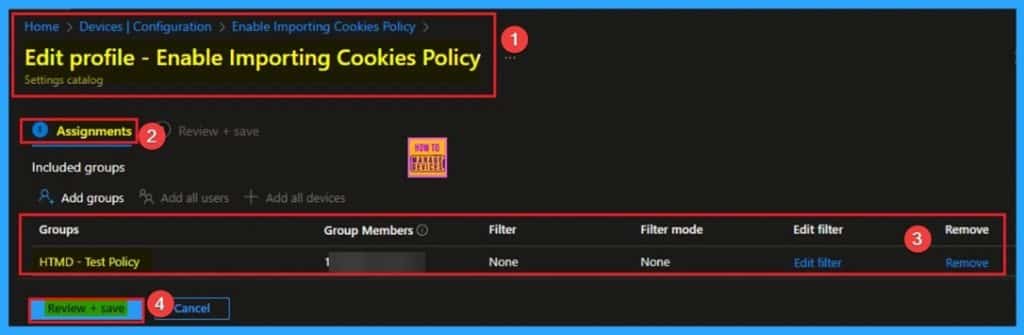
📌Enable Importing Cookies Policy to Transfer Data from Google Chrome to Microsoft Edge using Intune
–https://www.anoopcnair.com/importing-cookies-from-chrome-to-edge-Intune/
✨Enable Importing Cookies
✨Transfer Data from Google Chrome to Microsoft Edge
✨Benefits of Importing Cookies Policy in MS Edge Policy
✨How this Policy Helps Admin?
✨Monitoring Status
✨Client-Side Verification
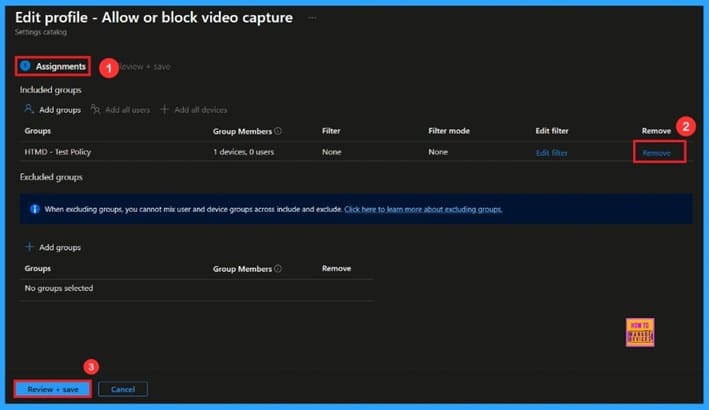
🎆Enable Video Capture for Microsoft Edge Browser to Control Site Access using Intune
–https://www.anoopcnair.com/video-capture-for-microsoft-edge-using-intune/
🔔Helps Control Camera Access
🔔Enable Video Capture for Microsoft Edge Browser
🔔Provides Security and Privacy
🔔Supports Multiple Video Inputs
🔔Device and User Check-in Status
Thursday 28th August 2025
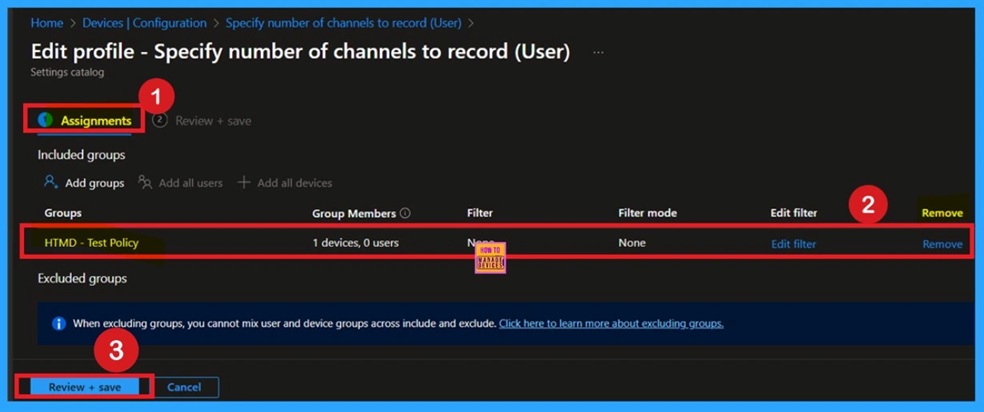
📌Specify Number of Channels to Record Audio in OneNote using Intune Policy
–https://www.anoopcnair.com/audio-channel-settings-for-onenote-intune/
🔥Control Mono or 2 Channels Recording in OneNote
🔥Impacts Audio Capture Quality and File Format
🔥Automatically Applies Correct Codec if Available
🔥No Need to Configure Every Time—Unless Manually Changed
🔥Channel Choice Saved Under Format Setting
🔥Format Setting Found in: File Tab → Options → Audio & Video
🔥Ensures Consistent Audio Recording Across All Managed Devices
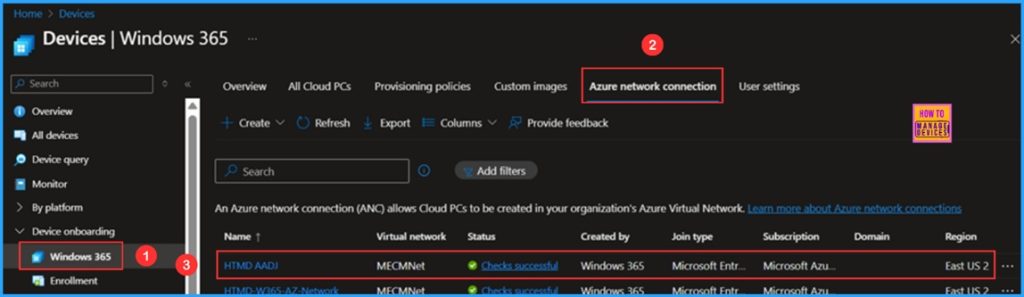
📌How to Fix Windows 365 Inactive Azure Network Connection in Intune
–https://www.anoopcnair.com/windows-365-inactive-azure-network-intune/
💡HTMD AADJ Windows 365 Azure Network Connection Details
💡Identify Windows 365 Inactive Azure Network Connection in Intune
💡End Results
💡Overview of the HTMD AADJ Azure Network Connection
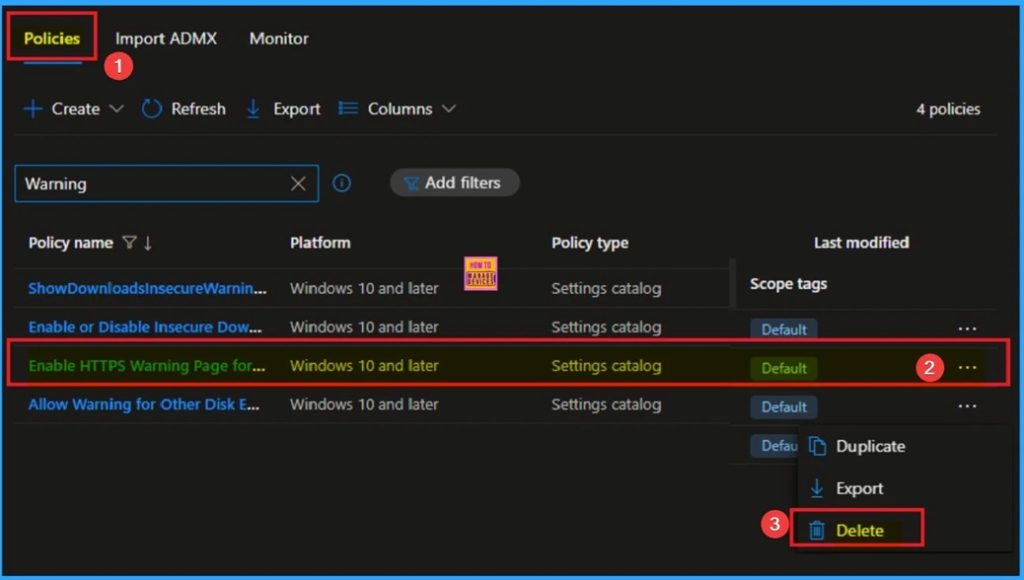
📌Enable HTTPS Warning Page Policy for MS Edge Browser to Control User Access from SSL Errors using Intune
–https://www.anoopcnair.com/https-warning-page-for-edge-browser-intune/
✨HTTPS Warning Page Policy for MS Edge Browser
✨Helps to Prevent Users from Sending sensitive Information
✨Benefits of HTTPS Warning Page Policy in MS Edge
✨How this Policy Helps Admin?
✨Monitoring Status
✨Client-Side Verification
🎆Track Windows Devices with Compliance Grace Period Ending Before a Set Date in Intune Copilot Explorer
–https://www.anoopcnair.com/compliance-grace-period-ending-before-a-Intune/
➡️Select Prompt to Track Devices with Compliance Grace Period Ending Soon
➡️Get Platform Devices that have a Compliance Grace Period Ending before a Specific Date
➡️Run the Query and View Results in Intune Security Copilot
➡️Other Queries and Next Steps
➡️End Results – Windows Devices in Compliance Grace Period with Key Details
Friday 29th August 2025
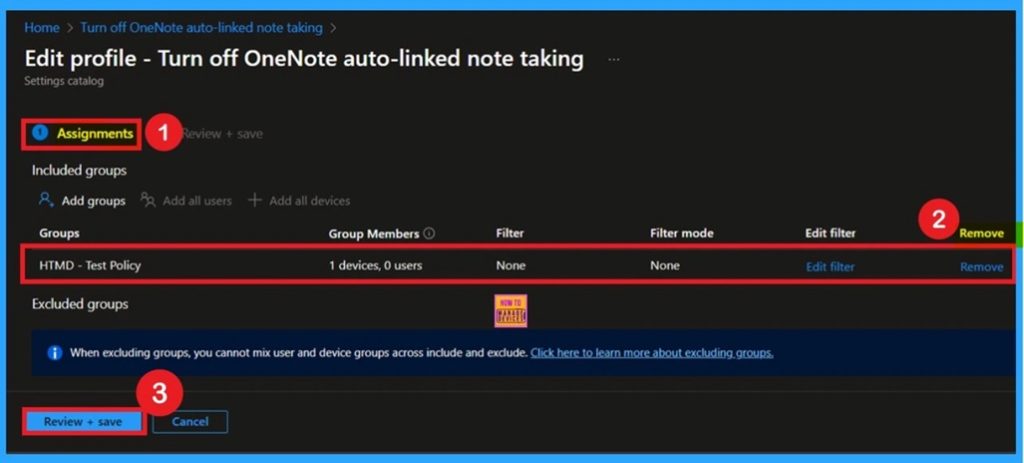
📌Turn Off OneNote Auto-Linked Note Taking Using Intune Policy
–https://www.anoopcnair.com/onenote-auto-linked-note-taking-using-intune/
🔥Disables Auto-Linking Between Notes and Source Content
🔥Prevents OneNote from Linking Notes to Webpages
🔥Helps Maintain Clean, Unlinked Note Entries
🔥Improves Privacy and Reduces Unintended Content Associations
🔥Configured via Settings Catalog in Microsoft Intune
🔥Monitoring Status
🔥Client-Side Verification
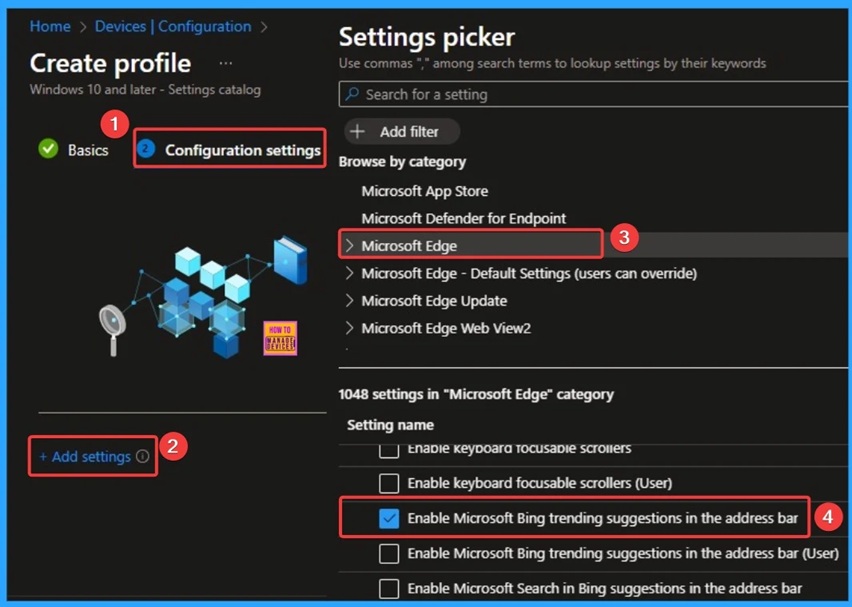
📌Control Microsoft Bing Trending Suggestions in the Address Bar Policy using Intune
–https://www.anoopcnair.com/microsoft-bing-trending-suggestions-intune/
✨Enable Microsoft Bing Trending Suggestions Address Bar Policy
✨Helps to Access New Trending Topics on Bing
✨Benefits of Microsoft Bing Trending Suggestions in the Address Bar
✨How this Policy Helps Admin?
✨Monitoring Status
✨Client-Side Verification
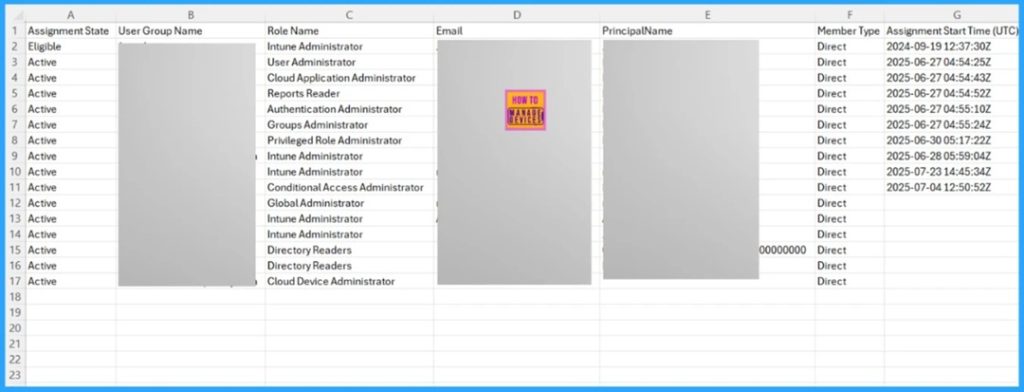
📌How to Export Privileged Identity Management Role Assignments in Entra ID using PowerShell
–https://www.anoopcnair.com/export-privileged-identity-management-entra/
✨Key Capabilities Of Privileged Identity Management
✨Importance to Exporting Entra ID PIM Role Assignments
✨Manually Export PIM Role Assignments from Entra Admin Center
✨What’s Included in the Export
✨Export Entra ID PIM Role Assignments using PowerShell Script
✨Download the PowerShell to Export PIM Role
✨Assignments in Entra ID
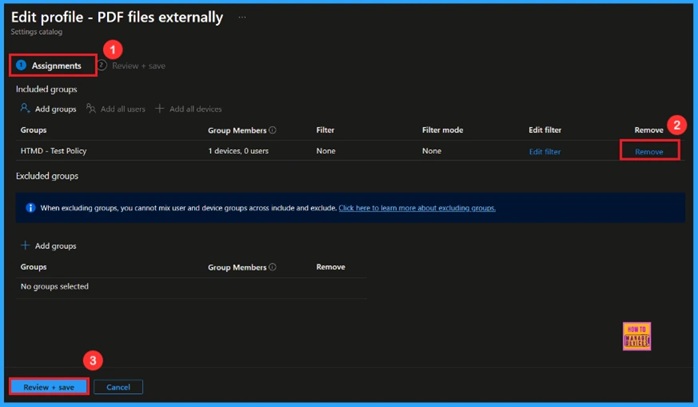
🎆How to Enable PDF file Externally in Microsoft Edge to Use your Default Application using Intune
–https://www.anoopcnair.com/enable-pdf-file-externally-in-edge-using-intune/
🔔Enable PDF File Externally
🔔Improves User Workflow
🔔Provides a Solution for compatibility issues
🔔Device and User Check-in Status
HTMD Daily Intune Tips
📻Don’t Break Intune with Disallow Cloud Notification Security and Performance based Policy Settings #msintune #htmdcommunity #microsoftintune
–https://youtube.com/shorts/jmLWtv-Y7tE
▶️Are Your Intune Policies Actually Working?
▶️Avoid a Disaster: The One Intune Setting to Always Disable
▶️The Advanced Intune Policy You Must Understand
📻Fix Missing Fonts Issue with Intune Allow Font Providers Policy | Download & Install of Fonts Securely? #msintune #htmdcommunity #fonts
–https://youtube.com/shorts/TK-WWzeDglI
▶️Master Intune Security: The “Allow Font Providers” Policy You NEED to Know
▶️The secret behind automatic font downloads.
▶️Key security and bandwidth considerations.

📻Have you Ever Lost Your Corporate Laptop? Track the device using Microsoft Service using Intune Policy or 3rd Party App? #msintune #htmdcommunity #lostlaptop #windows #mssecurity
–https://youtube.com/shorts/4f3Po8I-5GQ
▶️Why Organizations Enable or Disable This Policy
▶️Real-World Examples and Importance for Organizations
▶️Understanding the “Allow Find My Device” Policy Setting in Intune
📻Maximize Battery Life and Security with One Windows Policy using Intune | #EndpointSecurity #msintune #htmdcommunity #IntuneTips #Productivity #remotework
–https://youtube.com/shorts/6XElH6h98Vg
▶️Why Organizations Enable or Disable This Policy
▶️Real-World Examples and Importance
▶️Explanation of the “Unattended Sleep Timeout On Battery” Intune Policy Setting

📻How to Launch Teams Desktop App from Meeting Link in Website | Outlook Desktop App from Mail to Link #msintune #msoutlook #htmdcommunity #microsoftintune
–https://youtube.com/shorts/ixkfAyRNeJA
▶️Real-World Examples
▶️When you configure this policy:
▶️Enabling this policy allows for a more fluid workflow.

Connect with the HTMD Community
Join the Telegram group to get the latest step-by-step guides and news updates. Join our Meetup Page to participate in User group meetings. Also, join the WhatsApp Community to get the latest news on Microsoft Technologies. We are there on Reddit as well.
HTMD Community Social Media Platform Links
| Social Media Platform | Link |
| LinkedIn: HTMD Community | https://www.linkedin.com/company/how-to-manage-devices/ |
| Telegram: SCCM Intune Technical Discussions | https://t.me/joinchat/Q9lE6G1_BO_bGq97 |
| Telegram: JOB SCCM Intune Group | https://t.me/joinchat/SIKr3OugR2FQ-Ej9 |
| WhatsApp: HTMD Community | https://chat.whatsapp.com/CeMXHSD61HtDBJwe78IZwV |
| Telegram: AVD/Windows 365 User Group | https://t.me/Inwvdcommunity |
| https://www.facebook.com/HTMDCommunity | |
| https://www.instagram.com/htmd_community/ | |
| https://twitter.com/htmdcommunity | |
| Facebook Group: SCCM | https://www.facebook.com/groups/ConfigMgr2012/ |
| Facebook Group: Intune | https://www.facebook.com/groups/1738789256382744 |

Anoop C Nair is Workplace Technology solution architect with 25+ years (as of 2026) of experience in global enterprise organizations such as JP Morgan, Capgemini, etc. Microsoft Certified Trainer (MCT). Microsoft MVP from 2015 onwards for consecutive 11+ years! He also conducts Intune and modern workplace tech training for enterprise organizations. He is Blogger, Speaker, and Founder of HTMD Community and HTMD Conference. His main focus is on Device Management technologies like Intune, Windows, Cloud PC. He writes about technologies like Intune, SCCM, Windows, Cloud PC, Windows, Entra, Microsoft Security.

Discussion