












207th HTMD Newsletter 18th to 22nd August 2025
Welcome to the 207th HTMD Newsletter, 18th to 22nd August 2025! This is the list of posts and videos the HTMD Community published this week, and news from the IT industry. You can get all the information and details from Windows 11, Cloud PC, SCCM, Intune, Azure Virtual Desktop (AVD), Android, iOS, and Mac.
Previous Weeks Newsletter
- 204th HTMD Newsletter – HTMD Newsletter 28th July to 1st August 2025
- 205th HTMD Newsletter – HTMD Newsletter 4th to 8th August 2025
- 206th HTMD Newsletter – HTMD Newsletter 11th to 15th August 2025

Monday 18th August 2025
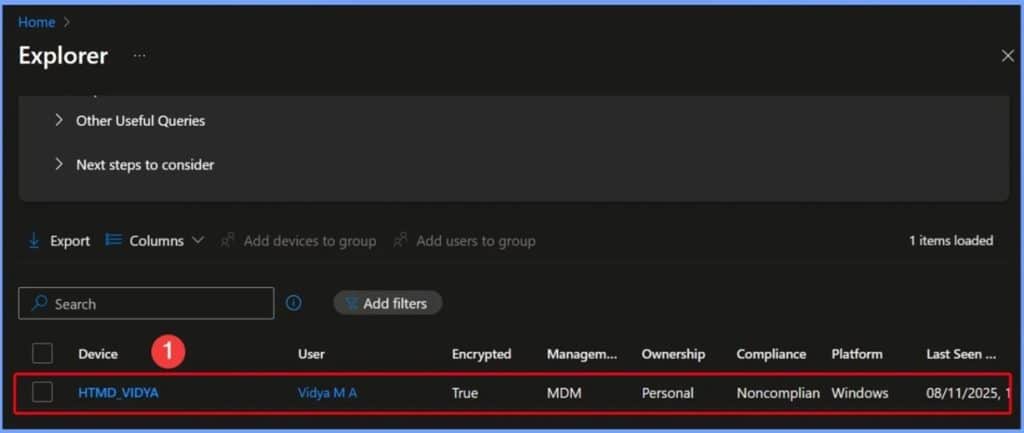
🎆How to Get Device Enrollment Details by User in Intune Explorer with Security Copilot
–https://www.anoopcnair.com/device-enrollment-details-by-user-in-Intune/
▶️Get Devices Enrolled by User Query
▶️Viewing Devices Enrolled by a Specific User
▶️Other Useful Queries
▶️Next Steps to Consider
▶️End Result
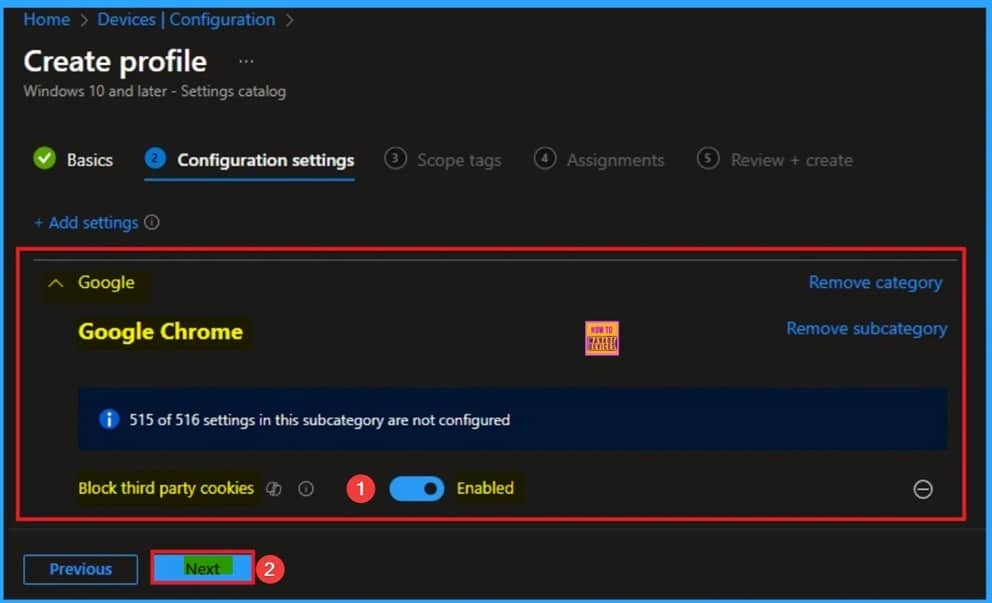
📌How to Block Third-Party Cookies Policy for Enhanced Security and Privacy in Google Chrome using Intune
–https://www.anoopcnair.com/third-party-cookies-in-google-chrome-intune/
🔥Block Third-Party Cookies Policy
🔥Prevents Tracking your Online Activity
🔥Benefits of Block Third-Party Cookies Policy
🔥How this Policy Helps Admin?
🔥Example of Applicable Scenario
🔥Monitoring Status
🔥Client-Side Verification
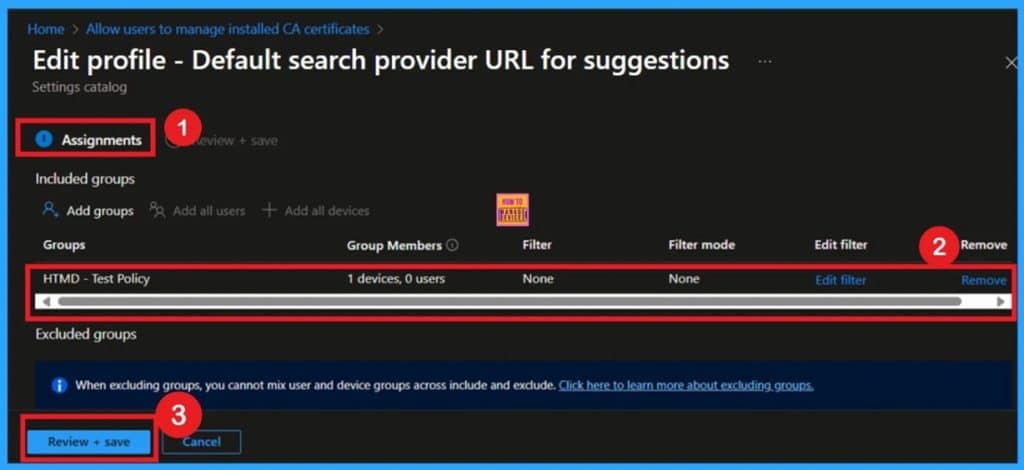
🎆Configuring Default Search Provider Suggestion URL in Microsoft Edge with Intune Policy
–https://www.anoopcnair.com/default-search-provider-edge-with-intune/
🔥Default Search Provider Suggestion URL
🔥Source of Search Suggestions in Microsoft Edge
🔥Enables Real-time, Relevant Suggestions from the Selected Provider
🔥What Happens if this Policy is Not Configured?
🔥Monitoring Status
🔥Client-Side Verification
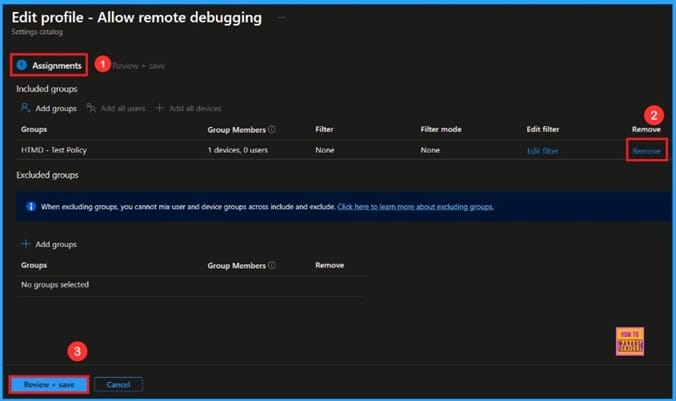
🎆Enable Remote Debugging to Control User Access and Permissions for Microsoft Edge using Intune
–https://www.anoopcnair.com/remote-debugging-for-Microsoft-edge-Intune/
🔔Enable Remote Debugging Policy
🔔Useful for Developers and IT Teams
🔔Provide Control to Users
🔔Helps to Control User Access
🔔Provide Permissions for Microsoft Edge
🔔Device and User Check-in Status
Tuesday 19th August 2025
🎆Set Retention Period for OneNote Version History using Intune Policy
–https://www.anoopcnair.com/set-retention-period-for-onenote-using-intune/
🔥OneNote Version History
🔥Lets Admins Set How Long OneNote Keeps Old Page Versions
🔥Prevents Buildup of Outdated Versions
🔥Restore or Review Previous Versions When Needed
🔥Monitoring Status
🔥Client-Side Verification
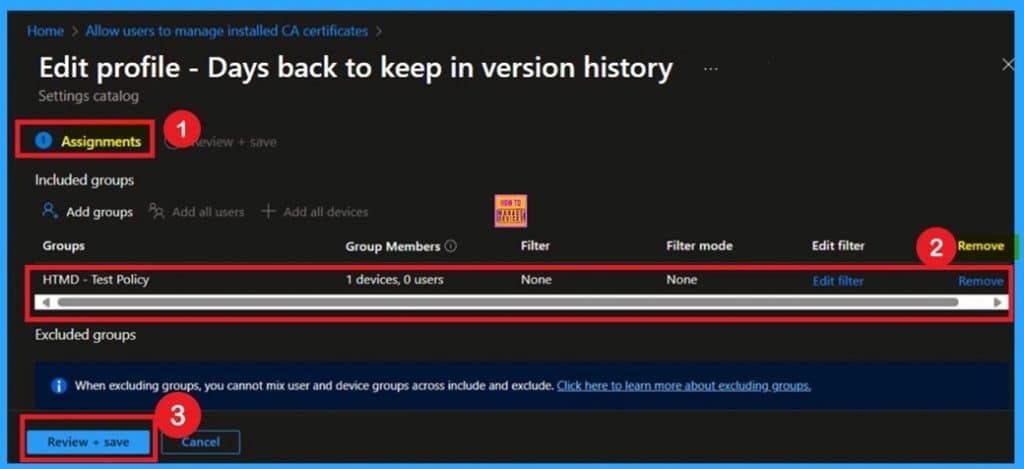
🎆How to Get All Managed App Installation Results for User using Intune Explorer with Security Copilot
–https://www.anoopcnair.com/managed-app-installation-results-for-Intune/
🔥Detailed Managed App Installation Report for Selected User
🔥Get All Managed App Install Results for User
🔥Useful Queries for Application Discovery
🔥End Result – Get All Managed App Install Results for User
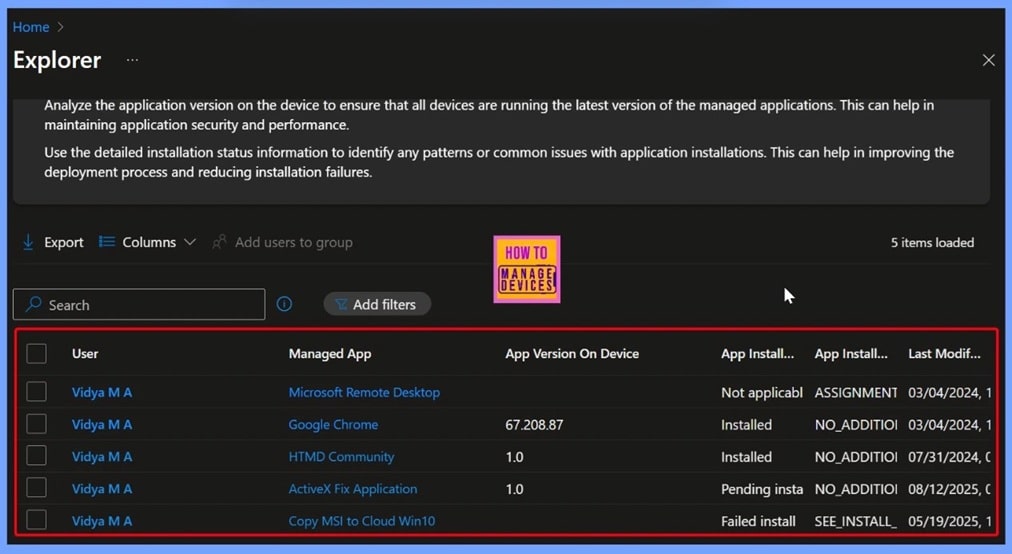
📌Enable Address Bar Search Suggestion to Optimizing User Experience for Google Chrome Using Intune
–https://www.anoopcnair.com/address-bar-search-suggestion-for-chrome-intune/
🔥Enable Address Bar Search Suggestion Policy
🔥Optimizing User Experience for Google Chrome
🔥Benefits of Address Bar Search Suggestion Policy
🔥How this Policy Helps Admin?
🔥Example of Applicable Scenario
🔥Monitoring Status
🔥Client-Side Verification
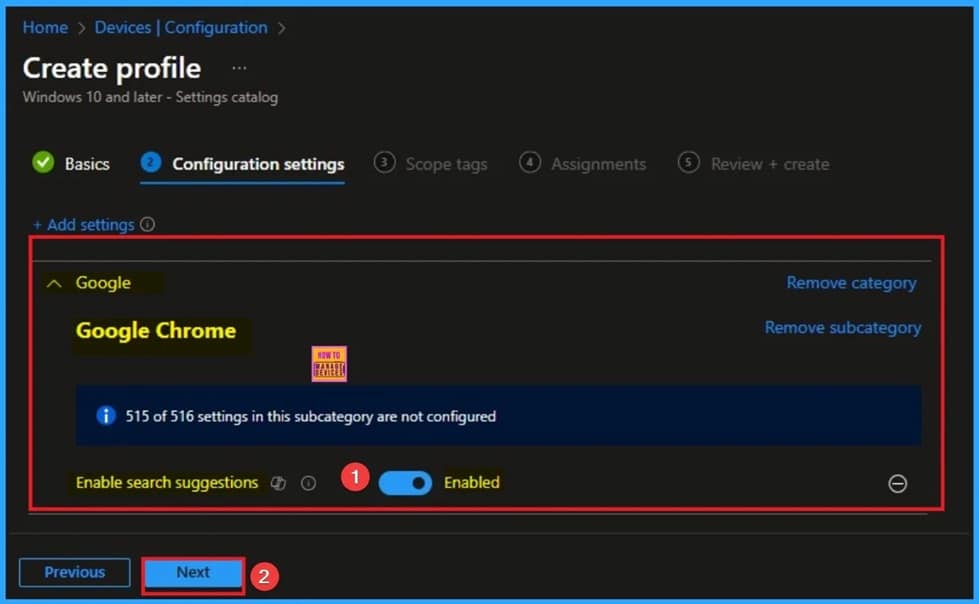
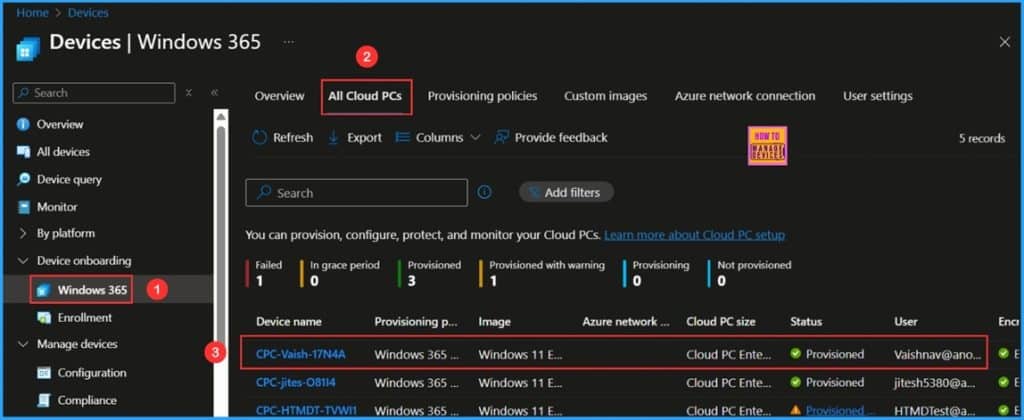
📌How to Fix Windows 365 Cloud PCs Provisioned with Warning Issue in Intune
–https://www.anoopcnair.com/cloud-pcs-provisioned-with-warning-issue-Intune/
✅Common Reasons for Windows 365 Cloud PCs Provisioned with Warning Issue
✅Identify Windows 365 Cloud PCs Provisioned with Warning in Intune
✅Retry provisioning & Notes
✅End Result
Wednesday 20th August 2025
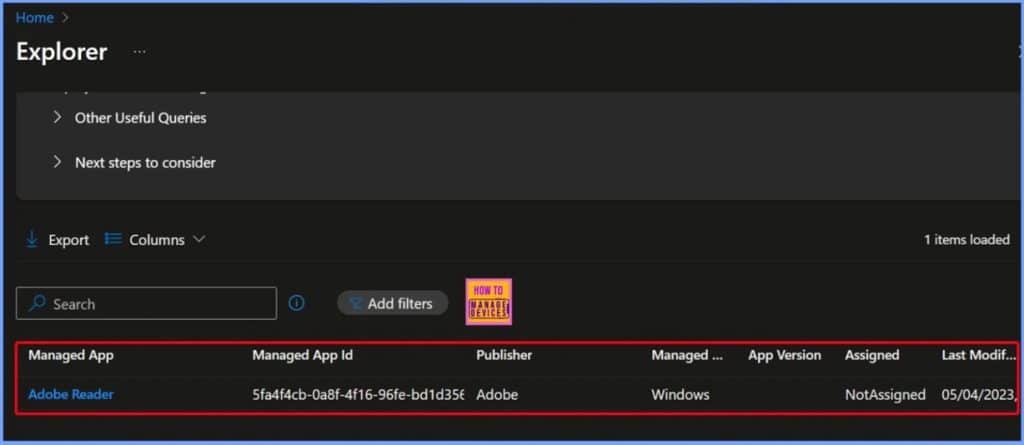
🎆How to View Managed App Types Details with Intune Explorer and Security Copilot
–https://www.anoopcnair.com/managed-app-types-details-with-intune-explorer/
🔥Get Managed App Type Applications
🔥View Detailed Information for a Specific Managed App Type
🔥Other Useful Queries and Next Steps for Managed App Insights
🔥End Result – Get Windows Store App Details
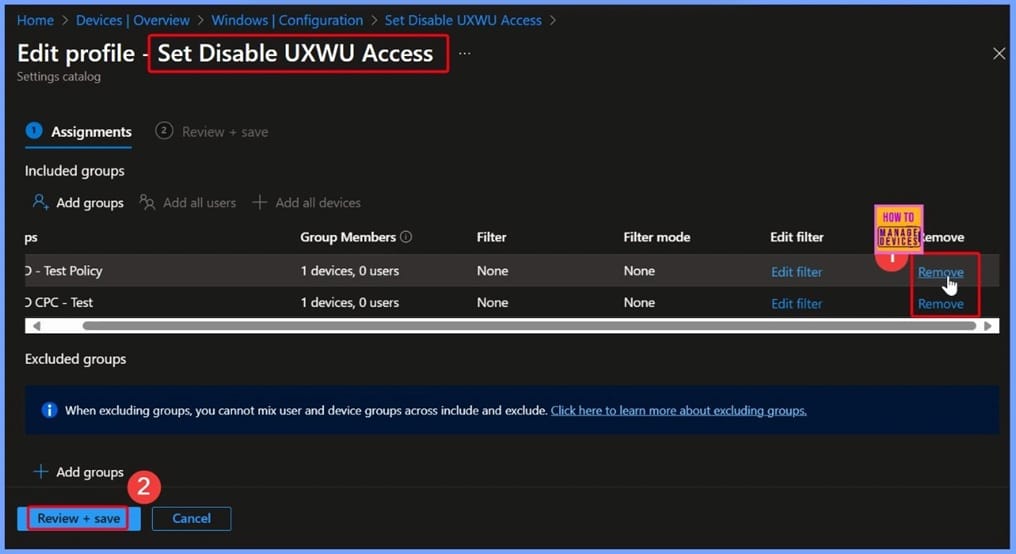
🎆How to Remove User Access to Scan Download and Install from Windows Update using Intune Policy
–https://www.anoopcnair.com/remove-user-access-to-install-update-intune/
➡️Entering Policy Details in the Basic Tab
➡️Configuration Settings and Add Settings
➡️Windows Update for Business
➡️Enable Disable Set Disable UXWU Access
➡️Assigning the Policy to Target Groups in Intune
➡️Review + Create – Finalizing Your Intune Policy
➡️Policy Creation Confirmation in Intune
➡️Device and User Check-in Status of Succeeded for Two Devices
➡️Windows CSP Details
➡️Client-Side Verification
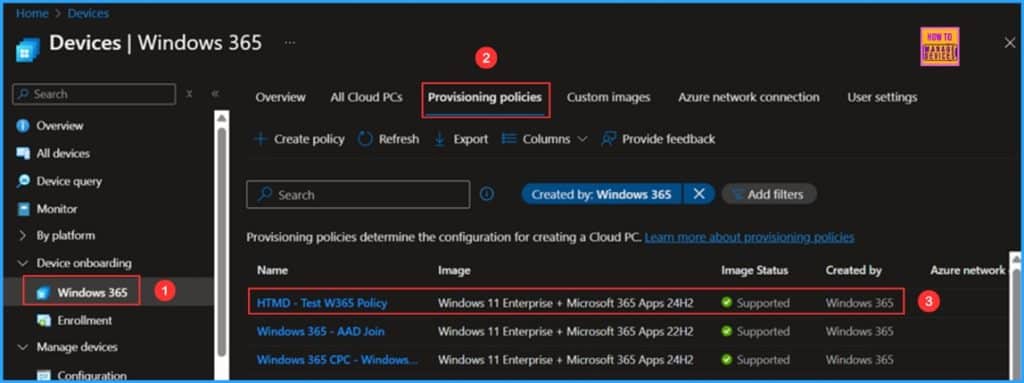
📌 How to Resolve Windows 365 Provisioning Policy Unsupported Image Status in Intune
–https://www.anoopcnair.com/windows-365-unsupported-image-status-in-intune/
💡Windows 365 Cloud PC Image Gallery
💡Identify Windows 365 Provisioning Policy’s Unsupported Image Status in Intune
💡Details about Windows 11 Enterprise + Microsoft 365 Apps 24H2 Image
💡End Result
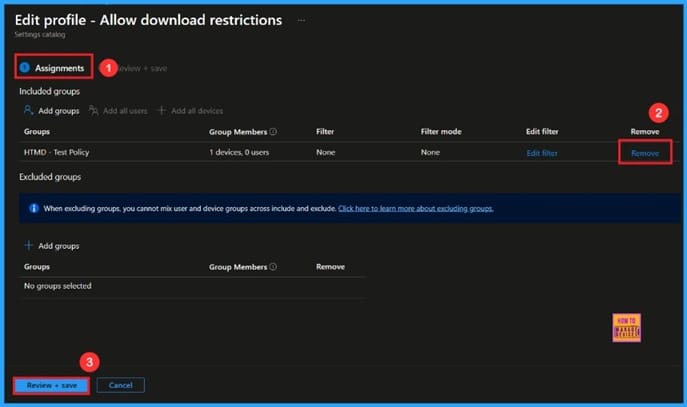
🎆Restrict All Downloads from Microsoft Edge Browser to Protect Data using Intune
–https://www.anoopcnair.com/restrict-all-downloads-from-edge-browser-intune/
🔔Enable Download Restriction
🔔Helps Block Unsafe Downloads
🔔Provides Control to Admins
🔔Helps Keep Data Safe
🔔Device and User Check-in Status
Thursday 21st August 2025
🎆How to Get Windows Device Compliant State Details using Intune Security Copilot
–https://www.anoopcnair.com/windows-device-compliant-state-intune-copilot/
🔥Available Query Options Under the Intune Compliance Category
🔥Filling Mandatory Fields for the “Get Platform Devices that are in a Compliance State” Query
🔥Get Windows Devices that are Compliance State
🔥Intune Security Copilot Queries for Tracking Windows Device Compliant State Details
🔥End Results
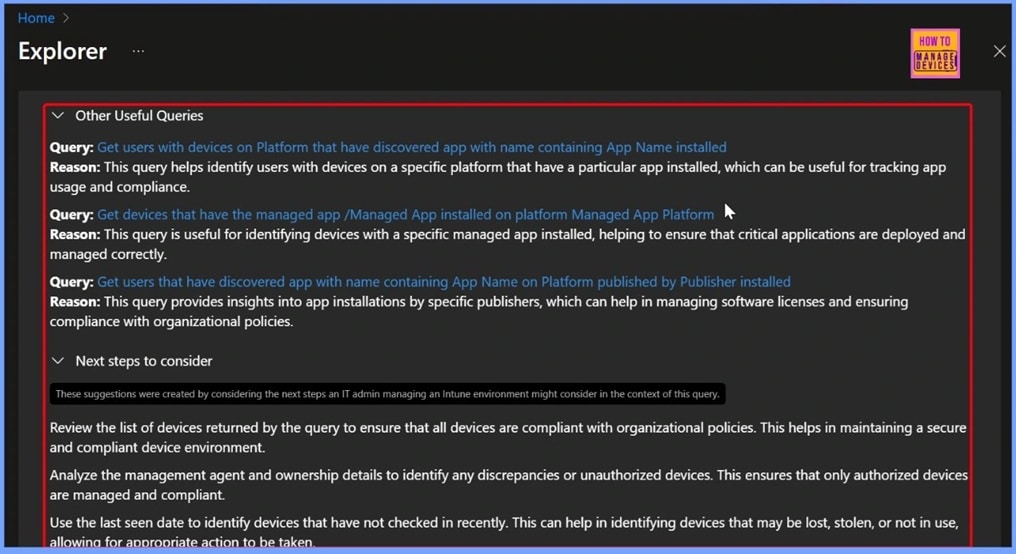
🎆How to Configure Scheduled Install Time for Windows Updates using Intune Policy
–https://www.anoopcnair.com/scheduled-install-time-windows-updates-intune/
📌Basic Details of Scheduled Install Time Policy
📌Intune Settings Catalog – Simplifying Policy Configuration for IT Admins
📌Selecting Scheduled Install Time from Windows Update for Business in Settings Picker
📌Configure Update Installation Hours in Intune
📌Assigning Groups in Intune – Adding HTMD CPC Test to the Policy
📌Verify Policy Details Before Finalizing in Intune
📌Policy Creation Success
📌Device Check-In Status for Scheduled Install Time Policy
📌Client Side Verification
📌Windows CSP Details
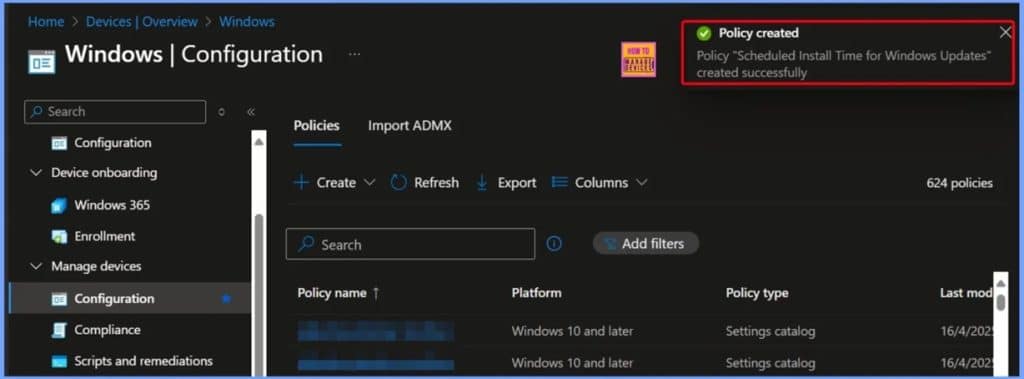
📌Configure Visual Search for Edge Default Search Provider using Intune Policy
–https://www.anoopcnair.com/search-edge-default-search-provider-intune/
🔥Visual Search for Edge
🔥Routes Image Searches through Trusted Engines
🔥Maintains Uniform Behavior Across All Managed Devices
🔥Prevent Unauthorized Use
🔥How can Admins Set up the Search-by-Image Feature in Microsoft Edge?
🔥Monitoring Status
🔥Client-Side Verification
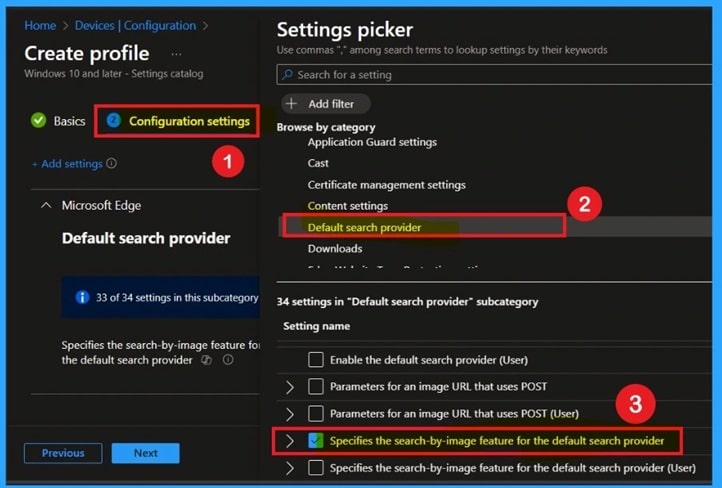
🎆Allow or Block All Unmanaged Add-ins in OneNote using Intune Policy
–https://www.anoopcnair.com/all-unmanaged-add-ins-in-OneNote-using-Intune/
➡Unmanaged Add-ins in OneNote
➡Controls which Add-ins are Allowed in Applications
➡Enhance App Functionality and Productivity
➡Not All Add-ins are Safe
➡Why is this Policy Important for Security?
➡Monitoring Status
➡Client-Side Verification
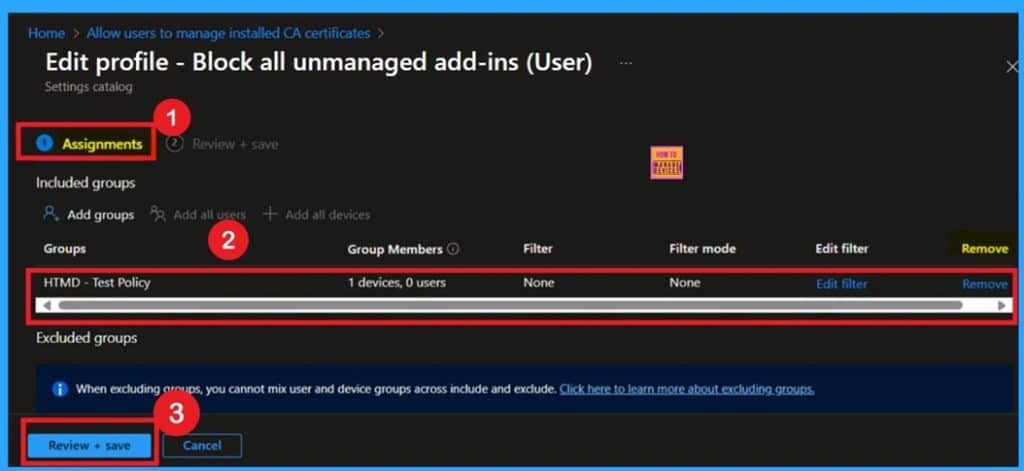
Friday 22nd August 2025
🎆How to Block Malicious Downloads and Dangerous File Types in Google Chrome with Intune Policy
–https://www.anoopcnair.com/block-malicious-downloads-and-dangerous-intune/
📌Allow Download Restrictions
📌Enable Download Restrictions Policy
📌Download Restrictions Device Settings
📌Control Who can See and Manage Specific Policies
📌User or Device Groups to Receive the Policy
📌Review + Create Step
📌Device and User Check-in Status
📌Client-Side Verification
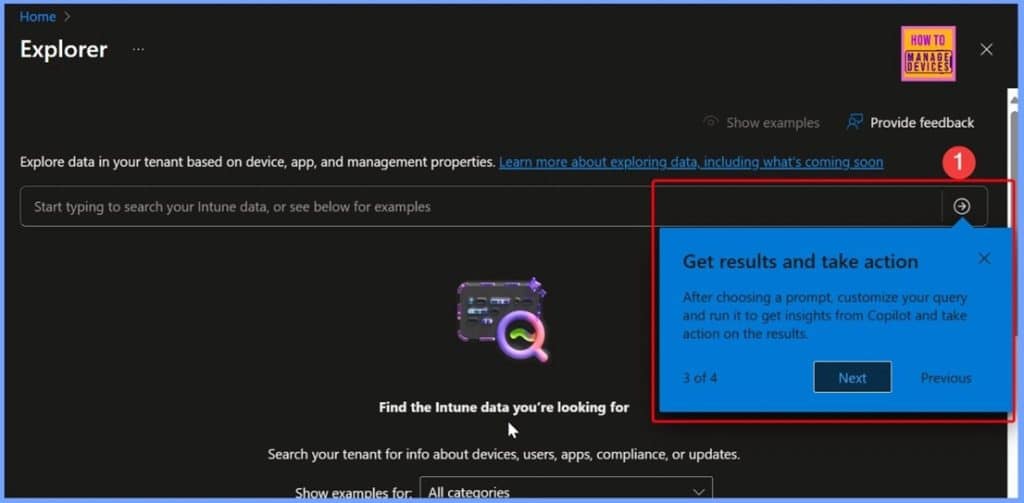
🎆4 Easy Steps to Explore your Intune Tenant Data with Security Copilot
–https://www.anoopcnair.com/explore-your-Intune-tenant-data-with-copilot/
➡️Explore your Intune Data with Copilot
➡️See What Types of Questions You Can Ask
➡️Get Results and Take Action
➡️Help Shape What’s Next
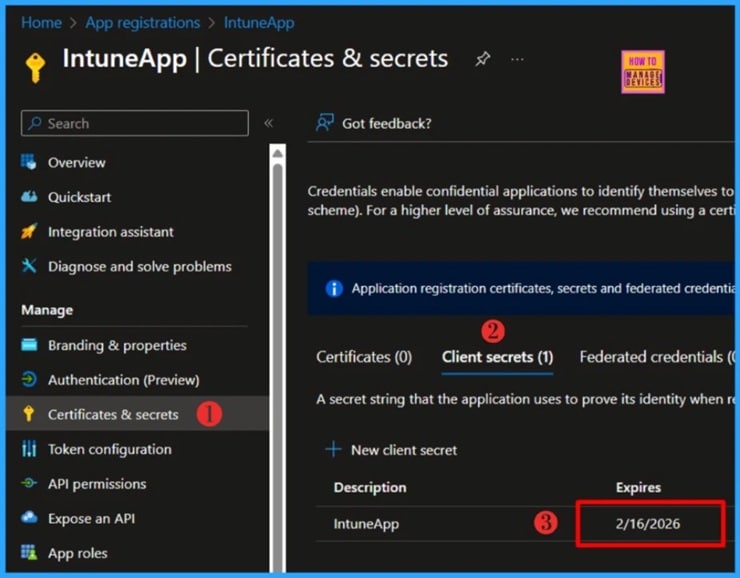
🎆How to Get Windows Device Compliant State Details using Intune Security Copilot
–https://www.anoopcnair.com/powershell-script-entra-app-secret-expirations/
🔥What is Microsoft Entra ID
🔥Learn More about Microsoft Entra ID app registration
🔥Roles Required to Manage Entra App Registration
🔥How to Check Microsoft Entra App Secret Expiry Date Manually
🔥Install Microsoft Graph PowerShell module
🔥PowerShell Script to Check Microsoft Entra App Secret Expiry
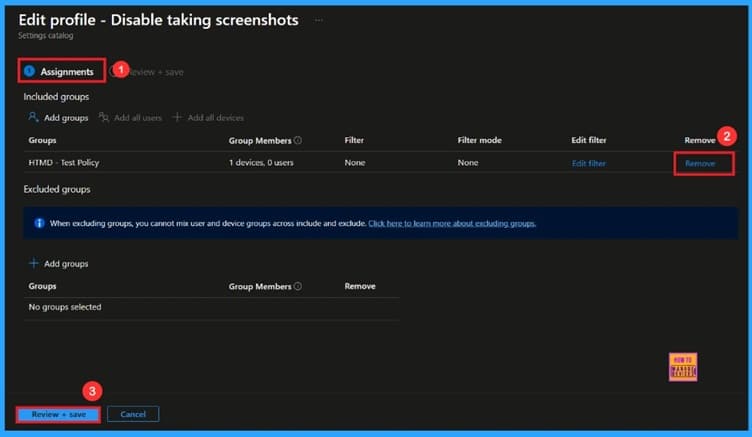
🎆How to Disable Screenshots Policy to Limit Content Capture from Within MS Edge Browser Using Intune
–https://www.anoopcnair.com/disable-screenshots-policy-edge-browser-intune/
🔔 Disable Taking Screenshot
🔔Helps Users Take Screenshots
🔔Provides Error Details for IT Support
🔔Improve Teamwork by Sharing Content
🔔Device and User Check-in Status
HTMD Daily Intune Tips
📻Control Handwriting Inputs for Windows devices using Intune Policy Touch Keyboard Handwriting Mode #msintune #htmdcommunity #touchkeyboard
–https://youtube.com/shorts/4hqSDngBV_Q
▶️Handwriting input panel is always available
▶️Handwriting input panel is always disabled
▶️Compliance and Auditing
📻DaaS 2025 Research Paper from Gartner Microsoft Cs Windows 365 AVD Market Share Vs Citrix AWS #windows365 #cloudpc #msintune
–https://youtube.com/shorts/FQO7WkXtxG8
▶️Amazon and Citrix
▶️Microsoft
▶️Alibaba Cloud
📻How to Build a Windows 365 Cloud PC | A Complete Guide to Provisioning & Management under 3 Minutes #cloudpc #windows365 #msintune #entraid
–https://youtube.com/shorts/Lzwk8de_cos
▶️Windows 365 Cloud PC
▶️Microsoft Intune admin center
▶️USB redirection
📻PC Don’t Get Stuck! 🤯 Windows 365 Cloud PC Remote Restart Explained (User vs. Admin) | Inside #CloudPC #windows365 #msintune
–https://youtube.com/shorts/yKLutvBjYDo
▶️User-Initiated Restart (Windows 365 App/Web Portal)
▶️Administrator-Initiated Restart (Microsoft Intune)
▶️Initiate Restart from Inside Cloud PC
📻 How to Enable or Disable Cellular Data on Windows Laptops with Intune | Stop Unexpected Bills!
–https://youtube.com/shorts/0XTHtFYeW9g
▶️Allow Cellular Data Roaming
▶️Allow Cellular Data
▶️Policy Settings

Connect with the HTMD Community
Join the Telegram group to get the latest step-by-step guides and news updates. Join our Meetup Page to participate in User group meetings. Also, join the WhatsApp Community to get the latest news on Microsoft Technologies. We are there on Reddit as well.
HTMD Community Social Media Platform Links
| Social Media Platform | Link |
| LinkedIn: HTMD Community | https://www.linkedin.com/company/how-to-manage-devices/ |
| Telegram: SCCM Intune Technical Discussions | https://t.me/joinchat/Q9lE6G1_BO_bGq97 |
| Telegram: JOB SCCM Intune Group | https://t.me/joinchat/SIKr3OugR2FQ-Ej9 |
| WhatsApp: HTMD Community | https://chat.whatsapp.com/CeMXHSD61HtDBJwe78IZwV |
| Telegram: AVD/Windows 365 User Group | https://t.me/Inwvdcommunity |
| https://www.facebook.com/HTMDCommunity | |
| https://www.instagram.com/htmd_community/ | |
| https://twitter.com/htmdcommunity | |
| Facebook Group: SCCM | https://www.facebook.com/groups/ConfigMgr2012/ |
| Facebook Group: Intune | https://www.facebook.com/groups/1738789256382744 |

Anoop C Nair is Workplace Technology solution architect with 25+ years (as of 2026) of experience in global enterprise organizations such as JP Morgan, Capgemini, etc. Microsoft Certified Trainer (MCT). Microsoft MVP from 2015 onwards for consecutive 11+ years! He also conducts Intune and modern workplace tech training for enterprise organizations. He is Blogger, Speaker, and Founder of HTMD Community and HTMD Conference. His main focus is on Device Management technologies like Intune, Windows, Cloud PC. He writes about technologies like Intune, SCCM, Windows, Cloud PC, Windows, Entra, Microsoft Security.

Discussion