











186th HTMD Newsletter 24th to 28th March 2025
Welcome to the 186th HTMD Newsletter Summary from 24th to 28th March 2025! This is the list of posts and videos the HTMD Community published this week, and news from the IT industry. You can get all the information and details from Windows 11, Cloud PC, SCCM, Intune, Azure Virtual Desktop (AVD), Android, iOS, and Mac.
Previous Weeks Newsletters
Did you miss updates from last week? Check out the link below.
- 183rd HTMD Newsletter- HTMD Newsletter 183 3rd To 7th March 2025
- 184th HTMD Newsletter- HTMD Newsletter 184 10th To 14th March 2025
- 185th HTMD Newsletter- HTMD Newsletter 185 17th To 21st March 2025
Table of Contents
Monday – 24 March 2025
🎆How to Fix Text Predictions Missing or Unavailable Issue with Outlook
https://www.anoopcnair.com/text-predictions-missing-unavailable-in-outlook/
🔔What are Text Predictions?
🔔Investigation for Missing Text Prediction
🔔Fix Text Prediction Missing
🔔Disappear from the Options Menu
🔔Troubleshoot using a Registry Key

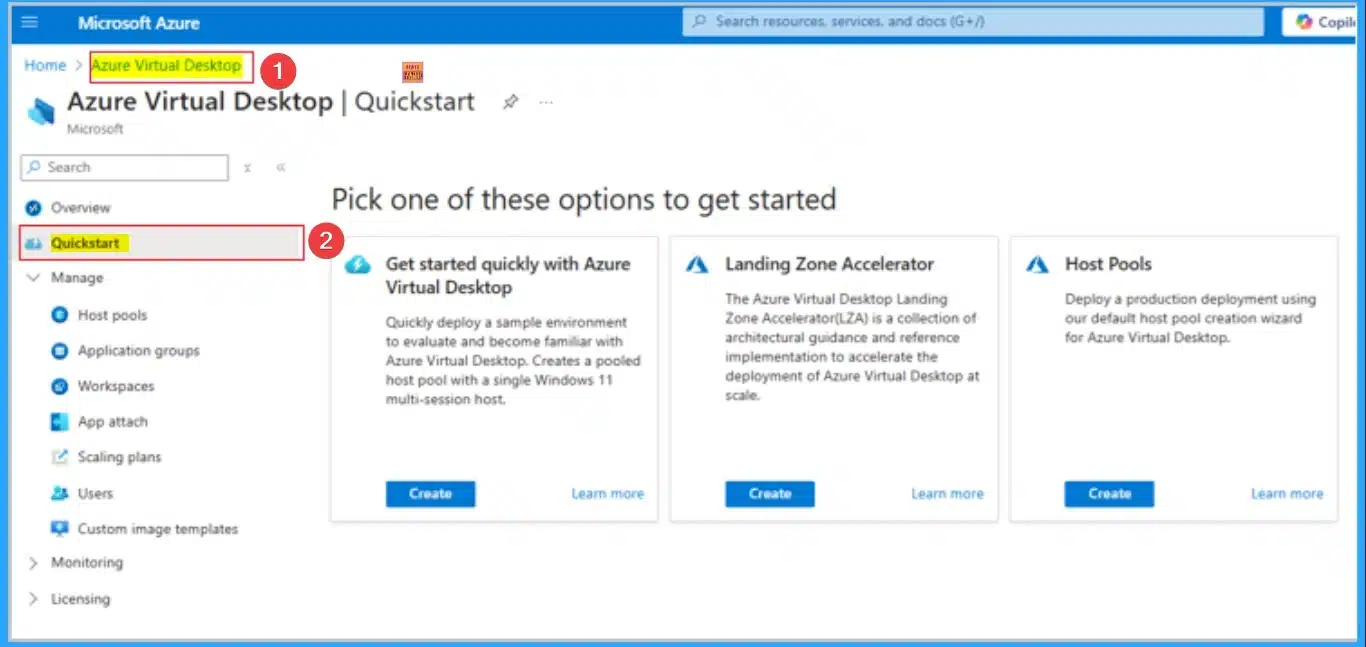
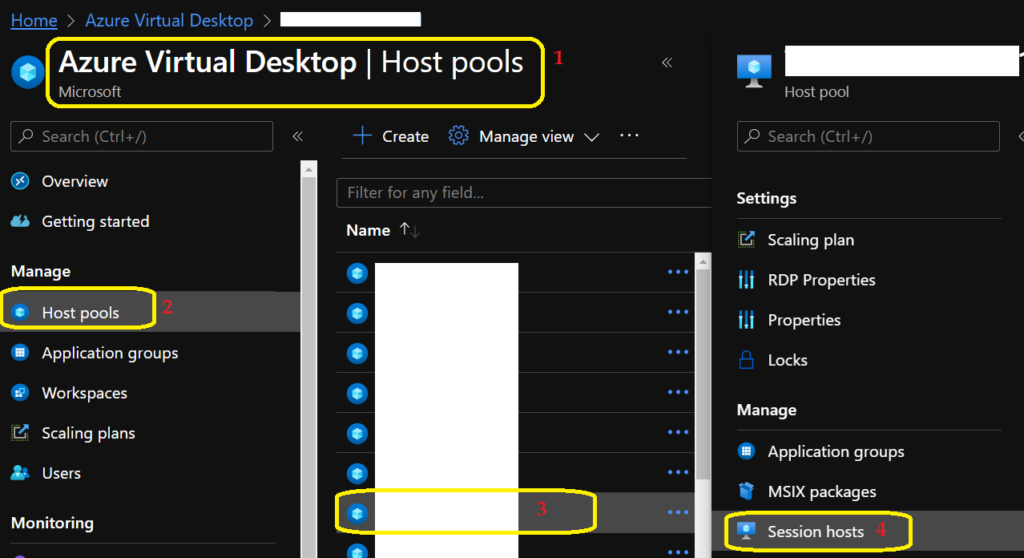
🎆How to Set up Azure Virtual Desktop Quickstart for Fast and Easy Deployment
https://howtomanagedevices.com/azure/20945/azure-virtual-quickstart/
➡Azure Virtual Desktop Quickstart
➡Provide Streamlined Setup
➡Ideal for Testing
➡How to Start with Quickstart
➡Designed for Non-Production Deployments Only
➡Set up Azure Virtual Desktop Quickstart
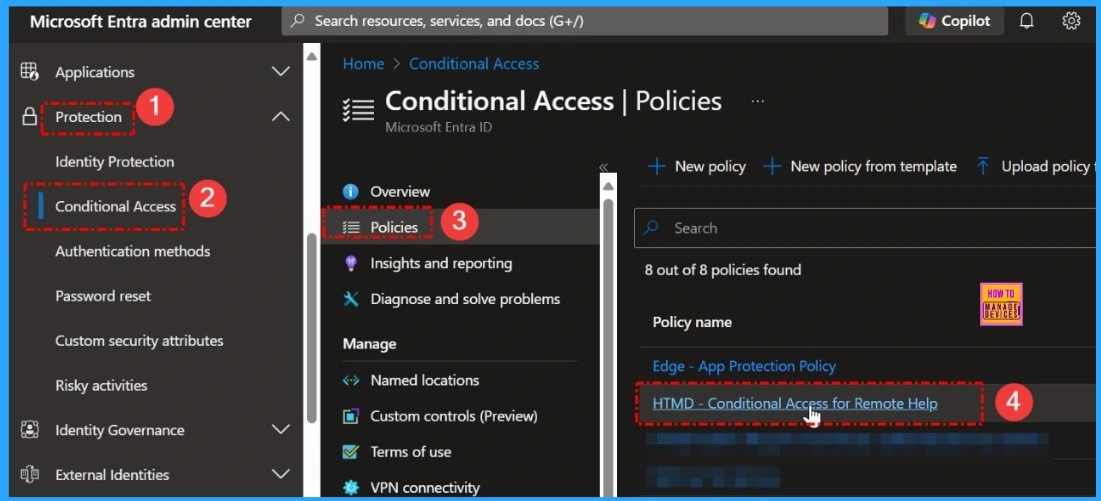
🎆How to use Entra Require App Protection Policy in Conditional Access for Secure Access
https://www.anoopcnair.com/entra-require-app-protection-policy-conditional/
🎯What is the Purpose of Require App Protection Policy?
🎯Require App Protection Policy
🎯Conditional Access for Security
🎯Require App Protection Policy in Conditional Access
🎯Require Approved Client App
🎯Grant settings in Conditional Access are Configured
📌How to Assign Multiple Personal Desktops to a Single User in Azure Virtual Desktop
https://www.anoopcnair.com/multiple-personal-desktops-to-a-single-azure/
🎉Multiple Personal Desktops Available on Preview
🎉Ability to Allow Multiple Personal Desktops
🎉Assign Multiple Personal Desktops
🎉Simplified Management
🎉Organizational Benefits of Multiple Personal Desktop
🎉Difference Between One Person Per User and Multiple Personal Desktop
Tuesday – 25 March 2025
📷AI Agent Tool that Brings the Power of Microsoft Graph and MS Entra
https://www.anoopcnair.com/ai-agent-tool-of-microsoft-graph-and-ms-entra/
✈AI Integration
✈Model Context Protocol
✈Smooth Integration with Microsoft Graph
✈Lokka Works Across Different Clients
✈Switch Between Multiple AI Models
✈Know the App Registration Process

🎆Enable or Disable Unattended Sleep Timeout on Battery using Intune Policy
https://www.anoopcnair.com/unattended-sleep-timeout-on-battery-using-intun/
🎯Unattended Sleep Timeout on Battery Policy
🎯CSP Details of Unattended Sleep Timeout on Battery
🎯What is Power Settings in Microsoft Intune?
🎯Specify Period of Inactivity Before Windows Transitions to Sleep
🎯Enable or Disable Unattended Sleep Timeout on Battery
🎯Device and User Check-in Status
🎯Client Side Verification

🎆New Protocol MCP Helps to Transform AI Agents from Isolated Chatbots into Context-Aware Digital Environments
https://www.anoopcnair.com/new-protocol-mcp-helps-to-transform-ai-agents-f/
🔔Model Context Protocol
🔔Improvement in Data Interaction
🔔Connection with Data Systems
🔔Allows Users to Interact with Complex Systems
🔔Enhances How Systems and Users Interact with Data
🔔Know the Innovations

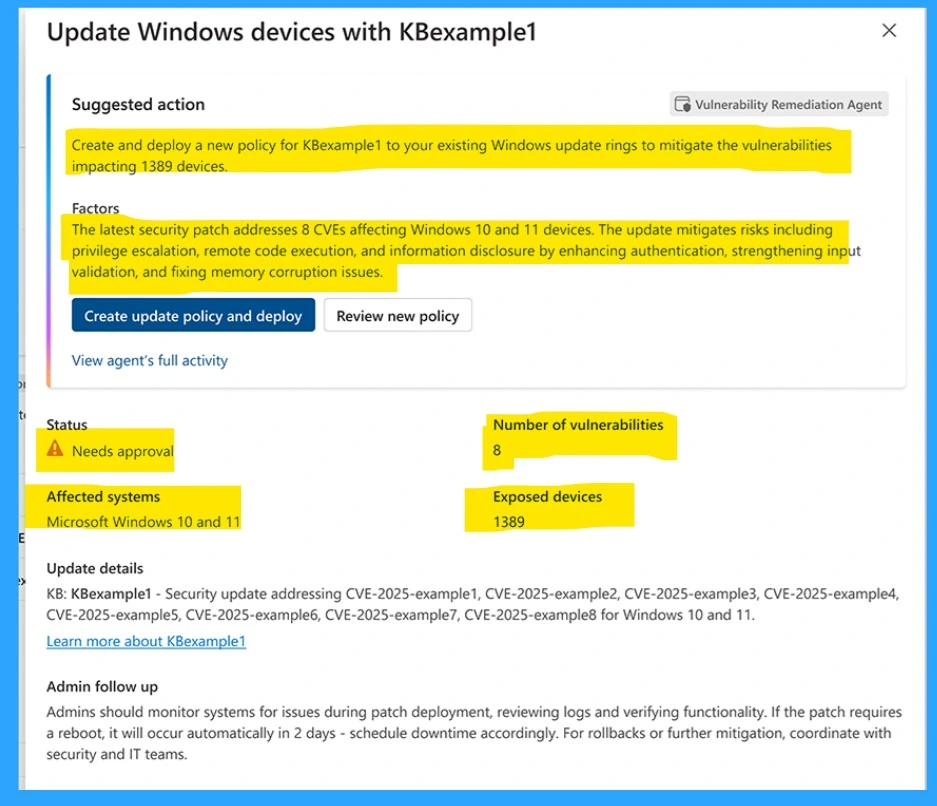
👉Effective Vulnerability Remediation Agent Strategies and Best Practices with Microsoft Intune
https://www.anoopcnair.com/effectiv-vulnerability-remediation-agent-intune/
✍Vulnerability Remediation Agent Strategies
✍Generate a Prioritized list of remediation actions
✍How to Vulnerability Remediation Agent Works
✍Leverage Microsoft Defender Vulnerability Management
✍Address Most Critical Vulnerabilities
✍AI-driven automation
Wednesday – 26 March 2025
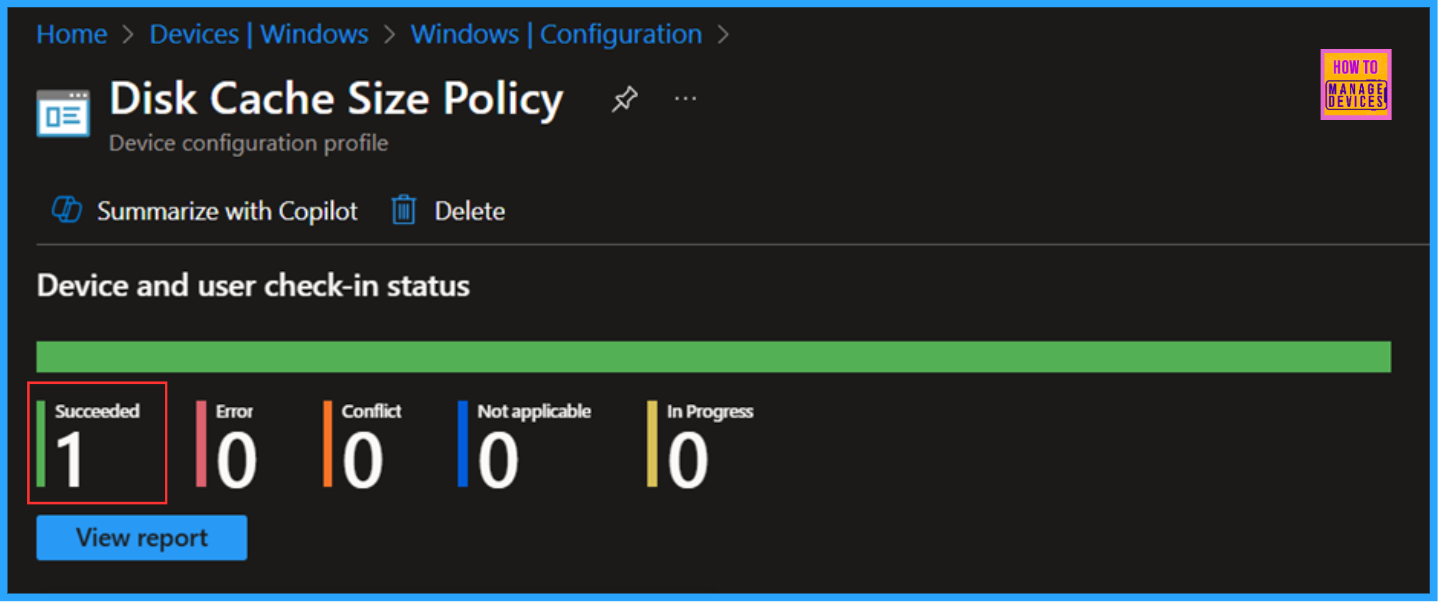
📷 Configure Disk Cache Size in MS Edge Browser using M365 Admin Center Policy
https://www.anoopcnair.com/disk-cache-size-in-ms-edge-browser-using-m365/
✈Disk Cache Size in MS Edge Browser
✈What is the Recommended Disk Size for Cache in MS Edge?
✈Microsoft 365 Admin Center Policy
✈Device Check-in Status
✈Client Side Verification
✈End User Experience
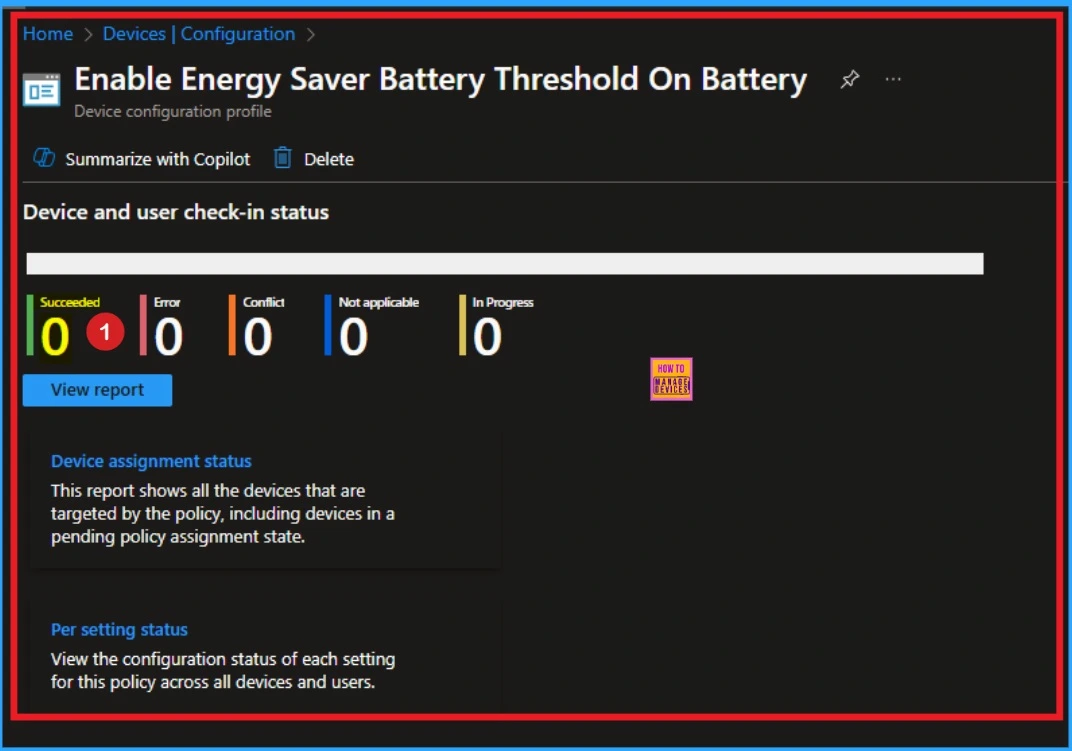
🎆How to Remove Assigned Group from Energy Saver Battery Threshold Policy in Intune Settings Catalog
https://www.anoopcnair.com/remove-assigned-group-from-energy-saver-intune/
🔔Remove Assigned Group in Intune Configuration Policy
🔔Energy Saver Battery Threshold Policy
🔔Steps to Remove Assigned Group from Energy Saver Battery Threshold On Battery
🔔Syncing Policy on Company Portal
🔔Reasons for Removing Assigned Group
🔔End Result
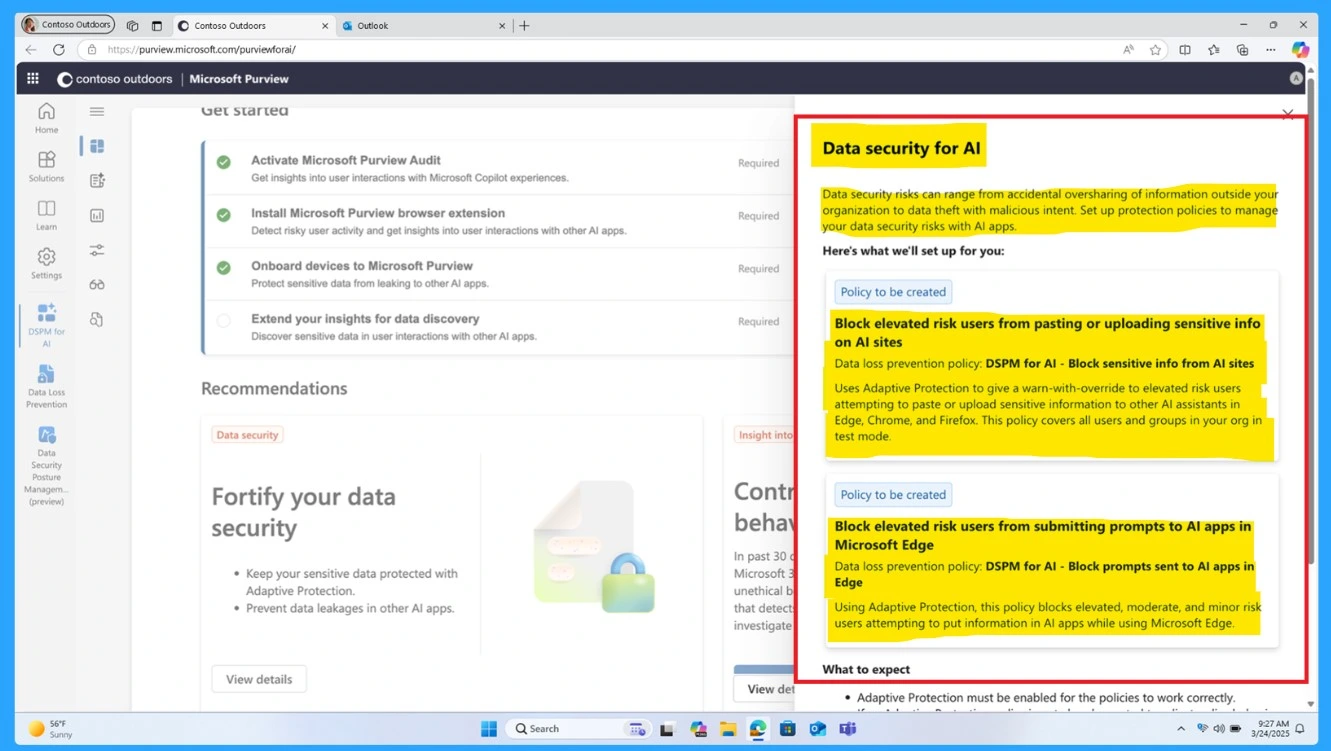
📌Native Data Protection for Unmanaged Devices and AI App Security with Microsoft Edge for Business
https://www.anoopcnair.com/data-protection-for-unmanaged-devices-edge/
💡Security Challenges in BYOD Environments
💡AI and Emerging Security Risks
💡Edge for Business: A Secure AI-Optimized Browser
💡Key Enhancements in Advanced Data Protection
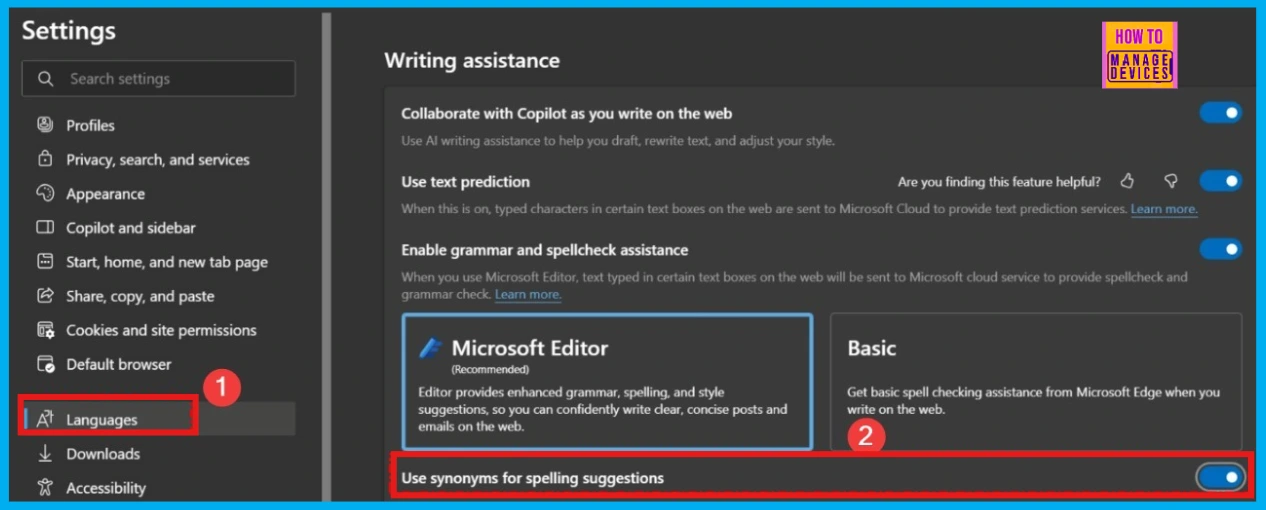
👉Enable or Disable Microsoft Editor Synonyms Policy in Edge Browser using M365 Admin Center
https://www.anoopcnair.com/microsoft-editor-synonyms-policy-edge-browser/
✍Microsoft Editor Synonyms Policy
✍Which Platforms offer Microsoft Editor?
✍Suggests Synonyms by Analyzing Text and Highlighting Errors
✍Monitoring Status
✍Device and User Check-in Status
✍Client Side Verification through Event Viewer
✍End User Experience
Thursday – 27 March 2025
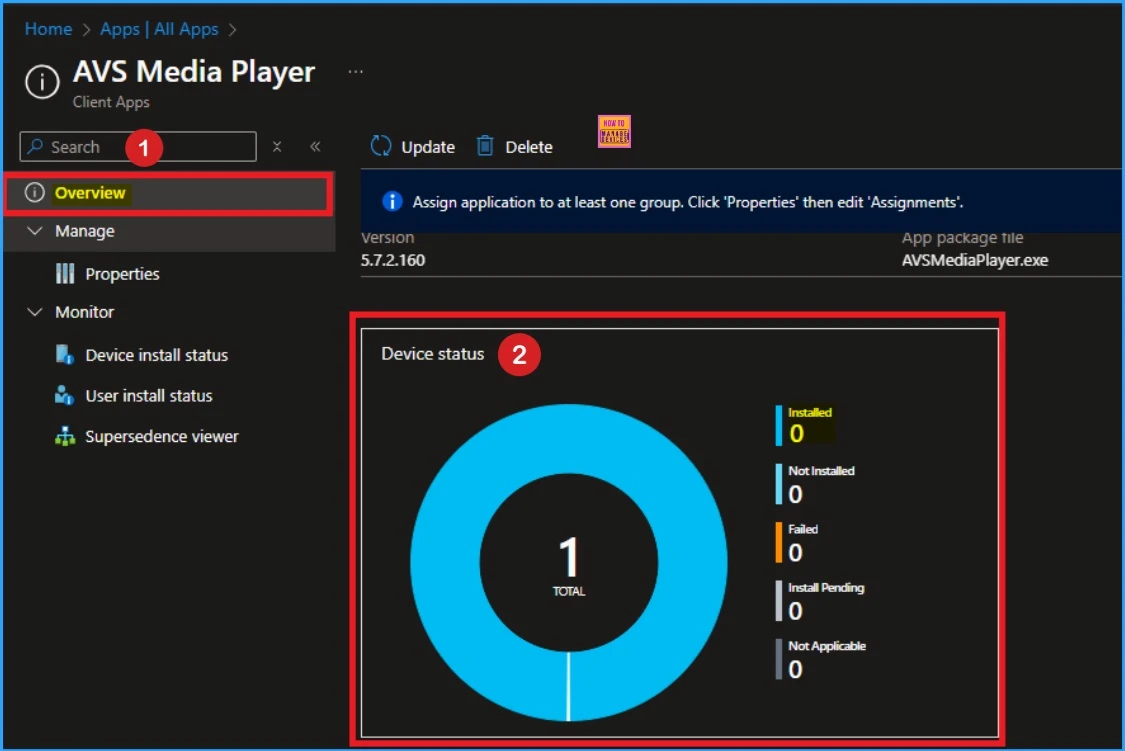
🎆Learn How to Delete or Remove App Assignment from Intune using Step by Step Guide
https://www.anoopcnair.com/to-delete-or-remove-app-assignment-from-intune/
🔔Delete or Remove App Assignment from Intune
🔔AVS Media Player Application in Intune
🔔Enterprise App Catalog App
🔔Steps to Remove Assigned Group from AVS Media Player
🔔Syncing App on Company Portal
🔔End Result
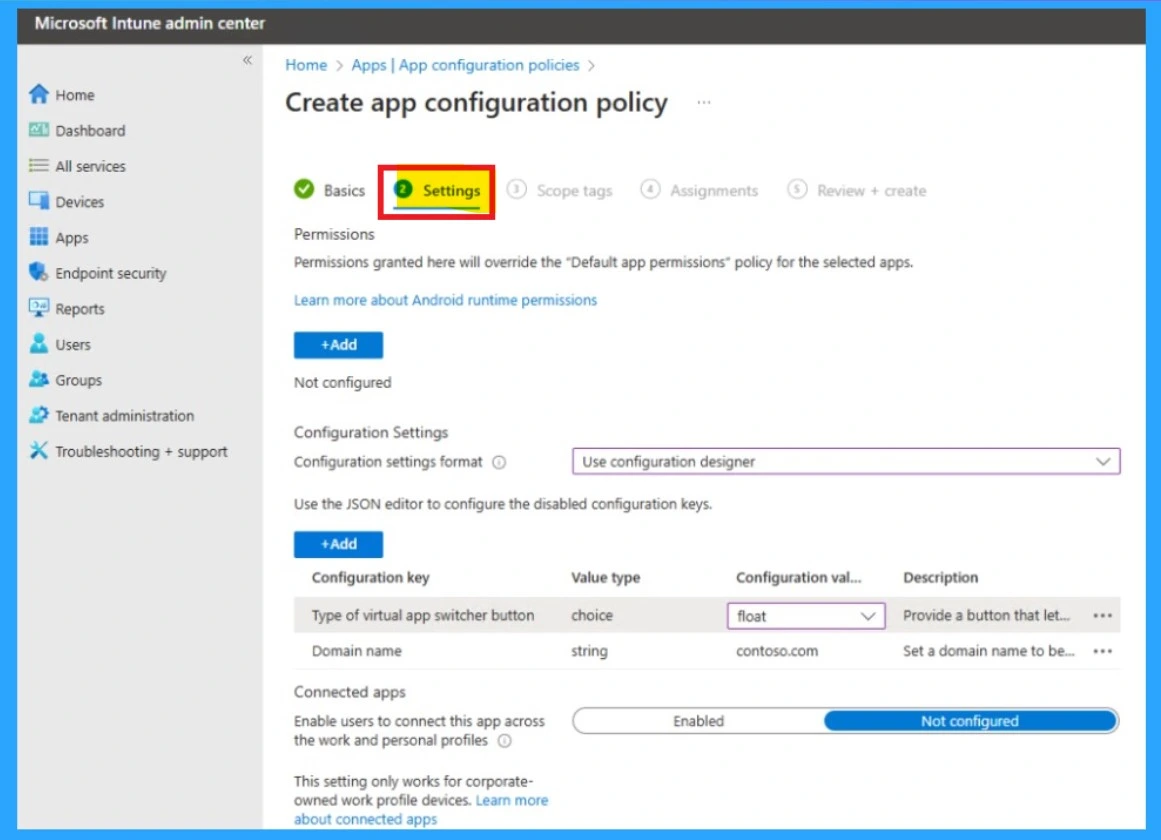
🎆How to Simplify Shared Android Devices with Entra Shared Mode and Intune
https://www.anoopcnair.com/shared-android-devices-entra-shared-mode-intune/
🔔Shared Android Devices
🔔Focus on Frontline Worker Devices
🔔Effective Management with Intune
🔔Device Sign In and Secure Access
🔔QR Code Sign In
🔔Shared Device Sign In and Sign Out
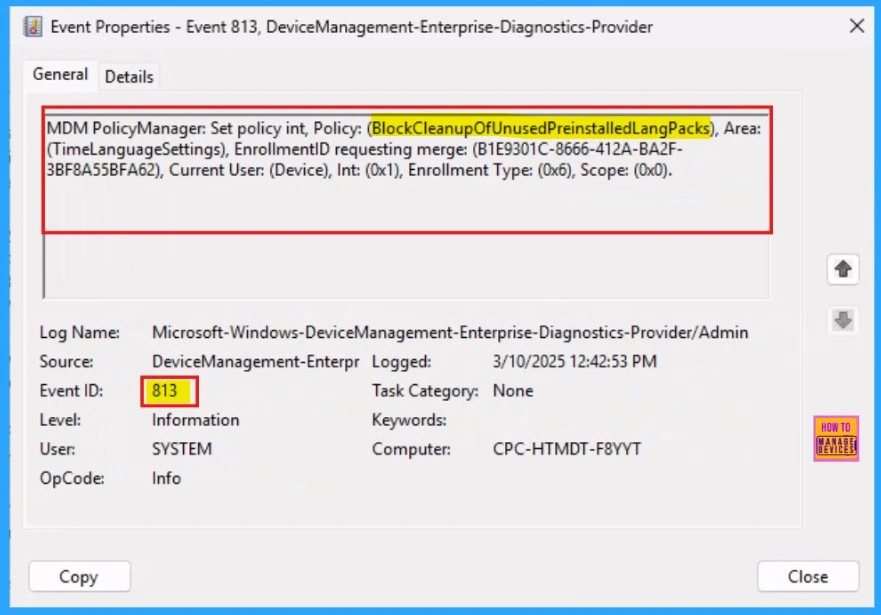
📌Allow or Block Cleanup of Unused Preinstalled Language Packs using Intune
https://www.anoopcnair.com/cleanup-of-unused-preinstalled-lang-intune/
💡Cleanup of Unused Preinstalled Language Packs
💡How to Change the Language in Windows 11
💡Set up Policies on Windows 10 and 11
💡Client Side Verification
💡End Result
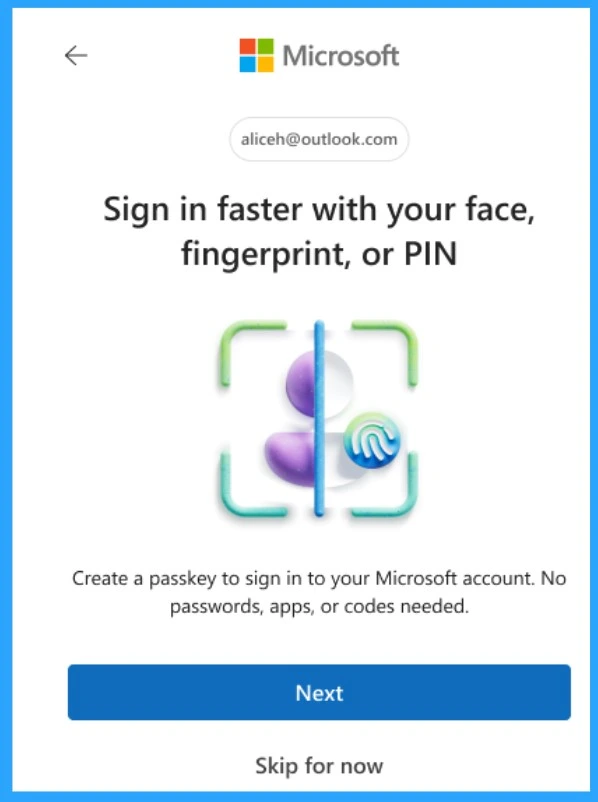
📌How to Set Up White Dark Theme Sign-In Experience Passkeys and Enhanced Authentication
https://www.anoopcnair.com/white-dark-theme-sign-in-experience-passkeys/
💡Quick Overview of the New Microsoft Account Sign-In
💡Enhanced Authentication for Better Security
💡Passkeys: A Secure Alternative to Passwords
💡White & Dark Theme Sign-In Experience
💡Consistent Sign-In Across Microsoft Platforms
💡Faster and More User-Friendly Authentication
Friday – 28 March 2025
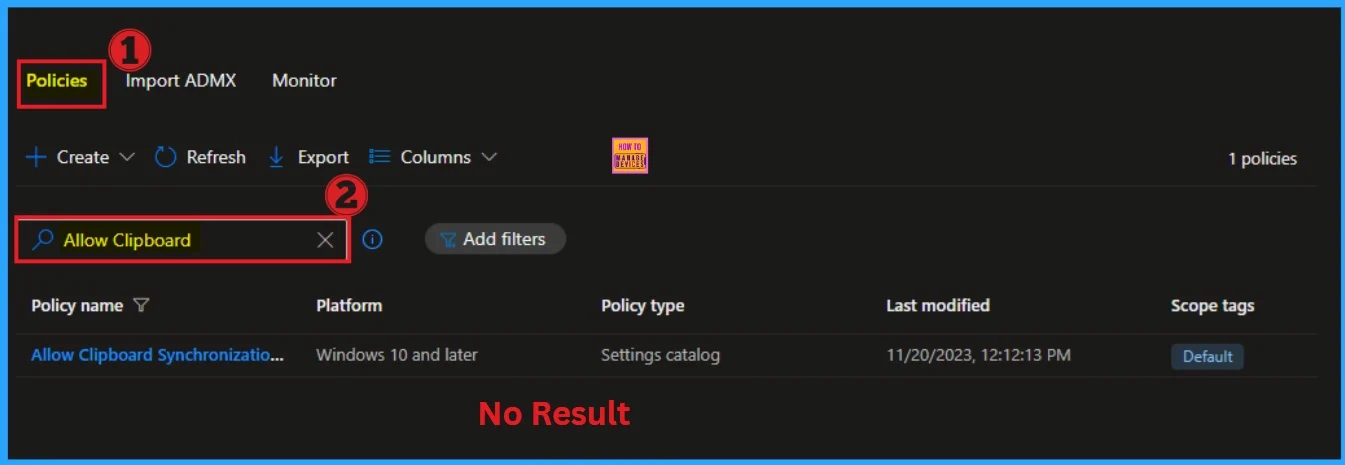
🎆How to Delete Allow Clipboard History Policy in Intune Step by Step Guide
https://www.anoopcnair.com/delete-allow-clipboard-history-policy-in-intune/
🎯Delete Policy in Microsoft Intune
🎯Allow Clipboard History Policy in Intune
🎯Different Scenarios of Policy Deletion
🎯Steps to Delete Policy in Intune
🎯Sync Device on Company Portal
🎯Device and User Check-in Status
🎯End Result
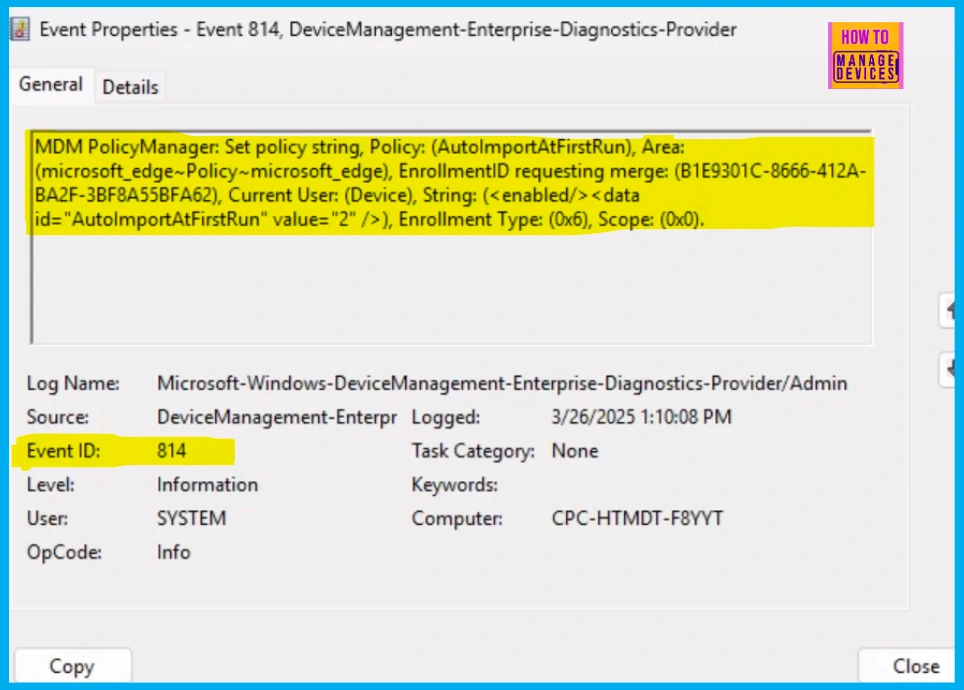
👉How to Configure Auto Import At First Run Policy in Edge Browser using M365 Admin Center
https://www.anoopcnair.com/auto-import-at-first-run-policy-in-edge-browser/
✍What is the Auto Import At First Run Policy in Microsoft Edge?
✍Import Browser Data from Another Browser
✍Policy Options Mapping of Auto Import At First Run Policy
✍Monitoring Status
✍Device and User Check-in Status
✍Client Side Verification through Event Viewer
✍End User Experience
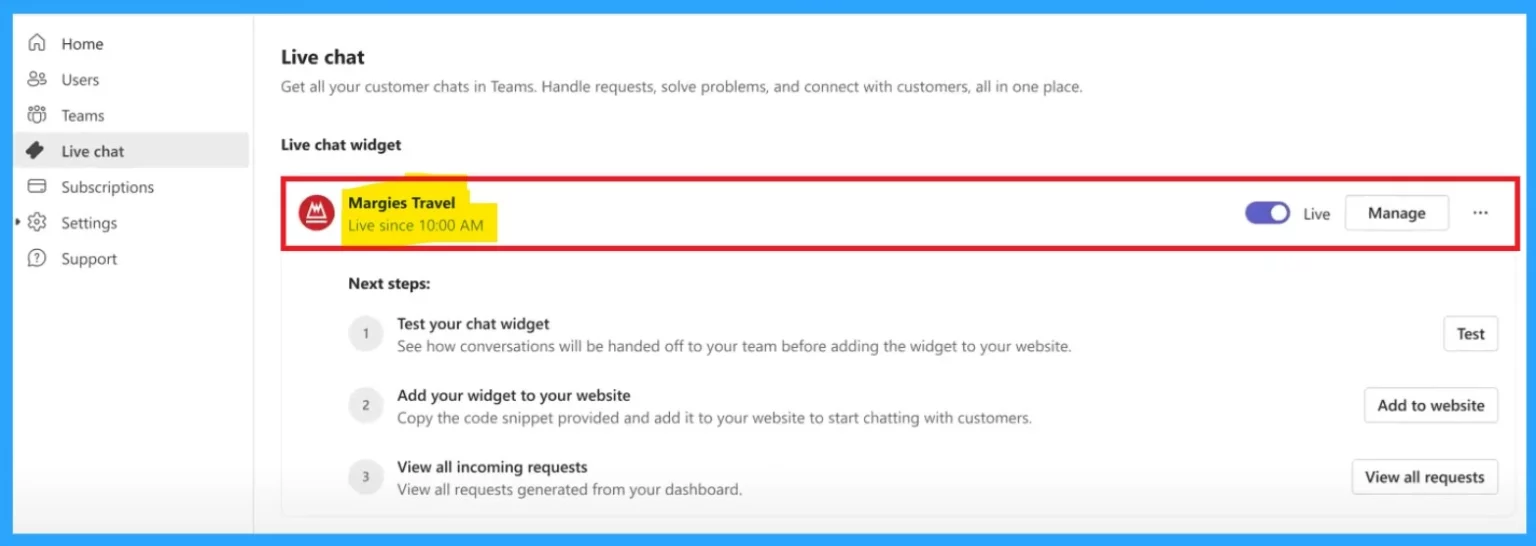
🎆Best Guide to Setting Up Live Chat in Microsoft Teams for Small Businesses
https://www.anoopcnair.com/live-chat-in-microsoft-teams-for-small-business/
➡Live Chat Available in May 2025
➡Instant Customer Connection
➡Allows Small Businesses to Connect with Customers
➡Simplifies Communication with Customers
➡Direct Website Integration
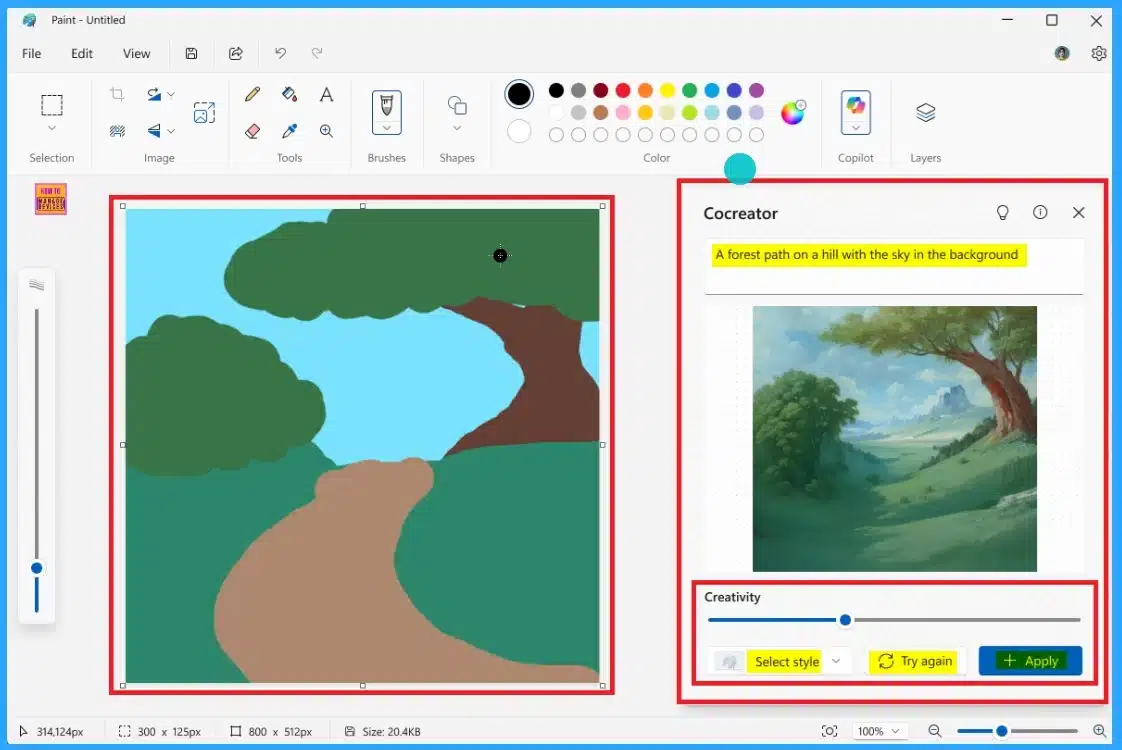
📌How to use New Try Again and Select Style Buttons in MS Paint Cocreator
https://howtomanagedevices.com/windows-11/21060/try-again-and-select-paint/
🎉New Try Again and Select Style Buttons in MS Paint
🎉Microsoft Paint Cocreator
🎉Available on Version 11.2502.121.0
🎉Rolling Out Windows Insiders
🎉Improved the Cocreator Side Panel
🎉How to Use the New Try Again and Select Style Buttons
🎯 Sujin explains – Automating Daily Reports of Managed Intune Devices with Logic Apps and Graph API – https://youtu.be/msfVT0V1lfg
📌How to Create an Azure Logic App
📌Entra ID App Registration
📌Automate Daily Report of Managed Intune Devices using Graph API
📌Schedule Daily Report using Azure Logic Apps
📌What is Azure Logic Apps?
📌What are the key Features of Azure Logic Apps
📌Benefits of Azure Logic Apps
📌Flow chart of Azure Logic Apps
Connect with the HTMD Community
Join the Telegram group to get the latest step-by-step guides and news updates. Join our Meetup Page to participate in User group meetings. Also, join the WhatsApp Community to get the latest news on Microsoft Technologies. We are there on Reddit as well.
HTMD Community Social Media Platform Links
The table below shows our social media platforms and their links. It also provides more details.
| Social Media Platform | Link |
|---|---|
| LinkedIn: HTMD Community | https://www.linkedin.com/company/how-to-manage-devices/ |
| Telegram: SCCM Intune Technical Discussions | https://t.me/joinchat/Q9lE6G1_BO_bGq97 |
| Telegram: JOB SCCM Intune Group | https://t.me/joinchat/SIKr3OugR2FQ-Ej9 |
| WhatsApp: HTMD Community | https://chat.whatsapp.com/CeMXHSD61HtDBJwe78IZwV |
| Telegram: AVD/Windows 365 User Group | AVD Community – https://t.me/Inwvdcommunity |
| HTMD Community | Facebook | |
| HTMD Community (@htmd_community) • Instagram photos and videos | |
| HTMD Community (@htmdcommunity) / Twitter | |
| Facebook Group: SCCM | https://www.facebook.com/groups/ConfigMgr2012/ |
| Facebook Group: Intune | https://www.facebook.com/groups/1738789256382744 |

Anoop C Nair is Workplace Technology solution architect with 25+ years (as of 2026) of experience in global enterprise organizations such as JP Morgan, Capgemini, etc. Microsoft Certified Trainer (MCT). Microsoft MVP from 2015 onwards for consecutive 11+ years! He also conducts Intune and modern workplace tech training for enterprise organizations. He is Blogger, Speaker, and Founder of HTMD Community and HTMD Conference. His main focus is on Device Management technologies like Intune, Windows, Cloud PC. He writes about technologies like Intune, SCCM, Windows, Cloud PC, Windows, Entra, Microsoft Security.

Discussion