





HTMD Newsletter 121 Dec 25th to 29th
Welcome to the HTMD Newsletter 121 Summary from 25th December to 29th 2023! This is the list of posts and videos that the HTMD Community published this week and news from the IT industry. You can get all the information and details from Windows 11, Cloud PC, SCCM, Intune, Azure Virtual Desktop (AVD), Android, iOS, and Mac.
➡️ Here’s how you can be part of the HTMD Community, You can join us here.
➡️ Here, you can Subscribe HTMD Youtube Channel and welcome Video Messages about HTMD here.
➡️ We are on WhatsApp. To get the latest step-by-step guides and news updates, Join our Channel, HTMD WhatsApp.
Did you miss updates from last week? Check out the link below.
- 118th HTMD Newsletter – HTMD Newsletter 118 Dec 4th to 8th
- 119th HTMD Newsletter – HTMD Newsletter 119 Dec 11th to 15th
- 120th HTMD Newsletter – HTMD Newsletter 121 Dec 18th to 22nd

25th December 2023 – HTMD Newsletter 121
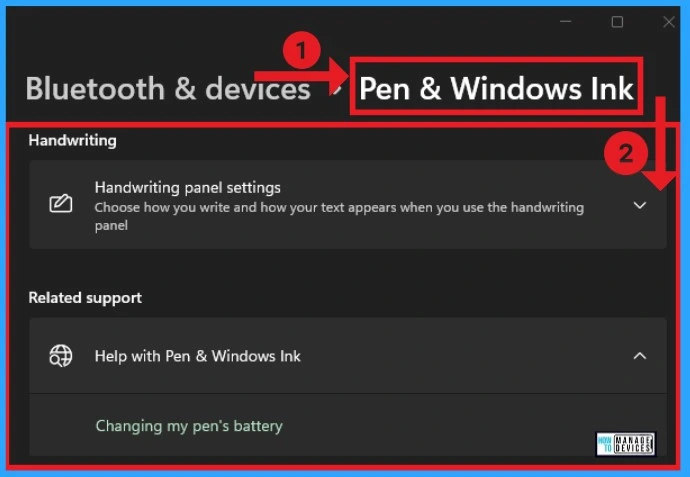
🎆Bluetooth and Device Settings in Windows 11
https://www.anoopcnair.com/bluetooth-and-device-settings-in-windows-11/
🔔Wireless Communication Without Cables
🔔Send or receive files via Bluetooth
🔔Easy to Data Transfer and Connectivity
🔔Best media for transferring large files quickly
🔔Phone Link instantly access your mobile devices from your PC
26th December 2023 – HTMD Newsletter 121
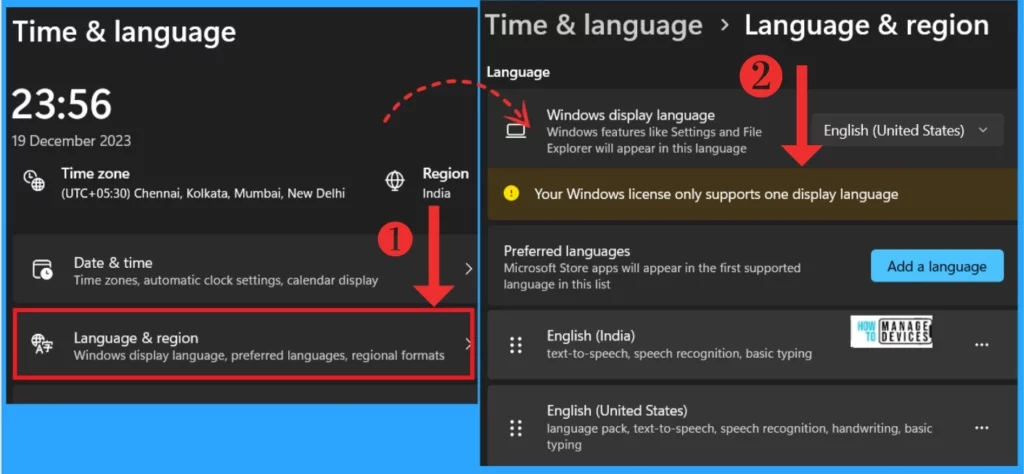
🎆Time and Language Settings in Windows 11
https://www.anoopcnair.com/time-and-language-settings-in-windows-11/
🔔Easily change device’s language and time settings
🔔Time zone, Automatic clock settings, calendar display
🔔Windows display language, preferred language, regional formats
🔔Touch keyboard, text suggestions, preferences
🔔Speech language, speed recognition microphone setup, voices
27th December 2023 – HTMD Newsletter 121
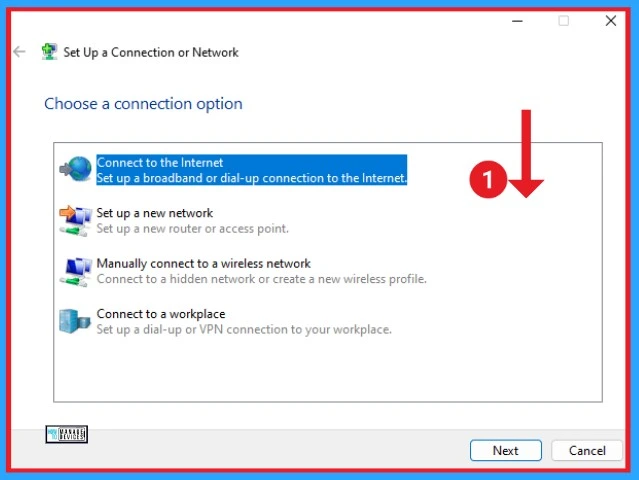
🎆Network and Internet Settings options in Windows 11
https://www.anoopcnair.com/network-and-internet-settings-windows-11/
🎈Connect, manage known networks, metered network
🎈Add, connect and manage VPN
🎈Mobile hotspot to share your internet connection
🎈Airplane mode to stop wireless communication
28th December 2023 – HTMD Newsletter 121
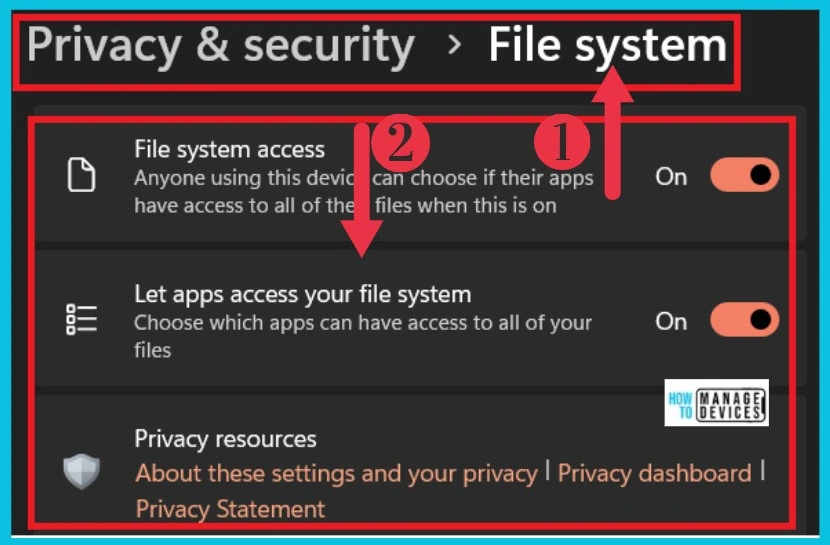
🎆Privacy and Security Settings in Windows 11
https://www.anoopcnair.com/privacy-and-security-settings-in-windows-11/
▶Security, Windows Permissions and App Permissions
▶Antivirus, Browser, Firewall and Network Protection for your Device
▶Easily Track Your Lost Device
▶Protect your Files from Unauthorized Access
▶Advsertising ID, Local content, App launches, Settings Suggestions and Productivity Tools
29th December 2023 – HTMD Newsletter 121
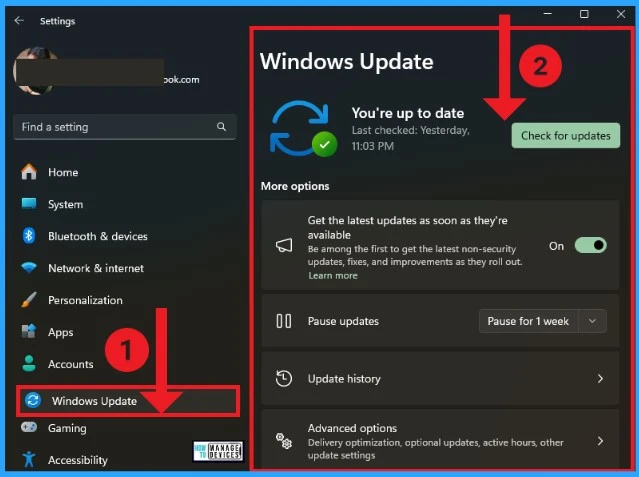
🎆Windows Update Settings options in Windows
https://www.anoopcnair.com/windows-update-settings-options-in-windows/
🌟Get the latest updates as soon as they’re available
🌟Pause updates and Update history
🌟Delivery optimization, optional updates, active hours and other update settings
🌟Windows update Advanced options

Deb is an SCCM and Intune admin with many years of experience in enterprise environments. He is interested in Windows management, Task Sequence, SCCM, and modern management.
Discussion